# Lua documentation - Trilogy Hub
The complete Trilogy Hub Lua API documentation: guides, server and client functions, and events. This file is built from the same data as the documentation pages.
- Online version: https://trilogy-hub.com/en/docs/
- Entries in this file: 1947
- Generated: 2026-11-03
To get a single page, add `.md` to its address, for example `https://trilogy-hub.com/en/docs/getElementPosition.md`
---
## Guides
### Getting started
Your first resource in five minutes: a folder, `meta.xml`, one server script and one client script.
#### What is a resource
Everything that happens on a server is done by **resources**. A resource is a folder in `resources/` with a `meta.xml` file that tells the server which scripts and files belong to it. A game mode, an admin panel, a speedometer or a race are separate resources that you turn on and off without restarting the server.
The folder layout, `meta.xml` and function names are the ones you know from other San Andreas servers.
#### Create a folder
In the server folder open `resources/` and create a folder called `welcome` in it. The folder name is the resource name you will use in the console.
```text
resources/
welcome/
meta.xml
server.lua
client.lua
```
#### Write meta.xml
`meta.xml` lists the resource's scripts. The `type` attribute decides where a script runs: `server` stays on the server, `client` is sent to every player.
```xml
10
` (including ones in `disabled_resources`), and when one of them is missing from `resources/`, the resource does not start and the console shows an error. A dependency loop (A needs B, B needs A) also stops the start.
```xml
` resources last. Dependencies from `` start before the resource that needs them.
- To disable one without deleting the folder: `"disabled_resources": ["name"]` in `server-config.json`. You can still start it with `start name` or as another resource's dependency.
- A new folder added while the server runs: `start name` in the console, or from a script `refreshResources()` and `startResource(getResourceFromName("name"))`.
#### Limits and console
A single file can be up to 64 MB, a whole resource up to 256 MB. Everything a resource creates (vehicles, objects, windows, timers) disappears when it stops.
| Command | What it does |
|---|---|
| `start ` | starts the resource |
| `stop ` | stops the resource and removes everything it created |
| `restart ` | stops and starts it again, also for players |
### Conventions
Rules shared by the whole API: script sides, elements, `root` and `source`, coordinates and error handling.
#### Server, client, both sides
Every function and event shows where it works:
| Mark | Side | Where you use it |
|---|---|---|
| **S** | Server | `type="server"` scripts |
| **C** | Client | `type="client"` scripts |
| **B** | Both | any script, including `type="shared"` |
Some shared functions have a shorter syntax on the client, because they always apply to the local player. For example [`outputChatBox`](https://trilogy-hub.com/en/docs/outputChatBox/) on the server takes a player, while on the client it writes straight to that player's chat. Such differences are described on the function's page.
#### Elements
Players, vehicles, objects, markers, GUI windows and sounds are **elements**. Functions take them as arguments and events pass them as `source`. `isElement(x)` checks whether an element still exists.
Elements form a tree. At the top is `root`, and under it every resource has its own `resourceRoot`. A handler attached to `root` catches the event of every element, one attached to `resourceRoot` only those of that resource's elements.
#### Built-in variables
| Variable | Side | Meaning |
|---|---|---|
| `root` | both | root of the element tree |
| `resourceRoot` | both | root of the current resource's elements |
| `source` | both | the element the event is about |
| `localPlayer` | client | the player the script runs for |
| `client` | server | the player who sent the event with [`triggerServerEvent`](https://trilogy-hub.com/en/docs/triggerServerEvent/) |
#### Coordinates
You give a position as three numbers `x, y, z` in game world metres. The map centre is `0, 0`, Los Santos is in the south-east (positive `x`, negative `y`), and `z` is height. Rotations are in degrees.
#### Errors and bad arguments
A bad argument does not stop the script. The function returns `false` and the console shows a warning with the function name and the argument number:
```text
Bad argument @ 'setPlayerMoney' [expected player at argument 1, got string 'Adam']
```
An out-of-range value is also rejected rather than clamped, unless the function's description says otherwise. That is why it is worth checking the result of functions that create something:
```lua
local car = createVehicle(411, 0, 0, 3)
if not car then
outputDebugString("Could not create the car")
return
end
```
#### Custom events
You register an event with `addEvent("name")`. If the client is going to trigger it, the server must register it with `true` as the second argument: `addEvent("name", true)`. Without it the server rejects the event from the player. Details in [`triggerServerEvent`](https://trilogy-hub.com/en/docs/triggerServerEvent/) and [`triggerClientEvent`](https://trilogy-hub.com/en/docs/triggerClientEvent/).
#### Lua 5.4 and scripts from MTA
Scripts run on Lua 5.4. For compatibility with scripts written for Lua 5.1 (MTA) there are `math.atan2(y, x)` (in 5.4 that is `math.atan(y, x)`), `math.pow(x, y)` (same as `x ^ y`) and `math.log10(x)`. Division `/` always gives a float (`7 / 2` = 3.5); integer division is `//`.
#### Limitations and workarounds
- **Collision between just two elements** (`setElementCollidableWith`) does not exist yet. Ghost-mode workaround: `setElementCollisionsEnabled(otherCar, false)` on the client plus transparency (`setElementAlpha`); such a car collides with nothing for that player, so only enable it for the start of a round.
- **The game map on the server:** the server has no collision for buildings or terrain, so `processLineOfSight`, `isLineOfSightClear` and `getGroundPosition` on the server only see script elements. Do an exact test against the map in a client script and send the result with `triggerServerEvent`.
- **NPC damage on the client:** there is `onClientPlayerDamage` (your own ped); NPC damage is reported by the server in `onPedDamage`.
### Server configuration
Every setting in `server-config.json`: name and port, the server list, relay, player limits, file downloads and updates.
#### Where the file is
`server-config.json` lives in the main server folder, next to `resources/` and `admins.xml`. The server creates it by itself the first time it starts in an empty folder, together with the starter resources. A server created in the launcher gets a ready file with its server list key.
The file is read at startup. After a change, save it and restart the server. A wrong value (e.g. a name that is too short or a port out of range) stops the start, and the console tells you which option to fix.
> **Warning:** This is JSON: names and texts in quotes `"..."`, a comma after every option except the last one, `true` / `false` without quotes. A missing comma or bracket will stop the server from starting.
#### Full example
```json
{
"title": "My server",
"subtitle": "Freeroam, races and drift",
"port": 7777,
"public_port": null,
"max_slots": 32,
"password": "",
"server_id": 123,
"server_key": "key-from-the-launcher",
"relay": true,
"upnp": true,
"max_ping": 300,
"max_ping_seconds": 30,
"require_verified_client": false,
"launcher_skins": true,
"disabled_resources": ["test"],
"client_loadstring": true,
"max_event_kb": 64,
"http_download_url": "",
"download_kbps": 0,
"browser_domains": ["youtube.com"],
"browser_devtools": false,
"max_connections_per_ip": 8,
"connections_per_minute": 30,
"flood_ban_seconds": 60,
"auto_update": true,
"db_key": ""
}
```
These are all the options with their default values (except the name, the key and the sample lists). `null` or an empty text `""` means the option is not used. You don't have to list everything: every option you leave out has the default value from the tables below.
#### Basics
| Option | Default | Meaning |
|---|---|---|
| `title` | `"Serwer Trilogy Hub"` | Name on the server list, 3-40 characters. |
| `subtitle` | `""` | Short description under the name, up to 80 characters. |
| `port` | `7777` | Game port, 1024-65535. On a hosting, use the port assigned by the panel. The same number is used for TCP and UDP: open (forward) both protocols. |
| `public_port` | none | The port seen from the internet, when the hosting forwards a different external port to the one in `port`. This is the one shown on the list. |
| `max_slots` | `32` | Player limit. |
| `password` | `""` | Server password, up to 64 characters. Empty = open server. |
The name and description can't contain HTML tags or profanity.
Players type the password in the launcher when joining. After 5 wrong tries they wait a minute, and every next 5 makes the lock longer (up to an hour). The password only works on a server with a `server_key`.
#### Server list
| Option | Meaning |
|---|---|
| `server_id` | The server's number in Trilogy Hub. |
| `server_key` | The key the server uses to appear on the list. |
You get both in the launcher when you create a server. Without them the server works, but it won't show up on the list, and players can only join by IP:port.
> **Warning:** `server_key` is like a password to your server's list entry. Never share it, and don't run the same server in two places at once (e.g. locally in the launcher and on a hosting).
#### Connection and relay
| Option | Default | Meaning |
|---|---|---|
| `relay` | `true` | `true`: players connect directly, and through the Trilogy Hub relay when the server port can't be reached from the internet. `"always"`: always through the relay, the server's IP address stays hidden. `false`: no relay. |
| `upnp` | `true` | The server tries to open its port on the router by itself (UPnP), TCP and UDP. When that works, players connect directly. |
| `udp` | `true` | Player movement (positions, animations, vehicles) goes over UDP on the same port number, so a lost packet doesn't hold up everything else. If UDP is blocked, the player switches to TCP on their own after a few seconds. `false` turns UDP off. Through the relay, movement always goes over TCP. |
| `admission` | on in the launcher | Overload protection. When the computer running the server can't keep up (CPU, memory, server delay or the host's game FPS dropping), new players from outside wait in a queue and join on their own once the load drops. Players already in the game and a player on the same computer always get in. On a hosting, enable it with `{"enabled": true}`. |
Thanks to the relay, a server running at home can be joined without port forwarding and without tools like Hamachi.
#### Players
| Option | Default | Meaning |
|---|---|---|
| `max_ping` | `300` | Highest allowed ping in ms. `0` turns the limit off. |
| `max_ping_seconds` | `30` | How many seconds the ping may stay too high before the server kicks the player. |
| `require_verified_client` | `false` | `true` only lets in players with a verified device (signed in to the launcher). |
| `launcher_skins` | `true` | `false`: players join as CJ, without the outfit chosen in the launcher. |
#### Resources and scripts
| Option | Default | Meaning |
|---|---|---|
| `disabled_resources` | `[]` | Resources that DON'T start with the server, e.g. `["test", "old_mode"]`. Everything else in `resources/` starts by itself. Start a disabled resource with the `start ` command. |
| `client_loadstring` | `true` | `false` turns off `load` / `loadstring` in client scripts. On the server they always work. Safer when resources don't compile code on players' computers. |
| `element_data_client_changes` | `"allow"` | `"deny"`: client scripts cannot change any element data (client `setElementData` is rejected, the server gets `onPlayerChangesProtectedData`). Single keys: the fifth argument of `setElementData`. |
| `max_event_kb` | `64` | Largest size of the arguments of an event sent by a player (`triggerServerEvent`), in kilobytes. Bigger events are rejected. |
#### File downloads
| Option | Default | Meaning |
|---|---|---|
| `http_download_url` | none | Address of a web server with the resource files. Players download `//` from it instead of from the game server. |
| `download_kbps` | `0` | Per-player download speed limit for files from the game server, in KB/s. `0` = no limit. |
Files from `http_download_url` are checked against their checksum. If a file fails to download or differs from the one on the server, the player gets it from the game server, so a wrong address never blocks joining.
#### In-game browser
| Option | Default | Meaning |
|---|---|---|
| `browser_domains` | `[]` | Domains that resources may open in the in-game browser, e.g. `["youtube.com", "my-site.com"]`. Subdomains included. The player still has to agree (`requestBrowserDomains`). |
| `browser_devtools` | `false` | `true` allows opening the browser developer tools (`toggleBrowserDevTools`). |
#### Connection flood protection
| Option | Default | Meaning |
|---|---|---|
| `max_connections_per_ip` | `8` | How many connections one IP address may have at once. |
| `connections_per_minute` | `30` | How many new connections per minute the server accepts from one IP address. |
| `flood_ban_seconds` | `60` | For how many seconds the server blocks an address that went over the limit. |
The defaults suit most servers. Raise them when many players join from one address (e.g. an internet cafe or a dorm).
#### Updates and databases
| Option | Default | Meaning |
|---|---|---|
| `auto_update` | `true` | Every 15 minutes the server checks for new versions and installs them when nobody is playing. Resources and the config are not touched. `false` turns updates off. |
| `db_key` | none | Key for the encrypted `databases.json.enc` file with MySQL connection details (you can set the `TH_DB_KEY` environment variable instead). |
Every update is signed by Trilogy Hub, and the server rejects a file without a valid signature. When players stay on the server all the time, the new version waits up to 2 hours and then comes in with a countdown in the chat. If the new version fails to start, the server goes back to the previous one by itself.
### Particles
Moving particles simulated by the game: 14 ready-made effects, custom settings, attaching to vehicles and players, server effects everyone sees.
#### Your first emitter
An emitter is a `"particle"` element created on the client or the server. It releases particles that fly, spin, change colour and size, and finally fade out. The game runs all the physics, so your script does nothing per frame. The easiest start is a ready-made effect:
```lua
local x, y, z = getElementPosition(localPlayer)
local fire = createParticleEmitter(x + 2, y, z - 1, "fire")
-- put it out after 10 seconds
setTimer(destroyElement, 10000, 1, fire)
```
An emitter behaves like any element: [`setElementPosition`](https://trilogy-hub.com/en/docs/setElementPosition/), [`attachElements`](https://trilogy-hub.com/en/docs/attachElements/) and [`destroyElement`](https://trilogy-hub.com/en/docs/destroyElement/) do what you expect. Stopping a resource cleans up its emitters.
#### Particles from the server
The same functions work in a server script. Every player sees a server emitter, also players who join later, and each player's game simulates and draws the particles on its own. Settings, presets, [`setParticleEmitterSettings`](https://trilogy-hub.com/en/docs/setParticleEmitterSettings/), [`setParticleEmitterEnabled`](https://trilogy-hub.com/en/docs/setParticleEmitterEnabled/) and [`burstParticles`](https://trilogy-hub.com/en/docs/burstParticles/) work just like on the client and reach everyone.
```lua
-- a campfire in the middle of the square, visible to everyone
local campfire = createParticleEmitter(2495, -1670, 12.5, "fire")
-- a firework above the player who types /show
addCommandHandler("show", function(player)
local x, y, z = getElementPosition(player)
createParticleEffect(x, y, z + 25, "firework")
end)
```
A server emitter follows [`setElementDimension`](https://trilogy-hub.com/en/docs/setElementDimension/), [`setElementInterior`](https://trilogy-hub.com/en/docs/setElementInterior/) and [`setElementVisibleTo`](https://trilogy-hub.com/en/docs/setElementVisibleTo/): a player in another dimension or interior does not see it and computes nothing for it. [`attachElements`](https://trilogy-hub.com/en/docs/attachElements/) on the server attaches the emitter to a vehicle or a player for everyone. The `texture` field is a path to a client file of the same resource (`` in meta.xml). A client script can change a server emitter only for itself, until the next change from the server; [`getParticleCount`](https://trilogy-hub.com/en/docs/getParticleCount/) works only on the client, because every player has their own particles.
#### Ready-made effects
Pass a preset name instead of a settings table. The next argument overrides chosen fields and keeps the rest: `createParticleEmitter(x, y, z, "fire", { rate = 60 })`. [`getParticlePresets`](https://trilogy-hub.com/en/docs/getParticlePresets/) lists them with descriptions, [`getParticlePresetSettings`](https://trilogy-hub.com/en/docs/getParticlePresetSettings/) returns the full settings of one.
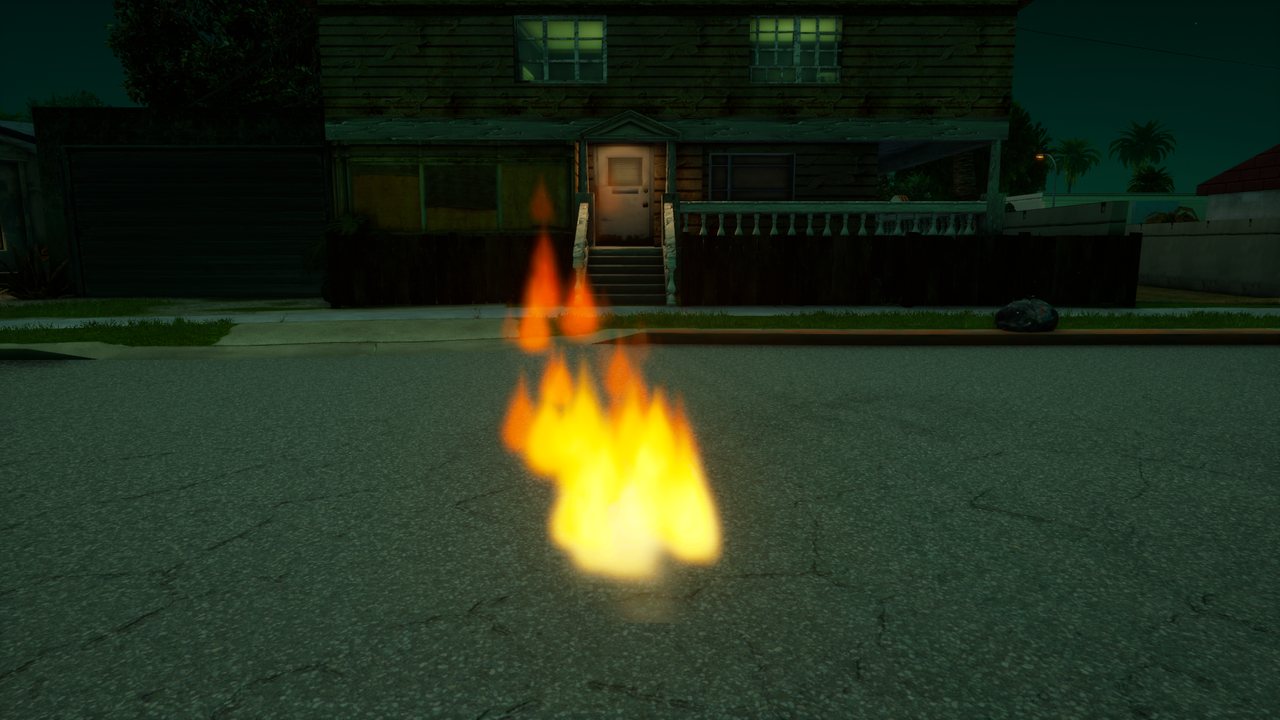
*Flames rising from a campfire.*
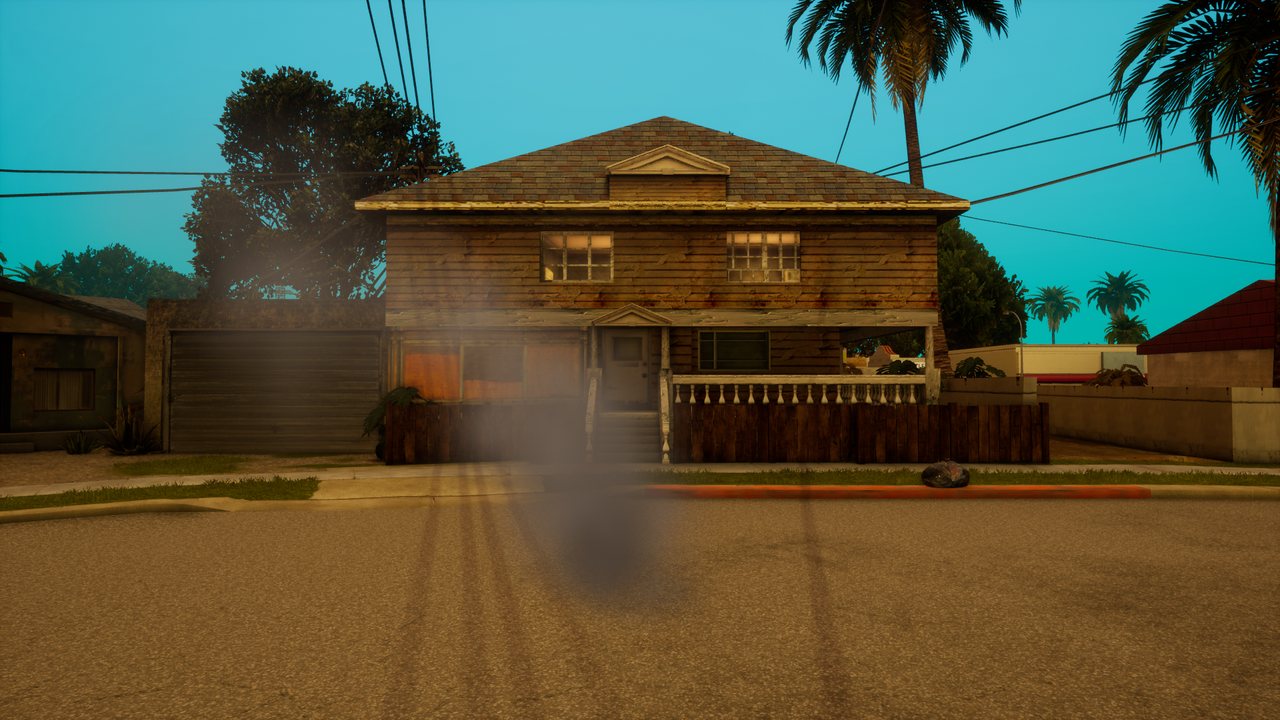
*Thick smoke that grows and drifts away.*
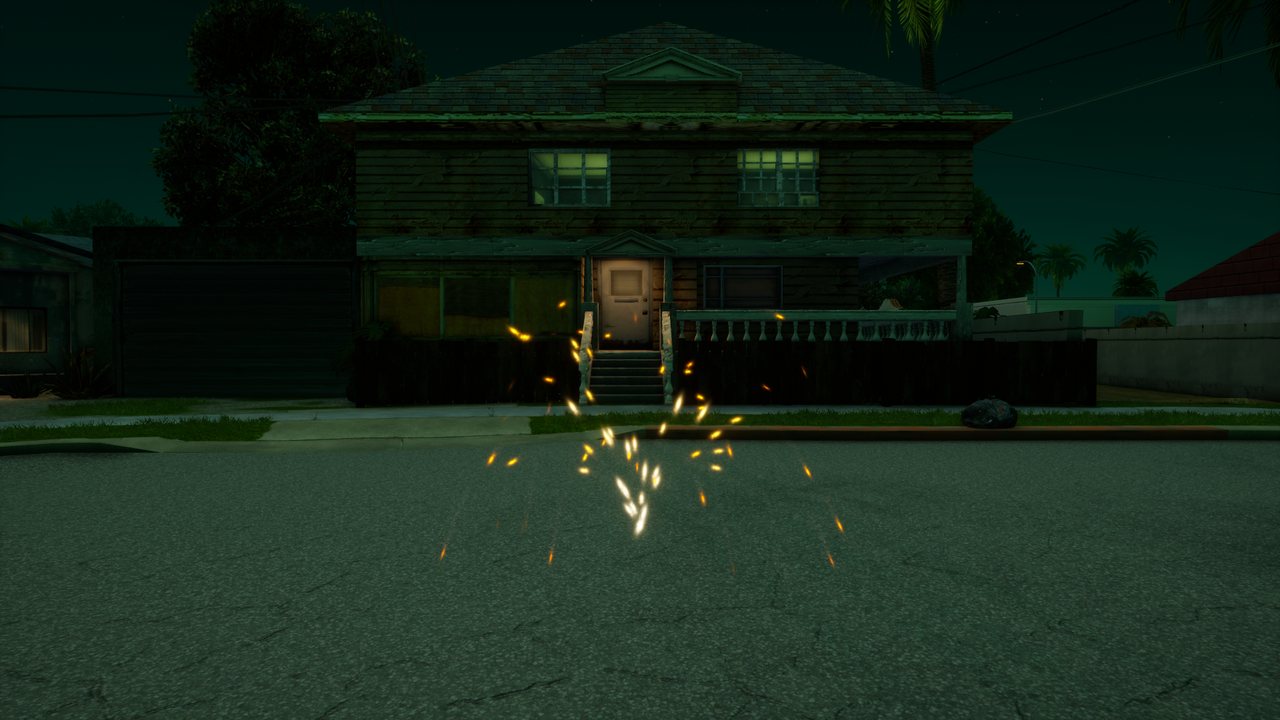
*A fountain of sparks falling under their own weight.*
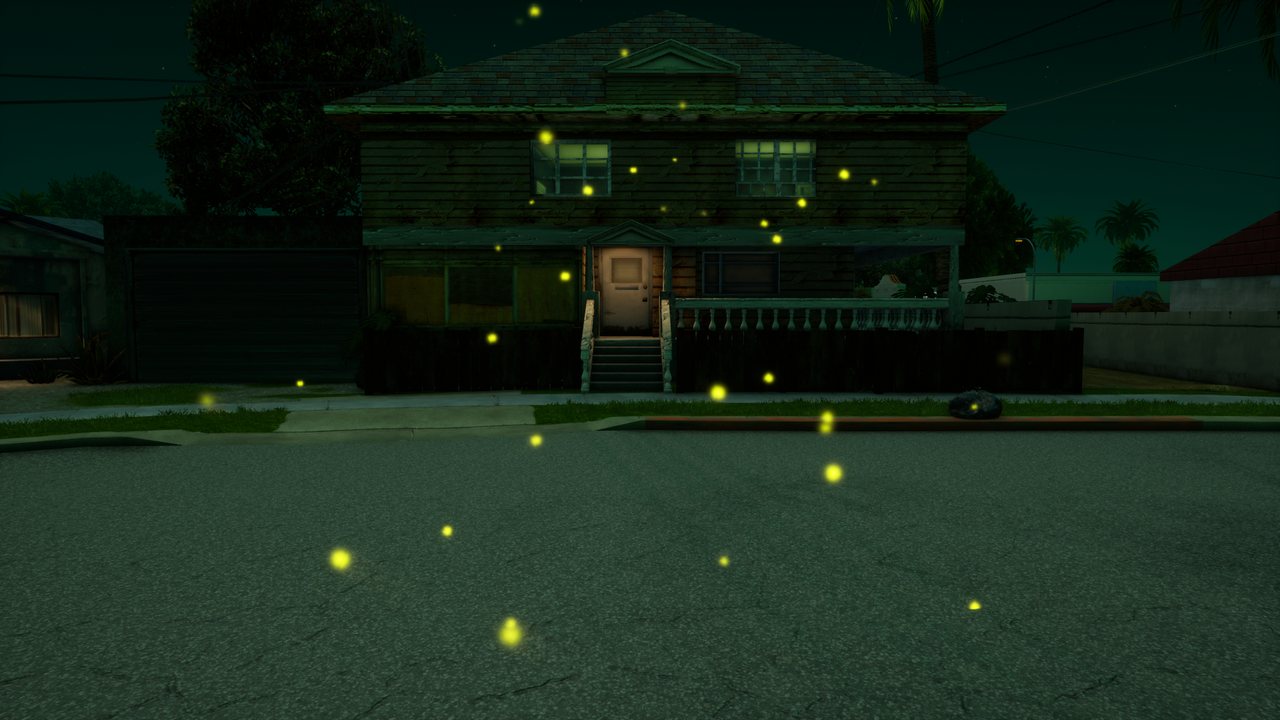
*Fireflies drifting lazily in the air.*
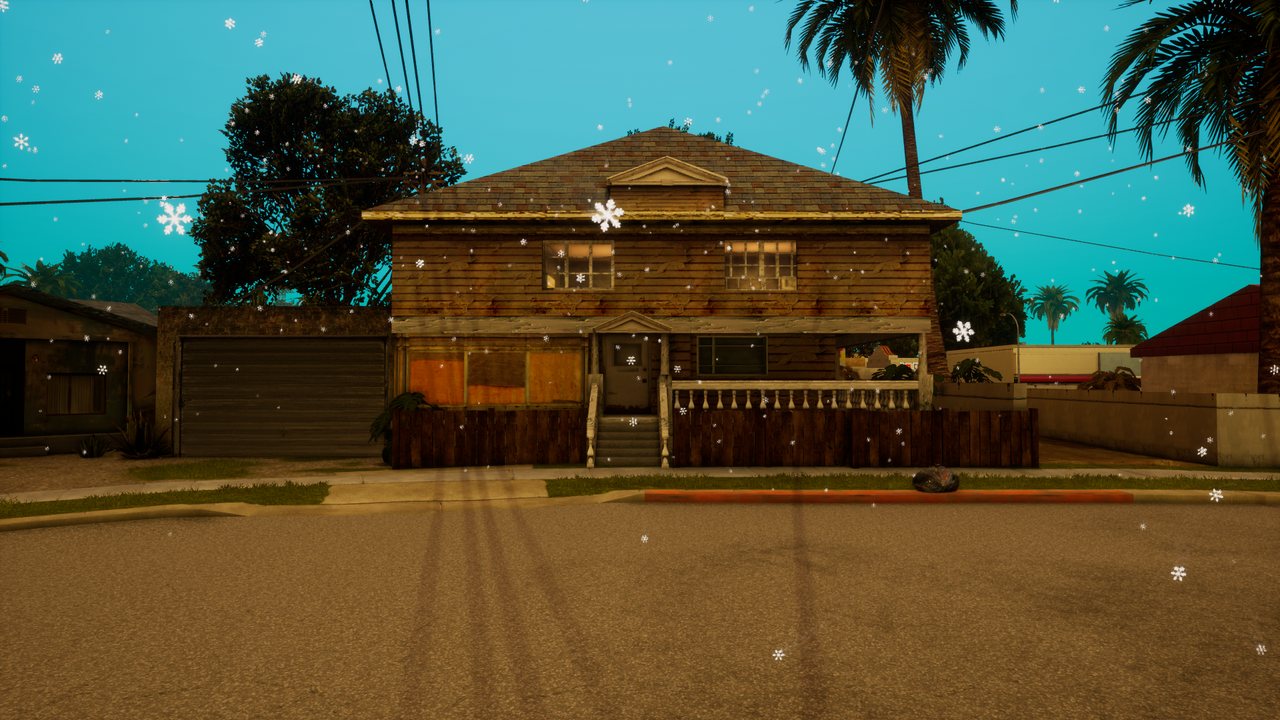
*Snow falling from 8 m above the point.*
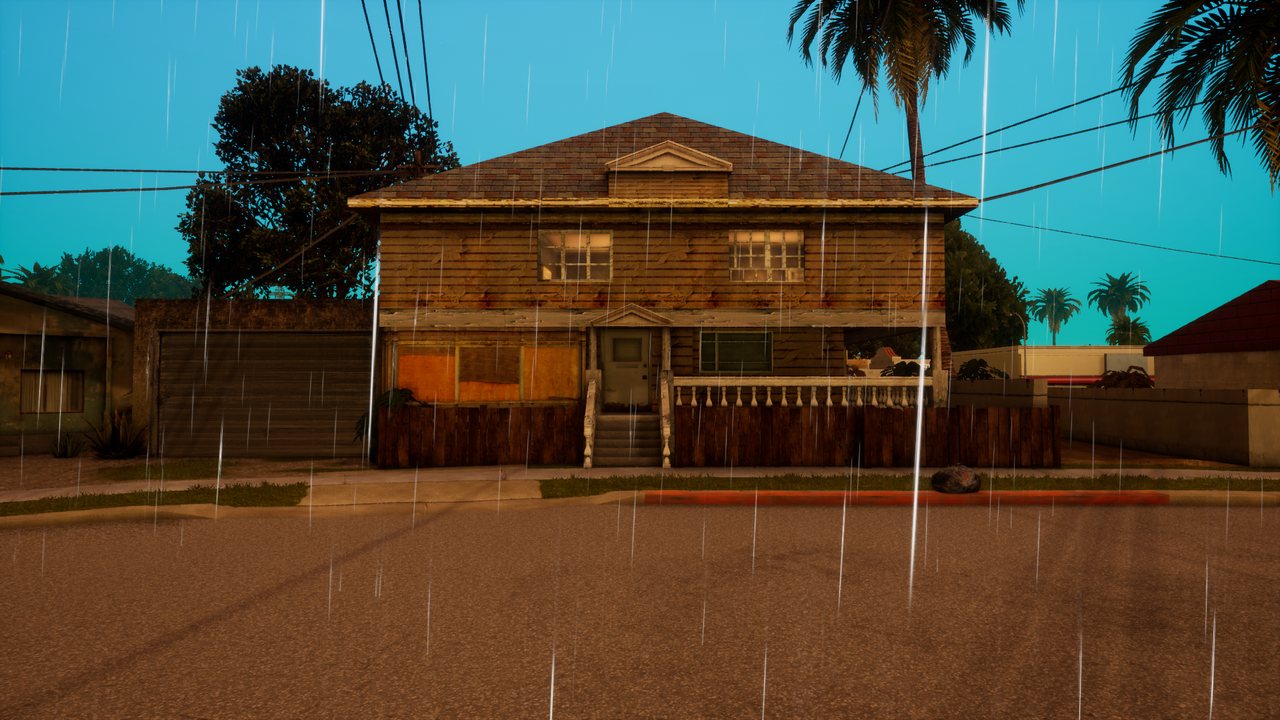
*Rain streaks from 12 m above the point.*
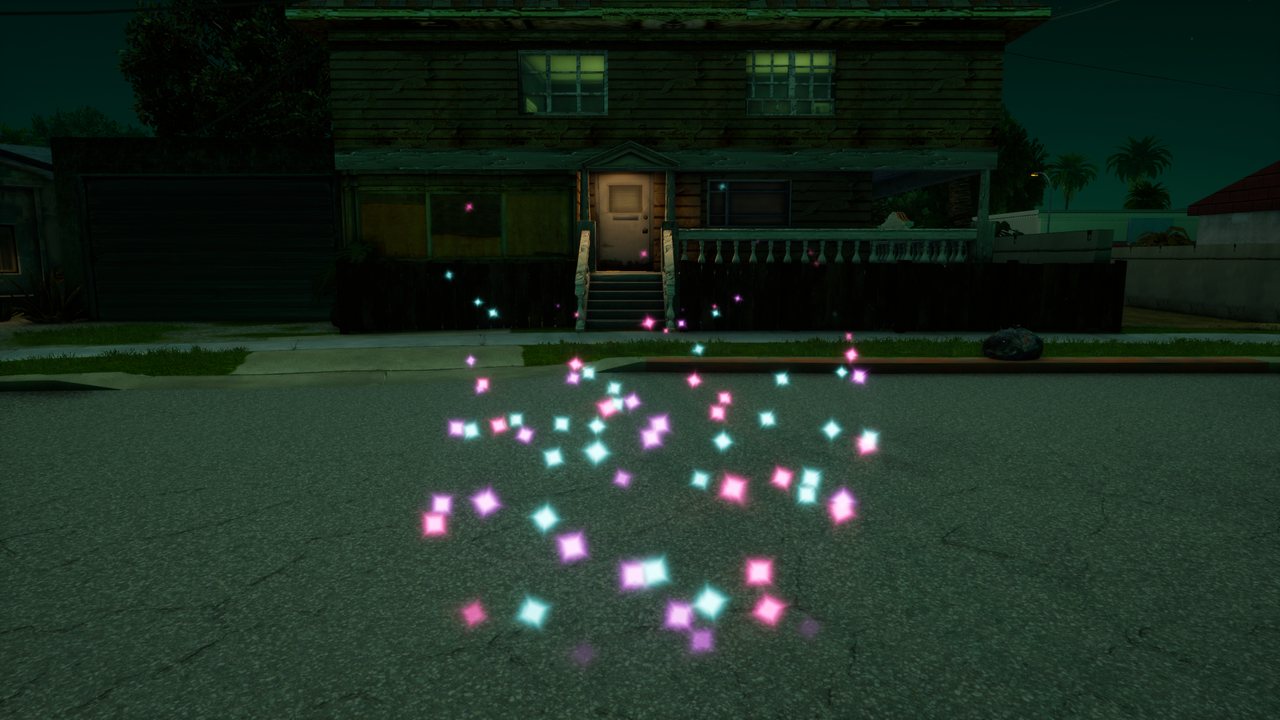
*Stars swirling upwards around the point.*
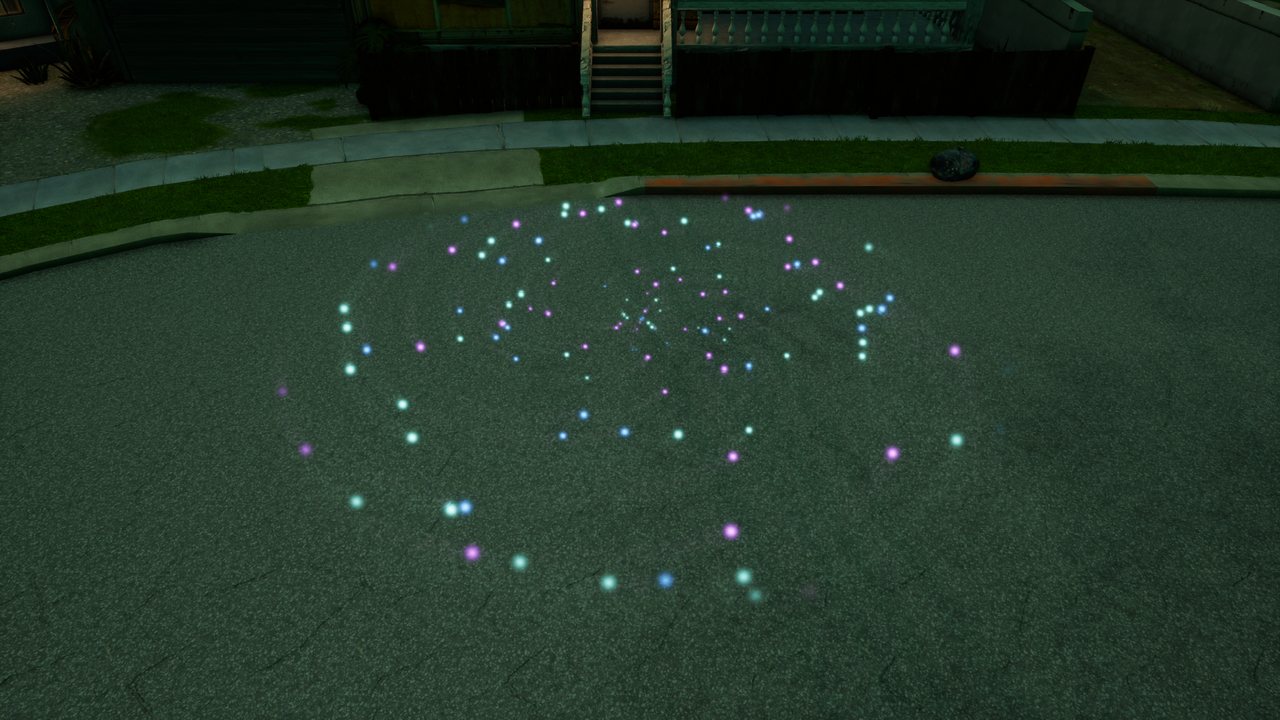
*A portal: particles pulled in on a spiral.*
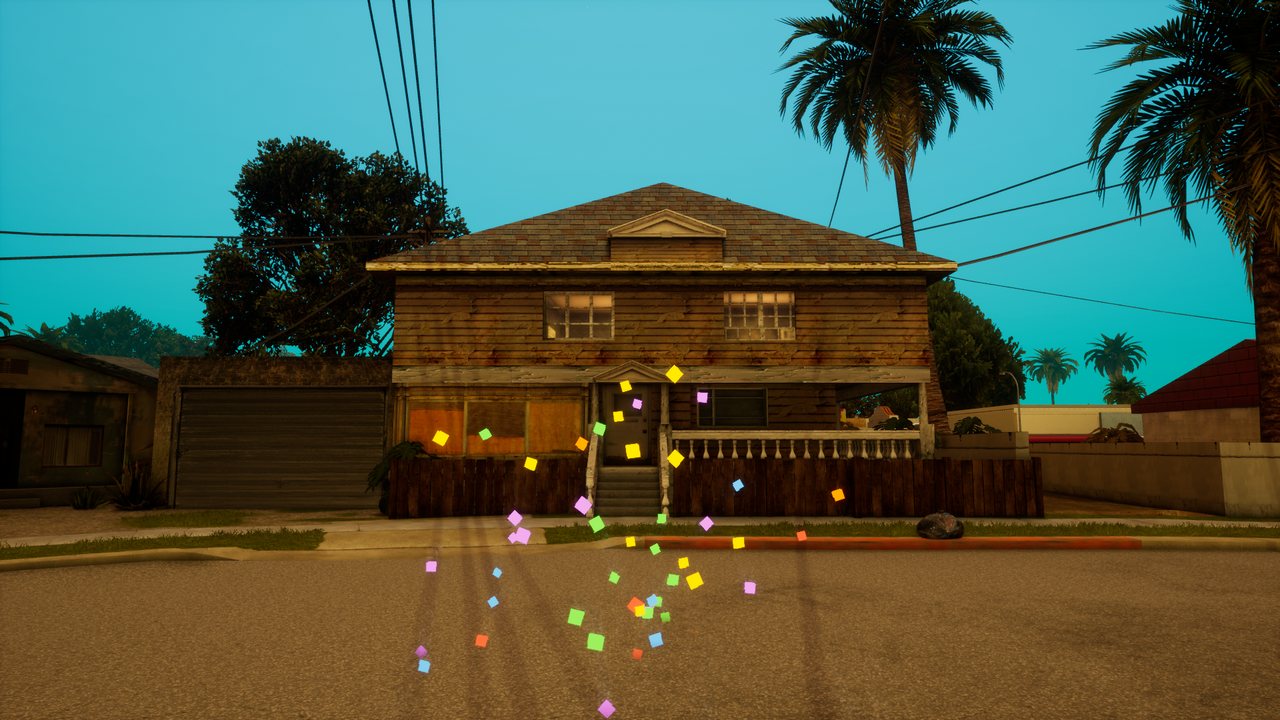
*Colourful confetti shot upwards.*
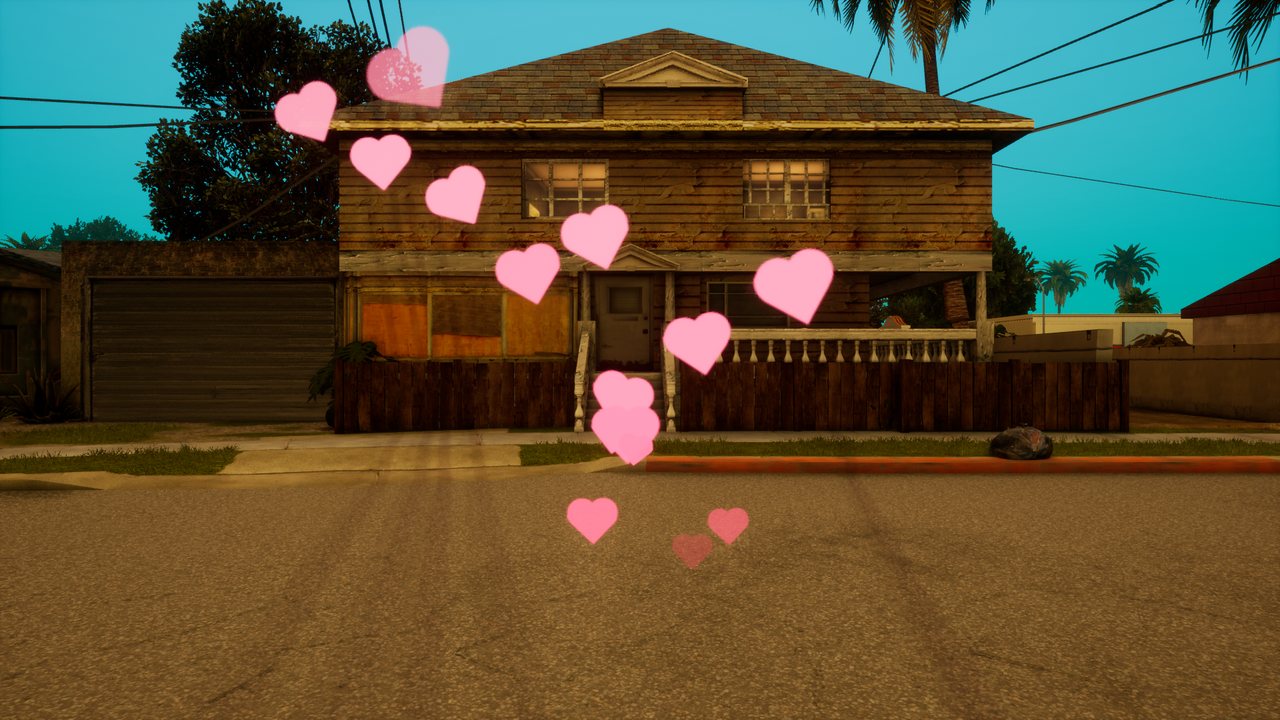
*Hearts floating up slowly.*
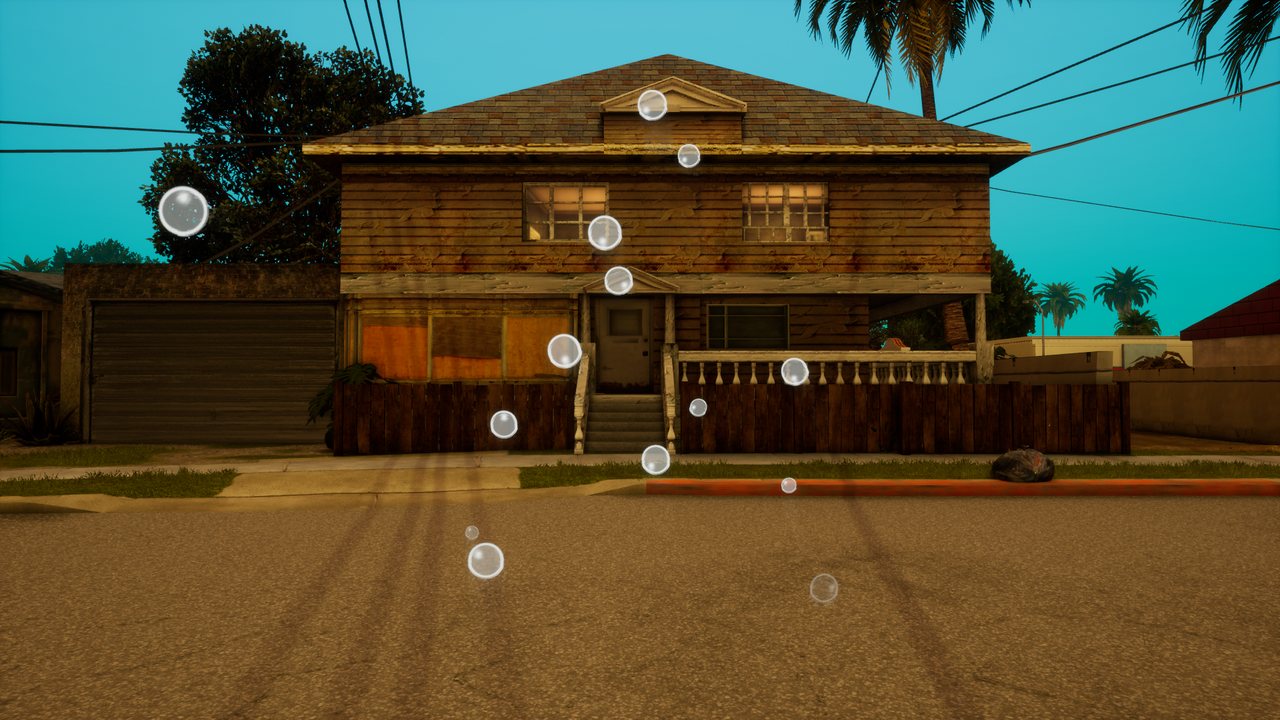
*Soap bubbles drifting upwards.*
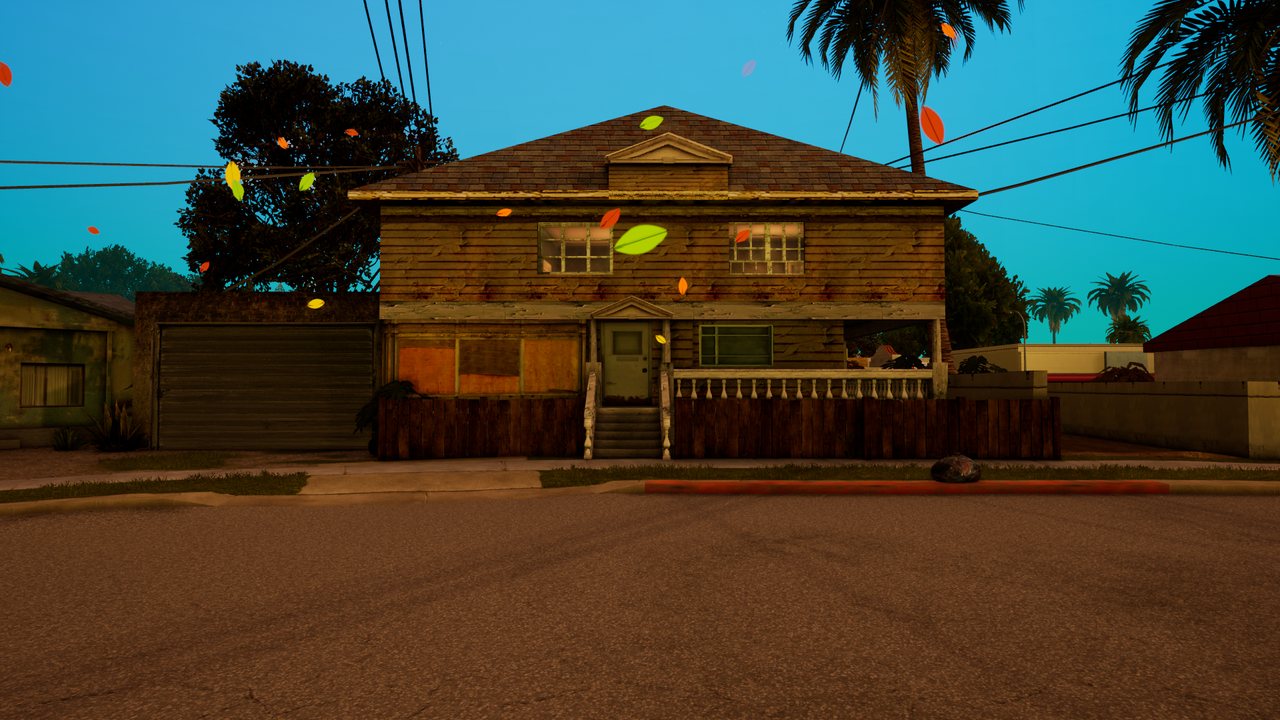
*Leaves carried by the wind.*
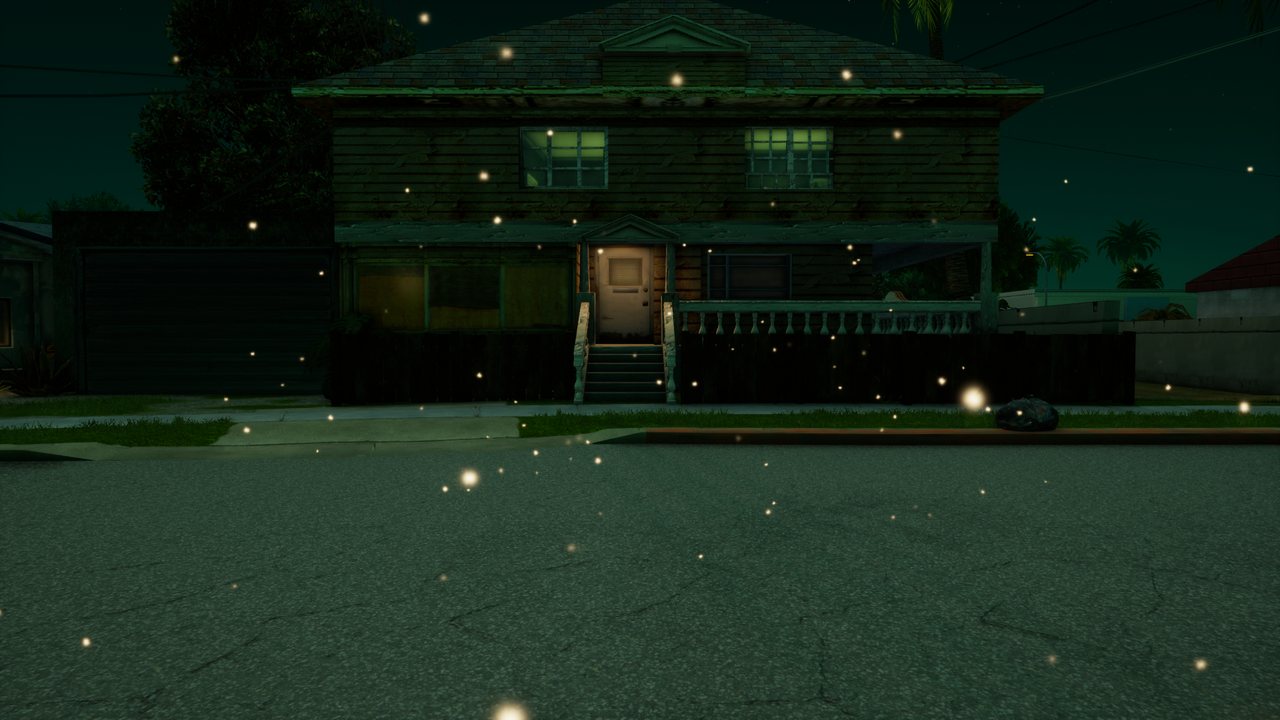
*Dust motes in the light.*
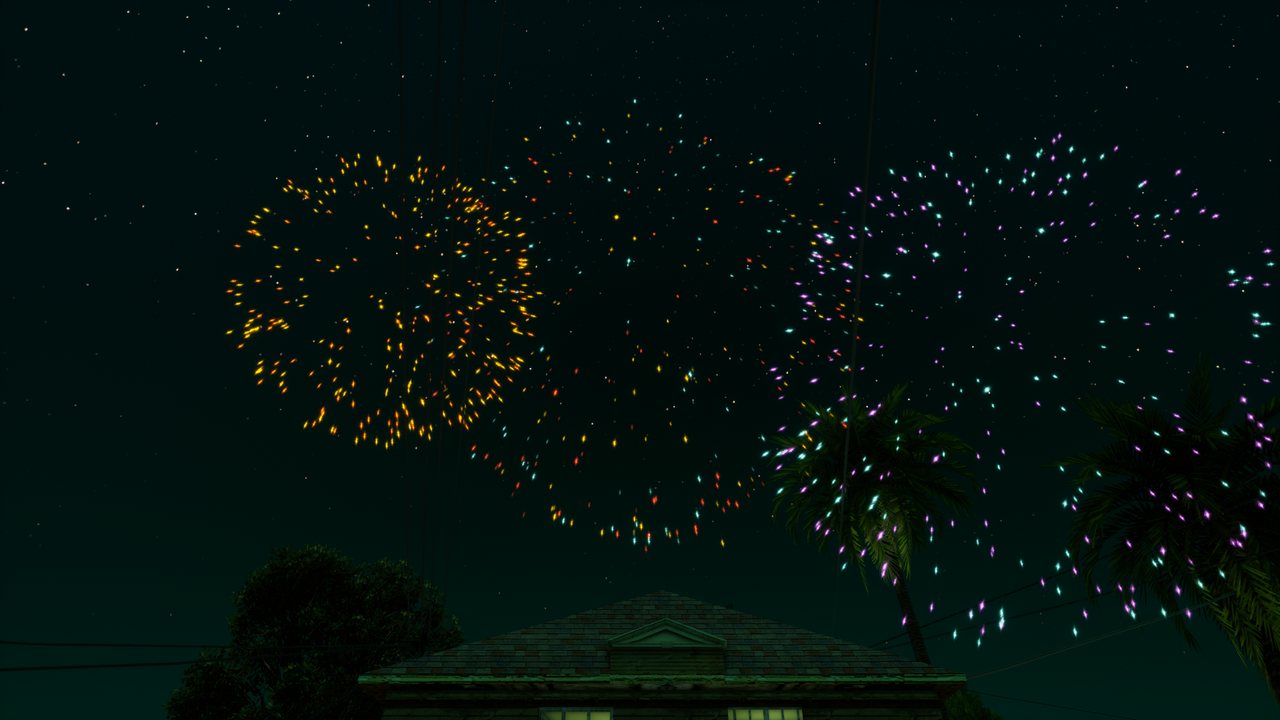
*A one-off firework burst; the emitter removes itself.*
#### A short effect
[`createParticleEffect`](https://trilogy-hub.com/en/docs/createParticleEffect/) creates an emitter that runs for the given time and disappears once its last particle fades. No need to destroy it. [`burstParticles`](https://trilogy-hub.com/en/docs/burstParticles/) releases a given number of particles from an existing emitter at once.
```lua
-- sparks where a bullet hits, for half a second
addEventHandler("onClientPlayerWeaponFire", localPlayer, function(weapon, hx, hy, hz)
createParticleEffect(hx, hy, hz, "sparks", 0.5, { rate = 300 })
end)
-- a firework above the player: the preset cleans up after itself
local x, y, z = getElementPosition(localPlayer)
createParticleEffect(x, y, z + 25, "firework")
```
#### Attaching
[`attachElements`](https://trilogy-hub.com/en/docs/attachElements/) pins an emitter to a vehicle, player or object. The offset is in the element's own frame (X right, Y forward, Z up), so exhaust smoke stays at the pipe when the car turns.
```lua
local car = getPedOccupiedVehicle(localPlayer)
local smoke = createParticleEmitter(0, 0, 0, "smoke", { rate = 25, size = { 0.2, 1.4 }, life = { 1, 1.6 } })
attachElements(smoke, car, 0.45, -2.3, -0.35)
```
#### Custom settings
Pass a table instead of a preset name. Fields you leave out take their defaults. [`setParticleEmitterSettings`](https://trilogy-hub.com/en/docs/setParticleEmitterSettings/) changes chosen fields of a running emitter, and living particles pick up the new colour and size immediately.
```lua
local portal = createParticleEmitter(x, y, z, {
sprite = "glow", shape = "ring", radius = 2,
rate = 120, max = 300, life = { 1, 1.6 },
velocity = { 0, 0, 0 }, orbit = 3, attract = 0.6,
size = { 0.25, 0.05 },
colors = { tocolor(120, 200, 255), tocolor(160, 90, 255, 0) },
})
```
| Field | What it does |
|---|---|
| `rate`, `max` | particles per second and the most alive at once (up to 2000) |
| `life` | lifetime in seconds: a number or `{ min, max }` |
| `duration` | how many seconds the emitter keeps releasing (0 = forever) |
| `shape` | where particles start: `point`, `sphere`, `box`, `disc`, `ring`, `line` |
| `radius`, `box` | shape radius and box half-sizes `{ x, y, z }` |
| `offset` | emitter offset from the given point `{ x, y, z }` |
| `velocity`, `spread` | start velocity in m/s and a random extra on each axis |
| `speed` | speed outwards from the emitter centre `{ min, max }` (negative = inwards) |
| `gravity`, `wind`, `drag` | gravity in m/s², a constant wind `{ x, y, z }` and air drag |
| `turbulence`, `turbulenceScale` | strength and fineness of the swirls |
| `orbit`, `attract` | circling around the vertical axis (rad/s) and pull towards the centre |
| `size`, `sizeRandom` | size in metres (a number or `{ start, end }`) and random spread 0 to 1 |
| `spin`, `randomRotation` | spin in rad/s `{ min, max }` and a random start angle |
| `stretch` | stretching along the direction of flight (sparks, rain) |
| `colors` | colours over the particle's life, evenly spaced (`tocolor`) |
| `palette` | colour variants `0xRRGGBB`, each particle picks one |
| `fadeIn`, `fadeOut` | share of the life spent appearing and fading out |
| `sprite`, `texture` | a built-in shape or your own texture from [`dxCreateTexture`](https://trilogy-hub.com/en/docs/dxCreateTexture/) |
| `blend` | `"add"` glows (default), `"alpha"` normal opacity: smoke, leaves, confetti |
| `brightness` | brightness 0 to 1 |
| `local` | particles travel with the emitter instead of staying in the world |
| `floorZ`, `bounce` | floor height and how much particles bounce off it |
| `maxDistance` | beyond this distance from the camera the emitter computes nothing (200 m by default) |
| `burst`, `autoDestroy` | particles released right after creation, and removal after the last one fades |
#### Particle shapes
The `sprite` field picks one of the built-in shapes. [`getParticleSprites`](https://trilogy-hub.com/en/docs/getParticleSprites/) returns the full list.

*From the left: `glow`, `spark`, `smoke`, `flame`, `circle`, `square`, `ring`, `bubble`, `drop`, `star`, `flake`, `heart`, `leaf`.*
> **Note:** Shapes are white; `colors` and `palette` give them colour. Use the `texture` field for your own image (a texture or a path to a PNG file in the resource).
#### Performance
The game updates all emitters in one pass and draws them together with the rest of the world. An emitter further than `maxDistance` from the camera stands still and costs nothing. With many emitters at once, keep `max` in the hundreds rather than thousands: [`getParticleCount`](https://trilogy-hub.com/en/docs/getParticleCount/) shows how many particles are really alive.
### Cursor
A cursor drawn by the game: built-in shapes, custom images and one cursor for `dxDraw`, GUI and browsers.
#### The game's cursor, not the system's
[`showCursor`](https://trilogy-hub.com/en/docs/showCursor/) shows a cursor drawn inside the game, in the same frame as the rest of the picture. The Windows cursor is hidden meanwhile, so there are no two arrows, no flicker and no lag behind the interface. One cursor serves `dxDraw` drawing, GUI windows and CEF browsers: over a text field it turns into a text beam on its own, over a window edge into resize arrows, over a browser link into a hand.
```lua
bindKey("m", "down", function()
showCursor(not isCursorShowing())
end)
```
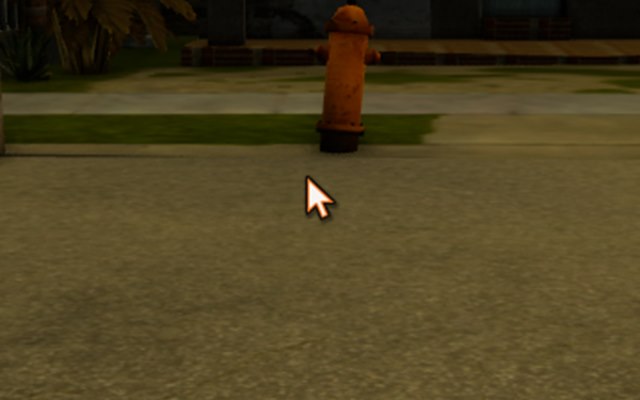
*The arrow after `showCursor(true)`.*
#### Shapes
The shape changes by itself over GUI and browsers. [`setCursorType`](https://trilogy-hub.com/en/docs/setCursorType/) pins it, and `setCursorType()` with no argument hands control back.

*From the left: `arrow`, `hand`, `text`, `crosshair`, `wait`, `help`, `move`, `sizewe`, `sizens`, `sizenesw`, `sizenwse`, `no`.*
| Name | When |
|---|---|
| `arrow` | default arrow |
| `hand` | something clickable |
| `text` | text field |
| `crosshair` | picking a point |
| `wait`, `progress` | something is loading (spinning ring) |
| `help` | a hint |
| `move` | moving |
| `sizewe`, `sizens`, `sizenesw`, `sizenwse` | horizontal, vertical and diagonal resizing |
| `no` | action not available |
| `none` | cursor hidden but still working (e.g. your own crosshair drawn with `dxDraw`) |
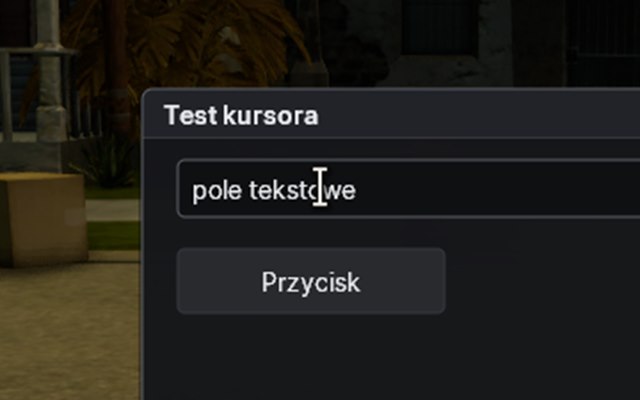
*Over `guiCreateEdit` the cursor turns into the `text` beam by itself.*
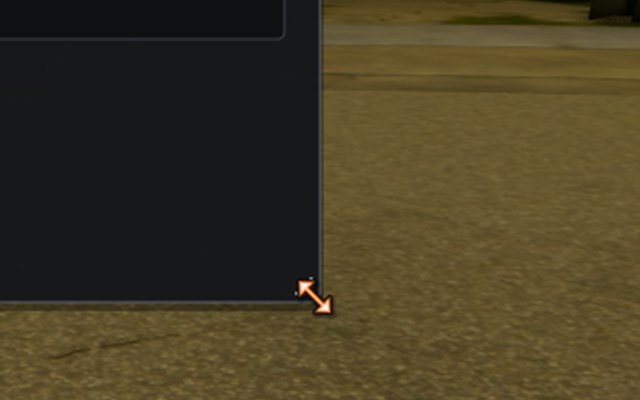
*The edge of a resizable window: `sizenwse`.*
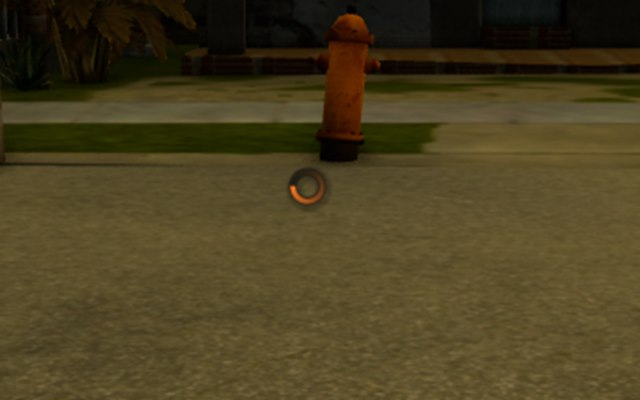
*`setCursorType("wait")` while something loads.*
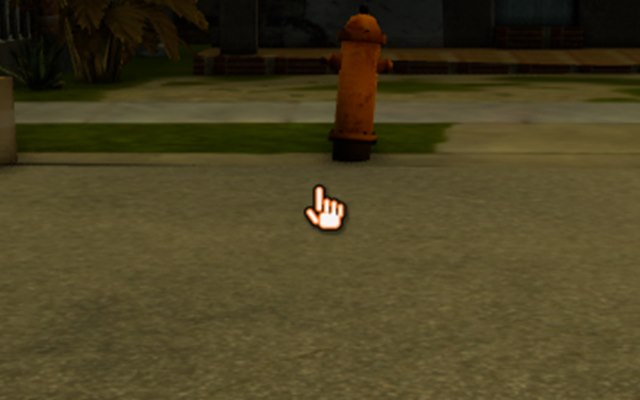
*`setCursorType("hand")` over a custom `dxDraw` button.*
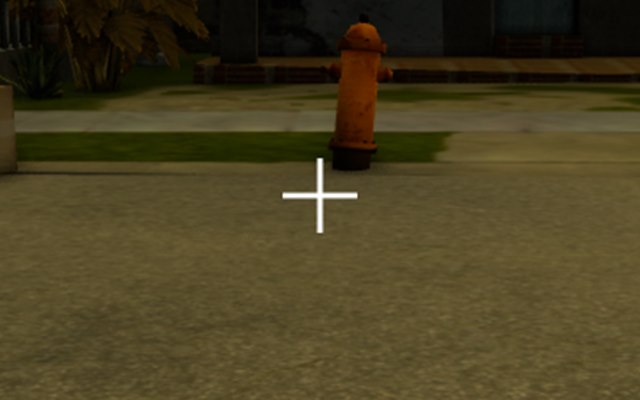
*A crosshair drawn into a render target and passed to `setCursorImage`.*
#### Custom image
[`setCursorImage`](https://trilogy-hub.com/en/docs/setCursorImage/) swaps the cursor for any image: a PNG file from the resource or a texture from [`dxCreateTexture`](https://trilogy-hub.com/en/docs/dxCreateTexture/) or [`dxCreateRenderTarget`](https://trilogy-hub.com/en/docs/dxCreateRenderTarget/). `hotX` and `hotY` are the click point inside the image, counted from its top-left corner.
```lua
-- 32x32 crosshair, clicks with its centre
setCursorImage("img/crosshair.png", 16, 16)
-- back to the built-in cursor
setCursorImage(false)
```
> **Note:** Pixels are copied at the moment of the call. If you draw the cursor into a render target and want to animate it, call [`setCursorImage`](https://trilogy-hub.com/en/docs/setCursorImage/) again after every change.
#### Transparency and clean-up
[`setCursorAlpha`](https://trilogy-hub.com/en/docs/setCursorAlpha/) sets the cursor's transparency (0 to 255). Shape, image and transparency are shared by all resources: when the resource that changed them stops, the cursor returns to the plain arrow, so one resource never leaves the others with a hidden cursor.
### Vehicles
Every San Andreas vehicle with its model ID and name, grouped by type. Each vehicle rendered straight from the game.
#### Using the IDs
Pass the vehicle model ID to [`createVehicle`](https://trilogy-hub.com/en/docs/createVehicle/) and [`setElementModel`](https://trilogy-hub.com/en/docs/setElementModel/). [`getVehicleNameFromModel`](https://trilogy-hub.com/en/docs/getVehicleNameFromModel/) turns an ID into a name and [`getVehicleModelFromName`](https://trilogy-hub.com/en/docs/getVehicleModelFromName/) does the reverse. [`getVehicleType`](https://trilogy-hub.com/en/docs/getVehicleType/) returns the kind of vehicle (car, bike, boat).
```lua
addCommandHandler("infernus", function(player)
local x, y, z = getElementPosition(player)
local car = createVehicle(411, x + 3, y, z) -- 411 = Infernus
setVehicleColor(car, 255, 122, 34)
end)
```
> **Note:** The colours in the renders are random, just like when you create a vehicle normally. Set your own with [`setVehicleColor`](https://trilogy-hub.com/en/docs/setVehicleColor/).
#### All vehicles
Type an ID, name or type (for example `boats`) to narrow the list.
> The catalogue with pictures (models, ids) is on the page: https://trilogy-hub.com/en/docs/vehicles/
### Skins
Every San Andreas character skin (ped) with its model ID. Each character rendered straight from the game.
#### Using the IDs
Pass the skin ID to [`spawnPlayer`](https://trilogy-hub.com/en/docs/spawnPlayer/), [`createPed`](https://trilogy-hub.com/en/docs/createPed/) and [`setElementModel`](https://trilogy-hub.com/en/docs/setElementModel/). [`getElementModel`](https://trilogy-hub.com/en/docs/getElementModel/) returns the current skin of a player or ped, and [`getValidPedModels`](https://trilogy-hub.com/en/docs/getValidPedModels/) lists every valid ID. Numbers missing from the list below are not characters and the game will not accept them.
```lua
addEventHandler("onPlayerJoin", root, function()
spawnPlayer(source, 2495.3, -1687.0, 13.5, 0, 105) -- 105 = Grove Street
end)
addCommandHandler("skin", function(player, _, id)
setElementModel(player, tonumber(id) or 0)
end)
```
> **Note:** CJ's clothes (haircut, shirt, tattoos) only work on skin 0, see [`addPedClothes`](https://trilogy-hub.com/en/docs/addPedClothes/).
#### All skins
Type an ID to narrow the list.
> The catalogue with pictures (models, ids) is on the page: https://trilogy-hub.com/en/docs/skins/
### Weapons
Every San Andreas weapon with its ID, name, model and slot. Each weapon rendered straight from the game.
#### Using the IDs
Pass the weapon ID to [`giveWeapon`](https://trilogy-hub.com/en/docs/giveWeapon/), [`takeWeapon`](https://trilogy-hub.com/en/docs/takeWeapon/), [`setWeaponAmmo`](https://trilogy-hub.com/en/docs/setWeaponAmmo/) and anywhere else the API asks for a weapon. [`getWeaponNameFromID`](https://trilogy-hub.com/en/docs/getWeaponNameFromID/) turns an ID into a name and [`getWeaponIDFromName`](https://trilogy-hub.com/en/docs/getWeaponIDFromName/) does the reverse. A player holds one weapon per slot: a new weapon from an occupied slot replaces the old one.
```lua
addCommandHandler("ak", function(player)
giveWeapon(player, 30, 120, true) -- AK-47, 120 rounds, straight into the hand
end)
```
> **Note:** **Model** is the ID of the weapon's world object, used for example in [`createPickup`](https://trilogy-hub.com/en/docs/createPickup/) or [`createObject`](https://trilogy-hub.com/en/docs/createObject/). To give a weapon, always use the weapon ID, not the model.
#### All weapons
Type an ID, name or slot to narrow the list.
> The catalogue with pictures (models, ids) is on the page: https://trilogy-hub.com/en/docs/weapons/
### Markers
All five marker types with in-game pictures: a cylinder to step into, a checkpoint, a ring, an arrow and a corona.
#### Your first marker
A marker is a coloured sign in the world. [`createMarker`](https://trilogy-hub.com/en/docs/createMarker/) creates it: on the server every player sees it, in a client script only that player does. When a player enters the marker, the server fires [`onMarkerHit`](https://trilogy-hub.com/en/docs/onMarkerHit/), and [`onMarkerLeave`](https://trilogy-hub.com/en/docs/onMarkerLeave/) on exit.
```lua
local job = createMarker(2495.3, -1680.0, 12.6, "cylinder", 1.5, 255, 122, 34, 170)
addEventHandler("onMarkerHit", job, function(element, sameDimension)
if getElementType(element) == "player" and sameDimension then
outputChatBox("You started the courier job.", element, 255, 122, 34)
end
end)
```
#### Types
Pass the type as the fourth argument of [`createMarker`](https://trilogy-hub.com/en/docs/createMarker/) and change it with [`setMarkerType`](https://trilogy-hub.com/en/docs/setMarkerType/). The size ([`setMarkerSize`](https://trilogy-hub.com/en/docs/setMarkerSize/)) is the diameter in metres, [`setMarkerColor`](https://trilogy-hub.com/en/docs/setMarkerColor/) sets the colour and alpha.
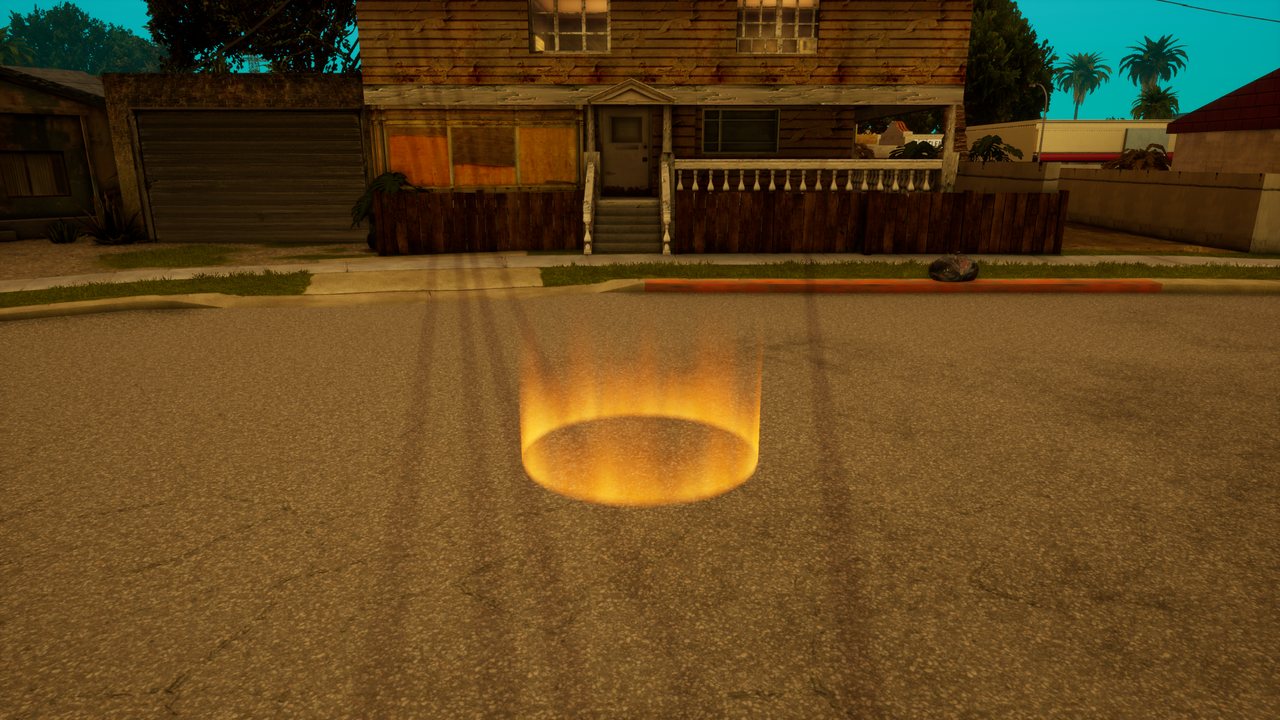
*A cylinder standing on the ground. The usual choice for a job, shop or building entrance.*
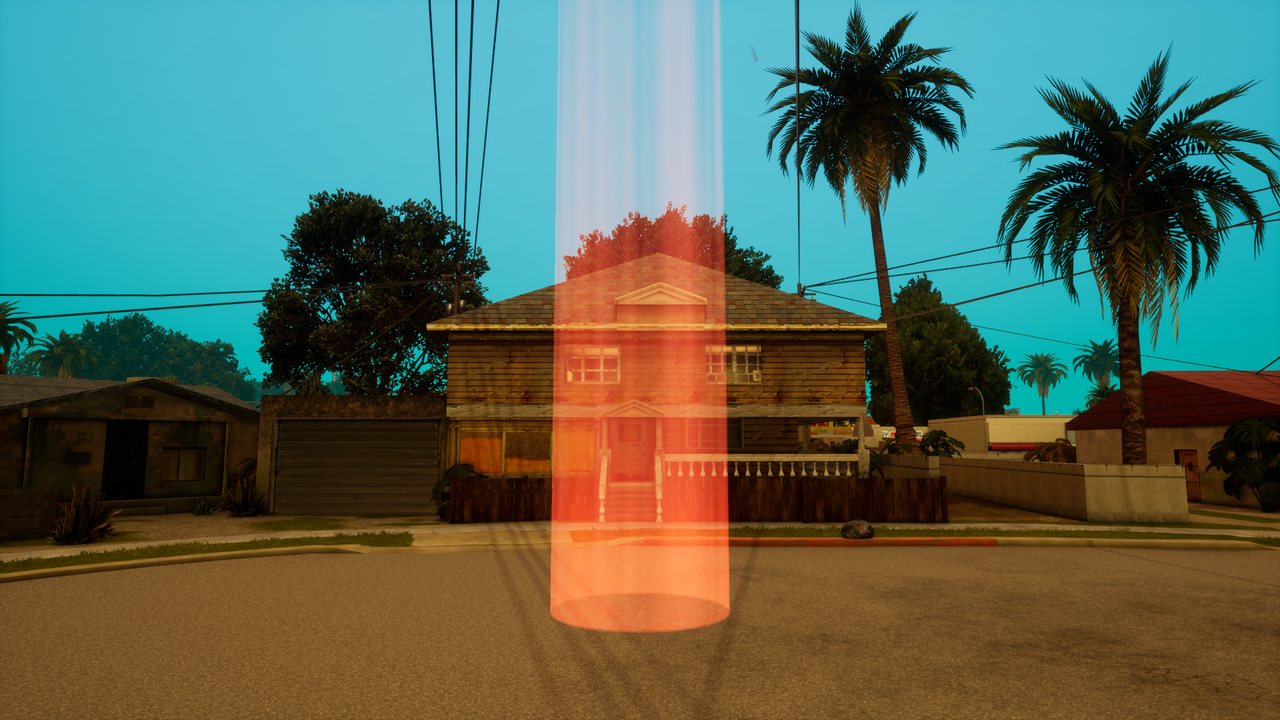
*A checkpoint: a tall column of light visible from far away. Good for race tracks.*
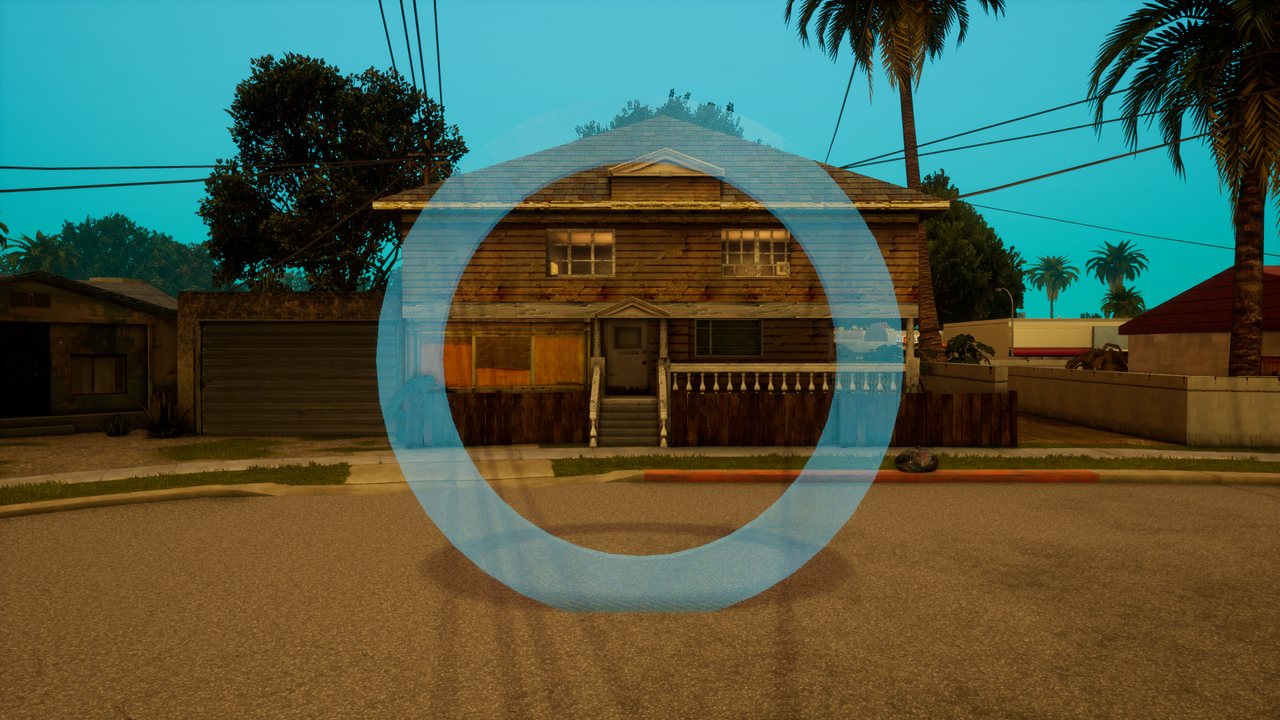
*A glowing ring at the given height, always facing the camera. For example a plane track.*
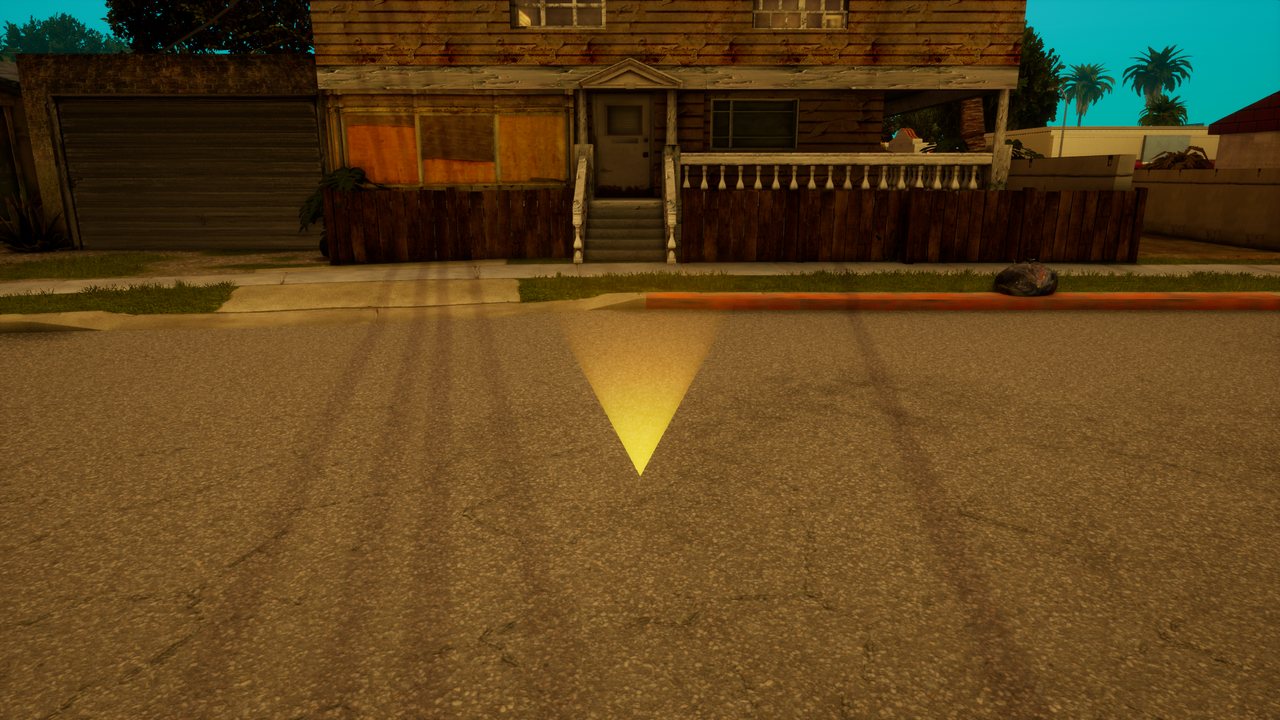
*A downward arrow above a spot, pointing at a place or a door.*
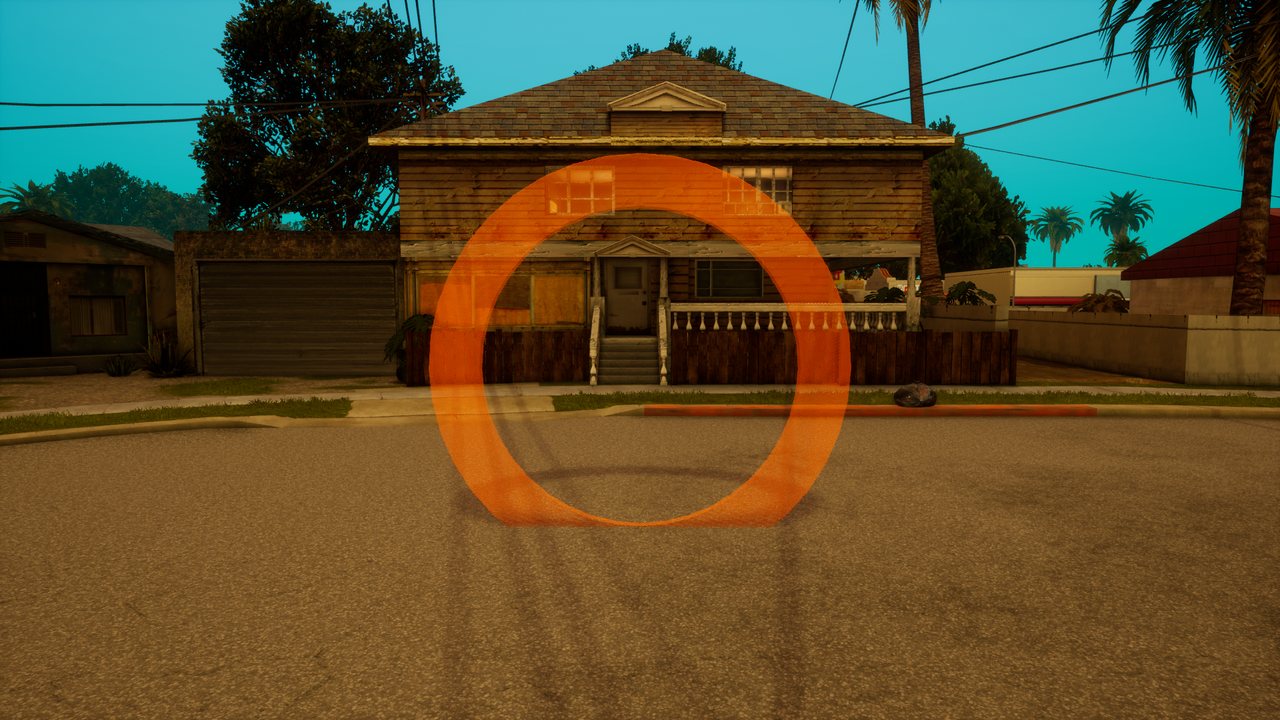
*A corona: a bigger glowing ring above the spot, facing the camera. It has no solid shape, only the glow.*
| Type | Looks like | Typical use |
|---|---|---|
| `cylinder` | cylinder on the ground | entrances, jobs, shops |
| `checkpoint` | column of light | race tracks |
| `ring` | glowing ring | plane and boat tracks |
| `arrow` | downward arrow above a spot | doors, places to visit |
| `corona` | glowing ring above the spot | a sign seen from far away |
#### Who is inside
[`isElementWithinMarker`](https://trilogy-hub.com/en/docs/isElementWithinMarker/) checks one element and [`getElementsWithinMarker`](https://trilogy-hub.com/en/docs/getElementsWithinMarker/) returns every element in the marker. The server checks entering, so it also works for vehicles and peds, not only players.
```lua
setTimer(function()
for _, player in ipairs(getElementsWithinMarker(job)) do
if getElementType(player) == "player" then givePlayerMoney(player, 10) end
end
end, 5000, 0)
```
---
## Server functions
Functions available in type="server" scripts. They run on the server and see every player.
### addAccount
*Function · Side: Server · Category: Accounts · Modified from MTA:SA*
Creates a new account on the server. The password is stored as a secure hash, never in plain text.
#### Syntax
```lua
account addAccount(string name, string password)
```
#### Arguments
- `name` (string) - Account name.
- `password` (string) - Password.
#### Returns
The account, or `false` (name taken, empty password, bad name; the reason is logged).
#### Differences from MTA:SA
- These MTA:SA arguments are not here: `bool allowCaseVariations = false`
- In MTA:SA: `addAccount(string name, string pass, bool allowCaseVariations = false)`
#### Example
Registering and logging in with commands.
```lua
addCommandHandler("register", function(player, cmd, name, password)
if not name or not password then
outputChatBox("Użycie: /register ", player)
return
end
local account = addAccount(name, password)
if account then
logIn(player, account, password)
outputChatBox("Konto utworzone, jesteś zalogowany.", player, 0, 255, 0)
else
outputChatBox("Nie udało się: nazwa zajęta albo nieprawidłowa.", player, 255, 0, 0)
end
end)
```
#### See also
- [`getAccount`](https://trilogy-hub.com/en/docs/getAccount/)
- [`logIn`](https://trilogy-hub.com/en/docs/logIn/)
- [`removeAccount`](https://trilogy-hub.com/en/docs/removeAccount/)
### copyAccountData
*Function · Side: Server · Category: Accounts · Identical to MTA:SA*
Copies all data from one account to another.
#### Syntax
```lua
bool copyAccountData(account theAccount, account fromAccount)
```
#### Arguments
- `theAccount` (account) - The target account.
- `fromAccount` (account) - The source account.
#### Returns
`true` on success.
#### Example
```lua
copyAccountData(getAccount("nowe_konto"), getAccount("stare_konto"))
```
### getAccount
*Function · Side: Server · Category: Accounts · Modified from MTA:SA*
Returns the account with the given name. With a password it returns `false` when the password does not match.
#### Syntax
```lua
account getAccount(string username [, string password = nil])
```
#### Arguments
- `username` (string) - Account name.
- `password` (string, optional = nil) - Password to check.
#### Returns
The account or `false`.
#### Differences from MTA:SA
- These MTA:SA arguments are not here: `bool caseSensitive = true`
- In MTA:SA: `getAccount(string username, string password = nil, bool caseSensitive = true)`
#### Example
```lua
addCommandHandler("login", function(player, cmd, name, password)
local account = name and password and getAccount(name, password)
if not account then
outputChatBox("Zły login lub hasło.", player, 255, 0, 0)
return
end
logIn(player, account, password)
end)
```
#### See also
- [`logIn`](https://trilogy-hub.com/en/docs/logIn/)
- [`addAccount`](https://trilogy-hub.com/en/docs/addAccount/)
- [`removeAccount`](https://trilogy-hub.com/en/docs/removeAccount/)
### getAccountByID
*Function · Side: Server · Category: Accounts · Identical to MTA:SA*
Returns the account with the given number (`getAccountID`).
#### Syntax
```lua
account getAccountByID(int id)
```
#### Arguments
- `id` (int) - Account number.
#### Returns
The account or `false`.
#### Example
```lua
local acc = getAccountByID(1)
if acc then outputServerLog("Pierwsze konto: " .. getAccountName(acc)) end
```
### getAccountData
*Function · Side: Server · Category: Accounts · Identical to MTA:SA*
Returns account data stored under a key. Account data is persistent: it stays after the player leaves and after a server restart.
#### Syntax
```lua
mixed getAccountData(account theAccount, string key)
```
#### Arguments
- `theAccount` (account) - The account.
- `key` (string) - The key.
#### Returns
The value or `false`.
#### Example
```lua
addEventHandler("onPlayerLogin", root, function(_, account)
setPlayerMoney(source, getAccountData(account, "money") or 0)
local skin = getAccountData(account, "skin")
if skin then setElementModel(source, skin) end
end)
```
#### See also
- [`setAccountData`](https://trilogy-hub.com/en/docs/setAccountData/)
- [`getAllAccountData`](https://trilogy-hub.com/en/docs/getAllAccountData/)
### getAccountID
*Function · Side: Server · Category: Accounts · Identical to MTA:SA*
Returns the account's permanent number. Assigned on the first request and never changes afterwards.
#### Syntax
```lua
int getAccountID(account theAccount)
```
#### Arguments
- `theAccount` (account) - The account.
#### Returns
The account number.
#### Example
```lua
addEventHandler("onPlayerLogin", root, function(_, account)
outputChatBox("Twoje ID konta: " .. getAccountID(account), source)
end)
```
### getAccountIP
*Function · Side: Server · Category: Accounts · Identical to MTA:SA*
Returns the IP address remembered at the last login.
#### Syntax
```lua
string getAccountIP(account theAccount)
```
#### Arguments
- `theAccount` (account) - The account.
#### Returns
IP address or `false`.
#### Example
```lua
outputServerLog(tostring(getAccountIP(getAccount("jan"))))
```
### getAccountName
*Function · Side: Server · Category: Accounts · Identical to MTA:SA*
Returns the account name.
#### Syntax
```lua
string getAccountName(account theAccount)
```
#### Arguments
- `theAccount` (account) - The account.
#### Returns
The name.
#### Example
```lua
addEventHandler("onPlayerLogin", root, function(_, account)
outputChatBox(getPlayerName(source) .. " zalogował się jako " .. getAccountName(account))
end)
```
#### See also
- [`setAccountName`](https://trilogy-hub.com/en/docs/setAccountName/)
### getAccountPlayer
*Function · Side: Server · Category: Accounts · Identical to MTA:SA*
Returns the player logged into this account. An account can be logged in by only one player at a time.
#### Syntax
```lua
player getAccountPlayer(account theAccount)
```
#### Arguments
- `theAccount` (account) - The account.
#### Returns
The player or `false`.
#### Example
```lua
local player = getAccountPlayer(getAccount("jan"))
if player then
outputChatBox("Masz nową wiadomość.", player)
end
```
### getAccounts
*Function · Side: Server · Category: Accounts · Modified from MTA:SA*
Returns all accounts on the server.
#### Syntax
```lua
table getAccounts()
```
#### Returns
A table of accounts.
#### Differences from MTA:SA
- In MTA:SA this function is client-side only.
- In MTA:SA: `getAccounts()`
#### Example
```lua
outputServerLog("Kont na serwerze: " .. #getAccounts())
```
#### See also
- [`getAccount`](https://trilogy-hub.com/en/docs/getAccount/)
### getAccountsByData
*Function · Side: Server · Category: Accounts · Identical to MTA:SA*
Returns the accounts whose data under a key equals the given value.
#### Syntax
```lua
table getAccountsByData(string dataName, mixed value)
```
#### Arguments
- `dataName` (string) - The key.
- `value` (mixed) - The value.
#### Returns
A table of accounts.
#### Example
```lua
for _, acc in ipairs(getAccountsByData("vip", true)) do
outputServerLog("VIP: " .. getAccountName(acc))
end
```
### getAccountsByIP
*Function · Side: Server · Category: Accounts · Identical to MTA:SA*
Returns the accounts last used from the given IP address.
#### Syntax
```lua
table getAccountsByIP(string ip)
```
#### Arguments
- `ip` (string) - IP address.
#### Returns
A table of accounts.
#### Example
```lua
addEventHandler("onPlayerJoin", root, function()
local n = #getAccountsByIP(getPlayerIP(source))
if n > 0 then
outputChatBox("Masz już " .. n .. " kont(a) z tego adresu.", source)
end
end)
```
### getAccountsBySerial
*Function · Side: Server · Category: Accounts · Identical to MTA:SA*
Returns the accounts used from the given Client ID.
#### Syntax
```lua
table getAccountsBySerial(string serial)
```
#### Arguments
- `serial` (string) - Client ID.
#### Returns
A table of accounts.
#### Example
```lua
addEventHandler("onPlayerJoin", root, function()
for _, acc in ipairs(getAccountsBySerial(getPlayerSerial(source))) do
outputServerLog(getPlayerName(source) .. " ma konto " .. getAccountName(acc))
end
end)
```
#### See also
- [`getPlayerSerial`](https://trilogy-hub.com/en/docs/getPlayerSerial/)
### getAccountSerial
*Function · Side: Server · Category: Accounts · Identical to MTA:SA*
Returns the Client ID remembered when logging into this account.
#### Syntax
```lua
string getAccountSerial(account theAccount)
```
#### Arguments
- `theAccount` (account) - The account.
#### Returns
Client ID or `false`.
#### Example
```lua
addEventHandler("onPlayerLogin", root, function(_, account)
local known = getAccountSerial(account)
if known and known ~= getPlayerSerial(source) then
outputChatBox("Logujesz się z nowego urządzenia.", source, 255, 200, 0)
end
setAccountSerial(account, getPlayerSerial(source))
end)
```
#### See also
- [`setAccountSerial`](https://trilogy-hub.com/en/docs/setAccountSerial/)
### getAccountType
*Function · Side: Server · Category: Accounts · Identical to MTA:SA*
Returns the account type: `"guest"` (not logged in) or `"player"`.
#### Syntax
```lua
string getAccountType(account theAccount)
```
#### Arguments
- `theAccount` (account) - The account.
#### Returns
The type.
#### Example
```lua
if getAccountType(getPlayerAccount(player)) == "guest" then
outputChatBox("Zaloguj się, żeby zapisać postęp.", player)
end
```
### getAllAccountData
*Function · Side: Server · Category: Accounts · Identical to MTA:SA*
Returns all account data as a key-value table.
#### Syntax
```lua
table getAllAccountData(account theAccount)
```
#### Arguments
- `theAccount` (account) - The account.
#### Returns
A data table.
#### Example
```lua
for key, value in pairs(getAllAccountData(account)) do
outputServerLog(key .. " = " .. tostring(value))
end
```
### isGuestAccount
*Function · Side: Server · Category: Accounts · Identical to MTA:SA*
Checks whether the account is a guest account, i.e. the player is not logged in.
#### Syntax
```lua
bool isGuestAccount(account theAccount)
```
#### Arguments
- `theAccount` (account) - The account.
#### Returns
`true` for a guest.
#### Example
```lua
addCommandHandler("zapisz", function(player)
local account = getPlayerAccount(player)
if isGuestAccount(account) then
outputChatBox("Najpierw się zaloguj.", player, 255, 0, 0)
return
end
setAccountData(account, "money", getPlayerMoney(player))
end)
```
### logIn
*Function · Side: Server · Category: Accounts · Identical to MTA:SA*
Logs a player into an account. Fires `onPlayerLogin`. An account can be logged in by only one player at a time.
#### Syntax
```lua
bool logIn(player thePlayer, account theAccount, string thePassword)
```
#### Arguments
- `thePlayer` (player) - The player.
- `theAccount` (account) - The account.
- `thePassword` (string) - The password.
#### Returns
`true` on success.
#### Example
```lua
addEvent("tryLogin", true)
addEventHandler("tryLogin", root, function(name, password)
local account = getAccount(name)
if not account or not logIn(client, account, password) then
triggerClientEvent(client, "loginFailed", client)
end
end)
```
#### See also
- [`logOut`](https://trilogy-hub.com/en/docs/logOut/)
- [`onPlayerLogin`](https://trilogy-hub.com/en/docs/onPlayerLogin/)
### logOut
*Function · Side: Server · Category: Accounts · Identical to MTA:SA*
Logs a player out of their account. Fires `onPlayerLogout`.
#### Syntax
```lua
bool logOut(player thePlayer)
```
#### Arguments
- `thePlayer` (player) - The player.
#### Returns
`true` on success.
#### Example
```lua
addCommandHandler("wyloguj", function(player)
logOut(player)
end)
```
### removeAccount
*Function · Side: Server · Category: Accounts · Identical to MTA:SA*
Deletes an account together with its data.
#### Syntax
```lua
bool removeAccount(account theAccount)
```
#### Arguments
- `theAccount` (account) - The account.
#### Returns
`true` on success.
#### Example
```lua
local acc = getAccount("test")
if acc then removeAccount(acc) end
```
#### See also
- [`getAccount`](https://trilogy-hub.com/en/docs/getAccount/)
- [`addAccount`](https://trilogy-hub.com/en/docs/addAccount/)
### setAccountData
*Function · Side: Server · Category: Accounts · Identical to MTA:SA*
Stores account data under a key. The value is kept permanently (also after a server restart).
#### Syntax
```lua
bool setAccountData(account theAccount, string key, mixed value)
```
#### Arguments
- `theAccount` (account) - The account.
- `key` (string) - The key.
- `value` (mixed) - The value: number, string, `true`/`false`, table.
#### Returns
`true` on success.
#### Example
```lua
addEventHandler("onPlayerQuit", root, function()
local account = getPlayerAccount(source)
if not isGuestAccount(account) then
setAccountData(account, "money", getPlayerMoney(source))
setAccountData(account, "skin", getElementModel(source))
end
end)
```
#### See also
- [`getAccountData`](https://trilogy-hub.com/en/docs/getAccountData/)
### setAccountName
*Function · Side: Server · Category: Accounts · Identical to MTA:SA*
Renames an account, moving all its data.
#### Syntax
```lua
bool setAccountName(account theAccount, string name [, bool allowCaseVariations = false])
```
#### Arguments
- `theAccount` (account) - The account.
- `name` (string) - The new name.
- `allowCaseVariations` (bool, optional = false) - Allows a name that differs only in letter case from an existing one.
#### Returns
`true` on success.
#### Example
```lua
setAccountName(getAccount("jan"), "JanKowalski")
```
#### See also
- [`getAccountName`](https://trilogy-hub.com/en/docs/getAccountName/)
### setAccountPassword
*Function · Side: Server · Category: Accounts · Identical to MTA:SA*
Changes an account's password.
#### Syntax
```lua
bool setAccountPassword(account theAccount, string password)
```
#### Arguments
- `theAccount` (account) - The account.
- `password` (string) - The new password.
#### Returns
`true` on success.
#### Example
```lua
addCommandHandler("zmienhaslo", function(player, cmd, old, new)
local account = getPlayerAccount(player)
if isGuestAccount(account) or not getAccount(getAccountName(account), old) then
outputChatBox("Złe hasło.", player, 255, 0, 0)
return
end
setAccountPassword(account, new)
outputChatBox("Hasło zmienione.", player, 0, 255, 0)
end)
```
### setAccountSerial
*Function · Side: Server · Category: Accounts · Identical to MTA:SA*
Stores the Client ID assigned to the account.
#### Syntax
```lua
bool setAccountSerial(account theAccount, string serial)
```
#### Arguments
- `theAccount` (account) - The account.
- `serial` (string) - Client ID.
#### Returns
`true` on success.
#### Example
```lua
setAccountSerial(account, getPlayerSerial(player))
```
#### See also
- [`getAccountSerial`](https://trilogy-hub.com/en/docs/getAccountSerial/)
### addBan
*Function · Side: Server · Category: Administration and bans · Identical to MTA:SA*
Bans an IP address, nickname or serial (Client ID) without the player having to be online.
#### Syntax
```lua
ban addBan([string ip = nil, string nick = nil, string serial = nil, player/string responsible = nil, string reason = "", int seconds = 0])
```
#### Arguments
- `ip` (string, optional = nil) - IP address to ban.
- `nick` (string, optional = nil) - Nickname to ban.
- `serial` (string, optional = nil) - Serial, i.e. the player's Client ID (`TH-XXXX-...`).
- `responsible` (player/string, optional = nil) - Who issued the ban: a player or a name.
- `reason` (string, optional = "") - Reason shown to the player.
- `seconds` (int, optional = 0) - Ban length in seconds, `0` means permanent.
#### Returns
A ban handle, or `false` when no IP, nick or serial was given.
#### Example
A `/banserial` command that bans a Client ID for 7 days.
```lua
addCommandHandler("banserial", function(admin, cmd, serial, ...)
if not serial then
outputChatBox("Użycie: /banserial [powód]", admin)
return
end
local reason = table.concat({...}, " ")
local ban = addBan(nil, nil, serial, admin, reason, 7 * 24 * 60 * 60)
if ban then
outputChatBox("Zbanowano " .. serial .. " na 7 dni.", admin, 0, 255, 0)
end
end)
```
#### Notes
> **Note:** **One of three is enough.** Pass at least an IP, nick or serial and leave the rest as `nil`.
#### See also
- [`banPlayer`](https://trilogy-hub.com/en/docs/banPlayer/)
- [`removeBan`](https://trilogy-hub.com/en/docs/removeBan/)
- [`getBans`](https://trilogy-hub.com/en/docs/getBans/)
- [`isBanned`](https://trilogy-hub.com/en/docs/isBanned/)
- [`isBan`](https://trilogy-hub.com/en/docs/isBan/)
### banPlayer
*Function · Side: Server · Category: Administration and bans · Modified from MTA:SA*
Bans a player (their Client ID and IP address) and kicks them right away.
#### Syntax
```lua
ban banPlayer(player player [, player/string responsible = nil, string reason = "", int seconds = 0])
```
#### Arguments
- `player` (player) - The player to ban.
- `responsible` (player/string, optional = nil) - Who issued the ban: a player or a name.
- `reason` (string, optional = "") - Reason shown to the player.
- `seconds` (int, optional = 0) - Ban length in seconds, `0` means permanent.
#### Returns
A ban handle or `false`.
#### Differences from MTA:SA
- These MTA:SA arguments are not here: `player/string responsibleElement = "Console"`, `string reason = ""`, `int seconds = 0`
- In MTA:SA: `banPlayer(player bannedPlayer, bool IP = true, bool username = false, bool serial = false, player/string responsibleElement = "Console", string reason = "", int seconds = 0)`
#### Example
```lua
addCommandHandler("ban", function(admin, cmd, name, hours, ...)
local target = name and getPlayerFromName(name)
if not target then
outputChatBox("Nie ma takiego gracza.", admin, 255, 0, 0)
return
end
local seconds = (tonumber(hours) or 0) * 3600
banPlayer(target, admin, table.concat({...}, " "), seconds)
end, true)
```
#### See also
- [`kickPlayer`](https://trilogy-hub.com/en/docs/kickPlayer/)
- [`addBan`](https://trilogy-hub.com/en/docs/addBan/)
- [`removeBan`](https://trilogy-hub.com/en/docs/removeBan/)
### getBanAdmin
*Function · Side: Server · Category: Administration and bans · Identical to MTA:SA*
Returns the name of whoever issued the ban.
#### Syntax
```lua
string getBanAdmin(ban ban)
```
#### Arguments
- `ban` (ban) - The ban handle.
#### Returns
The admin's name, or `false` if none was stored.
#### Example
```lua
for _, ban in ipairs(getBans()) do
print((getBanNick(ban) or "?") .. " - zbanował: " .. (getBanAdmin(ban) or "konsola"))
end
```
#### See also
- [`setBanAdmin`](https://trilogy-hub.com/en/docs/setBanAdmin/)
### getBanIP
*Function · Side: Server · Category: Administration and bans · Identical to MTA:SA*
Returns the IP address stored in the ban.
#### Syntax
```lua
string getBanIP(ban ban)
```
#### Arguments
- `ban` (ban) - The ban handle.
#### Returns
The IP address, or `false` if the ban has no IP.
#### Example
```lua
for _, ban in ipairs(getBans()) do
local ip = getBanIP(ban)
if ip then print("Zablokowane IP: " .. ip) end
end
```
### getBanNick
*Function · Side: Server · Category: Administration and bans · Identical to MTA:SA*
Returns the nickname stored in the ban.
#### Syntax
```lua
string getBanNick(ban ban)
```
#### Arguments
- `ban` (ban) - The ban handle.
#### Returns
The nickname, or `false` if the ban has none.
#### Example
```lua
for _, ban in ipairs(getBans()) do
print("Nick: " .. tostring(getBanNick(ban)))
end
```
#### See also
- [`setBanNick`](https://trilogy-hub.com/en/docs/setBanNick/)
### getBanReason
*Function · Side: Server · Category: Administration and bans · Identical to MTA:SA*
Returns the ban reason.
#### Syntax
```lua
string getBanReason(ban ban)
```
#### Arguments
- `ban` (ban) - The ban handle.
#### Returns
The reason, or `false` if none was given.
#### Example
```lua
addCommandHandler("bany", function(admin)
for i, ban in ipairs(getBans()) do
outputChatBox(i .. ". " .. tostring(getBanNick(ban)) .. ": " .. (getBanReason(ban) or "bez powodu"), admin)
end
end, true)
```
#### See also
- [`setBanReason`](https://trilogy-hub.com/en/docs/setBanReason/)
### getBans
*Function · Side: Server · Category: Administration and bans · Modified from MTA:SA*
Returns every active ban. Bans that have already expired are skipped.
#### Syntax
```lua
table getBans()
```
#### Returns
A table of ban handles (may be empty).
#### Differences from MTA:SA
- In MTA:SA this function is client-side only.
- In MTA:SA: `getBans()`
#### Example
```lua
local bans = getBans()
print("Aktywnych banów: " .. #bans)
```
#### See also
- [`addBan`](https://trilogy-hub.com/en/docs/addBan/)
- [`removeBan`](https://trilogy-hub.com/en/docs/removeBan/)
- [`reloadBans`](https://trilogy-hub.com/en/docs/reloadBans/)
### getBanSerial
*Function · Side: Server · Category: Administration and bans · Identical to MTA:SA*
Returns the serial (Client ID) stored in the ban.
#### Syntax
```lua
string getBanSerial(ban ban)
```
#### Arguments
- `ban` (ban) - The ban handle.
#### Returns
The Client ID, or `false` if the ban has none.
#### Example
```lua
local function findBanBySerial(serial)
for _, ban in ipairs(getBans()) do
if getBanSerial(ban) == serial then return ban end
end
return false
end
```
### getBanTime
*Function · Side: Server · Category: Administration and bans · Identical to MTA:SA*
Returns when the ban was created, in seconds since 1 January 1970 (Unix time).
#### Syntax
```lua
int getBanTime(ban ban)
```
#### Arguments
- `ban` (ban) - The ban handle.
#### Returns
The creation time or `false`.
#### Example
```lua
for _, ban in ipairs(getBans()) do
local t = getRealTime(getBanTime(ban))
print(string.format("%s: %02d.%02d.%d", tostring(getBanNick(ban)), t.monthday, t.month + 1, t.year + 1900))
end
```
### getUnbanTime
*Function · Side: Server · Category: Administration and bans · Identical to MTA:SA*
Returns when the ban expires, in seconds since 1970. A permanent ban returns `false`.
#### Syntax
```lua
int getUnbanTime(ban ban)
```
#### Arguments
- `ban` (ban) - The ban handle.
#### Returns
The expiry time, or `false` for a permanent ban.
#### Example
```lua
for _, ban in ipairs(getBans()) do
local untilTime = getUnbanTime(ban)
if untilTime then
local left = untilTime - getRealTime().timestamp
print(tostring(getBanNick(ban)) .. ": zostało " .. math.ceil(left / 3600) .. " h")
else
print(tostring(getBanNick(ban)) .. ": na zawsze")
end
end
```
#### See also
- [`setUnbanTime`](https://trilogy-hub.com/en/docs/setUnbanTime/)
### isBan
*Function · Side: Server · Category: Administration and bans · Identical to MTA:SA*
Checks whether a value is a ban handle.
#### Syntax
```lua
bool isBan(mixed value)
```
#### Arguments
- `value` (mixed) - Any value.
#### Returns
`true` if it is a ban.
#### Example
```lua
local ban = banPlayer(player, nil, "cheaty")
if isBan(ban) then
print("Ban założony")
end
```
#### See also
- [`removeBan`](https://trilogy-hub.com/en/docs/removeBan/)
- [`addBan`](https://trilogy-hub.com/en/docs/addBan/)
### isBanned
*Function · Side: Server · Category: Administration and bans · Trilogy Hub only*
Checks whether a connection with this serial or IP address would be rejected by bans.
#### Syntax
```lua
bool isBanned(string serial [, string ip = nil])
```
#### Arguments
- `serial` (string) - The player's Client ID (may be `nil` if you pass an IP).
- `ip` (string, optional = nil) - IP address.
#### Returns
`true` if a matching ban exists.
#### Example
```lua
if isBanned("TH-01D0-0000-0000-0000-0001") then
print("Ten Client ID ma bana")
end
```
### kickPlayer
*Function · Side: Server · Category: Administration and bans · Identical to MTA:SA*
Kicks a player from the server. The player sees the reason and can rejoin right away.
#### Syntax
```lua
bool kickPlayer(player player [, player/string responsible = nil, string reason = "Wyrzucony z serwera"])
```
#### Arguments
- `player` (player) - The player to kick.
- `responsible` (player/string, optional = nil) - Who kicked: a player or a name.
- `reason` (string, optional = "Wyrzucony z serwera") - Reason shown to the player.
#### Returns
`true` if the player was kicked.
#### Example
```lua
addEventHandler("onPlayerChat", root, function(message)
if #message > 300 then
cancelEvent()
kickPlayer(source, "Antyspam", "Za długa wiadomość")
end
end)
```
#### See also
- [`banPlayer`](https://trilogy-hub.com/en/docs/banPlayer/)
- [`onPlayerQuit`](https://trilogy-hub.com/en/docs/onPlayerQuit/)
### reloadBans
*Function · Side: Server · Category: Administration and bans · Modified from MTA:SA*
Reloads the ban list from disk, for example after editing the ban file by hand.
#### Syntax
```lua
bool reloadBans()
```
#### Returns
`true` if the list was reloaded.
#### Differences from MTA:SA
- In MTA:SA this function is client-side only.
- In MTA:SA: `reloadBans()`
#### Example
```lua
addCommandHandler("reloadbans", function(admin)
if reloadBans() then
outputChatBox("Bany wczytane: " .. #getBans(), admin)
end
end, true)
```
### removeBan
*Function · Side: Server · Category: Administration and bans · Modified from MTA:SA*
Removes a ban.
#### Syntax
```lua
bool removeBan(ban ban)
```
#### Arguments
- `ban` (ban) - The ban handle.
#### Returns
`true` if the ban was removed.
#### Differences from MTA:SA
- These MTA:SA arguments are not here: `player responsibleElement = nil`
- In MTA:SA: `removeBan(ban theBan, player responsibleElement = nil)`
#### Example
```lua
addCommandHandler("unban", function(admin, cmd, nick)
for _, ban in ipairs(getBans()) do
if getBanNick(ban) == nick then
removeBan(ban)
outputChatBox("Odbanowano " .. nick, admin, 0, 255, 0)
return
end
end
outputChatBox("Brak bana na nick " .. tostring(nick), admin, 255, 0, 0)
end, true)
```
#### See also
- [`addBan`](https://trilogy-hub.com/en/docs/addBan/)
- [`getBans`](https://trilogy-hub.com/en/docs/getBans/)
- [`isBan`](https://trilogy-hub.com/en/docs/isBan/)
### setBanAdmin
*Function · Side: Server · Category: Administration and bans · Identical to MTA:SA*
Changes the admin name stored in the ban.
#### Syntax
```lua
bool setBanAdmin(ban ban, string admin)
```
#### Arguments
- `ban` (ban) - The ban handle.
- `admin` (string) - The new admin name.
#### Returns
`true` on success.
#### Example
```lua
local ban = addBan("203.0.113.7")
setBanAdmin(ban, "System antycheat")
```
#### See also
- [`getBanAdmin`](https://trilogy-hub.com/en/docs/getBanAdmin/)
### setBanNick
*Function · Side: Server · Category: Administration and bans · Identical to MTA:SA*
Changes the nickname stored in the ban.
#### Syntax
```lua
bool setBanNick(ban ban, string nick)
```
#### Arguments
- `ban` (ban) - The ban handle.
- `nick` (string) - The new nickname.
#### Returns
`true` on success.
#### Example
```lua
local ban = addBan(nil, nil, serial)
setBanNick(ban, "Cheater123")
```
#### See also
- [`getBanNick`](https://trilogy-hub.com/en/docs/getBanNick/)
### setBanReason
*Function · Side: Server · Category: Administration and bans · Identical to MTA:SA*
Changes the ban reason.
#### Syntax
```lua
bool setBanReason(ban ban, string reason)
```
#### Arguments
- `ban` (ban) - The ban handle.
- `reason` (string) - The new reason.
#### Returns
`true` on success.
#### Example
```lua
for _, ban in ipairs(getBans()) do
if not getBanReason(ban) then
setBanReason(ban, "Złamanie regulaminu")
end
end
```
#### See also
- [`getBanReason`](https://trilogy-hub.com/en/docs/getBanReason/)
### setUnbanTime
*Function · Side: Server · Category: Administration and bans · Identical to MTA:SA*
Changes when the ban expires. You pass a moment in seconds since 1970, not a duration.
#### Syntax
```lua
bool setUnbanTime(ban ban, int time)
```
#### Arguments
- `ban` (ban) - The ban handle.
- `time` (int) - Expiry time (Unix time).
#### Returns
`true` on success.
#### Example
```lua
local now = getRealTime().timestamp
for _, ban in ipairs(getBans()) do
setUnbanTime(ban, now + 24 * 3600)
end
```
#### See also
- [`getUnbanTime`](https://trilogy-hub.com/en/docs/getUnbanTime/)
### addMapBlipName
*Function · Side: Server · Category: Blips · Trilogy Hub only*
Gives a blip icon a name. The name shows in the map legend (ESC) and in the tooltip when hovering over the icon.
#### Syntax
```lua
bool addMapBlipName(int icon, string name)
```
#### Arguments
- `icon` (int) - Blip icon number.
- `name` (string) - Name in the legend.
#### Returns
`true` on success.
#### Example
```lua
addMapBlipName(41, "Praca: zbieranie truskawek")
createBlip(-1050.6, -1620.0, 76.4, 41)
```
#### See also
- [`getMapBlipName`](https://trilogy-hub.com/en/docs/getMapBlipName/)
- [`getMapBlipNames`](https://trilogy-hub.com/en/docs/getMapBlipNames/)
- [`createBlip`](https://trilogy-hub.com/en/docs/createBlip/)
- [`removeMapBlipName`](https://trilogy-hub.com/en/docs/removeMapBlipName/)
### addMapZoneName
*Function · Side: Server · Category: Blips · Trilogy Hub only*
Places your own place name on the map (ESC), like the district names in the game.
#### Syntax
```lua
int addMapZoneName(float x, float y, float z, string name [, string kind = "district"])
```
#### Arguments
- `x` (float) - X position of the label.
- `y` (float) - Y position of the label.
- `z` (float) - Z position of the label.
- `name` (string) - Label text (cannot be empty).
- `kind` (string, optional = "district") - `"district"` (small, like GANTON) or `"region"` (large, like LOS SANTOS).
#### Returns
A label number for `removeMapZoneName`, or `false`.
#### Example
```lua
local label = addMapZoneName(2495.0, -1687.0, 13.5, "Baza Grove", "district")
```
#### See also
- [`removeMapZoneName`](https://trilogy-hub.com/en/docs/removeMapZoneName/)
- [`getMapZoneNames`](https://trilogy-hub.com/en/docs/getMapZoneNames/)
### removeMapBlipName
*Function · Side: Server · Category: Blips · Trilogy Hub only*
Removes an icon's name from the map legend.
#### Syntax
```lua
bool removeMapBlipName(int icon)
```
#### Arguments
- `icon` (int) - Icon number.
#### Returns
`true` if the name was set and has been removed.
#### Example
```lua
removeMapBlipName(41)
```
#### See also
- [`getMapBlipName`](https://trilogy-hub.com/en/docs/getMapBlipName/)
- [`addMapBlipName`](https://trilogy-hub.com/en/docs/addMapBlipName/)
### removeMapZoneName
*Function · Side: Server · Category: Blips · Trilogy Hub only*
Removes a place label added with `addMapZoneName`.
#### Syntax
```lua
bool removeMapZoneName(int id)
```
#### Arguments
- `id` (int) - The number returned by `addMapZoneName`.
#### Returns
`true` if the label existed.
#### Example
```lua
local label = addMapZoneName(0, 0, 3, "Wydarzenie")
setTimer(removeMapZoneName, 60000, 1, label)
```
#### See also
- [`addMapZoneName`](https://trilogy-hub.com/en/docs/addMapZoneName/)
### outputServerLog
*Function · Side: Server · Category: Chat and console · Identical to MTA:SA*
Writes a line to the server log (console and file) without sending it to players.
#### Syntax
```lua
bool outputServerLog(string message)
```
#### Arguments
- `message` (string) - The text.
#### Returns
`true` on success.
#### Example
```lua
addEventHandler("onPlayerJoin", root, function()
outputServerLog("[wejście] " .. getPlayerName(source) .. " " .. getPlayerIP(source))
end)
```
#### See also
- [`outputDebugString`](https://trilogy-hub.com/en/docs/outputDebugString/)
### addPedClothes
*Function · Side: Server · Category: Clothes · Modified from MTA:SA*
Puts a piece of CJ clothing on a ped (a player or an NPC): a texture and a model in one of 18 parts (0-17 or a name like `"shirt"`, `"hat"`, `"trousers"`). Every player sees it. The fifth argument (Trilogy Hub only) recolours the clothing: `"RRGGBB"` or a zone list `"RRGGBB,,RRGGBB"` (an empty spot = the zone stays as is, e.g. a print is kept).
#### Syntax
```lua
bool addPedClothes(ped thePed, string clothesTexture, string clothesModel, int|string clothesType [, string color])
```
#### Arguments
- `thePed` (ped) - The ped (CJ skin, model 0).
- `clothesTexture` (string) - Texture name.
- `clothesModel` (string) - Model name.
- `clothesType` (int|string) - Clothing part 0-17 or its name.
- `color` (string, optional) - A `"RRGGBB"` colour or a zone list.
#### Returns
`true` on success.
#### Differences from MTA:SA
- In MTA:SA: `addPedClothes(ped thePed, string clothesTexture, string clothesModel, int clothesType)`
#### Example
A black vest in Grove Street colour.
```lua
addCommandHandler("kamizelka", function(player)
setElementModel(player, 0)
addPedClothes(player, "vestblack", "vest", 0, "1E7A2E")
end)
```
#### Notes
> **New:** **Any colour.** The fifth argument colours the clothing with any RGB colour.
#### See also
- [`removePedClothes`](https://trilogy-hub.com/en/docs/removePedClothes/)
- [`getPedClothes`](https://trilogy-hub.com/en/docs/getPedClothes/)
- [`setPlayerClothes`](https://trilogy-hub.com/en/docs/setPlayerClothes/)
- [`getClothesTypeName`](https://trilogy-hub.com/en/docs/getClothesTypeName/)
- [`setPedClothes`](https://trilogy-hub.com/en/docs/setPedClothes/)
### addPedTattoo
*Function · Side: Server · Category: Clothes · Trilogy Hub only*
Gives a ped a San Andreas tattoo in one of nine body spots (slots 1-9: upper arms, forearms, back, chest, stomach, lower back). Every player sees it.
#### Syntax
```lua
bool addPedTattoo(ped thePed, int slot, string tattooName [, string texture])
```
#### Arguments
- `thePed` (ped) - The ped.
- `slot` (int) - Slot 1-9 (`getTattooPlaceName`).
- `tattooName` (string) - Tattoo name (model), e.g. `"4rip"`.
- `texture` (string, optional) - Texture; the same as the name without it.
#### Returns
`true` on success.
#### Example
```lua
addPedTattoo(player, 1, "4rip")
addPedTattoo(player, 5, "8sa")
```
#### See also
- [`removePedTattoo`](https://trilogy-hub.com/en/docs/removePedTattoo/)
- [`addPedTattooImage`](https://trilogy-hub.com/en/docs/addPedTattooImage/)
- [`getPedTattoos`](https://trilogy-hub.com/en/docs/getPedTattoos/)
### addPedTattooImage
*Function · Side: Server · Category: Clothes · Trilogy Hub only*
Makes a tattoo from your own PNG image in slot 1-9. The file must be listed in `meta.xml` as `` (at most 1 MB and 1024x1024), and `":resource/file.png"` takes the file from another resource. Dark pixels are ink, light and transparent ones are skin. Every player sees it.
#### Syntax
```lua
bool addPedTattooImage(ped thePed, int slot, string filePath)
```
#### Arguments
- `thePed` (ped) - The ped.
- `slot` (int) - Slot 1-9.
- `filePath` (string) - The PNG file.
#### Returns
`true` on success (a file error goes to the console).
#### Example
```lua
addPedTattooImage(player, 5, "tatuaze/logo.png")
```
```xml
true `, e.g. `player:getName()`). In Trilogy Hub it always returns `false`; use functions (`getPlayerName(player)`).
#### Syntax
```lua
bool isOOPEnabled()
```
#### Returns
Always `false`.
#### Example
```lua
outputServerLog(tostring(isOOPEnabled())) -- false
```
#### See also
- [`getPlayerName`](https://trilogy-hub.com/en/docs/getPlayerName/)
### isRadarAreaFlashing
*Function · Side: Server · Category: Miscellaneous · Identical to MTA:SA*
Checks whether the radar area is flashing.
#### Syntax
```lua
bool isRadarAreaFlashing(radararea theRadararea)
```
#### Arguments
- `theRadararea` (radararea) - The area.
#### Returns
`true` when flashing.
#### Example
```lua
outputServerLog(tostring(isRadarAreaFlashing(turf)))
```
#### See also
- [`setRadarAreaFlashing`](https://trilogy-hub.com/en/docs/setRadarAreaFlashing/)
### passwordHash
*Function · Side: Server · Category: Miscellaneous · Identical to MTA:SA*
Creates a secure password hash (scrypt; the result starts with `$scrypt$`) to store in a database instead of the password. The same text gives a different hash every time; check it with `passwordVerify`. With a callback the hash goes to it.
#### Syntax
```lua
string passwordHash(string password [, string algorithm = "bcrypt", table options, function callback])
```
#### Arguments
- `password` (string) - The password.
- `algorithm` (string, optional = "bcrypt") - `"scrypt"`; `"bcrypt"` is accepted but also produces scrypt.
- `options` (table, optional) - `{ cost = ... }`.
- `callback` (function, optional) - `function(hash)`.
#### Returns
The hash or `true` with a callback.
#### Example
```lua
local stored = passwordHash("haslo123", "scrypt")
outputServerLog(tostring(passwordVerify("haslo123", stored))) -- true
```
#### Notes
> **Warning:** **No bcrypt.** bcrypt hashes from other servers cannot be checked; after moving, players have to set their password again.
#### See also
- [`passwordVerify`](https://trilogy-hub.com/en/docs/passwordVerify/)
### passwordVerify
*Function · Side: Server · Category: Miscellaneous · Identical to MTA:SA*
Checks whether a password matches a hash from `passwordHash`. With a callback the result goes to it.
#### Syntax
```lua
bool passwordVerify(string password, string hash [, table options, function callback])
```
#### Arguments
- `password` (string) - The typed password.
- `hash` (string) - The stored hash.
- `options` (table, optional) - Unused.
- `callback` (function, optional) - `function(matches)`.
#### Returns
`true` if the password matches.
#### Example
```lua
addEvent("login", true)
addEventHandler("login", root, function(password)
local stored = getElementData(client, "hash")
if stored and passwordVerify(password, stored) then
outputChatBox("Zalogowano.", client)
end
end)
```
#### See also
- [`passwordHash`](https://trilogy-hub.com/en/docs/passwordHash/)
### ref
*Function · Side: Server · Category: Miscellaneous · Identical to MTA:SA*
Returns a number under which a value (e.g. an element) is stored, so you can pass it on as a number. `deref` turns it back. The same value always gets the same number.
#### Syntax
```lua
int ref(mixed value)
```
#### Arguments
- `value` (mixed) - The value.
#### Returns
The number or `false` for `nil`.
#### Example
```lua
local id = ref(player)
outputServerLog(deref(id) == player) -- true
```
#### See also
- [`deref`](https://trilogy-hub.com/en/docs/deref/)
### removeDebugHook
*Function · Side: Server · Category: Miscellaneous · Identical to MTA:SA*
Detaches a function added with `addDebugHook`.
#### Syntax
```lua
bool removeDebugHook(string hookType, function callbackFunction)
```
#### Arguments
- `hookType` (string) - The hook type.
- `callbackFunction` (function) - The function.
#### Returns
`true` if the function was detached.
#### Example
```lua
local function trace(resource, eventName) outputServerLog(eventName) end
addDebugHook("preEvent", trace)
setTimer(removeDebugHook, 5000, 1, "preEvent", trace)
```
#### See also
- [`addDebugHook`](https://trilogy-hub.com/en/docs/addDebugHook/)
### resetFogDistance
*Function · Side: Server · Category: Miscellaneous · Identical to MTA:SA*
Restores the default fog distance (100).
#### Syntax
```lua
bool resetFogDistance()
```
#### Returns
`true` on success.
#### Example
```lua
resetFogDistance()
```
#### See also
- [`setFogDistance`](https://trilogy-hub.com/en/docs/setFogDistance/)
- [`getFogDistance`](https://trilogy-hub.com/en/docs/getFogDistance/)
### resetMoonSize
*Function · Side: Server · Category: Miscellaneous · Identical to MTA:SA*
Restores the default moon size (3).
#### Syntax
```lua
bool resetMoonSize()
```
#### Returns
`true` on success.
#### Example
```lua
resetMoonSize()
```
#### See also
- [`setMoonSize`](https://trilogy-hub.com/en/docs/setMoonSize/)
- [`getMoonSize`](https://trilogy-hub.com/en/docs/getMoonSize/)
### resetRainLevel
*Function · Side: Server · Category: Miscellaneous · Identical to MTA:SA*
Restores the default rain level (0).
#### Syntax
```lua
bool resetRainLevel()
```
#### Returns
`true` on success.
#### Example
```lua
resetRainLevel()
```
#### See also
- [`setRainLevel`](https://trilogy-hub.com/en/docs/setRainLevel/)
- [`getRainLevel`](https://trilogy-hub.com/en/docs/getRainLevel/)
### setAircraftMaxHeight
*Function · Side: Server · Category: Miscellaneous · Identical to MTA:SA*
Sets the maximum flight height of planes and helicopters (0-10000). The value is stored for compatibility with existing scripts (`getAircraftMaxHeight`) but does not change the in-game limit yet.
#### Syntax
```lua
bool setAircraftMaxHeight(float height)
```
#### Arguments
- `height` (float) - The height.
#### Returns
`true` on success.
#### Example
```lua
setAircraftMaxHeight(2000)
```
#### See also
- [`getAircraftMaxHeight`](https://trilogy-hub.com/en/docs/getAircraftMaxHeight/)
- [`setAircraftMaxVelocity`](https://trilogy-hub.com/en/docs/setAircraftMaxVelocity/)
### setAircraftMaxVelocity
*Function · Side: Server · Category: Miscellaneous · Identical to MTA:SA*
Sets the maximum plane speed (0-100, 1.5 by default). The value is stored for compatibility with existing scripts (`getAircraftMaxVelocity`) but does not change the in-game limit yet.
#### Syntax
```lua
bool setAircraftMaxVelocity(float velocity)
```
#### Arguments
- `velocity` (float) - The speed.
#### Returns
`true` on success.
#### Example
```lua
setAircraftMaxVelocity(3)
```
#### See also
- [`getAircraftMaxVelocity`](https://trilogy-hub.com/en/docs/getAircraftMaxVelocity/)
### setCloudsEnabled
*Function · Side: Server · Category: Miscellaneous · Identical to MTA:SA*
Turns clouds on or off. The value is stored for compatibility with existing scripts (`getCloudsEnabled`) but does not change the in-game sky yet.
#### Syntax
```lua
bool setCloudsEnabled(bool enabled)
```
#### Arguments
- `enabled` (bool) - `true` = clouds.
#### Returns
`true` on success.
#### Example
```lua
setCloudsEnabled(false)
```
#### See also
- [`getCloudsEnabled`](https://trilogy-hub.com/en/docs/getCloudsEnabled/)
### setCurrentWeapon
*Function · Side: Server · Category: Miscellaneous · Trilogy Hub only*
Puts a weapon the ped already has into its hand (weapon number, e.g. 31 = M4; 0 = fists). Another name: `setPedWeaponSlot`.
#### Syntax
```lua
bool setCurrentWeapon(ped thePed, int weapon)
```
#### Arguments
- `thePed` (ped) - The ped.
- `weapon` (int) - Weapon number.
#### Returns
`true` if the ped has that weapon.
#### Example
```lua
giveWeapon(player, 31, 200)
setCurrentWeapon(player, 0)
```
#### See also
- [`giveWeapon`](https://trilogy-hub.com/en/docs/giveWeapon/)
- [`getPedWeapon`](https://trilogy-hub.com/en/docs/getPedWeapon/)
### setFogDistance
*Function · Side: Server · Category: Miscellaneous · Identical to MTA:SA*
Sets the fog distance (-1000 to 1000). The value is stored for compatibility with existing scripts (`getFogDistance`), but Trilogy Hub does not change the in-game fog yet.
#### Syntax
```lua
bool setFogDistance(float distance)
```
#### Arguments
- `distance` (float) - The distance.
#### Returns
`true` on success.
#### Example
```lua
setFogDistance(50)
```
#### See also
- [`getFogDistance`](https://trilogy-hub.com/en/docs/getFogDistance/)
- [`resetFogDistance`](https://trilogy-hub.com/en/docs/resetFogDistance/)
### setFPSLimit
*Function · Side: Server · Category: Miscellaneous · Identical to MTA:SA*
Sets the frames per second limit (0-32767). The value is stored for compatibility with existing scripts (`getFPSLimit`) but does not cap the in-game frames yet; the player sets the limit in the game options.
#### Syntax
```lua
bool setFPSLimit(int fpsLimit)
```
#### Arguments
- `fpsLimit` (int) - The limit.
#### Returns
`true` on success.
#### Example
```lua
setFPSLimit(60)
```
#### See also
- [`getFPSLimit`](https://trilogy-hub.com/en/docs/getFPSLimit/)
### setGameSpeed
*Function · Side: Server · Category: Miscellaneous · Identical to MTA:SA*
Changes the game speed for every player: `1` is normal, `0.5` slow motion, `2` twice as fast (at most 10). It affects movement, animations and physics.
#### Syntax
```lua
bool setGameSpeed(float value)
```
#### Arguments
- `value` (float) - Speed 0-10.
#### Returns
`true` on success.
#### Example
```lua
addCommandHandler("matrix", function()
setGameSpeed(0.4)
setTimer(setGameSpeed, 5000, 1, 1)
end)
```
#### See also
- [`getGameSpeed`](https://trilogy-hub.com/en/docs/getGameSpeed/)
- [`setSlowMotionEnabled`](https://trilogy-hub.com/en/docs/setSlowMotionEnabled/)
### setInteriorSoundsEnabled
*Function · Side: Server · Category: Miscellaneous · Identical to MTA:SA*
Turns interior sounds (music and chatter in buildings) on or off. The value is stored for compatibility with existing scripts (`getInteriorSoundsEnabled`) but does not change the in-game sound yet.
#### Syntax
```lua
bool setInteriorSoundsEnabled(bool enabled)
```
#### Arguments
- `enabled` (bool) - `true` = interior sounds.
#### Returns
`true` on success.
#### Example
```lua
setInteriorSoundsEnabled(false)
```
#### See also
- [`getInteriorSoundsEnabled`](https://trilogy-hub.com/en/docs/getInteriorSoundsEnabled/)
### setJetpackMaxHeight
*Function · Side: Server · Category: Miscellaneous · Identical to MTA:SA*
Sets how high you can fly with a jetpack. The value is stored for compatibility with existing scripts (`getJetpackMaxHeight`) but does not change the in-game limit yet.
#### Syntax
```lua
bool setJetpackMaxHeight(float height)
```
#### Arguments
- `height` (float) - Height (from -20).
#### Returns
`true` on success.
#### Example
```lua
setJetpackMaxHeight(300)
```
#### See also
- [`getJetpackMaxHeight`](https://trilogy-hub.com/en/docs/getJetpackMaxHeight/)
### setLowLODElement
*Function · Side: Server · Category: Miscellaneous · Identical to MTA:SA*
Assigns an object its simplified version seen from afar (LOD). In Trilogy Hub draw distances are computed by Unreal Engine, so the assignment is stored for compatibility with existing scripts (`getLowLODElement`) but does not change the in-game look.
#### Syntax
```lua
bool setLowLODElement(element theElement, element|bool lowLODElement)
```
#### Arguments
- `theElement` (element) - The object.
- `lowLODElement` (element|bool) - The LOD object or `false` to detach.
#### Returns
`true` on success.
#### Example
```lua
local tower = createObject(4550, 1000, -1000, 20)
local towerLOD = createObject(4550, 1000, -1000, 20, 0, 0, 0, true)
setLowLODElement(tower, towerLOD)
```
#### See also
- [`getLowLODElement`](https://trilogy-hub.com/en/docs/getLowLODElement/)
### setMapEnabled
*Function · Side: Server · Category: Miscellaneous · Trilogy Hub only*
Enables or disables the ESC map for the whole server. For a single player use `setPlayerMapEnabled`.
#### Syntax
```lua
bool setMapEnabled(bool enabled)
```
#### Arguments
- `enabled` (bool) - `true` = map available.
#### Returns
`true` on success.
#### Example
Hide and seek mode: no map.
```lua
addEventHandler("onResourceStart", resourceRoot, function()
setMapEnabled(false)
end)
addEventHandler("onResourceStop", resourceRoot, function()
setMapEnabled(true)
end)
```
#### See also
- [`isMapEnabled`](https://trilogy-hub.com/en/docs/isMapEnabled/)
- [`setPlayerMapEnabled`](https://trilogy-hub.com/en/docs/setPlayerMapEnabled/)
### setMoonSize
*Function · Side: Server · Category: Miscellaneous · Identical to MTA:SA*
Sets the moon size 0-100. The value is stored for compatibility with existing scripts (`getMoonSize`) but does not change the in-game sky yet.
#### Syntax
```lua
bool setMoonSize(int size)
```
#### Arguments
- `size` (int) - Size 0-100.
#### Returns
`true` on success.
#### Example
```lua
setMoonSize(10)
```
#### See also
- [`getMoonSize`](https://trilogy-hub.com/en/docs/getMoonSize/)
- [`resetMoonSize`](https://trilogy-hub.com/en/docs/resetMoonSize/)
### setRadarAreaColor
*Function · Side: Server · Category: Miscellaneous · Identical to MTA:SA*
Changes the radar area colour, e.g. when another gang takes over the turf.
#### Syntax
```lua
bool setRadarAreaColor(radararea theRadarArea, int r, int g, int b [, int a = 255])
```
#### Arguments
- `theRadarArea` (radararea) - The area.
- `r` (int) - Red.
- `g` (int) - Green.
- `b` (int) - Blue.
- `a` (int, optional = 255) - Opacity.
#### Returns
`true` on success.
#### Example
```lua
setRadarAreaColor(turf, 160, 60, 200, 140)
```
#### See also
- [`getRadarAreaColor`](https://trilogy-hub.com/en/docs/getRadarAreaColor/)
### setRadarAreaFlashing
*Function · Side: Server · Category: Miscellaneous · Identical to MTA:SA*
Turns radar area flashing on or off (e.g. during a turf war).
#### Syntax
```lua
bool setRadarAreaFlashing(radararea theRadarArea, bool flash)
```
#### Arguments
- `theRadarArea` (radararea) - The area.
- `flash` (bool) - `true` = flashes.
#### Returns
`true` on success.
#### Example
```lua
setRadarAreaFlashing(turf, true)
```
#### See also
- [`isRadarAreaFlashing`](https://trilogy-hub.com/en/docs/isRadarAreaFlashing/)
### setRadarAreaSize
*Function · Side: Server · Category: Miscellaneous · Identical to MTA:SA*
Changes the radar area size.
#### Syntax
```lua
bool setRadarAreaSize(radararea theRadararea, float x, float y)
```
#### Arguments
- `theRadararea` (radararea) - The area.
- `x` (float) - Width.
- `y` (float) - Height.
#### Returns
`true` on success.
#### Example
```lua
setRadarAreaSize(turf, 200, 150)
```
#### See also
- [`getRadarAreaSize`](https://trilogy-hub.com/en/docs/getRadarAreaSize/)
### setRainLevel
*Function · Side: Server · Category: Miscellaneous · Identical to MTA:SA*
Sets the rain level 0-10. The value is stored for compatibility with existing scripts (`getRainLevel`) but does not change the in-game rain; rain comes from the weather (`setWeather`).
#### Syntax
```lua
bool setRainLevel(float level)
```
#### Arguments
- `level` (float) - Level 0-10.
#### Returns
`true` on success.
#### Example
```lua
setWeather(16)
setRainLevel(5)
```
#### See also
- [`getRainLevel`](https://trilogy-hub.com/en/docs/getRainLevel/)
- [`resetRainLevel`](https://trilogy-hub.com/en/docs/resetRainLevel/)
- [`setWeather`](https://trilogy-hub.com/en/docs/setWeather/)
### showPlayerHudComponent
*Function · Side: Server · Category: Miscellaneous · Identical to MTA:SA*
Another name for `setPlayerHudComponentVisible`: shows or hides a game HUD component for a player (e.g. `"radar"`, `"money"`, `"health"`, `"all"`).
#### Syntax
```lua
bool showPlayerHudComponent(player thePlayer, string component, bool show)
```
#### Arguments
- `thePlayer` (player) - A player or `root`.
- `component` (string) - The component name.
- `show` (bool) - `true` = show.
#### Returns
`true` on success.
#### Example
```lua
showPlayerHudComponent(player, "radar", false)
```
#### See also
- [`setPlayerHudComponentVisible`](https://trilogy-hub.com/en/docs/setPlayerHudComponentVisible/)
### warn
*Function · Side: Server · Category: Miscellaneous · Trilogy Hub only*
A standard Lua 5.4 function: emits a warning made of its arguments. Lua warnings are off by default (`warn("@on")` turns them on) and go to the server process error output. For messages to script authors use `outputDebugString`.
#### Syntax
```lua
nil warn(string message)
```
#### Arguments
- `message` (string) - The message (further arguments are appended).
#### Returns
Nothing.
#### Example
```lua
warn("@on")
warn("Uwaga: ", "brak pliku konfiguracji")
```
#### See also
- [`outputDebugString`](https://trilogy-hub.com/en/docs/outputDebugString/)
### breakObject
*Function · Side: Server · Category: Objects · Identical to MTA:SA*
Breaks a breakable object: the object disappears for players and the server fires `onObjectBreak`. Does nothing for unbreakable objects.
#### Syntax
```lua
bool breakObject(object theObject)
```
#### Arguments
- `theObject` (object) - The object.
#### Returns
`true` when broken.
#### Example
```lua
local glass = createObject(1649, 2495, -1660, 14, 0, 0, 0, true)
setTimer(function() breakObject(glass) end, 5000, 1)
```
#### See also
- [`respawnObject`](https://trilogy-hub.com/en/docs/respawnObject/)
- [`isObjectBreakable`](https://trilogy-hub.com/en/docs/isObjectBreakable/)
### createBuilding
*Function · Side: Server · Category: Objects · Identical to MTA:SA*
Creates a static building from a model - a lighter element than an object, without physics, meant for large maps.
#### Syntax
```lua
building createBuilding(int modelId, float x, float y, float z [, float rx = 0, float ry = 0, float rz = 0, int interior = 0])
```
#### Arguments
- `modelId` (int) - Model ID.
- `x` (float) - X.
- `y` (float) - Y.
- `z` (float) - Z.
- `rx` (float, optional = 0) - Rotation X.
- `ry` (float, optional = 0) - Rotation Y.
- `rz` (float, optional = 0) - Rotation Z.
- `interior` (int, optional = 0) - Interior.
#### Returns
A `building` element, or `false`.
#### Example
```lua
local building = createBuilding(4550, 1500, -1500, 13)
```
#### Notes
> **Warning:** **Limitation.** The game does not draw `building` elements yet; use `createObject` for visible structures.
#### See also
- [`createObject`](https://trilogy-hub.com/en/docs/createObject/)
### getObjectMass
*Function · Side: Server · Category: Objects · Identical to MTA:SA*
Returns the object mass stored with `setObjectMass` (1 by default).
#### Syntax
```lua
float getObjectMass(object theObject)
```
#### Arguments
- `theObject` (object) - The object.
#### Returns
The mass.
#### Example
```lua
local obj = createObject(1225, 0, 0, 3)
outputDebugString(getObjectMass(obj))
```
#### See also
- [`setObjectMass`](https://trilogy-hub.com/en/docs/setObjectMass/)
### getObjectProperty
*Function · Side: Server · Category: Objects · Identical to MTA:SA*
Returns a physical property stored with `setObjectProperty`; `"all"` returns a table of all of them.
#### Syntax
```lua
any getObjectProperty(object theObject, string property)
```
#### Arguments
- `theObject` (object) - The object.
- `property` (string) - Property name, or `"all"`.
#### Returns
The value, or `false` when not set.
#### Example
```lua
local obj = createObject(1225, 0, 0, 3)
for k, v in pairs(getObjectProperty(obj, "all")) do outputDebugString(k .. "=" .. tostring(v)) end
```
#### See also
- [`setObjectProperty`](https://trilogy-hub.com/en/docs/setObjectProperty/)
### isObjectRespawnable
*Function · Side: Server · Category: Objects · Identical to MTA:SA*
Returns whether the object's respawn was enabled with `toggleObjectRespawn`.
#### Syntax
```lua
bool isObjectRespawnable(object theObject)
```
#### Arguments
- `theObject` (object) - The object.
#### Returns
`true` when enabled.
#### Example
```lua
local obj = createObject(1225, 0, 0, 3)
outputDebugString(tostring(isObjectRespawnable(obj)))
```
#### See also
- [`toggleObjectRespawn`](https://trilogy-hub.com/en/docs/toggleObjectRespawn/)
### resetMapObjects
*Function · Side: Server · Category: Objects · Trilogy Hub only*
Puts map objects back in their original places for all players (e.g. cleaning up after a riot). Takes one key from `getMapObjects`, a list of keys, or nothing - then all of them.
#### Syntax
```lua
bool resetMapObjects([string/table keys = nil])
```
#### Arguments
- `keys` (string/table, optional = nil) - A key, a table of keys, or nothing.
#### Returns
`true` when something was restored.
#### Example
```lua
setTimer(function() resetMapObjects() end, 30 * 60 * 1000, 0)
```
#### See also
- [`getMapObjects`](https://trilogy-hub.com/en/docs/getMapObjects/)
### respawnObject
*Function · Side: Server · Category: Objects · Identical to MTA:SA*
Returns an object to the place stored with `toggleObjectRespawn(object, true)`, repairs it and shows it again. Fires `onObjectRespawn`.
#### Syntax
```lua
bool respawnObject(object theObject)
```
#### Arguments
- `theObject` (object) - The object.
#### Returns
`true` on success, `false` when no place was stored.
#### Example
```lua
local barrel = createObject(1225, 0, 0, 3, 0, 0, 0, true)
toggleObjectRespawn(barrel, true)
addEventHandler("onObjectBreak", barrel, function()
setTimer(respawnObject, 30000, 1, barrel)
end)
```
#### See also
- [`toggleObjectRespawn`](https://trilogy-hub.com/en/docs/toggleObjectRespawn/)
- [`breakObject`](https://trilogy-hub.com/en/docs/breakObject/)
### setMapObjectSyncEnabled
*Function · Side: Server · Category: Objects · Trilogy Hub only*
Turns synchronisation of San Andreas map objects between players on or off. On (default): when someone knocks over a hydrant or smashes a barrel, others see the same. Off: each player sees their own object state.
#### Syntax
```lua
bool setMapObjectSyncEnabled(bool state)
```
#### Arguments
- `state` (bool) - `true` = sync on.
#### Returns
`true` on success.
#### Example
```lua
setMapObjectSyncEnabled(false)
```
#### See also
- [`isMapObjectSyncEnabled`](https://trilogy-hub.com/en/docs/isMapObjectSyncEnabled/)
- [`getMapObjects`](https://trilogy-hub.com/en/docs/getMapObjects/)
### setObjectMass
*Function · Side: Server · Category: Objects · Identical to MTA:SA*
Stores the object mass (it affects the reaction to hits).
#### Syntax
```lua
bool setObjectMass(object theObject, float mass)
```
#### Arguments
- `theObject` (object) - The object.
- `mass` (float) - The mass.
#### Returns
`true` on success.
#### Example
```lua
local obj = createObject(1225, 0, 0, 3)
setObjectMass(obj, 500)
```
#### Notes
> **Note:** **State for scripts.** The object's physics in the game does not change.
#### See also
- [`getObjectMass`](https://trilogy-hub.com/en/docs/getObjectMass/)
- [`setObjectProperty`](https://trilogy-hub.com/en/docs/setObjectProperty/)
### setObjectProperty
*Function · Side: Server · Category: Objects · Identical to MTA:SA*
Stores an object physical property: `"mass"`, `"turn_mass"`, `"air_resistance"`, `"elasticity"`, `"center_of_mass"`, `"buoyancy"`.
#### Syntax
```lua
bool setObjectProperty(object theObject, string property, any value)
```
#### Arguments
- `theObject` (object) - The object.
- `property` (string) - Property name.
- `value` (any) - Value (a number, or `{x, y, z}` table for `center_of_mass`).
#### Returns
`true` on success, `false` for an unknown name.
#### Example
```lua
local obj = createObject(1225, 0, 0, 3)
setObjectProperty(obj, "elasticity", 0.8)
```
#### Notes
> **Note:** **State for scripts.** The object's physics in the game does not change.
#### See also
- [`getObjectProperty`](https://trilogy-hub.com/en/docs/getObjectProperty/)
### toggleObjectRespawn
*Function · Side: Server · Category: Objects · Identical to MTA:SA*
Turns an object's respawn on or off. When turned on it stores the current position and rotation that `respawnObject` returns to.
#### Syntax
```lua
bool toggleObjectRespawn(object theObject, bool respawn)
```
#### Arguments
- `theObject` (object) - The object.
- `respawn` (bool) - `true` = the object can respawn.
#### Returns
`true` on success.
#### Example
```lua
local obj = createObject(1225, 0, 0, 3, 0, 0, 0, true)
toggleObjectRespawn(obj, true)
```
#### See also
- [`respawnObject`](https://trilogy-hub.com/en/docs/respawnObject/)
- [`isObjectRespawnable`](https://trilogy-hub.com/en/docs/isObjectRespawnable/)
### canPedBeKnockedOffBike
*Function · Side: Server · Category: Peds · Identical to MTA:SA*
Returns the value set with `setPedCanBeKnockedOffBike`. `true` by default.
#### Syntax
```lua
bool canPedBeKnockedOffBike(ped ped)
```
#### Arguments
- `ped` (ped) - A player or an NPC.
#### Returns
The stored state.
#### Example
```lua
outputServerLog(tostring(canPedBeKnockedOffBike(player)))
```
#### See also
- [`setPedCanBeKnockedOffBike`](https://trilogy-hub.com/en/docs/setPedCanBeKnockedOffBike/)
### getAnalogControlState
*Function · Side: Server · Category: Peds · Modified from MTA:SA*
An alias of `getPedAnalogControlState`, kept for compatibility with existing scripts. Returns the analog control strength 0-1.
#### Syntax
```lua
float getAnalogControlState(ped ped, string control)
```
#### Arguments
- `ped` (ped) - A player or an NPC.
- `control` (string) - Control name.
#### Returns
Value 0-1.
#### Differences from MTA:SA
- In MTA:SA: `getAnalogControlState(string control, bool rawValue)`
#### Example
```lua
local v = getAnalogControlState(walker, "forwards")
```
#### See also
- [`getPedAnalogControlState`](https://trilogy-hub.com/en/docs/getPedAnalogControlState/)
- [`setAnalogControlState`](https://trilogy-hub.com/en/docs/setAnalogControlState/)
### getBoneIDs
*Function · Side: Server · Category: Peds · Trilogy Hub only*
Returns a list of every bone number the server understands (1-8, 21-26, 31-36, 41-44, 51-54). Useful for looping over bones or checking whether a number typed in a command is valid.
#### Syntax
```lua
table getBoneIDs()
```
#### Returns
A sorted table of bone numbers.
#### Example
```lua
for _, id in ipairs(getBoneIDs()) do
outputServerLog(id .. " = " .. getBoneName(id))
end
```
#### See also
- [`getBoneName`](https://trilogy-hub.com/en/docs/getBoneName/)
- [`getPedBonePosition`](https://trilogy-hub.com/en/docs/getPedBonePosition/)
### getBoneName
*Function · Side: Server · Category: Peds · Trilogy Hub only*
Returns the English name of the bone with the given number, e.g. 8 → `"Head"`, 25 → `"RightHand"`, 2 → `"Pelvis"`. Returns `false` when the number does not exist.
#### Syntax
```lua
string getBoneName(int bone)
```
#### Arguments
- `bone` (int) - Bone number (as in `getBoneIDs`).
#### Returns
Bone name, or `false`.
#### Example
```lua
outputServerLog(getBoneName(8))
```
#### See also
- [`getBoneIDs`](https://trilogy-hub.com/en/docs/getBoneIDs/)
### getPedAimTarget
*Function · Side: Server · Category: Peds · Trilogy Hub only*
Returns the world point a ped is aiming at, as reported by the player's game. Returns `false` when the game has not sent an aim point yet.
#### Syntax
```lua
float, float, float getPedAimTarget(ped ped)
```
#### Arguments
- `ped` (ped) - A player or an NPC.
#### Returns
The target's x, y, z, or `false`.
#### Example
```lua
local x, y, z = getPedAimTarget(player)
```
#### See also
- [`isPedAiming`](https://trilogy-hub.com/en/docs/isPedAiming/)
- [`getPedTargetEnd`](https://trilogy-hub.com/en/docs/getPedTargetEnd/)
- [`setPedAimTarget`](https://trilogy-hub.com/en/docs/setPedAimTarget/)
### getPedAnalogControlState
*Function · Side: Server · Category: Peds · Modified from MTA:SA*
Returns the strength of a ped's analog control (0-1) set with `setPedAnalogControlState`. 0 means the control is not pressed.
#### Syntax
```lua
float getPedAnalogControlState(ped ped, string control)
```
#### Arguments
- `ped` (ped) - A player or an NPC.
- `control` (string) - Control name.
#### Returns
Value 0-1.
#### Differences from MTA:SA
- These MTA:SA arguments are not here: `bool rawValue`
- In MTA:SA: `getPedAnalogControlState(ped thePed, string controlName, bool rawValue)`
#### Example
```lua
outputServerLog(getPedAnalogControlState(walker, "forwards"))
```
#### See also
- [`setPedAnalogControlState`](https://trilogy-hub.com/en/docs/setPedAnalogControlState/)
### getPedAttackTarget
*Function · Side: Server · Category: Peds · Trilogy Hub only*
Returns the element an NPC is currently attacking (set with `setPedAttackTarget` or picked by an aggressive NPC after being hurt). Returns `false` when the NPC is not fighting.
#### Syntax
```lua
element getPedAttackTarget(ped ped)
```
#### Arguments
- `ped` (ped) - The NPC.
#### Returns
The attack target, or `false`.
#### Example
```lua
local target = getPedAttackTarget(ped)
if target then outputChatBox("NPC atakuje " .. getElementType(target)) end
```
#### See also
- [`setPedAttackTarget`](https://trilogy-hub.com/en/docs/setPedAttackTarget/)
### getPedCameraRotation
*Function · Side: Server · Category: Peds · Identical to MTA:SA*
Returns the ped camera heading stored with `setPedCameraRotation` (0 by default). It does not read the player's real camera.
#### Syntax
```lua
float getPedCameraRotation(ped ped)
```
#### Arguments
- `ped` (ped) - A player or an NPC.
#### Returns
Angle in degrees.
#### Example
```lua
outputServerLog(getPedCameraRotation(player))
```
#### See also
- [`setPedCameraRotation`](https://trilogy-hub.com/en/docs/setPedCameraRotation/)
### getPedContactElement
*Function · Side: Server · Category: Peds · Identical to MTA:SA*
Returns the element a ped is standing on, e.g. a vehicle or an object (when a player stands on a bus roof it returns the bus). Returns `false` when the ped stands on regular map ground.
#### Syntax
```lua
element getPedContactElement(ped ped)
```
#### Arguments
- `ped` (ped) - A player or an NPC.
#### Returns
A vehicle, an object, or `false`.
#### Example
```lua
local under = getPedContactElement(player)
if under and getElementType(under) == "vehicle" then outputChatBox("Stoisz na pojeździe.", player) end
```
#### See also
- [`isPedOnGround`](https://trilogy-hub.com/en/docs/isPedOnGround/)
### getPedControlState
*Function · Side: Server · Category: Peds · Identical to MTA:SA*
Checks whether a ped's control is pressed according to the state set by scripts (`setPedControlState` or `setPedAnalogControlState`). It does not read the keys a player physically presses; use `getControlState` on the client for that.
#### Syntax
```lua
bool getPedControlState(ped ped, string control)
```
#### Arguments
- `ped` (ped) - A player or an NPC.
- `control` (string) - Control name, e.g. `"forwards"`.
#### Returns
`true` when pressed.
#### Example
```lua
if getPedControlState(walker, "sprint") then outputServerLog("biegnie") end
```
#### See also
- [`setPedControlState`](https://trilogy-hub.com/en/docs/setPedControlState/)
- [`getPedControlStates`](https://trilogy-hub.com/en/docs/getPedControlStates/)
### getPedControlStates
*Function · Side: Server · Category: Peds · Trilogy Hub only*
Returns at once a list of every ped control that scripts set as pressed. Handy for debugging NPCs or for saving and later restoring their state.
#### Syntax
```lua
table getPedControlStates(ped ped)
```
#### Arguments
- `ped` (ped) - A player or an NPC.
#### Returns
A sorted list of pressed control names.
#### Example
```lua
outputServerLog(table.concat(getPedControlStates(walker), ", "))
```
#### See also
- [`getPedControlState`](https://trilogy-hub.com/en/docs/getPedControlState/)
- [`setPedControlState`](https://trilogy-hub.com/en/docs/setPedControlState/)
### getPedFightingStyle
*Function · Side: Server · Category: Peds · Identical to MTA:SA*
Returns the fighting style stored with `setPedFightingStyle` (15 by default).
#### Syntax
```lua
int getPedFightingStyle(ped ped)
```
#### Arguments
- `ped` (ped) - A player or an NPC.
#### Returns
Fighting style 4-16.
#### Example
```lua
outputServerLog(getPedFightingStyle(player))
```
#### See also
- [`setPedFightingStyle`](https://trilogy-hub.com/en/docs/setPedFightingStyle/)
### getPedGravity
*Function · Side: Server · Category: Peds · Identical to MTA:SA*
Returns the ped gravity stored with `setPedGravity` (0.008 by default).
#### Syntax
```lua
float getPedGravity(ped ped)
```
#### Arguments
- `ped` (ped) - A player or an NPC.
#### Returns
The ped's gravity.
#### Example
```lua
outputServerLog(getPedGravity(player))
```
#### See also
- [`setPedGravity`](https://trilogy-hub.com/en/docs/setPedGravity/)
- [`getGravity`](https://trilogy-hub.com/en/docs/getGravity/)
### getPedLookAt
*Function · Side: Server · Category: Peds · Trilogy Hub only*
Returns the point a ped should look at according to the last `setPedLookAt`, and the time (in `getTickCount` units) until which the look lasts. Returns `false` when nothing was set.
#### Syntax
```lua
float, float, float, int getPedLookAt(ped ped)
```
#### Arguments
- `ped` (ped) - A player or an NPC.
#### Returns
The point's x, y, z and the end time (ms, like `getTickCount`), or `false`.
#### Example
```lua
local x, y, z, untilTick = getPedLookAt(ped)
if x and untilTick > getTickCount() then outputServerLog("wciąż patrzy") end
```
#### See also
- [`setPedLookAt`](https://trilogy-hub.com/en/docs/setPedLookAt/)
### getPedMoveState
*Function · Side: Server · Category: Peds · Identical to MTA:SA*
Estimates how a ped is moving right now: `stand`, `walk`, `powerwalk`, `jog` or `sprint`. The result follows from the ped's speed, or from the `walk`/`sprint` control when a script pressed it. Useful e.g. for fatigue or footstep noise systems.
#### Syntax
```lua
string getPedMoveState(ped ped)
```
#### Arguments
- `ped` (ped) - A player or an NPC.
#### Returns
`stand`, `walk`, `powerwalk`, `jog` or `sprint`.
#### Example
```lua
setTimer(function()
for _, p in ipairs(getElementsByType("player")) do
if getPedMoveState(p) == "sprint" then outputChatBox("Biegniesz!", p) end
end
end, 2000, 0)
```
#### See also
- [`getElementVelocity`](https://trilogy-hub.com/en/docs/getElementVelocity/)
- [`setPedControlState`](https://trilogy-hub.com/en/docs/setPedControlState/)
### getPedOxygenLevel
*Function · Side: Server · Category: Peds · Identical to MTA:SA*
Returns the oxygen value stored with `setPedOxygenLevel` (0-1000). 1000 by default. It does not read the in-game oxygen bar.
#### Syntax
```lua
float getPedOxygenLevel(ped ped)
```
#### Arguments
- `ped` (ped) - A player or an NPC.
#### Returns
Oxygen 0-1000.
#### Example
```lua
outputServerLog(getPedOxygenLevel(player))
```
#### See also
- [`setPedOxygenLevel`](https://trilogy-hub.com/en/docs/setPedOxygenLevel/)
### getPedSimplestTask
*Function · Side: Server · Category: Peds · Identical to MTA:SA*
Returns the name of the most recently set task (across all layers), i.e. what the ped is doing right now according to scripts. Returns `false` when the ped has no tasks.
#### Syntax
```lua
string getPedSimplestTask(ped ped)
```
#### Arguments
- `ped` (ped) - A player or an NPC.
#### Returns
Task name, or `false`.
#### Example
```lua
outputServerLog(tostring(getPedSimplestTask(guard)))
```
#### See also
- [`setPedTask`](https://trilogy-hub.com/en/docs/setPedTask/)
- [`isPedDoingTask`](https://trilogy-hub.com/en/docs/isPedDoingTask/)
### getPedTarget
*Function · Side: Server · Category: Peds · Identical to MTA:SA*
Returns the element a ped is aiming at (a player, an NPC or a vehicle), as reported by the player's game. Returns `false` when the ped is not aiming at any element.
#### Syntax
```lua
element getPedTarget(ped ped)
```
#### Arguments
- `ped` (ped) - A player or an NPC.
#### Returns
The target element, or `false`.
#### Example
```lua
local target = getPedTarget(player)
if target and getElementType(target) == "player" then outputChatBox("Ktoś do ciebie celuje!", target) end
```
#### See also
- [`isPedAiming`](https://trilogy-hub.com/en/docs/isPedAiming/)
- [`getPedAimTarget`](https://trilogy-hub.com/en/docs/getPedAimTarget/)
### getPedTargetCollision
*Function · Side: Server · Category: Peds · Identical to MTA:SA*
Traces a ped's line of fire (from `getPedTargetStart` to `getPedTargetEnd`) and returns the first point where it hits a building, vehicle, ped or object. Returns `false` when nothing is in the way.
#### Syntax
```lua
float, float, float getPedTargetCollision(ped ped)
```
#### Arguments
- `ped` (ped) - A player or an NPC.
#### Returns
The hit's x, y, z, or `false`.
#### Example
```lua
local hx, hy, hz = getPedTargetCollision(player)
if hx then createExplosion(hx, hy, hz, 12) end
```
#### See also
- [`getPedTargetStart`](https://trilogy-hub.com/en/docs/getPedTargetStart/)
- [`getPedTargetEnd`](https://trilogy-hub.com/en/docs/getPedTargetEnd/)
- [`processLineOfSight`](https://trilogy-hub.com/en/docs/processLineOfSight/)
### getPedTargetEnd
*Function · Side: Server · Category: Peds · Identical to MTA:SA*
Returns the end point of a ped's line of fire: the target set with `setPedAimTarget`, or when none, a point 100 m ahead of the ped in the direction it faces.
#### Syntax
```lua
float, float, float getPedTargetEnd(ped ped)
```
#### Arguments
- `ped` (ped) - A player or an NPC.
#### Returns
x, y, z, or `false`.
#### Example
```lua
local ex, ey, ez = getPedTargetEnd(player)
```
#### See also
- [`getPedTargetStart`](https://trilogy-hub.com/en/docs/getPedTargetStart/)
- [`setPedAimTarget`](https://trilogy-hub.com/en/docs/setPedAimTarget/)
### getPedTargetStart
*Function · Side: Server · Category: Peds · Identical to MTA:SA*
Returns the point where a ped's line of fire starts, i.e. the approximate muzzle position (same as `getPedWeaponMuzzlePosition`). Together with `getPedTargetEnd` it defines the bullet path.
#### Syntax
```lua
float, float, float getPedTargetStart(ped ped)
```
#### Arguments
- `ped` (ped) - A player or an NPC.
#### Returns
x, y, z, or `false`.
#### Example
```lua
local sx, sy, sz = getPedTargetStart(player)
```
#### See also
- [`getPedTargetEnd`](https://trilogy-hub.com/en/docs/getPedTargetEnd/)
- [`getPedTargetCollision`](https://trilogy-hub.com/en/docs/getPedTargetCollision/)
### getPedTask
*Function · Side: Server · Category: Peds · Trilogy Hub only*
Returns the task stored in a layer by `setPedTask`: its name, data and the moment (in `getTickCount` units) it was set. Returns `false` when the layer is empty.
#### Syntax
```lua
string, any, int getPedTask(ped ped, string priority)
```
#### Arguments
- `ped` (ped) - A player or an NPC.
- `priority` (string) - Layer name, e.g. `"primary"`.
#### Returns
Task name, data and set time, or `false`.
#### Example
```lua
local name, data = getPedTask(guard, "primary")
```
#### See also
- [`setPedTask`](https://trilogy-hub.com/en/docs/setPedTask/)
### getPedTasks
*Function · Side: Server · Category: Peds · Trilogy Hub only*
Returns a table of all of a ped's task layers as "layer → task name". Useful to see what scripts told an NPC to do.
#### Syntax
```lua
table getPedTasks(ped ped)
```
#### Arguments
- `ped` (ped) - A player or an NPC.
#### Returns
A table of layer → name.
#### Example
```lua
for layer, name in pairs(getPedTasks(guard)) do outputServerLog(layer .. ": " .. name) end
```
#### See also
- [`setPedTask`](https://trilogy-hub.com/en/docs/setPedTask/)
- [`getPedTask`](https://trilogy-hub.com/en/docs/getPedTask/)
### getPedVariant
*Function · Side: Server · Category: Peds · Trilogy Hub only*
Returns a pedestrian's current appearance variant: the clothing number and the skin number (both 0-3). Returns 0, 0 when no variant was set.
#### Syntax
```lua
int, int getPedVariant(ped ped)
```
#### Arguments
- `ped` (ped) - An NPC or a player.
#### Returns
Clothing variant and skin variant.
#### Example
```lua
local clothes, skin = getPedVariant(npc)
```
#### See also
- [`setPedVariant`](https://trilogy-hub.com/en/docs/setPedVariant/)
### getPedVoice
*Function · Side: Server · Category: Peds · Identical to MTA:SA*
Returns the voice bank type and name stored with `setPedVoice`. Returns `false` when no voice was set.
#### Syntax
```lua
string, string getPedVoice(ped ped)
```
#### Arguments
- `ped` (ped) - A player or an NPC.
#### Returns
Type and name, or `false`.
#### Example
```lua
local vtype, vname = getPedVoice(npc)
```
#### See also
- [`setPedVoice`](https://trilogy-hub.com/en/docs/setPedVoice/)
- [`resetPedVoice`](https://trilogy-hub.com/en/docs/resetPedVoice/)
### getPedWalkingStyle
*Function · Side: Server · Category: Peds · Identical to MTA:SA*
Returns the walking style stored with `setPedWalkingStyle` (0 by default).
#### Syntax
```lua
int getPedWalkingStyle(ped ped)
```
#### Arguments
- `ped` (ped) - A player or an NPC.
#### Returns
Walking style number.
#### Example
```lua
outputServerLog(getPedWalkingStyle(player))
```
#### See also
- [`setPedWalkingStyle`](https://trilogy-hub.com/en/docs/setPedWalkingStyle/)
### getPedWeaponMuzzlePosition
*Function · Side: Server · Category: Peds · Identical to MTA:SA*
Returns the approximate muzzle position of a ped's weapon: a point about 45 cm in front of the ped at shoulder height, in the direction it faces. The server does not know the exact arm pose, so this approximation is good enough for effects and simple line-of-fire checks.
#### Syntax
```lua
float, float, float getPedWeaponMuzzlePosition(ped ped)
```
#### Arguments
- `ped` (ped) - A player or an NPC.
#### Returns
x, y, z, or `false`.
#### Example
```lua
local mx, my, mz = getPedWeaponMuzzlePosition(player)
```
#### See also
- [`getPedTargetStart`](https://trilogy-hub.com/en/docs/getPedTargetStart/)
### getPedWeapons
*Function · Side: Server · Category: Peds · Trilogy Hub only*
Returns every weapon a ped owns, together with its ammo. The first value is a list of weapon IDs (one per occupied slot), the second is a table "weapon ID → ammo count". Useful for saving a player's inventory to a database before they leave.
#### Syntax
```lua
table, table getPedWeapons(ped ped)
```
#### Arguments
- `ped` (ped) - A player or an NPC.
#### Returns
A list of weapon IDs and a table of ammo by weapon ID.
#### Example
```lua
addEventHandler("onPlayerQuit", root, function()
local list, ammo = getPedWeapons(source)
for _, weapon in ipairs(list) do
outputServerLog(getPlayerName(source) .. ": " .. weapon .. " x" .. ammo[weapon])
end
end)
```
#### See also
- [`getPedWeapon`](https://trilogy-hub.com/en/docs/getPedWeapon/)
- [`getPedTotalAmmo`](https://trilogy-hub.com/en/docs/getPedTotalAmmo/)
- [`giveWeapon`](https://trilogy-hub.com/en/docs/giveWeapon/)
### getPedWeaponSlot
*Function · Side: Server · Category: Peds · Identical to MTA:SA*
Returns the slot number (0-12) of the weapon a ped is currently holding. The slot follows from the weapon type: e.g. handguns are slot 2, assault rifles slot 5. When the ped is holding fists it returns 0.
#### Syntax
```lua
int getPedWeaponSlot(ped ped)
```
#### Arguments
- `ped` (ped) - A player or an NPC.
#### Returns
Slot number 0-12.
#### Example
```lua
addCommandHandler("slot", function(player)
outputChatBox("Aktywny slot: " .. getPedWeaponSlot(player), player)
end)
```
#### See also
- [`setPedWeaponSlot`](https://trilogy-hub.com/en/docs/setPedWeaponSlot/)
- [`getSlotFromWeapon`](https://trilogy-hub.com/en/docs/getSlotFromWeapon/)
- [`getPedWeapon`](https://trilogy-hub.com/en/docs/getPedWeapon/)
### givePedWeapon
*Function · Side: Server · Category: Peds · Identical to MTA:SA*
Gives a ped a weapon with ammo, exactly like `giveWeapon` (it is the same function under another name). If the ped already has a weapon in the same slot, it is replaced, while ammo for the same weapon adds up.
#### Syntax
```lua
bool givePedWeapon(ped ped, int weapon [, int ammo = 30, bool setAsCurrent = false])
```
#### Arguments
- `ped` (ped) - A player or an NPC.
- `weapon` (int) - Weapon ID, e.g. 24 = Desert Eagle, 31 = M4, 34 = sniper rifle.
- `ammo` (int, optional = 30) - Number of rounds to add.
- `setAsCurrent` (bool, optional = false) - `true` = the ped takes the weapon in hand right away.
#### Returns
`true` on success.
#### Example
```lua
addCommandHandler("m4", function(player)
givePedWeapon(player, 31, 200, true)
end)
```
#### See also
- [`giveWeapon`](https://trilogy-hub.com/en/docs/giveWeapon/)
- [`takeWeapon`](https://trilogy-hub.com/en/docs/takeWeapon/)
### isPedAggressive
*Function · Side: Server · Category: Peds · Trilogy Hub only*
Checks whether an NPC is aggressive, i.e. whether it fights back on its own when someone hurts it. Aggression is set with `setPedAggressive` or the seventh argument of `createPed`.
#### Syntax
```lua
bool isPedAggressive(ped ped)
```
#### Arguments
- `ped` (ped) - An NPC (a `ped` element).
#### Returns
`true` when the NPC is aggressive.
#### Example
```lua
if isPedAggressive(ped) then outputChatBox("Uważaj, ten gość oddaje!") end
```
#### See also
- [`setPedAggressive`](https://trilogy-hub.com/en/docs/setPedAggressive/)
### isPedAiming
*Function · Side: Server · Category: Peds · Identical to MTA:SA*
Checks whether a ped is aiming a weapon (holding the right mouse button or aiming on a gamepad). The state comes from the player's game and refreshes several times per second.
#### Syntax
```lua
bool isPedAiming(ped ped)
```
#### Arguments
- `ped` (ped) - A player or an NPC.
#### Returns
`true` when aiming.
#### Example
```lua
if isPedAiming(player) then outputServerLog(getPlayerName(player) .. " celuje") end
```
#### See also
- [`getPedAimTarget`](https://trilogy-hub.com/en/docs/getPedAimTarget/)
- [`getPedTarget`](https://trilogy-hub.com/en/docs/getPedTarget/)
### isPedBleeding
*Function · Side: Server · Category: Peds · Trilogy Hub only*
Returns the value set with `setPedBleeding`. `false` by default.
#### Syntax
```lua
bool isPedBleeding(ped ped)
```
#### Arguments
- `ped` (ped) - A player or an NPC.
#### Returns
The stored state.
#### Example
```lua
if isPedBleeding(player) then setElementHealth(player, getElementHealth(player) - 1) end
```
#### See also
- [`setPedBleeding`](https://trilogy-hub.com/en/docs/setPedBleeding/)
### isPedChoking
*Function · Side: Server · Category: Peds · Identical to MTA:SA*
Returns the choking state stored with `setPedChoking`. `false` by default. The game does not set this state by itself (tear gas does not change it), so it reflects only what scripts have set.
#### Syntax
```lua
bool isPedChoking(ped ped)
```
#### Arguments
- `ped` (ped) - A player or an NPC.
#### Returns
`true` when a script set choking.
#### Example
```lua
if isPedChoking(player) then outputChatBox("Dusisz się!", player, 255, 0, 0) end
```
#### See also
- [`setPedChoking`](https://trilogy-hub.com/en/docs/setPedChoking/)
### isPedDoingTask
*Function · Side: Server · Category: Peds · Trilogy Hub only*
Checks whether any of a ped's task layers holds a task with the given name (stored by `setPedTask` or by functions such as `setPedEnterVehicle`, which store `enterVehicle`).
#### Syntax
```lua
bool isPedDoingTask(ped ped, string taskName)
```
#### Arguments
- `ped` (ped) - A player or an NPC.
- `taskName` (string) - Task name, e.g. `"enterVehicle"`.
#### Returns
`true` when the ped has such a task.
#### Example
```lua
if isPedDoingTask(guard, "patrol") then return end
```
#### See also
- [`setPedTask`](https://trilogy-hub.com/en/docs/setPedTask/)
- [`getPedSimplestTask`](https://trilogy-hub.com/en/docs/getPedSimplestTask/)
### isPedFootBloodEnabled
*Function · Side: Server · Category: Peds · Identical to MTA:SA*
Returns the value set with `setPedFootBloodEnabled`. `false` by default.
#### Syntax
```lua
bool isPedFootBloodEnabled(ped ped)
```
#### Arguments
- `ped` (ped) - A player or an NPC.
#### Returns
The stored state.
#### Example
```lua
outputServerLog(tostring(isPedFootBloodEnabled(player)))
```
#### See also
- [`setPedFootBloodEnabled`](https://trilogy-hub.com/en/docs/setPedFootBloodEnabled/)
### isPedFrozen
*Function · Side: Server · Category: Peds · Identical to MTA:SA*
Checks whether a ped is frozen, i.e. cannot move or fall. Freezing is set with `setElementFrozen`; the player's game applies it immediately.
#### Syntax
```lua
bool isPedFrozen(ped ped)
```
#### Arguments
- `ped` (ped) - A player or an NPC.
#### Returns
`true` when frozen.
#### Example
```lua
if isPedFrozen(player) then outputChatBox("Jesteś zamrożony.", player) end
```
#### See also
- [`setElementFrozen`](https://trilogy-hub.com/en/docs/setElementFrozen/)
- [`isElementFrozen`](https://trilogy-hub.com/en/docs/isElementFrozen/)
### isPedHeadless
*Function · Side: Server · Category: Peds · Identical to MTA:SA*
Returns the value set with `setPedHeadless`. `false` by default.
#### Syntax
```lua
bool isPedHeadless(ped ped)
```
#### Arguments
- `ped` (ped) - A player or an NPC.
#### Returns
`true` when a script marked the ped as headless.
#### Example
```lua
outputServerLog(tostring(isPedHeadless(ped)))
```
#### See also
- [`setPedHeadless`](https://trilogy-hub.com/en/docs/setPedHeadless/)
### isPedOnGround
*Function · Side: Server · Category: Peds · Identical to MTA:SA*
Checks whether a ped is standing on the ground. Returns `false` when the ped is jumping, falling, swimming, sitting in a vehicle or flying a jetpack. The state comes from the player's game.
#### Syntax
```lua
bool isPedOnGround(ped ped)
```
#### Arguments
- `ped` (ped) - A player or an NPC.
#### Returns
`true` when on the ground.
#### Example
```lua
addCommandHandler("skok", function(player)
if isPedOnGround(player) then setElementVelocity(player, 0, 0, 0.5) end
end)
```
#### See also
- [`getPedContactElement`](https://trilogy-hub.com/en/docs/getPedContactElement/)
- [`isPedInVehicle`](https://trilogy-hub.com/en/docs/isPedInVehicle/)
### isPedReloadingWeapon
*Function · Side: Server · Category: Peds · Identical to MTA:SA*
Checks whether a ped is reloading right now. For a player it uses the state sent by their game, and it also returns `true` for the time set with `setPedReloadingWeapon`. Useful e.g. to block actions while reloading.
#### Syntax
```lua
bool isPedReloadingWeapon(ped ped)
```
#### Arguments
- `ped` (ped) - A player or an NPC.
#### Returns
`true` while reloading.
#### Example
```lua
addCommandHandler("lecz", function(player)
if isPedReloadingWeapon(player) then return end
setElementHealth(player, 100)
end)
```
#### See also
- [`setPedReloadingWeapon`](https://trilogy-hub.com/en/docs/setPedReloadingWeapon/)
- [`reloadPedWeapon`](https://trilogy-hub.com/en/docs/reloadPedWeapon/)
### isPedTargetingMarkerEnabled
*Function · Side: Server · Category: Peds · Modified from MTA:SA*
Returns the value set with `setPedTargetingMarkerEnabled`. `true` by default.
#### Syntax
```lua
bool isPedTargetingMarkerEnabled(ped ped)
```
#### Arguments
- `ped` (ped) - A player or an NPC.
#### Returns
The stored state.
#### Differences from MTA:SA
- In MTA:SA: `isPedTargetingMarkerEnabled()`
#### Example
```lua
outputServerLog(tostring(isPedTargetingMarkerEnabled(player)))
```
#### See also
- [`setPedTargetingMarkerEnabled`](https://trilogy-hub.com/en/docs/setPedTargetingMarkerEnabled/)
### killPed
*Function · Side: Server · Category: Peds · Identical to MTA:SA*
Instantly kills a player or an NPC: sets health to zero and fires the death event (`onPlayerWasted` for a player, `onPedWasted` for an NPC) with the given killer, weapon and body part. Scripts that count kills or hand out rewards therefore see the death as if someone really shot the ped. Nothing happens when the ped is already dead.
#### Syntax
```lua
bool killPed(ped ped [, element killer = false, int weapon = false, int bodyPart = false, bool stealth = false])
```
#### Arguments
- `ped` (ped) - The player or NPC to kill.
- `killer` (element, optional = false) - Who did the killing (a player, an NPC or a vehicle). Passed to the death event as the killer.
- `weapon` (int, optional = false) - Weapon or death-cause ID (e.g. 22 = pistol, 49 = rammed, 51 = explosion) passed to the event.
- `bodyPart` (int, optional = false) - Body part hit: 3 torso, 4 ass, 5 left arm, 6 right arm, 7 left leg, 8 right leg, 9 head.
- `stealth` (bool, optional = false) - `true` = a stealth kill (like a knife from behind); passed to the event as the last argument.
#### Returns
`true` when the ped died; `false` when it was already dead or an argument is wrong.
#### Example
```lua
addCommandHandler("zabij", function(admin, _, name)
local target = getPlayerFromName(name or "")
if target then killPed(target, admin, 0, 9) end
end)
```
#### See also
- [`setElementHealth`](https://trilogy-hub.com/en/docs/setElementHealth/)
- [`isPedDead`](https://trilogy-hub.com/en/docs/isPedDead/)
### playPedVoiceLine
*Function · Side: Server · Category: Peds · Trilogy Hub only*
Sends every player the `onClientPedVoice` event with the ped and the line name. The function itself does not play any sound: a client script plays the line, e.g. with `playSound3D` from a resource sound file attached to the ped. This lets you build custom NPC dialogue heard by everyone nearby.
#### Syntax
```lua
bool playPedVoiceLine(ped ped, string voiceLine)
```
#### Arguments
- `ped` (ped) - The ped that "speaks".
- `voiceLine` (string) - Line name (anything, e.g. a sound file name).
#### Returns
`true` once sent.
#### Example
```lua
playPedVoiceLine(shopkeeper, "witaj.mp3")
```
#### See also
- [`setPedVoice`](https://trilogy-hub.com/en/docs/setPedVoice/)
### removePedFromVehicle
*Function · Side: Server · Category: Peds · Identical to MTA:SA*
Instantly takes a player or an NPC out of a vehicle and places them next to it, without the get-out animation. It fires `onPlayerVehicleExit` just like a normal exit and blocks the player from getting back in for 3 seconds so the game does not put them back. Returns `false` when the ped is not in a vehicle.
#### Syntax
```lua
bool removePedFromVehicle(ped ped)
```
#### Arguments
- `ped` (ped) - A player or an NPC.
#### Returns
`true` on success, `false` when the ped was on foot.
#### Example
```lua
addCommandHandler("wyrzuc", function(admin, _, name)
local target = getPlayerFromName(name or "")
if target and isPedInVehicle(target) then removePedFromVehicle(target) end
end)
```
#### See also
- [`warpPedIntoVehicle`](https://trilogy-hub.com/en/docs/warpPedIntoVehicle/)
- [`setPedExitVehicle`](https://trilogy-hub.com/en/docs/setPedExitVehicle/)
### resetPedVoice
*Function · Side: Server · Category: Peds · Trilogy Hub only*
Removes the voice stored with `setPedVoice`, i.e. returns the ped to its model's original voice. Afterwards `getPedVoice` returns `false`.
#### Syntax
```lua
bool resetPedVoice(ped ped)
```
#### Arguments
- `ped` (ped) - A player or an NPC.
#### Returns
`true` on success.
#### Example
```lua
resetPedVoice(npc)
```
#### See also
- [`setPedVoice`](https://trilogy-hub.com/en/docs/setPedVoice/)
- [`getPedVoice`](https://trilogy-hub.com/en/docs/getPedVoice/)
### setAnalogControlState
*Function · Side: Server · Category: Peds · Modified from MTA:SA*
An alias of `setPedAnalogControlState`, kept for older scripts. It takes the same arguments: ped, control name and strength 0-1.
#### Syntax
```lua
bool setAnalogControlState(ped ped, string control, float state)
```
#### Arguments
- `ped` (ped) - A player or an NPC.
- `control` (string) - Control name.
- `state` (float) - Strength 0-1.
#### Returns
`true` on success.
#### Differences from MTA:SA
- In MTA:SA: `setAnalogControlState(string control, float state, bool forceOverrideNextFrame = false)`
#### Example
```lua
setAnalogControlState(walker, "forwards", 0.5)
```
#### See also
- [`setPedAnalogControlState`](https://trilogy-hub.com/en/docs/setPedAnalogControlState/)
- [`getAnalogControlState`](https://trilogy-hub.com/en/docs/getAnalogControlState/)
### setPedAggressive
*Function · Side: Server · Category: Peds · Trilogy Hub only*
Turns an NPC's aggression on or off. When an aggressive NPC gets hurt by someone (a player or another ped), it starts attacking the attacker on its own, as if a script called `setPedAttackTarget`. A non-aggressive NPC (the default) takes damage and does not react. Works only for NPCs (`ped`), not for players.
#### Syntax
```lua
bool setPedAggressive(ped ped, bool on)
```
#### Arguments
- `ped` (ped) - An NPC (a `ped` element).
- `on` (bool) - `true` = aggressive, `false` = passive.
#### Returns
`true` on success.
#### Example
```lua
local bouncer = createPed(164, 1833.5, -1682.4, 13.5, 90)
setPedAggressive(bouncer, true)
```
#### See also
- [`isPedAggressive`](https://trilogy-hub.com/en/docs/isPedAggressive/)
- [`setPedAttackTarget`](https://trilogy-hub.com/en/docs/setPedAttackTarget/)
- [`createPed`](https://trilogy-hub.com/en/docs/createPed/)
### setPedAimTarget
*Function · Side: Server · Category: Peds · Identical to MTA:SA*
Stores the point a ped should aim at. The value is for scripts: `getPedTargetEnd` (and indirectly `getPedTargetCollision`) returns it, but the game itself does not turn the ped's weapon that way.
#### Syntax
```lua
bool setPedAimTarget(ped ped, float x, float y, float z)
```
#### Arguments
- `ped` (ped) - A player or an NPC.
- `x` (float) - Target X coordinate (or a `Vector3`).
- `y` (float) - Target Y coordinate.
- `z` (float) - Target Z height.
#### Returns
`true` on success.
#### Example
```lua
setPedAimTarget(sniper, 2495, -1687, 14)
```
#### See also
- [`getPedTargetEnd`](https://trilogy-hub.com/en/docs/getPedTargetEnd/)
- [`getPedAimTarget`](https://trilogy-hub.com/en/docs/getPedAimTarget/)
### setPedAnalogControlState
*Function · Side: Server · Category: Peds · Identical to MTA:SA*
Sets a ped's analog control within 0-1, i.e. how hard it is "pressed" (e.g. 0.5 = half throttle). The value is stored for scripts; in addition any value above 0 presses the regular control of that name and 0 releases it, so for NPCs `forwards`, `backwards` and `sprint` work in the game as with `setPedControlState` (without graded strength).
#### Syntax
```lua
bool setPedAnalogControlState(ped ped, string control, float state)
```
#### Arguments
- `ped` (ped) - A player or an NPC.
- `control` (string) - Control name, e.g. `"accelerate"`, `"forwards"`, `"vehicle_left"`.
- `state` (float) - Strength 0-1; values outside are clamped. 0 = released.
#### Returns
`true` on success.
#### Example
```lua
setPedAnalogControlState(walker, "forwards", 1)
```
#### See also
- [`getPedAnalogControlState`](https://trilogy-hub.com/en/docs/getPedAnalogControlState/)
- [`setPedControlState`](https://trilogy-hub.com/en/docs/setPedControlState/)
### setPedArmor
*Function · Side: Server · Category: Peds · Identical to MTA:SA*
Sets a ped's armour (body vest) on a 0-100 scale. The value goes straight to the player's game, so the armour bar on screen changes immediately. Values outside the range are clamped to 0-100. This is the same function as `setPlayerArmour`.
#### Syntax
```lua
bool setPedArmor(ped ped, float armor)
```
#### Arguments
- `ped` (ped) - A player or an NPC.
- `armor` (float) - New armour from 0 (none) to 100 (full vest).
#### Returns
`true` on success.
#### Example
```lua
addEventHandler("onPlayerSpawn", root, function()
setPedArmor(source, 50)
end)
```
#### See also
- [`getPedArmor`](https://trilogy-hub.com/en/docs/getPedArmor/)
- [`setElementHealth`](https://trilogy-hub.com/en/docs/setElementHealth/)
### setPedAttackTarget
*Function · Side: Server · Category: Peds · Trilogy Hub only*
Makes an NPC attack a player or another ped: the NPC walks up and punches or shoots with the weapon in its hand until the target dies, disappears or a script stops the fight. The fight is simulated by one player's game (the target player or the nearest player in the same dimension), so the NPC behaves the same for everyone. Passing `nil` or `false` ends the fight. The fight also ends by itself when the target dies, leaves the server or is destroyed.
#### Syntax
```lua
bool setPedAttackTarget(ped ped, element target)
```
#### Arguments
- `ped` (ped) - The NPC that should attack.
- `target` (element) - A player or another ped (not the same NPC). `nil`/`false` = end the fight.
#### Returns
`true` on success.
#### Example
```lua
addCommandHandler("zamach", function(player)
local x, y, z = getElementPosition(player)
local thug = createPed(102, x + 5, y, z)
giveWeapon(thug, 22, 100, true)
setPedAttackTarget(thug, player)
end)
```
#### See also
- [`getPedAttackTarget`](https://trilogy-hub.com/en/docs/getPedAttackTarget/)
- [`setPedAggressive`](https://trilogy-hub.com/en/docs/setPedAggressive/)
- [`givePedWeapon`](https://trilogy-hub.com/en/docs/givePedWeapon/)
### setPedBleeding
*Function · Side: Server · Category: Peds · Trilogy Hub only*
Turns a ped's bleeding on or off. A bleeding player leaves blood drops on the ground in their game while moving (like wounded peds in the game). Health does not drop from bleeding alone. For NPCs the value is stored for scripts and returned by `isPedBleeding`.
#### Syntax
```lua
bool setPedBleeding(ped ped, bool value)
```
#### Arguments
- `ped` (ped) - A player or an NPC.
- `value` (bool) - `true` = bleeding.
#### Returns
`true` on success.
#### Example
```lua
setPedBleeding(player, true)
```
#### See also
- [`isPedBleeding`](https://trilogy-hub.com/en/docs/isPedBleeding/)
### setPedCameraRotation
*Function · Side: Server · Category: Peds · Identical to MTA:SA*
Stores a ped's camera heading in degrees (-360 to 360). In Trilogy Hub this is state for scripts returned by `getPedCameraRotation`; the player's camera does not turn. Use the Camera functions such as `setCameraMatrix` to control a player's camera.
#### Syntax
```lua
bool setPedCameraRotation(ped ped, float value)
```
#### Arguments
- `ped` (ped) - A player or an NPC.
- `value` (float) - Angle in degrees from -360 to 360.
#### Returns
`true` on success.
#### Example
```lua
setPedCameraRotation(player, 90)
```
#### Notes
> **Note:** **State for scripts.**
#### See also
- [`getPedCameraRotation`](https://trilogy-hub.com/en/docs/getPedCameraRotation/)
- [`setCameraMatrix`](https://trilogy-hub.com/en/docs/setCameraMatrix/)
### setPedCanBeKnockedOffBike
*Function · Side: Server · Category: Peds · Identical to MTA:SA*
Sets whether a ped can be knocked off a motorbike or bicycle in a crash. For a player the setting works in their game. For NPCs the value is stored and returned by `canPedBeKnockedOffBike`.
#### Syntax
```lua
bool setPedCanBeKnockedOffBike(ped ped, bool enabled)
```
#### Arguments
- `ped` (ped) - A player or an NPC.
- `enabled` (bool) - `true` = can be knocked off (default), `false` = cannot.
#### Returns
`true` on success.
#### Example
```lua
setPedCanBeKnockedOffBike(player, false)
```
#### See also
- [`canPedBeKnockedOffBike`](https://trilogy-hub.com/en/docs/canPedBeKnockedOffBike/)
### setPedChoking
*Function · Side: Server · Category: Peds · Identical to MTA:SA*
Stores on the server whether a ped is choking (e.g. from tear gas in GTA). In Trilogy Hub this is state for scripts: the server remembers it and returns it from `isPedChoking`, but the game does not play a coughing animation or take health yet. If choking should have effects, implement them in a script, e.g. a timer that lowers health plus `setPedAnimation` with a coughing animation.
#### Syntax
```lua
bool setPedChoking(ped ped, bool value)
```
#### Arguments
- `ped` (ped) - A player or an NPC.
- `value` (bool) - `true` = choking, `false` = not.
#### Returns
`true` on success.
#### Example
```lua
setPedChoking(player, true)
local t = setTimer(function()
if not isElement(player) or not isPedChoking(player) then return end
setElementHealth(player, getElementHealth(player) - 2)
end, 1000, 10)
setTimer(setPedChoking, 10000, 1, player, false)
```
#### Notes
> **Note:** **State for scripts.** The game does not show choking yet; the value is for your own script logic.
#### See also
- [`isPedChoking`](https://trilogy-hub.com/en/docs/isPedChoking/)
- [`setPedAnimation`](https://trilogy-hub.com/en/docs/setPedAnimation/)
- [`setElementHealth`](https://trilogy-hub.com/en/docs/setElementHealth/)
### setPedControlState
*Function · Side: Server · Category: Peds · Identical to MTA:SA*
Presses or releases a virtual control of a ped, e.g. `forwards` (walk forward) or `sprint`. For NPCs every player's game carries out `forwards`, `backwards` and `sprint`, so the ped walks or runs the way it faces; other control names are stored for scripts and returned by `getPedControlState`. Names are the same as in `bindKey`/`toggleControl` (e.g. `fire`, `jump`, `crouch`, `walk`).
#### Syntax
```lua
bool setPedControlState(ped ped, string control, bool state)
```
#### Arguments
- `ped` (ped) - A player or an NPC.
- `control` (string) - Control name, e.g. `"forwards"`, `"backwards"`, `"sprint"`, `"walk"`, `"jump"`, `"fire"`. It must be a valid name (`isValidControlName`).
- `state` (bool) - `true` = pressed, `false` = released.
#### Returns
`true` on success, `false` for a bad name.
#### Example
```lua
local walker = createPed(7, 2490, -1670, 13.3, 180)
setPedControlState(walker, "forwards", true)
setTimer(setPedControlState, 5000, 1, walker, "forwards", false)
```
#### See also
- [`getPedControlState`](https://trilogy-hub.com/en/docs/getPedControlState/)
- [`getPedControlStates`](https://trilogy-hub.com/en/docs/getPedControlStates/)
- [`setPedAnalogControlState`](https://trilogy-hub.com/en/docs/setPedAnalogControlState/)
### setPedDoingGangDriveby
*Function · Side: Server · Category: Peds · Identical to MTA:SA*
Stores whether a ped should be shooting from a vehicle window (drive-by). In Trilogy Hub this is state for scripts returned by `isPedDoingGangDriveby`; the game does not switch the ped into drive-by mode based on it.
#### Syntax
```lua
bool setPedDoingGangDriveby(ped ped, bool value)
```
#### Arguments
- `ped` (ped) - A player or an NPC.
- `value` (bool) - `true` = doing a drive-by.
#### Returns
`true` on success.
#### Example
```lua
setPedDoingGangDriveby(player, true)
```
#### Notes
> **Note:** **State for scripts.** The game does not change the ped's behaviour.
#### See also
- [`isPedDoingGangDriveby`](https://trilogy-hub.com/en/docs/isPedDoingGangDriveby/)
### setPedExitVehicle
*Function · Side: Server · Category: Peds · Identical to MTA:SA*
Takes a ped out of its vehicle on the server, records its "exit vehicle" task and sends every client the `onClientPedExitRequest` event (ped, vehicle). The exit works like `removePedFromVehicle`, i.e. instantly, without the door animation. Returns `false` when the ped is not in a vehicle.
#### Syntax
```lua
bool setPedExitVehicle(ped ped)
```
#### Arguments
- `ped` (ped) - A player or an NPC.
#### Returns
`true` on success.
#### Example
```lua
addCommandHandler("wysiadka", function(player)
setPedExitVehicle(player)
end)
```
#### See also
- [`removePedFromVehicle`](https://trilogy-hub.com/en/docs/removePedFromVehicle/)
- [`setPedEnterVehicle`](https://trilogy-hub.com/en/docs/setPedEnterVehicle/)
### setPedFightingStyle
*Function · Side: Server · Category: Peds · Identical to MTA:SA*
Sets a ped's melee fighting style (4 = standard, 5 = boxing, 6 = kung fu, 7 = knee to head, 15 = grab and kick, 16 = elbows). A player gets this style in their game (as after gym training). For NPCs the value is stored and returned by `getPedFightingStyle`. Values outside 4-16 are rejected.
#### Syntax
```lua
bool setPedFightingStyle(ped ped, int value)
```
#### Arguments
- `ped` (ped) - A player or an NPC.
- `value` (int) - Fighting style 4-16.
#### Returns
`true` on success.
#### Example
```lua
setPedFightingStyle(player, 5)
```
#### See also
- [`getPedFightingStyle`](https://trilogy-hub.com/en/docs/getPedFightingStyle/)
### setPedFootBloodEnabled
*Function · Side: Server · Category: Peds · Identical to MTA:SA*
Stores whether a ped should leave bloody footprints (like after stepping in a pool of blood in GTA). In Trilogy Hub this is state for scripts returned by `isPedFootBloodEnabled`; the game does not draw footprints based on it.
#### Syntax
```lua
bool setPedFootBloodEnabled(ped ped, bool value)
```
#### Arguments
- `ped` (ped) - A player or an NPC.
- `value` (bool) - `true` = leaves footprints.
#### Returns
`true` on success.
#### Example
```lua
setPedFootBloodEnabled(player, true)
```
#### Notes
> **Note:** **State for scripts.**
#### See also
- [`isPedFootBloodEnabled`](https://trilogy-hub.com/en/docs/isPedFootBloodEnabled/)
### setPedGravity
*Function · Side: Server · Category: Peds · Identical to MTA:SA*
Stores the gravity of a single ped (0.008 by default, the same as world gravity). In Trilogy Hub this is state for scripts returned by `getPedGravity`; only the whole world's gravity set with `setGravity` affects how peds move.
#### Syntax
```lua
bool setPedGravity(ped ped, float value)
```
#### Arguments
- `ped` (ped) - A player or an NPC.
- `value` (float) - Gravity (0.008 = normal).
#### Returns
`true` on success.
#### Example
```lua
setPedGravity(player, 0.004)
```
#### Notes
> **Note:** **State for scripts.** Gravity that works in the game is changed with `setGravity`.
#### See also
- [`getPedGravity`](https://trilogy-hub.com/en/docs/getPedGravity/)
- [`setGravity`](https://trilogy-hub.com/en/docs/setGravity/)
### setPedHeadless
*Function · Side: Server · Category: Peds · Identical to MTA:SA*
Stores whether a ped should be headless (like after a sniper shot in GTA). In Trilogy Hub this is state for scripts returned by `isPedHeadless`; the game does not remove the head from the ped model yet.
#### Syntax
```lua
bool setPedHeadless(ped ped, bool value)
```
#### Arguments
- `ped` (ped) - A player or an NPC.
- `value` (bool) - `true` = headless.
#### Returns
`true` on success.
#### Example
```lua
setPedHeadless(ped, true)
```
#### Notes
> **Note:** **State for scripts.** The ped's appearance does not change.
#### See also
- [`isPedHeadless`](https://trilogy-hub.com/en/docs/isPedHeadless/)
### setPedLookAt
*Function · Side: Server · Category: Peds · Modified from MTA:SA*
Turns a ped toward the given point and remembers where and for how long it should look. The body turn happens immediately (the ped's heading changes), while the point, time and element are stored for scripts and returned by `getPedLookAt`; the game does not additionally turn the head. To keep following a target with the eyes use `setPedFocus`.
#### Syntax
```lua
bool setPedLookAt(ped ped, float x, float y, float z [, int time = 3000, int blend = 1000, element target = nil])
```
#### Arguments
- `ped` (ped) - A player or an NPC.
- `x` (float) - X coordinate of the point (or a `Vector3` in place of x, y, z).
- `y` (float) - Y coordinate of the point.
- `z` (float) - Z height of the point.
- `time` (int, optional = 3000) - How long to look, in milliseconds.
- `blend` (int, optional = 1000) - Smooth turn time in ms (stored for scripts).
- `target` (element, optional = nil) - The element the ped looks at (stored for scripts).
#### Returns
`true` on success.
#### Differences from MTA:SA
- In MTA:SA: `setPedLookAt(ped thePed, float x, float y, float z, int time = 3000 [, int blend = 1000 ], element target = nil)`
#### Example
```lua
local x, y, z = getElementPosition(player)
setPedLookAt(guard, x, y, z, 5000)
```
#### See also
- [`getPedLookAt`](https://trilogy-hub.com/en/docs/getPedLookAt/)
- [`setPedFocus`](https://trilogy-hub.com/en/docs/setPedFocus/)
- [`setElementRotation`](https://trilogy-hub.com/en/docs/setElementRotation/)
### setPedOxygenLevel
*Function · Side: Server · Category: Peds · Identical to MTA:SA*
Stores a ped's underwater oxygen on a 0-1000 scale (1000 = full lungs). In Trilogy Hub this is state for scripts returned by `getPedOxygenLevel`; the in-game oxygen bar does not change. Values outside 0-1000 are rejected.
#### Syntax
```lua
bool setPedOxygenLevel(ped ped, float value)
```
#### Arguments
- `ped` (ped) - A player or an NPC.
- `value` (float) - Oxygen 0-1000.
#### Returns
`true` on success.
#### Example
```lua
setPedOxygenLevel(player, 1000)
```
#### Notes
> **Note:** **State for scripts.**
#### See also
- [`getPedOxygenLevel`](https://trilogy-hub.com/en/docs/getPedOxygenLevel/)
### setPedReloadingWeapon
*Function · Side: Server · Category: Peds · Trilogy Hub only*
Marks a ped as reloading for the given time. It does not start any animation in the game; it is a flag for scripts read by `isPedReloadingWeapon`, e.g. when your own weapon system needs its own reload time. A time of 0 or less clears the flag.
#### Syntax
```lua
bool setPedReloadingWeapon(ped ped, int duration)
```
#### Arguments
- `ped` (ped) - A player or an NPC.
- `duration` (int) - Time in milliseconds (1000 = 1 second). 0 = end of reloading.
#### Returns
`true` on success.
#### Example
```lua
setPedReloadingWeapon(player, 2500)
```
#### See also
- [`isPedReloadingWeapon`](https://trilogy-hub.com/en/docs/isPedReloadingWeapon/)
### setPedStat
*Function · Side: Server · Category: Peds · Identical to MTA:SA*
Sets a San Andreas stat for a ped within 0-1000. For a player the change reaches their game immediately, so e.g. raising a weapon skill (69-79) to 999 enables dual-wielding pistols, and stat 24 raises max health. The value is also stored on the server and returned by `getPedStat`.
#### Syntax
```lua
bool setPedStat(ped ped, int stat, float value)
```
#### Arguments
- `ped` (ped) - A player or an NPC.
- `stat` (int) - Stat number 0-342 (e.g. 22 stamina, 23 muscle, 24 max health, 69-79 weapon skills, 160 driving).
- `value` (float) - New value 0-1000. Values outside the range are rejected.
#### Returns
`true` on success.
#### Example
```lua
addEventHandler("onPlayerSpawn", root, function()
for stat = 69, 79 do setPedStat(source, stat, 1000) end
end)
```
#### See also
- [`getPedStat`](https://trilogy-hub.com/en/docs/getPedStat/)
### setPedTargetingMarkerEnabled
*Function · Side: Server · Category: Peds · Modified from MTA:SA*
Stores whether a targeting marker (the triangle above the locked-on person's head) should be visible above a ped's target. In Trilogy Hub this is state for scripts returned by `isPedTargetingMarkerEnabled`; the game does not hide the marker based on it. `true` by default.
#### Syntax
```lua
bool setPedTargetingMarkerEnabled(ped ped, bool value)
```
#### Arguments
- `ped` (ped) - A player or an NPC.
- `value` (bool) - `true` = marker visible.
#### Returns
`true` on success.
#### Differences from MTA:SA
- In MTA:SA: `setPedTargetingMarkerEnabled(bool enabled)`
#### Example
```lua
setPedTargetingMarkerEnabled(player, false)
```
#### Notes
> **Note:** **State for scripts.**
#### See also
- [`isPedTargetingMarkerEnabled`](https://trilogy-hub.com/en/docs/isPedTargetingMarkerEnabled/)
### setPedTask
*Function · Side: Server · Category: Peds · Trilogy Hub only*
Stores a "task" for a ped in a chosen layer, e.g. `primary` = `"enterVehicle"`, together with any data. It is a mechanism for scripts (e.g. your own NPC AI): the game does not carry out stored tasks by itself, but other scripts can read them with `getPedTask`, `getPedTasks`, `isPedDoingTask` and `getPedSimplestTask`. Passing `nil` as the name clears the task from the layer.
#### Syntax
```lua
bool setPedTask(ped ped, string priority [, string name = nil, any data = nil])
```
#### Arguments
- `ped` (ped) - A player or an NPC.
- `priority` (string) - Layer name, e.g. `"primary"`, `"secondary"` (any string).
- `name` (string, optional = nil) - Task name, e.g. `"patrol"`. `nil` = clear this layer.
- `data` (any, optional = nil) - Any task data (number, string, table, element).
#### Returns
`true` on success.
#### Example
```lua
setPedTask(guard, "primary", "patrol", { 2490, -1670, 13.3 })
```
#### See also
- [`getPedTask`](https://trilogy-hub.com/en/docs/getPedTask/)
- [`getPedTasks`](https://trilogy-hub.com/en/docs/getPedTasks/)
- [`isPedDoingTask`](https://trilogy-hub.com/en/docs/isPedDoingTask/)
### setPedVariant
*Function · Side: Server · Category: Peds · Trilogy Hub only*
Sets a pedestrian's appearance variant: the set of clothes and the skin tone. Every ped model in the Definitive Edition has 4 clothing variants (0-3) and 4 skin variants (0-3); the change is visible to every player. An omitted argument is randomised, which is why `createPed` gives each NPC a random look. Works for NPCs and for players using a ped skin.
#### Syntax
```lua
bool setPedVariant(ped ped [, int clothes = losowy / random, int skin = losowy / random])
```
#### Arguments
- `ped` (ped) - An NPC or a player with a ped skin.
- `clothes` (int, optional = losowy / random) - Clothing variant 0-3 (0 = base).
- `skin` (int, optional = losowy / random) - Skin variant 0-3 (0 = base).
#### Returns
`true` on success, `false` for values outside 0-3.
#### Example
```lua
local npc = createPed(7, 2490, -1670, 13.3)
setPedVariant(npc, 2, 0)
```
#### See also
- [`getPedVariant`](https://trilogy-hub.com/en/docs/getPedVariant/)
- [`createPed`](https://trilogy-hub.com/en/docs/createPed/)
### setPedVoice
*Function · Side: Server · Category: Peds · Identical to MTA:SA*
Stores a voice bank type and name for a ped (e.g. type `"PED_TYPE_GEN"` and name `"VOICE_GEN_BBDYG1"`). The value is for scripts and comes back from `getPedVoice`; the Definitive Edition game does not change the ped's lines based on it yet. Custom lines can be played with `playPedVoiceLine` and a client script.
#### Syntax
```lua
bool setPedVoice(ped ped, string voiceType, string voiceName)
```
#### Arguments
- `ped` (ped) - A player or an NPC.
- `voiceType` (string) - Voice bank type, e.g. `"PED_TYPE_GEN"`.
- `voiceName` (string) - Voice bank name, e.g. `"VOICE_GEN_BBDYG1"`.
#### Returns
`true` on success.
#### Example
```lua
setPedVoice(npc, "PED_TYPE_GEN", "VOICE_GEN_BBDYG1")
```
#### Notes
> **Note:** **State for scripts.** The server stores the voice, but the game does not change the ped's lines based on it yet.
#### See also
- [`getPedVoice`](https://trilogy-hub.com/en/docs/getPedVoice/)
- [`resetPedVoice`](https://trilogy-hub.com/en/docs/resetPedVoice/)
- [`playPedVoiceLine`](https://trilogy-hub.com/en/docs/playPedVoiceLine/)
### setPedWalkingStyle
*Function · Side: Server · Category: Peds · Identical to MTA:SA*
Stores a ped's walking style as a San Andreas walk animation number (e.g. 54 default, 118 man, 121 gang member, 129 woman). In Trilogy Hub this is currently state for scripts returned by `getPedWalkingStyle`; the game does not change the way the ped walks based on it yet. Values outside 0-138 are rejected.
#### Syntax
```lua
bool setPedWalkingStyle(ped ped, int value)
```
#### Arguments
- `ped` (ped) - A player or an NPC.
- `value` (int) - Walking style number 0-138.
#### Returns
`true` on success.
#### Example
```lua
setPedWalkingStyle(player, 121)
```
#### Notes
> **Note:** **State for scripts.**
#### See also
- [`getPedWalkingStyle`](https://trilogy-hub.com/en/docs/getPedWalkingStyle/)
- [`setPedAnimation`](https://trilogy-hub.com/en/docs/setPedAnimation/)
### setPedWeaponSlot
*Function · Side: Server · Category: Peds · Identical to MTA:SA*
Switches the weapon in a ped's hand to the one in the given inventory slot, as if the player scrolled the mouse wheel. The slot must contain a weapon; an empty slot (except 0, i.e. fists) gives `false`. The change reaches the player's game immediately.
#### Syntax
```lua
bool setPedWeaponSlot(ped ped, int slot)
```
#### Arguments
- `ped` (ped) - A player or an NPC.
- `slot` (int) - Slot 0-12 (0 = fists, 2 = handguns, 5 = assault rifles, etc.).
#### Returns
`true` on success, `false` when the slot is empty.
#### Example
```lua
addEventHandler("onPlayerSpawn", root, function()
giveWeapon(source, 24, 50)
setPedWeaponSlot(source, 0)
end)
```
#### See also
- [`getPedWeaponSlot`](https://trilogy-hub.com/en/docs/getPedWeaponSlot/)
- [`setCurrentWeapon`](https://trilogy-hub.com/en/docs/setCurrentWeapon/)
### warpPedIntoVehicle
*Function · Side: Server · Category: Peds · Identical to MTA:SA*
Instantly puts a player or an NPC into the chosen vehicle seat, without walking up and without the get-in animation. If the ped was in another car, it is taken out of it first. When the chosen seat is occupied by someone else, nothing happens and the function returns `false`. The player's game receives the order immediately, and the server blocks the player from getting out on their own for 3 seconds so the warp is not undone. An NPC in a vehicle always stays seated: while it is in the car, its body has no collision (only bullets hit it), walking and turning wait until it leaves the car, and if the game takes it out of the seat, the client puts it back at once.
#### Syntax
```lua
bool warpPedIntoVehicle(ped ped, vehicle vehicle [, int seat = 0])
```
#### Arguments
- `ped` (ped) - The player or NPC to put in.
- `vehicle` (vehicle) - The target vehicle.
- `seat` (int, optional = 0) - Seat 0-8: 0 = driver, 1 = front passenger, 2-3 = rear, higher ones only in vehicles that have them.
#### Returns
`true` on success, `false` when the seat is taken or an argument is wrong.
#### Example
```lua
addCommandHandler("auto", function(player)
local x, y, z = getElementPosition(player)
local car = createVehicle(411, x + 3, y, z)
warpPedIntoVehicle(player, car, 0)
end)
```
#### See also
- [`removePedFromVehicle`](https://trilogy-hub.com/en/docs/removePedFromVehicle/)
- [`setPedEnterVehicle`](https://trilogy-hub.com/en/docs/setPedEnterVehicle/)
- [`getVehicleMaxPassengers`](https://trilogy-hub.com/en/docs/getVehicleMaxPassengers/)
### aclCreate
*Function · Side: Server · Category: Permissions (ACL) · Identical to MTA:SA*
Creates an access control list (ACL) with the given name. A list holds rights, and groups connect lists with players and resources. `aclSave` stores the changes.
#### Syntax
```lua
acl aclCreate(string aclName)
```
#### Arguments
- `aclName` (string) - List name.
#### Returns
The list (its name) or `false`.
#### Example
A moderator group with the right to the `/kick` command.
```lua
local acl = aclCreate("Moderator")
aclSetRight(acl, "command.kick", true)
aclSetRight(acl, "command.ban", false)
local group = aclCreateGroup("Moderatorzy")
aclGroupAddACL(group, acl)
aclGroupAddObject(group, "user.jan")
aclSave()
```
#### See also
- [`aclSetRight`](https://trilogy-hub.com/en/docs/aclSetRight/)
- [`aclCreateGroup`](https://trilogy-hub.com/en/docs/aclCreateGroup/)
- [`aclGroupAddACL`](https://trilogy-hub.com/en/docs/aclGroupAddACL/)
- [`aclSave`](https://trilogy-hub.com/en/docs/aclSave/)
### aclCreateGroup
*Function · Side: Server · Category: Permissions (ACL) · Identical to MTA:SA*
Creates a permission group. Add lists (`aclGroupAddACL`) and objects (`aclGroupAddObject`) to the group.
#### Syntax
```lua
aclgroup aclCreateGroup(string groupName)
```
#### Arguments
- `groupName` (string) - Group name.
#### Returns
The group (its name) or `false`.
#### Example
```lua
local vip = aclCreateGroup("VIP")
aclGroupAddACL(vip, aclCreate("VIP"))
```
### aclDestroy
*Function · Side: Server · Category: Permissions (ACL) · Identical to MTA:SA*
Deletes an access list and detaches it from groups.
#### Syntax
```lua
bool aclDestroy(acl theACL)
```
#### Arguments
- `theACL` (acl) - The list.
#### Returns
`true` on success.
#### Example
```lua
aclDestroy(aclGet("Stara"))
aclSave()
```
### aclDestroyGroup
*Function · Side: Server · Category: Permissions (ACL) · Identical to MTA:SA*
Deletes a permission group.
#### Syntax
```lua
bool aclDestroyGroup(aclgroup aclGroup)
```
#### Arguments
- `aclGroup` (aclgroup) - The group.
#### Returns
`true` on success.
#### Example
```lua
aclDestroyGroup(aclGetGroup("Testerzy"))
```
### aclGet
*Function · Side: Server · Category: Permissions (ACL) · Identical to MTA:SA*
Returns the access list with the given name.
#### Syntax
```lua
acl aclGet(string aclName)
```
#### Arguments
- `aclName` (string) - The name.
#### Returns
The list or `false`.
#### Example
```lua
local acl = aclGet("Moderator") or aclCreate("Moderator")
```
### aclGetGroup
*Function · Side: Server · Category: Permissions (ACL) · Identical to MTA:SA*
Returns the group with the given name.
#### Syntax
```lua
aclgroup aclGetGroup(string groupName)
```
#### Arguments
- `groupName` (string) - The name.
#### Returns
The group or `false`.
#### Example
```lua
local group = aclGetGroup("VIP") or aclCreateGroup("VIP")
```
### aclGetName
*Function · Side: Server · Category: Permissions (ACL) · Identical to MTA:SA*
Returns the access list name.
#### Syntax
```lua
string aclGetName(acl theAcl)
```
#### Arguments
- `theAcl` (acl) - The list.
#### Returns
The name.
#### Example
```lua
for _, acl in ipairs(aclList()) do
outputServerLog(aclGetName(acl))
end
```
### aclGetRight
*Function · Side: Server · Category: Permissions (ACL) · Identical to MTA:SA*
Checks whether a list grants a right. Also returns `false` when there is no entry.
#### Syntax
```lua
bool aclGetRight(acl theAcl, string rightName)
```
#### Arguments
- `theAcl` (acl) - The list.
- `rightName` (string) - Right name.
#### Returns
`true` if granted.
#### Example
```lua
if aclGetRight(aclGet("Moderator"), "command.kick") then
outputServerLog("Moderatorzy mogą wyrzucać")
end
```
### aclGroupAddACL
*Function · Side: Server · Category: Permissions (ACL) · Identical to MTA:SA*
Adds an access list to a group.
#### Syntax
```lua
bool aclGroupAddACL(aclgroup theGroup, acl theACL)
```
#### Arguments
- `theGroup` (aclgroup) - The group.
- `theACL` (acl) - The list.
#### Returns
`true` on success.
#### Example
```lua
aclGroupAddACL(aclGetGroup("VIP"), aclGet("VIP"))
```
### aclGroupAddObject
*Function · Side: Server · Category: Permissions (ACL) · Identical to MTA:SA*
Adds an object to a group: the string `"user.accountname"`, `"resource.resourcename"`, a player or a resource.
#### Syntax
```lua
bool aclGroupAddObject(aclgroup theGroup, mixed theObjectName)
```
#### Arguments
- `theGroup` (aclgroup) - The group.
- `theObjectName` (mixed) - The object.
#### Returns
`true` on success.
#### Example
```lua
addCommandHandler("dajvip", function(admin, cmd, accountName)
if not isObjectInACLGroup(admin, "Admin") then return end
aclGroupAddObject(aclGetGroup("VIP"), "user." .. accountName)
aclSave()
end)
```
### aclGroupGetName
*Function · Side: Server · Category: Permissions (ACL) · Identical to MTA:SA*
Returns the group name.
#### Syntax
```lua
string aclGroupGetName(aclgroup aclGroup)
```
#### Arguments
- `aclGroup` (aclgroup) - The group.
#### Returns
The name.
#### Example
```lua
for _, g in ipairs(aclGroupList()) do
outputServerLog(aclGroupGetName(g))
end
```
### aclGroupList
*Function · Side: Server · Category: Permissions (ACL) · Modified from MTA:SA*
Returns all permission groups.
#### Syntax
```lua
table aclGroupList()
```
#### Returns
A table of groups.
#### Differences from MTA:SA
- In MTA:SA this function is client-side only.
- In MTA:SA: `aclGroupList()`
#### Example
```lua
outputServerLog("Grupy: " .. table.concat(aclGroupList(), ", "))
```
### aclGroupListACL
*Function · Side: Server · Category: Permissions (ACL) · Identical to MTA:SA*
Returns the access lists belonging to a group.
#### Syntax
```lua
table aclGroupListACL(aclgroup theGroup)
```
#### Arguments
- `theGroup` (aclgroup) - The group.
#### Returns
A table of lists.
#### Example
```lua
outputServerLog(table.concat(aclGroupListACL(aclGetGroup("VIP")), ", "))
```
### aclGroupListObjects
*Function · Side: Server · Category: Permissions (ACL) · Identical to MTA:SA*
Returns the objects belonging to a group (e.g. `"user.jan"`).
#### Syntax
```lua
table aclGroupListObjects(aclgroup theGroup)
```
#### Arguments
- `theGroup` (aclgroup) - The group.
#### Returns
A table of object names.
#### Example
```lua
for _, obj in ipairs(aclGroupListObjects(aclGetGroup("VIP"))) do
outputServerLog(obj)
end
```
### aclGroupRemoveACL
*Function · Side: Server · Category: Permissions (ACL) · Identical to MTA:SA*
Detaches an access list from a group.
#### Syntax
```lua
bool aclGroupRemoveACL(aclgroup theGroup, acl theACL)
```
#### Arguments
- `theGroup` (aclgroup) - The group.
- `theACL` (acl) - The list.
#### Returns
`true` on success.
#### Example
```lua
aclGroupRemoveACL(aclGetGroup("VIP"), aclGet("Stara"))
```
### aclGroupRemoveObject
*Function · Side: Server · Category: Permissions (ACL) · Identical to MTA:SA*
Removes an object from a group.
#### Syntax
```lua
bool aclGroupRemoveObject(aclgroup theGroup, mixed theObjectString)
```
#### Arguments
- `theGroup` (aclgroup) - The group.
- `theObjectString` (mixed) - The object.
#### Returns
`true` on success.
#### Example
```lua
aclGroupRemoveObject(aclGetGroup("VIP"), "user.jan")
aclSave()
```
### aclHasUnsavedChanges
*Function · Side: Server · Category: Permissions (ACL) · Trilogy Hub only*
Checks whether there are ACL changes not yet saved to disk.
#### Syntax
```lua
bool aclHasUnsavedChanges()
```
#### Returns
`true` if there are.
#### Example
```lua
if aclHasUnsavedChanges() then
outputServerLog("Uwaga: ACL nie jest zapisane")
end
```
### aclList
*Function · Side: Server · Category: Permissions (ACL) · Modified from MTA:SA*
Returns all access lists.
#### Syntax
```lua
table aclList()
```
#### Returns
A table of lists.
#### Differences from MTA:SA
- In MTA:SA this function is client-side only.
- In MTA:SA: `aclList()`
#### Example
```lua
outputServerLog("Listy ACL: " .. table.concat(aclList(), ", "))
```
### aclListRights
*Function · Side: Server · Category: Permissions (ACL) · Identical to MTA:SA*
Returns the rights of a list, optionally of one kind only.
#### Syntax
```lua
table aclListRights(acl theACL [, string allowedType = nil])
```
#### Arguments
- `theACL` (acl) - The list.
- `allowedType` (string, optional = nil) - `"function"`, `"command"`, `"resource"` or `"general"`.
#### Returns
A table of right names.
#### Example
```lua
for _, right in ipairs(aclListRights(aclGet("Moderator"), "command")) do
outputServerLog(right)
end
```
### aclObjectGetGroups
*Function · Side: Server · Category: Permissions (ACL) · Identical to MTA:SA*
Returns the groups an object (player, account or resource) belongs to.
#### Syntax
```lua
table aclObjectGetGroups(mixed theObject)
```
#### Arguments
- `theObject` (mixed) - The object.
#### Returns
A table of groups.
#### Example
```lua
addEventHandler("onPlayerLogin", root, function()
outputChatBox("Twoje grupy: " .. table.concat(aclObjectGetGroups(source), ", "), source)
end)
```
### aclReload
*Function · Side: Server · Category: Permissions (ACL) · Modified from MTA:SA*
Reloads the ACL from disk, discarding unsaved changes.
#### Syntax
```lua
bool aclReload()
```
#### Returns
`true` on success.
#### Differences from MTA:SA
- In MTA:SA this function is client-side only.
- In MTA:SA: `aclReload()`
#### Example
```lua
addCommandHandler("aclreload", function(player)
if isObjectInACLGroup(player, aclGetGroup("Admin")) then aclReload() end
end)
```
### aclRemoveRight
*Function · Side: Server · Category: Permissions (ACL) · Identical to MTA:SA*
Removes a right entry from a list.
#### Syntax
```lua
bool aclRemoveRight(acl theAcl, string rightName)
```
#### Arguments
- `theAcl` (acl) - The list.
- `rightName` (string) - Right name.
#### Returns
`true` on success.
#### Example
```lua
aclRemoveRight(aclGet("Moderator"), "command.ban")
```
### aclSave
*Function · Side: Server · Category: Permissions (ACL) · Modified from MTA:SA*
Saves the ACL to `acl.json` in the server folder.
#### Syntax
```lua
bool aclSave()
```
#### Returns
`true` on success.
#### Differences from MTA:SA
- In MTA:SA this function is client-side only.
- In MTA:SA: `aclSave()`
#### Example
```lua
addEventHandler("onResourceStop", resourceRoot, function()
if aclHasUnsavedChanges() then aclSave() end
end)
```
#### See also
- [`aclReload`](https://trilogy-hub.com/en/docs/aclReload/)
- [`aclHasUnsavedChanges`](https://trilogy-hub.com/en/docs/aclHasUnsavedChanges/)
### aclSetRight
*Function · Side: Server · Category: Permissions (ACL) · Modified from MTA:SA*
Sets a right on a list. Right names: `"command.name"`, `"function.name"`, `"resource.name"` or your own (`"general.name"`). The fourth argument sets an expiry.
#### Syntax
```lua
bool aclSetRight(acl theAcl, string rightName, bool hasAccess [, int expiresInMs = nil])
```
#### Arguments
- `theAcl` (acl) - The list.
- `rightName` (string) - Right name.
- `hasAccess` (bool) - `true` allows, `false` denies.
- `expiresInMs` (int, optional = nil) - After how many milliseconds the right expires.
#### Returns
`true` on success.
#### Differences from MTA:SA
- In MTA:SA: `aclSetRight(acl theAcl, string rightName, bool hasAccess)`
#### Example
```lua
aclSetRight(aclGet("VIP"), "general.vip_garage", true, 30 * 24 * 60 * 60 * 1000)
```
#### See also
- [`aclGetRight`](https://trilogy-hub.com/en/docs/aclGetRight/)
- [`aclRemoveRight`](https://trilogy-hub.com/en/docs/aclRemoveRight/)
- [`hasObjectPermissionTo`](https://trilogy-hub.com/en/docs/hasObjectPermissionTo/)
### hasObjectPermissionTo
*Function · Side: Server · Category: Permissions (ACL) · Identical to MTA:SA*
Checks whether an object has a right. It first looks at the ACL lists of the object's groups; if none has an entry, the `admins.xml` levels decide, and finally the default value.
#### Syntax
```lua
bool hasObjectPermissionTo(mixed theObject, string theAction [, bool defaultPermission = true])
```
#### Arguments
- `theObject` (mixed) - A player, resource or the string `"user.name"`.
- `theAction` (string) - Right name, e.g. `"command.kick"`.
- `defaultPermission` (bool, optional = true) - Result when there is no entry anywhere.
#### Returns
`true` if allowed.
#### Example
```lua
addCommandHandler("kick", function(player, cmd, name, ...)
if not hasObjectPermissionTo(player, "command.kick", false) then
outputChatBox("Brak uprawnień.", player, 255, 0, 0)
return
end
local target = name and getPlayerFromName(name)
if target then kickPlayer(target, player, table.concat({ ... }, " ")) end
end)
```
#### See also
- [`aclSetRight`](https://trilogy-hub.com/en/docs/aclSetRight/)
- [`getPlayerAdminLevel`](https://trilogy-hub.com/en/docs/getPlayerAdminLevel/)
### isObjectInACLGroup
*Function · Side: Server · Category: Permissions (ACL) · Identical to MTA:SA*
Checks whether an object belongs to a permission group (created by script or from the `admins.xml` levels).
#### Syntax
```lua
bool isObjectInACLGroup(mixed theObject, aclgroup theGroup)
```
#### Arguments
- `theObject` (mixed) - A player, resource or the string `"user.name"`.
- `theGroup` (aclgroup) - The group.
#### Returns
`true` if it belongs.
#### Example
```lua
addCommandHandler("heal", function(player, cmd, name)
if not isObjectInACLGroup(player, aclGetGroup("Admin")) then
outputChatBox("Brak uprawnień.", player, 255, 0, 0)
return
end
local target = getPlayerFromName(name or "") or player
setElementHealth(target, 100)
end)
```
#### See also
- [`hasObjectPermissionTo`](https://trilogy-hub.com/en/docs/hasObjectPermissionTo/)
### getPickupRespawnInterval
*Function · Side: Server · Category: Pickups · Identical to MTA:SA*
Returns the time (ms) after which a collected pickup comes back.
#### Syntax
```lua
int getPickupRespawnInterval(pickup thePickup)
```
#### Arguments
- `thePickup` (pickup) - The pickup.
#### Returns
Time in ms, or `false`.
#### Example
```lua
local pickup = createPickup(0, 0, 3, 0, 100, 45000)
outputDebugString(getPickupRespawnInterval(pickup) .. " ms")
```
#### See also
- [`setPickupRespawnInterval`](https://trilogy-hub.com/en/docs/setPickupRespawnInterval/)
### isPickupSpawned
*Function · Side: Server · Category: Pickups · Identical to MTA:SA*
Checks whether a pickup is currently visible and collectable (rather than waiting to come back after being collected).
#### Syntax
```lua
bool isPickupSpawned(pickup thePickup)
```
#### Arguments
- `thePickup` (pickup) - The pickup.
#### Returns
`true` when the pickup is available.
#### Example
```lua
local pickup = createPickup(0, 0, 3, 0, 100)
outputDebugString(isPickupSpawned(pickup) and "Dostepny" or "Czeka")
```
#### See also
- [`usePickup`](https://trilogy-hub.com/en/docs/usePickup/)
### setPickupAmmo
*Function · Side: Server · Category: Pickups · Trilogy Hub only*
Changes the amount of ammo in a weapon pickup.
#### Syntax
```lua
bool setPickupAmmo(pickup thePickup, int ammo)
```
#### Arguments
- `thePickup` (pickup) - The pickup.
- `ammo` (int) - New ammo amount (negative = 0).
#### Returns
`true` on success.
#### Example
```lua
local pickup = createPickup(0, 0, 3, 2, 31, 30000, 200)
setPickupAmmo(pickup, 500)
```
#### See also
- [`getPickupAmmo`](https://trilogy-hub.com/en/docs/getPickupAmmo/)
### setPickupRespawnInterval
*Function · Side: Server · Category: Pickups · Identical to MTA:SA*
Sets the time (ms) after which a collected pickup reappears.
#### Syntax
```lua
bool setPickupRespawnInterval(pickup thePickup, int ms)
```
#### Arguments
- `thePickup` (pickup) - The pickup.
- `ms` (int) - Time in ms.
#### Returns
`true` on success.
#### Example
```lua
local pickup = createPickup(0, 0, 3, 0, 100)
setPickupRespawnInterval(pickup, 120000)
```
#### See also
- [`getPickupRespawnInterval`](https://trilogy-hub.com/en/docs/getPickupRespawnInterval/)
### setPickupType
*Function · Side: Server · Category: Pickups · Identical to MTA:SA*
Changes an existing pickup's type and contents without recreating it. `amount` and `ammo` mean the same as in `createPickup`.
#### Syntax
```lua
bool setPickupType(pickup thePickup, int theType [, int amount = 0, int ammo = 0])
```
#### Arguments
- `thePickup` (pickup) - The pickup.
- `theType` (int) - 0 = health, 1 = armour, 2 = weapon, 3 = model.
- `amount` (int, optional = 0) - Points, weapon ID or model ID.
- `ammo` (int, optional = 0) - Ammo for a weapon.
#### Returns
`true` on success.
#### Example
```lua
local pickup = createPickup(0, 0, 3, 0, 100)
setPickupType(pickup, 2, 22, 34)
```
#### See also
- [`createPickup`](https://trilogy-hub.com/en/docs/createPickup/)
- [`getPickupType`](https://trilogy-hub.com/en/docs/getPickupType/)
### usePickup
*Function · Side: Server · Category: Pickups · Identical to MTA:SA*
Collects a pickup manually, as if a player walked into it: gives the contents, fires `onPickupUse` and hides the pickup for its respawn time. Without a player the pickup is only hidden.
#### Syntax
```lua
bool usePickup(pickup thePickup [, player thePlayer = nil])
```
#### Arguments
- `thePickup` (pickup) - The pickup.
- `thePlayer` (player, optional = nil) - The collecting player.
#### Returns
`true` on success.
#### Example
```lua
local medkit = createPickup(2495, -1660, 13.5, 0, 100)
addCommandHandler("apteczka", function(player)
if isPickupSpawned(medkit) then usePickup(medkit, player) end
end)
```
#### See also
- [`isPickupSpawned`](https://trilogy-hub.com/en/docs/isPickupSpawned/)
- [`onPickupUse`](https://trilogy-hub.com/en/docs/onPickupUse/)
### countPlayersInTeam
*Function · Side: Server · Category: Players · Identical to MTA:SA*
Returns the number of players in a team.
#### Syntax
```lua
int countPlayersInTeam(team theTeam)
```
#### Arguments
- `theTeam` (team) - The team.
#### Returns
Player count or `false`.
#### Example
```lua
for _, team in ipairs(getElementsByType("team")) do
outputChatBox(getTeamName(team) .. ": " .. countPlayersInTeam(team) .. " graczy")
end
```
#### See also
- [`getPlayersInTeam`](https://trilogy-hub.com/en/docs/getPlayersInTeam/)
- [`createTeam`](https://trilogy-hub.com/en/docs/createTeam/)
### forcePlayerMap
*Function · Side: Server · Category: Players · Identical to MTA:SA*
Forces the map open for a player (or everyone: `root`).
#### Syntax
```lua
bool forcePlayerMap(player thePlayer, bool forceOn)
```
#### Arguments
- `thePlayer` (player) - A player or `root`.
- `forceOn` (bool) - `true` forces it.
#### Returns
`true` on success.
#### Example
```lua
forcePlayerMap(player, true)
```
#### Notes
> **Note:** **State for scripts.** The server stores this setting and returns it from `isPlayerMapForced`; the game itself does not apply it yet.
#### See also
- [`isPlayerMapForced`](https://trilogy-hub.com/en/docs/isPlayerMapForced/)
### getAlivePlayers
*Function · Side: Server · Category: Players · Identical to MTA:SA*
Returns the players who are alive and in the world.
#### Syntax
```lua
table getAlivePlayers()
```
#### Returns
A table of players.
#### Example
```lua
addCommandHandler("zywi", function(player)
outputChatBox("Żywych graczy: " .. #getAlivePlayers(), player)
end)
```
#### See also
- [`getDeadPlayers`](https://trilogy-hub.com/en/docs/getDeadPlayers/)
### getDeadPlayers
*Function · Side: Server · Category: Players · Identical to MTA:SA*
Returns the players who are dead or have not spawned yet.
#### Syntax
```lua
table getDeadPlayers()
```
#### Returns
A table of players.
#### Example
```lua
setTimer(function()
for _, p in ipairs(getDeadPlayers()) do
spawnPlayer(p, 2495, -1687, 13.5)
end
end, 10000, 0)
```
### getHudComponentNames
*Function · Side: Server · Category: Players · Trilogy Hub only*
Returns the names of game HUD components that can be hidden separately: `ammo`, `armour` (or `armor`), `breath`, `clock`, `health`, `money`, `weapon`, `wanted`, `area_name`, `vehicle_name`, `radio`, `radar`, `all`.
#### Syntax
```lua
table getHudComponentNames()
```
#### Returns
A table of names.
#### Example
```lua
for _, name in ipairs(getHudComponentNames()) do
outputServerLog(name)
end
```
#### See also
- [`setPlayerHudComponentVisible`](https://trilogy-hub.com/en/docs/setPlayerHudComponentVisible/)
### getPlayerAccount
*Function · Side: Server · Category: Players · Identical to MTA:SA*
Returns the player's account. When the player is not logged in, it returns a guest account.
#### Syntax
```lua
account getPlayerAccount(player thePlayer)
```
#### Arguments
- `thePlayer` (player) - The player.
#### Returns
The account.
#### Example
```lua
addCommandHandler("konto", function(player)
local acc = getPlayerAccount(player)
if isGuestAccount(acc) then
outputChatBox("Nie jesteś zalogowany.", player)
else
outputChatBox("Konto: " .. getAccountName(acc), player)
end
end)
```
#### See also
- [`isGuestAccount`](https://trilogy-hub.com/en/docs/isGuestAccount/)
- [`logIn`](https://trilogy-hub.com/en/docs/logIn/)
- [`getAccountData`](https://trilogy-hub.com/en/docs/getAccountData/)
### getPlayerACInfo
*Function · Side: Server · Category: Players · Identical to MTA:SA*
Returns the last anti-cheat information reported by the client on join.
#### Syntax
```lua
table getPlayerACInfo(player thePlayer)
```
#### Arguments
- `thePlayer` (player) - The player.
#### Returns
A table with fields as in `onPlayerACInfo`.
#### Example
```lua
local info = getPlayerACInfo(player)
outputServerLog(getPlayerName(player) .. ": " .. toJSON(info))
```
#### See also
- [`onPlayerACInfo`](https://trilogy-hub.com/en/docs/onPlayerACInfo/)
### getPlayerACRisk
*Function · Side: Server · Category: Players · Trilogy Hub only*
Returns the player's risk level from the anti-cheat (Trilogy Protect): a table with the fields `points` (risk points), `violations` (number of detected violations) and `byRule` (number of violations per rule). Read only: a script can use it e.g. to notify admins, but it does not affect the protection's kicks and bans.
#### Syntax
```lua
table getPlayerACRisk(player thePlayer)
```
#### Arguments
- `thePlayer` (player) - The player.
#### Returns
The risk table or `false`.
#### Example
```lua
setTimer(function()
for _, p in ipairs(getElementsByType("player")) do
local risk = getPlayerACRisk(p)
if risk and risk.violations > 0 then
outputServerLog(getPlayerName(p) .. ": naruszeń " .. risk.violations)
end
end
end, 60000, 0)
```
#### See also
- [`setPlayerACExempt`](https://trilogy-hub.com/en/docs/setPlayerACExempt/)
- [`isPlayerACExempt`](https://trilogy-hub.com/en/docs/isPlayerACExempt/)
### getPlayerAdminLevel
*Function · Side: Server · Category: Players · Trilogy Hub only*
Returns the player's level from `admins.xml`: `"player"`, `"moderator"`, `"admin"` or `"owner"`.
#### Syntax
```lua
string getPlayerAdminLevel(player thePlayer)
```
#### Arguments
- `thePlayer` (player) - The player.
#### Returns
The level.
#### Example
```lua
addCommandHandler("ogloszenie", function(player, cmd, ...)
local level = getPlayerAdminLevel(player)
if level ~= "admin" and level ~= "owner" then return end
outputChatBox("[OGŁOSZENIE] " .. table.concat({ ... }, " "), root, 255, 80, 80)
end)
```
#### See also
- [`hasObjectPermissionTo`](https://trilogy-hub.com/en/docs/hasObjectPermissionTo/)
### getPlayerAnnounceValue
*Function · Side: Server · Category: Players · Identical to MTA:SA*
Returns a value announced for the player (e.g. in the server list).
#### Syntax
```lua
string getPlayerAnnounceValue(player thePlayer, string key)
```
#### Arguments
- `thePlayer` (player) - The player.
- `key` (string) - The key.
#### Returns
The value or `false`.
#### Example
```lua
outputServerLog(tostring(getPlayerAnnounceValue(player, "score")))
```
#### See also
- [`setPlayerAnnounceValue`](https://trilogy-hub.com/en/docs/setPlayerAnnounceValue/)
### getPlayerArmour
*Function · Side: Server · Category: Players · Trilogy Hub only*
Returns the player's armour (0-100).
#### Syntax
```lua
float getPlayerArmour(player thePlayer)
```
#### Arguments
- `thePlayer` (player) - The player.
#### Returns
Armour.
#### Example
```lua
addCommandHandler("pancerz", function(player)
outputChatBox(("Pancerz: %.0f"):format(getPlayerArmour(player)), player)
end)
```
#### See also
- [`setPlayerArmour`](https://trilogy-hub.com/en/docs/setPlayerArmour/)
### getPlayerBlurLevel
*Function · Side: Server · Category: Players · Identical to MTA:SA*
Returns the motion blur level set for the player (0-255, default 36).
#### Syntax
```lua
int getPlayerBlurLevel(player thePlayer)
```
#### Arguments
- `thePlayer` (player) - The player.
#### Returns
The level.
#### Example
```lua
outputChatBox("Rozmycie: " .. getPlayerBlurLevel(player), player)
```
#### See also
- [`setPlayerBlurLevel`](https://trilogy-hub.com/en/docs/setPlayerBlurLevel/)
### getPlayerCount
*Function · Side: Server · Category: Players · Identical to MTA:SA*
Returns the number of players on the server.
#### Syntax
```lua
int getPlayerCount()
```
#### Returns
Player count.
#### Example
```lua
addEventHandler("onPlayerJoin", root, function()
outputChatBox("Graczy online: " .. getPlayerCount())
end)
```
#### See also
- [`getPlayers`](https://trilogy-hub.com/en/docs/getPlayers/)
- [`getMaxPlayers`](https://trilogy-hub.com/en/docs/getMaxPlayers/)
### getPlayerHudComponentProperty
*Function · Side: Server · Category: Players · Modified from MTA:SA*
Returns a HUD component appearance property set with `setPlayerHudComponentProperty`.
#### Syntax
```lua
mixed getPlayerHudComponentProperty(player thePlayer, string component, string property)
```
#### Arguments
- `thePlayer` (player) - The player.
- `component` (string) - The component, e.g. `"radar"`.
- `property` (string) - The property, e.g. `"posX"`.
#### Returns
The value or `false`.
#### Differences from MTA:SA
- In MTA:SA: `getPlayerHudComponentProperty(string component, string property)`
#### Example
```lua
local x = getPlayerHudComponentProperty(player, "radar", "posX")
```
#### See also
- [`setPlayerHudComponentProperty`](https://trilogy-hub.com/en/docs/setPlayerHudComponentProperty/)
- [`resetPlayerHudComponentProperty`](https://trilogy-hub.com/en/docs/resetPlayerHudComponentProperty/)
### getPlayerIdleTime
*Function · Side: Server · Category: Players · Identical to MTA:SA*
Returns how many milliseconds the player has been idle (not moving or pressing keys).
#### Syntax
```lua
int getPlayerIdleTime(player thePlayer)
```
#### Arguments
- `thePlayer` (player) - The player.
#### Returns
Time in ms or `false`.
#### Example
Kicking AFK players after 10 minutes.
```lua
setTimer(function()
for _, p in ipairs(getElementsByType("player")) do
if (getPlayerIdleTime(p) or 0) > 10 * 60 * 1000 then
kickPlayer(p, "AFK")
end
end
end, 60000, 0)
```
### getPlayerIP
*Function · Side: Server · Category: Players · Identical to MTA:SA*
Returns the player's IP address.
#### Syntax
```lua
string getPlayerIP(player thePlayer)
```
#### Arguments
- `thePlayer` (player) - The player.
#### Returns
IP address or `false`.
#### Example
```lua
addEventHandler("onPlayerJoin", root, function()
outputServerLog(getPlayerName(source) .. " wszedł z " .. getPlayerIP(source))
end)
```
### getPlayerLocalization
*Function · Side: Server · Category: Players · Trilogy Hub only*
Returns the player's language chosen in the launcher (the same one the client sees in `getLocalization`). Useful for sending messages to everyone in their own language. A player with an older client gets Polish.
#### Syntax
```lua
table getPlayerLocalization(player thePlayer)
```
#### Arguments
- `thePlayer` (player) - The player.
#### Returns
`{ code, name }`, e.g. `{ code = "de", name = "Deutsch" }`; `false` for a bad argument.
#### Example
```lua
local HELLO = { pl = "Witaj!", en = "Welcome!", de = "Willkommen!" }
addEventHandler("onPlayerJoin", root, function()
local lang = getPlayerLocalization(source)
outputChatBox(HELLO[lang.code] or HELLO.en, source)
end)
```
#### See also
- [`getLocalization`](https://trilogy-hub.com/en/docs/getLocalization/)
- [`outputChatBox`](https://trilogy-hub.com/en/docs/outputChatBox/)
### getPlayerMapBoundingBox
*Function · Side: Server · Category: Players · Modified from MTA:SA*
Returns the world rectangle shown on the player's open map.
#### Syntax
```lua
float getPlayerMapBoundingBox(player thePlayer)
```
#### Arguments
- `thePlayer` (player) - The player.
#### Returns
minX, maxX, minY, maxY, or `false` when the map is closed.
#### Differences from MTA:SA
- In MTA:SA: `getPlayerMapBoundingBox()`
#### Example
```lua
local x0, x1, y0, y1 = getPlayerMapBoundingBox(player)
if x0 then
outputServerLog(("Mapa: %.0f..%.0f, %.0f..%.0f"):format(x0, x1, y0, y1))
end
```
#### See also
- [`isPlayerMapVisible`](https://trilogy-hub.com/en/docs/isPlayerMapVisible/)
### getPlayerMapOpacity
*Function · Side: Server · Category: Players · Modified from MTA:SA*
Returns the player's map opacity (0-255).
#### Syntax
```lua
int getPlayerMapOpacity(player thePlayer)
```
#### Arguments
- `thePlayer` (player) - The player.
#### Returns
Opacity.
#### Differences from MTA:SA
- In MTA:SA: `getPlayerMapOpacity()`
#### Example
```lua
outputServerLog(getPlayerMapOpacity(player))
```
#### See also
- [`setPlayerMapOpacity`](https://trilogy-hub.com/en/docs/setPlayerMapOpacity/)
### getPlayerNametagColor
*Function · Side: Server · Category: Players · Identical to MTA:SA*
Returns the colour of the nametag above the player's head.
#### Syntax
```lua
int getPlayerNametagColor(player thePlayer)
```
#### Arguments
- `thePlayer` (player) - The player.
#### Returns
r, g, b or `false`.
#### Example
```lua
local r, g, b = getPlayerNametagColor(player)
outputChatBox(getPlayerName(player) .. ": cześć!", root, r, g, b)
```
#### See also
- [`setPlayerNametagColor`](https://trilogy-hub.com/en/docs/setPlayerNametagColor/)
### getPlayerNametagStyle
*Function · Side: Server · Category: Players · Trilogy Hub only*
Returns the nametag look set for the player with `setPlayerNametagStyle` (a table with the fields `enabled`, `distance`, `showDistance`, `scale`, `color`, `background`).
#### Syntax
```lua
table getPlayerNametagStyle(player thePlayer)
```
#### Arguments
- `thePlayer` (player) - The player.
#### Returns
The style, or `false` for a bad argument.
#### Example
```lua
local style = getPlayerNametagStyle(player)
outputChatBox("Tabliczki do " .. style.distance .. " m", player)
```
#### See also
- [`setPlayerNametagStyle`](https://trilogy-hub.com/en/docs/setPlayerNametagStyle/)
### getPlayersByData
*Function · Side: Server · Category: Players · Trilogy Hub only*
Returns the players whose data value under a key equals the given one.
#### Syntax
```lua
table getPlayersByData(string key, mixed value)
```
#### Arguments
- `key` (string) - The data key.
- `value` (mixed) - The value to match.
#### Returns
A table of players.
#### Example
```lua
for _, cop in ipairs(getPlayersByData("job", "police")) do
outputChatBox("Napad na bank!", cop, 255, 0, 0)
end
```
### getPlayerScriptDebugLevel
*Function · Side: Server · Category: Players · Identical to MTA:SA*
Returns the level of script debug messages the player sees (0-3).
#### Syntax
```lua
int getPlayerScriptDebugLevel(player thePlayer)
```
#### Arguments
- `thePlayer` (player) - The player.
#### Returns
The level.
#### Example
```lua
outputChatBox("Debug: " .. getPlayerScriptDebugLevel(player), player)
```
#### See also
- [`setPlayerScriptDebugLevel`](https://trilogy-hub.com/en/docs/setPlayerScriptDebugLevel/)
### getPlayerSerial
*Function · Side: Server · Category: Players · Identical to MTA:SA*
Returns the player's Client ID: a stable device identifier that cannot be forged. Use it for bans and linking accounts.
#### Syntax
```lua
string getPlayerSerial(player thePlayer)
```
#### Arguments
- `thePlayer` (player) - The player.
#### Returns
Client ID or `false`.
#### Example
```lua
addEventHandler("onPlayerJoin", root, function()
outputServerLog(getPlayerName(source) .. " ID: " .. getPlayerSerial(source))
end)
```
#### See also
- [`addBan`](https://trilogy-hub.com/en/docs/addBan/)
- [`getBans`](https://trilogy-hub.com/en/docs/getBans/)
### getPlayersInTeam
*Function · Side: Server · Category: Players · Identical to MTA:SA*
Returns the players in a team.
#### Syntax
```lua
table getPlayersInTeam(team theTeam)
```
#### Arguments
- `theTeam` (team) - The team.
#### Returns
A table of players.
#### Example
```lua
local police = getTeamFromName("Policja")
for _, cop in ipairs(getPlayersInTeam(police)) do
outputChatBox("Zgłoszenie: kradzież auta w Ganton", cop)
end
```
### getPlayerTeam
*Function · Side: Server · Category: Players · Identical to MTA:SA*
Returns the player's team.
#### Syntax
```lua
team getPlayerTeam(player thePlayer)
```
#### Arguments
- `thePlayer` (player) - The player.
#### Returns
The team or `false`.
#### Example
```lua
addEventHandler("onPlayerDamage", root, function(attacker)
if attacker and getElementType(attacker) == "player" and getPlayerTeam(attacker) == getPlayerTeam(source) then
outputChatBox("Nie strzelaj do swoich!", attacker, 255, 0, 0)
end
end)
```
#### See also
- [`setPlayerTeam`](https://trilogy-hub.com/en/docs/setPlayerTeam/)
### getPlayerVersion
*Function · Side: Server · Category: Players · Identical to MTA:SA*
Returns the player's client version.
#### Syntax
```lua
string getPlayerVersion(player thePlayer)
```
#### Arguments
- `thePlayer` (player) - The player.
#### Returns
The version.
#### Example
```lua
addEventHandler("onPlayerJoin", root, function()
outputServerLog(getPlayerName(source) .. " gra na " .. getPlayerVersion(source))
end)
```
### getPlayerVoiceBroadcastTo
*Function · Side: Server · Category: Players · Trilogy Hub only*
Returns the list of the player's voice recipients.
#### Syntax
```lua
table getPlayerVoiceBroadcastTo(player thePlayer)
```
#### Arguments
- `thePlayer` (player) - The player.
#### Returns
A list of elements or `{ "all" }`.
#### Example
```lua
local list = getPlayerVoiceBroadcastTo(player)
```
#### See also
- [`setPlayerVoiceBroadcastTo`](https://trilogy-hub.com/en/docs/setPlayerVoiceBroadcastTo/)
### getPlayerVoiceChannel
*Function · Side: Server · Category: Players · Trilogy Hub only*
Returns the player's voice channel set with `setPlayerVoiceChannel`.
#### Syntax
```lua
string getPlayerVoiceChannel(player thePlayer)
```
#### Arguments
- `thePlayer` (player) - The player.
#### Returns
The channel name or `false` when the player has no channel.
#### Example
```lua
local channel = getPlayerVoiceChannel(player)
if channel then outputChatBox("Twój kanał: " .. channel, player) end
```
#### See also
- [`setPlayerVoiceChannel`](https://trilogy-hub.com/en/docs/setPlayerVoiceChannel/)
### getPlayerVoiceIgnoreFrom
*Function · Side: Server · Category: Players · Trilogy Hub only*
Returns the list of players this player does not hear (set with `setPlayerVoiceIgnoreFrom`).
#### Syntax
```lua
table getPlayerVoiceIgnoreFrom(player thePlayer)
```
#### Arguments
- `thePlayer` (player) - The player.
#### Returns
A list of players (empty when they hear everyone).
#### Example
```lua
outputChatBox("Nie słyszysz: " .. #getPlayerVoiceIgnoreFrom(player) .. " graczy", player)
```
#### See also
- [`setPlayerVoiceIgnoreFrom`](https://trilogy-hub.com/en/docs/setPlayerVoiceIgnoreFrom/)
### getRandomPlayer
*Function · Side: Server · Category: Players · Identical to MTA:SA*
Returns a random player from the server.
#### Syntax
```lua
player getRandomPlayer()
```
#### Returns
A player, or `false` when nobody is online.
#### Example
```lua
setTimer(function()
local lucky = getRandomPlayer()
if lucky then
givePlayerMoney(lucky, 1000)
outputChatBox(getPlayerName(lucky) .. " wygrał $1000 w loterii!")
end
end, 600000, 0)
```
### givePlayerMoney
*Function · Side: Server · Category: Players · Identical to MTA:SA*
Gives the player money.
#### Syntax
```lua
bool givePlayerMoney(player thePlayer, int amount)
```
#### Arguments
- `thePlayer` (player) - The player.
- `amount` (int) - The amount.
#### Returns
`true` on success.
#### Example
```lua
addEventHandler("onPlayerWasted", root, function(ammo, killer)
if killer and killer ~= source and getElementType(killer) == "player" then
givePlayerMoney(killer, 250)
end
end)
```
### isPlayerACExempt
*Function · Side: Server · Category: Players · Trilogy Hub only*
Checks whether a player is exempt from cheat detection by `setPlayerACExempt`.
#### Syntax
```lua
bool isPlayerACExempt(player thePlayer)
```
#### Arguments
- `thePlayer` (player) - The player.
#### Returns
`true` when exempt.
#### Example
```lua
outputServerLog(getPlayerName(player) .. " zwolniony: " .. tostring(isPlayerACExempt(player)))
```
#### See also
- [`setPlayerACExempt`](https://trilogy-hub.com/en/docs/setPlayerACExempt/)
### isPlayerConnected
*Function · Side: Server · Category: Players · Trilogy Hub only*
Checks whether a player is still on the server. Useful in delayed functions.
#### Syntax
```lua
bool isPlayerConnected(player thePlayer)
```
#### Arguments
- `thePlayer` (player) - The player.
#### Returns
`true` if connected.
#### Example
```lua
setTimer(function()
if isPlayerConnected(player) then
outputChatBox("Minęła minuta.", player)
end
end, 60000, 1)
```
### isPlayerCrosshairVisible
*Function · Side: Server · Category: Players · Modified from MTA:SA*
Checks whether the player's crosshair is visible. The game does not allow hiding the crosshair on its own, so it is visible as long as the whole HUD (`"all"`) is.
#### Syntax
```lua
bool isPlayerCrosshairVisible(player thePlayer)
```
#### Arguments
- `thePlayer` (player) - The player.
#### Returns
`true` if visible.
#### Differences from MTA:SA
- In MTA:SA: `isPlayerCrosshairVisible()`
#### Example
```lua
outputServerLog(tostring(isPlayerCrosshairVisible(player)))
```
### isPlayerInWorld
*Function · Side: Server · Category: Players · Trilogy Hub only*
Checks whether the player has entered the world (after the first spawn).
#### Syntax
```lua
bool isPlayerInWorld(player thePlayer)
```
#### Arguments
- `thePlayer` (player) - The player.
#### Returns
`true` after the first spawn.
#### Example
```lua
for _, p in ipairs(getPlayers()) do
if isPlayerInWorld(p) then
outputChatBox("Wydarzenie zaczyna się!", p)
end
end
```
#### See also
- [`isPlayerLoading`](https://trilogy-hub.com/en/docs/isPlayerLoading/)
### isPlayerLoading
*Function · Side: Server · Category: Players · Trilogy Hub only*
Returns `true` until the player enters the world for the first time. After the first spawn it is `false` for good. Unlike `isPlayerSpawned` it does not go back to `true` after death.
#### Syntax
```lua
bool isPlayerLoading(player thePlayer)
```
#### Arguments
- `thePlayer` (player) - The player.
#### Returns
`true` while loading.
#### Example
```lua
addCommandHandler("zapros", function(player, cmd, name)
local target = name and getPlayerFromName(name)
if target and isPlayerLoading(target) then
outputChatBox("Gracz jeszcze się ładuje.", player)
end
end)
```
#### See also
- [`isPlayerInWorld`](https://trilogy-hub.com/en/docs/isPlayerInWorld/)
- [`isPlayerSpawned`](https://trilogy-hub.com/en/docs/isPlayerSpawned/)
### isPlayerMapEnabled
*Function · Side: Server · Category: Players · Trilogy Hub only*
Checks whether the player can open the map.
#### Syntax
```lua
bool isPlayerMapEnabled(player thePlayer)
```
#### Arguments
- `thePlayer` (player) - The player.
#### Returns
`true` if allowed.
#### Example
```lua
outputServerLog(tostring(isPlayerMapEnabled(player)))
```
#### See also
- [`setPlayerMapEnabled`](https://trilogy-hub.com/en/docs/setPlayerMapEnabled/)
### isPlayerMapForced
*Function · Side: Server · Category: Players · Identical to MTA:SA*
Checks whether the map is forced for the player by `forcePlayerMap`.
#### Syntax
```lua
bool isPlayerMapForced(player thePlayer)
```
#### Arguments
- `thePlayer` (player) - The player.
#### Returns
`true` if forced.
#### Example
```lua
if isPlayerMapForced(player) then forcePlayerMap(player, false) end
```
### isPlayerMapVisible
*Function · Side: Server · Category: Players · Modified from MTA:SA*
Checks whether the player has the map open right now.
#### Syntax
```lua
bool isPlayerMapVisible(player thePlayer)
```
#### Arguments
- `thePlayer` (player) - The player.
#### Returns
`true` if open.
#### Differences from MTA:SA
- In MTA:SA: `isPlayerMapVisible()`
#### Example
```lua
if isPlayerMapVisible(player) then
outputChatBox("Zamknij mapę, żeby kontynuować.", player)
end
```
### isPlayerMuted
*Function · Side: Server · Category: Players · Identical to MTA:SA*
Checks whether a player is muted in chat.
#### Syntax
```lua
bool isPlayerMuted(player thePlayer)
```
#### Arguments
- `thePlayer` (player) - The player.
#### Returns
`true` if muted.
#### Example
```lua
addEventHandler("onPlayerChat", root, function()
if isPlayerMuted(source) then
outputChatBox("Jesteś wyciszony.", source, 255, 0, 0)
end
end)
```
#### See also
- [`setPlayerMuted`](https://trilogy-hub.com/en/docs/setPlayerMuted/)
### isPlayerRadioEnabled
*Function · Side: Server · Category: Players · Trilogy Hub only*
Checks whether the player has the game's in-vehicle radio on.
#### Syntax
```lua
bool isPlayerRadioEnabled(player thePlayer)
```
#### Arguments
- `thePlayer` (player) - The player.
#### Returns
`true` if on.
#### Example
```lua
outputServerLog(tostring(isPlayerRadioEnabled(player)))
```
#### See also
- [`setPlayerRadioEnabled`](https://trilogy-hub.com/en/docs/setPlayerRadioEnabled/)
### isPlayerSlowMotionEnabled
*Function · Side: Server · Category: Players · Trilogy Hub only*
Checks whether slow motion is on for the player: on the weapon wheel (`"wheel"`), on stunts (`"stunt"`) or both (`"all"`).
#### Syntax
```lua
bool isPlayerSlowMotionEnabled(player thePlayer [, string kind = "all"])
```
#### Arguments
- `thePlayer` (player) - The player.
- `kind` (string, optional = "all") - `"wheel"`, `"stunt"` or `"all"`.
#### Returns
`true` if on.
#### Example
```lua
if isPlayerSlowMotionEnabled(player, "wheel") then
outputChatBox("Koło broni spowalnia czas.", player)
end
```
#### See also
- [`setPlayerSlowMotionEnabled`](https://trilogy-hub.com/en/docs/setPlayerSlowMotionEnabled/)
- [`setSlowMotionEnabled`](https://trilogy-hub.com/en/docs/setSlowMotionEnabled/)
### isPlayerSpawned
*Function · Side: Server · Category: Players · Trilogy Hub only*
Checks whether the player is in the world and alive. After death it returns `false` until the next spawn.
#### Syntax
```lua
bool isPlayerSpawned(player thePlayer)
```
#### Arguments
- `thePlayer` (player) - The player.
#### Returns
`true` if alive in the world.
#### Example
```lua
addCommandHandler("auto", function(player)
if not isPlayerSpawned(player) then return end
local x, y, z = getElementPosition(player)
warpPedIntoVehicle(player, createVehicle(411, x, y, z))
end)
```
#### See also
- [`isPlayerLoading`](https://trilogy-hub.com/en/docs/isPlayerLoading/)
### isPlayerStaminaEnabled
*Function · Side: Server · Category: Players · Trilogy Hub only*
Checks whether the player gets tired when sprinting (no by default).
#### Syntax
```lua
bool isPlayerStaminaEnabled(player thePlayer)
```
#### Arguments
- `thePlayer` (player) - The player.
#### Returns
`true` if stamina is on.
#### Example
```lua
outputServerLog(tostring(isPlayerStaminaEnabled(player)))
```
#### See also
- [`setPlayerStaminaEnabled`](https://trilogy-hub.com/en/docs/setPlayerStaminaEnabled/)
### redirectPlayer
*Function · Side: Server · Category: Players · Identical to MTA:SA*
Moves a player to another server. Without an address it reconnects them to the same one.
#### Syntax
```lua
bool redirectPlayer(player thePlayer [, string serverIP = "", int serverPort = 0, string serverPassword = ""])
```
#### Arguments
- `thePlayer` (player) - The player.
- `serverIP` (string, optional = "") - Server address.
- `serverPort` (int, optional = 0) - Port.
- `serverPassword` (string, optional = "") - Server password.
#### Returns
`true` on success.
#### Example
```lua
addCommandHandler("lobby", function(player)
redirectPlayer(player, "lobby.example.com", 7777)
end)
```
### resendPlayerACInfo
*Function · Side: Server · Category: Players · Identical to MTA:SA*
Asks the client to resend anti-cheat information.
#### Syntax
```lua
bool resendPlayerACInfo(player thePlayer)
```
#### Arguments
- `thePlayer` (player) - The player.
#### Returns
`true` if the request was sent.
#### Example
```lua
resendPlayerACInfo(player)
```
#### Notes
> **Note:** **Join only for now.** The client does not handle the repeated request yet, so `onPlayerACInfo` arrives once, when the player joins.
#### See also
- [`onPlayerACInfo`](https://trilogy-hub.com/en/docs/onPlayerACInfo/)
### resendPlayerModInfo
*Function · Side: Server · Category: Players · Identical to MTA:SA*
Asks the client to resend the list of game modifications.
#### Syntax
```lua
bool resendPlayerModInfo(player thePlayer)
```
#### Arguments
- `thePlayer` (player) - The player.
#### Returns
`true` if the request was sent.
#### Example
```lua
resendPlayerModInfo(player)
```
#### Notes
> **Note:** **Join only for now.** The client does not handle the repeated request yet, so `onPlayerModInfo` arrives only on join.
#### See also
- [`onPlayerModInfo`](https://trilogy-hub.com/en/docs/onPlayerModInfo/)
### resetPlayerHudComponentProperty
*Function · Side: Server · Category: Players · Modified from MTA:SA*
Restores a HUD component's default appearance (one property or all of them).
#### Syntax
```lua
bool resetPlayerHudComponentProperty(player thePlayer, string component [, string property = nil])
```
#### Arguments
- `thePlayer` (player) - The player.
- `component` (string) - The component.
- `property` (string, optional = nil) - The property; all when omitted.
#### Returns
`true` on success.
#### Differences from MTA:SA
- In MTA:SA: `resetPlayerHudComponentProperty(string component, string property)`
#### Example
```lua
resetPlayerHudComponentProperty(player, "radar")
```
#### See also
- [`getPlayerHudComponentProperty`](https://trilogy-hub.com/en/docs/getPlayerHudComponentProperty/)
- [`setPlayerHudComponentProperty`](https://trilogy-hub.com/en/docs/setPlayerHudComponentProperty/)
### setPlayerACExempt
*Function · Side: Server · Category: Players · Trilogy Hub only*
Turns cheat detection off or on for a player. Use it when a resource intentionally gives a player flying, aim assistance or unusual movement, so the protection does not treat it as cheating. Admins are exempt automatically. The exemption lasts until the player leaves the server.
#### Syntax
```lua
bool setPlayerACExempt(player thePlayer [, bool exempt = true])
```
#### Arguments
- `thePlayer` (player) - The player.
- `exempt` (bool, optional = true) - `true` exempts, `false` restores detection.
#### Returns
`true` on success.
#### Example
```lua
addCommandHandler("superman", function(player)
setPlayerACExempt(player, true)
outputChatBox("Możesz latać.", player)
end)
```
#### See also
- [`isPlayerACExempt`](https://trilogy-hub.com/en/docs/isPlayerACExempt/)
- [`getPlayerACRisk`](https://trilogy-hub.com/en/docs/getPlayerACRisk/)
### setPlayerAnnounceValue
*Function · Side: Server · Category: Players · Identical to MTA:SA*
Sets a value announced for the player, e.g. a score shown in the server list.
#### Syntax
```lua
bool setPlayerAnnounceValue(player thePlayer, string key, string value)
```
#### Arguments
- `thePlayer` (player) - The player.
- `key` (string) - The key.
- `value` (string) - The value.
#### Returns
`true` on success.
#### Example
```lua
setPlayerAnnounceValue(player, "score", tostring(getElementData(player, "score") or 0))
```
#### See also
- [`getPlayerAnnounceValue`](https://trilogy-hub.com/en/docs/getPlayerAnnounceValue/)
### setPlayerArmour
*Function · Side: Server · Category: Players · Trilogy Hub only*
Sets the player's armour (0-100).
#### Syntax
```lua
bool setPlayerArmour(player thePlayer, float armour)
```
#### Arguments
- `thePlayer` (player) - The player.
- `armour` (float) - Armour.
#### Returns
`true` on success.
#### Example
```lua
addEventHandler("onPlayerSpawn", root, function()
setPlayerArmour(source, 100)
end)
```
#### See also
- [`getPlayerArmour`](https://trilogy-hub.com/en/docs/getPlayerArmour/)
### setPlayerBlurLevel
*Function · Side: Server · Category: Players · Identical to MTA:SA*
Sets the motion blur for a player (0-255, `root` for everyone).
#### Syntax
```lua
bool setPlayerBlurLevel(player thePlayer, int level)
```
#### Arguments
- `thePlayer` (player) - A player or `root`.
- `level` (int) - Level 0-255.
#### Returns
`true` on success.
#### Example
```lua
setPlayerBlurLevel(root, 0)
```
#### Notes
> **Note:** **State for scripts.** The server stores the level and returns it from `getPlayerBlurLevel`; the game does not apply it yet.
#### See also
- [`getPlayerBlurLevel`](https://trilogy-hub.com/en/docs/getPlayerBlurLevel/)
### setPlayerHudComponentProperty
*Function · Side: Server · Category: Players · Modified from MTA:SA*
Stores a HUD component's appearance: one property or a whole table. Properties: `posX`, `posY`, `size`, `fillColor`, `fillColorSecondary`, `textColor`, `alignment`, `drawBlackBorder`, `drawPercentage`, `blinkingTimeLimit`, `textOutline`, `textShadow`, `useFontTexture`.
#### Syntax
```lua
bool setPlayerHudComponentProperty(player thePlayer, string component, mixed property [, mixed value = nil])
```
#### Arguments
- `thePlayer` (player) - The player.
- `component` (string) - The component.
- `property` (mixed) - A property name or a `{name = value}` table.
- `value` (mixed, optional = nil) - The value (when a name is given).
#### Returns
`true` on success.
#### Differences from MTA:SA
- In MTA:SA: `setPlayerHudComponentProperty(string component, string property, mixed value)`
#### Example
```lua
setPlayerHudComponentProperty(player, "health", { fillColor = { 0, 200, 0, 255 }, drawPercentage = true })
```
#### Notes
> **Note:** **State for scripts.** The server stores the appearance and returns it from `getPlayerHudComponentProperty`; the game HUD does not apply it yet.
#### See also
- [`getPlayerHudComponentProperty`](https://trilogy-hub.com/en/docs/getPlayerHudComponentProperty/)
- [`resetPlayerHudComponentProperty`](https://trilogy-hub.com/en/docs/resetPlayerHudComponentProperty/)
### setPlayerMapEnabled
*Function · Side: Server · Category: Players · Trilogy Hub only*
Allows or forbids the player to open the map.
#### Syntax
```lua
bool setPlayerMapEnabled(player thePlayer, bool enabled)
```
#### Arguments
- `thePlayer` (player) - The player.
- `enabled` (bool) - `false` blocks the map.
#### Returns
`true` on success.
#### Example
```lua
addEventHandler("onPlayerSpawn", root, function()
setPlayerMapEnabled(source, getElementDimension(source) == 0)
end)
```
#### See also
- [`isPlayerMapEnabled`](https://trilogy-hub.com/en/docs/isPlayerMapEnabled/)
### setPlayerMapOpacity
*Function · Side: Server · Category: Players · Trilogy Hub only*
Stores the player's map opacity (0-255).
#### Syntax
```lua
bool setPlayerMapOpacity(player thePlayer, int opacity)
```
#### Arguments
- `thePlayer` (player) - The player.
- `opacity` (int) - Opacity 0-255.
#### Returns
`true` on success.
#### Example
```lua
setPlayerMapOpacity(player, 200)
```
#### Notes
> **Note:** **State for scripts.** The server stores the value and returns it from `getPlayerMapOpacity`; the game map does not apply it yet.
#### See also
- [`getPlayerMapOpacity`](https://trilogy-hub.com/en/docs/getPlayerMapOpacity/)
### setPlayerMoney
*Function · Side: Server · Category: Players · Modified from MTA:SA*
Sets the player's money. The in-game counter shows the server's balance.
#### Syntax
```lua
bool setPlayerMoney(player thePlayer, int amount)
```
#### Arguments
- `thePlayer` (player) - The player.
- `amount` (int) - The amount.
#### Returns
`true` on success.
#### Differences from MTA:SA
- These MTA:SA arguments are not here: `bool instant = false`
- In MTA:SA: `setPlayerMoney(player thePlayer, int amount, bool instant = false)`
#### Example
```lua
addEventHandler("onPlayerLogin", root, function(_, account)
setPlayerMoney(source, getAccountData(account, "money") or 0)
end)
```
#### See also
- [`getPlayerMoney`](https://trilogy-hub.com/en/docs/getPlayerMoney/)
### setPlayerMuted
*Function · Side: Server · Category: Players · Identical to MTA:SA*
Mutes or unmutes a player in chat.
#### Syntax
```lua
bool setPlayerMuted(player thePlayer, bool state)
```
#### Arguments
- `thePlayer` (player) - The player.
- `state` (bool) - `true` mutes.
#### Returns
`true` on success.
#### Example
```lua
addCommandHandler("mute", function(admin, cmd, name, minutes)
local target = name and getPlayerFromName(name)
if not target then return end
setPlayerMuted(target, true)
setTimer(function()
if isElement(target) then setPlayerMuted(target, false) end
end, (tonumber(minutes) or 5) * 60000, 1)
end)
```
#### See also
- [`isPlayerMuted`](https://trilogy-hub.com/en/docs/isPlayerMuted/)
- [`onPlayerMute`](https://trilogy-hub.com/en/docs/onPlayerMute/)
### setPlayerName
*Function · Side: Server · Category: Players · Identical to MTA:SA*
Changes the player's nickname. Fires `onPlayerChangeNick`.
#### Syntax
```lua
bool setPlayerName(player thePlayer, string newName)
```
#### Arguments
- `thePlayer` (player) - The player.
- `newName` (string) - The new nickname.
#### Returns
`true` on success.
#### Example
```lua
addEventHandler("onPlayerLogin", root, function(_, account)
setPlayerName(source, getAccountName(account))
end)
```
#### See also
- [`getPlayerName`](https://trilogy-hub.com/en/docs/getPlayerName/)
### setPlayerNametagColor
*Function · Side: Server · Category: Players · Identical to MTA:SA*
Sets the colour of the nametag above the player's head (everyone sees it; it takes precedence over the colour from `setPlayerNametagStyle`). The player's nickname in chat uses this colour too.
#### Syntax
```lua
bool setPlayerNametagColor(player thePlayer, int/false r, int g, int b)
```
#### Arguments
- `thePlayer` (player) - The player.
- `r` (int/false) - Red 0-255, or `false` = the default colour (from `setPlayerNametagStyle`, otherwise the built-in one).
- `g` (int) - Green 0-255.
- `b` (int) - Blue 0-255.
#### Returns
`true` on success.
#### Example
```lua
addEventHandler("onPlayerTeamChange", root, function(oldTeam, newTeam)
if newTeam then
setPlayerNametagColor(source, getTeamColor(newTeam))
end
end)
```
#### See also
- [`getPlayerNametagColor`](https://trilogy-hub.com/en/docs/getPlayerNametagColor/)
### setPlayerNametagShowing
*Function · Side: Server · Category: Players · Identical to MTA:SA*
Shows or hides the player's nametag.
#### Syntax
```lua
bool setPlayerNametagShowing(player thePlayer, bool showing)
```
#### Arguments
- `thePlayer` (player) - The player.
- `showing` (bool) - `false` hides it.
#### Returns
`true` on success.
#### Example
```lua
addCommandHandler("incognito", function(player)
setPlayerNametagShowing(player, false)
end)
```
#### See also
- [`isPlayerNametagShowing`](https://trilogy-hub.com/en/docs/isPlayerNametagShowing/)
### setPlayerNametagStyle
*Function · Side: Server · Category: Players · Trilogy Hub only*
Sets the look of the built-in nametags above other players' heads as seen by this player (or everyone: `root`). Pass only the fields to change; the rest stay. Fields: `enabled` (bool, `false` hides the built-in nametags, e.g. when a resource draws its own with `dxDrawText`), `distance` (metres, 0 = no limit), `showDistance` (bool, the "12 m" suffix after the nickname), `scale` (0.4–4, text size), `color` (a colour from `tocolor` or `false` = default colour), `background` (a background colour from `tocolor` or `false` = no background). A single player's colour, text and hiding (`setPlayerNametagColor`, `setPlayerNametagText`, `setPlayerNametagShowing`) take precedence over the style. After reconnecting set the style again.
#### Syntax
```lua
bool setPlayerNametagStyle(player thePlayer, table style)
```
#### Arguments
- `thePlayer` (player) - A player or `root`.
- `style` (table) - The fields to change.
#### Returns
`true` on success; `false` for a bad field.
#### Example
```lua
addEventHandler("onPlayerJoin", root, function()
setPlayerNametagStyle(source, { distance = 40, showDistance = false, scale = 1.2 })
end)
```
#### See also
- [`getPlayerNametagStyle`](https://trilogy-hub.com/en/docs/getPlayerNametagStyle/)
- [`setNametagStyle`](https://trilogy-hub.com/en/docs/setNametagStyle/)
- [`setNametagsEnabled`](https://trilogy-hub.com/en/docs/setNametagsEnabled/)
- [`setPlayerNametagColor`](https://trilogy-hub.com/en/docs/setPlayerNametagColor/)
### setPlayerNametagText
*Function · Side: Server · Category: Players · Identical to MTA:SA*
Changes the nametag text. `false` restores the nickname.
#### Syntax
```lua
bool setPlayerNametagText(player thePlayer, string text)
```
#### Arguments
- `thePlayer` (player) - The player.
- `text` (string) - The text or `false`.
#### Returns
`true` on success.
#### Example
```lua
setPlayerNametagText(player, "[ADMIN] " .. getPlayerName(player))
```
#### See also
- [`getPlayerNametagText`](https://trilogy-hub.com/en/docs/getPlayerNametagText/)
### setPlayerRadioEnabled
*Function · Side: Server · Category: Players · Trilogy Hub only*
Turns the game's in-vehicle radio on or off for a player (or everyone: `root`). Off gives silence instead of GTA stations, for your own script radio.
#### Syntax
```lua
bool setPlayerRadioEnabled(player thePlayer, bool enabled)
```
#### Arguments
- `thePlayer` (player) - A player or `root`.
- `enabled` (bool) - `false` mutes it.
#### Returns
`true` on success.
#### Example
```lua
setPlayerRadioEnabled(root, false)
```
#### See also
- [`isPlayerRadioEnabled`](https://trilogy-hub.com/en/docs/isPlayerRadioEnabled/)
- [`setRadioEnabled`](https://trilogy-hub.com/en/docs/setRadioEnabled/)
### setPlayerScriptDebugLevel
*Function · Side: Server · Category: Players · Identical to MTA:SA*
Sets which script debug messages the player sees (0 none, 1 errors, 2 plus warnings, 3 everything).
#### Syntax
```lua
bool setPlayerScriptDebugLevel(player thePlayer, int level)
```
#### Arguments
- `thePlayer` (player) - The player.
- `level` (int) - Level 0-3.
#### Returns
`true` on success.
#### Example
```lua
addEventHandler("onPlayerLogin", root, function()
if getPlayerAdminLevel(source) == "owner" then
setPlayerScriptDebugLevel(source, 3)
end
end)
```
#### See also
- [`getPlayerScriptDebugLevel`](https://trilogy-hub.com/en/docs/getPlayerScriptDebugLevel/)
### setPlayerSlowMotionEnabled
*Function · Side: Server · Category: Players · Trilogy Hub only*
Turns slow motion on or off for a player: on the weapon wheel (`"wheel"`), on stunts (`"stunt"`) or both.
#### Syntax
```lua
bool setPlayerSlowMotionEnabled(player thePlayer, bool enabled [, string kind = "all"])
```
#### Arguments
- `thePlayer` (player) - A player or `root`.
- `enabled` (bool) - `true` turns it on.
- `kind` (string, optional = "all") - `"wheel"`, `"stunt"` or `"all"`.
#### Returns
`true` on success.
#### Example
```lua
setPlayerSlowMotionEnabled(root, false, "wheel")
```
#### See also
- [`isPlayerSlowMotionEnabled`](https://trilogy-hub.com/en/docs/isPlayerSlowMotionEnabled/)
- [`setSlowMotionEnabled`](https://trilogy-hub.com/en/docs/setSlowMotionEnabled/)
### setPlayerStaminaEnabled
*Function · Side: Server · Category: Players · Trilogy Hub only*
Turns sprint stamina on or off for a player (or everyone: `root`). Off by default, so the character runs without getting tired.
#### Syntax
```lua
bool setPlayerStaminaEnabled(player thePlayer, bool enabled)
```
#### Arguments
- `thePlayer` (player) - A player or `root`.
- `enabled` (bool) - `true` turns stamina on.
#### Returns
`true` on success.
#### Example
```lua
setPlayerStaminaEnabled(root, true)
```
#### See also
- [`isPlayerStaminaEnabled`](https://trilogy-hub.com/en/docs/isPlayerStaminaEnabled/)
### setPlayerTeam
*Function · Side: Server · Category: Players · Identical to MTA:SA*
Assigns a player to a team. `nil` or `false` removes them from the team. Fires `onPlayerTeamChange`.
#### Syntax
```lua
bool setPlayerTeam(player thePlayer, team theTeam)
```
#### Arguments
- `thePlayer` (player) - The player.
- `theTeam` (team) - A team or `nil`.
#### Returns
`true` on success.
#### Example
```lua
addCommandHandler("policja", function(player)
setPlayerTeam(player, getTeamFromName("Policja"))
setElementModel(player, 280)
end)
```
#### See also
- [`getPlayerTeam`](https://trilogy-hub.com/en/docs/getPlayerTeam/)
- [`createTeam`](https://trilogy-hub.com/en/docs/createTeam/)
### setPlayerVoiceBroadcastTo
*Function · Side: Server · Category: Players · Identical to MTA:SA*
Sets who hears the player's voice: one element, a list of elements, or `nil` (everyone).
#### Syntax
```lua
bool setPlayerVoiceBroadcastTo(player thePlayer, mixed broadcastTo)
```
#### Arguments
- `thePlayer` (player) - The player.
- `broadcastTo` (mixed) - An element, a table of elements, or `nil`.
#### Returns
`true` on success.
#### Example
```lua
setPlayerVoiceBroadcastTo(player, getPlayersInTeam(getPlayerTeam(player)))
```
#### Notes
> **Note:** **Recipients.** An empty table `{}` = nobody hears the player. A recipient in range hears them in 3D, a farther one like over a radio. `nil` restores the behaviour from the server settings.
#### See also
- [`setPlayerVoiceIgnoreFrom`](https://trilogy-hub.com/en/docs/setPlayerVoiceIgnoreFrom/)
- [`setVoiceEnabled`](https://trilogy-hub.com/en/docs/setVoiceEnabled/)
- [`getPlayerVoiceBroadcastTo`](https://trilogy-hub.com/en/docs/getPlayerVoiceBroadcastTo/)
### setPlayerVoiceChannel
*Function · Side: Server · Category: Players · Trilogy Hub only*
Sets a player's voice channel. In `"channels"` mode players with the same channel hear each other anywhere on the map, like over a radio, while nearby players still hear each other normally in 3D. In other modes the channel has no effect. `nil` or an empty string removes the player from the channel.
#### Syntax
```lua
bool setPlayerVoiceChannel(player thePlayer [, string channel = nil])
```
#### Arguments
- `thePlayer` (player) - The player.
- `channel` (string, optional = nil) - The channel name (up to 64 characters).
#### Returns
`true` on success.
#### Example
```lua
setVoiceSetting("mode", "channels")
addCommandHandler("radio", function(player, _, freq)
setPlayerVoiceChannel(player, freq)
outputChatBox(freq and ("Radio: " .. freq) or "Radio wyłączone", player)
end)
```
#### See also
- [`getPlayerVoiceChannel`](https://trilogy-hub.com/en/docs/getPlayerVoiceChannel/)
- [`setVoiceSetting`](https://trilogy-hub.com/en/docs/setVoiceSetting/)
### setPlayerVoiceIgnoreFrom
*Function · Side: Server · Category: Players · Identical to MTA:SA*
Sets whom the player does not hear.
#### Syntax
```lua
bool setPlayerVoiceIgnoreFrom(player thePlayer, mixed ignoreFrom)
```
#### Arguments
- `thePlayer` (player) - The player.
- `ignoreFrom` (mixed) - An element, a table of elements, or `nil`.
#### Returns
`true` on success.
#### Example
```lua
setPlayerVoiceIgnoreFrom(player, annoyingPlayer)
```
#### See also
- [`getPlayerVoiceIgnoreFrom`](https://trilogy-hub.com/en/docs/getPlayerVoiceIgnoreFrom/)
### setPlayerVoiceMuted
*Function · Side: Server · Category: Players · Trilogy Hub only*
Mutes or unmutes a player in voice chat. A muted player's voice is not sent to anyone. Muting set with this function takes priority over `mutedByDefault` in the server settings.
#### Syntax
```lua
bool setPlayerVoiceMuted(player thePlayer, bool muted)
```
#### Arguments
- `thePlayer` (player) - The player.
- `muted` (bool) - `true` mutes, `false` unmutes.
#### Returns
`true` on success.
#### Example
```lua
addCommandHandler("wycisz", function(admin, _, nick)
local target = nick and getPlayerFromName(nick)
if target then setPlayerVoiceMuted(target, true) end
end)
```
#### See also
- [`isPlayerVoiceMuted`](https://trilogy-hub.com/en/docs/isPlayerVoiceMuted/)
- [`setVoiceSetting`](https://trilogy-hub.com/en/docs/setVoiceSetting/)
### setPlayerWantedLevel
*Function · Side: Server · Category: Players · Identical to MTA:SA*
Sets the player's wanted level (0-6 stars).
#### Syntax
```lua
bool setPlayerWantedLevel(player thePlayer, int level)
```
#### Arguments
- `thePlayer` (player) - The player.
- `level` (int) - Level 0-6.
#### Returns
`true` on success.
#### Example
```lua
addEventHandler("onPlayerWasted", root, function()
setPlayerWantedLevel(source, 0)
end)
```
#### See also
- [`getPlayerWantedLevel`](https://trilogy-hub.com/en/docs/getPlayerWantedLevel/)
### setVoiceEnabled
*Function · Side: Server · Category: Players · Trilogy Hub only*
Turns voice chat on or off on the server.
#### Syntax
```lua
bool setVoiceEnabled(bool enabled)
```
#### Arguments
- `enabled` (bool) - `true` turns it on.
#### Returns
`true` on success.
#### Example
```lua
setVoiceEnabled(true)
```
#### Notes
> **Note:** **Immediately for everyone.** The change takes effect immediately for all players. The default state comes from the `voice` section of `server-config.json`.
#### See also
- [`isVoiceEnabled`](https://trilogy-hub.com/en/docs/isVoiceEnabled/)
### setVoiceSetting
*Function · Side: Server · Category: Players · Trilogy Hub only*
Changes one voice chat setting. The change takes effect immediately for all players. Names and ranges are the same as in `getVoiceSettings`; numbers out of range are clamped (e.g. `range` 500 gives 250). `pushToTalkKey` is a key name like in `bindKey` (`"z"`, `"lalt"`, `"mouse4"`, `"f5"`) and is only the default key: a player who picked their own in the ESC menu keeps it.
#### Syntax
```lua
bool setVoiceSetting(string name, var value)
```
#### Arguments
- `name` (string) - The setting name.
- `value` (var) - The new value (type matching the setting).
#### Returns
`true` on success, `false` on a bad name or value.
#### Example
```lua
setVoiceSetting("range", 25)
setVoiceSetting("pushToTalkKey", "x")
```
#### Notes
> **Warning:** **Range and minimum distance.** If `minDistance` ends up greater than or equal to `range`, it is lowered to `range - 1`.
#### See also
- [`setVoiceSettings`](https://trilogy-hub.com/en/docs/setVoiceSettings/)
- [`getVoiceSettings`](https://trilogy-hub.com/en/docs/getVoiceSettings/)
### setVoiceSettings
*Function · Side: Server · Category: Players · Trilogy Hub only*
Changes several voice chat settings at once. The others stay unchanged. If any value is bad, nothing is changed.
#### Syntax
```lua
bool setVoiceSettings(table settings)
```
#### Arguments
- `settings` (table) - A name = value table, as in `getVoiceSettings`.
#### Returns
`true` on success.
#### Example
```lua
setVoiceSettings({ mode = "channels", range = 30, falloff = "linear" })
```
#### See also
- [`setVoiceSetting`](https://trilogy-hub.com/en/docs/setVoiceSetting/)
- [`getVoiceSettings`](https://trilogy-hub.com/en/docs/getVoiceSettings/)
### spawnPlayer
*Function · Side: Server · Category: Players · Modified from MTA:SA*
Spawns a player at the given place: position, rotation, skin, interior and dimension.
#### Syntax
```lua
bool spawnPlayer(player player, float x, float y, float z [, float rotation = 0, int skin = 0, int interior = 0, int dimension = 0])
```
#### Arguments
- `player` (player) - The player to spawn.
- `x, y, z` (float) - Position in the world. It is worth giving `z` a few centimetres above the ground.
- `rotation` (float, optional = 0) - The direction the player faces, in degrees.
- `skin` (int, optional = 0) - Character model number. `0` is CJ.
- `interior` (int, optional = 0) - Interior number. `0` is the outside world.
- `dimension` (int, optional = 0) - Dimension. Players in different dimensions cannot see each other.
#### Returns
`true` if the player was spawned, or `false` on a bad argument.
#### Differences from MTA:SA
- In MTA:SA: `spawnPlayer(player thePlayer, float x, float y, float z, int rotation = 0)`
#### Example
After joining and after every death, the player appears near Grove Street with a random skin from a list.
```lua
local SKINS = { 0, 105, 106, 107 }
local function respawn(player)
local skin = SKINS[math.random(#SKINS)]
spawnPlayer(player, 2495.3, -1687.0, 13.5, 0, skin)
end
addEventHandler("onPlayerJoin", root, function()
respawn(source)
end)
addEventHandler("onPlayerWasted", root, function()
-- 3 seconds for the death screen, then back in
setTimer(respawn, 3000, 1, source)
end)
```
#### Notes
> **Note:** **Good to know.** After spawning, the `onPlayerSpawn` event is triggered. A new player does not appear in the world until a script calls `spawnPlayer`.
#### See also
- [`onPlayerJoin`](https://trilogy-hub.com/en/docs/onPlayerJoin/)
- [`onPlayerWasted`](https://trilogy-hub.com/en/docs/onPlayerWasted/)
- [`getElementPosition`](https://trilogy-hub.com/en/docs/getElementPosition/)
### takePlayerMoney
*Function · Side: Server · Category: Players · Identical to MTA:SA*
Takes money from the player.
#### Syntax
```lua
bool takePlayerMoney(player thePlayer, int amount)
```
#### Arguments
- `thePlayer` (player) - The player.
- `amount` (int) - The amount.
#### Returns
`true` on success.
#### Example
```lua
addEventHandler("onPlayerWasted", root, function()
takePlayerMoney(source, math.min(100, getPlayerMoney(source)))
end)
```
### takePlayerScreenShot
*Function · Side: Server · Category: Players · Modified from MTA:SA*
Takes a screenshot of the player's game (JPEG, without the overlay). The result arrives in the `onPlayerScreenShot` event.
#### Syntax
```lua
bool takePlayerScreenShot(player thePlayer, int width, int height [, string tag = "", int quality = 30, int maxBandwidth, int maxPacketSize, bool includeUI = false])
```
#### Arguments
- `thePlayer` (player) - The player.
- `width` (int) - Width 1-4096.
- `height` (int) - Height 1-4096.
- `tag` (string, optional = "") - Any text passed to the event.
- `quality` (int, optional = 30) - JPEG quality 0-100.
- `maxBandwidth` (int, optional) - Accepted for compatibility; the image is sent at once.
- `maxPacketSize` (int, optional) - Accepted for compatibility.
- `includeUI` (bool, optional = false) - `true` = a shot with the interface: CEF panels, dxDraw, GUI and HUD (as the player sees it).
#### Returns
`true` if the request was sent.
#### Differences from MTA:SA
- In MTA:SA: `takePlayerScreenShot(player thePlayer, int width, int height, string tag = "", int quality = 30, int maxBandwidth = 5000, int maxPacketSize = 500)`
#### Example
```lua
addCommandHandler("zrzut", function(admin, cmd, name)
local target = name and getPlayerFromName(name)
if target then
takePlayerScreenShot(target, 960, 540, getPlayerName(admin), 60)
end
end)
addEventHandler("onPlayerScreenShot", root, function(res, status, imageData, timestamp, tag)
if status == "ok" then
local f = fileCreate("zrzuty/" .. getPlayerName(source) .. "_" .. timestamp .. ".jpg")
fileWrite(f, imageData)
fileClose(f)
end
end)
```
#### See also
- [`onPlayerScreenShot`](https://trilogy-hub.com/en/docs/onPlayerScreenShot/)
### createProjectile
*Function · Side: Server · Category: Projectiles · Modified from MTA:SA*
Creates a projectile element on the server (grenade, rocket, Molotov, satchel charge, etc.) with a creator, type, force and target. Fires `onProjectileCreation`. The type is a weapon ID, e.g. 16 grenade, 17 tear gas, 18 Molotov, 19 rocket, 20 heat-seeking rocket, 39 satchel.
#### Syntax
```lua
projectile createProjectile(element creator, int weaponType [, float x = pozycja twórcy, float y = pozycja twórcy, float z = pozycja twórcy, float force = 1, element target = nil, float rx = 0, float ry = 0, float rz = 0, float vx = nil, float vy = 0, float vz = 0])
```
#### Arguments
- `creator` (element) - Who fired it (player, ped, vehicle).
- `weaponType` (int) - Projectile type (weapon ID).
- `x` (float, optional = pozycja twórcy) - Start X.
- `y` (float, optional = pozycja twórcy) - Start Y.
- `z` (float, optional = pozycja twórcy) - Start Z.
- `force` (float, optional = 1) - Launch force.
- `target` (element, optional = nil) - Homing projectile target.
- `rx` (float, optional = 0) - Rotation X.
- `ry` (float, optional = 0) - Rotation Y.
- `rz` (float, optional = 0) - Rotation Z.
- `vx` (float, optional = nil) - Velocity X.
- `vy` (float, optional = 0) - Velocity Y.
- `vz` (float, optional = 0) - Velocity Z.
#### Returns
The new projectile, or `false`.
#### Differences from MTA:SA
- These MTA:SA arguments are not here: `int model`
- In MTA:SA: `createProjectile(element creator, int weaponType, float posX, float posY, float posZ, float force = 1.0, element target = nil, float rotX, float rotY, float rotZ, float velX, float velY, float velZ, int model)`
#### Example
```lua
addCommandHandler("granat", function(player)
local x, y, z = getElementPosition(player)
local grenade = createProjectile(player, 16, x, y + 5, z)
setProjectileCounter(grenade, 3000)
end)
```
#### Notes
> **Warning:** **Limitation.** The projectile is not drawn in the game yet and does not fly by itself. The explosion is triggered by `setProjectileCounter` or `detonateSatchels` (via `createExplosion` at the projectile's position).
#### See also
- [`setProjectileCounter`](https://trilogy-hub.com/en/docs/setProjectileCounter/)
- [`getProjectileType`](https://trilogy-hub.com/en/docs/getProjectileType/)
- [`detonateSatchels`](https://trilogy-hub.com/en/docs/detonateSatchels/)
- [`createExplosion`](https://trilogy-hub.com/en/docs/createExplosion/)
### detonateSatchels
*Function · Side: Server · Category: Projectiles · Identical to MTA:SA*
Detonates all satchel charges (type 39 projectiles) placed by a player; without a player, all on the server. Each explodes at its position and disappears.
#### Syntax
```lua
bool detonateSatchels([player thePlayer = nil])
```
#### Arguments
- `thePlayer` (player, optional = nil) - The charges' owner.
#### Returns
`true` when something was detonated.
#### Example
```lua
addCommandHandler("detonuj", function(player)
if not detonateSatchels(player) then outputChatBox("Nie masz ladunkow", player) end
end)
```
#### See also
- [`createProjectile`](https://trilogy-hub.com/en/docs/createProjectile/)
### getProjectileCounter
*Function · Side: Server · Category: Projectiles · Identical to MTA:SA*
Returns the projectile counter in ms (time to explosion set with `setProjectileCounter`; 0 = none).
#### Syntax
```lua
int getProjectileCounter(projectile theProjectile)
```
#### Arguments
- `theProjectile` (projectile) - The projectile.
#### Returns
Counter in ms, or `false`.
#### Example
```lua
addEventHandler("onProjectileCreation", root, function()
outputDebugString("Licznik: " .. getProjectileCounter(source))
end)
```
#### See also
- [`setProjectileCounter`](https://trilogy-hub.com/en/docs/setProjectileCounter/)
### getProjectileCreator
*Function · Side: Server · Category: Projectiles · Identical to MTA:SA*
Returns the element that fired the projectile.
#### Syntax
```lua
element getProjectileCreator(projectile theProjectile)
```
#### Arguments
- `theProjectile` (projectile) - The projectile.
#### Returns
The creator, or `false`.
#### Example
```lua
addEventHandler("onProjectileCreation", root, function()
local creator = getProjectileCreator(source)
if creator and getElementType(creator) == "player" then
outputDebugString(getPlayerName(creator) .. " rzucil pocisk")
end
end)
```
#### See also
- [`createProjectile`](https://trilogy-hub.com/en/docs/createProjectile/)
### getProjectileForce
*Function · Side: Server · Category: Projectiles · Identical to MTA:SA*
Returns the force the projectile was created with (1 by default).
#### Syntax
```lua
float getProjectileForce(projectile theProjectile)
```
#### Arguments
- `theProjectile` (projectile) - The projectile.
#### Returns
The force, or `false`.
#### Example
```lua
addEventHandler("onProjectileCreation", root, function()
outputDebugString("Sila: " .. getProjectileForce(source))
end)
```
#### See also
- [`createProjectile`](https://trilogy-hub.com/en/docs/createProjectile/)
### getProjectileTarget
*Function · Side: Server · Category: Projectiles · Identical to MTA:SA*
Returns the target of a homing projectile.
#### Syntax
```lua
element getProjectileTarget(projectile theProjectile)
```
#### Arguments
- `theProjectile` (projectile) - The projectile.
#### Returns
The target, or `false` when there is none.
#### Example
```lua
addEventHandler("onProjectileCreation", root, function()
local target = getProjectileTarget(source)
if target then outputDebugString("Cel: " .. getElementType(target)) end
end)
```
#### See also
- [`createProjectile`](https://trilogy-hub.com/en/docs/createProjectile/)
### getProjectileType
*Function · Side: Server · Category: Projectiles · Identical to MTA:SA*
Returns the projectile type (weapon ID).
#### Syntax
```lua
int getProjectileType(projectile theProjectile)
```
#### Arguments
- `theProjectile` (projectile) - The projectile.
#### Returns
The type, or `false`.
#### Example
```lua
addEventHandler("onProjectileCreation", root, function(creator)
outputDebugString("Pocisk rodzaju " .. getProjectileType(source))
end)
```
#### See also
- [`createProjectile`](https://trilogy-hub.com/en/docs/createProjectile/)
### setProjectileCounter
*Function · Side: Server · Category: Projectiles · Identical to MTA:SA*
Sets the projectile's time to explosion in ms. When it runs out, an explosion matching the projectile type happens at its position and the projectile disappears.
#### Syntax
```lua
bool setProjectileCounter(projectile theProjectile, int timeToDetonate)
```
#### Arguments
- `theProjectile` (projectile) - The projectile.
- `timeToDetonate` (int) - Time in ms (at least 50; 0 = no explosion).
#### Returns
`true` on success.
#### Example
```lua
addCommandHandler("bomba", function(player)
local x, y, z = getElementPosition(player)
setProjectileCounter(createProjectile(player, 39, x, y, z), 5000)
end)
```
#### See also
- [`getProjectileCounter`](https://trilogy-hub.com/en/docs/getProjectileCounter/)
- [`createProjectile`](https://trilogy-hub.com/en/docs/createProjectile/)
### abortRemoteRequest
*Function · Side: Server · Category: Resources · Identical to MTA:SA*
Aborts a running HTTP request. In the current server version it cannot be aborted yet: the function returns `false` with a warning, and the request ends by itself after the `fetchRemote` timeout.
#### Syntax
```lua
bool abortRemoteRequest(request theRequest)
```
#### Arguments
- `theRequest` (request) - The request.
#### Returns
Currently `false`.
#### Example
```lua
for _, request in ipairs(getRemoteRequests()) do
abortRemoteRequest(request)
end
```
#### See also
- [`fetchRemote`](https://trilogy-hub.com/en/docs/fetchRemote/)
- [`getRemoteRequests`](https://trilogy-hub.com/en/docs/getRemoteRequests/)
### addResourceConfig
*Function · Side: Server · Category: Resources · Modified from MTA:SA*
Adds a config file (``) to the `meta.xml` of a resource – your own, or one this script created with `createResource`. Adding the same file twice changes nothing.
#### Syntax
```lua
bool addResourceConfig(resource theResource, string filePath [, string fileType = "server"])
```
#### Arguments
- `theResource` (resource) - The resource.
- `filePath` (string) - The file path.
- `fileType` (string, optional = "server") - `"server"` or `"client"`.
#### Returns
`true` on success.
#### Differences from MTA:SA
- In MTA:SA: `addResourceConfig(string filePath, string filetype = "server")`
#### Example
```lua
addResourceConfig(getThisResource(), "ustawienia.xml", "server")
```
#### See also
- [`getResourceConfig`](https://trilogy-hub.com/en/docs/getResourceConfig/)
- [`addResourceMap`](https://trilogy-hub.com/en/docs/addResourceMap/)
### addResourceMap
*Function · Side: Server · Category: Resources · Modified from MTA:SA*
Adds a map file (``) to the `meta.xml` of a resource – your own, or one this script created with `createResource`. The map loads the next time the resource starts.
#### Syntax
```lua
bool addResourceMap(resource theResource, string filePath [, int dimension = 0])
```
#### Arguments
- `theResource` (resource) - The resource.
- `filePath` (string) - The `.map` file path.
- `dimension` (int, optional = 0) - The dimension the map appears in.
#### Returns
`true` on success.
#### Differences from MTA:SA
- In MTA:SA: `addResourceMap(string filePath, int dimension = 0)`
#### Example
```lua
addResourceMap(getThisResource(), "nowa.map", 0)
```
#### See also
- [`addResourceConfig`](https://trilogy-hub.com/en/docs/addResourceConfig/)
- [`getResourceMapRootElement`](https://trilogy-hub.com/en/docs/getResourceMapRootElement/)
### callRemote
*Function · Side: Server · Category: Resources · Identical to MTA:SA*
Calls a function exposed by another server over HTTP (arguments go as JSON in a POST request). In the current server version the function does not send the request and returns `false`; use `fetchRemote` with `toJSON` instead.
#### Syntax
```lua
bool callRemote(string url [, any ...])
```
#### Arguments
- `url` (string) - The address.
- `...` (any, optional) - Arguments and a `function(result, errno)` callback.
#### Returns
Currently `false`.
#### Example
```lua
fetchRemote("https://example.com/api/ranking", function(data, errno)
if errno == 0 then outputServerLog(data) end
end, toJSON({ player = "Jan", score = 120 }))
```
#### See also
- [`fetchRemote`](https://trilogy-hub.com/en/docs/fetchRemote/)
- [`toJSON`](https://trilogy-hub.com/en/docs/toJSON/)
### copyResource
*Function · Side: Server · Category: Resources · Identical to MTA:SA*
Copies a resource under a new name. In the current server version the function is not wired up yet and returns `false` with a warning.
#### Syntax
```lua
resource copyResource(resource theResource, string newResourceName [, string organizationalPath])
```
#### Arguments
- `theResource` (resource) - The resource to copy.
- `newResourceName` (string) - The new name.
- `organizationalPath` (string, optional) - A subfolder.
#### Returns
The copy or `false`.
#### Example
```lua
copyResource(getResourceFromName("race"), "race_kopia")
```
#### See also
- [`createResource`](https://trilogy-hub.com/en/docs/createResource/)
- [`renameResource`](https://trilogy-hub.com/en/docs/renameResource/)
### createResource
*Function · Side: Server · Category: Resources · Identical to MTA:SA*
Creates a new empty resource (a folder with `meta.xml`) in `resources/`, optionally in a category such as `[maps]`. The name may contain letters, digits, `_` and `-`; if such a resource already exists it returns `false`. The script that created the resource may then write files in it with a `":name/file"` path (`fileCreate`, `xmlCreateFile`), add entries with `addResourceMap` / `addResourceConfig` and delete it with `deleteResource`. Start the new resource with `startResource`; on the next server start it starts by itself.
#### Syntax
```lua
resource createResource(string resourceName [, string organizationalPath])
```
#### Arguments
- `resourceName` (string) - The new resource name.
- `organizationalPath` (string, optional) - A subfolder, e.g. `[maps]`.
#### Returns
The new resource or `false`.
#### Example
```lua
local res = createResource("moja_mapa", "[maps]")
local xml = xmlCreateFile(":moja_mapa/moja_mapa.map", "map")
xmlSaveFile(xml)
xmlUnloadFile(xml)
addResourceMap(res, "moja_mapa.map", 0)
startResource(res)
```
#### See also
- [`copyResource`](https://trilogy-hub.com/en/docs/copyResource/)
- [`deleteResource`](https://trilogy-hub.com/en/docs/deleteResource/)
### deleteResource
*Function · Side: Server · Category: Resources · Modified from MTA:SA*
Deletes a stopped resource from disk together with its folder. A script may delete only a resource it created itself with `createResource`.
#### Syntax
```lua
bool deleteResource(resource theResource)
```
#### Arguments
- `theResource` (resource) - The resource (must be stopped).
#### Returns
`true` on success.
#### Differences from MTA:SA
- In MTA:SA: `deleteResource(string resourceName)`
#### Example
```lua
deleteResource(getResourceFromName("smieci"))
```
#### See also
- [`createResource`](https://trilogy-hub.com/en/docs/createResource/)
- [`stopResource`](https://trilogy-hub.com/en/docs/stopResource/)
### fetchRemote
*Function · Side: Server · Category: Resources · Trilogy Hub only*
Sends an HTTP or HTTPS request and passes the response to a callback without blocking the server. With `postData` it makes a POST request, without it a GET. The function gets the response body and a code: `0` = success, the HTTP status number on a server error, `-1` when there is no connection or it timed out.
#### Syntax
```lua
bool fetchRemote(string url, function callback [, string postData, int timeoutMs = 10000])
```
#### Arguments
- `url` (string) - An `http://` or `https://` address.
- `callback` (function) - `function(responseData, errno)`.
- `postData` (string, optional) - The POST request body.
- `timeoutMs` (int, optional = 10000) - Timeout in ms (1000-60000).
#### Returns
`true` if the request started.
#### Example
Fetching a rate from a public API and showing it in chat.
```lua
fetchRemote("https://api.example.com/kurs.json", function(data, errno)
if errno ~= 0 then
outputServerLog("Błąd zapytania: " .. errno)
return
end
local info = fromJSON(data)
outputChatBox("Kurs: " .. tostring(info and info.rate))
end)
```
#### Notes
> **Warning:** **Argument order.** The callback is the second argument and the POST data the third. The function gets two arguments: the body and the error code.
#### See also
- [`callRemote`](https://trilogy-hub.com/en/docs/callRemote/)
- [`abortRemoteRequest`](https://trilogy-hub.com/en/docs/abortRemoteRequest/)
- [`fromJSON`](https://trilogy-hub.com/en/docs/fromJSON/)
### getRemoteRequestInfo
*Function · Side: Server · Category: Resources · Modified from MTA:SA*
Returns the state of an HTTP request: the address, progress and size. In the current server version it returns `false`.
#### Syntax
```lua
table getRemoteRequestInfo(request theRequest)
```
#### Arguments
- `theRequest` (request) - The request.
#### Returns
An info table or `false`.
#### Differences from MTA:SA
- These MTA:SA arguments are not here: `int postDataLength = 0 [, bool includeHeaders = false ]`
- In MTA:SA: `getRemoteRequestInfo(request theRequest, int postDataLength = 0 [, bool includeHeaders = false ])`
#### Example
```lua
for _, request in ipairs(getRemoteRequests()) do
local info = getRemoteRequestInfo(request)
if info then outputServerLog(info.url) end
end
```
#### See also
- [`getRemoteRequests`](https://trilogy-hub.com/en/docs/getRemoteRequests/)
### getRemoteRequests
*Function · Side: Server · Category: Resources · Identical to MTA:SA*
Returns the running HTTP requests (of every resource or one). In the current server version the list is empty.
#### Syntax
```lua
table getRemoteRequests([resource theResource])
```
#### Arguments
- `theResource` (resource, optional) - The resource.
#### Returns
A table of requests (currently empty).
#### Example
```lua
outputServerLog("Zapytań HTTP: " .. #getRemoteRequests())
```
#### See also
- [`getRemoteRequestInfo`](https://trilogy-hub.com/en/docs/getRemoteRequestInfo/)
- [`fetchRemote`](https://trilogy-hub.com/en/docs/fetchRemote/)
### getResourceACLRequests
*Function · Side: Server · Category: Resources · Identical to MTA:SA*
Returns the rights a resource asks for in `meta.xml` (`aclrequests` in ``). Each entry is a table with the right name and its state.
#### Syntax
```lua
table getResourceACLRequests(resource theResource)
```
#### Arguments
- `theResource` (resource) - The resource.
#### Returns
A table of `{ name, access, pending }`.
#### Example
```lua
for _, req in ipairs(getResourceACLRequests(getResourceFromName("admin"))) do
outputServerLog(req.name .. (req.pending and " (czeka)" or ""))
end
```
#### See also
- [`updateResourceACLRequest`](https://trilogy-hub.com/en/docs/updateResourceACLRequest/)
### getResourceConfig
*Function · Side: Server · Category: Resources · Identical to MTA:SA*
Opens a resource's XML config file (e.g. `` in the resource's `meta.xml`, e.g. `name`, `author`, `version`, `type`, `description`.
#### Syntax
```lua
string getResourceInfo(resource theResource, string attribute)
```
#### Arguments
- `theResource` (resource) - The resource.
- `attribute` (string) - The attribute name.
#### Returns
The value or `false`.
#### Example
```lua
local res = getThisResource()
outputServerLog(("%s %s, autor: %s"):format(getResourceName(res), getResourceInfo(res, "version") or "?", getResourceInfo(res, "author") or "?"))
```
#### See also
- [`setResourceInfo`](https://trilogy-hub.com/en/docs/setResourceInfo/)
### getResourceLastStartTime
*Function · Side: Server · Category: Resources · Identical to MTA:SA*
Returns when the resource last started (seconds since 1970) or `0`. In the current server version it always returns `0`.
#### Syntax
```lua
int getResourceLastStartTime(resource theResource)
```
#### Arguments
- `theResource` (resource) - The resource.
#### Returns
The start time or `0`.
#### Example
```lua
outputServerLog("Start: " .. getResourceLastStartTime(getThisResource()))
```
#### See also
- [`getResourceLoadTime`](https://trilogy-hub.com/en/docs/getResourceLoadTime/)
- [`getRealTime`](https://trilogy-hub.com/en/docs/getRealTime/)
### getResourceLoadFailureReason
*Function · Side: Server · Category: Resources · Identical to MTA:SA*
Returns why a resource failed to start. An empty string = no error. In the current server version it always returns an empty string; load errors show up in the server console.
#### Syntax
```lua
string getResourceLoadFailureReason(resource theResource)
```
#### Arguments
- `theResource` (resource) - The resource.
#### Returns
The reason or `""`.
#### Example
```lua
local res = getResourceFromName("race")
if not startResource(res) then
outputServerLog("race: " .. getResourceLoadFailureReason(res))
end
```
#### See also
- [`startResource`](https://trilogy-hub.com/en/docs/startResource/)
- [`getResourceState`](https://trilogy-hub.com/en/docs/getResourceState/)
### getResourceLoadTime
*Function · Side: Server · Category: Resources · Identical to MTA:SA*
Returns how many milliseconds the last resource load took. In the current server version it returns `false`.
#### Syntax
```lua
int getResourceLoadTime(resource theResource)
```
#### Arguments
- `theResource` (resource) - The resource.
#### Returns
Time in ms or `false`.
#### Example
```lua
outputServerLog("Wczytanie: " .. tostring(getResourceLoadTime(getThisResource())))
```
#### See also
- [`getResourceLastStartTime`](https://trilogy-hub.com/en/docs/getResourceLastStartTime/)
### getResourceMapRootElement
*Function · Side: Server · Category: Resources · Identical to MTA:SA*
Returns the element of a map loaded from the resource's `.map` file; its children are the objects, vehicles and other elements from that map.
#### Syntax
```lua
element getResourceMapRootElement(resource theResource [, string mapName])
```
#### Arguments
- `theResource` (resource) - The resource.
- `mapName` (string, optional) - The map file name; the first map without it.
#### Returns
The map element or `false`.
#### Example
```lua
local map = getResourceMapRootElement(getThisResource(), "trasa.map")
if map then
outputServerLog(#getElementsByType("object", map) .. " obiektów na mapie")
end
```
#### Notes
> **Note:** **MTA format.** MTA:SA `.map` files work unchanged: objects, vehicles, NPCs, markers, pickups, blips, water (an element for scripts, like `createWater`), radar areas, `` and custom elements (e.g. `spawnpoint`). Attributes from the file are also element data on the server (`getElementData(obj, "posX")`).
#### See also
- [`getResourceRootElement`](https://trilogy-hub.com/en/docs/getResourceRootElement/)
### getResourceName
*Function · Side: Server · Category: Resources · Modified from MTA:SA*
Returns the resource name from its handle.
#### Syntax
```lua
string getResourceName(resource theResource)
```
#### Arguments
- `theResource` (resource) - The resource.
#### Returns
The name or `false`.
#### Differences from MTA:SA
- In MTA:SA: `getResourceName(resource res = getThisResource())`
#### Example
```lua
outputServerLog("Działa zasób " .. getResourceName(getThisResource()))
```
#### See also
- [`getResourceFromName`](https://trilogy-hub.com/en/docs/getResourceFromName/)
- [`getResources`](https://trilogy-hub.com/en/docs/getResources/)
### getResourceOrganizationalPath
*Function · Side: Server · Category: Resources · Identical to MTA:SA*
Returns the subfolder the resource sits in inside `resources/` (e.g. `[gamemodes]`). An empty string when it sits directly in `resources/`.
#### Syntax
```lua
string getResourceOrganizationalPath(resource theResource)
```
#### Arguments
- `theResource` (resource) - The resource.
#### Returns
The path or `""`.
#### Example
```lua
outputServerLog("Folder: " .. getResourceOrganizationalPath(getThisResource()))
```
#### See also
- [`getResourceName`](https://trilogy-hub.com/en/docs/getResourceName/)
### getResourceRootElement
*Function · Side: Server · Category: Resources · Identical to MTA:SA*
Returns the resource's root element. Everything the resource creates is its child, and events attached to this root only concern this resource. Without an argument it returns the current resource's root (the same as `resourceRoot`).
#### Syntax
```lua
element getResourceRootElement([resource theResource])
```
#### Arguments
- `theResource` (resource, optional) - The resource.
#### Returns
The resource root or `false`.
#### Example
```lua
local race = getResourceFromName("race")
for _, veh in ipairs(getElementsByType("vehicle", getResourceRootElement(race))) do
setVehicleColor(veh, 255, 122, 34)
end
```
#### See also
- [`getResourceDynamicElementRoot`](https://trilogy-hub.com/en/docs/getResourceDynamicElementRoot/)
- [`getResourceMapRootElement`](https://trilogy-hub.com/en/docs/getResourceMapRootElement/)
### getResources
*Function · Side: Server · Category: Resources · Identical to MTA:SA*
Returns every resource in the `resources/` folder, running and stopped.
#### Syntax
```lua
table getResources()
```
#### Returns
A table of resource handles.
#### Example
```lua
addCommandHandler("zasoby", function(player)
for _, res in ipairs(getResources()) do
outputChatBox(getResourceName(res) .. ": " .. getResourceState(res), player)
end
end)
```
#### See also
- [`getResourceState`](https://trilogy-hub.com/en/docs/getResourceState/)
- [`getResourceFromName`](https://trilogy-hub.com/en/docs/getResourceFromName/)
### getResourceState
*Function · Side: Server · Category: Resources · Identical to MTA:SA*
Returns the resource state: `"running"` when it runs or `"loaded"` when it is on disk but stopped. It also works on the client: there it only knows the resources running for the player, so it returns `"running"` or `false`.
#### Syntax
```lua
string getResourceState(resource theResource)
```
#### Arguments
- `theResource` (resource) - The resource (a handle or a name).
#### Returns
`"running"`, `"loaded"` or `false`.
#### Example
```lua
local admin = getResourceFromName("admin")
outputServerLog("admin: " .. tostring(admin and getResourceState(admin)))
```
#### See also
- [`startResource`](https://trilogy-hub.com/en/docs/startResource/)
- [`stopResource`](https://trilogy-hub.com/en/docs/stopResource/)
### isResourceArchived
*Function · Side: Server · Category: Resources · Identical to MTA:SA*
Checks whether a resource is packed in a ZIP archive. Trilogy Hub resources are plain folders, so it always returns `false`.
#### Syntax
```lua
bool isResourceArchived(resource theResource)
```
#### Arguments
- `theResource` (resource) - The resource.
#### Returns
Always `false`.
#### Example
```lua
outputServerLog(tostring(isResourceArchived(getThisResource())))
```
#### See also
- [`getResourceOrganizationalPath`](https://trilogy-hub.com/en/docs/getResourceOrganizationalPath/)
### isResourceProtected
*Function · Side: Server · Category: Resources · Identical to MTA:SA*
Checks whether a resource has `protected="true"` in `` in `meta.xml` (a resource other scripts should not stop).
#### Syntax
```lua
bool isResourceProtected(resource theResource)
```
#### Arguments
- `theResource` (resource) - The resource.
#### Returns
`true` when the resource is protected.
#### Example
```lua
for _, res in ipairs(getResources()) do
if getResourceState(res) == "running" and not isResourceProtected(res) and res ~= getThisResource() then
stopResource(res)
end
end
```
#### See also
- [`stopResource`](https://trilogy-hub.com/en/docs/stopResource/)
- [`getResourceInfo`](https://trilogy-hub.com/en/docs/getResourceInfo/)
### refreshResources
*Function · Side: Server · Category: Resources · Modified from MTA:SA*
Scans the `resources/` folder for new and changed resources. In the current server version the function is not wired up yet and returns `false` with a warning.
#### Syntax
```lua
bool refreshResources([bool refreshAll = false])
```
#### Arguments
- `refreshAll` (bool, optional = false) - `true` = recheck every resource.
#### Returns
`true` on success.
#### Differences from MTA:SA
- These MTA:SA arguments are not here: `resource targetResource = nil`
- In MTA:SA: `refreshResources(bool refreshAll = false, resource targetResource = nil)`
#### Example
```lua
refreshResources(true)
```
#### Notes
> **Note:** A new resource folder can then be started: `startResource(getResourceFromName("name"))`. A resource with `` starts its dependencies too.
#### See also
- [`getResources`](https://trilogy-hub.com/en/docs/getResources/)
### removeResourceFile
*Function · Side: Server · Category: Resources · Identical to MTA:SA*
Deletes a file from the resource folder (works like `fileDelete` on a path in the resource).
#### Syntax
```lua
bool removeResourceFile(resource theResource, string fileName)
```
#### Arguments
- `theResource` (resource) - The resource.
- `fileName` (string) - The file path in the resource.
#### Returns
`true` if the file was deleted.
#### Example
```lua
removeResourceFile(getThisResource(), "logi/stary.txt")
```
#### See also
- [`fileDelete`](https://trilogy-hub.com/en/docs/fileDelete/)
### renameResource
*Function · Side: Server · Category: Resources · Identical to MTA:SA*
Renames a stopped resource. In the current server version the function is not wired up yet and returns `false` with a warning.
#### Syntax
```lua
resource renameResource(resource theResource, string newResourceName [, string organizationalPath])
```
#### Arguments
- `theResource` (resource) - The resource (must be stopped).
- `newResourceName` (string) - The new name.
- `organizationalPath` (string, optional) - A subfolder.
#### Returns
The resource under the new name or `false`.
#### Example
```lua
local res = getResourceFromName("stara_nazwa")
stopResource(res)
renameResource(res, "nowa_nazwa")
```
#### See also
- [`copyResource`](https://trilogy-hub.com/en/docs/copyResource/)
- [`stopResource`](https://trilogy-hub.com/en/docs/stopResource/)
### restartResource
*Function · Side: Server · Category: Resources · Modified from MTA:SA*
Stops and immediately starts a resource, e.g. after its files changed.
#### Syntax
```lua
bool restartResource(resource theResource)
```
#### Arguments
- `theResource` (resource) - The resource (a handle or a name).
#### Returns
`true` on success.
#### Differences from MTA:SA
- These MTA:SA arguments are not here: `bool persistent = false`, `bool configs = true`, `bool maps = true`, `bool scripts = true`, `bool html = true`, `bool clientConfigs = true`, `bool clientScripts = true`, `bool clientFiles = true`
- In MTA:SA: `restartResource(resource theResource, bool persistent = false, bool configs = true, bool maps = true, bool scripts = true, bool html = true, bool clientConfigs = true, bool clientScripts = true, bool clientFiles = true)`
#### Example
```lua
addCommandHandler("restart", function(player, _, name)
if hasObjectPermissionTo(player, "command.restart") then
restartResource(getResourceFromName(name or ""))
end
end)
```
#### See also
- [`startResource`](https://trilogy-hub.com/en/docs/startResource/)
- [`stopResource`](https://trilogy-hub.com/en/docs/stopResource/)
### setResourceInfo
*Function · Side: Server · Category: Resources · Identical to MTA:SA*
Writes an attribute into `` in the resource's `meta.xml`. In the current server version the function is not wired up yet and returns `false` with a warning.
#### Syntax
```lua
bool setResourceInfo(resource theResource, string attribute [, string value])
```
#### Arguments
- `theResource` (resource) - The resource.
- `attribute` (string) - The attribute name.
- `value` (string, optional) - The value; without it the attribute is removed.
#### Returns
`true` on success.
#### Example
```lua
setResourceInfo(getThisResource(), "version", "1.1")
```
#### See also
- [`getResourceInfo`](https://trilogy-hub.com/en/docs/getResourceInfo/)
### startResource
*Function · Side: Server · Category: Resources · Modified from MTA:SA*
Starts a stopped resource. It loads its scripts, maps and files, and players download it.
#### Syntax
```lua
bool startResource(resource theResource)
```
#### Arguments
- `theResource` (resource) - The resource (a handle or a name).
#### Returns
`true` if the resource started.
#### Differences from MTA:SA
- These MTA:SA arguments are not here: `bool persistent = false`, `bool startIncludedResources = true`, `bool loadServerConfigs = true`, `bool loadMaps = true`, `bool loadServerScripts = true`, `bool loadHTML = true`, `bool loadClientConfigs = true`, `bool loadClientScripts = true`, `bool loadFiles = true`
- In MTA:SA: `startResource(resource resourceToStart, bool persistent = false, bool startIncludedResources = true, bool loadServerConfigs = true, bool loadMaps = true, bool loadServerScripts = true, bool loadHTML = true, bool loadClientConfigs = true, bool loadClientScripts = true, bool loadFiles = true)`
#### Example
```lua
addCommandHandler("start", function(player, _, name)
if hasObjectPermissionTo(player, "command.start") then
startResource(getResourceFromName(name or ""))
end
end)
```
#### See also
- [`stopResource`](https://trilogy-hub.com/en/docs/stopResource/)
- [`restartResource`](https://trilogy-hub.com/en/docs/restartResource/)
- [`getResourceState`](https://trilogy-hub.com/en/docs/getResourceState/)
### stopResource
*Function · Side: Server · Category: Resources · Identical to MTA:SA*
Stops a running resource. Its elements, timers, commands and key binds go away.
#### Syntax
```lua
bool stopResource(resource theResource)
```
#### Arguments
- `theResource` (resource) - The resource (a handle or a name).
#### Returns
`true` if the resource was stopped.
#### Example
```lua
stopResource(getResourceFromName("race"))
```
#### See also
- [`startResource`](https://trilogy-hub.com/en/docs/startResource/)
- [`restartResource`](https://trilogy-hub.com/en/docs/restartResource/)
### updateResourceACLRequest
*Function · Side: Server · Category: Resources · Identical to MTA:SA*
Grants or revokes a right a resource asked for. It creates the ACL list `resource.name`, adds it to the `Resources` group and sets the right in it. With `byWho` it writes to the server log who did it.
#### Syntax
```lua
bool updateResourceACLRequest(resource theResource, string rightName, bool access [, string byWho])
```
#### Arguments
- `theResource` (resource) - The resource.
- `rightName` (string) - The right name, e.g. `"function.kickPlayer"`.
- `access` (bool) - `true` = grant, `false` = revoke.
- `byWho` (string, optional) - Who changed it (for the log).
#### Returns
`true` on success.
#### Example
```lua
updateResourceACLRequest(getResourceFromName("admin"), "function.kickPlayer", true, "konsola")
aclSave()
```
#### See also
- [`getResourceACLRequests`](https://trilogy-hub.com/en/docs/getResourceACLRequests/)
- [`aclSetRight`](https://trilogy-hub.com/en/docs/aclSetRight/)
### getGameType
*Function · Side: Server · Category: Server · Modified from MTA:SA*
Returns the game type set with `setGameType`.
#### Syntax
```lua
string getGameType()
```
#### Returns
The game type, or `false`.
#### Differences from MTA:SA
- In MTA:SA this function is client-side only.
- In MTA:SA: `getGameType()`
#### Example
```lua
outputServerLog("Tryb: " .. tostring(getGameType()))
```
#### See also
- [`setGameType`](https://trilogy-hub.com/en/docs/setGameType/)
### getLoadingScreen
*Function · Side: Server · Category: Server · Trilogy Hub only*
Returns the current loading screen set with `setLoadingScreen`.
#### Syntax
```lua
string, string, table, resource getLoadingScreen()
```
#### Returns
Image (or `false`), text, tips, resource; `false` when it is the default.
#### Example
```lua
local image, text = getLoadingScreen()
outputServerLog("Ekran ladowania: " .. tostring(text))
```
#### See also
- [`setLoadingScreen`](https://trilogy-hub.com/en/docs/setLoadingScreen/)
- [`resetLoadingScreen`](https://trilogy-hub.com/en/docs/resetLoadingScreen/)
### getMapName
*Function · Side: Server · Category: Server · Modified from MTA:SA*
Returns the map name set with `setMapName`.
#### Syntax
```lua
string getMapName()
```
#### Returns
The map name, or `false`.
#### Differences from MTA:SA
- In MTA:SA this function is client-side only.
- In MTA:SA: `getMapName()`
#### Example
```lua
outputServerLog("Mapa: " .. tostring(getMapName()))
```
#### See also
- [`setMapName`](https://trilogy-hub.com/en/docs/setMapName/)
### getRuleValue
*Function · Side: Server · Category: Server · Modified from MTA:SA*
Returns a server rule's value.
#### Syntax
```lua
string getRuleValue(string key)
```
#### Arguments
- `key` (string) - Rule name.
#### Returns
The value, or `false`.
#### Differences from MTA:SA
- In MTA:SA this function is client-side only.
- In MTA:SA: `getRuleValue()`
#### Example
```lua
outputServerLog("Discord: " .. tostring(getRuleValue("discord")))
```
#### See also
- [`setRuleValue`](https://trilogy-hub.com/en/docs/setRuleValue/)
- [`removeRuleValue`](https://trilogy-hub.com/en/docs/removeRuleValue/)
### getRuleValues
*Function · Side: Server · Category: Server · Trilogy Hub only*
Returns all server rules as a key → value table.
#### Syntax
```lua
table getRuleValues()
```
#### Returns
A table of rules.
#### Example
```lua
for key, value in pairs(getRuleValues()) do outputServerLog(key .. " = " .. value) end
```
#### See also
- [`setRuleValue`](https://trilogy-hub.com/en/docs/setRuleValue/)
- [`getRuleValue`](https://trilogy-hub.com/en/docs/getRuleValue/)
### getServerConfigSetting
*Function · Side: Server · Category: Server · Identical to MTA:SA*
A function for reading a setting from the server configuration file.
#### Syntax
```lua
any getServerConfigSetting(string name)
```
#### Arguments
- `name` (string) - Setting name.
#### Returns
Always `false` in this version.
#### Example
```lua
local value = getServerConfigSetting("max_slots") or getMaxPlayers()
```
#### Notes
> **Warning:** **Limitation.** The server does not expose `server-config.json` to scripts (it contains the server key, among others). Read server data with `getServerName`, `getServerPort`, `getMaxPlayers`.
#### See also
- [`setServerConfigSetting`](https://trilogy-hub.com/en/docs/setServerConfigSetting/)
- [`getServerName`](https://trilogy-hub.com/en/docs/getServerName/)
### getServerHttpPort
*Function · Side: Server · Category: Server · Identical to MTA:SA*
Returns the HTTP server port. The Trilogy Hub server has no separate HTTP server (resource files reach players through the game connection), so it usually returns 0.
#### Syntax
```lua
int getServerHttpPort()
```
#### Returns
The port, or 0.
#### Example
```lua
outputServerLog("HTTP: " .. getServerHttpPort())
```
#### See also
- [`getServerPort`](https://trilogy-hub.com/en/docs/getServerPort/)
### getServerIp
*Function · Side: Server · Category: Server · Modified from MTA:SA*
Returns the address the server listens on. Usually `"0.0.0.0"` (all interfaces); the real address seen from the internet is given by `getServerIpFromMasterServer`.
#### Syntax
```lua
string getServerIp()
```
#### Returns
The IP address.
#### Differences from MTA:SA
- These MTA:SA arguments are not here: `bool includePort = false`
- In MTA:SA: `getServerIp(bool includePort = false)`
#### Example
```lua
outputServerLog("Nasluchuje na " .. getServerIp())
```
#### See also
- [`getServerIpFromMasterServer`](https://trilogy-hub.com/en/docs/getServerIpFromMasterServer/)
- [`getServerPort`](https://trilogy-hub.com/en/docs/getServerPort/)
### getServerIpFromMasterServer
*Function · Side: Server · Category: Server · Identical to MTA:SA*
Returns the server address as seen from outside, as reported by the server list.
#### Syntax
```lua
string getServerIpFromMasterServer()
```
#### Returns
The address, or `false` until the list reports it.
#### Example
```lua
local ip = getServerIpFromMasterServer()
outputServerLog("Adres publiczny: " .. tostring(ip))
```
#### See also
- [`getServerIp`](https://trilogy-hub.com/en/docs/getServerIp/)
### getServerPassword
*Function · Side: Server · Category: Server · Identical to MTA:SA*
Returns the server password.
#### Syntax
```lua
string getServerPassword()
```
#### Returns
The password, or `false` when the server is open.
#### Example
```lua
outputServerLog(getServerPassword() and "Serwer z haslem" or "Serwer otwarty")
```
#### See also
- [`setServerPassword`](https://trilogy-hub.com/en/docs/setServerPassword/)
### getServerPort
*Function · Side: Server · Category: Server · Identical to MTA:SA*
Returns the port the server accepts players on.
#### Syntax
```lua
int getServerPort()
```
#### Returns
The port.
#### Example
```lua
outputServerLog("Serwer dziala na porcie " .. getServerPort())
```
#### See also
- [`getServerName`](https://trilogy-hub.com/en/docs/getServerName/)
- [`getServerIp`](https://trilogy-hub.com/en/docs/getServerIp/)
### getServerUptime
*Function · Side: Server · Category: Server · Trilogy Hub only*
Returns the time since the server started, in milliseconds.
#### Syntax
```lua
int getServerUptime()
```
#### Returns
Time in ms.
#### Example
```lua
addCommandHandler("uptime", function(player)
outputChatBox("Serwer dziala: " .. formatDuration(getServerUptime() / 1000), player)
end)
```
#### See also
- [`getTickCount`](https://trilogy-hub.com/en/docs/getTickCount/)
- [`formatDuration`](https://trilogy-hub.com/en/docs/formatDuration/)
### getVersion
*Function · Side: Server · Category: Server · Identical to MTA:SA*
Returns server version information as a table.
#### Syntax
```lua
table getVersion()
```
#### Returns
`{ number, mta, name, version, type }`, e.g. `name = "Trilogy Hub Server"`, `type = "Definitive Edition"`.
#### Example
```lua
local v = getVersion()
outputServerLog(v.name .. " " .. v.version)
```
#### See also
- [`getServerName`](https://trilogy-hub.com/en/docs/getServerName/)
### removeRuleValue
*Function · Side: Server · Category: Server · Identical to MTA:SA*
Removes a server rule.
#### Syntax
```lua
bool removeRuleValue(string key)
```
#### Arguments
- `key` (string) - Rule name.
#### Returns
`true` when removed; `false` when it did not exist.
#### Example
```lua
removeRuleValue("discord")
```
#### See also
- [`setRuleValue`](https://trilogy-hub.com/en/docs/setRuleValue/)
- [`getRuleValue`](https://trilogy-hub.com/en/docs/getRuleValue/)
### resetLoadingScreen
*Function · Side: Server · Category: Server · Trilogy Hub only*
Restores the default Trilogy Hub loading screen.
#### Syntax
```lua
bool resetLoadingScreen()
```
#### Returns
`true` on success.
#### Example
```lua
resetLoadingScreen()
```
#### See also
- [`setLoadingScreen`](https://trilogy-hub.com/en/docs/setLoadingScreen/)
- [`getLoadingScreen`](https://trilogy-hub.com/en/docs/getLoadingScreen/)
### setGameType
*Function · Side: Server · Category: Server · Identical to MTA:SA*
Stores the server's game type (e.g. `"Roleplay"`, `"Freeroam"`, `"DM"`).
#### Syntax
```lua
bool setGameType(string gameType)
```
#### Arguments
- `gameType` (string) - Game type, or `false` to clear.
#### Returns
`true` on success.
#### Example
```lua
setGameType("Roleplay")
```
#### Notes
> **Note:** **State for scripts.** The launcher's server list does not show it yet.
#### See also
- [`getGameType`](https://trilogy-hub.com/en/docs/getGameType/)
- [`setMapName`](https://trilogy-hub.com/en/docs/setMapName/)
### setLoadingScreen
*Function · Side: Server · Category: Server · Trilogy Hub only*
Sets a custom server loading screen that players see while joining: a PNG/JPG image from the resource (up to 2 MB), a text and a list of tips shown in turn. The screen belongs to the resource - when it stops, the default Trilogy Hub screen returns.
#### Syntax
```lua
bool setLoadingScreen([string image = false, string text = "", table tips = {}])
```
#### Arguments
- `image` (string, optional = false) - Image path in the resource, or `false` = no image.
- `text` (string, optional = "") - Main text (e.g. the server name).
- `tips` (table, optional = {}) - A table of tips.
#### Returns
`true` on success; `false` with a warning (e.g. image too large).
#### Example
```lua
addEventHandler("onResourceStart", resourceRoot, function()
setLoadingScreen("img/loading.jpg", "Witaj na Los Santos RP", {
"Wpisz /pomoc, aby zobaczyc komendy",
"Regulamin znajdziesz na naszym Discordzie",
})
end)
```
#### See also
- [`getLoadingScreen`](https://trilogy-hub.com/en/docs/getLoadingScreen/)
- [`resetLoadingScreen`](https://trilogy-hub.com/en/docs/resetLoadingScreen/)
### setMapName
*Function · Side: Server · Category: Server · Identical to MTA:SA*
Stores the server's map name.
#### Syntax
```lua
bool setMapName(string mapName)
```
#### Arguments
- `mapName` (string) - Map name, or `false`.
#### Returns
`true` on success.
#### Example
```lua
setMapName("San Andreas")
```
#### Notes
> **Note:** **State for scripts.** The launcher's server list does not show it yet.
#### See also
- [`getMapName`](https://trilogy-hub.com/en/docs/getMapName/)
- [`setGameType`](https://trilogy-hub.com/en/docs/setGameType/)
### setMaxPlayers
*Function · Side: Server · Category: Server · Identical to MTA:SA*
Changes the number of server slots at runtime (1-65535). New players are rejected when the server is full; current ones are not kicked. The change lasts until the server restarts.
#### Syntax
```lua
bool setMaxPlayers(int slots)
```
#### Arguments
- `slots` (int) - Number of slots.
#### Returns
`true` on success.
#### Example
```lua
addCommandHandler("sloty", function(player, _, n)
if hasObjectPermissionTo(player, "function.setMaxPlayers") then setMaxPlayers(tonumber(n) or 64) end
end)
```
#### See also
- [`getMaxPlayers`](https://trilogy-hub.com/en/docs/getMaxPlayers/)
### setRuleValue
*Function · Side: Server · Category: Server · Identical to MTA:SA*
Stores a server rule (a key-value pair, e.g. `"discord"` → `"discord.gg/xyz"`).
#### Syntax
```lua
bool setRuleValue(string key, string value)
```
#### Arguments
- `key` (string) - Rule name.
- `value` (string) - Value.
#### Returns
`true` on success.
#### Example
```lua
setRuleValue("discord", "discord.gg/mojserwer")
setRuleValue("jezyk", "PL")
```
#### Notes
> **Note:** **State for scripts.** The launcher's server list does not show rules yet.
#### See also
- [`getRuleValue`](https://trilogy-hub.com/en/docs/getRuleValue/)
- [`removeRuleValue`](https://trilogy-hub.com/en/docs/removeRuleValue/)
- [`getRuleValues`](https://trilogy-hub.com/en/docs/getRuleValues/)
### setServerConfigSetting
*Function · Side: Server · Category: Server · Identical to MTA:SA*
A function for changing a setting in the server configuration file.
#### Syntax
```lua
bool setServerConfigSetting(string name, string value [, bool save = false])
```
#### Arguments
- `name` (string) - Setting name.
- `value` (string) - Value.
- `save` (bool, optional = false) - Save to disk.
#### Returns
Always `false` in this version (with a warning).
#### Example
```lua
if not setServerConfigSetting("max_slots", "100") then setMaxPlayers(100) end
```
#### Notes
> **Warning:** **Limitation.** Changing the configuration from a script is blocked; use `setMaxPlayers` and `setServerPassword` at runtime.
#### See also
- [`getServerConfigSetting`](https://trilogy-hub.com/en/docs/getServerConfigSetting/)
- [`setMaxPlayers`](https://trilogy-hub.com/en/docs/setMaxPlayers/)
- [`setServerPassword`](https://trilogy-hub.com/en/docs/setServerPassword/)
### setServerPassword
*Function · Side: Server · Category: Server · Identical to MTA:SA*
Sets or removes the server password at runtime. The server immediately requires the password from new players; the launcher gets the new password with the next server list report (up to 30 seconds) - until then entering the new password may fail. Players already on the server are not kicked. `nil`/`false` removes the password.
#### Syntax
```lua
bool setServerPassword([string password = nil])
```
#### Arguments
- `password` (string, optional = nil) - The new password, or `nil`/`false`.
#### Returns
`true` on success.
#### Example
```lua
addCommandHandler("zamknij", function(player, _, pass)
if hasObjectPermissionTo(player, "function.setServerPassword") then
setServerPassword(pass)
outputChatBox(pass and "Serwer zamkniety haslem" or "Serwer otwarty", player)
end
end)
```
#### Notes
> **Warning:** The change lasts until the server restarts; set a permanent password in `server-config.json`.
#### See also
- [`getServerPassword`](https://trilogy-hub.com/en/docs/getServerPassword/)
### shutdown
*Function · Side: Server · Category: Server · Modified from MTA:SA*
Stops the server (resources get `onResourceStop`, players are disconnected). The reason goes to the server log. If the server runs under hosting with automatic restart, it will start again.
#### Syntax
```lua
bool shutdown([string reason = ""])
```
#### Arguments
- `reason` (string, optional = "") - Shutdown reason.
#### Returns
`true` when shutdown started.
#### Differences from MTA:SA
- These MTA:SA arguments are not here: `number exitCode = 0`
- In MTA:SA: `shutdown(string reason = "No reason specified", number exitCode = 0)`
#### Example
```lua
addCommandHandler("wylacz", function(player)
if hasObjectPermissionTo(player, "function.shutdown") then
outputChatBox("Restart serwera za 10 s", root, 255, 0, 0)
setTimer(shutdown, 10000, 1, "restart przez " .. getPlayerName(player))
end
end)
```
#### See also
- [`restartResource`](https://trilogy-hub.com/en/docs/restartResource/)
### svgCreate
*Function · Side: Server · Category: SVG · Modified from MTA:SA*
Creates an SVG document (vector graphics) on the server with the given size in pixels and XML content. The document holds content that can be changed and read (e.g. generate a chart or badge and send its text to clients with an event). The optional function receives the finished document.
#### Syntax
```lua
element svgCreate(int width, int height [, string pathOrRawData = "", function callback = nil])
```
#### Arguments
- `width` (int) - Width in pixels.
- `height` (int) - Height in pixels.
- `pathOrRawData` (string, optional = "") - SVG content (XML).
- `callback` (function, optional = nil) - A function called with the document.
#### Returns
An `svg` element, or `false`.
#### Differences from MTA:SA
- In MTA:SA: `svgCreate(int width, int height, string svg)`
#### Example
```lua
local badge = svgCreate(64, 64, '`).
#### Syntax
```lua
string getBrowserTitle(browser webBrowser)
```
#### Arguments
- `webBrowser` (browser) - The browser.
#### Returns
The title or `false`.
#### Example
```lua
addEventHandler("onClientBrowserDocumentReady", browser, function()
outputChatBox("Załadowano: " .. getBrowserTitle(source))
end)
```
### getBrowserURL
*Function · Side: Client · Category: Browser · Identical to MTA:SA*
Returns the page's current address.
#### Syntax
```lua
string getBrowserURL(browser webBrowser)
```
#### Arguments
- `webBrowser` (browser) - The browser.
#### Returns
The address or `false`.
#### Example
```lua
outputChatBox(getBrowserURL(browser))
```
### getBrowserVolume
*Function · Side: Client · Category: Browser · Trilogy Hub only*
Returns one browser's volume or, with no argument, the volume of all browsers.
#### Syntax
```lua
float getBrowserVolume([browser webBrowser = nil])
```
#### Arguments
- `webBrowser` (browser, optional = nil) - The browser.
#### Returns
Volume 0-1.
#### Example
```lua
setBrowserVolume(browser, getBrowserVolume(browser) / 2)
```
#### See also
- [`setBrowserVolume`](https://trilogy-hub.com/en/docs/setBrowserVolume/)
### getBrowserZoom
*Function · Side: Client · Category: Browser · Trilogy Hub only*
Returns the page zoom (`1` is 100%).
#### Syntax
```lua
float getBrowserZoom(browser webBrowser)
```
#### Arguments
- `webBrowser` (browser) - The browser.
#### Returns
The zoom.
#### Example
```lua
setBrowserZoom(browser, getBrowserZoom(browser) + 0.1)
```
#### See also
- [`setBrowserZoom`](https://trilogy-hub.com/en/docs/setBrowserZoom/)
### injectBrowserCharacter
*Function · Side: Client · Category: Browser · Trilogy Hub only*
Types text into the page's active field, character by character (`keypress` / `input` events), including accented letters and other UTF-8 characters.
#### Syntax
```lua
bool injectBrowserCharacter(browser webBrowser, string text)
```
#### Arguments
- `webBrowser` (browser) - The browser.
- `text` (string) - Text to type. Control characters (e.g. a newline) are skipped - send Enter with `injectBrowserKey`.
#### Returns
`true` when at least one character was typed.
#### Example
```lua
injectBrowserCharacter(browser, "Zażółć gęślą jaźń")
injectBrowserKey(browser, "enter")
injectBrowserKey(browser, "enter", false)
```
#### See also
- [`injectBrowserKey`](https://trilogy-hub.com/en/docs/injectBrowserKey/)
- [`focusBrowser`](https://trilogy-hub.com/en/docs/focusBrowser/)
### injectBrowserKey
*Function · Side: Client · Category: Browser · Trilogy Hub only*
Sends a key press or release to the page (e.g. Enter, Backspace, arrows), as if the player pressed it on the keyboard. The page gets normal `keydown` / `keyup` events. Use `injectBrowserCharacter` to type text.
#### Syntax
```lua
bool injectBrowserKey(browser webBrowser, string/int key [, bool down = true, table modifiers = {}])
```
#### Arguments
- `webBrowser` (browser) - The browser.
- `key` (string/int) - Key name as in `bindKey` (`"enter"`, `"backspace"`, `"tab"`, `"arrow_l"`, `"a"`, `"f5"`, `"num_3"`…) or a Windows VK code.
- `down` (bool, optional = true) - `true` = press, `false` = release.
- `modifiers` (table, optional = {}) - Held modifiers: `{"shift", "control", "alt"}`.
#### Returns
`true` when the key was sent; `false` for an unknown name.
#### Example
```lua
-- Ctrl+A w aktywnym polu strony
injectBrowserKey(browser, "a", true, { "control" })
injectBrowserKey(browser, "a", false, { "control" })
```
#### Notes
> **Note:** The player's keyboard reaches the page by itself when the browser has `focusBrowser`, the cursor is visible and a text field on the page is active. This function is for shortcuts and driving the page from a script.
#### See also
- [`injectBrowserCharacter`](https://trilogy-hub.com/en/docs/injectBrowserCharacter/)
- [`focusBrowser`](https://trilogy-hub.com/en/docs/focusBrowser/)
- [`injectBrowserMouseDown`](https://trilogy-hub.com/en/docs/injectBrowserMouseDown/)
### injectBrowserMouseDown
*Function · Side: Client · Category: Browser · Identical to MTA:SA*
Presses a mouse button on the page at the position of the last `injectBrowserMouseMove`. Two presses at the same spot within 0.5 s reach the page as a double click, three as a triple click (paragraph selection), like in Windows.
#### Syntax
```lua
bool injectBrowserMouseDown(browser webBrowser, string mouseButton [, bool double = false])
```
#### Arguments
- `webBrowser` (browser) - The browser.
- `mouseButton` (string) - `"left"`, `"middle"` or `"right"`.
- `double` (bool, optional = false) - Force a double click without a first press.
#### Returns
`true` on success.
#### Example
```lua
addEventHandler("onClientClick", root, function(button, state)
if state == "down" then
injectBrowserMouseDown(browser, button)
else
injectBrowserMouseUp(browser, button)
end
end)
```
#### See also
- [`injectBrowserMouseUp`](https://trilogy-hub.com/en/docs/injectBrowserMouseUp/)
- [`injectBrowserMouseMove`](https://trilogy-hub.com/en/docs/injectBrowserMouseMove/)
### injectBrowserMouseMove
*Function · Side: Client · Category: Browser · Identical to MTA:SA*
Moves the mouse cursor on the page.
#### Syntax
```lua
bool injectBrowserMouseMove(browser webBrowser, int posX, int posY)
```
#### Arguments
- `webBrowser` (browser) - The browser.
- `posX` (int) - X position in page pixels.
- `posY` (int) - Y position in page pixels.
#### Returns
`true` on success.
#### Example
```lua
local sw, sh = guiGetScreenSize()
addEventHandler("onClientRender", root, function()
if isCursorShowing() then
local cx, cy = getCursorPosition()
injectBrowserMouseMove(browser, cx * sw, cy * sh)
end
end)
```
### injectBrowserMouseUp
*Function · Side: Client · Category: Browser · Identical to MTA:SA*
Releases a mouse button on the page.
#### Syntax
```lua
bool injectBrowserMouseUp(browser webBrowser, string mouseButton)
```
#### Arguments
- `webBrowser` (browser) - The browser.
- `mouseButton` (string) - `"left"`, `"middle"` or `"right"`.
#### Returns
`true` on success.
#### Example
```lua
injectBrowserMouseUp(browser, "left")
```
### injectBrowserMouseWheel
*Function · Side: Client · Category: Browser · Identical to MTA:SA*
Scrolls the page with the mouse wheel. Negative values scroll down and right.
#### Syntax
```lua
bool injectBrowserMouseWheel(browser webBrowser, int verticalScroll, int horizontalScroll)
```
#### Arguments
- `webBrowser` (browser) - The browser.
- `verticalScroll` (int) - Vertical scroll.
- `horizontalScroll` (int) - Horizontal scroll.
#### Returns
`true` on success.
#### Example
```lua
bindKey("mouse_wheel_down", "down", function() injectBrowserMouseWheel(browser, -40, 0) end)
bindKey("mouse_wheel_up", "down", function() injectBrowserMouseWheel(browser, 40, 0) end)
```
### isBrowserDomainBlocked
*Function · Side: Client · Category: Browser · Identical to MTA:SA*
Checks whether a domain (or address) is unavailable to web browsers: because of the blacklist, missing player consent or disabled remote pages.
#### Syntax
```lua
bool isBrowserDomainBlocked(string address [, bool isURL = false])
```
#### Arguments
- `address` (string) - A domain or address.
- `isURL` (bool, optional = false) - `true` when you pass a full address instead of a domain.
#### Returns
`true` if the domain is blocked.
#### Example
```lua
if isBrowserDomainBlocked("youtube.com") then
requestBrowserDomains({ "youtube.com" })
end
```
#### See also
- [`requestBrowserDomains`](https://trilogy-hub.com/en/docs/requestBrowserDomains/)
### isBrowserFocused
*Function · Side: Client · Category: Browser · Identical to MTA:SA*
Checks whether the browser has keyboard focus.
#### Syntax
```lua
bool isBrowserFocused(browser webBrowser)
```
#### Arguments
- `webBrowser` (browser) - The browser.
#### Returns
`true` if it has focus.
#### Example
```lua
if not isBrowserFocused(browser) then
focusBrowser(browser)
end
```
### isBrowserGPUEnabled
*Function · Side: Client · Category: Browser · Modified from MTA:SA*
Checks whether pages are drawn by the graphics card.
#### Syntax
```lua
bool isBrowserGPUEnabled([browser webBrowser = nil])
```
#### Arguments
- `webBrowser` (browser, optional = nil) - The browser.
#### Returns
`true` if the graphics card draws them.
#### Differences from MTA:SA
- In MTA:SA this function is server-side only.
- In MTA:SA: `isBrowserGPUEnabled()`
#### Example
```lua
outputConsole("GPU: " .. tostring(isBrowserGPUEnabled(browser)))
```
### isBrowserLoading
*Function · Side: Client · Category: Browser · Identical to MTA:SA*
Checks whether the page is still loading.
#### Syntax
```lua
bool isBrowserLoading(browser webBrowser)
```
#### Arguments
- `webBrowser` (browser) - The browser.
#### Returns
`true` while loading.
#### Example
```lua
addEventHandler("onClientRender", root, function()
if isBrowserLoading(browser) then
dxDrawText("Ładowanie...", 20, 20)
end
end)
```
### isBrowserLocal
*Function · Side: Client · Category: Browser · Trilogy Hub only*
Checks whether the browser is local (resource files) rather than remote (internet).
#### Syntax
```lua
bool isBrowserLocal(browser webBrowser)
```
#### Arguments
- `webBrowser` (browser) - The browser.
#### Returns
`true` for a local browser.
#### Example
```lua
if isBrowserLocal(browser) then
executeBrowserJavascript(browser, "init()")
end
```
### isBrowserRenderingPaused
*Function · Side: Client · Category: Browser · Identical to MTA:SA*
Checks whether page rendering is paused.
#### Syntax
```lua
bool isBrowserRenderingPaused(browser webBrowser)
```
#### Arguments
- `webBrowser` (browser) - The browser.
#### Returns
`true` if paused.
#### Example
```lua
setBrowserRenderingPaused(browser, not isBrowserRenderingPaused(browser))
```
#### See also
- [`setBrowserRenderingPaused`](https://trilogy-hub.com/en/docs/setBrowserRenderingPaused/)
### isBrowserSupported
*Function · Side: Client · Category: Browser · Trilogy Hub only*
Checks whether the game can create browsers.
#### Syntax
```lua
bool isBrowserSupported()
```
#### Returns
`true` if browsers are available.
#### Example
```lua
if not isBrowserSupported() then
outputChatBox("Ten interfejs wymaga przeglądarki.")
return
end
```
### loadBrowserURL
*Function · Side: Client · Category: Browser · Identical to MTA:SA*
Loads an address in the browser. A local browser opens resource files, a remote one opens pages from allowed domains.
#### Syntax
```lua
bool loadBrowserURL(browser webBrowser, string url [, string postData = "", bool urlEncoded = true])
```
#### Arguments
- `webBrowser` (browser) - The browser.
- `url` (string) - The address: `http://trilogy/local/file.html`, `http://trilogy/<resource>/file` or `https://...`.
- `postData` (string, optional = "") - Data sent with POST.
- `urlEncoded` (bool, optional = true) - Whether `postData` is form-encoded.
#### Returns
`true` if the address was accepted.
#### Example
```lua
addEventHandler("onClientBrowserCreated", browser, function()
loadBrowserURL(source, "http://trilogy/local/html/hud.html")
end)
```
#### Notes
> **Note:** **The page only sees `<file>` entries.** The resource's script files are not available to the page.
#### See also
- [`createBrowser`](https://trilogy-hub.com/en/docs/createBrowser/)
- [`onClientBrowserCreated`](https://trilogy-hub.com/en/docs/onClientBrowserCreated/)
- [`onClientBrowserDocumentReady`](https://trilogy-hub.com/en/docs/onClientBrowserDocumentReady/)
### navigateBrowserBack
*Function · Side: Client · Category: Browser · Identical to MTA:SA*
Goes to the previous page in the history.
#### Syntax
```lua
bool navigateBrowserBack(browser webBrowser)
```
#### Arguments
- `webBrowser` (browser) - The browser.
#### Returns
`false` if there is no previous page.
#### Example
```lua
navigateBrowserBack(browser)
```
### navigateBrowserForward
*Function · Side: Client · Category: Browser · Identical to MTA:SA*
Goes to the next page in the history.
#### Syntax
```lua
bool navigateBrowserForward(browser webBrowser)
```
#### Arguments
- `webBrowser` (browser) - The browser.
#### Returns
`false` if there is no next page.
#### Example
```lua
navigateBrowserForward(browser)
```
### reloadBrowserPage
*Function · Side: Client · Category: Browser · Modified from MTA:SA*
Reloads the current page.
#### Syntax
```lua
bool reloadBrowserPage(browser webBrowser)
```
#### Arguments
- `webBrowser` (browser) - The browser.
#### Returns
`true` on success.
#### Differences from MTA:SA
- These MTA:SA arguments are not here: `bool ignoreCache = false`
- In MTA:SA: `reloadBrowserPage(browser webBrowser, bool ignoreCache = false)`
#### Example
```lua
bindKey("F5", "down", function() reloadBrowserPage(browser) end)
```
### requestBrowserDomains
*Function · Side: Client · Category: Browser · Identical to MTA:SA*
Asks the player for permission to open pages from the given domains. A domain must be on the server's list (`browser_domains` in `server-config.json`); others are rejected without asking. Consent is remembered.
#### Syntax
```lua
bool requestBrowserDomains(table pages [, bool parseAsURL = false, function callback = nil])
```
#### Arguments
- `pages` (table) - A list of domains or addresses.
- `parseAsURL` (bool, optional = false) - `true` when the list contains full addresses.
- `callback` (function, optional = nil) - A `function(accepted, newDomains)` callback.
#### Returns
`true` if the request was sent.
#### Example
```lua
requestBrowserDomains({ "youtube.com" }, false, function(accepted)
if accepted then
loadBrowserURL(webBrowser, "https://youtube.com/embed/dQw4w9WgXcQ")
end
end)
```
```json
"browser_domains": ["youtube.com"]
```
#### See also
- [`isBrowserDomainBlocked`](https://trilogy-hub.com/en/docs/isBrowserDomainBlocked/)
- [`onClientBrowserWhitelistChange`](https://trilogy-hub.com/en/docs/onClientBrowserWhitelistChange/)
### resizeBrowser
*Function · Side: Client · Category: Browser · Identical to MTA:SA*
Changes the browser size.
#### Syntax
```lua
bool resizeBrowser(browser webBrowser, int width, int height)
```
#### Arguments
- `webBrowser` (browser) - The browser.
- `width` (int) - New width.
- `height` (int) - New height.
#### Returns
`true` on success.
#### Example
```lua
addEventHandler("onClientScreenSizeChange", root, function(w, h)
resizeBrowser(browser, w, h)
end)
```
### setBrowserAjaxHandler
*Function · Side: Client · Category: Browser · Identical to MTA:SA*
Answers page requests to a path from Lua, e.g. `fetch("http://trilogy/local/api")`. The function returns the response body and optionally a MIME type. With no function the handler is removed.
#### Syntax
```lua
bool setBrowserAjaxHandler(browser webBrowser, string url [, function handler = nil])
```
#### Arguments
- `webBrowser` (browser) - A local browser.
- `url` (string) - The path, e.g. `"api/players"`.
- `handler` (function, optional = nil) - A `function(get, post)` returning the body and MIME type.
#### Returns
`true` on success.
#### Example
```lua
setBrowserAjaxHandler(browser, "api/gracze", function(get, post)
local list = {}
for _, p in ipairs(getElementsByType("player")) do
list[#list + 1] = getPlayerName(p)
end
return toJSON(list), "application/json"
end)
```
#### Notes
> **Note:** **It takes priority over a file.** If a file exists at the same path, the page gets the Lua response.
### setBrowserFrameRate
*Function · Side: Client · Category: Browser · Trilogy Hub only*
Sets how many times per second the page redraws (1-240, default 60). Fewer frames mean less CPU work, for example for a HUD that rarely changes; more frames give smoother animations on monitors above 60 Hz.
#### Syntax
```lua
bool setBrowserFrameRate(browser webBrowser, int fps)
```
#### Arguments
- `webBrowser` (browser) - The browser.
- `fps` (int) - Frames per second 1-240.
#### Returns
`true` on success.
#### Example
```lua
setBrowserFrameRate(hudBrowser, 15)
```
#### See also
- [`getBrowserFrameRate`](https://trilogy-hub.com/en/docs/getBrowserFrameRate/)
### setBrowserFunction
*Function · Side: Client · Category: Browser · Trilogy Hub only*
Exposes a Lua function to a local page. In JavaScript you call it with `await trilogy.call("name", ...)` and get its result.
#### Syntax
```lua
bool setBrowserFunction(browser webBrowser, string name, function fn)
```
#### Arguments
- `webBrowser` (browser) - A local browser.
- `name` (string) - The name visible in JavaScript.
- `fn` (function) - The Lua function, or `nil` to remove it.
#### Returns
`true` on success.
#### Example
```lua
setBrowserFunction(browser, "getHealth", function()
return getElementHealth(localPlayer)
end)
```
```html
<script>
trilogy.call("getHealth").then((hp) => {
document.getElementById("hp").textContent = Math.round(hp) + " HP";
});
</script>
```
#### See also
- [`triggerBrowserEvent`](https://trilogy-hub.com/en/docs/triggerBrowserEvent/)
- [`evaluateBrowserJavascript`](https://trilogy-hub.com/en/docs/evaluateBrowserJavascript/)
### setBrowserProperty
*Function · Side: Client · Category: Browser · Identical to MTA:SA*
Sets a browser property. `"mobile"` is supported: `"1"` turns on the phone view.
#### Syntax
```lua
bool setBrowserProperty(browser webBrowser, string key, string value)
```
#### Arguments
- `webBrowser` (browser) - The browser.
- `key` (string) - Property name.
- `value` (string) - The value.
#### Returns
`true` on success.
#### Example
```lua
setBrowserProperty(phoneBrowser, "mobile", "1")
```
#### See also
- [`getBrowserProperty`](https://trilogy-hub.com/en/docs/getBrowserProperty/)
### setBrowserRenderingPaused
*Function · Side: Client · Category: Browser · Identical to MTA:SA*
Pauses or resumes page rendering. A paused page does not load the CPU while it is hidden.
#### Syntax
```lua
bool setBrowserRenderingPaused(browser webBrowser, bool paused)
```
#### Arguments
- `webBrowser` (browser) - The browser.
- `paused` (bool) - `true` pauses.
#### Returns
`true` on success.
#### Example
```lua
local visible = false
bindKey("F2", "down", function()
visible = not visible
setBrowserRenderingPaused(browser, not visible)
end)
```
#### See also
- [`isBrowserRenderingPaused`](https://trilogy-hub.com/en/docs/isBrowserRenderingPaused/)
### setBrowserVolume
*Function · Side: Client · Category: Browser · Modified from MTA:SA*
Sets the volume of one browser or, when you pass just a number, of all browsers.
#### Syntax
*One*
```lua
bool setBrowserVolume(browser webBrowser, float volume)
```
*All*
```lua
bool setBrowserVolume(float volume)
```
#### Arguments
- `webBrowser` (browser) - The browser.
- `volume` (float) - Volume 0-1.
#### Returns
`true` on success.
#### Differences from MTA:SA
- In MTA:SA: `setBrowserVolume(browser webBrowser = nil, float volume)`
#### Example
```lua
setBrowserVolume(radioBrowser, 0.3)
setBrowserVolume(0)
```
#### See also
- [`getBrowserVolume`](https://trilogy-hub.com/en/docs/getBrowserVolume/)
### setBrowserZoom
*Function · Side: Client · Category: Browser · Trilogy Hub only*
Sets the page zoom (0.25-5, `1` is 100%).
#### Syntax
```lua
bool setBrowserZoom(browser webBrowser, float zoom)
```
#### Arguments
- `webBrowser` (browser) - The browser.
- `zoom` (float) - The zoom.
#### Returns
`true` on success.
#### Example
```lua
local sw = guiGetScreenSize()
setBrowserZoom(browser, sw / 1920)
```
#### See also
- [`getBrowserZoom`](https://trilogy-hub.com/en/docs/getBrowserZoom/)
### toggleBrowserDevTools
*Function · Side: Client · Category: Browser · Identical to MTA:SA*
Opens or closes the page's developer tools. Requires `setDevelopmentMode(true, true)` and `"browser_devtools": true` in `server-config.json`.
#### Syntax
```lua
bool toggleBrowserDevTools(browser webBrowser, bool visible)
```
#### Arguments
- `webBrowser` (browser) - The browser.
- `visible` (bool) - `true` opens them.
#### Returns
`false` when development mode is not enabled.
#### Example
```lua
setDevelopmentMode(true, true)
bindKey("F12", "down", function()
toggleBrowserDevTools(browser, true)
end)
```
### triggerBrowserEvent
*Function · Side: Client · Category: Browser · Trilogy Hub only*
Sends an event from Lua to a local page. In JavaScript you receive it with `trilogy.on("name", fn)`, without building code in a string.
#### Syntax
```lua
bool triggerBrowserEvent(browser webBrowser, string name, mixed ...)
```
#### Arguments
- `webBrowser` (browser) - A local browser.
- `name` (string) - Event name.
- `...` (mixed) - Data passed to the page.
#### Returns
`true` if the event was sent.
#### Example
```lua
addEventHandler("onClientPlayerWasted", localPlayer, function()
triggerBrowserEvent(browser, "death", getPlayerName(localPlayer))
end)
```
```html
<script>
trilogy.on("death", (name) => {
document.body.classList.add("dead");
});
</script>
```
#### See also
- [`setBrowserFunction`](https://trilogy-hub.com/en/docs/setBrowserFunction/)
- [`executeBrowserJavascript`](https://trilogy-hub.com/en/docs/executeBrowserJavascript/)
### getCamera
*Function · Side: Client · Category: Camera · Modified from MTA:SA*
Returns the player's camera element, e.g. for attaching other elements or data.
#### Syntax
```lua
element getCamera()
```
#### Returns
The camera element.
#### Differences from MTA:SA
- In MTA:SA this function is server-side only.
- In MTA:SA: `getCamera()`
#### Example
```lua
local cam = getCamera()
outputChatBox("Kamera: " .. getElementType(cam))
```
### getCameraClip
*Function · Side: Client · Category: Camera · Modified from MTA:SA*
Returns whether the camera clips objects and vehicles (the `setCameraClip` setting).
#### Syntax
```lua
bool getCameraClip()
```
#### Returns
Objects and vehicles.
#### Differences from MTA:SA
- In MTA:SA this function is server-side only.
- In MTA:SA: `getCameraClip()`
#### Example
```lua
local objects, vehicles = getCameraClip()
```
#### See also
- [`setCameraClip`](https://trilogy-hub.com/en/docs/setCameraClip/)
### getCameraDrunkLevel
*Function · Side: Client · Category: Camera · Modified from MTA:SA*
Returns the camera sway level (0-255).
#### Syntax
```lua
int getCameraDrunkLevel()
```
#### Returns
The level.
#### Differences from MTA:SA
- In MTA:SA this function is server-side only.
- In MTA:SA: `getCameraDrunkLevel()`
#### Example
```lua
outputChatBox("Chwianie: " .. getCameraDrunkLevel())
```
#### See also
- [`setCameraDrunkLevel`](https://trilogy-hub.com/en/docs/setCameraDrunkLevel/)
### getCameraFieldOfView
*Function · Side: Client · Category: Camera · Identical to MTA:SA*
Returns the field of view stored with `setCameraFieldOfView`.
#### Syntax
```lua
float getCameraFieldOfView([string cameraMode = nil])
```
#### Arguments
- `cameraMode` (string, optional = nil) - Camera mode (for compatibility with existing scripts).
#### Returns
Field of view in degrees.
#### Example
```lua
outputChatBox("FOV: " .. tostring(getCameraFieldOfView("player")))
```
#### See also
- [`setCameraFieldOfView`](https://trilogy-hub.com/en/docs/setCameraFieldOfView/)
### getCameraGoggleEffect
*Function · Side: Client · Category: Camera · Modified from MTA:SA*
Returns the camera filter: `"normal"`, `"nightvision"` or `"thermalvision"`.
#### Syntax
```lua
string getCameraGoggleEffect()
```
#### Returns
The filter.
#### Differences from MTA:SA
- In MTA:SA this function is server-side only.
- In MTA:SA: `getCameraGoggleEffect()`
#### Example
```lua
if getCameraGoggleEffect() ~= "normal" then
setCameraGoggleEffect("normal")
end
```
#### See also
- [`setCameraGoggleEffect`](https://trilogy-hub.com/en/docs/setCameraGoggleEffect/)
### getCameraViewMode
*Function · Side: Client · Category: Camera · Modified from MTA:SA*
Returns the current in-vehicle camera view, read from the game: `0` = bumper (view from inside), `1` = close, `2` = medium, `3` = far. It also reflects a view change made by the player with the key.
#### Syntax
```lua
int getCameraViewMode()
```
#### Returns
The view 0-3.
#### Differences from MTA:SA
- In MTA:SA this function is server-side only.
- In MTA:SA: `getCameraViewMode()`
#### Example
```lua
outputChatBox("Widok: " .. getCameraViewMode())
```
#### See also
- [`setCameraViewMode`](https://trilogy-hub.com/en/docs/setCameraViewMode/)
### resetShakeCamera
*Function · Side: Client · Category: Camera · Modified from MTA:SA*
Stops the camera shake.
#### Syntax
```lua
bool resetShakeCamera()
```
#### Returns
`true` on success.
#### Differences from MTA:SA
- In MTA:SA this function is server-side only.
- In MTA:SA: `resetShakeCamera()`
#### Example
```lua
resetShakeCamera()
```
### setCameraClip
*Function · Side: Client · Category: Camera · Identical to MTA:SA*
Stores whether the camera should clip objects and vehicles.
#### Syntax
```lua
bool setCameraClip([bool objects = true, bool vehicles = true])
```
#### Arguments
- `objects` (bool, optional = true) - Objects.
- `vehicles` (bool, optional = true) - Vehicles.
#### Returns
`true` on success.
#### Example
```lua
setCameraClip(false, true)
```
#### Notes
> **Note:** **State for scripts.** The value is stored and returned by `getCameraClip`; the game camera does not apply it yet.
#### See also
- [`getCameraClip`](https://trilogy-hub.com/en/docs/getCameraClip/)
### setCameraDrunkLevel
*Function · Side: Client · Category: Camera · Identical to MTA:SA*
Sways the camera as when drunk in the game (0 = none, 255 = strongest). At higher levels the ped controls also lag slightly.
#### Syntax
```lua
bool setCameraDrunkLevel(int drunkLevel)
```
#### Arguments
- `drunkLevel` (int) - Level 0-255.
#### Returns
`true` on success.
#### Example
```lua
setCameraDrunkLevel(120)
```
#### See also
- [`getCameraDrunkLevel`](https://trilogy-hub.com/en/docs/getCameraDrunkLevel/)
### setCameraFieldOfView
*Function · Side: Client · Category: Camera · Modified from MTA:SA*
Stores the camera field of view (10-120 degrees).
#### Syntax
```lua
bool setCameraFieldOfView(float fieldOfView [, string cameraMode = nil])
```
#### Arguments
- `cameraMode` (string, optional = nil) - Camera mode (for compatibility with existing scripts).
- `fieldOfView` (float) - Angle 10-120.
#### Returns
`true` on success.
#### Differences from MTA:SA
- These MTA:SA arguments are not here: `bool instant = false`
- In MTA:SA: `setCameraFieldOfView(string cameraMode, float fieldOfView, bool instant = false)`
#### Example
```lua
setCameraFieldOfView("player", 90)
```
#### Notes
> **Warning:** **Definitive Edition does not allow changing the field of view.** The function only stores the value and writes a warning on first use. Set the field of view of a scripted camera in `setCameraMatrix`.
#### See also
- [`getCameraFieldOfView`](https://trilogy-hub.com/en/docs/getCameraFieldOfView/)
### setCameraGoggleEffect
*Function · Side: Client · Category: Camera · Identical to MTA:SA*
Turns on a game image filter: night vision (a green, brightened image) or thermal vision (warm peds and vehicles in red, the rest in blue). `"normal"` turns the filter off. It is the same effect as the goggles in the game.
#### Syntax
```lua
bool setCameraGoggleEffect(string goggleEffect [, bool noiseEnabled = true])
```
#### Arguments
- `goggleEffect` (string) - `"normal"`, `"nightvision"` or `"thermalvision"`.
- `noiseEnabled` (bool, optional = true) - Unused: the game always adds its own noise.
#### Returns
`true` on success.
#### Example
```lua
setCameraGoggleEffect("nightvision")
```
#### See also
- [`getCameraGoggleEffect`](https://trilogy-hub.com/en/docs/getCameraGoggleEffect/)
### setCameraViewMode
*Function · Side: Client · Category: Camera · Modified from MTA:SA*
Changes the in-vehicle camera view, like the view change key in the game: `0` = bumper (view from inside), `1` = close, `2` = medium, `3` = far. The player can still change the view with the key afterwards.
#### Syntax
```lua
bool setCameraViewMode(int viewMode)
```
#### Arguments
- `viewMode` (int) - The view 0-3.
#### Returns
`true` on success, `false` for a value outside 0-3.
#### Differences from MTA:SA
- These MTA:SA arguments are not here: `int pedCameraMode = nil`
- In MTA:SA: `setCameraViewMode(int vehicleCameraMode = nil, int pedCameraMode = nil)`
#### Example
```lua
setCameraViewMode(2)
```
#### See also
- [`getCameraViewMode`](https://trilogy-hub.com/en/docs/getCameraViewMode/)
### shakeCamera
*Function · Side: Client · Category: Camera · Identical to MTA:SA*
Shakes the camera for a moment, e.g. on an explosion. Strength 0-255.
#### Syntax
```lua
bool shakeCamera(float strength [, float x = 0, float y = 0, float z = 0])
```
#### Arguments
- `strength` (float) - Strength 0-255.
- `x` (float, optional = 0) - Source X (for compatibility with existing scripts).
- `y` (float, optional = 0) - Source Y.
- `z` (float, optional = 0) - Source Z.
#### Returns
`true` on success.
#### Example
```lua
addEventHandler("onClientExplosion", root, function(x, y, z)
local px, py, pz = getElementPosition(localPlayer)
local d = getDistanceBetweenPoints3D(x, y, z, px, py, pz)
if d < 30 then
shakeCamera(255 * (1 - d / 30))
end
end)
```
#### See also
- [`resetShakeCamera`](https://trilogy-hub.com/en/docs/resetShakeCamera/)
### sendChatMessage
*Function · Side: Client · Category: Chat and console · Trilogy Hub only*
Sends text to the chat as if the player typed it. Text starting with `/` is a command.
#### Syntax
```lua
bool sendChatMessage(string text)
```
#### Arguments
- `text` (string) - The text.
#### Returns
`true` on success.
#### Example
```lua
bindKey("F3", "down", function()
sendChatMessage("Potrzebuję pomocy!")
end)
```
#### See also
- [`executeCommand`](https://trilogy-hub.com/en/docs/executeCommand/)
- [`onPlayerChat`](https://trilogy-hub.com/en/docs/onPlayerChat/)
### getClothesModels
*Function · Side: Client · Category: Clothes · Trilogy Hub only*
Returns the model names the game has for a clothing part.
#### Syntax
```lua
table getClothesModels(int|string clothesType)
```
#### Arguments
- `clothesType` (int|string) - Clothing part 0-17 or a name.
#### Returns
A table of model names or `false`.
#### Example
```lua
for _, model in ipairs(getClothesModels("hat") or {}) do
outputChatBox(model)
end
```
#### See also
- [`getClothesTable`](https://trilogy-hub.com/en/docs/getClothesTable/)
### getClothesTable
*Function · Side: Client · Category: Clothes · Trilogy Hub only*
Returns the list of clothes and tattoos the game knows: a part -> `{ nazwa, tatuaz, modele }` table and their count. Useful for a clothes shop.
#### Syntax
```lua
table, int getClothesTable()
```
#### Returns
The parts table and the count, or `false`.
#### Example
```lua
local all, count = getClothesTable()
if all then outputChatBox("Gra zna " .. tostring(count) .. " ubrań") end
```
#### See also
- [`getClothesModels`](https://trilogy-hub.com/en/docs/getClothesModels/)
- [`getWornClothes`](https://trilogy-hub.com/en/docs/getWornClothes/)
### getWornClothes
*Function · Side: Client · Category: Clothes · Trilogy Hub only*
Returns what the game actually put on the local ped: a part -> `"texture|model"` table. Useful to check whether clothing from the server arrived.
#### Syntax
```lua
table getWornClothes()
```
#### Returns
A `{ [part] = "texture|model" }` table or `false`.
#### Example
```lua
for part, item in pairs(getWornClothes() or {}) do
outputChatBox(part .. ": " .. item)
end
```
#### See also
- [`getPlayerClothes`](https://trilogy-hub.com/en/docs/getPlayerClothes/)
### createColBox
*Function · Side: Client · Category: Collision shapes · Trilogy Hub only*
Creates a client box zone centred at (x, y, z), rotated around the vertical axis - more convenient than `createColCuboid` when a building stands at an angle.
#### Syntax
```lua
colshape createColBox(float x, float y, float z, float width, float depth, float height [, float rotation = 0])
```
#### Arguments
- `x` (float) - Centre X.
- `y` (float) - Centre Y.
- `z` (float) - Centre Z.
- `width` (float) - Width (X before rotation).
- `depth` (float) - Depth (Y before rotation).
- `height` (float) - Height.
- `rotation` (float, optional = 0) - Rotation in degrees around the Z axis.
#### Returns
The new zone.
#### Example
```lua
local shop = createColBox(2244, -1665, 15, 10, 6, 4, 45)
addEventHandler("onClientColShapeHit", shop, function(element)
if element == localPlayer then outputChatBox("Sklep: nacisnij E") end
end)
```
#### See also
- [`createColCube`](https://trilogy-hub.com/en/docs/createColCube/)
- [`createColCuboid`](https://trilogy-hub.com/en/docs/createColCuboid/)
### createColCube
*Function · Side: Client · Category: Collision shapes · Trilogy Hub only*
Creates a client cube zone centred at (x, y, z) with the given side length.
#### Syntax
```lua
colshape createColCube(float x, float y, float z, float size)
```
#### Arguments
- `x` (float) - Centre X.
- `y` (float) - Centre Y.
- `z` (float) - Centre Z.
- `size` (float) - Side length.
#### Returns
The new zone.
#### Example
```lua
local box = createColCube(0, 0, 5, 4)
```
#### See also
- [`createColBox`](https://trilogy-hub.com/en/docs/createColBox/)
### getColShapes
*Function · Side: Client · Category: Collision shapes · Trilogy Hub only*
Returns all collision zones created by scripts on this client.
#### Syntax
```lua
table getColShapes()
```
#### Returns
A table of zones.
#### Example
```lua
outputDebugString("Stref: " .. #getColShapes())
```
#### See also
- [`createColSphere`](https://trilogy-hub.com/en/docs/createColSphere/)
### getCursorAlpha
*Function · Side: Client · Category: Cursor · Modified from MTA:SA*
Returns the cursor alpha (0-255).
#### Syntax
```lua
int getCursorAlpha()
```
#### Returns
Alpha.
#### Differences from MTA:SA
- In MTA:SA this function is server-side only.
- In MTA:SA: `getCursorAlpha()`
#### Example
```lua
outputChatBox("Kursor: " .. getCursorAlpha())
```
#### See also
- [`setCursorAlpha`](https://trilogy-hub.com/en/docs/setCursorAlpha/)
### getCursorType
*Function · Side: Client · Category: Cursor · Trilogy Hub only*
Returns the current cursor shape: the name set with `setCursorType`, or the shape the cursor took by itself over a browser.
#### Syntax
```lua
string getCursorType()
```
#### Returns
The shape name, e.g. `"arrow"`, `"hand"`, `"text"`.
#### Example
```lua
outputChatBox("Kursor: " .. getCursorType())
```
#### See also
- [`setCursorType`](https://trilogy-hub.com/en/docs/setCursorType/)
### setCursorAlpha
*Function · Side: Client · Category: Cursor · Identical to MTA:SA*
Sets the in-game cursor alpha (0 = invisible, 255 = opaque). The cursor shown with `showCursor` is drawn by the game, above the HUD, GUI and browsers, so the alpha also shows on screenshots.
#### Syntax
```lua
bool setCursorAlpha(int alpha)
```
#### Arguments
- `alpha` (int) - Alpha 0-255.
#### Returns
`true` on success.
#### Example
```lua
showCursor(true)
setCursorAlpha(120)
```
#### See also
- [`getCursorAlpha`](https://trilogy-hub.com/en/docs/getCursorAlpha/)
- [`setCursorType`](https://trilogy-hub.com/en/docs/setCursorType/)
- [`showCursor`](https://trilogy-hub.com/en/docs/showCursor/)
### setCursorImage
*Function · Side: Client · Category: Cursor · Trilogy Hub only*
Swaps the game cursor for your own image: a PNG file from the resource or a texture from `dxCreateTexture` or `dxCreateRenderTarget`. Calling it with no argument or with `false` returns to the built-in cursor.
#### Syntax
```lua
bool setCursorImage([string|texture|bool image = nil, int hotX = 0, int hotY = 0, int width, int height])
```
#### Arguments
- `image` (string|texture|bool, optional = nil) - A file path, a texture or `false`.
- `hotX` (int, optional = 0) - The click point in the image: pixels from the left edge.
- `hotY` (int, optional = 0) - The click point: pixels from the top edge.
- `width` (int, optional) - On-screen width (the image width by default, up to 512).
- `height` (int, optional) - On-screen height (the image height by default, up to 512).
#### Returns
`true` on success.
#### Example
A 32x32 crosshair that clicks with its centre.
```lua
showCursor(true)
setCursorImage("img/celownik.png", 16, 16)
```
#### Notes
> **Note:** **Pixels are copied at the moment of the call.** A cursor drawn into a render target needs another call after every change. When the resource that set the image stops, the plain arrow returns.
#### See also
- [`setCursorType`](https://trilogy-hub.com/en/docs/setCursorType/)
- [`setCursorAlpha`](https://trilogy-hub.com/en/docs/setCursorAlpha/)
- [`showCursor`](https://trilogy-hub.com/en/docs/showCursor/)
### setCursorType
*Function · Side: Client · Category: Cursor · Trilogy Hub only*
Changes the game cursor shape. Without an argument the cursor goes back to changing shape by itself: over a link in a browser it turns into a hand, over a text field into an I-beam.
#### Syntax
```lua
bool setCursorType([string name = nil])
```
#### Arguments
- `name` (string, optional = nil) - `"arrow"`, `"hand"`, `"text"`, `"crosshair"`, `"move"`, `"wait"`, `"progress"`, `"help"`, `"no"`, `"sizewe"`, `"sizens"`, `"sizenesw"`, `"sizenwse"` or `"none"` (cursor hidden, controls still blocked).
#### Returns
`true` on success, `false` for an unknown name.
#### Example
```lua
addEventHandler("onClientGUIMouseDown", root, function()
setCursorType("move")
end)
addEventHandler("onClientGUIMouseUp", root, function()
setCursorType()
end)
```
#### See also
- [`getCursorType`](https://trilogy-hub.com/en/docs/getCursorType/)
- [`setCursorAlpha`](https://trilogy-hub.com/en/docs/setCursorAlpha/)
- [`showCursor`](https://trilogy-hub.com/en/docs/showCursor/)
### resetDiscordRichPresenceData
*Function · Side: Client · Category: Discord · Trilogy Hub only*
Clears everything scripts have set in the player's Discord status (texts, images, times, party, buttons, own application) and restores the default Trilogy Hub status: "Playing on: server name / As nickname". The status is also cleared automatically when the player connects, disconnects or leaves.
#### Syntax
```lua
bool resetDiscordRichPresenceData()
```
#### Returns
`true` on success.
#### Example
```lua
addEventHandler("onClientResourceStop", resourceRoot, function()
resetDiscordRichPresenceData()
end)
```
#### See also
- [`setDiscordRichPresenceDetails`](https://trilogy-hub.com/en/docs/setDiscordRichPresenceDetails/)
- [`setDiscordApplicationID`](https://trilogy-hub.com/en/docs/setDiscordApplicationID/)
### setDiscordApplicationID
*Function · Side: Client · Category: Discord · Trilogy Hub only*
Switches the player's Discord status to your server's own Discord application (the Application ID from the Discord Developer Portal). The status then shows your server's name instead of "Trilogy Hub", and you can use your own images from that application's Rich Presence → Art Assets tab. Changing the application requires reconnecting to Discord, so previously set images are cleared. An empty string goes back to the Trilogy Hub application.
#### Syntax
```lua
bool setDiscordApplicationID(string id)
```
#### Arguments
- `id` (string) - Application number (digits only, as a string, e.g. `"1234567890123456789"`). `""` = the Trilogy Hub application.
#### Returns
`true` on success, `false` when the string is not a number.
#### Example
```lua
setDiscordApplicationID("1234567890123456789")
setDiscordRichPresenceAsset("logo", "Mój Serwer RP")
```
#### Notes
> **Warning:** **Number as a string.** The application number is too large for a Lua number without losing precision, so always pass it in quotes.
#### See also
- [`setDiscordRichPresenceAsset`](https://trilogy-hub.com/en/docs/setDiscordRichPresenceAsset/)
- [`resetDiscordRichPresenceData`](https://trilogy-hub.com/en/docs/resetDiscordRichPresenceData/)
### setDiscordRichPresenceAsset
*Function · Side: Client · Category: Discord · Trilogy Hub only*
Sets the large image in the player's Discord status and the caption shown when hovering over it. The image is the key (name) of artwork uploaded in the Discord Developer Portal to the application set with `setDiscordApplicationID`. Without your own application Trilogy Hub shows its logo. An empty key removes the script-set image.
#### Syntax
```lua
bool setDiscordRichPresenceAsset(string asset [, string text = ""])
```
#### Arguments
- `asset` (string) - Image key from Art Assets (up to 256 characters). `""` = remove.
- `text` (string, optional = "") - Hover caption (up to 128 characters).
#### Returns
`true` when the status was passed to the launcher.
#### Example
```lua
setDiscordRichPresenceAsset("mapa_ls", "Los Santos")
```
#### See also
- [`setDiscordRichPresenceSmallAsset`](https://trilogy-hub.com/en/docs/setDiscordRichPresenceSmallAsset/)
- [`setDiscordApplicationID`](https://trilogy-hub.com/en/docs/setDiscordApplicationID/)
### setDiscordRichPresenceButton
*Function · Side: Client · Category: Discord · Trilogy Hub only*
Adds a link button under the player's Discord status, e.g. "Join our Discord" or "Server website". There can be two buttons (number 1 and 2). Discord shows the buttons to other people viewing the player's profile, not to the player themselves. An empty label removes the button.
#### Syntax
```lua
bool setDiscordRichPresenceButton(int index, string label, string url)
```
#### Arguments
- `index` (int) - Button number: 1 or 2.
- `label` (string) - Button label (up to 32 characters). `""` = remove the button.
- `url` (string) - An address starting with `http://` or `https://`.
#### Returns
`true` on success, `false` for a bad number or address.
#### Example
```lua
setDiscordRichPresenceButton(1, "Discord serwera", "https://discord.gg/przyklad")
setDiscordRichPresenceButton(2, "Strona", "https://example.com")
```
#### See also
- [`setDiscordRichPresenceDetails`](https://trilogy-hub.com/en/docs/setDiscordRichPresenceDetails/)
### setDiscordRichPresenceDetails
*Function · Side: Client · Category: Discord · Trilogy Hub only*
Sets the top line of the player's Discord "Playing" status (rich presence), e.g. "On police duty" or "Race: Grove Street". The status is shown by the Trilogy Hub launcher, so it works when the player has the Discord app running on their computer. Changes reach Discord at most once every 15 seconds (Discord's limit), so more frequent calls are merged and the latest value is shown. An empty string restores the default text "Playing on: server name".
#### Syntax
```lua
bool setDiscordRichPresenceDetails(string text)
```
#### Arguments
- `text` (string) - Text up to 128 characters (longer is cut). `""` or `nil` = default text.
#### Returns
`true` when the status was passed to the launcher.
#### Example
```lua
addEventHandler("onClientResourceStart", resourceRoot, function()
setDiscordRichPresenceDetails("Roleplay: Los Santos")
setDiscordRichPresenceState("Spaceruje po mieście")
end)
```
#### See also
- [`setDiscordRichPresenceState`](https://trilogy-hub.com/en/docs/setDiscordRichPresenceState/)
- [`resetDiscordRichPresenceData`](https://trilogy-hub.com/en/docs/resetDiscordRichPresenceData/)
### setDiscordRichPresenceEndTime
*Function · Side: Client · Category: Discord · Trilogy Hub only*
Sets the "remaining" timer in the Discord status: Discord counts down to the given moment (e.g. the end of a round). Pass a Unix timestamp in seconds. 0 turns the countdown off.
#### Syntax
```lua
bool setDiscordRichPresenceEndTime(int seconds)
```
#### Arguments
- `seconds` (int) - Unix timestamp of the end in seconds. 0 = no countdown.
#### Returns
`true` when the status was passed to the launcher.
#### Example
```lua
setDiscordRichPresenceEndTime(getRealTime().timestamp + 300)
```
#### See also
- [`setDiscordRichPresenceStartTime`](https://trilogy-hub.com/en/docs/setDiscordRichPresenceStartTime/)
### setDiscordRichPresencePartySize
*Function · Side: Client · Category: Discord · Trilogy Hub only*
Sets the party size in the Discord status, shown as "(2 of 4)", e.g. the number of people in a team or mission. By default the launcher shows the server's player count; 0, 0 restores that. The size must be at least 1 and no more than the maximum.
#### Syntax
```lua
bool setDiscordRichPresencePartySize(int size, int max)
```
#### Arguments
- `size` (int) - How many there are now (1 to max).
- `max` (int) - The maximum. 0 = the server's default player count.
#### Returns
`true` on success, `false` for invalid values.
#### Example
```lua
setDiscordRichPresencePartySize(3, 4)
```
#### See also
- [`setDiscordRichPresenceDetails`](https://trilogy-hub.com/en/docs/setDiscordRichPresenceDetails/)
### setDiscordRichPresenceSmallAsset
*Function · Side: Client · Category: Discord · Trilogy Hub only*
Sets the small round image in the corner of the large Discord status image, e.g. a faction or rank icon, with a hover caption. The image must be in the Art Assets of the application set with `setDiscordApplicationID`. An empty key removes it.
#### Syntax
```lua
bool setDiscordRichPresenceSmallAsset(string asset [, string text = ""])
```
#### Arguments
- `asset` (string) - Image key from Art Assets. `""` = remove.
- `text` (string, optional = "") - Hover caption (up to 128 characters).
#### Returns
`true` when the status was passed to the launcher.
#### Example
```lua
setDiscordRichPresenceSmallAsset("policja", "Frakcja: LSPD")
```
#### See also
- [`setDiscordRichPresenceAsset`](https://trilogy-hub.com/en/docs/setDiscordRichPresenceAsset/)
### setDiscordRichPresenceStartTime
*Function · Side: Client · Category: Discord · Trilogy Hub only*
Sets the "elapsed" timer in the Discord status: Discord counts time from the given moment (e.g. the start of a mission or a shift). Pass the time as a Unix timestamp in seconds, e.g. from `getRealTime().timestamp`. 0 restores the timer counting from when the player joined the game.
#### Syntax
```lua
bool setDiscordRichPresenceStartTime(int seconds)
```
#### Arguments
- `seconds` (int) - Unix timestamp in seconds. 0 = since joining the game.
#### Returns
`true` when the status was passed to the launcher.
#### Example
```lua
setDiscordRichPresenceDetails("Misja: konwój")
setDiscordRichPresenceStartTime(getRealTime().timestamp)
```
#### See also
- [`setDiscordRichPresenceEndTime`](https://trilogy-hub.com/en/docs/setDiscordRichPresenceEndTime/)
- [`getRealTime`](https://trilogy-hub.com/en/docs/getRealTime/)
### setDiscordRichPresenceState
*Function · Side: Client · Category: Discord · Trilogy Hub only*
Sets the bottom line of the player's Discord status, usually what they are doing right now (e.g. "Patrolling Idlewood", "On the map: 12/32 players"). It works like `setDiscordRichPresenceDetails`: through the launcher, with at most one change every 15 seconds. An empty string restores the default "As nickname".
#### Syntax
```lua
bool setDiscordRichPresenceState(string text)
```
#### Arguments
- `text` (string) - Text up to 128 characters. `""`/`nil` = default text.
#### Returns
`true` when the status was passed to the launcher.
#### Example
```lua
setTimer(function()
local vehicle = getPedOccupiedVehicle(localPlayer)
setDiscordRichPresenceState(vehicle and ("Jedzie: " .. getVehicleName(vehicle)) or "Pieszo")
end, 15000, 0)
```
#### See also
- [`setDiscordRichPresenceDetails`](https://trilogy-hub.com/en/docs/setDiscordRichPresenceDetails/)
### attachCameraRender
*Function · Side: Client · Category: Drawing (dx) · Trilogy Hub only*
Attaches the camera to an element (a vehicle, a player, a ped, an object, a model object). The position and target are in metres in the element's frame (x right, y forward, z up); the target defaults to 10 m in front of the camera. A rear-view mirror is a camera at the back of the car looking backwards plus `setCameraRenderMirrored`.
#### Syntax
```lua
bool attachCameraRender(element camera, element element, float x, y, z [, float lx, ly, lz, float roll = 0, float fov = 70])
```
#### Arguments
- `camera` (element) - The camera.
- `element` (element) - The element.
- `x, y, z` (float) - Position relative to the element.
- `lx, ly, lz` (float, optional) - Target relative to the element.
- `roll` (float, optional = 0) - Roll.
- `fov` (float, optional = 70) - Field of view.
#### Returns
`true` on success.
#### Example
A rear-view mirror above the middle of the screen.
```lua
local mirror = createCameraRender(400, 120, 30)
setCameraRenderMirrored(mirror, true)
addEventHandler("onClientRender", root, function()
local veh = getPedOccupiedVehicle(localPlayer)
if not veh then return end
if getCameraRenderAttachedTo(mirror) ~= veh then
attachCameraRender(mirror, veh, 0, -2.5, 1, 0, -12, 0.5, 0, 60)
setCameraRenderElementHidden(mirror, veh, true)
end
local sw = guiGetScreenSize()
dxDrawImage(sw / 2 - 200, 20, 400, 120, mirror)
end)
```
#### See also
- [`detachCameraRender`](https://trilogy-hub.com/en/docs/detachCameraRender/)
- [`setCameraRenderMirrored`](https://trilogy-hub.com/en/docs/setCameraRenderMirrored/)
- [`setCameraRenderElementHidden`](https://trilogy-hub.com/en/docs/setCameraRenderElementHidden/)
### createCameraRender
*Function · Side: Client · Category: Drawing (dx) · Trilogy Hub only*
Creates a second camera that renders the world into a texture: a car mirror, CCTV, a screen showing a drone view. Draw the texture with `dxDrawImage`, `dxDrawMaterialLine3D` or pass it to a shader. Size 16-2048 pixels, 0-60 shots per second (0 = only on request with `renderCameraMatrix`/`updateCameraRender`). Every shot is an extra scene render, so it costs performance.
#### Syntax
```lua
element createCameraRender(int width, int height [, float fps = 30])
```
#### Arguments
- `width` (int) - Width 16-2048.
- `height` (int) - Height 16-2048.
- `fps` (float, optional = 30) - Shots per second 0-60.
#### Returns
The camera (texture) or `false`.
#### Example
A CCTV camera on Grove Street shown in the corner of the screen.
```lua
local cam = createCameraRender(480, 270, 15)
setCameraRenderMatrix(cam, 2510, -1660, 25, 2495, -1687, 13)
addEventHandler("onClientRender", root, function()
dxDrawImage(20, 20, 320, 180, cam)
end)
```
#### Notes
> **New:** **A second camera.** The world seen from any place goes into a texture you can draw on the screen or on an object.
#### See also
- [`attachCameraRender`](https://trilogy-hub.com/en/docs/attachCameraRender/)
- [`setCameraRenderMatrix`](https://trilogy-hub.com/en/docs/setCameraRenderMatrix/)
- [`startCameraRecording`](https://trilogy-hub.com/en/docs/startCameraRecording/)
- [`setCameraRenderMirrored`](https://trilogy-hub.com/en/docs/setCameraRenderMirrored/)
- [`isCameraRender`](https://trilogy-hub.com/en/docs/isCameraRender/)
### createGroundDecal
*Function · Side: Client · Category: Drawing (dx) · Trilogy Hub only*
Lays an image on the ground - a track, a stain or a place marker. The image follows slopes and kerbs instead of hanging flat above them. It is drawn up to 150 m from the camera, and with a lifetime set the last second fades out smoothly. The decal stays until destroyGroundDecal or until the resource stops.
#### Syntax
```lua
int createGroundDecal(string material, number x, number y, number z, number size [, number rotation = 0, int lifetime = 0, int color = white])
```
#### Arguments
- `material` (string) - A resource image path or a texture from dxCreateTexture.
- `x` (number) - Centre X.
- `y` (number) - Centre Y.
- `z` (number) - Height from which the ground is searched.
- `size` (number) - Square side in metres (0.1-50).
- `rotation` (number, optional = 0) - Rotation in degrees.
- `lifetime` (int, optional = 0) - Lifetime in ms, 0 = until removed.
- `color` (int, optional = white) - Colour from tocolor.
#### Returns
Decal number or `false`.
#### Example
```lua
addCommandHandler("plama", function()
local x, y, z = getElementPosition(localPlayer)
createGroundDecal("img/plama.png", x, y, z, 2, math.random(0, 360), 30000, tocolor(255, 255, 255, 220))
end)
```
#### See also
- [`destroyGroundDecal`](https://trilogy-hub.com/en/docs/destroyGroundDecal/)
- [`setGroundDecalColor`](https://trilogy-hub.com/en/docs/setGroundDecalColor/)
- [`dxDrawMaterialLine3D`](https://trilogy-hub.com/en/docs/dxDrawMaterialLine3D/)
### createRecordingFromData
*Function · Side: Client · Category: Drawing (dx) · Trilogy Hub only*
Creates a recording from AVI (MJPEG) data: from `getRecordingData`, a file or another player.
#### Syntax
```lua
element createRecordingFromData(string data)
```
#### Arguments
- `data` (string) - AVI data.
#### Returns
The recording or `false`.
#### Example
```lua
addEvent("onReplay", true)
addEventHandler("onReplay", root, function(data)
local rec = createRecordingFromData(data)
if rec then createRecordingPlayer(rec) end
end)
```
#### See also
- [`getRecordingData`](https://trilogy-hub.com/en/docs/getRecordingData/)
- [`createRecordingPlayer`](https://trilogy-hub.com/en/docs/createRecordingPlayer/)
### createRecordingPlayer
*Function · Side: Client · Category: Drawing (dx) · Trilogy Hub only*
Creates a recording player that is a texture: you draw it like any texture, also in the world with `dxDrawMaterialLine3D`. The recording can be deleted afterwards; the player keeps its own frames.
#### Syntax
```lua
element createRecordingPlayer(element recording [, bool loop = false, bool paused = false])
```
#### Arguments
- `recording` (element) - The recording.
- `loop` (bool, optional = false) - Loop playback.
- `paused` (bool, optional = false) - Start paused.
#### Returns
The player (texture) or `false`.
#### Example
A replay on a cinema screen in the world.
```lua
local rec = loadRecording("powtorki/ostatnia.avi")
local screen = rec and createRecordingPlayer(rec, true)
addEventHandler("onClientRender", root, function()
if screen then dxDrawMaterialLine3D(1000, -1000, 30, 1000, -1000, 22, screen, 14) end
end)
```
#### See also
- [`setRecordingPlayerPaused`](https://trilogy-hub.com/en/docs/setRecordingPlayerPaused/)
- [`setRecordingPlayerSpeed`](https://trilogy-hub.com/en/docs/setRecordingPlayerSpeed/)
- [`dxDrawImage`](https://trilogy-hub.com/en/docs/dxDrawImage/)
### destroyGroundDecal
*Function · Side: Client · Category: Drawing (dx) · Trilogy Hub only*
Removes a decal made with createGroundDecal.
#### Syntax
```lua
bool destroyGroundDecal(int decal)
```
#### Arguments
- `decal` (int) - Decal number.
#### Returns
`true` when the decal existed.
#### Example
```lua
local x, y, z = getElementPosition(localPlayer)
local decal = createGroundDecal("img/strzalka.png", x, y, z, 3)
setTimer(destroyGroundDecal, 5000, 1, decal)
```
#### See also
- [`createGroundDecal`](https://trilogy-hub.com/en/docs/createGroundDecal/)
### detachCameraRender
*Function · Side: Client · Category: Drawing (dx) · Trilogy Hub only*
Detaches the camera from an element; it stays at the spot of the last shot.
#### Syntax
```lua
bool detachCameraRender(element camera)
```
#### Arguments
- `camera` (element) - The camera.
#### Returns
`true` if it was attached.
#### Example
```lua
local cam = createCameraRender(256, 256)
attachCameraRender(cam, localPlayer, 0, -3, 1)
setTimer(detachCameraRender, 5000, 1, cam)
```
#### See also
- [`attachCameraRender`](https://trilogy-hub.com/en/docs/attachCameraRender/)
### dxConvertPixels
*Function · Side: Client · Category: Drawing (dx) · Identical to MTA:SA*
Converts pixels to another format: `plain`, `png` or `jpeg` (with quality 1-100).
#### Syntax
```lua
string dxConvertPixels(string pixels, string newFormat [, int quality = 80])
```
#### Arguments
- `pixels` (string) - Pixels.
- `newFormat` (string) - `"plain"`, `"png"`, `"jpeg"`.
- `quality` (int, optional = 80) - JPEG quality.
#### Returns
Pixels in the new format or `false`.
#### Example
```lua
local jpeg = dxConvertPixels(dxGetTexturePixels(screen), "jpeg", 70)
```
#### See also
- [`dxGetPixelsFormat`](https://trilogy-hub.com/en/docs/dxGetPixelsFormat/)
- [`dxGetTexturePixels`](https://trilogy-hub.com/en/docs/dxGetTexturePixels/)
### dxCreateFont
*Function · Side: Client · Category: Drawing (dx) · Modified from MTA:SA*
Creates a font from a resource TTF/OTF file or from a system typeface (pass its name). The size is in points. Pass the font to `dxDrawText` and `guiSetFont`.
#### Syntax
```lua
font dxCreateFont(string filepath [, float size = 9, bool bold = false, string quality, table style])
```
#### Arguments
- `filepath` (string) - A `.ttf`/`.otf` file or a typeface name.
- `size` (float, optional = 9) - Size in points.
- `bold` (bool, optional = false) - Bold.
- `quality` (string, optional) - Accepted for compatibility with existing scripts.
- `style` (table, optional) - A style like in `dxSetFontStyle`.
#### Returns
The font or `false`.
#### Differences from MTA:SA
- In MTA:SA: `dxCreateFont(string filepath, int size = 9, bool bold = false, string quality = "proof")`
#### Example
```lua
local font = dxCreateFont("fonty/gta.ttf", 18)
addEventHandler("onClientRender", root, function()
dxDrawText("Misja zaliczona", 0, 200, 1920, 260, tocolor(255, 200, 0), 1, font, "center")
end)
```
```xml
<meta>
<script src="client.lua" type="client" />
<file src="fonty/gta.ttf" />
</meta>
```
#### See also
- [`dxSetFontStyle`](https://trilogy-hub.com/en/docs/dxSetFontStyle/)
- [`dxDrawText`](https://trilogy-hub.com/en/docs/dxDrawText/)
- [`dxGetFontInfo`](https://trilogy-hub.com/en/docs/dxGetFontInfo/)
### dxCreateRenderTarget
*Function · Side: Client · Category: Drawing (dx) · Identical to MTA:SA*
Creates an off-screen drawing surface. After `dxSetRenderTarget(rt)` every `dxDraw*` draws on it, and then you draw it like a texture. Without an alpha channel every pixel is opaque.
#### Syntax
```lua
element dxCreateRenderTarget(int width, int height [, bool withAlpha = false])
```
#### Arguments
- `width` (int) - Width.
- `height` (int) - Height.
- `withAlpha` (bool, optional = false) - `true` = with transparency.
#### Returns
The render target or `false`.
#### Example
```lua
local rt = dxCreateRenderTarget(300, 100, true)
addEventHandler("onClientRender", root, function()
dxSetRenderTarget(rt, true)
dxDrawText("Na powierzchni", 10, 10, 0, 0, tocolor(255, 255, 255), 2)
dxSetRenderTarget()
dxDrawImage(50, 500, 300, 100, rt)
end)
```
#### See also
- [`dxSetRenderTarget`](https://trilogy-hub.com/en/docs/dxSetRenderTarget/)
- [`dxDrawImage`](https://trilogy-hub.com/en/docs/dxDrawImage/)
### dxCreateScreenSource
*Function · Side: Client · Category: Drawing (dx) · Identical to MTA:SA*
Creates a screen source of a given size. `dxUpdateScreenSource` writes the game image into it (scaled), which you then draw or process with a shader.
#### Syntax
```lua
element dxCreateScreenSource(int width, int height)
```
#### Arguments
- `width` (int) - Width.
- `height` (int) - Height.
#### Returns
The source or `false`.
#### Example
```lua
local screen = dxCreateScreenSource(480, 270)
addEventHandler("onClientRender", root, function()
dxUpdateScreenSource(screen)
dxDrawImage(20, 20, 240, 135, screen)
end)
```
#### See also
- [`dxUpdateScreenSource`](https://trilogy-hub.com/en/docs/dxUpdateScreenSource/)
- [`dxCreateShader`](https://trilogy-hub.com/en/docs/dxCreateShader/)
### dxCreateTexture
*Function · Side: Client · Category: Drawing (dx) · Modified from MTA:SA*
Creates a texture: from a resource image file, from pixels (`plain`, `png`, `jpeg`, `dds`) or an empty one of a given size. The texture is a material for `dxDrawImage`, `dxDrawMaterial*3D` and shaders.
#### Syntax
*From a file or pixels*
```lua
element dxCreateTexture(string pathOrPixels [, string format, bool mipmaps, string edge])
```
*Empty*
```lua
element dxCreateTexture(int width, int height [, string format, string edge])
```
#### Arguments
- `pathOrPixels` (string) - A file path or pixels.
- `edge` (string, optional) - `"wrap"`, `"mirror"`, `"clamp"`, `"border"`.
#### Returns
The texture or `false`.
#### Differences from MTA:SA
- These MTA:SA arguments are not here: `bool mipmaps = true`, `string textureEdge = "wrap"`
- In MTA:SA: `dxCreateTexture(string pixels/filepath, string textureFormat = "argb", bool mipmaps = true, string textureEdge = "wrap")`
#### Example
```lua
local tex = dxCreateTexture("img/radar.png")
addEventHandler("onClientRender", root, function()
dxDrawImage(20, 400, 200, 200, tex)
end)
```
#### See also
- [`dxDrawImage`](https://trilogy-hub.com/en/docs/dxDrawImage/)
- [`dxGetTexturePixels`](https://trilogy-hub.com/en/docs/dxGetTexturePixels/)
- [`dxSetTexturePixels`](https://trilogy-hub.com/en/docs/dxSetTexturePixels/)
### dxDrawBorderedRectangle
*Function · Side: Client · Category: Drawing (dx) · Trilogy Hub only*
Draws a rectangle with a fill and a border of a given thickness in one call.
#### Syntax
```lua
bool dxDrawBorderedRectangle(float x, float y, float width, float height [, int fillColor, int borderColor, float thickness = 1, bool postGUI = false])
```
#### Arguments
- `x` (float) - Left edge.
- `y` (float) - Top edge.
- `width` (float) - Width.
- `height` (float) - Height.
- `fillColor` (int, optional) - Fill colour.
- `borderColor` (int, optional) - Border colour.
- `thickness` (float, optional = 1) - Border thickness.
- `postGUI` (bool, optional = false) - Above GUI.
#### Returns
`true`.
#### Example
```lua
addEventHandler("onClientRender", root, function()
dxDrawBorderedRectangle(50, 50, 220, 120, tocolor(0, 0, 0, 150), tocolor(255, 122, 34), 2)
end)
```
#### See also
- [`dxDrawRectangle`](https://trilogy-hub.com/en/docs/dxDrawRectangle/)
- [`dxDrawRoundedRectangle`](https://trilogy-hub.com/en/docs/dxDrawRoundedRectangle/)
### dxDrawCircle
*Function · Side: Client · Category: Drawing (dx) · Identical to MTA:SA*
Draws a circle, an ellipse or a pie slice with centre (x, y) and a radius in pixels. The short form takes just a colour as the fourth argument.
#### Syntax
*Full*
```lua
bool dxDrawCircle(float posX, float posY, float radius [, float startAngle = 0, float stopAngle = 360, int color = white, int centerColor = color, int segments = 32, float ratio = 1, bool postGUI = false])
```
*Short*
```lua
bool dxDrawCircle(float posX, float posY, float radius, int color)
```
#### Arguments
- `posX` (float) - Centre X.
- `posY` (float) - Centre Y.
- `radius` (float) - Radius.
- `startAngle` (float, optional = 0) - Slice start angle in degrees (0 = right, grows clockwise).
- `stopAngle` (float, optional = 360) - Slice end angle in degrees.
- `color` (int, optional = tocolor(255, 255, 255)) - Edge colour.
- `centerColor` (int, optional = color) - Colour at the centre: different from `color` gives a radial gradient.
- `segments` (int, optional = 32) - Number of edge segments (more = smoother edge).
- `ratio` (float, optional = 1) - Width to height ratio (other than 1 = ellipse).
- `postGUI` (bool, optional = false) - Draw above the GUI.
#### Returns
`true` if drawn.
#### Example
A full circle, a progress indicator as a slice, and a circle with a gradient.
```lua
addEventHandler("onClientRender", root, function()
dxDrawCircle(100, 100, 30, tocolor(95, 207, 115))
local progress = (getTickCount() % 3000) / 3000
dxDrawCircle(200, 100, 30, -90, -90 + 360 * progress, tocolor(255, 122, 34))
dxDrawCircle(300, 100, 30, 0, 360, tocolor(255, 122, 34, 0), tocolor(255, 122, 34, 220), 48)
end)
```
#### Notes
> **Note:** **Fast path.** A full single-colour circle with `ratio = 1` and no `postGUI` is drawn by the game in one call; slices, gradients and ellipses go through triangles. The short form is recognised by a fourth argument above 720 (a colour from `tocolor`).
#### See also
- [`dxDrawRectangle`](https://trilogy-hub.com/en/docs/dxDrawRectangle/)
### dxDrawGradientRectangle
*Function · Side: Client · Category: Drawing (dx) · Trilogy Hub only*
Draws a rectangle with a vertical blend from the top colour to the bottom one.
#### Syntax
```lua
bool dxDrawGradientRectangle(float x, float y, float width, float height [, int colorTop = tocolor(255, 255, 255), int colorBottom = tocolor(255, 255, 255), bool postGUI = false])
```
#### Arguments
- `x` (float) - Left edge.
- `y` (float) - Top edge.
- `width` (float) - Width.
- `height` (float) - Height.
- `colorTop` (int, optional = tocolor(255, 255, 255)) - Top colour.
- `colorBottom` (int, optional = tocolor(255, 255, 255)) - Bottom colour.
- `postGUI` (bool, optional = false) - Above GUI.
#### Returns
`true` if drawn.
#### Example
```lua
local sw, sh = guiGetScreenSize()
addEventHandler("onClientRender", root, function()
dxDrawGradientRectangle(0, sh - 120, sw, 120, tocolor(0, 0, 0, 0), tocolor(0, 0, 0, 200))
end)
```
#### See also
- [`dxDrawRectangle`](https://trilogy-hub.com/en/docs/dxDrawRectangle/)
### dxDrawImage
*Function · Side: Client · Category: Drawing (dx) · Identical to MTA:SA*
Draws an image (a resource PNG/JPG file, a texture, a render target, a browser or a camera) in a screen rectangle, with optional rotation and tint.
#### Syntax
```lua
bool dxDrawImage(float posX, float posY, float width, float height, string|element image [, float rotation = 0, float rotationCenterOffsetX = 0, float rotationCenterOffsetY = 0, int color = tocolor(255, 255, 255), bool postGUI = false])
```
#### Arguments
- `posX` (float) - Left edge.
- `posY` (float) - Top edge.
- `width` (float) - Width.
- `height` (float) - Height.
- `image` (string|element) - A file path or a material.
- `rotation` (float, optional = 0) - Rotation in degrees.
- `rotationCenterOffsetX` (float, optional = 0) - Rotation centre offset X.
- `rotationCenterOffsetY` (float, optional = 0) - Rotation centre offset Y.
- `color` (int, optional = tocolor(255, 255, 255)) - Tint and transparency.
- `postGUI` (bool, optional = false) - Above GUI.
#### Returns
`true` if drawn.
#### Example
```lua
addEventHandler("onClientRender", root, function()
dxDrawImage(20, 20, 128, 128, "img/logo.png", getTickCount() / 20 % 360)
end)
```
#### See also
- [`dxDrawImageSection`](https://trilogy-hub.com/en/docs/dxDrawImageSection/)
- [`dxCreateTexture`](https://trilogy-hub.com/en/docs/dxCreateTexture/)
### dxDrawImageSection
*Function · Side: Client · Category: Drawing (dx) · Identical to MTA:SA*
Draws a section of an image (u, v, section width and height in image pixels) in a screen rectangle. Useful for icon sheets and progress bars.
#### Syntax
```lua
bool dxDrawImageSection(float posX, float posY, float width, float height, float u, float v, float usize, float vsize, string|element image [, float rotation = 0, float rotationCenterOffsetX = 0, float rotationCenterOffsetY = 0, int color = tocolor(255, 255, 255), bool postGUI = false])
```
#### Arguments
- `posX` (float) - Left edge.
- `posY` (float) - Top edge.
- `width` (float) - Width.
- `height` (float) - Height.
- `u` (float) - Section X in the image.
- `v` (float) - Section Y in the image.
- `usize` (float) - Section width.
- `vsize` (float) - Section height.
- `image` (string|element) - A path or a material.
- `rotation` (float, optional = 0) - Rotation.
- `rotationCenterOffsetX` (float, optional = 0) - Rotation centre X.
- `rotationCenterOffsetY` (float, optional = 0) - Rotation centre Y.
- `color` (int, optional = tocolor(255, 255, 255)) - Tint.
- `postGUI` (bool, optional = false) - Above GUI.
#### Returns
`true` if drawn.
#### Example
A sheet of four 64 px icons; we draw the third.
```lua
addEventHandler("onClientRender", root, function()
dxDrawImageSection(20, 200, 64, 64, 128, 0, 64, 64, "img/ikony.png")
end)
```
#### See also
- [`dxDrawImage`](https://trilogy-hub.com/en/docs/dxDrawImage/)
- [`dxSetTextureEdge`](https://trilogy-hub.com/en/docs/dxSetTextureEdge/)
### dxDrawLine
*Function · Side: Client · Category: Drawing (dx) · Identical to MTA:SA*
Draws a line between two screen points.
#### Syntax
```lua
bool dxDrawLine(float startX, float startY, float endX, float endY [, int color = tocolor(255, 255, 255), float width = 1, bool postGUI = false])
```
#### Arguments
- `startX` (float) - Start X.
- `startY` (float) - Start Y.
- `endX` (float) - End X.
- `endY` (float) - End Y.
- `color` (int, optional = tocolor(255, 255, 255)) - Colour.
- `width` (float, optional = 1) - Thickness.
- `postGUI` (bool, optional = false) - Above GUI.
#### Returns
`true` if drawn.
#### Example
A crosshair in the middle of the screen.
```lua
local sw, sh = guiGetScreenSize()
addEventHandler("onClientRender", root, function()
dxDrawLine(sw / 2 - 10, sh / 2, sw / 2 + 10, sh / 2, tocolor(255, 255, 255), 2)
dxDrawLine(sw / 2, sh / 2 - 10, sw / 2, sh / 2 + 10, tocolor(255, 255, 255), 2)
end)
```
#### See also
- [`dxDrawLine3D`](https://trilogy-hub.com/en/docs/dxDrawLine3D/)
- [`dxDrawPrimitive`](https://trilogy-hub.com/en/docs/dxDrawPrimitive/)
### dxDrawLine3D
*Function · Side: Client · Category: Drawing (dx) · Modified from MTA:SA*
Draws a line between two world points: projects them onto the screen and joins them. It only draws when both ends are on screen and is not hidden by buildings.
#### Syntax
```lua
bool dxDrawLine3D(float startX, startY, startZ, float endX, endY, endZ [, int color = tocolor(255, 255, 255), float width = 1, bool postGUI = false, bool smooth = false])
```
#### Arguments
- `startX, startY, startZ` (float) - Start in the world.
- `endX, endY, endZ` (float) - End in the world.
- `color` (int, optional = tocolor(255, 255, 255)) - Colour.
- `width` (float, optional = 1) - Thickness in pixels.
- `postGUI` (bool, optional = false) - Above GUI.
- `smooth` (bool, optional = false) - `true` = a smooth line: soft edges without jaggies and rounded ends, so consecutive segments (e.g. a path along the ground) join without gaps.
#### Returns
`true` if drawn.
#### Differences from MTA:SA
- In MTA:SA: `dxDrawLine3D(float startX, float startY, float startZ, float endX, float endY, float endZ, int color = 0xFFFFFFFF, float width = 1.0, bool/string stage = "postfx")`
#### Example
```lua
addEventHandler("onClientRender", root, function()
local x, y, z = getElementPosition(localPlayer)
dxDrawLine3D(x, y, z, x, y, z + 5, tocolor(255, 0, 0), 3)
end)
```
#### Notes
> **Note:** A segment with one end behind the camera or off screen is clipped (to a plane 0.6 m in front of the camera and to the screen edges), so the visible part is drawn instead of nothing.
#### See also
- [`dxDrawLine`](https://trilogy-hub.com/en/docs/dxDrawLine/)
- [`getScreenFromWorldPosition`](https://trilogy-hub.com/en/docs/getScreenFromWorldPosition/)
### dxDrawMaterialLine3D
*Function · Side: Client · Category: Drawing (dx) · Modified from MTA:SA*
Draws a material (an image, a texture, a browser, a camera or a shader) as a strip in the 3D world: from the start point (top of the image) to the end, with a given width. The strip faces the camera or the `faceX, faceY, faceZ` point. The drawing is part of the world: buildings hide it and it glows (a screen is visible at night). This is how you make a billboard, a cinema screen or a sign above a building.
#### Syntax
```lua
bool dxDrawMaterialLine3D(float startX, startY, startZ, float endX, endY, endZ, string|element material, float width [, bool flipUV = false, int color = tocolor(255, 255, 255), bool postGUI = false, float faceX, faceY, faceZ])
```
#### Arguments
- `startX, startY, startZ` (float) - Start (top of the image).
- `endX, endY, endZ` (float) - End (bottom of the image).
- `flipUV` (bool, optional = false) - Flips the image (optional argument before the material).
- `material` (string|element) - The material.
- `width` (float) - Strip width in metres.
- `color` (int, optional = tocolor(255, 255, 255)) - Tint.
- `postGUI` (bool, optional = false) - Accepted for compatibility.
- `faceX, faceY, faceZ` (float, optional) - The point the front faces.
#### Returns
`true` if drawn.
#### Differences from MTA:SA
- In MTA:SA: `dxDrawMaterialLine3D(float startX, float startY, float startZ, float endX, float endY, float endZ, bool flipUV = false, texture material, float width, int color = tocolor(255,255,255,255), bool/string stage = "postfx", float faceTowardX = nil, float faceTowardY = nil, float faceTowardZ = nil)`
#### Example
An 8x4 m vertical billboard facing south.
```lua
addEventHandler("onClientRender", root, function()
dxDrawMaterialLine3D(2500, -1660, 24, 2500, -1660, 20, "img/reklama.png", 8, tocolor(255, 255, 255), false, 2500, -1700, 22)
end)
```
#### Notes
> **New:** **A screen in the world.** The material can be a browser or a camera, and `getBrowserPositionFromScreen` lets you click on such a screen.
#### See also
- [`dxDrawMaterialSectionLine3D`](https://trilogy-hub.com/en/docs/dxDrawMaterialSectionLine3D/)
- [`dxDrawMaterialPrimitive3D`](https://trilogy-hub.com/en/docs/dxDrawMaterialPrimitive3D/)
- [`createBrowser`](https://trilogy-hub.com/en/docs/createBrowser/)
### dxDrawMaterialPrimitive3D
*Function · Side: Client · Category: Drawing (dx) · Identical to MTA:SA*
Draws a triangle shape in the 3D world covered with a material. Vertices are `{x, y, z, color, u, v}`, where u and v (0-1) tell which image point lands on the vertex. The colour of the whole shape comes from the first vertex.
#### Syntax
```lua
bool dxDrawMaterialPrimitive3D(string primitiveType, string|element material, bool postGUI, table vertex1 [, table ...])
```
#### Arguments
- `primitiveType` (string) - `"trianglelist"`, `"trianglestrip"`, `"trianglefan"`.
- `material` (string|element) - The material.
- `postGUI` (bool) - For compatibility with existing scripts.
- `vertex1` (table) - `{x, y, z, color, u, v}`.
- `...` (table, optional) - More vertices.
#### Returns
`true` if drawn.
#### Example
An image on a flat square (e.g. a logo on the ground).
```lua
addEventHandler("onClientRender", root, function()
local c, z = tocolor(255, 255, 255), 13.6
dxDrawMaterialPrimitive3D("trianglestrip", "img/logo.png", false,
{ 2490, -1680, z, c, 0, 0 }, { 2500, -1680, z, c, 1, 0 },
{ 2490, -1690, z, c, 0, 1 }, { 2500, -1690, z, c, 1, 1 })
end)
```
#### See also
- [`dxDrawMaterialLine3D`](https://trilogy-hub.com/en/docs/dxDrawMaterialLine3D/)
- [`dxDrawPrimitive3D`](https://trilogy-hub.com/en/docs/dxDrawPrimitive3D/)
### dxDrawMaterialSectionLine3D
*Function · Side: Client · Category: Drawing (dx) · Modified from MTA:SA*
Like `dxDrawMaterialLine3D`, but draws only a section of the material (u, v, section width and height in pixels).
#### Syntax
```lua
bool dxDrawMaterialSectionLine3D(float startX, startY, startZ, float endX, endY, endZ, float u, float v, float usize, float vsize, string|element material, float width [, bool flipUV = false, int color = tocolor(255, 255, 255), bool postGUI = false, float faceX, faceY, faceZ])
```
#### Arguments
- `startX, startY, startZ` (float) - Start.
- `endX, endY, endZ` (float) - End.
- `flipUV` (bool, optional = false) - Flips the image.
- `u` (float) - Section X.
- `v` (float) - Section Y.
- `usize` (float) - Section width.
- `vsize` (float) - Section height.
- `material` (string|element) - The material.
- `width` (float) - Strip width in metres.
- `color` (int, optional = tocolor(255, 255, 255)) - Tint.
- `postGUI` (bool, optional = false) - Compatibility.
- `faceX, faceY, faceZ` (float, optional) - Front direction.
#### Returns
`true` if drawn.
#### Differences from MTA:SA
- In MTA:SA: `dxDrawMaterialSectionLine3D(float startX, float startY, float startZ, float endX, float endY, float endZ, float u, float v, float usize, float vsize, bool flipUV = false, texture material, float width, int color = tocolor(255,255,255,255), string stage = "postfx", float faceTowardX = nil, float faceTowardY = nil, float faceTowardZ = nil)`
#### Example
```lua
addEventHandler("onClientRender", root, function()
dxDrawMaterialSectionLine3D(2500, -1660, 24, 2500, -1660, 20, 0, 0, 256, 128, "img/arkusz.png", 8)
end)
```
#### See also
- [`dxDrawMaterialLine3D`](https://trilogy-hub.com/en/docs/dxDrawMaterialLine3D/)
### dxDrawModel3D
*Function · Side: Client · Category: Drawing (dx) · Modified from MTA:SA*
Draws a game object model at a spot for one frame: without collision, hidden by the world. It does not work for peds and vehicles. The first frame of a new model waits until the game loads it. At most 64 objects at once.
#### Syntax
```lua
bool dxDrawModel3D(int modelID, float x, y, z, float rx, ry, rz [, float scale = 1, float lighting])
```
#### Arguments
- `modelID` (int) - Object model.
- `x, y, z` (float) - Position.
- `rx, ry, rz` (float) - Rotation.
- `scale` (float, optional = 1) - Scale.
- `lighting` (float, optional) - Accepted for compatibility with existing scripts.
#### Returns
`true` if drawn or the model is loading.
#### Differences from MTA:SA
- These MTA:SA arguments are not here: `float scaleZ = 1`, `float lighting = 0`
- In MTA:SA: `dxDrawModel3D(int modelId, float positionX, float positionY, float positionZ, float rotationX, float rotationY, float rotationZ, float scaleX = 1, float scaleY = 1, float scaleZ = 1, float lighting = 0)`
#### Example
A preview of an object being placed in front of the player (e.g. in a map editor).
```lua
addEventHandler("onClientRender", root, function()
local x, y, z = getElementPosition(localPlayer)
dxDrawModel3D(1271, x, y + 3, z - 0.5, 0, 0, getTickCount() / 10 % 360)
end)
```
#### See also
- [`createObject`](https://trilogy-hub.com/en/docs/createObject/)
- [`dxDrawMaterialLine3D`](https://trilogy-hub.com/en/docs/dxDrawMaterialLine3D/)
### dxDrawPrimitive
*Function · Side: Client · Category: Drawing (dx) · Identical to MTA:SA*
Draws a 2D shape from a list of `{x, y [, color]}` vertices: points, lines or triangles. The colour is blended smoothly between vertices.
#### Syntax
```lua
bool dxDrawPrimitive(string primitiveType, bool postGUI, table vertex1 [, table ...])
```
#### Arguments
- `primitiveType` (string) - `"pointlist"`, `"linelist"`, `"linestrip"`, `"trianglelist"`, `"trianglestrip"`, `"trianglefan"`.
- `postGUI` (bool) - Above GUI.
- `vertex1` (table) - A vertex `{x, y, color}`.
- `...` (table, optional) - More vertices.
#### Returns
`true` if drawn.
#### Example
```lua
addEventHandler("onClientRender", root, function()
dxDrawPrimitive("trianglelist", false,
{ 300, 100, tocolor(255, 0, 0) },
{ 400, 250, tocolor(0, 255, 0) },
{ 200, 250, tocolor(0, 0, 255) })
end)
```
#### See also
- [`dxDrawPrimitive3D`](https://trilogy-hub.com/en/docs/dxDrawPrimitive3D/)
- [`dxDrawLine`](https://trilogy-hub.com/en/docs/dxDrawLine/)
### dxDrawPrimitive3D
*Function · Side: Client · Category: Drawing (dx) · Identical to MTA:SA*
Draws a shape made of triangles in the 3D world from `{x, y, z, color}` vertices. The whole shape has the colour of the first vertex.
#### Syntax
```lua
bool dxDrawPrimitive3D(string primitiveType, bool postGUI, table vertex1 [, table ...])
```
#### Arguments
- `primitiveType` (string) - `"trianglelist"`, `"trianglestrip"`, `"trianglefan"`.
- `postGUI` (bool) - Accepted for compatibility with existing scripts.
- `vertex1` (table) - A vertex `{x, y, z, color}`.
- `...` (table, optional) - More vertices.
#### Returns
`true` if drawn.
#### Example
A red triangle above Grove Street.
```lua
addEventHandler("onClientRender", root, function()
local c = tocolor(255, 0, 0, 180)
dxDrawPrimitive3D("trianglelist", false,
{ 2490, -1690, 20, c }, { 2500, -1690, 20, c }, { 2495, -1680, 25, c })
end)
```
#### See also
- [`dxDrawMaterialPrimitive3D`](https://trilogy-hub.com/en/docs/dxDrawMaterialPrimitive3D/)
- [`dxDrawPrimitive`](https://trilogy-hub.com/en/docs/dxDrawPrimitive/)
### dxDrawRectangle
*Function · Side: Client · Category: Drawing (dx) · Modified from MTA:SA*
Draws a filled rectangle on the screen for one frame. Call it in `onClientRender` to keep it visible.
#### Syntax
```lua
bool dxDrawRectangle(float startX, float startY, float width, float height [, int color = tocolor(255, 255, 255), bool postGUI = false])
```
#### Arguments
- `startX` (float) - Left edge in pixels.
- `startY` (float) - Top edge in pixels.
- `width` (float) - Width.
- `height` (float) - Height.
- `color` (int, optional = tocolor(255, 255, 255)) - Colour from `tocolor`.
- `postGUI` (bool, optional = false) - `true` = above GUI windows.
#### Returns
`true` if drawn.
#### Differences from MTA:SA
- These MTA:SA arguments are not here: `bool subPixelPositioning = false`
- In MTA:SA: `dxDrawRectangle(float startX, float startY, float width, float height, int color = white, bool postGUI = false, bool subPixelPositioning = false)`
#### Example
A health bar in the bottom-left corner.
```lua
local sw, sh = guiGetScreenSize()
addEventHandler("onClientRender", root, function()
local hp = getElementHealth(localPlayer)
dxDrawRectangle(30, sh - 60, 204, 18, tocolor(0, 0, 0, 160))
dxDrawRectangle(32, sh - 58, 2 * hp, 14, tocolor(200, 40, 40))
end)
```
#### See also
- [`dxDrawRoundedRectangle`](https://trilogy-hub.com/en/docs/dxDrawRoundedRectangle/)
- [`dxDrawText`](https://trilogy-hub.com/en/docs/dxDrawText/)
- [`tocolor`](https://trilogy-hub.com/en/docs/tocolor/)
### dxDrawRoundedRectangle
*Function · Side: Client · Category: Drawing (dx) · Trilogy Hub only*
Draws a rectangle with rounded corners. The radius is in pixels and never exceeds half of the shorter side.
#### Syntax
```lua
bool dxDrawRoundedRectangle(float x, float y, float width, float height [, float radius = 6, int color = tocolor(255, 255, 255), bool postGUI = false])
```
#### Arguments
- `x` (float) - Left edge.
- `y` (float) - Top edge.
- `width` (float) - Width.
- `height` (float) - Height.
- `radius` (float, optional = 6) - Corner radius.
- `color` (int, optional = tocolor(255, 255, 255)) - Colour.
- `postGUI` (bool, optional = false) - Above GUI.
#### Returns
`true` if drawn.
#### Example
```lua
addEventHandler("onClientRender", root, function()
dxDrawRoundedRectangle(40, 200, 260, 60, 12, tocolor(15, 13, 12, 220))
dxDrawText("Trilogy Hub", 40, 200, 300, 260, tocolor(255, 122, 34), 1.4, "default-bold", "center", "center")
end)
```
#### See also
- [`dxDrawRectangle`](https://trilogy-hub.com/en/docs/dxDrawRectangle/)
- [`dxDrawBorderedRectangle`](https://trilogy-hub.com/en/docs/dxDrawBorderedRectangle/)
### dxDrawText
*Function · Side: Client · Category: Drawing (dx) · Modified from MTA:SA*
Draws text on the screen for one frame. Call it in `onClientRender` to keep it visible.
#### Syntax
*Short form*
```lua
bool dxDrawText(string text, float left, float top [, float right, float bottom, int color, float scale, font font, string alignX, string alignY, bool clip, bool wordBreak, bool postGUI, bool colorCoded])
```
*With an options table*
```lua
bool dxDrawText(string text, float left, float top, float right, float bottom, int color, table options)
```
#### Arguments
- `text` (string) - The text to draw.
- `left, top` (float) - Top-left corner of the text area in pixels.
- `right, bottom` (float, optional = left, top) - Bottom-right corner of the area. Needed to align to the centre or the right.
- `color` (int, optional = tocolor(255, 255, 255)) - Colour from `tocolor(r, g, b, a)`.
- `scale` (float, optional = 1) - Text scale. You can give two numbers: horizontal and vertical.
- `font` (string|font, optional = default) - Name of a built-in font (`default`, `default-bold`, `pricedown`...) or a font from `dxCreateFont`.
- `alignX` (string, optional = left) - `left`, `center` or `right`.
- `alignY` (string, optional = top) - `top`, `center` or `bottom`.
- `clip` (bool, optional = false) - Cuts off text that sticks out of the area.
- `wordBreak` (bool, optional = false) - Wraps long text onto several lines within the area.
- `postGUI` (bool, optional = false) - Draws above GUI windows.
- `colorCoded` (bool, optional = false) - Enables colours in the text written like `#FF7A22`.
- `options` (table, optional) - Instead of the argument list: a table with `font`, `scale`, `alignX`, `alignY`, `shadow`, `outline`, `fit`, `ellipsis` and more.
#### Returns
`true` if the text was drawn, or `false` on a bad argument.
#### Differences from MTA:SA
- These MTA:SA arguments are not here: `float fRotation = 0.0`, `float fRotationCenterX = 0.0`, `float fRotationCenterY = 0.0`, `float fLineSpacing = 0.0`
- In MTA:SA: `dxDrawText(string text, float leftX, float topY, float rightX = leftX, float bottomY = topY, int color = 0xFFFFFFFF, float textSize, string/dx-font font = "default", string alignX = "left", string alignY = "top", bool clip = false, bool wordBreak = false, bool postGUI = false, bool colorCoded = false, bool subPixelPositioning = false, float fRotation = 0.0, float fRotationCenterX = 0.0, float fRotationCenterY = 0.0, float fLineSpacing = 0.0)`
#### Example
A speedometer in the bottom-right corner, with an outline like San Andreas text.
```lua
local sw, sh = guiGetScreenSize()
addEventHandler("onClientRender", root, function()
local car = getPedOccupiedVehicle(localPlayer)
if not car then return end
local vx, vy, vz = getElementVelocity(car) -- metres per second
local kmh = math.floor((vx * vx + vy * vy + vz * vz) ^ 0.5 * 3.6)
dxDrawText(kmh .. " km/h", 0, 0, sw - 40, sh - 40, tocolor(255, 255, 255), {
font = "pricedown", scale = 2,
alignX = "right", alignY = "bottom",
outline = 2
})
end)
```
#### Notes
> **New:** **Options table.** Instead of a long argument list you can pass an options table. It also has extras: a custom shadow (`shadow`), an outline (`outline`), scaling to fit the width (`fit`) and cutting off with an ellipsis (`ellipsis`).
> **Warning:** **Text rotation.** The rotation arguments are accepted, but text is not rotated yet. The script gets a single warning in the console.
> **Note:** **One frame only.** The text disappears on the next frame. To keep it visible, draw it every frame in `onClientRender`.
#### See also
- [`onClientRender`](https://trilogy-hub.com/en/docs/onClientRender/)
- [`triggerClientEvent`](https://trilogy-hub.com/en/docs/triggerClientEvent/)
### dxDrawWiredSphere
*Function · Side: Client · Category: Drawing (dx) · Identical to MTA:SA*
Draws a wire sphere in the world (for debugging, e.g. a zone range). It is drawn on the screen, so it shows through walls.
#### Syntax
```lua
bool dxDrawWiredSphere(float x, y, z, float radius [, int color = tocolor(255, 0, 0, 64), float lineWidth = 1, int iterations = 1])
```
#### Arguments
- `x, y, z` (float) - Centre.
- `radius` (float) - Radius in metres.
- `color` (int, optional = tocolor(255, 0, 0, 64)) - Colour.
- `lineWidth` (float, optional = 1) - Line thickness.
- `iterations` (int, optional = 1) - Mesh density 1-4.
#### Returns
`true`.
#### Example
```lua
addEventHandler("onClientRender", root, function()
dxDrawWiredSphere(2495, -1687, 13.5, 30, tocolor(0, 255, 0, 120), 1, 2)
end)
```
#### See also
- [`dxDrawLine3D`](https://trilogy-hub.com/en/docs/dxDrawLine3D/)
- [`createColSphere`](https://trilogy-hub.com/en/docs/createColSphere/)
### dxGetBlendMode
*Function · Side: Client · Category: Drawing (dx) · Identical to MTA:SA*
Returns the mode set with `dxSetBlendMode` (`"blend"` by default).
#### Syntax
```lua
string dxGetBlendMode()
```
#### Returns
The mode.
#### Example
```lua
outputChatBox(dxGetBlendMode())
```
#### See also
- [`dxSetBlendMode`](https://trilogy-hub.com/en/docs/dxSetBlendMode/)
### dxGetDefaultFont
*Function · Side: Client · Category: Drawing (dx) · Trilogy Hub only*
Returns the font set with `dxSetDefaultFont` in this resource or `"default"`.
#### Syntax
```lua
string|font dxGetDefaultFont()
```
#### Returns
The font.
#### Example
```lua
outputChatBox(tostring(dxGetDefaultFont()))
```
#### See also
- [`dxSetDefaultFont`](https://trilogy-hub.com/en/docs/dxSetDefaultFont/)
### dxGetDrawPriority
*Function · Side: Client · Category: Drawing (dx) · Trilogy Hub only*
Returns the current resource's `dxSetDrawPriority` setting: `"overHud"` (the default) or `"underHud"`.
#### Syntax
```lua
string dxGetDrawPriority()
```
#### Returns
`"overHud"` or `"underHud"`.
#### Example
```lua
outputChatBox(dxGetDrawPriority())
```
#### See also
- [`dxSetDrawPriority`](https://trilogy-hub.com/en/docs/dxSetDrawPriority/)
### dxGetFontHeight
*Function · Side: Client · Category: Drawing (dx) · Identical to MTA:SA*
Returns the height of one line of text in pixels for a scale and a font.
#### Syntax
```lua
float dxGetFontHeight([float scale = 1, string|font font = "default"])
```
#### Arguments
- `scale` (float, optional = 1) - Scale.
- `font` (string|font, optional = "default") - Font.
#### Returns
Line height.
#### Example
```lua
local lineH = dxGetFontHeight(1, "default-bold")
addEventHandler("onClientRender", root, function()
for i, line in ipairs({ "Linia 1", "Linia 2" }) do
dxDrawText(line, 20, 300 + (i - 1) * lineH)
end
end)
```
#### See also
- [`dxGetTextWidth`](https://trilogy-hub.com/en/docs/dxGetTextWidth/)
### dxGetFontInfo
*Function · Side: Client · Category: Drawing (dx) · Trilogy Hub only*
Returns a font description: the typeface (`family`), the size in pixels (`px`) and points (`size`), style settings and the source.
#### Syntax
```lua
table dxGetFontInfo(string|font font)
```
#### Arguments
- `font` (string|font) - The font.
#### Returns
A description table.
#### Example
```lua
local info = dxGetFontInfo("pricedown")
outputChatBox(info.family .. " " .. info.px .. " px")
```
#### See also
- [`dxCreateFont`](https://trilogy-hub.com/en/docs/dxCreateFont/)
- [`dxSetFontStyle`](https://trilogy-hub.com/en/docs/dxSetFontStyle/)
### dxGetFontList
*Function · Side: Client · Category: Drawing (dx) · Trilogy Hub only*
Returns the names of the built-in fonts: `default`, `default-bold`, `clear`, `arial`, `sans`, `pricedown`, `bankgothic`, `diploma`, `beckett`, `unifont`, `inter`, `inter-medium`, `inter-semibold`, `inter-bold`.
#### Syntax
```lua
table dxGetFontList()
```
#### Returns
Sorted names.
#### Example
```lua
for _, name in ipairs(dxGetFontList()) do outputChatBox(name) end
```
#### See also
- [`dxCreateFont`](https://trilogy-hub.com/en/docs/dxCreateFont/)
### dxGetMaterialSize
*Function · Side: Client · Category: Drawing (dx) · Identical to MTA:SA*
Returns the width and height of a material: a texture, a render target, a browser or a shader.
#### Syntax
```lua
int, int dxGetMaterialSize(element material)
```
#### Arguments
- `material` (element) - The material.
#### Returns
Width and height or `false`.
#### Example
```lua
local w, h = dxGetMaterialSize(dxCreateTexture("img/logo.png"))
```
#### See also
- [`dxImageSize`](https://trilogy-hub.com/en/docs/dxImageSize/)
- [`dxCreateTexture`](https://trilogy-hub.com/en/docs/dxCreateTexture/)
### dxGetPixelColor
*Function · Side: Client · Category: Drawing (dx) · Identical to MTA:SA*
Returns the colour of pixel (x, y) from pixels in `plain` format.
#### Syntax
```lua
int, int, int, int dxGetPixelColor(string pixels, int x, int y)
```
#### Arguments
- `pixels` (string) - `plain` pixels.
- `x` (int) - X.
- `y` (int) - Y.
#### Returns
r, g, b, a or `false`.
#### Example
```lua
local r, g, b = dxGetPixelColor(dxGetTexturePixels(screen), 10, 10)
```
#### See also
- [`dxSetPixelColor`](https://trilogy-hub.com/en/docs/dxSetPixelColor/)
- [`dxGetTexturePixels`](https://trilogy-hub.com/en/docs/dxGetTexturePixels/)
### dxGetPixelsFormat
*Function · Side: Client · Category: Drawing (dx) · Identical to MTA:SA*
Tells which format pixels are in: `"plain"`, `"png"`, `"jpeg"`, `"dds"` or `false`.
#### Syntax
```lua
string dxGetPixelsFormat(string pixels)
```
#### Arguments
- `pixels` (string) - Pixels.
#### Returns
The format or `false`.
#### Example
```lua
outputChatBox(tostring(dxGetPixelsFormat(fileGetContents("img/logo.png"))))
```
#### See also
- [`dxConvertPixels`](https://trilogy-hub.com/en/docs/dxConvertPixels/)
### dxGetPixelsSize
*Function · Side: Client · Category: Drawing (dx) · Identical to MTA:SA*
Returns the width and height of an image stored in pixels (any format).
#### Syntax
```lua
int, int dxGetPixelsSize(string pixels)
```
#### Arguments
- `pixels` (string) - Pixels.
#### Returns
Width and height or `false`.
#### Example
```lua
local w, h = dxGetPixelsSize(fileGetContents("img/logo.png"))
```
#### See also
- [`dxGetPixelsFormat`](https://trilogy-hub.com/en/docs/dxGetPixelsFormat/)
### dxGetStatus
*Function · Side: Client · Category: Drawing (dx) · Identical to MTA:SA*
Returns the drawing state: the test mode, the resolution, the number of script textures, render targets and screen sources, and texture memory. Useful for finding texture leaks.
#### Syntax
```lua
table dxGetStatus()
```
#### Returns
A state table.
#### Example
```lua
local s = dxGetStatus()
outputChatBox(s.DisplayResolution .. ", tekstury: " .. s.VideoMemoryUsedByTextures)
```
#### See also
- [`dxSetTestMode`](https://trilogy-hub.com/en/docs/dxSetTestMode/)
### dxGetTextSize
*Function · Side: Client · Category: Drawing (dx) · Identical to MTA:SA*
Returns the width and height of a block of text, also when wrapped to a given width.
#### Syntax
```lua
float, float dxGetTextSize(string text [, float width = 0, float scaleX = 1, float scaleY, string|font font = "default", bool wordBreak = false, bool colorCoded = false])
```
#### Arguments
- `text` (string) - The text.
- `width` (float, optional = 0) - Wrap width.
- `scaleX` (float, optional = 1) - Horizontal scale.
- `scaleY` (float, optional) - Vertical scale.
- `font` (string|font, optional = "default") - Font.
- `wordBreak` (bool, optional = false) - `true` = wrap.
- `colorCoded` (bool, optional = false) - Skip colour codes.
#### Returns
Width and height.
#### Example
```lua
local w, h = dxGetTextSize("Długi opis zadania, który się zawija", 200, 1, 1, "default", true)
```
#### See also
- [`dxGetTextWidth`](https://trilogy-hub.com/en/docs/dxGetTextWidth/)
### dxGetTexturePixels
*Function · Side: Client · Category: Drawing (dx) · Modified from MTA:SA*
Reads the pixels of a texture, a render target or a screen source in `plain`, `png` or `jpeg` format, whole or from a section (x, y, width, height). For example for a screenshot.
#### Syntax
```lua
string dxGetTexturePixels(element texture [, int surfaceIndex, string pixelsFormat = "plain", int x, y, width, height])
```
#### Arguments
- `surfaceIndex` (int, optional) - Surface index (compatibility with existing scripts).
- `texture` (element) - The texture.
- `pixelsFormat` (string, optional = "plain") - `"plain"`, `"png"`, `"jpeg"`.
- `x, y, width, height` (int, optional) - A section.
#### Returns
Pixels or `false`.
#### Differences from MTA:SA
- These MTA:SA arguments are not here: `int width = 0`, `int height = 0`
- In MTA:SA: `dxGetTexturePixels(int surfaceIndex = 0, texture texture, string pixelsFormat = "plain", string textureFormat = "unknown", bool mipmaps, int x = 0, int y = 0, int width = 0, int height = 0)`
#### Example
```lua
local screen = dxCreateScreenSource(1280, 720)
bindKey("F12", "down", function()
dxUpdateScreenSource(screen)
setTimer(function()
local png = dxGetTexturePixels(screen, "png")
if png then
local f = fileCreate("zrzut.png")
fileWrite(f, png)
fileClose(f)
end
end, 100, 1)
end)
```
#### See also
- [`dxSetTexturePixels`](https://trilogy-hub.com/en/docs/dxSetTexturePixels/)
- [`dxConvertPixels`](https://trilogy-hub.com/en/docs/dxConvertPixels/)
### dxGetTextWidth
*Function · Side: Client · Category: Drawing (dx) · Identical to MTA:SA*
Returns the width of text in pixels for a given scale and font (like in `dxDrawText`). Useful for centring and boxes fitted to text.
#### Syntax
```lua
float dxGetTextWidth(string text [, float scale = 1, string|font font = "default", bool colorCoded = false])
```
#### Arguments
- `text` (string) - The text.
- `scale` (float, optional = 1) - Scale.
- `font` (string|font, optional = "default") - Font.
- `colorCoded` (bool, optional = false) - `true` = skip `#RRGGBB` codes.
#### Returns
The width.
#### Example
```lua
local text = "Witaj na serwerze"
addEventHandler("onClientRender", root, function()
local w = dxGetTextWidth(text, 1.5, "default-bold")
dxDrawRectangle(20, 20, w + 20, 34, tocolor(0, 0, 0, 160))
dxDrawText(text, 30, 24, 0, 0, tocolor(255, 255, 255), 1.5, "default-bold")
end)
```
#### See also
- [`dxGetTextSize`](https://trilogy-hub.com/en/docs/dxGetTextSize/)
- [`dxGetFontHeight`](https://trilogy-hub.com/en/docs/dxGetFontHeight/)
- [`dxDrawText`](https://trilogy-hub.com/en/docs/dxDrawText/)
### dxImageSize
*Function · Side: Client · Category: Drawing (dx) · Trilogy Hub only*
Returns the size of a resource image file in pixels, without creating a texture.
#### Syntax
```lua
int, int dxImageSize(string filePath)
```
#### Arguments
- `filePath` (string) - The file path.
#### Returns
Width and height or `false`.
#### Example
```lua
local w, h = dxImageSize("img/logo.png")
```
#### See also
- [`dxGetMaterialSize`](https://trilogy-hub.com/en/docs/dxGetMaterialSize/)
### dxIsAspectRatioAdjustmentEnabled
*Function · Side: Client · Category: Drawing (dx) · Identical to MTA:SA*
Returns the setting from `dxSetAspectRatioAdjustmentEnabled`.
#### Syntax
```lua
bool dxIsAspectRatioAdjustmentEnabled()
```
#### Returns
The setting.
#### Example
```lua
outputChatBox(tostring(dxIsAspectRatioAdjustmentEnabled()))
```
#### See also
- [`dxSetAspectRatioAdjustmentEnabled`](https://trilogy-hub.com/en/docs/dxSetAspectRatioAdjustmentEnabled/)
### dxSetAspectRatioAdjustmentEnabled
*Function · Side: Client · Category: Drawing (dx) · Identical to MTA:SA*
Turns on drawing aspect ratio correction on wide screens. The value is stored for compatibility with existing scripts (`dxIsAspectRatioAdjustmentEnabled`) but does not change drawing; compute positions from `guiGetScreenSize`.
#### Syntax
```lua
bool dxSetAspectRatioAdjustmentEnabled(bool enabled [, float sourceRatio])
```
#### Arguments
- `enabled` (bool) - The setting.
- `sourceRatio` (float, optional) - Source ratio.
#### Returns
`true`.
#### Example
```lua
dxSetAspectRatioAdjustmentEnabled(true, 4 / 3)
```
#### See also
- [`dxIsAspectRatioAdjustmentEnabled`](https://trilogy-hub.com/en/docs/dxIsAspectRatioAdjustmentEnabled/)
### dxSetBlendMode
*Function · Side: Client · Category: Drawing (dx) · Identical to MTA:SA*
Sets the colour blending mode for drawing (`blend`, `add`, `modulate_add`, `overwrite`). The value is stored for compatibility with existing scripts (`dxGetBlendMode`), but drawing always uses normal blending.
#### Syntax
```lua
bool dxSetBlendMode(string blendMode)
```
#### Arguments
- `blendMode` (string) - The mode.
#### Returns
`true`.
#### Example
```lua
dxSetBlendMode("add")
```
#### See also
- [`dxGetBlendMode`](https://trilogy-hub.com/en/docs/dxGetBlendMode/)
### dxSetDefaultFont
*Function · Side: Client · Category: Drawing (dx) · Trilogy Hub only*
Sets the font `dxDrawText` uses when none is given, only in the current resource. `nil` restores the default.
#### Syntax
```lua
bool dxSetDefaultFont([string|font font])
```
#### Arguments
- `font` (string|font, optional) - The font.
#### Returns
`true` on success.
#### Example
```lua
dxSetDefaultFont("inter-semibold")
```
#### See also
- [`dxGetDefaultFont`](https://trilogy-hub.com/en/docs/dxGetDefaultFont/)
- [`dxDrawText`](https://trilogy-hub.com/en/docs/dxDrawText/)
### dxSetDrawPriority
*Function · Side: Client · Category: Drawing (dx) · Trilogy Hub only*
Sets whether the resource's normal 2D drawings (`dxDrawRectangle`, `dxDrawText`, `dxDrawImage`, `dxDrawLine` and others without `postGUI`) are drawn above the game HUD and radar (`"overHud"`, the default) or below them (`"underHud"`). The setting applies to the resource's next `dxDraw*` calls and stays until changed; every resource has its own. You can switch inside one `onClientRender`: some drawings below the HUD, some above it. Drawings with `postGUI = true` are always on top of everything.
#### Syntax
```lua
bool dxSetDrawPriority(string priority)
```
#### Arguments
- `priority` (string) - `"overHud"` or `"underHud"`.
#### Returns
`true`, or `false` for a wrong value.
#### Example
```lua
addEventHandler("onClientRender", root, function()
local sw, sh = guiGetScreenSize()
dxSetDrawPriority("underHud")
dxDrawRectangle(0, sh - 300, 400, 300, tocolor(0, 0, 0, 150)) -- tlo pod radarem
dxSetDrawPriority("overHud")
dxDrawText("Nad HUD", 20, 20)
end)
```
#### See also
- [`dxGetDrawPriority`](https://trilogy-hub.com/en/docs/dxGetDrawPriority/)
- [`dxDrawRectangle`](https://trilogy-hub.com/en/docs/dxDrawRectangle/)
### dxSetFontStyle
*Function · Side: Client · Category: Drawing (dx) · Trilogy Hub only*
Changes the style of a font from `dxCreateFont`: `bold`, `italic`, `underline`, `strike`, `weight`, `spacing`, `widthScale`, `shadow`, `outline`, `outlineColor`, `gradient`, `lineSpacing`, `size`. Pass one key or a table.
#### Syntax
```lua
bool dxSetFontStyle(font font, string|table key [, mixed value])
```
#### Arguments
- `font` (font) - The font.
- `key` (string|table) - A key or a `{ key = value }` table.
- `value` (mixed, optional) - The value.
#### Returns
`true` on success.
#### Example
```lua
local font = dxCreateFont("Segoe UI", 16)
dxSetFontStyle(font, { outline = 2, outlineColor = tocolor(0, 0, 0), spacing = 1 })
```
#### See also
- [`dxCreateFont`](https://trilogy-hub.com/en/docs/dxCreateFont/)
- [`dxGetFontInfo`](https://trilogy-hub.com/en/docs/dxGetFontInfo/)
### dxSetPixelColor
*Function · Side: Client · Category: Drawing (dx) · Identical to MTA:SA*
Sets the colour of pixel (x, y) in `plain` pixels and changes the passed string. Images smaller than 4x4 are rejected.
#### Syntax
```lua
bool dxSetPixelColor(string pixels, int x, int y, int r, int g, int b [, int a = 255])
```
#### Arguments
- `pixels` (string) - `plain` pixels.
- `x` (int) - X.
- `y` (int) - Y.
- `r` (int) - Red.
- `g` (int) - Green.
- `b` (int) - Blue.
- `a` (int, optional = 255) - Opacity.
#### Returns
`true` on success.
#### Example
```lua
dxSetPixelColor(pixels, 5, 5, 255, 122, 34)
dxSetTexturePixels(tex, pixels)
```
#### See also
- [`dxGetPixelColor`](https://trilogy-hub.com/en/docs/dxGetPixelColor/)
- [`dxSetTexturePixels`](https://trilogy-hub.com/en/docs/dxSetTexturePixels/)
### dxSetRenderTarget
*Function · Side: Client · Category: Drawing (dx) · Identical to MTA:SA*
Sets where the `dxDraw*` functions draw: on a render target (optionally clearing it first) or, without an argument, on the screen. It only works in `onClientRender` and `onClientPreRender`; after the event drawing goes back to the screen.
#### Syntax
```lua
bool dxSetRenderTarget([element renderTarget, bool clear = false])
```
#### Arguments
- `renderTarget` (element, optional) - A render target; none = the screen.
- `clear` (bool, optional = false) - `true` = clear before drawing.
#### Returns
`true` on success.
#### Example
```lua
local rt = dxCreateRenderTarget(64, 64, true)
addEventHandler("onClientRender", root, function()
dxSetRenderTarget(rt, true)
dxDrawRectangle(0, 0, 50, 50, tocolor(255, 0, 0))
dxSetRenderTarget()
end)
```
#### See also
- [`dxCreateRenderTarget`](https://trilogy-hub.com/en/docs/dxCreateRenderTarget/)
### dxSetTestMode
*Function · Side: Client · Category: Drawing (dx) · Identical to MTA:SA*
Turns on a test mode to check that a script handles failures: `"no_mem"` (creating textures fails), `"low_mem"` (no effect), `"no_shader"` (`dxCreateShader` fails), `"none"` (off).
#### Syntax
```lua
bool dxSetTestMode(string testMode)
```
#### Arguments
- `testMode` (string) - The mode.
#### Returns
`true` on success.
#### Example
```lua
dxSetTestMode("no_shader")
local shader = dxCreateShader("efekt.fx") -- false
dxSetTestMode("none")
```
#### See also
- [`dxGetStatus`](https://trilogy-hub.com/en/docs/dxGetStatus/)
### dxSetTextureEdge
*Function · Side: Client · Category: Drawing (dx) · Identical to MTA:SA*
Sets what a texture shows outside its image in sections (`dxDrawImageSection`): repeat (`wrap`), mirror (`mirror`), stretched edge (`clamp`) or a border colour (`border`).
#### Syntax
```lua
bool dxSetTextureEdge(element theTexture, string textureEdge [, int borderColor])
```
#### Arguments
- `theTexture` (element) - The texture.
- `textureEdge` (string) - `"wrap"`, `"mirror"`, `"clamp"`, `"border"`.
- `borderColor` (int, optional) - Border colour for `border`.
#### Returns
`true` on success.
#### Example
A tiled background: a section bigger than the texture repeats it.
```lua
local tile = dxCreateTexture("img/kafel.png")
dxSetTextureEdge(tile, "wrap")
addEventHandler("onClientRender", root, function()
dxDrawImageSection(0, 0, 512, 512, 0, 0, 512, 512, tile)
end)
```
#### See also
- [`dxDrawImageSection`](https://trilogy-hub.com/en/docs/dxDrawImageSection/)
### dxSetTexturePixels
*Function · Side: Client · Category: Drawing (dx) · Identical to MTA:SA*
Writes pixels (`plain`, `png`, `jpeg`) into a texture or a render target, whole or into a section.
#### Syntax
```lua
bool dxSetTexturePixels(element texture, string pixels [, int surfaceIndex, int x, y, width, height])
```
#### Arguments
- `surfaceIndex` (int, optional) - Surface index (compatibility).
- `texture` (element) - The texture.
- `pixels` (string) - Pixels.
- `x, y, width, height` (int, optional) - A section.
#### Returns
`true` on success.
#### Example
```lua
local tex = dxCreateTexture(64, 64)
local pixels = dxGetTexturePixels(tex)
dxSetPixelColor(pixels, 10, 10, 255, 0, 0)
dxSetTexturePixels(tex, pixels)
```
#### See also
- [`dxGetTexturePixels`](https://trilogy-hub.com/en/docs/dxGetTexturePixels/)
- [`dxSetPixelColor`](https://trilogy-hub.com/en/docs/dxSetPixelColor/)
### dxUpdateScreenSource
*Function · Side: Client · Category: Drawing (dx) · Identical to MTA:SA*
Refreshes a screen source with the game image (without the script overlay). The image arrives 1-2 frames later.
#### Syntax
```lua
bool dxUpdateScreenSource(element screenSource [, bool resampleNow])
```
#### Arguments
- `screenSource` (element) - The source.
- `resampleNow` (bool, optional) - No effect, for compatibility with existing scripts.
#### Returns
`true` on success.
#### Example
```lua
local screen = dxCreateScreenSource(320, 180)
setTimer(dxUpdateScreenSource, 1000, 0, screen)
```
#### See also
- [`dxCreateScreenSource`](https://trilogy-hub.com/en/docs/dxCreateScreenSource/)
### getCameraRenderAttachedTo
*Function · Side: Client · Category: Drawing (dx) · Trilogy Hub only*
Returns the element the camera is attached to.
#### Syntax
```lua
element getCameraRenderAttachedTo(element camera)
```
#### Arguments
- `camera` (element) - The camera.
#### Returns
The element or `false`.
#### Example
```lua
local cam = createCameraRender(256, 256)
outputChatBox(tostring(getCameraRenderAttachedTo(cam))) -- false
```
#### See also
- [`attachCameraRender`](https://trilogy-hub.com/en/docs/attachCameraRender/)
### getCameraRenderExposure
*Function · Side: Client · Category: Drawing (dx) · Trilogy Hub only*
Returns the camera's current brightness multiplier and whether it is automatic.
#### Syntax
```lua
float, bool getCameraRenderExposure(element camera)
```
#### Arguments
- `camera` (element) - The camera.
#### Returns
The multiplier and `true` for `"auto"` mode.
#### Example
```lua
local cam = createCameraRender(256, 256)
local gain, auto = getCameraRenderExposure(cam)
```
#### See also
- [`setCameraRenderExposure`](https://trilogy-hub.com/en/docs/setCameraRenderExposure/)
### getCameraRenderFrameRate
*Function · Side: Client · Category: Drawing (dx) · Trilogy Hub only*
Returns the set number of shots per second (`getCameraRenderInfo` gives the measured one).
#### Syntax
```lua
float getCameraRenderFrameRate(element camera)
```
#### Arguments
- `camera` (element) - The camera.
#### Returns
Shots per second.
#### Example
```lua
local cam = createCameraRender(256, 256, 12)
outputChatBox(getCameraRenderFrameRate(cam)) -- 12
```
#### See also
- [`setCameraRenderFrameRate`](https://trilogy-hub.com/en/docs/setCameraRenderFrameRate/)
### getCameraRenderInfo
*Function · Side: Client · Category: Drawing (dx) · Trilogy Hub only*
Returns the camera state: `state`, the number of frames in the texture (`frames`), measured shots per second (`fps`), whether the image arrives (`ready`), whether the attached element disappeared (`attachLost`) and an error (`error`).
#### Syntax
```lua
table getCameraRenderInfo(element camera)
```
#### Arguments
- `camera` (element) - The camera.
#### Returns
A state table.
#### Example
```lua
local cam = createCameraRender(256, 256)
setTimer(function()
local info = getCameraRenderInfo(cam)
outputChatBox(info.ready and ("Kamera: " .. info.fps .. " kl/s") or "Kamera jeszcze nie gotowa")
end, 2000, 1)
```
#### See also
- [`createCameraRender`](https://trilogy-hub.com/en/docs/createCameraRender/)
### getCameraRenderMatrix
*Function · Side: Client · Category: Drawing (dx) · Trilogy Hub only*
Returns the camera placement: x, y, z, the target, roll and field of view. For a camera attached to an element it gives the spot of the last shot.
#### Syntax
```lua
float, float, float, float, float, float, float, float getCameraRenderMatrix(element camera)
```
#### Arguments
- `camera` (element) - The camera.
#### Returns
x, y, z, lx, ly, lz, roll, fov or `false`.
#### Example
```lua
local cam = createCameraRender(256, 256)
local x, y, z = getCameraRenderMatrix(cam)
```
#### See also
- [`setCameraRenderMatrix`](https://trilogy-hub.com/en/docs/setCameraRenderMatrix/)
### getCameraRenderViewDistance
*Function · Side: Client · Category: Drawing (dx) · Trilogy Hub only*
Returns the camera view distance in metres (0 = like the game).
#### Syntax
```lua
float getCameraRenderViewDistance(element camera)
```
#### Arguments
- `camera` (element) - The camera.
#### Returns
Distance.
#### Example
```lua
local cam = createCameraRender(256, 256)
outputChatBox(getCameraRenderViewDistance(cam)) -- 0
```
#### See also
- [`setCameraRenderViewDistance`](https://trilogy-hub.com/en/docs/setCameraRenderViewDistance/)
### getRecordingData
*Function · Side: Client · Category: Drawing (dx) · Trilogy Hub only*
Returns the whole recording as an AVI (MJPEG) file in a string, e.g. for `fileWrite`, sending to the server or `createRecordingFromData`.
#### Syntax
```lua
string getRecordingData(element recording)
```
#### Arguments
- `recording` (element) - The recording.
#### Returns
AVI data or `false`.
#### Example
```lua
local rec = loadRecording("powtorki/ostatnia.avi")
if rec then triggerServerEvent("onReplayUpload", localPlayer, getRecordingData(rec)) end
```
#### See also
- [`createRecordingFromData`](https://trilogy-hub.com/en/docs/createRecordingFromData/)
- [`saveRecording`](https://trilogy-hub.com/en/docs/saveRecording/)
### getRecordingFrame
*Function · Side: Client · Category: Drawing (dx) · Trilogy Hub only*
Returns the pixels of one recording frame (number from 1) in `jpeg` (default), `png` or `plain` format, e.g. for `dxCreateTexture` or saving a photo.
#### Syntax
```lua
string getRecordingFrame(element recording, int index [, string format = "jpeg"])
```
#### Arguments
- `recording` (element) - The recording.
- `index` (int) - Frame number from 1.
- `format` (string, optional = "jpeg") - Format.
#### Returns
Pixels or `false`.
#### Example
```lua
local rec = loadRecording("powtorki/ostatnia.avi")
local thumb = rec and dxCreateTexture(getRecordingFrame(rec, 1))
```
#### See also
- [`getRecordingInfo`](https://trilogy-hub.com/en/docs/getRecordingInfo/)
- [`dxCreateTexture`](https://trilogy-hub.com/en/docs/dxCreateTexture/)
### getRecordingInfo
*Function · Side: Client · Category: Drawing (dx) · Trilogy Hub only*
Returns recording information: whether it runs (`recording`), the frame count, frames per second, the length in ms (`duration`), the image size, the data size in bytes (`size`) and the stop reason (`stopReason`).
#### Syntax
```lua
table getRecordingInfo(element recording)
```
#### Arguments
- `recording` (element) - The recording.
#### Returns
An info table.
#### Example
```lua
local rec = loadRecording("powtorki/ostatnia.avi")
local info = rec and getRecordingInfo(rec)
if info then outputChatBox(("%d klatek, %.1f s"):format(info.frames, info.duration / 1000)) end
```
#### See also
- [`startCameraRecording`](https://trilogy-hub.com/en/docs/startCameraRecording/)
### getRecordingPlayerPosition
*Function · Side: Client · Category: Drawing (dx) · Trilogy Hub only*
Returns the player position and the recording length in milliseconds.
#### Syntax
```lua
int, int getRecordingPlayerPosition(element player)
```
#### Arguments
- `player` (element) - The player.
#### Returns
Position and length or `false`.
#### Example
```lua
local screen = createRecordingPlayer(loadRecording("powtorki/ostatnia.avi"))
addEventHandler("onClientRender", root, function()
local pos, len = getRecordingPlayerPosition(screen)
if pos then dxDrawText(("%.1f / %.1f s"):format(pos / 1000, len / 1000), 20, 60) end
end)
```
#### See also
- [`setRecordingPlayerPosition`](https://trilogy-hub.com/en/docs/setRecordingPlayerPosition/)
### getWorldPointOcclusionInfo
*Function · Side: Client · Category: Drawing (dx) · Trilogy Hub only*
Returns the occlusion check state: whether it is on (`enabled`), whether the game answers (`available`), the number of checks (`checks`), the queue (`queue`) and stored points (`cached`).
#### Syntax
```lua
table getWorldPointOcclusionInfo()
```
#### Returns
A state table.
#### Example
```lua
local info = getWorldPointOcclusionInfo()
outputChatBox("Kolejka: " .. info.queue)
```
#### See also
- [`isWorldPointVisible`](https://trilogy-hub.com/en/docs/isWorldPointVisible/)
### isCameraRecording
*Function · Side: Client · Category: Drawing (dx) · Trilogy Hub only*
Checks whether the recording is still running (it stops by itself after the maximum time, a memory limit or when the camera is removed).
#### Syntax
```lua
bool isCameraRecording(element recording)
```
#### Arguments
- `recording` (element) - The recording.
#### Returns
`true` while recording.
#### Example
```lua
local cam = createCameraRender(320, 180, 15)
local rec = startCameraRecording(cam)
addEventHandler("onClientRender", root, function()
if isCameraRecording(rec) then dxDrawText("REC", 20, 20, 0, 0, tocolor(255, 0, 0)) end
end)
```
#### See also
- [`startCameraRecording`](https://trilogy-hub.com/en/docs/startCameraRecording/)
### isCameraRender
*Function · Side: Client · Category: Drawing (dx) · Trilogy Hub only*
Checks whether a value is a working camera from `createCameraRender`.
#### Syntax
```lua
bool isCameraRender(mixed value)
```
#### Arguments
- `value` (mixed) - The value.
#### Returns
`true` for a camera.
#### Example
```lua
local cam = createCameraRender(256, 256)
outputChatBox(tostring(isCameraRender(cam))) -- true
```
#### See also
- [`createCameraRender`](https://trilogy-hub.com/en/docs/createCameraRender/)
### isCameraRenderMirrored
*Function · Side: Client · Category: Drawing (dx) · Trilogy Hub only*
Checks whether the camera image is mirrored.
#### Syntax
```lua
bool isCameraRenderMirrored(element camera)
```
#### Arguments
- `camera` (element) - The camera.
#### Returns
`true` when mirrored.
#### Example
```lua
local mirror = createCameraRender(400, 120)
outputChatBox(tostring(isCameraRenderMirrored(mirror))) -- false
```
#### See also
- [`setCameraRenderMirrored`](https://trilogy-hub.com/en/docs/setCameraRenderMirrored/)
### isRecordingPlayerPlaying
*Function · Side: Client · Category: Drawing (dx) · Trilogy Hub only*
Checks whether the player is playing (not paused and not at the end without a loop).
#### Syntax
```lua
bool isRecordingPlayerPlaying(element player)
```
#### Arguments
- `player` (element) - The player.
#### Returns
`true` while playing.
#### Example
```lua
local screen = createRecordingPlayer(loadRecording("powtorki/ostatnia.avi"))
local check
check = setTimer(function()
if not isRecordingPlayerPlaying(screen) then
outputChatBox("Koniec powtórki")
killTimer(check)
end
end, 1000, 0)
```
#### See also
- [`setRecordingPlayerPaused`](https://trilogy-hub.com/en/docs/setRecordingPlayerPaused/)
### isWorldPointOcclusionEnabled
*Function · Side: Client · Category: Drawing (dx) · Trilogy Hub only*
Checks whether `isWorldPointVisible` checks occlusion.
#### Syntax
```lua
bool isWorldPointOcclusionEnabled()
```
#### Returns
The setting.
#### Example
```lua
outputChatBox(tostring(isWorldPointOcclusionEnabled()))
```
#### See also
- [`setWorldPointOcclusion`](https://trilogy-hub.com/en/docs/setWorldPointOcclusion/)
### isWorldPointVisible
*Function · Side: Client · Category: Drawing (dx) · Trilogy Hub only*
Checks whether a world point is on screen and not hidden by a building or terrain. Occlusion is checked in the background, so the result for a new point arrives after a moment. For 3D labels and markers that should not show through walls.
#### Syntax
```lua
bool isWorldPointVisible(float x, y, z)
```
#### Arguments
- `x, y, z` (float) - The point.
#### Returns
`true` when the point is visible.
#### Example
```lua
addEventHandler("onClientRender", root, function()
local x, y, z = 2495, -1687, 15
if isWorldPointVisible(x, y, z) then
local sx, sy = getScreenFromWorldPosition(x, y, z)
if sx then dxDrawText("Grove Street", sx, sy) end
end
end)
```
#### Notes
> **New:** **Occlusion in the background.** You do not need `processLineOfSight` every frame; the game computes occlusion in the background.
#### See also
- [`setWorldPointOcclusion`](https://trilogy-hub.com/en/docs/setWorldPointOcclusion/)
- [`getScreenFromWorldPosition`](https://trilogy-hub.com/en/docs/getScreenFromWorldPosition/)
### loadRecording
*Function · Side: Client · Category: Drawing (dx) · Trilogy Hub only*
Loads a recording from a resource AVI (MJPEG) file.
#### Syntax
```lua
element loadRecording(string filePath)
```
#### Arguments
- `filePath` (string) - The file path.
#### Returns
The recording or `false`.
#### Example
```lua
local rec = loadRecording("powtorki/ostatnia.avi")
```
#### See also
- [`saveRecording`](https://trilogy-hub.com/en/docs/saveRecording/)
- [`createRecordingPlayer`](https://trilogy-hub.com/en/docs/createRecordingPlayer/)
### renderCameraMatrix
*Function · Side: Client · Category: Drawing (dx) · Trilogy Hub only*
Takes one shot from the given spot (like `setCameraRenderMatrix` and `updateCameraRender` at once). The image appears in the texture 1-2 frames later; it also works at 0 shots per second.
#### Syntax
```lua
bool renderCameraMatrix(element camera, float x, y, z, float lx, ly, lz [, float roll = 0, float fov = 70])
```
#### Arguments
- `camera` (element) - The camera.
- `x, y, z` (float) - Position.
- `lx, ly, lz` (float) - Target.
- `roll` (float, optional = 0) - Roll.
- `fov` (float, optional = 70) - Field of view.
#### Returns
`true` on success.
#### Example
A side photo of the player (a camera without constant refresh).
```lua
local photo = createCameraRender(640, 360, 0)
local x, y, z = getElementPosition(localPlayer)
renderCameraMatrix(photo, x + 5, y + 5, z + 3, x, y, z)
```
#### See also
- [`createCameraRender`](https://trilogy-hub.com/en/docs/createCameraRender/)
- [`updateCameraRender`](https://trilogy-hub.com/en/docs/updateCameraRender/)
### saveRecording
*Function · Side: Client · Category: Drawing (dx) · Trilogy Hub only*
Saves a recording to an AVI file in the resource (overwrites an existing one, like `fileCreate`).
#### Syntax
```lua
bool saveRecording(element recording, string filePath)
```
#### Arguments
- `recording` (element) - The recording.
- `filePath` (string) - The file path.
#### Returns
`true` if everything was saved.
#### Example
```lua
local cam = createCameraRender(320, 180, 15)
local rec = startCameraRecording(cam, 15, 5)
setTimer(function()
saveRecording(rec, "powtorki/" .. getRealTime().timestamp .. ".avi")
end, 6000, 1)
```
#### See also
- [`loadRecording`](https://trilogy-hub.com/en/docs/loadRecording/)
- [`getRecordingData`](https://trilogy-hub.com/en/docs/getRecordingData/)
### setCameraRenderElementHidden
*Function · Side: Client · Category: Drawing (dx) · Trilogy Hub only*
Hides an element only in this camera's image, e.g. your own car in the mirror or the player holding a phone. The element's shadow stays. Up to 64 elements per camera.
#### Syntax
```lua
bool setCameraRenderElementHidden(element camera, element element, bool hidden)
```
#### Arguments
- `camera` (element) - The camera.
- `element` (element) - The element.
- `hidden` (bool) - `true` = hidden.
#### Returns
`true` on success.
#### Example
```lua
local selfie = createCameraRender(400, 400)
setCameraRenderElementHidden(selfie, localPlayer, true)
```
#### See also
- [`attachCameraRender`](https://trilogy-hub.com/en/docs/attachCameraRender/)
### setCameraRenderExposure
*Function · Side: Client · Category: Drawing (dx) · Trilogy Hub only*
Sets the camera image brightness: `"auto"` (default, picks a 0.5-4 multiplier from the frame brightness like a camera) or a fixed 0.05-16 multiplier. The camera image has lifted shadows so it looks similar to the game at night.
#### Syntax
```lua
bool setCameraRenderExposure(element camera, string|float value)
```
#### Arguments
- `camera` (element) - The camera.
- `value` (string|float) - `"auto"` or a multiplier.
#### Returns
`true` on success.
#### Example
```lua
local cam = createCameraRender(256, 256)
setCameraRenderExposure(cam, 1.5)
```
#### See also
- [`getCameraRenderExposure`](https://trilogy-hub.com/en/docs/getCameraRenderExposure/)
### setCameraRenderFrameRate
*Function · Side: Client · Category: Drawing (dx) · Trilogy Hub only*
Sets how many shots per second the camera takes (0-60; 0 = only on request).
#### Syntax
```lua
bool setCameraRenderFrameRate(element camera, float fps)
```
#### Arguments
- `camera` (element) - The camera.
- `fps` (float) - Shots per second.
#### Returns
`true` on success.
#### Example
```lua
local cam = createCameraRender(256, 256)
setCameraRenderFrameRate(cam, 5)
```
#### See also
- [`getCameraRenderFrameRate`](https://trilogy-hub.com/en/docs/getCameraRenderFrameRate/)
- [`updateCameraRender`](https://trilogy-hub.com/en/docs/updateCameraRender/)
### setCameraRenderMatrix
*Function · Side: Client · Category: Drawing (dx) · Trilogy Hub only*
Places the camera like `setCameraMatrix`: the position, the point it looks at, roll and field of view (5-170, 70 by default). It detaches the camera from an element.
#### Syntax
```lua
bool setCameraRenderMatrix(element camera, float x, y, z, float lx, ly, lz [, float roll = 0, float fov = 70])
```
#### Arguments
- `camera` (element) - The camera.
- `x, y, z` (float) - Position.
- `lx, ly, lz` (float) - The point it looks at.
- `roll` (float, optional = 0) - Roll in degrees (positive = to the right).
- `fov` (float, optional = 70) - Field of view.
#### Returns
`true` on success.
#### Example
A top-down view of a junction.
```lua
local cam = createCameraRender(512, 512, 10)
setCameraRenderMatrix(cam, 1544, -1675, 60, 1544, -1674, 0, 0, 90)
```
#### See also
- [`getCameraRenderMatrix`](https://trilogy-hub.com/en/docs/getCameraRenderMatrix/)
- [`renderCameraMatrix`](https://trilogy-hub.com/en/docs/renderCameraMatrix/)
- [`attachCameraRender`](https://trilogy-hub.com/en/docs/attachCameraRender/)
### setCameraRenderMirrored
*Function · Side: Client · Category: Drawing (dx) · Trilogy Hub only*
Mirrors the camera image horizontally (a mirror). Also applies to recordings from this camera.
#### Syntax
```lua
bool setCameraRenderMirrored(element camera, bool mirrored)
```
#### Arguments
- `camera` (element) - The camera.
- `mirrored` (bool) - `true` = mirrored.
#### Returns
`true` on success.
#### Example
```lua
local mirror = createCameraRender(400, 120)
setCameraRenderMirrored(mirror, true)
```
#### See also
- [`isCameraRenderMirrored`](https://trilogy-hub.com/en/docs/isCameraRenderMirrored/)
- [`attachCameraRender`](https://trilogy-hub.com/en/docs/attachCameraRender/)
### setCameraRenderViewDistance
*Function · Side: Client · Category: Drawing (dx) · Trilogy Hub only*
Sets the camera view distance in metres (0 = like the game). A shorter distance means a cheaper render, e.g. for a mirror.
#### Syntax
```lua
bool setCameraRenderViewDistance(element camera, float metres)
```
#### Arguments
- `camera` (element) - The camera.
- `metres` (float) - Distance.
#### Returns
`true` on success.
#### Example
```lua
local mirror = createCameraRender(400, 120)
setCameraRenderViewDistance(mirror, 150)
```
#### See also
- [`getCameraRenderViewDistance`](https://trilogy-hub.com/en/docs/getCameraRenderViewDistance/)
### setGroundDecalColor
*Function · Side: Client · Category: Drawing (dx) · Trilogy Hub only*
Changes the colour of a decal made with createGroundDecal.
#### Syntax
```lua
bool setGroundDecalColor(int decal, int color)
```
#### Arguments
- `decal` (int) - Decal number.
- `color` (int) - Colour from tocolor.
#### Returns
`true` on success.
#### Example
```lua
local x, y, z = getElementPosition(localPlayer)
local decal = createGroundDecal("img/okrag.png", x, y, z, 4)
setGroundDecalColor(decal, tocolor(255, 60, 60, 200))
```
#### See also
- [`createGroundDecal`](https://trilogy-hub.com/en/docs/createGroundDecal/)
### setRecordingPlayerLooped
*Function · Side: Client · Category: Drawing (dx) · Trilogy Hub only*
Turns looped playback on or off.
#### Syntax
```lua
bool setRecordingPlayerLooped(element player, bool looped)
```
#### Arguments
- `player` (element) - The player.
- `looped` (bool) - `true` = loop.
#### Returns
`true` on success.
#### Example
```lua
local screen = createRecordingPlayer(loadRecording("powtorki/ostatnia.avi"))
setRecordingPlayerLooped(screen, true)
```
#### See also
- [`createRecordingPlayer`](https://trilogy-hub.com/en/docs/createRecordingPlayer/)
### setRecordingPlayerPaused
*Function · Side: Client · Category: Drawing (dx) · Trilogy Hub only*
Pauses or resumes a player. Resuming after the end starts from the beginning.
#### Syntax
```lua
bool setRecordingPlayerPaused(element player, bool paused)
```
#### Arguments
- `player` (element) - The player.
- `paused` (bool) - `true` = pause.
#### Returns
`true` on success.
#### Example
```lua
local screen = createRecordingPlayer(loadRecording("powtorki/ostatnia.avi"))
bindKey("space", "down", function()
setRecordingPlayerPaused(screen, isRecordingPlayerPlaying(screen))
end)
```
#### See also
- [`isRecordingPlayerPlaying`](https://trilogy-hub.com/en/docs/isRecordingPlayerPlaying/)
### setRecordingPlayerPosition
*Function · Side: Client · Category: Drawing (dx) · Trilogy Hub only*
Seeks the player to a given millisecond of the recording.
#### Syntax
```lua
bool setRecordingPlayerPosition(element player, float ms)
```
#### Arguments
- `player` (element) - The player.
- `ms` (float) - Millisecond.
#### Returns
`true` on success.
#### Example
```lua
local screen = createRecordingPlayer(loadRecording("powtorki/ostatnia.avi"))
setRecordingPlayerPosition(screen, 5000)
```
#### See also
- [`getRecordingPlayerPosition`](https://trilogy-hub.com/en/docs/getRecordingPlayerPosition/)
### setRecordingPlayerSpeed
*Function · Side: Client · Category: Drawing (dx) · Trilogy Hub only*
Sets the playback speed 0-16 (1 = normal, 0.5 = slow motion).
#### Syntax
```lua
bool setRecordingPlayerSpeed(element player, float speed)
```
#### Arguments
- `player` (element) - The player.
- `speed` (float) - Speed.
#### Returns
`true` on success.
#### Example
```lua
local screen = createRecordingPlayer(loadRecording("powtorki/ostatnia.avi"))
setRecordingPlayerSpeed(screen, 0.25)
```
#### See also
- [`createRecordingPlayer`](https://trilogy-hub.com/en/docs/createRecordingPlayer/)
### setWorldPointOcclusion
*Function · Side: Client · Category: Drawing (dx) · Trilogy Hub only*
Turns occlusion checks in `isWorldPointVisible` on or off (`false` = points visible through walls, for debugging).
#### Syntax
```lua
bool setWorldPointOcclusion(bool enabled)
```
#### Arguments
- `enabled` (bool) - The setting.
#### Returns
`true`.
#### Example
```lua
setWorldPointOcclusion(false)
```
#### See also
- [`isWorldPointVisible`](https://trilogy-hub.com/en/docs/isWorldPointVisible/)
### startCameraRecording
*Function · Side: Client · Category: Drawing (dx) · Trilogy Hub only*
Records the image of a camera from `createCameraRender` into memory (no sound). Returns a recording element. 1-60 frames per second, up to 600 seconds, JPEG quality 1-100. The camera should take at least as many shots per second as the recording, otherwise frames repeat.
#### Syntax
```lua
element startCameraRecording(element camera [, int fps = 15, int seconds = 60, int quality = 80])
```
#### Arguments
- `camera` (element) - The camera.
- `fps` (int, optional = 15) - Frames per second.
- `seconds` (int, optional = 60) - Maximum length.
- `quality` (int, optional = 80) - JPEG quality.
#### Returns
The recording or `false`.
#### Example
Recording 10 seconds of driving with a camera behind the car.
```lua
local veh = getPedOccupiedVehicle(localPlayer)
if veh then
local cam = createCameraRender(640, 360, 30)
attachCameraRender(cam, veh, 0, -6, 2)
local rec = startCameraRecording(cam, 30, 10)
setTimer(function()
stopCameraRecording(rec)
saveRecording(rec, "powtorki/ostatnia.avi")
end, 10000, 1)
end
```
#### Notes
> **New:** **Recording from a script.** Recording game footage to an AVI file from a script.
#### See also
- [`stopCameraRecording`](https://trilogy-hub.com/en/docs/stopCameraRecording/)
- [`createRecordingPlayer`](https://trilogy-hub.com/en/docs/createRecordingPlayer/)
- [`saveRecording`](https://trilogy-hub.com/en/docs/saveRecording/)
### stopCameraRecording
*Function · Side: Client · Category: Drawing (dx) · Trilogy Hub only*
Stops recording. The recording stays available for playback and saving. Returns `false` if it was no longer recording.
#### Syntax
```lua
bool stopCameraRecording(element recording)
```
#### Arguments
- `recording` (element) - The recording.
#### Returns
`true` if stopped.
#### Example
```lua
local cam = createCameraRender(320, 180, 15)
local rec = startCameraRecording(cam, 15, 30)
bindKey("F7", "down", function() stopCameraRecording(rec) end)
```
#### See also
- [`startCameraRecording`](https://trilogy-hub.com/en/docs/startCameraRecording/)
- [`isCameraRecording`](https://trilogy-hub.com/en/docs/isCameraRecording/)
### updateCameraRender
*Function · Side: Client · Category: Drawing (dx) · Trilogy Hub only*
Requests one camera shot in the next frame (the image is in the texture 1-2 frames later).
#### Syntax
```lua
bool updateCameraRender(element camera)
```
#### Arguments
- `camera` (element) - The camera.
#### Returns
`true` on success.
#### Example
```lua
local cam = createCameraRender(512, 288, 0)
attachCameraRender(cam, localPlayer, 0, -4, 1.5)
bindKey("p", "down", function() updateCameraRender(cam) end)
```
#### See also
- [`renderCameraMatrix`](https://trilogy-hub.com/en/docs/renderCameraMatrix/)
- [`setCameraRenderFrameRate`](https://trilogy-hub.com/en/docs/setCameraRenderFrameRate/)
### createEffect
*Function · Side: Client · Category: Effects · Modified from MTA:SA*
Creates a persistent game particle effect (e.g. smoke, fire, a fountain) at a point in the world.
#### Syntax
```lua
effect createEffect(string name, float x, float y, float z [, float rX = 0, float rY = 0, float rZ = 0, float drawDistance = 100, bool soundEnable = true])
```
#### Arguments
- `name` (string) - The game effect name, e.g. `"smoke30lit"`.
- `x` (float) - X position.
- `y` (float) - Y position.
- `z` (float) - Z position.
- `rX` (float, optional = 0) - X rotation in degrees.
- `rY` (float, optional = 0) - Y rotation in degrees.
- `rZ` (float, optional = 0) - Z rotation in degrees.
- `drawDistance` (float, optional = 100) - Draw distance.
- `soundEnable` (bool, optional = true) - Whether the effect has sound.
#### Returns
An effect handle or `false`.
#### Differences from MTA:SA
- In MTA:SA: `createEffect(string name, float x, float y, float z, float rX, float rY, float rZ, float drawDistance = 0, bool soundEnable = false)`
#### Example
```lua
local smoke = createEffect("smoke30lit", 2490, -1670, 13)
setTimer(destroyEffect, 30000, 1, smoke)
```
#### Notes
> **Warning:** **The game does not draw this yet.** The handle is created and keeps its settings, but in this version the effect does not appear in the world.
#### See also
- [`destroyEffect`](https://trilogy-hub.com/en/docs/destroyEffect/)
- [`setEffectDensity`](https://trilogy-hub.com/en/docs/setEffectDensity/)
- [`setEffectSpeed`](https://trilogy-hub.com/en/docs/setEffectSpeed/)
### destroyEffect
*Function · Side: Client · Category: Effects · Trilogy Hub only*
Removes an effect created by `createEffect`.
#### Syntax
```lua
bool destroyEffect(effect theEffect)
```
#### Arguments
- `theEffect` (effect) - The effect.
#### Returns
`true` on success.
#### Example
```lua
destroyEffect(smoke)
```
#### See also
- [`createEffect`](https://trilogy-hub.com/en/docs/createEffect/)
### fxAddBlood
*Function · Side: Client · Category: Effects · Modified from MTA:SA*
A one-shot particle effect: blood (a splash in a direction).
#### Syntax
```lua
bool fxAddBlood(float posX, float posY, float posZ, float dirX, float dirY, float dirZ [, int count = 1, float brightness = 1.0])
```
#### Arguments
- `posX` (float) - X position.
- `posY` (float) - Y position.
- `posZ` (float) - Z position.
- `dirX` (float) - Direction X.
- `dirY` (float) - Direction Y.
- `dirZ` (float) - Direction Z.
#### Returns
`true` if the effect was created.
#### Differences from MTA:SA
- These MTA:SA arguments are not here: `int count = 1`, `float brightness = 1.0`
- In MTA:SA: `fxAddBlood(float posX, float posY, float posZ, float dirX, float dirY, float dirZ, int count = 1, float brightness = 1.0)`
#### Example
```lua
bindKey("e", "down", function()
local x, y, z = getElementPosition(localPlayer)
fxAddBlood(x, y, z + 1, 0, 0, 1)
end)
```
#### Notes
> **Warning:** **The game does not draw this yet.** The function exists so existing scripts run without errors, but in this version the effect does not appear and the function returns `false`.
#### See also
- [`createEffect`](https://trilogy-hub.com/en/docs/createEffect/)
- [`fxCreateParticle`](https://trilogy-hub.com/en/docs/fxCreateParticle/)
### fxAddBulletImpact
*Function · Side: Client · Category: Effects · Modified from MTA:SA*
A one-shot particle effect: a bullet impact (smoke and sparks).
#### Syntax
```lua
bool fxAddBulletImpact(float posX, float posY, float posZ, float dirX, float dirY, float dirZ [, int smokeSize = 1, int sparkCount = 1, float smokeIntensity = 1.0])
```
#### Arguments
- `posX` (float) - X position.
- `posY` (float) - Y position.
- `posZ` (float) - Z position.
- `dirX` (float) - Direction X.
- `dirY` (float) - Direction Y.
- `dirZ` (float) - Direction Z.
#### Returns
`true` if the effect was created.
#### Differences from MTA:SA
- These MTA:SA arguments are not here: `int smokeSize = 1`, `int sparkCount = 1`, `float smokeIntensity = 1.0`
- In MTA:SA: `fxAddBulletImpact(float posX, float posY, float posZ, float dirX, float dirY, float dirZ, int smokeSize = 1, int sparkCount = 1, float smokeIntensity = 1.0)`
#### Example
```lua
bindKey("e", "down", function()
local x, y, z = getElementPosition(localPlayer)
fxAddBulletImpact(x, y, z + 1, 0, 0, 1)
end)
```
#### Notes
> **Warning:** **The game does not draw this yet.** The function exists so existing scripts run without errors, but in this version the effect does not appear and the function returns `false`.
#### See also
- [`createEffect`](https://trilogy-hub.com/en/docs/createEffect/)
- [`fxCreateParticle`](https://trilogy-hub.com/en/docs/fxCreateParticle/)
### fxAddBulletSplash
*Function · Side: Client · Category: Effects · Identical to MTA:SA*
A one-shot particle effect: a splash from a shot into water.
#### Syntax
```lua
bool fxAddBulletSplash(float posX, float posY, float posZ)
```
#### Arguments
- `posX` (float) - X position.
- `posY` (float) - Y position.
- `posZ` (float) - Z position.
#### Returns
`true` if the effect was created.
#### Example
```lua
bindKey("e", "down", function()
local x, y, z = getElementPosition(localPlayer)
fxAddBulletSplash(x, y, z)
end)
```
#### Notes
> **Warning:** **The game does not draw this yet.** The function exists so existing scripts run without errors, but in this version the effect does not appear and the function returns `false`.
#### See also
- [`createEffect`](https://trilogy-hub.com/en/docs/createEffect/)
- [`fxCreateParticle`](https://trilogy-hub.com/en/docs/fxCreateParticle/)
### fxAddDebris
*Function · Side: Client · Category: Effects · Modified from MTA:SA*
A one-shot particle effect: debris.
#### Syntax
```lua
bool fxAddDebris(float posX, float posY, float posZ [, int r = 255, int g = 0, int b = 0, int a = 255, float scale = 1.0, int count = 1])
```
#### Arguments
- `posX` (float) - X position.
- `posY` (float) - Y position.
- `posZ` (float) - Z position.
#### Returns
`true` if the effect was created.
#### Differences from MTA:SA
- These MTA:SA arguments are not here: `int colorR = 255`, `int colorG = 0`, `int colorB = 0`, `int colorA = 255`, `float scale = 1.0`, `int count = 1`
- In MTA:SA: `fxAddDebris(float posX, float posY, float posZ, int colorR = 255, int colorG = 0, int colorB = 0, int colorA = 255, float scale = 1.0, int count = 1)`
#### Example
```lua
bindKey("e", "down", function()
local x, y, z = getElementPosition(localPlayer)
fxAddDebris(x, y, z)
end)
```
#### Notes
> **Warning:** **The game does not draw this yet.** The function exists so existing scripts run without errors, but in this version the effect does not appear and the function returns `false`.
#### See also
- [`createEffect`](https://trilogy-hub.com/en/docs/createEffect/)
- [`fxCreateParticle`](https://trilogy-hub.com/en/docs/fxCreateParticle/)
### fxAddFootSplash
*Function · Side: Client · Category: Effects · Identical to MTA:SA*
A one-shot particle effect: a footstep splash.
#### Syntax
```lua
bool fxAddFootSplash(float posX, float posY, float posZ)
```
#### Arguments
- `posX` (float) - X position.
- `posY` (float) - Y position.
- `posZ` (float) - Z position.
#### Returns
`true` if the effect was created.
#### Example
```lua
bindKey("e", "down", function()
local x, y, z = getElementPosition(localPlayer)
fxAddFootSplash(x, y, z)
end)
```
#### Notes
> **Warning:** **The game does not draw this yet.** The function exists so existing scripts run without errors, but in this version the effect does not appear and the function returns `false`.
#### See also
- [`createEffect`](https://trilogy-hub.com/en/docs/createEffect/)
- [`fxCreateParticle`](https://trilogy-hub.com/en/docs/fxCreateParticle/)
### fxAddGlass
*Function · Side: Client · Category: Effects · Modified from MTA:SA*
A one-shot particle effect: glass shards.
#### Syntax
```lua
bool fxAddGlass(float posX, float posY, float posZ [, int r = 255, int g = 0, int b = 0, int a = 255, float scale = 1.0, int count = 1])
```
#### Arguments
- `posX` (float) - X position.
- `posY` (float) - Y position.
- `posZ` (float) - Z position.
#### Returns
`true` if the effect was created.
#### Differences from MTA:SA
- These MTA:SA arguments are not here: `int colorR = 255`, `int colorG = 0`, `int colorB = 0`, `int colorA = 255`, `float scale = 1.0`, `int count = 1`
- In MTA:SA: `fxAddGlass(float posX, float posY, float posZ, int colorR = 255, int colorG = 0, int colorB = 0, int colorA = 255, float scale = 1.0, int count = 1)`
#### Example
```lua
bindKey("e", "down", function()
local x, y, z = getElementPosition(localPlayer)
fxAddGlass(x, y, z)
end)
```
#### Notes
> **Warning:** **The game does not draw this yet.** The function exists so existing scripts run without errors, but in this version the effect does not appear and the function returns `false`.
#### See also
- [`createEffect`](https://trilogy-hub.com/en/docs/createEffect/)
- [`fxCreateParticle`](https://trilogy-hub.com/en/docs/fxCreateParticle/)
### fxAddGunshot
*Function · Side: Client · Category: Effects · Modified from MTA:SA*
A one-shot particle effect: a muzzle flash.
#### Syntax
```lua
bool fxAddGunshot(float posX, float posY, float posZ, float dirX, float dirY, float dirZ [, bool includeSparks = true])
```
#### Arguments
- `posX` (float) - X position.
- `posY` (float) - Y position.
- `posZ` (float) - Z position.
- `dirX` (float) - Direction X.
- `dirY` (float) - Direction Y.
- `dirZ` (float) - Direction Z.
#### Returns
`true` if the effect was created.
#### Differences from MTA:SA
- These MTA:SA arguments are not here: `bool includeSparks = true`
- In MTA:SA: `fxAddGunshot(float posX, float posY, float posZ, float dirX, float dirY, float dirZ, bool includeSparks = true)`
#### Example
```lua
bindKey("e", "down", function()
local x, y, z = getElementPosition(localPlayer)
fxAddGunshot(x, y, z + 1, 0, 0, 1)
end)
```
#### Notes
> **Warning:** **The game does not draw this yet.** The function exists so existing scripts run without errors, but in this version the effect does not appear and the function returns `false`.
#### See also
- [`createEffect`](https://trilogy-hub.com/en/docs/createEffect/)
- [`fxCreateParticle`](https://trilogy-hub.com/en/docs/fxCreateParticle/)
### fxAddPunchImpact
*Function · Side: Client · Category: Effects · Identical to MTA:SA*
A one-shot particle effect: a punch impact.
#### Syntax
```lua
bool fxAddPunchImpact(float posX, float posY, float posZ, float dirX, float dirY, float dirZ)
```
#### Arguments
- `posX` (float) - X position.
- `posY` (float) - Y position.
- `posZ` (float) - Z position.
- `dirX` (float) - Direction X.
- `dirY` (float) - Direction Y.
- `dirZ` (float) - Direction Z.
#### Returns
`true` if the effect was created.
#### Example
```lua
bindKey("e", "down", function()
local x, y, z = getElementPosition(localPlayer)
fxAddPunchImpact(x, y, z + 1, 0, 0, 1)
end)
```
#### Notes
> **Warning:** **The game does not draw this yet.** The function exists so existing scripts run without errors, but in this version the effect does not appear and the function returns `false`.
#### See also
- [`createEffect`](https://trilogy-hub.com/en/docs/createEffect/)
- [`fxCreateParticle`](https://trilogy-hub.com/en/docs/fxCreateParticle/)
### fxAddSparks
*Function · Side: Client · Category: Effects · Modified from MTA:SA*
A one-shot particle effect: sparks.
#### Syntax
```lua
bool fxAddSparks(float posX, float posY, float posZ, float dirX, float dirY, float dirZ [, float force = 1, int count = 1, float acrossLineX = 0, float acrossLineY = 0, float acrossLineZ = 0, bool blur = false, float spread = 1, float life = 1])
```
#### Arguments
- `posX` (float) - X position.
- `posY` (float) - Y position.
- `posZ` (float) - Z position.
- `dirX` (float) - Direction X.
- `dirY` (float) - Direction Y.
- `dirZ` (float) - Direction Z.
#### Returns
`true` if the effect was created.
#### Differences from MTA:SA
- These MTA:SA arguments are not here: `float force = 1.0`, `int count = 1`, `float acrossLineX = 0.0`, `float acrossLineY = 0.0`, `float acrossLineZ = 0.0`, `bool blur = false`, `float spread = 1.0`, `float life = 1.0`
- In MTA:SA: `fxAddSparks(float posX, float posY, float posZ, float dirX, float dirY, float dirZ, float force = 1.0, int count = 1, float acrossLineX = 0.0, float acrossLineY = 0.0, float acrossLineZ = 0.0, bool blur = false, float spread = 1.0, float life = 1.0)`
#### Example
```lua
bindKey("e", "down", function()
local x, y, z = getElementPosition(localPlayer)
fxAddSparks(x, y, z + 1, 0, 0, 1)
end)
```
#### Notes
> **Warning:** **The game does not draw this yet.** The function exists so existing scripts run without errors, but in this version the effect does not appear and the function returns `false`.
#### See also
- [`createEffect`](https://trilogy-hub.com/en/docs/createEffect/)
- [`fxCreateParticle`](https://trilogy-hub.com/en/docs/fxCreateParticle/)
### fxAddTankFire
*Function · Side: Client · Category: Effects · Identical to MTA:SA*
A one-shot particle effect: a tank shot.
#### Syntax
```lua
bool fxAddTankFire(float posX, float posY, float posZ, float dirX, float dirY, float dirZ)
```
#### Arguments
- `posX` (float) - X position.
- `posY` (float) - Y position.
- `posZ` (float) - Z position.
- `dirX` (float) - Direction X.
- `dirY` (float) - Direction Y.
- `dirZ` (float) - Direction Z.
#### Returns
`true` if the effect was created.
#### Example
```lua
bindKey("e", "down", function()
local x, y, z = getElementPosition(localPlayer)
fxAddTankFire(x, y, z + 1, 0, 0, 1)
end)
```
#### Notes
> **Warning:** **The game does not draw this yet.** The function exists so existing scripts run without errors, but in this version the effect does not appear and the function returns `false`.
#### See also
- [`createEffect`](https://trilogy-hub.com/en/docs/createEffect/)
- [`fxCreateParticle`](https://trilogy-hub.com/en/docs/fxCreateParticle/)
### fxAddTyreBurst
*Function · Side: Client · Category: Effects · Identical to MTA:SA*
A one-shot particle effect: a tyre burst.
#### Syntax
```lua
bool fxAddTyreBurst(float posX, float posY, float posZ, float dirX, float dirY, float dirZ)
```
#### Arguments
- `posX` (float) - X position.
- `posY` (float) - Y position.
- `posZ` (float) - Z position.
- `dirX` (float) - Direction X.
- `dirY` (float) - Direction Y.
- `dirZ` (float) - Direction Z.
#### Returns
`true` if the effect was created.
#### Example
```lua
bindKey("e", "down", function()
local x, y, z = getElementPosition(localPlayer)
fxAddTyreBurst(x, y, z + 1, 0, 0, 1)
end)
```
#### Notes
> **Warning:** **The game does not draw this yet.** The function exists so existing scripts run without errors, but in this version the effect does not appear and the function returns `false`.
#### See also
- [`createEffect`](https://trilogy-hub.com/en/docs/createEffect/)
- [`fxCreateParticle`](https://trilogy-hub.com/en/docs/fxCreateParticle/)
### fxAddWaterHydrant
*Function · Side: Client · Category: Effects · Identical to MTA:SA*
A one-shot particle effect: a hydrant water jet.
#### Syntax
```lua
bool fxAddWaterHydrant(float posX, float posY, float posZ)
```
#### Arguments
- `posX` (float) - X position.
- `posY` (float) - Y position.
- `posZ` (float) - Z position.
#### Returns
`true` if the effect was created.
#### Example
```lua
bindKey("e", "down", function()
local x, y, z = getElementPosition(localPlayer)
fxAddWaterHydrant(x, y, z)
end)
```
#### Notes
> **Warning:** **The game does not draw this yet.** The function exists so existing scripts run without errors, but in this version the effect does not appear and the function returns `false`.
#### See also
- [`createEffect`](https://trilogy-hub.com/en/docs/createEffect/)
- [`fxCreateParticle`](https://trilogy-hub.com/en/docs/fxCreateParticle/)
### fxAddWaterSplash
*Function · Side: Client · Category: Effects · Identical to MTA:SA*
A one-shot particle effect: a water splash.
#### Syntax
```lua
bool fxAddWaterSplash(float posX, float posY, float posZ)
```
#### Arguments
- `posX` (float) - X position.
- `posY` (float) - Y position.
- `posZ` (float) - Z position.
#### Returns
`true` if the effect was created.
#### Example
```lua
bindKey("e", "down", function()
local x, y, z = getElementPosition(localPlayer)
fxAddWaterSplash(x, y, z)
end)
```
#### Notes
> **Warning:** **The game does not draw this yet.** The function exists so existing scripts run without errors, but in this version the effect does not appear and the function returns `false`.
#### See also
- [`createEffect`](https://trilogy-hub.com/en/docs/createEffect/)
- [`fxCreateParticle`](https://trilogy-hub.com/en/docs/fxCreateParticle/)
### fxAddWood
*Function · Side: Client · Category: Effects · Modified from MTA:SA*
A one-shot particle effect: wood splinters.
#### Syntax
```lua
bool fxAddWood(float posX, float posY, float posZ, float dirX, float dirY, float dirZ [, int count = 1, float brightness = 1.0])
```
#### Arguments
- `posX` (float) - X position.
- `posY` (float) - Y position.
- `posZ` (float) - Z position.
- `dirX` (float) - Direction X.
- `dirY` (float) - Direction Y.
- `dirZ` (float) - Direction Z.
#### Returns
`true` if the effect was created.
#### Differences from MTA:SA
- These MTA:SA arguments are not here: `int count = 1`, `float brightness = 1.0`
- In MTA:SA: `fxAddWood(float posX, float posY, float posZ, float dirX, float dirY, float dirZ, int count = 1, float brightness = 1.0)`
#### Example
```lua
bindKey("e", "down", function()
local x, y, z = getElementPosition(localPlayer)
fxAddWood(x, y, z + 1, 0, 0, 1)
end)
```
#### Notes
> **Warning:** **The game does not draw this yet.** The function exists so existing scripts run without errors, but in this version the effect does not appear and the function returns `false`.
#### See also
- [`createEffect`](https://trilogy-hub.com/en/docs/createEffect/)
- [`fxCreateParticle`](https://trilogy-hub.com/en/docs/fxCreateParticle/)
### fxCreateParticle
*Function · Side: Client · Category: Effects · Trilogy Hub only*
Creates particles with a given colour, size and lifetime.
#### Syntax
```lua
bool fxCreateParticle(string name, float x, float y, float z [, float dirX = 0, float dirY = 0, float dirZ = 0, float size = 1, int r = 255, int g = 255, int b = 255, int a = 255, bool randomizeColors = false, int count = 1, float brightness = 1, int lifetime = 1000])
```
#### Arguments
- `name` (string) - Game particle name.
- `x` (float) - X position.
- `y` (float) - Y position.
- `z` (float) - Z position.
- `dirX` (float, optional = 0) - Direction X.
- `dirY` (float, optional = 0) - Direction Y.
- `dirZ` (float, optional = 0) - Direction Z.
- `size` (float, optional = 1) - Size.
- `r` (int, optional = 255) - Red.
- `g` (int, optional = 255) - Green.
- `b` (int, optional = 255) - Blue.
- `a` (int, optional = 255) - Alpha.
- `randomizeColors` (bool, optional = false) - Random shades.
- `count` (int, optional = 1) - Number of particles.
- `brightness` (float, optional = 1) - Brightness.
- `lifetime` (int, optional = 1000) - Lifetime in milliseconds.
#### Returns
`true` if the particles were created.
#### Example
```lua
local x, y, z = getElementPosition(localPlayer)
fxCreateParticle("sparks", x, y, z + 1, 0, 0, 1, 0.5, 255, 180, 0, 255, false, 20, 1, 800)
```
#### Notes
> **Warning:** **The game does not draw this yet.** In this version the function returns `false`.
### getEffectDensity
*Function · Side: Client · Category: Effects · Identical to MTA:SA*
Returns the effect's particle density.
#### Syntax
```lua
float getEffectDensity(effect theEffect)
```
#### Arguments
- `theEffect` (effect) - The effect.
#### Returns
Density or `false`.
#### Example
```lua
outputChatBox("Gęstość: " .. getEffectDensity(smoke))
```
#### See also
- [`setEffectDensity`](https://trilogy-hub.com/en/docs/setEffectDensity/)
### getEffectSpeed
*Function · Side: Client · Category: Effects · Identical to MTA:SA*
Returns the effect speed.
#### Syntax
```lua
float getEffectSpeed(effect theEffect)
```
#### Arguments
- `theEffect` (effect) - The effect.
#### Returns
Speed or `false`.
#### Example
```lua
outputChatBox("Tempo: " .. getEffectSpeed(smoke))
```
#### See also
- [`setEffectSpeed`](https://trilogy-hub.com/en/docs/setEffectSpeed/)
### setEffectDensity
*Function · Side: Client · Category: Effects · Identical to MTA:SA*
Sets the effect's particle density (0-2, 1 by default).
#### Syntax
```lua
bool setEffectDensity(effect theEffect, float density)
```
#### Arguments
- `theEffect` (effect) - The effect.
- `density` (float) - Density 0-2.
#### Returns
`true` on success.
#### Example
```lua
setEffectDensity(smoke, 2)
```
#### See also
- [`getEffectDensity`](https://trilogy-hub.com/en/docs/getEffectDensity/)
### setEffectSpeed
*Function · Side: Client · Category: Effects · Identical to MTA:SA*
Sets the effect speed (1 by default).
#### Syntax
```lua
bool setEffectSpeed(effect theEffect, float speed)
```
#### Arguments
- `theEffect` (effect) - The effect.
- `speed` (float) - Speed.
#### Returns
`true` on success.
#### Example
```lua
setEffectSpeed(smoke, 0.5)
```
#### See also
- [`getEffectSpeed`](https://trilogy-hub.com/en/docs/getEffectSpeed/)
### getElementBonePosition
*Function · Side: Client · Category: Elements · Identical to MTA:SA*
Returns a ped bone's position in the world.
#### Syntax
```lua
float getElementBonePosition(element theElement, int bone)
```
#### Arguments
- `theElement` (element) - A player or ped.
- `bone` (int) - Bone number (e.g. 8 head, 24 right hand).
#### Returns
x, y, z or `false`.
#### Example
```lua
addEventHandler("onClientRender", root, function()
for _, p in ipairs(getElementsByType("player")) do
local x, y, z = getElementBonePosition(p, 8)
if x then
local sx, sy = getScreenFromWorldPosition(x, y, z + 0.3)
if sx then dxDrawText(getPlayerName(p), sx, sy) end
end
end
end)
```
#### See also
- [`getPedBonePosition`](https://trilogy-hub.com/en/docs/getPedBonePosition/)
### getElementBoundingBox
*Function · Side: Client · Category: Elements · Identical to MTA:SA*
Returns the box surrounding the element's model, relative to its centre.
#### Syntax
```lua
float getElementBoundingBox(element theElement)
```
#### Arguments
- `theElement` (element) - The element.
#### Returns
minX, minY, minZ, maxX, maxY, maxZ.
#### Example
```lua
local x0, y0, z0, x1, y1, z1 = getElementBoundingBox(vehicle)
outputChatBox(("Długość auta: %.1f m"):format(y1 - y0))
```
### getElementDistanceFromCentreOfMassToBaseOfModel
*Function · Side: Client · Category: Elements · Identical to MTA:SA*
Returns the distance from the element's centre of mass to the bottom of its model. Useful for placing elements on the ground.
#### Syntax
```lua
float getElementDistanceFromCentreOfMassToBaseOfModel(element theElement)
```
#### Arguments
- `theElement` (element) - The element.
#### Returns
Distance in metres.
#### Example
```lua
local base = getElementDistanceFromCentreOfMassToBaseOfModel(vehicle)
local x, y = getElementPosition(vehicle)
local ground = getGroundPosition(x, y, 100)
outputChatBox(("Auto powinno stać na Z = %.2f"):format(ground + base))
```
### getElementHighlight
*Function · Side: Client · Category: Elements · Trilogy Hub only*
Returns the glow set with `setElementHighlight`.
#### Syntax
```lua
int getElementHighlight(element theElement)
```
#### Arguments
- `theElement` (element) - The element.
#### Returns
`r, g, b, strength`, or `false` if the element has no glow.
#### Example
```lua
local r, g, b = getElementHighlight(localPlayer)
if r then outputChatBox(("poswiata %d %d %d"):format(r, g, b)) end
```
#### See also
- [`setElementHighlight`](https://trilogy-hub.com/en/docs/setElementHighlight/)
### getElementLighting
*Function · Side: Client · Category: Elements · Identical to MTA:SA*
Returns how strongly the element is lit (0 dark, 1 bright).
#### Syntax
```lua
float getElementLighting(element theElement)
```
#### Arguments
- `theElement` (element) - The element.
#### Returns
Lighting 0-1.
#### Example
```lua
if getElementLighting(localPlayer) < 0.3 then
outputChatBox("Jest ciemno, włącz latarkę.")
end
```
### isElementCollidableWith
*Function · Side: Client · Category: Elements · Identical to MTA:SA*
Checks whether two elements can collide.
#### Syntax
```lua
bool isElementCollidableWith(element theElement, element withElement)
```
#### Arguments
- `theElement` (element) - The first element.
- `withElement` (element) - The second element.
#### Returns
`true` if they can collide.
#### Example
```lua
if not isElementCollidableWith(localPlayer, ghostCar) then
outputChatBox("Przenikasz przez auto-ducha.")
end
```
#### See also
- [`setElementCollidableWith`](https://trilogy-hub.com/en/docs/setElementCollidableWith/)
### isElementLocal
*Function · Side: Client · Category: Elements · Identical to MTA:SA*
Checks whether an element exists only for this player (created by a client script, unknown to the server).
#### Syntax
```lua
bool isElementLocal(element theElement)
```
#### Arguments
- `theElement` (element) - The element.
#### Returns
`true` for a local element.
#### Example
```lua
local zone = createColSphere(0, 0, 3, 5)
outputChatBox(tostring(isElementLocal(zone)))
```
### isElementOnScreen
*Function · Side: Client · Category: Elements · Identical to MTA:SA*
Checks whether an element is visible on the player's screen.
#### Syntax
```lua
bool isElementOnScreen(element theElement)
```
#### Arguments
- `theElement` (element) - The element.
#### Returns
`true` if on screen.
#### Example
```lua
addEventHandler("onClientRender", root, function()
for _, veh in ipairs(getElementsByType("vehicle")) do
if isElementOnScreen(veh) then
local x, y, z = getElementPosition(veh)
local sx, sy = getScreenFromWorldPosition(x, y, z + 1.5)
if sx then dxDrawText(getVehicleName(veh), sx, sy) end
end
end
end)
```
### isElementStreamable
*Function · Side: Client · Category: Elements · Identical to MTA:SA*
Checks whether an element may disappear when the player moves away (streaming).
#### Syntax
```lua
bool isElementStreamable(element theElement)
```
#### Arguments
- `theElement` (element) - The element.
#### Returns
`true` if streamable.
#### Example
```lua
outputChatBox(tostring(isElementStreamable(vehicle)))
```
### isElementStreamedIn
*Function · Side: Client · Category: Elements · Identical to MTA:SA*
Checks whether an element is loaded for this player.
#### Syntax
```lua
bool isElementStreamedIn(element theElement)
```
#### Arguments
- `theElement` (element) - The element.
#### Returns
`true` if loaded.
#### Example
```lua
addEventHandler("onClientRender", root, function()
if isElement(vehicle) and isElementStreamedIn(vehicle) then
local x, y, z = getElementPosition(vehicle)
local sx, sy = getScreenFromWorldPosition(x, y, z + 1)
if sx then dxDrawText("Na sprzedaż", sx, sy) end
end
end)
```
#### See also
- [`onClientElementStreamIn`](https://trilogy-hub.com/en/docs/onClientElementStreamIn/)
### isElementSyncer
*Function · Side: Client · Category: Elements · Identical to MTA:SA*
Checks whether the local player computes the element's physics.
#### Syntax
```lua
bool isElementSyncer(element theElement)
```
#### Arguments
- `theElement` (element) - The element.
#### Returns
`true` if this player does.
#### Example
```lua
if isElementSyncer(vehicle) then
outputChatBox("Twoja gra liczy to auto.")
end
```
#### See also
- [`getElementSyncer`](https://trilogy-hub.com/en/docs/getElementSyncer/)
- [`setElementSyncer`](https://trilogy-hub.com/en/docs/setElementSyncer/)
### isElementWaitingForGroundToLoad
*Function · Side: Client · Category: Elements · Identical to MTA:SA*
Checks whether an element is waiting for the ground below to load (it is held in the air meanwhile).
#### Syntax
```lua
bool isElementWaitingForGroundToLoad(element theElement)
```
#### Arguments
- `theElement` (element) - The element.
#### Returns
`true` if waiting.
#### Example
```lua
if isElementWaitingForGroundToLoad(localPlayer) then
dxDrawText("Wczytywanie terenu...", 20, 20)
end
```
### setElementCollidableWith
*Function · Side: Client · Category: Elements · Identical to MTA:SA*
Turns collision between two elements on or off, only for this player and both ways. Handy for a ghost mode: your car passes through other players' cars but still hits walls, barrels and the rest of the map.
#### Syntax
```lua
bool setElementCollidableWith(element theElement, element withElement, bool enabled)
```
#### Arguments
- `theElement` (element) - The first element.
- `withElement` (element) - The second element.
- `enabled` (bool) - `false` turns the pair's collision off, `true` restores it.
#### Returns
`true` on success.
#### Example
Ghost mode at the start of a race.
```lua
local mine = getPedOccupiedVehicle(localPlayer)
for _, v in ipairs(getElementsByType("vehicle", root, true)) do
if v ~= mine then setElementCollidableWith(mine, v, false) end
end
```
#### Notes
> **Note:** **How it works.** The game has no "collide with this one element only", so a vehicle driven by someone else stops colliding on your screen entirely (synchronisation gives its position anyway). Your own car and character keep full collision. Only the player whose script called it sees the effect.
#### See also
- [`isElementCollidableWith`](https://trilogy-hub.com/en/docs/isElementCollidableWith/)
- [`setElementCollisionsEnabled`](https://trilogy-hub.com/en/docs/setElementCollisionsEnabled/)
### setElementHighlight
*Function · Side: Client · Category: Elements · Trilogy Hub only*
Tints an element's whole model with a glow colour for this player only: an NPC, a player (including your own character), a vehicle or an object. Called with `false` instead of a colour it removes the glow.
#### Syntax
```lua
bool setElementHighlight(element theElement, int r [, int g, int b, float strength = 1])
```
#### Arguments
- `theElement` (element) - A ped, player, vehicle or object.
- `r` (int) - Red 0-255, or `false` to remove the glow.
- `g` (int, optional) - Green 0-255.
- `b` (int, optional) - Blue 0-255.
- `strength` (float, optional = 1) - Strength 0-10.
#### Returns
`true` on success.
#### Example
Highlighting NPCs closer than 10 m.
```lua
setTimer(function()
local x, y, z = getElementPosition(localPlayer)
for _, ped in ipairs(getElementsByType("ped", root, true)) do
local px, py, pz = getElementPosition(ped)
if getDistanceBetweenPoints3D(x, y, z, px, py, pz) < 10 then
setElementHighlight(ped, 255, 200, 0, 1.5)
else
setElementHighlight(ped, false)
end
end
end, 250, 0)
```
#### Notes
> **Warning:** **It brightens the model's surface; it is not an outline.** The colour is added to the lighting of the game's materials, so dark parts glow less.
> **Note:** At most 128 elements at once. The glow is removed when the element is destroyed and when the resource that set it stops. An element out of range gets it when it streams in.
#### See also
- [`getElementHighlight`](https://trilogy-hub.com/en/docs/getElementHighlight/)
- [`setElementAlpha`](https://trilogy-hub.com/en/docs/setElementAlpha/)
### triggerServerEvent
*Function · Side: Client · Category: Events · Identical to MTA:SA*
Sends an event from the player to the server, for example a button click or a menu choice.
#### Syntax
```lua
bool triggerServerEvent(string name [, element source = localPlayer, ...])
```
#### Arguments
- `name` (string) - Event name. The server must register it with `addEvent(name, true)`.
- `source` (element, optional = localPlayer) - The element the server will see as `source`.
- `...` (any, optional) - Arguments for the handler on the server.
#### Returns
`true` if the event was sent.
#### Example
The player presses F2 and the server checks whether they can afford a car repair.
```lua
bindKey("F2", "down", function()
triggerServerEvent("repairCar", resourceRoot)
end)
```
```lua
addEvent("repairCar", true)
addEventHandler("repairCar", resourceRoot, function()
-- client is the player who sent the event
local car = getPedOccupiedVehicle(client)
if not car then return end
if getPlayerMoney(client) < 500 then
outputChatBox("A repair costs $500.", client, 255, 80, 80)
return
end
takePlayerMoney(client, 500)
fixVehicle(car)
end)
```
#### Notes
> **Warning:** **Do not trust data from the player.** On the server use the `client` variable, not arguments sent by the player, to know who sent the event. Always check prices, rewards and permissions on the server.
> **Note:** **Good to know.** An event not registered with `true` is rejected, and the server triggers `onPlayerTriggerInvalidEvent`.
#### See also
- [`triggerClientEvent`](https://trilogy-hub.com/en/docs/triggerClientEvent/)
- [`addEventHandler`](https://trilogy-hub.com/en/docs/addEventHandler/)
### callGameCommand
*Function · Side: Client · Category: Game engine · Trilogy Hub only*
Calls a game script command by number and returns the result and variables. Developer mode only; it returns `false` for players.
#### Syntax
```lua
bool, table, table, bool callGameCommand(int opcode [, mixed ...])
```
#### Arguments
- `opcode` (int) - Command number.
- `...` (mixed, optional) - Command arguments.
#### Returns
Success, integer variables, float variables and the condition.
#### Example
```lua
local ok = callGameCommand(0x0247, 1271) -- wczytaj model
```
#### See also
- [`isGameScriptAvailable`](https://trilogy-hub.com/en/docs/isGameScriptAvailable/)
### createElementPreview
*Function · Side: Client · Category: Game engine · Trilogy Hub only*
Creates a preview of an element (a vehicle, a player, a ped, an object, a model object) as an image for `dxDrawImage`, e.g. for a car shop or a wardrobe. `false` as the target = the scene from the camera. By default the camera orbits the target so that it fits in the frame.
#### Syntax
```lua
preview createElementPreview(element|bool target [, int width = 256, int height])
```
#### Arguments
- `target` (element|bool) - The preview target.
- `width` (int, optional = 256) - Image width.
- `height` (int, optional) - Image height (same as the width by default).
#### Returns
The preview or `false`.
#### Example
The player's car turning in the corner of the screen.
```lua
local veh = getPedOccupiedVehicle(localPlayer)
local preview = veh and createElementPreview(veh, 320, 200)
addEventHandler("onClientRender", root, function()
if not preview then return end
setElementPreviewOrbit(preview, getTickCount() / 30 % 360, 15)
local img = getElementPreviewImage(preview)
if img then dxDrawImage(20, 20, 320, 200, img) end
end)
```
#### Notes
> **New:** **No camera setup.** A model preview needs no manual object and camera placement and no external resources.
#### See also
- [`setElementPreviewOrbit`](https://trilogy-hub.com/en/docs/setElementPreviewOrbit/)
- [`setElementPreviewModel`](https://trilogy-hub.com/en/docs/setElementPreviewModel/)
- [`getElementPreviewImage`](https://trilogy-hub.com/en/docs/getElementPreviewImage/)
- [`destroyElementPreview`](https://trilogy-hub.com/en/docs/destroyElementPreview/)
- [`isElementPreview`](https://trilogy-hub.com/en/docs/isElementPreview/)
### createMeshObject
*Function · Side: Client · Category: Game engine · Trilogy Hub only*
Places a model from `engineLoadMesh` in the world, only for this player: position, rotation and scale. Control the object with the `setMeshObject*` functions.
#### Syntax
```lua
meshobject createMeshObject(mesh mesh, float x, y, z [, float rx, ry, rz = 0, float scale = 1])
```
#### Arguments
- `mesh` (mesh) - The model.
- `x, y, z` (float) - Position.
- `rx, ry, rz` (float, optional = 0) - Rotation.
- `scale` (float, optional = 1) - Scale.
#### Returns
The object or `false`.
#### Example
```lua
local mesh = engineLoadMesh("modele/pomnik.glb")
local statue = mesh and createMeshObject(mesh, 2495, -1680, 13.5, 0, 0, 90, 1.5)
```
#### See also
- [`engineLoadMesh`](https://trilogy-hub.com/en/docs/engineLoadMesh/)
- [`destroyMeshObject`](https://trilogy-hub.com/en/docs/destroyMeshObject/)
- [`setMeshObjectPosition`](https://trilogy-hub.com/en/docs/setMeshObjectPosition/)
- [`isMeshObject`](https://trilogy-hub.com/en/docs/isMeshObject/)
### destroyElementPreview
*Function · Side: Client · Category: Game engine · Trilogy Hub only*
Removes a preview from `createElementPreview`.
#### Syntax
```lua
bool destroyElementPreview(preview preview)
```
#### Arguments
- `preview` (preview) - The preview.
#### Returns
`true` on success.
#### Example
```lua
destroyElementPreview(preview)
```
#### See also
- [`createElementPreview`](https://trilogy-hub.com/en/docs/createElementPreview/)
- [`isElementPreview`](https://trilogy-hub.com/en/docs/isElementPreview/)
### destroyMeshObject
*Function · Side: Client · Category: Game engine · Trilogy Hub only*
Removes a model object from the world.
#### Syntax
```lua
bool destroyMeshObject(meshobject meshObject)
```
#### Arguments
- `meshObject` (meshobject) - The object.
#### Returns
`true` on success.
#### Example
```lua
destroyMeshObject(statue)
```
#### See also
- [`createMeshObject`](https://trilogy-hub.com/en/docs/createMeshObject/)
- [`isMeshObject`](https://trilogy-hub.com/en/docs/isMeshObject/)
### engineFreeMesh
*Function · Side: Client · Category: Game engine · Trilogy Hub only*
Frees a model from `engineLoadMesh`; objects placed from it disappear.
#### Syntax
```lua
bool engineFreeMesh(mesh mesh)
```
#### Arguments
- `mesh` (mesh) - The model.
#### Returns
`true` on success.
#### Example
```lua
local mesh = engineLoadMesh("modele/pomnik.glb")
setTimer(engineFreeMesh, 60000, 1, mesh)
```
#### See also
- [`engineLoadMesh`](https://trilogy-hub.com/en/docs/engineLoadMesh/)
### engineGenerateCOL
*Function · Side: Client · Category: Game engine · Trilogy Hub only*
Creates a COL3 collision from a model from `engineLoadMesh` when the author did not supply a `.col` file. You set the triangle count (QEM simplification keeps the shape), the mode (mesh, convex hull, boxes, sphere) and the surface. Pass the result to `engineReplaceCOL`.
#### Syntax
```lua
col engineGenerateCOL(mesh mesh [, table options])
```
#### Arguments
- `mesh` (mesh) - The model.
- `options` (table, optional) - `mode` (`"mesh"`, `"hull"`, `"boxes"`, `"box"`, `"sphere"`), `triangles` (4-65535, also `maxTriangles`), `ratio` (share of the model's triangles, e.g. `0.25`), `material` (SA surface 0-178), `maxBoxes` (for `"boxes"`, default 16), `weld` (metres, default 0.002), `skipTransparent` (no glass or leaves).
#### Returns
The collision with the fields `mode`, `generatedFaces`, `originalFaces`, `simplified`, `deviation` (largest shape error in metres) or `false` (the reason in the log).
#### Example
```lua
local mesh = engineLoadMesh("modele/dom.fbx")
local id = engineRequestModel("object")
engineReplaceModel(mesh, id)
local col = engineGenerateCOL(mesh, { triangles = 2500, material = 43, skipTransparent = true })
if col then engineReplaceCOL(col, id) end
```
#### Notes
> **Note:** **A ready .col file with nothing computed in game:** the [collision generator](https://trilogy-hub.com/en/for-creators/collision-generator/) on the website, same settings with a 3D preview.
#### See also
- [`engineReplaceCOL`](https://trilogy-hub.com/en/docs/engineReplaceCOL/)
- [`engineLoadCOL`](https://trilogy-hub.com/en/docs/engineLoadCOL/)
### engineGetCOLInfo
*Function · Side: Client · Category: Game engine · Trilogy Hub only*
Returns data about a collision from `engineLoadCOL`: the version, the name, the number of spheres, boxes, faces and vertices and the `box` bounds.
#### Syntax
```lua
table engineGetCOLInfo(col col)
```
#### Arguments
- `col` (col) - The collision.
#### Returns
A data table or `false`.
#### Example
```lua
local info = engineGetCOLInfo(engineLoadCOL("modele/rampa.col"))
if info then outputChatBox(info.version .. ", " .. info.faces .. " ścian") end
```
#### See also
- [`engineLoadCOL`](https://trilogy-hub.com/en/docs/engineLoadCOL/)
### engineGetIFPAnimations
*Function · Side: Client · Category: Game engine · Trilogy Hub only*
Returns the list of animations in a loaded IFP block: a table of `{ name, duration, bones }` (duration in seconds, bone count).
#### Syntax
```lua
table engineGetIFPAnimations(element ifp)
```
#### Arguments
- `ifp` (element) - The IFP element.
#### Returns
An animation list or `false`.
#### Example
```lua
for _, a in ipairs(engineGetIFPAnimations(engineLoadIFP("anim/taniec.ifp", "taniec.blok")) or {}) do
outputChatBox(("%s (%.1f s)"):format(a.name, a.duration))
end
```
#### See also
- [`engineLoadIFP`](https://trilogy-hub.com/en/docs/engineLoadIFP/)
### engineGetMeshFormats
*Function · Side: Client · Category: Game engine · Trilogy Hub only*
Returns the model file formats `engineLoadMesh` can load.
#### Syntax
```lua
table engineGetMeshFormats()
```
#### Returns
A table of formats.
#### Example
```lua
outputChatBox(table.concat(engineGetMeshFormats(), ", "))
```
#### See also
- [`engineLoadMesh`](https://trilogy-hub.com/en/docs/engineLoadMesh/)
### engineGetModelBoundingBox
*Function · Side: Client · Category: Game engine · Trilogy Hub only*
Returns a model's collision box: the minimum and maximum x, y, z relative to the model centre, and finally the radius of the collision sphere. The data comes from the collision loaded by the game, so it works for cars, peds and objects. Useful for placing things on the ground, measuring size and framing the camera.
#### Syntax
```lua
float, float, float, float, float, float, float engineGetModelBoundingBox(int modelID)
```
#### Arguments
- `modelID` (int) - Model number.
#### Returns
minX, minY, minZ, maxX, maxY, maxZ and the radius, or `false` when the game has no collision loaded for this model.
#### Example
```lua
local x0, y0, z0, x1, y1, z1 = engineGetModelBoundingBox(411)
if x0 then
outputChatBox(("Infernus: %.1f x %.1f x %.1f m"):format(x1 - x0, y1 - y0, z1 - z0))
end
```
#### See also
- [`getElementBoundingBox`](https://trilogy-hub.com/en/docs/getElementBoundingBox/)
- [`getElementRadius`](https://trilogy-hub.com/en/docs/getElementRadius/)
### engineGetModelFlags
*Function · Side: Client · Category: Game engine · Identical to MTA:SA*
Returns the model flags set with `engineSetModelFlag` as a name -> `true`/`false` table.
#### Syntax
```lua
table engineGetModelFlags(int modelID)
```
#### Arguments
- `modelID` (int) - The model.
#### Returns
A flag table.
#### Example
```lua
for name, on in pairs(engineGetModelFlags(1271) or {}) do outputChatBox(name .. " = " .. tostring(on)) end
```
#### See also
- [`engineSetModelFlag`](https://trilogy-hub.com/en/docs/engineSetModelFlag/)
### engineGetModelLODDistance
*Function · Side: Client · Category: Game engine · Identical to MTA:SA*
Returns a model's draw distance in metres: set with `engineSetModelLODDistance` or from the San Andreas files.
#### Syntax
```lua
float engineGetModelLODDistance(int modelID)
```
#### Arguments
- `modelID` (int) - The model.
#### Returns
The distance or `false`.
#### Example
```lua
outputChatBox(tostring(engineGetModelLODDistance(1271)))
```
#### See also
- [`engineSetModelLODDistance`](https://trilogy-hub.com/en/docs/engineSetModelLODDistance/)
### engineGetModelTextureNames
*Function · Side: Client · Category: Game engine · Identical to MTA:SA*
Returns a model's San Andreas texture names (number or name), also the vehicle wheels. A model that is not loaded is pulled in for a moment. Useful for shaders that replace textures.
#### Syntax
```lua
table engineGetModelTextureNames(int|string modelID)
```
#### Arguments
- `modelID` (int|string) - The model.
#### Returns
A list of names or `false`.
#### Example
```lua
for _, name in ipairs(engineGetModelTextureNames(411) or {}) do outputChatBox(name) end
```
#### See also
- [`engineApplyShaderToWorldTexture`](https://trilogy-hub.com/en/docs/engineApplyShaderToWorldTexture/)
### engineGetModelVisibleTime
*Function · Side: Client · Category: Game engine · Identical to MTA:SA*
Returns the model's visible hours set with `engineSetModelVisibleTime` (0 and 24 by default).
#### Syntax
```lua
int, int engineGetModelVisibleTime(int modelID)
```
#### Arguments
- `modelID` (int) - The model.
#### Returns
From and to.
#### Example
```lua
local on, off = engineGetModelVisibleTime(1226)
```
#### See also
- [`engineSetModelVisibleTime`](https://trilogy-hub.com/en/docs/engineSetModelVisibleTime/)
### engineGetPedModelBones
*Function · Side: Client · Category: Game engine · Trilogy Hub only*
Returns how the bones of a model from a file map to the game skeleton bones: a list of `{ hid, bone, occurrence }`. Game animations drive the model through these bones.
#### Syntax
```lua
table engineGetPedModelBones(mesh mesh)
```
#### Arguments
- `mesh` (mesh) - A ped model.
#### Returns
A bone list or `false`.
#### Example
```lua
for _, b in ipairs(engineGetPedModelBones(engineLoadMesh("skiny/bohater.dff")) or {}) do
outputChatBox(b.hid .. " -> " .. b.bone)
end
```
#### See also
- [`engineValidatePedModel`](https://trilogy-hub.com/en/docs/engineValidatePedModel/)
### engineGetPoolCapacity
*Function · Side: Client · Category: Game engine · Identical to MTA:SA*
Returns the capacity of a game pool, e.g. `"building"`, `"ped"`, `"object"`, `"vehicle"`, `"col-model"`, `"task"`. Trilogy Hub enlarges the pools when the game starts.
#### Syntax
```lua
int engineGetPoolCapacity(string pool)
```
#### Arguments
- `pool` (string) - Pool name.
#### Returns
The capacity or `false`.
#### Example
```lua
outputChatBox("Obiekty: " .. engineGetPoolUsedCapacity("object") .. "/" .. engineGetPoolCapacity("object"))
```
#### See also
- [`engineGetPoolUsedCapacity`](https://trilogy-hub.com/en/docs/engineGetPoolUsedCapacity/)
- [`engineGetPoolDefaultCapacity`](https://trilogy-hub.com/en/docs/engineGetPoolDefaultCapacity/)
### engineGetPoolDefaultCapacity
*Function · Side: Client · Category: Game engine · Identical to MTA:SA*
Returns the default pool capacity in the Definitive Edition, before Trilogy Hub enlarged it.
#### Syntax
```lua
int engineGetPoolDefaultCapacity(string pool)
```
#### Arguments
- `pool` (string) - Pool name.
#### Returns
The capacity or `false`.
#### Example
```lua
outputChatBox(engineGetPoolDefaultCapacity("vehicle"))
```
#### See also
- [`engineGetPoolCapacity`](https://trilogy-hub.com/en/docs/engineGetPoolCapacity/)
### engineGetPoolUsedCapacity
*Function · Side: Client · Category: Game engine · Identical to MTA:SA*
Returns how many places in a game pool are used now.
#### Syntax
```lua
int engineGetPoolUsedCapacity(string pool)
```
#### Arguments
- `pool` (string) - Pool name.
#### Returns
The count or `false`.
#### Example
```lua
outputChatBox(engineGetPoolUsedCapacity("ped"))
```
#### See also
- [`engineGetPoolCapacity`](https://trilogy-hub.com/en/docs/engineGetPoolCapacity/)
### engineGetReplacedModels
*Function · Side: Client · Category: Game engine · Trilogy Hub only*
Returns every replaced model: a number -> asset path table.
#### Syntax
```lua
table engineGetReplacedModels()
```
#### Returns
A table of replacements.
#### Example
```lua
for id, path in pairs(engineGetReplacedModels()) do
outputChatBox(id .. ": " .. path)
end
```
#### See also
- [`engineReplaceModel`](https://trilogy-hub.com/en/docs/engineReplaceModel/)
- [`getModelAsset`](https://trilogy-hub.com/en/docs/getModelAsset/)
### engineImportTXD
*Function · Side: Client · Category: Game engine · Identical to MTA:SA*
Assigns textures from `engineLoadTXD` to a model number.
#### Syntax
```lua
bool engineImportTXD(txd texture, int modelID)
```
#### Arguments
- `texture` (txd) - The textures.
- `modelID` (int) - Model number.
#### Returns
`true` on success.
#### Example
```lua
engineImportTXD(engineLoadTXD("modele/auto.txd"), 411)
```
#### See also
- [`engineLoadTXD`](https://trilogy-hub.com/en/docs/engineLoadTXD/)
- [`engineRestoreTXD`](https://trilogy-hub.com/en/docs/engineRestoreTXD/)
### engineLoadAsset
*Function · Side: Client · Category: Game engine · Trilogy Hub only*
Loads a game engine (Unreal) asset by path, e.g. a model or a material from the game files. Pass the handle to `engineReplaceModel`.
#### Syntax
```lua
asset engineLoadAsset(string path)
```
#### Arguments
- `path` (string) - The engine asset path.
#### Returns
The handle or `false`.
#### Example
```lua
-- ścieżkę zasobu silnika znajdziesz w trybie deweloperskim przez findEngineObject
local asset = engineLoadAsset("/Game/...")
if asset then engineReplaceModel(asset, 411) end
```
#### See also
- [`engineReplaceModel`](https://trilogy-hub.com/en/docs/engineReplaceModel/)
### engineLoadCOL
*Function · Side: Client · Category: Game engine · Identical to MTA:SA*
Loads a collision from a resource file (COLL, COL2, COL3, COL4 formats; from an archive it takes the first model) or from file bytes.
#### Syntax
```lua
col engineLoadCOL(string colFileOrData)
```
#### Arguments
- `colFileOrData` (string) - A `.col` file or its data.
#### Returns
The collision or `false`.
#### Example
```lua
local col = engineLoadCOL("modele/rampa.col")
if col then engineReplaceCOL(col, 1634) end
```
#### See also
- [`engineReplaceCOL`](https://trilogy-hub.com/en/docs/engineReplaceCOL/)
- [`engineGetCOLInfo`](https://trilogy-hub.com/en/docs/engineGetCOLInfo/)
- [`engineGenerateCOL`](https://trilogy-hub.com/en/docs/engineGenerateCOL/)
### engineLoadDFF
*Function · Side: Client · Category: Game engine · Modified from MTA:SA*
Loads a model from a resource `.dff` file (like `engineLoadMesh`). It takes textures from a `.txd` assigned earlier with `engineImportTXD` for that number or from a `.txd` with the same name. A path other than a `.dff` file means an engine asset.
#### Syntax
```lua
mesh engineLoadDFF(string dffFile [, int modelID])
```
#### Arguments
- `dffFile` (string) - The `.dff` file.
- `modelID` (int, optional) - Model number (for textures).
#### Returns
The model or `false`.
#### Differences from MTA:SA
- In MTA:SA: `engineLoadDFF(string filePath/rawData)`
#### Example
```lua
local txd = engineLoadTXD("modele/auto.txd")
engineImportTXD(txd, 411)
local dff = engineLoadDFF("modele/auto.dff", 411)
engineReplaceModel(dff, 411)
```
#### See also
- [`engineLoadTXD`](https://trilogy-hub.com/en/docs/engineLoadTXD/)
- [`engineReplaceModel`](https://trilogy-hub.com/en/docs/engineReplaceModel/)
- [`engineLoadMesh`](https://trilogy-hub.com/en/docs/engineLoadMesh/)
### engineLoadIFP
*Function · Side: Client · Category: Game engine · Identical to MTA:SA*
Loads an IFP animation library (ANPK from Vice City, ANP2/ANP3 from San Andreas) from a file or data under your own block name (preferably `"resource.block"`). Play animations with `setPedAnimation(ped, block, animation)` or substitute them with `engineReplaceAnimation`. Stopping the resource frees the block.
#### Syntax
```lua
element engineLoadIFP(string ifpFileOrData, string customBlockName)
```
#### Arguments
- `ifpFileOrData` (string) - An `.ifp` file or its data.
- `customBlockName` (string) - Your own block name.
#### Returns
An IFP element or `false`.
#### Example
```lua
local ifp = engineLoadIFP("anim/taniec.ifp", "taniec.blok")
if ifp then setPedAnimation(localPlayer, "taniec.blok", "dance1") end
```
#### See also
- [`engineGetIFPAnimations`](https://trilogy-hub.com/en/docs/engineGetIFPAnimations/)
- [`engineReplaceAnimation`](https://trilogy-hub.com/en/docs/engineReplaceAnimation/)
- [`setPedAnimation`](https://trilogy-hub.com/en/docs/setPedAnimation/)
### engineLoadMesh
*Function · Side: Client · Category: Game engine · Trilogy Hub only*
Loads a 3D model from a resource file: `.obj`, `.stl`, `.ply`, `.gltf`, `.glb`, `.fbx`, `.3ds` and `.dff` from GTA SA (textures from a `.txd` next to it). Place the model with `createMeshObject` or put it under a number with `engineReplaceModel`.
#### Syntax
```lua
mesh engineLoadMesh(string filePath [, string format])
```
#### Arguments
- `filePath` (string) - The model file.
- `format` (string, optional) - The format when the extension does not tell it.
#### Returns
The model or `false`.
#### Example
```lua
local mesh = engineLoadMesh("modele/pomnik.glb")
if mesh then createMeshObject(mesh, 2495, -1680, 13.5) end
```
```xml
<meta>
<script src="client.lua" type="client" />
<file src="modele/pomnik.glb" />
</meta>
```
#### Notes
> **New:** **Straight from Blender.** Models straight from Blender and other programs (glTF, FBX, OBJ), without converting to DFF.
#### See also
- [`createMeshObject`](https://trilogy-hub.com/en/docs/createMeshObject/)
- [`engineReplaceModel`](https://trilogy-hub.com/en/docs/engineReplaceModel/)
- [`engineFreeMesh`](https://trilogy-hub.com/en/docs/engineFreeMesh/)
- [`getMeshInfo`](https://trilogy-hub.com/en/docs/getMeshInfo/)
### engineLoadTXD
*Function · Side: Client · Category: Game engine · Modified from MTA:SA*
Loads a resource `.txd` file with textures for `engineImportTXD` and `engineLoadDFF`. Another path means a texture as an engine asset.
#### Syntax
```lua
txd engineLoadTXD(string txdFile [, int modelID])
```
#### Arguments
- `txdFile` (string) - The `.txd` file.
- `modelID` (int, optional) - Model number.
#### Returns
The textures or `false`.
#### Differences from MTA:SA
- In MTA:SA: `engineLoadTXD(string filePath/rawData, bool filteringEnabled = true)`
#### Example
```lua
local txd = engineLoadTXD("modele/auto.txd")
```
#### See also
- [`engineImportTXD`](https://trilogy-hub.com/en/docs/engineImportTXD/)
- [`engineLoadDFF`](https://trilogy-hub.com/en/docs/engineLoadDFF/)
### engineReplaceAnimation
*Function · Side: Client · Category: Game engine · Identical to MTA:SA*
Makes a game animation (block and name) play on this ped as an animation from a loaded IFP file. It works only for this player; if it is your own ped, others see the effect in the streamed pose.
#### Syntax
```lua
bool engineReplaceAnimation(ped thePed, string internalBlockName, string internalAnimName, string customBlockName, string customAnimName)
```
#### Arguments
- `thePed` (ped) - The ped.
- `internalBlockName` (string) - Game block.
- `internalAnimName` (string) - Game animation.
- `customBlockName` (string) - A block from `engineLoadIFP`.
- `customAnimName` (string) - An animation from the file.
#### Returns
`true` on success.
#### Example
A custom walk instead of the game walk.
```lua
engineLoadIFP("anim/chod.ifp", "chod.blok")
engineReplaceAnimation(localPlayer, "ped", "walk_player", "chod.blok", "walk_custom")
```
#### See also
- [`engineRestoreAnimation`](https://trilogy-hub.com/en/docs/engineRestoreAnimation/)
- [`engineLoadIFP`](https://trilogy-hub.com/en/docs/engineLoadIFP/)
### engineReplaceBlipIcon
*Function · Side: Client · Category: Game engine · Trilogy Hub only*
Replaces the image of a game blip icon (number 0-63, e.g. 40) with your own image. The image is a resource file (PNG, JPG, BMP or GIF, listed in `meta.xml` as `<file>`, also `:resource/file.png`) or image data, e.g. read with `fileRead`. The new icon shows everywhere the game draws that number: on the radar, on the ESC menu map and in its legend. Blips with that icon keep working the same way (mouse hover, names, ordering). A square image with a transparent background works best; anything larger than 256 px is scaled down. When the resource stops, the game icon comes back.
#### Syntax
```lua
bool engineReplaceBlipIcon(int iconID, string image)
```
#### Arguments
- `iconID` (int) - Blip icon number 0-63 (as in `createBlip`).
- `image` (string) - Path of an image file in the resource or image data.
#### Returns
`true` on success; on failure `false` and the reason.
#### Example
```lua
-- ikona 40 na radarze i mapie ESC = nasz plik
engineReplaceBlipIcon(40, "ikony/sklep.png")
```
#### See also
- [`engineRestoreBlipIcon`](https://trilogy-hub.com/en/docs/engineRestoreBlipIcon/)
- [`isBlipIconReplaced`](https://trilogy-hub.com/en/docs/isBlipIconReplaced/)
- [`createBlip`](https://trilogy-hub.com/en/docs/createBlip/)
### engineReplaceCOL
*Function · Side: Client · Category: Game engine · Identical to MTA:SA*
Replaces an object model's collision with one from `engineLoadCOL` or `engineGenerateCOL` (also for map objects with that number and the day/night pair model). Objects only, not peds and vehicles. If the model does not exist in the game yet (a new `engineRequestModel` model while the player joins or a resource restarts), the collision waits and applies as soon as the model appears; a model number that does not exist gives `false`.
#### Syntax
```lua
bool engineReplaceCOL(col theCol, int modelID)
```
#### Arguments
- `theCol` (col) - The collision.
- `modelID` (int) - Object model number.
#### Returns
`true` on success.
#### Example
```lua
engineReplaceCOL(engineLoadCOL("modele/rampa.col"), 1634)
```
#### See also
- [`engineRestoreCOL`](https://trilogy-hub.com/en/docs/engineRestoreCOL/)
- [`engineLoadCOL`](https://trilogy-hub.com/en/docs/engineLoadCOL/)
### engineReplaceModel
*Function · Side: Client · Category: Game engine · Identical to MTA:SA*
Replaces the look of a model number: with an engine asset (`engineLoadAsset`) or a model from a file (`engineLoadMesh`). Objects, vehicles and peds (skins 0-312; a file model without a skeleton is static) with that number show the new model. An object without its own collision gets one from the `.dff` or from the model triangles; `engineReplaceCOL` gives a custom collision. It works for this player, so call it in a client script. Replacing a new `engineRequestModel` model that the game has not created yet (the player is just joining, a resource restart) waits for it; a model number that does not exist gives `false`.
#### Syntax
```lua
bool engineReplaceModel(mesh|asset asset, int modelID [, bool alphaTransparency])
```
#### Arguments
- `asset` (mesh|asset) - A file model or an engine asset.
- `modelID` (int) - Model number.
- `alphaTransparency` (bool, optional) - Accepted for compatibility with existing scripts.
#### Returns
`true` on success.
#### Example
```lua
local mesh = engineLoadMesh("modele/skrzynka.obj")
if mesh then engineReplaceModel(mesh, 1271) end
```
#### See also
- [`engineRestoreModel`](https://trilogy-hub.com/en/docs/engineRestoreModel/)
- [`engineLoadMesh`](https://trilogy-hub.com/en/docs/engineLoadMesh/)
- [`engineReplaceCOL`](https://trilogy-hub.com/en/docs/engineReplaceCOL/)
- [`engineRequestModel`](https://trilogy-hub.com/en/docs/engineRequestModel/)
### engineResetModelFlags
*Function · Side: Client · Category: Game engine · Identical to MTA:SA*
Clears all model flags set with `engineSetModelFlag`.
#### Syntax
```lua
bool engineResetModelFlags(int modelID)
```
#### Arguments
- `modelID` (int) - The model.
#### Returns
`true` on success.
#### Example
```lua
engineResetModelFlags(1271)
```
#### See also
- [`engineSetModelFlag`](https://trilogy-hub.com/en/docs/engineSetModelFlag/)
### engineResetModelLODDistance
*Function · Side: Client · Category: Game engine · Identical to MTA:SA*
Restores the draw distance of a model's objects set by the game.
#### Syntax
```lua
bool engineResetModelLODDistance(int modelID)
```
#### Arguments
- `modelID` (int) - The model.
#### Returns
`true` on success.
#### Example
```lua
engineResetModelLODDistance(1271)
```
#### See also
- [`engineSetModelLODDistance`](https://trilogy-hub.com/en/docs/engineSetModelLODDistance/)
### engineRestoreAnimation
*Function · Side: Client · Category: Game engine · Identical to MTA:SA*
Undoes animation replacements from `engineReplaceAnimation` on a ped: all, one game block's or one animation.
#### Syntax
```lua
bool engineRestoreAnimation(ped thePed [, string internalBlockName, string internalAnimName])
```
#### Arguments
- `thePed` (ped) - The ped.
- `internalBlockName` (string, optional) - Game block.
- `internalAnimName` (string, optional) - Game animation.
#### Returns
`true` on success.
#### Example
```lua
engineRestoreAnimation(localPlayer)
```
#### See also
- [`engineReplaceAnimation`](https://trilogy-hub.com/en/docs/engineReplaceAnimation/)
### engineRestoreBlipIcon
*Function · Side: Client · Category: Game engine · Trilogy Hub only*
Restores the game icon after `engineReplaceBlipIcon`. Without an argument it restores every icon replaced by this resource.
#### Syntax
```lua
bool engineRestoreBlipIcon([int iconID = nil])
```
#### Arguments
- `iconID` (int, optional = nil) - Icon number 0-63; omitted = every icon of this resource.
#### Returns
`true` when something was restored.
#### Example
```lua
engineRestoreBlipIcon(40)
```
#### See also
- [`engineReplaceBlipIcon`](https://trilogy-hub.com/en/docs/engineReplaceBlipIcon/)
- [`isBlipIconReplaced`](https://trilogy-hub.com/en/docs/isBlipIconReplaced/)
### engineRestoreCOL
*Function · Side: Client · Category: Game engine · Identical to MTA:SA*
Restores a model's original collision.
#### Syntax
```lua
bool engineRestoreCOL(int modelID)
```
#### Arguments
- `modelID` (int) - Model number.
#### Returns
`true` on success.
#### Example
```lua
engineRestoreCOL(1634)
```
#### See also
- [`engineReplaceCOL`](https://trilogy-hub.com/en/docs/engineReplaceCOL/)
### engineRestoreModel
*Function · Side: Client · Category: Game engine · Identical to MTA:SA*
Restores the original look of a model number.
#### Syntax
```lua
bool engineRestoreModel(int modelID)
```
#### Arguments
- `modelID` (int) - Model number.
#### Returns
`true` on success.
#### Example
```lua
engineRestoreModel(1271)
```
#### See also
- [`engineReplaceModel`](https://trilogy-hub.com/en/docs/engineReplaceModel/)
### engineRestoreTXD
*Function · Side: Client · Category: Game engine · Trilogy Hub only*
Restores a model's original textures.
#### Syntax
```lua
bool engineRestoreTXD(int modelID)
```
#### Arguments
- `modelID` (int) - Model number.
#### Returns
`true` on success.
#### Example
```lua
engineRestoreTXD(411)
```
#### See also
- [`engineImportTXD`](https://trilogy-hub.com/en/docs/engineImportTXD/)
### engineRestream
*Function · Side: Client · Category: Game engine · Modified from MTA:SA*
Another name for `engineRestreamWorld`: reloads the world around the player.
#### Syntax
```lua
bool engineRestream()
```
#### Returns
`true` on success.
#### Differences from MTA:SA
- These MTA:SA arguments are not here: `string restreamOption = "world"`
- In MTA:SA: `engineRestream(string restreamOption = "world")`
#### Example
```lua
engineRestream()
```
#### See also
- [`engineRestreamWorld`](https://trilogy-hub.com/en/docs/engineRestreamWorld/)
### engineRestreamWorld
*Function · Side: Client · Category: Game engine · Identical to MTA:SA*
Makes the game reload the world around the player, e.g. after replacing many models.
#### Syntax
```lua
bool engineRestreamWorld()
```
#### Returns
`true` on success.
#### Example
```lua
engineRestreamWorld()
```
#### See also
- [`engineRestream`](https://trilogy-hub.com/en/docs/engineRestream/)
- [`engineReplaceModel`](https://trilogy-hub.com/en/docs/engineReplaceModel/)
### engineSetAsynchronousLoading
*Function · Side: Client · Category: Game engine · Identical to MTA:SA*
Background model loading. In the Definitive Edition it is always on (Unreal streaming): `true` changes nothing, `false` returns `false` with a warning.
#### Syntax
```lua
bool engineSetAsynchronousLoading(bool enabled [, bool forced])
```
#### Arguments
- `enabled` (bool) - The setting.
- `forced` (bool, optional) - For compatibility with existing scripts.
#### Returns
`true` for `true`.
#### Example
```lua
engineSetAsynchronousLoading(true)
```
#### See also
- [`engineStreamingRequestModel`](https://trilogy-hub.com/en/docs/engineStreamingRequestModel/)
### engineSetModelFlag
*Function · Side: Client · Category: Game engine · Identical to MTA:SA*
Sets a model flag (`is_road`, `draw_last`, `additive`, `is_tree` and others). In the Definitive Edition Unreal does the drawing, so the flag is only stored (read with `engineGetModelFlags`) and does not change the image.
#### Syntax
```lua
bool engineSetModelFlag(int modelID, string flagName, bool state)
```
#### Arguments
- `modelID` (int) - The model.
- `flagName` (string) - Flag name.
- `state` (bool) - State.
#### Returns
`true` on success.
#### Example
```lua
engineSetModelFlag(1271, "draw_last", true)
```
#### See also
- [`engineGetModelFlags`](https://trilogy-hub.com/en/docs/engineGetModelFlags/)
- [`engineResetModelFlags`](https://trilogy-hub.com/en/docs/engineResetModelFlags/)
### engineSetModelLODDistance
*Function · Side: Client · Category: Game engine · Modified from MTA:SA*
Sets from which distance (0-1400 m) objects of this model from `createObject` stop being drawn, also shorter than the default. It changes the model's draw distance in the game (like the San Andreas IDE distance, 40-300 m by default), so editor maps are visible from far away; a distance above 300 m also makes these objects load further away. It does not change map objects (buildings, plants), because they are part of the Unreal levels.
#### Syntax
```lua
bool engineSetModelLODDistance(int modelID, float distance)
```
#### Arguments
- `modelID` (int) - The model.
- `distance` (float) - Distance in metres.
#### Returns
`true` on success.
#### Differences from MTA:SA
- These MTA:SA arguments are not here: `bool extendedLod = false`
- In MTA:SA: `engineSetModelLODDistance(string/int modelNameOrID, float distance, bool extendedLod = false)`
#### Example
```lua
engineSetModelLODDistance(1271, 300)
```
#### See also
- [`engineGetModelLODDistance`](https://trilogy-hub.com/en/docs/engineGetModelLODDistance/)
- [`engineResetModelLODDistance`](https://trilogy-hub.com/en/docs/engineResetModelLODDistance/)
### engineSetModelVisibleTime
*Function · Side: Client · Category: Game engine · Identical to MTA:SA*
Sets the game hours (0-24) when objects of this model from `createObject` are visible; outside them they are hidden. From > to means across midnight (e.g. 20 and 6 = at night), 0 and 24 = always.
#### Syntax
```lua
bool engineSetModelVisibleTime(int modelID, int hourOn, int hourOff)
```
#### Arguments
- `modelID` (int) - The model.
- `hourOn` (int) - From hour.
- `hourOff` (int) - To hour.
#### Returns
`true` on success.
#### Example
Script-placed lamps visible only at night.
```lua
engineSetModelVisibleTime(1226, 20, 6)
```
#### See also
- [`engineGetModelVisibleTime`](https://trilogy-hub.com/en/docs/engineGetModelVisibleTime/)
### engineSetPoolCapacity
*Function · Side: Client · Category: Game engine · Identical to MTA:SA*
Always returns `false` in Trilogy Hub: the game pools are enlarged when the game starts, and their size cannot be changed safely while it runs.
#### Syntax
```lua
bool engineSetPoolCapacity(string pool, int size)
```
#### Arguments
- `pool` (string) - Pool name.
- `size` (int) - Size.
#### Returns
Always `false`.
#### Example
```lua
engineSetPoolCapacity("object", 2000) -- false
```
#### See also
- [`engineGetPoolCapacity`](https://trilogy-hub.com/en/docs/engineGetPoolCapacity/)
### engineStreamingFreeUpMemory
*Function · Side: Client · Category: Game engine · Identical to MTA:SA*
Asks the game to free streaming memory.
#### Syntax
```lua
bool engineStreamingFreeUpMemory(int bytes)
```
#### Arguments
- `bytes` (int) - How many bytes to free.
#### Returns
`true` on success.
#### Example
```lua
engineStreamingFreeUpMemory(64 * 1024 * 1024)
```
#### See also
- [`engineStreamingGetUsedMemory`](https://trilogy-hub.com/en/docs/engineStreamingGetUsedMemory/)
### engineStreamingGetModelLoadState
*Function · Side: Client · Category: Game engine · Identical to MTA:SA*
Tells whether a model is loaded: `"loaded"`, `"loading"` or `"notloaded"`.
#### Syntax
```lua
string engineStreamingGetModelLoadState(int modelID)
```
#### Arguments
- `modelID` (int) - The model.
#### Returns
The state.
#### Example
```lua
outputChatBox(engineStreamingGetModelLoadState(3458))
```
#### See also
- [`engineStreamingRequestModel`](https://trilogy-hub.com/en/docs/engineStreamingRequestModel/)
### engineStreamingGetUsedMemory
*Function · Side: Client · Category: Game engine · Identical to MTA:SA*
Returns how much memory loaded models use (bytes).
#### Syntax
```lua
int engineStreamingGetUsedMemory()
```
#### Returns
Bytes.
#### Example
```lua
outputChatBox(("%.0f MB"):format(engineStreamingGetUsedMemory() / 1048576))
```
#### See also
- [`engineStreamingFreeUpMemory`](https://trilogy-hub.com/en/docs/engineStreamingFreeUpMemory/)
### engineStreamingReleaseModel
*Function · Side: Client · Category: Game engine · Modified from MTA:SA*
Tells the game the model is no longer needed and it may free the memory.
#### Syntax
```lua
bool engineStreamingReleaseModel(int modelID)
```
#### Arguments
- `modelID` (int) - The model.
#### Returns
`true` on success.
#### Differences from MTA:SA
- These MTA:SA arguments are not here: `bool removeRef = false`
- In MTA:SA: `engineStreamingReleaseModel(number modelID, bool removeRef = false)`
#### Example
```lua
engineStreamingReleaseModel(3458)
```
#### See also
- [`engineStreamingRequestModel`](https://trilogy-hub.com/en/docs/engineStreamingRequestModel/)
### engineStreamingRequestModel
*Function · Side: Client · Category: Game engine · Identical to MTA:SA*
Asks the game to load a model into memory (e.g. before creating many objects at once).
#### Syntax
```lua
bool engineStreamingRequestModel(int modelID [, bool addReference, bool blocking])
```
#### Arguments
- `modelID` (int) - The model.
- `addReference` (bool, optional) - For compatibility with existing scripts.
- `blocking` (bool, optional) - For compatibility with existing scripts.
#### Returns
`true` on success.
#### Example
```lua
engineStreamingRequestModel(3458)
```
#### See also
- [`engineStreamingGetModelLoadState`](https://trilogy-hub.com/en/docs/engineStreamingGetModelLoadState/)
- [`engineStreamingReleaseModel`](https://trilogy-hub.com/en/docs/engineStreamingReleaseModel/)
### engineValidatePedModel
*Function · Side: Client · Category: Game engine · Trilogy Hub only*
Checks whether a model from a file (a ped `.dff`) works as a skin: bone weights, hierarchy and required bones. Returns the result and a report with errors and warnings, or `false` when the model has no skeleton (it will be static).
#### Syntax
```lua
bool, table engineValidatePedModel(mesh mesh)
```
#### Arguments
- `mesh` (mesh) - The model.
#### Returns
The result and a `{ ok, bones, usedBones, errors, warnings }` report.
#### Example
```lua
local ok, report = engineValidatePedModel(engineLoadMesh("skiny/bohater.dff"))
if report then
for _, e in ipairs(report.errors) do outputChatBox("Błąd: " .. e) end
end
```
#### See also
- [`engineGetPedModelBones`](https://trilogy-hub.com/en/docs/engineGetPedModelBones/)
- [`engineReplaceModel`](https://trilogy-hub.com/en/docs/engineReplaceModel/)
### findEngineObject
*Function · Side: Client · Category: Game engine · Trilogy Hub only*
Searches game engine objects by a name or path fragment and returns a list of hits. Developer mode only; it returns `false` for players.
#### Syntax
```lua
table findEngineObject(string fragment [, int limit = 20, bool byPath = true])
```
#### Arguments
- `fragment` (string) - A name fragment.
- `limit` (int, optional = 20) - How many results.
- `byPath` (bool, optional = true) - Search in the path.
#### Returns
A list of hits or `false`.
#### Example
```lua
for _, hit in ipairs(findEngineObject("infernus", 5) or {}) do outputConsole(tostring(hit)) end
```
#### See also
- [`engineLoadAsset`](https://trilogy-hub.com/en/docs/engineLoadAsset/)
- [`getEngineInfo`](https://trilogy-hub.com/en/docs/getEngineInfo/)
### getElementPreviewCache
*Function · Side: Client · Category: Game engine · Trilogy Hub only*
Returns the path of a shot saved in the persistent preview store by `setElementPreviewCacheKey`. Pass the path to `dxDrawImage` or `dxCreateTexture`. The shot stays between game sessions.
#### Syntax
```lua
string getElementPreviewCache(string key)
```
#### Arguments
- `key` (string) - The save key.
#### Returns
The path or `false` when there is no such shot.
#### Example
```lua
addEventHandler("onClientRender", root, function()
local img = getElementPreviewCache("salon_411")
if img then dxDrawImage(40, 40, 256, 256, img) end
end)
```
#### See also
- [`setElementPreviewCacheKey`](https://trilogy-hub.com/en/docs/setElementPreviewCacheKey/)
- [`getElementPreviewImage`](https://trilogy-hub.com/en/docs/getElementPreviewImage/)
### getElementPreviewImage
*Function · Side: Client · Category: Game engine · Trilogy Hub only*
Returns the path of the preview PNG file (for `dxDrawImage` and `dxCreateTexture`) or `false` when there is no first shot yet.
#### Syntax
```lua
string getElementPreviewImage(preview preview)
```
#### Arguments
- `preview` (preview) - The preview.
#### Returns
The path or `false`.
#### Example
```lua
local img = getElementPreviewImage(preview)
if img then dxDrawImage(20, 20, 256, 256, img) end
```
#### See also
- [`createElementPreview`](https://trilogy-hub.com/en/docs/createElementPreview/)
### getElementPreviewState
*Function · Side: Client · Category: Game engine · Trilogy Hub only*
Returns the preview state (`"czeka"` waiting, `"gotowy"` ready, `"czeka na cel"` waiting for the target, `"blad: ..."` error) and the number of shots taken.
#### Syntax
```lua
string, int getElementPreviewState(preview preview)
```
#### Arguments
- `preview` (preview) - The preview.
#### Returns
The state and the number of shots.
#### Example
```lua
local state, shots = getElementPreviewState(preview)
```
#### See also
- [`getElementPreviewImage`](https://trilogy-hub.com/en/docs/getElementPreviewImage/)
### getEngineInfo
*Function · Side: Client · Category: Game engine · Trilogy Hub only*
Returns what the client knows about the game engine: the version, addresses and reflection readiness. Developer mode only; it returns `false` for players.
#### Syntax
```lua
table getEngineInfo()
```
#### Returns
Engine data or `false`.
#### Example
```lua
iprint(getEngineInfo())
```
#### See also
- [`findEngineObject`](https://trilogy-hub.com/en/docs/findEngineObject/)
### getMeshInfo
*Function · Side: Client · Category: Game engine · Trilogy Hub only*
Returns data about a model from `engineLoadMesh`: the format, the number of vertices and triangles and the bounds `{ minX, minY, minZ, maxX, maxY, maxZ }` in metres.
#### Syntax
```lua
table getMeshInfo(mesh mesh)
```
#### Arguments
- `mesh` (mesh) - The model.
#### Returns
A data table or `false`.
#### Example
```lua
local info = getMeshInfo(engineLoadMesh("modele/pomnik.glb"))
if info then outputChatBox(info.triangles .. " trójkątów") end
```
#### See also
- [`engineLoadMesh`](https://trilogy-hub.com/en/docs/engineLoadMesh/)
### getMeshObjectColor
*Function · Side: Client · Category: Game engine · Trilogy Hub only*
Returns a model object's colour or `false` when it has the default material.
#### Syntax
```lua
int, int, int getMeshObjectColor(meshobject meshObject)
```
#### Arguments
- `meshObject` (meshobject) - The object.
#### Returns
r, g, b or `false`.
#### Example
```lua
local r, g, b = getMeshObjectColor(statue)
```
#### See also
- [`setMeshObjectColor`](https://trilogy-hub.com/en/docs/setMeshObjectColor/)
### getMeshObjectPosition
*Function · Side: Client · Category: Game engine · Trilogy Hub only*
Returns a model object's position.
#### Syntax
```lua
float, float, float getMeshObjectPosition(meshobject meshObject)
```
#### Arguments
- `meshObject` (meshobject) - The object.
#### Returns
x, y, z.
#### Example
```lua
local x, y, z = getMeshObjectPosition(statue)
```
#### See also
- [`setMeshObjectPosition`](https://trilogy-hub.com/en/docs/setMeshObjectPosition/)
### getMeshObjectRotation
*Function · Side: Client · Category: Game engine · Trilogy Hub only*
Returns a model object's rotation in degrees.
#### Syntax
```lua
float, float, float getMeshObjectRotation(meshobject meshObject)
```
#### Arguments
- `meshObject` (meshobject) - The object.
#### Returns
rx, ry, rz.
#### Example
```lua
local rx, ry, rz = getMeshObjectRotation(statue)
```
#### See also
- [`setMeshObjectRotation`](https://trilogy-hub.com/en/docs/setMeshObjectRotation/)
### getMeshObjectScale
*Function · Side: Client · Category: Game engine · Trilogy Hub only*
Returns a model object's scale on three axes.
#### Syntax
```lua
float, float, float getMeshObjectScale(meshobject meshObject)
```
#### Arguments
- `meshObject` (meshobject) - The object.
#### Returns
sx, sy, sz.
#### Example
```lua
local sx, sy, sz = getMeshObjectScale(statue)
```
#### See also
- [`setMeshObjectScale`](https://trilogy-hub.com/en/docs/setMeshObjectScale/)
### getMeshObjectState
*Function · Side: Client · Category: Game engine · Trilogy Hub only*
Returns the object state in the game: `"czeka"` (waiting), `"gotowy"` (ready) or `"blad:..."` (error).
#### Syntax
```lua
string getMeshObjectState(meshobject meshObject)
```
#### Arguments
- `meshObject` (meshobject) - The object.
#### Returns
The state.
#### Example
```lua
outputChatBox(getMeshObjectState(statue))
```
#### See also
- [`createMeshObject`](https://trilogy-hub.com/en/docs/createMeshObject/)
### getModelAsset
*Function · Side: Client · Category: Game engine · Trilogy Hub only*
Returns the path of the asset put under a model (`false` = original).
#### Syntax
```lua
string getModelAsset(int modelID)
```
#### Arguments
- `modelID` (int) - Model number.
#### Returns
The path or `false`.
#### Example
```lua
outputChatBox(tostring(getModelAsset(1271)))
```
#### See also
- [`engineReplaceModel`](https://trilogy-hub.com/en/docs/engineReplaceModel/)
- [`engineGetReplacedModels`](https://trilogy-hub.com/en/docs/engineGetReplacedModels/)
### isBlipIconReplaced
*Function · Side: Client · Category: Game engine · Trilogy Hub only*
Checks whether the blip icon with this number has a custom image from `engineReplaceBlipIcon`.
#### Syntax
```lua
bool isBlipIconReplaced(int iconID)
```
#### Arguments
- `iconID` (int) - Icon number 0-63.
#### Returns
`true` = the icon is replaced.
#### Example
```lua
outputChatBox(tostring(isBlipIconReplaced(40)))
```
#### See also
- [`engineReplaceBlipIcon`](https://trilogy-hub.com/en/docs/engineReplaceBlipIcon/)
- [`engineRestoreBlipIcon`](https://trilogy-hub.com/en/docs/engineRestoreBlipIcon/)
### isElementPreview
*Function · Side: Client · Category: Game engine · Trilogy Hub only*
Checks whether a value is an existing preview from `createElementPreview`.
#### Syntax
```lua
bool isElementPreview(mixed value)
```
#### Arguments
- `value` (mixed) - The value.
#### Returns
`true` for a preview.
#### Example
```lua
if isElementPreview(preview) then destroyElementPreview(preview) end
```
#### See also
- [`createElementPreview`](https://trilogy-hub.com/en/docs/createElementPreview/)
- [`destroyElementPreview`](https://trilogy-hub.com/en/docs/destroyElementPreview/)
### isGameScriptAvailable
*Function · Side: Client · Category: Game engine · Trilogy Hub only*
Checks whether the client can call game script commands (the base of some functions, e.g. `dxDrawModel3D` and `createExplosion` on the client).
#### Syntax
```lua
bool isGameScriptAvailable()
```
#### Returns
`true` when available.
#### Example
```lua
outputChatBox(tostring(isGameScriptAvailable()))
```
#### See also
- [`callGameCommand`](https://trilogy-hub.com/en/docs/callGameCommand/)
### isMeshObject
*Function · Side: Client · Category: Game engine · Trilogy Hub only*
Checks whether a value is an existing object from `createMeshObject`.
#### Syntax
```lua
bool isMeshObject(mixed value)
```
#### Arguments
- `value` (mixed) - The value.
#### Returns
`true` for a model object.
#### Example
```lua
if isMeshObject(statue) then destroyMeshObject(statue) end
```
#### See also
- [`createMeshObject`](https://trilogy-hub.com/en/docs/createMeshObject/)
- [`destroyMeshObject`](https://trilogy-hub.com/en/docs/destroyMeshObject/)
### isMeshObjectVisible
*Function · Side: Client · Category: Game engine · Trilogy Hub only*
Checks whether a model object is visible.
#### Syntax
```lua
bool isMeshObjectVisible(meshobject meshObject)
```
#### Arguments
- `meshObject` (meshobject) - The object.
#### Returns
`true` when visible.
#### Example
```lua
outputChatBox(tostring(isMeshObjectVisible(statue)))
```
#### See also
- [`setMeshObjectVisible`](https://trilogy-hub.com/en/docs/setMeshObjectVisible/)
### setElementPreviewCacheKey
*Function · Side: Client · Category: Game engine · Trilogy Hub only*
The next preview shot is also saved in the persistent preview store under the given key. The store stays after leaving the game, so next time you can show the image right away with `getElementPreviewCache`, without creating a preview. Saving applies to one shot; after it the key is cleared. An empty key turns saving off.
#### Syntax
```lua
bool setElementPreviewCacheKey(preview preview, string key)
```
#### Arguments
- `preview` (preview) - The preview.
- `key` (string) - Key: letters, digits, `_` and `-`, up to 64 characters.
#### Returns
`true` on success, `false` on a bad key or preview.
#### Example
```lua
local veh = createVehicle(411, 0, 0, -50)
local preview = createElementPreview(veh, 256, 256)
setElementPreviewCacheKey(preview, "salon_411")
```
#### Notes
> **Warning:** **Shared store.** The preview store is one for all servers, so use keys with your resource name, e.g. `"salon_411"`.
#### See also
- [`getElementPreviewCache`](https://trilogy-hub.com/en/docs/getElementPreviewCache/)
- [`createElementPreview`](https://trilogy-hub.com/en/docs/createElementPreview/)
### setElementPreviewCamera
*Function · Side: Client · Category: Game engine · Trilogy Hub only*
Sets a fixed preview camera: the position, the target and the field of view (San Andreas metres).
#### Syntax
```lua
bool setElementPreviewCamera(preview preview, float x, y, z, float lx, ly, lz [, float fov])
```
#### Arguments
- `preview` (preview) - The preview.
- `x, y, z` (float) - Camera position.
- `lx, ly, lz` (float) - Target.
- `fov` (float, optional) - Field of view.
#### Returns
`true` on success.
#### Example
```lua
setElementPreviewCamera(preview, 2500, -1670, 16, 2495, -1680, 13)
```
#### See also
- [`setElementPreviewOrbit`](https://trilogy-hub.com/en/docs/setElementPreviewOrbit/)
### setElementPreviewHeldOnly
*Function · Side: Client · Category: Game engine · Trilogy Hub only*
A ped preview shows only what the ped holds in its hand (a weapon), without the body. The camera orbits the item alone, e.g. in a gun shop.
#### Syntax
```lua
bool setElementPreviewHeldOnly(preview preview, bool enabled)
```
#### Arguments
- `preview` (preview) - A preview targeting a ped.
- `enabled` (bool) - `true` = the item only.
#### Returns
`true` on success.
#### Example
A gun shop: a ped holding the weapon, the preview shows only the weapon.
```lua
local preview = createElementPreview(shopPed, 256, 256)
setElementPreviewHeldOnly(preview, true)
setElementPreviewOrbit(preview, 0, 15)
```
#### Notes
> **Note:** While the ped holds nothing, the preview state is `"czeka na cel"`.
#### See also
- [`createElementPreview`](https://trilogy-hub.com/en/docs/createElementPreview/)
- [`setElementPreviewOrbit`](https://trilogy-hub.com/en/docs/setElementPreviewOrbit/)
### setElementPreviewModel
*Function · Side: Client · Category: Game engine · Trilogy Hub only*
Sets a model preview without an element in the world (e.g. a list of cars or skins in a shop): the kind (`"vehicle"`, `"ped"`, `"object"`) and the model number. The model only exists for this player, for the shots.
#### Syntax
```lua
bool setElementPreviewModel(preview preview, string kind, int model)
```
#### Arguments
- `preview` (preview) - The preview.
- `kind` (string) - `"vehicle"`, `"ped"` or `"object"`.
- `model` (int) - Model number.
#### Returns
`true` on success.
#### Example
A car shop: the preview changes when you click a model on the list.
```lua
local preview = createElementPreview(false, 400, 250)
local function showCar(model)
setElementPreviewModel(preview, "vehicle", model)
end
showCar(411)
```
#### See also
- [`createElementPreview`](https://trilogy-hub.com/en/docs/createElementPreview/)
### setElementPreviewOrbit
*Function · Side: Client · Category: Game engine · Trilogy Hub only*
Sets a camera orbiting the target: the horizontal angle (`yaw`, 0 = from the north), the vertical angle (`pitch`), the distance (0 = the whole target in frame), the height and the field of view.
#### Syntax
```lua
bool setElementPreviewOrbit(preview preview, float yaw, float pitch [, float distance = 0, float height, float fov])
```
#### Arguments
- `preview` (preview) - The preview.
- `yaw` (float) - Horizontal angle.
- `pitch` (float) - Vertical angle.
- `distance` (float, optional = 0) - Distance.
- `height` (float, optional) - Height.
- `fov` (float, optional) - Field of view.
#### Returns
`true` on success.
#### Example
```lua
setElementPreviewOrbit(preview, 45, 20)
```
#### See also
- [`setElementPreviewCamera`](https://trilogy-hub.com/en/docs/setElementPreviewCamera/)
### setElementPreviewRefresh
*Function · Side: Client · Category: Game engine · Trilogy Hub only*
Sets how often in milliseconds the preview takes a new shot (at least 50; 0 = only after a change and `updateElementPreview`). One shot costs about 10 ms of a frame.
#### Syntax
```lua
bool setElementPreviewRefresh(preview preview, int ms)
```
#### Arguments
- `preview` (preview) - The preview.
- `ms` (int) - Interval.
#### Returns
`true` on success.
#### Example
```lua
setElementPreviewRefresh(preview, 0)
```
#### See also
- [`updateElementPreview`](https://trilogy-hub.com/en/docs/updateElementPreview/)
### setElementPreviewTarget
*Function · Side: Client · Category: Game engine · Trilogy Hub only*
Changes the preview target (an element, a model object or `false` = the scene).
#### Syntax
```lua
bool setElementPreviewTarget(preview preview, element|bool target)
```
#### Arguments
- `preview` (preview) - The preview.
- `target` (element|bool) - The new target.
#### Returns
`true` on success.
#### Example
```lua
setElementPreviewTarget(preview, localPlayer)
```
#### See also
- [`createElementPreview`](https://trilogy-hub.com/en/docs/createElementPreview/)
- [`setElementPreviewModel`](https://trilogy-hub.com/en/docs/setElementPreviewModel/)
### setMeshObjectColor
*Function · Side: Client · Category: Game engine · Trilogy Hub only*
Gives a model object a solid colour (r, g, b 0-255) with lighting; without a colour the default material comes back.
#### Syntax
```lua
bool setMeshObjectColor(meshobject meshObject [, int r, int g, int b])
```
#### Arguments
- `meshObject` (meshobject) - The object.
- `r` (int, optional) - Red.
- `g` (int, optional) - Green.
- `b` (int, optional) - Blue.
#### Returns
`true` on success.
#### Example
```lua
setMeshObjectColor(statue, 255, 200, 0)
```
#### See also
- [`getMeshObjectColor`](https://trilogy-hub.com/en/docs/getMeshObjectColor/)
- [`setMeshObjectTexture`](https://trilogy-hub.com/en/docs/setMeshObjectTexture/)
### setMeshObjectPosition
*Function · Side: Client · Category: Game engine · Trilogy Hub only*
Moves a model object (metres).
#### Syntax
```lua
bool setMeshObjectPosition(meshobject meshObject, float x, y, z)
```
#### Arguments
- `meshObject` (meshobject) - The object.
- `x, y, z` (float) - Position.
#### Returns
`true` on success.
#### Example
```lua
setMeshObjectPosition(statue, 2495, -1680, 14)
```
#### See also
- [`getMeshObjectPosition`](https://trilogy-hub.com/en/docs/getMeshObjectPosition/)
### setMeshObjectRotation
*Function · Side: Client · Category: Game engine · Trilogy Hub only*
Rotates a model object (degrees, Z, X, Y order).
#### Syntax
```lua
bool setMeshObjectRotation(meshobject meshObject, float rx, ry, rz)
```
#### Arguments
- `meshObject` (meshobject) - The object.
- `rx, ry, rz` (float) - Rotation.
#### Returns
`true` on success.
#### Example
```lua
addEventHandler("onClientRender", root, function()
setMeshObjectRotation(statue, 0, 0, getTickCount() / 20 % 360)
end)
```
#### See also
- [`getMeshObjectRotation`](https://trilogy-hub.com/en/docs/getMeshObjectRotation/)
### setMeshObjectScale
*Function · Side: Client · Category: Game engine · Trilogy Hub only*
Scales a model object: with one number or separately on three axes.
#### Syntax
```lua
bool setMeshObjectScale(meshobject meshObject, float sx [, float sy, float sz])
```
#### Arguments
- `meshObject` (meshobject) - The object.
- `sx` (float) - X scale (or the whole).
- `sy` (float, optional) - Y scale.
- `sz` (float, optional) - Z scale.
#### Returns
`true` on success.
#### Example
```lua
setMeshObjectScale(statue, 2)
```
#### See also
- [`getMeshObjectScale`](https://trilogy-hub.com/en/docs/getMeshObjectScale/)
### setMeshObjectTexture
*Function · Side: Client · Category: Game engine · Trilogy Hub only*
Puts a PNG/JPG image from the resource on a model object (by the UV coordinates in the file); `false` removes the image.
#### Syntax
```lua
bool setMeshObjectTexture(meshobject meshObject, string|bool imagePath)
```
#### Arguments
- `meshObject` (meshobject) - The object.
- `imagePath` (string|bool) - An image or `false`.
#### Returns
`true` on success.
#### Example
```lua
setMeshObjectTexture(statue, "modele/marmur.png")
```
#### See also
- [`setMeshObjectColor`](https://trilogy-hub.com/en/docs/setMeshObjectColor/)
### setMeshObjectVisible
*Function · Side: Client · Category: Game engine · Trilogy Hub only*
Shows or hides a model object.
#### Syntax
```lua
bool setMeshObjectVisible(meshobject meshObject, bool visible)
```
#### Arguments
- `meshObject` (meshobject) - The object.
- `visible` (bool) - `true` = visible.
#### Returns
`true` on success.
#### Example
```lua
setMeshObjectVisible(statue, false)
```
#### See also
- [`isMeshObjectVisible`](https://trilogy-hub.com/en/docs/isMeshObjectVisible/)
### updateElementPreview
*Function · Side: Client · Category: Game engine · Trilogy Hub only*
Requests a new preview shot in the next frame.
#### Syntax
```lua
bool updateElementPreview(preview preview)
```
#### Arguments
- `preview` (preview) - The preview.
#### Returns
`true` on success.
#### Example
```lua
updateElementPreview(preview)
```
#### See also
- [`setElementPreviewRefresh`](https://trilogy-hub.com/en/docs/setElementPreviewRefresh/)
### createTrayNotification
*Function · Side: Client · Category: Input and controls · Identical to MTA:SA*
Shows a Windows system notification next to the clock (useful when the game is minimised). In the current client version the function is not wired to the game yet and returns `false` with a console warning; `isTrayNotificationEnabled` tells whether it works already.
#### Syntax
```lua
bool createTrayNotification(string text [, string iconType = "default", bool useSound = true])
```
#### Arguments
- `text` (string) - Notification text.
- `iconType` (string, optional = "default") - Icon: `"default"`, `"info"`, `"warning"`, `"error"`.
- `useSound` (bool, optional = true) - Whether to play a sound.
#### Returns
`true` if the notification was shown.
#### Example
```lua
if isTrayNotificationEnabled() then
createTrayNotification("Twój wyścig zaraz się zaczyna!", "info")
end
```
#### See also
- [`isTrayNotificationEnabled`](https://trilogy-hub.com/en/docs/isTrayNotificationEnabled/)
- [`setWindowFlashing`](https://trilogy-hub.com/en/docs/setWindowFlashing/)
### executeCommand
*Function · Side: Client · Category: Input and controls · Trilogy Hub only*
Sends a command to the server as if the player typed it in chat (without the leading slash).
#### Syntax
```lua
bool executeCommand(string command)
```
#### Arguments
- `command` (string) - The command with arguments, e.g. `"car 411"`.
#### Returns
`true` if the command was sent.
#### Example
```lua
bindKey("F5", "down", function()
executeCommand("auto 411")
end)
```
#### See also
- [`executeCommandHandler`](https://trilogy-hub.com/en/docs/executeCommandHandler/)
- [`addCommandHandler`](https://trilogy-hub.com/en/docs/addCommandHandler/)
### getKeyboardLayout
*Function · Side: Client · Category: Input and controls · Trilogy Hub only*
Returns the player's keyboard layout (name and identifier). In the current client version the function is not wired to the game yet and returns `false` with a console warning.
#### Syntax
```lua
table getKeyboardLayout()
```
#### Returns
A table with a `name` field or `false`.
#### Example
```lua
local layout = getKeyboardLayout()
if layout then outputChatBox("Klawiatura: " .. layout.name) end
```
#### See also
- [`getLocalization`](https://trilogy-hub.com/en/docs/getLocalization/)
### getKeyState
*Function · Side: Client · Category: Input and controls · Identical to MTA:SA*
Checks whether a key is held down right now. Works without `bindKey` too, e.g. in `onClientRender`.
#### Syntax
```lua
bool getKeyState(string key)
```
#### Arguments
- `key` (string) - The key, e.g. `"lshift"`, `"w"`, `"mouse2"`.
#### Returns
`true` when the key is down.
#### Example
```lua
addEventHandler("onClientRender", root, function()
if getKeyState("lalt") then
dxDrawText("Trzymasz Alt", 20, 300)
end
end)
```
#### See also
- [`bindKey`](https://trilogy-hub.com/en/docs/bindKey/)
- [`getControlState`](https://trilogy-hub.com/en/docs/getControlState/)
### getLocalization
*Function · Side: Client · Category: Input and controls · Identical to MTA:SA*
Returns the player's language (the same one chosen in the launcher and game settings) as a table with a code and a name. Codes: `pl`, `en`, `de`, `es`, `fr`, `it`, `pt`, `ru`, `uk`, `tr`, `cs`, `ro`. The server knows the same language through `getPlayerLocalization`.
#### Syntax
```lua
table getLocalization()
```
#### Returns
E.g. `{ code = "de", name = "Deutsch" }`.
#### Example
```lua
local lang = getLocalization()
outputChatBox("Język: " .. lang.name)
```
#### See also
- [`getKeyboardLayout`](https://trilogy-hub.com/en/docs/getKeyboardLayout/)
- [`getPlayerLocalization`](https://trilogy-hub.com/en/docs/getPlayerLocalization/)
### isCapsLockEnabled
*Function · Side: Client · Category: Input and controls · Identical to MTA:SA*
Checks whether Caps Lock is on (e.g. to warn while typing a password).
#### Syntax
```lua
bool isCapsLockEnabled()
```
#### Returns
`true` when Caps Lock is on.
#### Example
```lua
if isCapsLockEnabled() then
outputChatBox("Uwaga: włączony Caps Lock.")
end
```
#### See also
- [`getKeyState`](https://trilogy-hub.com/en/docs/getKeyState/)
### isMinimizeKeyEnabled
*Function · Side: Client · Category: Input and controls · Trilogy Hub only*
Checks whether the F11 key minimises the game. Returns `false` when any resource turned it off with `setMinimizeKeyEnabled`.
#### Syntax
```lua
bool isMinimizeKeyEnabled()
```
#### Returns
`true` when F11 minimises the game.
#### Example
```lua
if not isMinimizeKeyEnabled() then
outputChatBox("F11 na tym serwerze nie minimalizuje gry.")
end
```
#### See also
- [`setMinimizeKeyEnabled`](https://trilogy-hub.com/en/docs/setMinimizeKeyEnabled/)
### isTrayNotificationEnabled
*Function · Side: Client · Category: Input and controls · Identical to MTA:SA*
Checks whether the client supports system notifications (`createTrayNotification`). It returns `false` in the current version.
#### Syntax
```lua
bool isTrayNotificationEnabled()
```
#### Returns
`true` when notifications work.
#### Example
```lua
outputChatBox("Powiadomienia: " .. tostring(isTrayNotificationEnabled()))
```
#### See also
- [`createTrayNotification`](https://trilogy-hub.com/en/docs/createTrayNotification/)
### setClipboard
*Function · Side: Client · Category: Input and controls · Identical to MTA:SA*
Puts text into the player's system clipboard (e.g. an invite code or a server address). In the current client version the function is not wired to the game yet and returns `false` with a console warning.
#### Syntax
```lua
bool setClipboard(string text)
```
#### Arguments
- `text` (string) - The text to copy.
#### Returns
`true` if the text reached the clipboard.
#### Example
```lua
addCommandHandler("discord", function()
if setClipboard("https://discord.gg/przyklad") then
outputChatBox("Link skopiowany.")
end
end)
```
#### See also
- [`createTrayNotification`](https://trilogy-hub.com/en/docs/createTrayNotification/)
### setMinimizeKeyEnabled
*Function · Side: Client · Category: Input and controls · Trilogy Hub only*
Turns minimising the game with the F11 key on or off. When it is off, F11 does not minimise the game but still works in `bindKey`, so the server can bind its own function to it (e.g. a custom map).
#### Syntax
```lua
bool setMinimizeKeyEnabled(bool enabled)
```
#### Arguments
- `enabled` (bool) - `false` turns minimising off, `true` brings it back.
#### Returns
`true` after the change, `false` for a bad argument (with a console warning).
#### Example
F11 opens the server's own map instead of minimising the game.
```lua
setMinimizeKeyEnabled(false)
local mapOpen = false
bindKey("F11", "down", function()
mapOpen = not mapOpen
showCursor(mapOpen)
end)
```
#### Notes
> **Note:** **Per resource.** The setting lasts until the resource turns it back on or is stopped. F11 minimises the game again only when no resource has it turned off.
#### See also
- [`isMinimizeKeyEnabled`](https://trilogy-hub.com/en/docs/isMinimizeKeyEnabled/)
- [`bindKey`](https://trilogy-hub.com/en/docs/bindKey/)
### setWindowFlashing
*Function · Side: Client · Category: Input and controls · Identical to MTA:SA*
Flashes the game icon on the taskbar, e.g. when the player got a private message while the window is in the background. In the current client version the function is not wired to the game yet and returns `false` with a console warning.
#### Syntax
```lua
bool setWindowFlashing(bool enabled [, int count = 10])
```
#### Arguments
- `enabled` (bool) - `true` = flash, `false` = stop.
- `count` (int, optional = 10) - How many times to flash.
#### Returns
`true` on success.
#### Example
```lua
addEvent("onPrivateMessage", true)
addEventHandler("onPrivateMessage", root, function()
setWindowFlashing(true, 5)
end)
```
#### See also
- [`createTrayNotification`](https://trilogy-hub.com/en/docs/createTrayNotification/)
### guiBlur
*Function · Side: Client · Category: Interface (GUI) · Identical to MTA:SA*
Removes focus from a control, so typing no longer goes to it.
#### Syntax
```lua
bool guiBlur(element guiElement)
```
#### Arguments
- `guiElement` (element) - The control.
#### Returns
`true` on success.
#### Example
```lua
addEventHandler("onClientGUIAccepted", chatEdit, function()
guiBlur(chatEdit)
end, false)
```
#### See also
- [`guiFocus`](https://trilogy-hub.com/en/docs/guiFocus/)
- [`onClientGUIBlur`](https://trilogy-hub.com/en/docs/onClientGUIBlur/)
### guiBringToFront
*Function · Side: Client · Category: Interface (GUI) · Identical to MTA:SA*
Brings a window or control to the front.
#### Syntax
```lua
bool guiBringToFront(element guiElement)
```
#### Arguments
- `guiElement` (element) - The control.
#### Returns
`true` on success.
#### Example
```lua
guiSetVisible(win, true)
guiBringToFront(win)
```
#### See also
- [`guiMoveToBack`](https://trilogy-hub.com/en/docs/guiMoveToBack/)
### guiCheckBoxGetSelected
*Function · Side: Client · Category: Interface (GUI) · Identical to MTA:SA*
Checks whether a check box is checked.
#### Syntax
```lua
bool guiCheckBoxGetSelected(gui-checkbox theCheckbox)
```
#### Arguments
- `theCheckbox` (gui-checkbox) - The check box.
#### Returns
`true` if checked.
#### Example
```lua
if guiCheckBoxGetSelected(musicBox) then
setSoundVolume(music, 1)
end
```
### guiCheckBoxSetSelected
*Function · Side: Client · Category: Interface (GUI) · Identical to MTA:SA*
Checks or unchecks a check box.
#### Syntax
```lua
bool guiCheckBoxSetSelected(gui-checkbox theCheckbox, bool state)
```
#### Arguments
- `theCheckbox` (gui-checkbox) - The check box.
- `state` (bool) - `true` checks it.
#### Returns
`true` on success.
#### Example
```lua
guiCheckBoxSetSelected(musicBox, false)
```
### guiComboBoxAddItem
*Function · Side: Client · Category: Interface (GUI) · Identical to MTA:SA*
Adds an item to a drop-down list.
#### Syntax
```lua
int guiComboBoxAddItem(gui-combobox comboBox, string value)
```
#### Arguments
- `comboBox` (gui-combobox) - The list.
- `value` (string) - Item text.
#### Returns
Item index (from 0).
#### Example
```lua
for _, name in ipairs({ "Los Santos", "San Fierro", "Las Venturas" }) do
guiComboBoxAddItem(cityCombo, name)
end
```
### guiComboBoxClear
*Function · Side: Client · Category: Interface (GUI) · Identical to MTA:SA*
Removes all items from a drop-down list.
#### Syntax
```lua
bool guiComboBoxClear(gui-combobox comboBox)
```
#### Arguments
- `comboBox` (gui-combobox) - The list.
#### Returns
`true` on success.
#### Example
```lua
guiComboBoxClear(playerCombo)
for _, p in ipairs(getElementsByType("player")) do
guiComboBoxAddItem(playerCombo, getPlayerName(p))
end
```
### guiComboBoxGetItemCount
*Function · Side: Client · Category: Interface (GUI) · Identical to MTA:SA*
Returns the number of items in a drop-down list.
#### Syntax
```lua
int guiComboBoxGetItemCount(gui-combobox comboBox)
```
#### Arguments
- `comboBox` (gui-combobox) - The list.
#### Returns
Item count.
#### Example
```lua
outputChatBox(guiComboBoxGetItemCount(cityCombo) .. " miast")
```
### guiComboBoxGetItemText
*Function · Side: Client · Category: Interface (GUI) · Identical to MTA:SA*
Returns the text of a drop-down item.
#### Syntax
```lua
string guiComboBoxGetItemText(gui-combobox comboBox, int itemId)
```
#### Arguments
- `comboBox` (gui-combobox) - The list.
- `itemId` (int) - Item index (from 0).
#### Returns
Text or `false`.
#### Example
```lua
local i = guiComboBoxGetSelected(cityCombo)
if i >= 0 then outputChatBox(guiComboBoxGetItemText(cityCombo, i)) end
```
### guiComboBoxGetSelected
*Function · Side: Client · Category: Interface (GUI) · Identical to MTA:SA*
Returns the selected item index (from 0), or `-1` when nothing is selected.
#### Syntax
```lua
int guiComboBoxGetSelected(gui-combobox comboBox)
```
#### Arguments
- `comboBox` (gui-combobox) - The list.
#### Returns
Item index.
#### Example
```lua
if guiComboBoxGetSelected(cityCombo) == -1 then
guiNotify("Wybierz miasto", "warning")
end
```
### guiComboBoxIsOpen
*Function · Side: Client · Category: Interface (GUI) · Identical to MTA:SA*
Checks whether a drop-down list is open.
#### Syntax
```lua
bool guiComboBoxIsOpen(gui-combobox comboBox)
```
#### Arguments
- `comboBox` (gui-combobox) - The list.
#### Returns
`true` if open.
#### Example
```lua
if guiComboBoxIsOpen(cityCombo) then guiComboBoxSetOpen(cityCombo, false) end
```
### guiComboBoxRemoveItem
*Function · Side: Client · Category: Interface (GUI) · Identical to MTA:SA*
Removes an item from a drop-down list.
#### Syntax
```lua
bool guiComboBoxRemoveItem(gui-combobox comboBox, int itemId)
```
#### Arguments
- `comboBox` (gui-combobox) - The list.
- `itemId` (int) - Item index (from 0).
#### Returns
`true` on success.
#### Example
```lua
guiComboBoxRemoveItem(cityCombo, 0)
```
### guiComboBoxSetItemText
*Function · Side: Client · Category: Interface (GUI) · Identical to MTA:SA*
Changes the text of a drop-down item.
#### Syntax
```lua
bool guiComboBoxSetItemText(gui-combobox comboBox, int itemId, string text)
```
#### Arguments
- `comboBox` (gui-combobox) - The list.
- `itemId` (int) - Item index (from 0).
- `text` (string) - New text.
#### Returns
`true` on success.
#### Example
```lua
guiComboBoxSetItemText(cityCombo, 0, "Los Santos (tu jesteś)")
```
### guiComboBoxSetOpen
*Function · Side: Client · Category: Interface (GUI) · Identical to MTA:SA*
Opens or closes a drop-down list.
#### Syntax
```lua
bool guiComboBoxSetOpen(gui-combobox comboBox, bool state)
```
#### Arguments
- `comboBox` (gui-combobox) - The list.
- `state` (bool) - `true` opens it.
#### Returns
`true` on success.
#### Example
```lua
guiComboBoxSetOpen(cityCombo, true)
```
### guiComboBoxSetSelected
*Function · Side: Client · Category: Interface (GUI) · Identical to MTA:SA*
Selects a drop-down item. `-1` clears the selection.
#### Syntax
```lua
bool guiComboBoxSetSelected(gui-combobox comboBox, int itemIndex)
```
#### Arguments
- `comboBox` (gui-combobox) - The list.
- `itemIndex` (int) - Item index (from 0).
#### Returns
`true` on success.
#### Example
```lua
guiComboBoxSetSelected(cityCombo, 0)
```
### guiCreateBrowser
*Function · Side: Client · Category: Interface (GUI) · Modified from MTA:SA*
Creates a browser as a GUI control. Mouse, wheel and keyboard go to the page by themselves. Get the browser element for `loadBrowserURL` with `guiGetBrowser`.
#### Syntax
```lua
gui-browser guiCreateBrowser(float x, float y, float width, float height, bool isLocal, bool isTransparent, bool relative [, element parent = nil])
```
#### Arguments
- `x` (float) - X position.
- `y` (float) - Y position.
- `width` (float) - Width.
- `height` (float) - Height.
- `isLocal` (bool) - Local page (resource files).
- `isTransparent` (bool) - Transparent background.
- `relative` (bool) - Relative values.
- `parent` (element, optional = nil) - Parent.
#### Returns
The browser control.
#### Differences from MTA:SA
- In MTA:SA: `guiCreateBrowser(float x, float y, float width, float height, bool isLocal, bool isTransparent, bool isRelative = false, gui-element parent = nil)`
#### Example
```lua
local win = guiCreateWindow(100, 100, 820, 640, "Pomoc", false)
local gb = guiCreateBrowser(10, 35, 800, 595, true, false, false, win)
local browser = guiGetBrowser(gb)
addEventHandler("onClientBrowserCreated", browser, function()
loadBrowserURL(source, "http://trilogy/local/help.html")
end)
```
#### See also
- [`guiGetBrowser`](https://trilogy-hub.com/en/docs/guiGetBrowser/)
- [`createBrowser`](https://trilogy-hub.com/en/docs/createBrowser/)
### guiCreateButton
*Function · Side: Client · Category: Interface (GUI) · Modified from MTA:SA*
Creates a button. A click fires `onClientGUIClick`.
#### Syntax
```lua
gui-button guiCreateButton(float x, float y, float width, float height, string text, bool relative [, element parent = nil])
```
#### Arguments
- `x` (float) - X position.
- `y` (float) - Y position.
- `width` (float) - Width.
- `height` (float) - Height.
- `text` (string) - Text.
- `relative` (bool) - Relative values (0-1) instead of pixels.
- `parent` (element, optional = nil) - Parent, e.g. a window.
#### Returns
The button.
#### Differences from MTA:SA
- In MTA:SA: `guiCreateButton(float x, float y, float width, float height, string text, bool relative = false, gui-element parent = nil)`
#### Example
```lua
local btn = guiCreateButton(20, 20, 140, 36, "Napraw auto", false)
addEventHandler("onClientGUIClick", btn, function(button)
if button == "left" then
triggerServerEvent("fixMyCar", localPlayer)
end
end, false)
```
#### Notes
> **Note:** **Pass `false`.** When handling one button, pass `false` as the fourth argument of `addEventHandler` so you do not catch clicks on children.
#### See also
- [`onClientGUIClick`](https://trilogy-hub.com/en/docs/onClientGUIClick/)
### guiCreateCheckBox
*Function · Side: Client · Category: Interface (GUI) · Modified from MTA:SA*
Creates a check box (yes/no).
#### Syntax
```lua
gui-checkbox guiCreateCheckBox(float x, float y, float width, float height, string text, bool selected, bool relative [, element parent = nil])
```
#### Arguments
- `x` (float) - X position.
- `y` (float) - Y position.
- `width` (float) - Width.
- `height` (float) - Height.
- `text` (string) - Text.
- `selected` (bool) - Whether checked at start.
- `relative` (bool) - Relative values.
- `parent` (element, optional = nil) - Parent.
#### Returns
The check box.
#### Differences from MTA:SA
- In MTA:SA: `guiCreateCheckBox(float x, float y, float width, float height, string text, bool selected, bool relative = false, gui-element parent = nil)`
#### Example
```lua
local hud = guiCreateCheckBox(20, 20, 200, 24, "Pokaż licznik", true, false)
addEventHandler("onClientGUIClick", hud, function()
showSpeedo = guiCheckBoxGetSelected(hud)
end, false)
```
#### See also
- [`guiCheckBoxGetSelected`](https://trilogy-hub.com/en/docs/guiCheckBoxGetSelected/)
### guiCreateComboBox
*Function · Side: Client · Category: Interface (GUI) · Modified from MTA:SA*
Creates a drop-down list. Choosing an item fires `onClientGUIComboBoxAccepted`.
#### Syntax
```lua
gui-combobox guiCreateComboBox(float x, float y, float width, float height, string caption, bool relative [, element parent = nil])
```
#### Arguments
- `x` (float) - X position.
- `y` (float) - Y position.
- `width` (float) - Width.
- `height` (float) - Height of the opened list.
- `caption` (string) - Text when nothing is selected.
- `relative` (bool) - Relative values.
- `parent` (element, optional = nil) - Parent.
#### Returns
The list.
#### Differences from MTA:SA
- In MTA:SA: `guiCreateComboBox(float x, float y, float width, float height, string caption, bool relative = false, gui-element parent = nil)`
#### Example
```lua
local combo = guiCreateComboBox(20, 20, 200, 150, "Wybierz pogodę", false)
for _, name in ipairs({ "Słońce", "Chmury", "Deszcz" }) do
guiComboBoxAddItem(combo, name)
end
addEventHandler("onClientGUIComboBoxAccepted", combo, function()
local i = guiComboBoxGetSelected(combo)
outputChatBox("Wybrano: " .. guiComboBoxGetItemText(combo, i))
end, false)
```
#### See also
- [`guiComboBoxAddItem`](https://trilogy-hub.com/en/docs/guiComboBoxAddItem/)
- [`guiComboBoxGetSelected`](https://trilogy-hub.com/en/docs/guiComboBoxGetSelected/)
### guiCreateEdit
*Function · Side: Client · Category: Interface (GUI) · Modified from MTA:SA*
Creates a single-line text field. Changing the text fires `onClientGUIChanged`, Enter fires `onClientGUIAccepted`.
#### Syntax
```lua
gui-edit guiCreateEdit(float x, float y, float width, float height, string text, bool relative [, element parent = nil])
```
#### Arguments
- `x` (float) - X position.
- `y` (float) - Y position.
- `width` (float) - Width.
- `height` (float) - Height.
- `text` (string) - Initial text.
- `relative` (bool) - Relative values.
- `parent` (element, optional = nil) - Parent.
#### Returns
The field.
#### Differences from MTA:SA
- In MTA:SA: `guiCreateEdit(float x, float y, float width, float height, string text, bool relative = false, gui-element parent = nil)`
#### Example
```lua
local edit = guiCreateEdit(20, 20, 260, 30, "", false)
guiEditSetMaxLength(edit, 24)
addEventHandler("onClientGUIAccepted", edit, function()
outputChatBox("Wpisano: " .. guiGetText(edit))
end, false)
```
#### See also
- [`guiEditSetMasked`](https://trilogy-hub.com/en/docs/guiEditSetMasked/)
- [`guiEditSetMaxLength`](https://trilogy-hub.com/en/docs/guiEditSetMaxLength/)
- [`onClientGUIAccepted`](https://trilogy-hub.com/en/docs/onClientGUIAccepted/)
### guiCreateFont
*Function · Side: Client · Category: Interface (GUI) · Identical to MTA:SA*
Creates a font from a resource TTF file for `guiSetFont`. Size in points.
#### Syntax
```lua
font guiCreateFont(string filepath [, int size = 9])
```
#### Arguments
- `filepath` (string) - Path to the TTF file.
- `size` (int, optional = 9) - Size in points.
#### Returns
The font or `false`.
#### Example
```lua
local font = guiCreateFont("fonts/roboto.ttf", 12)
local title = guiCreateLabel(20, 20, 400, 30, "Sklep z bronią", false)
guiSetFont(title, font)
```
#### See also
- [`guiSetFont`](https://trilogy-hub.com/en/docs/guiSetFont/)
- [`dxCreateFont`](https://trilogy-hub.com/en/docs/dxCreateFont/)
### guiCreateGridList
*Function · Side: Client · Category: Interface (GUI) · Modified from MTA:SA*
Creates a list with columns (a table). Add columns with `guiGridListAddColumn` and rows with `guiGridListAddRow`.
#### Syntax
```lua
gui-gridlist guiCreateGridList(float x, float y, float width, float height, bool relative [, element parent = nil])
```
#### Arguments
- `x` (float) - X position.
- `y` (float) - Y position.
- `width` (float) - Width.
- `height` (float) - Height.
- `relative` (bool) - Relative values.
- `parent` (element, optional = nil) - Parent.
#### Returns
The list.
#### Differences from MTA:SA
- In MTA:SA: `guiCreateGridList(float x, float y, float width, float height, bool relative = false, gui-element parent = nil)`
#### Example
A player list with health.
```lua
local win = guiCreateWindow(100, 100, 360, 400, "Gracze", false)
local list = guiCreateGridList(10, 35, 340, 355, false, win)
guiGridListAddColumn(list, "Nick", 0.7)
guiGridListAddColumn(list, "Zdrowie", 0.2)
for _, p in ipairs(getElementsByType("player")) do
local row = guiGridListAddRow(list, getPlayerName(p), math.floor(getElementHealth(p)))
guiGridListSetItemData(list, row, 1, p)
end
```
#### See also
- [`guiGridListAddColumn`](https://trilogy-hub.com/en/docs/guiGridListAddColumn/)
- [`guiGridListAddRow`](https://trilogy-hub.com/en/docs/guiGridListAddRow/)
- [`guiGridListGetSelectedItem`](https://trilogy-hub.com/en/docs/guiGridListGetSelectedItem/)
### guiCreateLabel
*Function · Side: Client · Category: Interface (GUI) · Modified from MTA:SA*
Creates a text label.
#### Syntax
```lua
gui-label guiCreateLabel(float x, float y, float width, float height, string text, bool relative [, element parent = nil])
```
#### Arguments
- `x` (float) - X position.
- `y` (float) - Y position.
- `width` (float) - Width.
- `height` (float) - Height.
- `text` (string) - The text.
- `relative` (bool) - Relative values.
- `parent` (element, optional = nil) - Parent.
#### Returns
The label.
#### Differences from MTA:SA
- In MTA:SA: `guiCreateLabel(float x, float y, float width, float height, string text, bool relative = false, gui-element parent = nil)`
#### Example
```lua
local label = guiCreateLabel(20, 20, 300, 24, "Witaj na serwerze!", false)
guiLabelSetColor(label, 255, 200, 0)
guiSetFont(label, "default-bold")
```
#### See also
- [`guiLabelSetColor`](https://trilogy-hub.com/en/docs/guiLabelSetColor/)
- [`guiLabelSetHorizontalAlign`](https://trilogy-hub.com/en/docs/guiLabelSetHorizontalAlign/)
### guiCreateMemo
*Function · Side: Client · Category: Interface (GUI) · Modified from MTA:SA*
Creates a multi-line text field.
#### Syntax
```lua
gui-memo guiCreateMemo(float x, float y, float width, float height, string text, bool relative [, element parent = nil])
```
#### Arguments
- `x` (float) - X position.
- `y` (float) - Y position.
- `width` (float) - Width.
- `height` (float) - Height.
- `text` (string) - Initial text.
- `relative` (bool) - Relative values.
- `parent` (element, optional = nil) - Parent.
#### Returns
The field.
#### Differences from MTA:SA
- In MTA:SA: `guiCreateMemo(float x, float y, float width, float height, string text, bool relative = false, gui-element parent = nil)`
#### Example
```lua
local win = guiCreateWindow(100, 100, 420, 300, "Zasady", false)
local memo = guiCreateMemo(10, 35, 400, 255, "1. Szanuj innych.\n2. Bez cheatów.\n3. Baw się dobrze!", false, win)
guiMemoSetReadOnly(memo, true)
```
### guiCreateProgressBar
*Function · Side: Client · Category: Interface (GUI) · Modified from MTA:SA*
Creates a progress bar (0-100).
#### Syntax
```lua
gui-progressbar guiCreateProgressBar(float x, float y, float width, float height, bool relative [, element parent = nil])
```
#### Arguments
- `x` (float) - X position.
- `y` (float) - Y position.
- `width` (float) - Width.
- `height` (float) - Height.
- `relative` (bool) - Relative values.
- `parent` (element, optional = nil) - Parent.
#### Returns
The bar.
#### Differences from MTA:SA
- In MTA:SA: `guiCreateProgressBar(float x, float y, float width, float height, bool relative = false, gui-element parent = nil)`
#### Example
```lua
local bar = guiCreateProgressBar(20, 20, 300, 24, false)
local p = 0
setTimer(function()
p = p + 10
guiProgressBarSetProgress(bar, p)
end, 500, 10)
```
#### See also
- [`guiProgressBarSetProgress`](https://trilogy-hub.com/en/docs/guiProgressBarSetProgress/)
### guiCreateRadioButton
*Function · Side: Client · Category: Interface (GUI) · Modified from MTA:SA*
Creates a radio button for choosing one option of a group. Buttons with the same parent form a group.
#### Syntax
```lua
gui-radiobutton guiCreateRadioButton(float x, float y, float width, float height, string text, bool relative [, element parent = nil])
```
#### Arguments
- `x` (float) - X position.
- `y` (float) - Y position.
- `width` (float) - Width.
- `height` (float) - Height.
- `text` (string) - Text.
- `relative` (bool) - Relative values.
- `parent` (element, optional = nil) - Parent.
#### Returns
The radio button.
#### Differences from MTA:SA
- In MTA:SA: `guiCreateRadioButton(float x, float y, float width, float height, string text, bool relative = false, gui-element parent = nil)`
#### Example
```lua
local win = guiCreateWindow(100, 100, 240, 150, "Pora dnia", false)
local day = guiCreateRadioButton(20, 40, 200, 24, "Dzień", false, win)
local night = guiCreateRadioButton(20, 70, 200, 24, "Noc", false, win)
guiRadioButtonSetSelected(day, true)
```
#### See also
- [`guiRadioButtonSetSelected`](https://trilogy-hub.com/en/docs/guiRadioButtonSetSelected/)
### guiCreateScrollBar
*Function · Side: Client · Category: Interface (GUI) · Modified from MTA:SA*
Creates a scroll bar (0-100). Moving it fires `onClientGUIScroll`.
#### Syntax
```lua
gui-scrollbar guiCreateScrollBar(float x, float y, float width, float height, bool horizontal, bool relative [, element parent = nil])
```
#### Arguments
- `x` (float) - X position.
- `y` (float) - Y position.
- `width` (float) - Width.
- `height` (float) - Height.
- `horizontal` (bool) - `true` for horizontal.
- `relative` (bool) - Relative values.
- `parent` (element, optional = nil) - Parent.
#### Returns
The scroll bar.
#### Differences from MTA:SA
- In MTA:SA: `guiCreateScrollBar(float x, float y, float width, float height, bool horizontal, bool relative = false, gui-element parent = nil)`
#### Example
```lua
local bar = guiCreateScrollBar(20, 20, 300, 20, true, false)
addEventHandler("onClientGUIScroll", bar, function()
outputChatBox("Pozycja: " .. guiScrollBarGetScrollPosition(bar))
end, false)
```
#### See also
- [`guiScrollBarGetScrollPosition`](https://trilogy-hub.com/en/docs/guiScrollBarGetScrollPosition/)
### guiCreateScrollPane
*Function · Side: Client · Category: Interface (GUI) · Modified from MTA:SA*
Creates a scrollable area. Child controls that do not fit can be scrolled.
#### Syntax
```lua
gui-scrollpane guiCreateScrollPane(float x, float y, float width, float height, bool relative [, element parent = nil])
```
#### Arguments
- `x` (float) - X position.
- `y` (float) - Y position.
- `width` (float) - Width.
- `height` (float) - Height.
- `relative` (bool) - Relative values.
- `parent` (element, optional = nil) - Parent.
#### Returns
The area.
#### Differences from MTA:SA
- In MTA:SA: `guiCreateScrollPane(float x, float y, float width, float height, bool relative = false, gui-element parent = nil)`
#### Example
```lua
local win = guiCreateWindow(100, 100, 320, 300, "Lista", false)
local pane = guiCreateScrollPane(10, 35, 300, 255, false, win)
for i = 1, 30 do
guiCreateLabel(0, (i - 1) * 24, 280, 22, "Pozycja " .. i, false, pane)
end
```
### guiCreateSlider
*Function · Side: Client · Category: Interface (GUI) · Trilogy Hub only*
Creates a value slider 0-100. Changing it fires `onClientGUIChanged`.
#### Syntax
```lua
gui-slider guiCreateSlider(float x, float y, float width, float height, bool relative [, element parent = nil])
```
#### Arguments
- `x` (float) - X position.
- `y` (float) - Y position.
- `width` (float) - Width.
- `height` (float) - Height.
- `relative` (bool) - Relative values.
- `parent` (element, optional = nil) - Parent.
#### Returns
The slider.
#### Example
```lua
local slider = guiCreateSlider(20, 20, 260, 24, false)
guiSliderSetValue(slider, 50)
addEventHandler("onClientGUIChanged", slider, function()
setSoundVolume(music, guiSliderGetValue(slider) / 100)
end, false)
```
#### See also
- [`guiSliderGetValue`](https://trilogy-hub.com/en/docs/guiSliderGetValue/)
- [`guiSliderSetValue`](https://trilogy-hub.com/en/docs/guiSliderSetValue/)
### guiCreateStaticImage
*Function · Side: Client · Category: Interface (GUI) · Modified from MTA:SA*
Creates an image from a resource file (PNG, JPG). The file must be listed in `meta.xml`.
#### Syntax
```lua
gui-staticimage guiCreateStaticImage(float x, float y, float width, float height, string path, bool relative [, element parent = nil])
```
#### Arguments
- `x` (float) - X position.
- `y` (float) - Y position.
- `width` (float) - Width.
- `height` (float) - Height.
- `path` (string) - File path.
- `relative` (bool) - Relative values.
- `parent` (element, optional = nil) - Parent.
#### Returns
The image or `false`.
#### Differences from MTA:SA
- In MTA:SA: `guiCreateStaticImage(float x, float y, float width, float height, string path, bool relative = false, gui-element parent = nil)`
#### Example
```lua
local logo = guiCreateStaticImage(20, 20, 256, 128, "img/logo.png", false)
```
```xml
<meta>
<script src="client.lua" type="client" />
<file src="img/logo.png" />
</meta>
```
#### See also
- [`guiStaticImageLoadImage`](https://trilogy-hub.com/en/docs/guiStaticImageLoadImage/)
### guiCreateTab
*Function · Side: Client · Category: Interface (GUI) · Identical to MTA:SA*
Adds a tab to a panel. The tab is the parent of its controls.
#### Syntax
```lua
gui-tab guiCreateTab(string text, gui-tabpanel parent)
```
#### Arguments
- `text` (string) - Tab title.
- `parent` (gui-tabpanel) - The panel.
#### Returns
The tab.
#### Example
```lua
local settings = guiCreateTab("Ustawienia", tabs)
guiCreateCheckBox(10, 10, 200, 24, "Muzyka", true, false, settings)
```
#### See also
- [`guiDeleteTab`](https://trilogy-hub.com/en/docs/guiDeleteTab/)
- [`guiCreateTabPanel`](https://trilogy-hub.com/en/docs/guiCreateTabPanel/)
### guiCreateTabPanel
*Function · Side: Client · Category: Interface (GUI) · Modified from MTA:SA*
Creates a tab panel. Add tabs with `guiCreateTab`.
#### Syntax
```lua
gui-tabpanel guiCreateTabPanel(float x, float y, float width, float height, bool relative [, element parent = nil])
```
#### Arguments
- `x` (float) - X position.
- `y` (float) - Y position.
- `width` (float) - Width.
- `height` (float) - Height.
- `relative` (bool) - Relative values.
- `parent` (element, optional = nil) - Parent.
#### Returns
The panel.
#### Differences from MTA:SA
- In MTA:SA: `guiCreateTabPanel(float x, float y, float width, float height, bool relative = false, gui-element parent = nil)`
#### Example
```lua
local win = guiCreateWindow(100, 100, 400, 300, "Panel", false)
local tabs = guiCreateTabPanel(10, 35, 380, 255, false, win)
local tabCars = guiCreateTab("Pojazdy", tabs)
local tabWeapons = guiCreateTab("Bronie", tabs)
guiCreateButton(10, 10, 120, 30, "Infernus", false, tabCars)
guiCreateButton(10, 10, 120, 30, "M4", false, tabWeapons)
```
#### See also
- [`guiCreateTab`](https://trilogy-hub.com/en/docs/guiCreateTab/)
- [`guiSetSelectedTab`](https://trilogy-hub.com/en/docs/guiSetSelectedTab/)
### guiCreateWindow
*Function · Side: Client · Category: Interface (GUI) · Modified from MTA:SA*
Creates a window with a title bar. The window can be dragged and resized and has a close button (the `onClientGUIClose` event). Add other controls as its children.
#### Syntax
```lua
gui-window guiCreateWindow(float x, float y, float width, float height, string titleBarText, bool relative)
```
#### Arguments
- `x` (float) - X position.
- `y` (float) - Y position.
- `width` (float) - Width.
- `height` (float) - Height.
- `titleBarText` (string) - Title.
- `relative` (bool) - `true`: values are screen fractions (0-1), `false`: pixels.
#### Returns
The window or `false`.
#### Differences from MTA:SA
- In MTA:SA: `guiCreateWindow(float x, float y, float width, float height, string titleBarText, bool relative = false)`
#### Example
A login window with fields and a button.
```lua
local sw, sh = guiGetScreenSize()
local win = guiCreateWindow((sw - 360) / 2, (sh - 220) / 2, 360, 220, "Logowanie", false)
guiCreateLabel(20, 45, 320, 20, "Login:", false, win)
local login = guiCreateEdit(20, 65, 320, 30, "", false, win)
guiCreateLabel(20, 105, 320, 20, "Hasło:", false, win)
local pass = guiCreateEdit(20, 125, 320, 30, "", false, win)
guiEditSetMasked(pass, true)
local ok = guiCreateButton(240, 170, 100, 32, "Zaloguj", false, win)
showCursor(true)
addEventHandler("onClientGUIClick", ok, function()
triggerServerEvent("tryLogin", localPlayer, guiGetText(login), guiGetText(pass))
end, false)
```
#### See also
- [`guiCreateButton`](https://trilogy-hub.com/en/docs/guiCreateButton/)
- [`guiWindowSetMovable`](https://trilogy-hub.com/en/docs/guiWindowSetMovable/)
- [`guiWindowSetSizable`](https://trilogy-hub.com/en/docs/guiWindowSetSizable/)
- [`onClientGUIClose`](https://trilogy-hub.com/en/docs/onClientGUIClose/)
### guiDeleteTab
*Function · Side: Client · Category: Interface (GUI) · Identical to MTA:SA*
Removes a tab from a panel together with its controls.
#### Syntax
```lua
bool guiDeleteTab(gui-tab tabToDelete, gui-tabpanel tabPanel)
```
#### Arguments
- `tabToDelete` (gui-tab) - The tab.
- `tabPanel` (gui-tabpanel) - The panel.
#### Returns
`true` on success.
#### Example
```lua
guiDeleteTab(adminTab, tabs)
```
### guiEditGetCaretIndex
*Function · Side: Client · Category: Interface (GUI) · Identical to MTA:SA*
Returns the text cursor position in a field (number of characters before it).
#### Syntax
```lua
int guiEditGetCaretIndex(element theElement)
```
#### Arguments
- `theElement` (element) - The text field.
#### Returns
Position.
#### Example
```lua
outputChatBox("Kursor na znaku " .. guiEditGetCaretIndex(edit))
```
### guiEditGetMaxLength
*Function · Side: Client · Category: Interface (GUI) · Identical to MTA:SA*
Returns the maximum number of characters that can be typed in a field.
#### Syntax
```lua
int guiEditGetMaxLength(gui-edit guiEdit)
```
#### Arguments
- `guiEdit` (gui-edit) - The field.
#### Returns
Character limit.
#### Example
```lua
outputChatBox("Limit: " .. guiEditGetMaxLength(edit))
```
### guiEditIsMasked
*Function · Side: Client · Category: Interface (GUI) · Identical to MTA:SA*
Checks whether a field hides its text with asterisks.
#### Syntax
```lua
bool guiEditIsMasked(gui-edit guiEdit)
```
#### Arguments
- `guiEdit` (gui-edit) - The field.
#### Returns
`true` if masked.
#### Example
```lua
guiEditSetMasked(pass, not guiEditIsMasked(pass))
```
### guiEditIsReadOnly
*Function · Side: Client · Category: Interface (GUI) · Identical to MTA:SA*
Checks whether a field is read-only.
#### Syntax
```lua
bool guiEditIsReadOnly(element guiEdit)
```
#### Arguments
- `guiEdit` (element) - The field.
#### Returns
`true` if read-only.
#### Example
```lua
outputChatBox(tostring(guiEditIsReadOnly(edit)))
```
### guiEditSetCaretIndex
*Function · Side: Client · Category: Interface (GUI) · Identical to MTA:SA*
Sets the text cursor position in a field.
#### Syntax
```lua
bool guiEditSetCaretIndex(element theElement, int index)
```
#### Arguments
- `theElement` (element) - The text field.
- `index` (int) - Position.
#### Returns
`true` on success.
#### Example
```lua
guiSetText(edit, "/pw ")
guiEditSetCaretIndex(edit, 4)
```
### guiEditSetMasked
*Function · Side: Client · Category: Interface (GUI) · Identical to MTA:SA*
Hides the typed text with asterisks, e.g. for a password.
#### Syntax
```lua
bool guiEditSetMasked(gui-edit guiEdit, bool status)
```
#### Arguments
- `guiEdit` (gui-edit) - The field.
- `status` (bool) - `true` masks it.
#### Returns
`true` on success.
#### Example
```lua
local pass = guiCreateEdit(20, 60, 260, 30, "", false)
guiEditSetMasked(pass, true)
```
### guiEditSetMaxLength
*Function · Side: Client · Category: Interface (GUI) · Identical to MTA:SA*
Sets the maximum number of characters in a field.
#### Syntax
```lua
bool guiEditSetMaxLength(gui-edit guiEdit, int length)
```
#### Arguments
- `guiEdit` (gui-edit) - The field.
- `length` (int) - Character limit.
#### Returns
`true` on success.
#### Example
```lua
guiEditSetMaxLength(nickEdit, 22)
```
### guiEditSetReadOnly
*Function · Side: Client · Category: Interface (GUI) · Identical to MTA:SA*
Makes a field read-only (it cannot be typed into).
#### Syntax
```lua
bool guiEditSetReadOnly(element guiEdit, bool status)
```
#### Arguments
- `guiEdit` (element) - The field.
- `status` (bool) - `true` blocks typing.
#### Returns
`true` on success.
#### Example
```lua
guiEditSetReadOnly(serialEdit, true)
```
### guiFocus
*Function · Side: Client · Category: Interface (GUI) · Identical to MTA:SA*
Focuses a control, so typing goes to it.
#### Syntax
```lua
bool guiFocus(element guiElement)
```
#### Arguments
- `guiElement` (element) - The control.
#### Returns
`true` on success.
#### Example
```lua
local edit = guiCreateEdit(20, 20, 260, 30, "", false)
showCursor(true)
guiFocus(edit)
```
#### See also
- [`guiBlur`](https://trilogy-hub.com/en/docs/guiBlur/)
- [`guiGetFocus`](https://trilogy-hub.com/en/docs/guiGetFocus/)
- [`onClientGUIFocus`](https://trilogy-hub.com/en/docs/onClientGUIFocus/)
### guiGetAlpha
*Function · Side: Client · Category: Interface (GUI) · Identical to MTA:SA*
Returns a control's alpha (0-1).
#### Syntax
```lua
float guiGetAlpha(element guiElement)
```
#### Arguments
- `guiElement` (element) - The control.
#### Returns
Alpha 0-1.
#### Example
```lua
guiSetAlpha(win, guiGetAlpha(win) - 0.1)
```
### guiGetBrowser
*Function · Side: Client · Category: Interface (GUI) · Identical to MTA:SA*
Returns the browser element from a `guiCreateBrowser` control.
#### Syntax
```lua
browser guiGetBrowser(gui-browser theBrowser)
```
#### Arguments
- `theBrowser` (gui-browser) - The browser control.
#### Returns
The browser.
#### Example
```lua
local browser = guiGetBrowser(gb)
setBrowserVolume(browser, 0.5)
```
### guiGetCursorType
*Function · Side: Client · Category: Interface (GUI) · Identical to MTA:SA*
Returns the cursor type matching the control under the mouse: `"default"`, `"text"` or `"sizing"`.
#### Syntax
```lua
string guiGetCursorType()
```
#### Returns
Cursor type.
#### Example
```lua
addEventHandler("onClientRender", root, function()
if isCursorShowing() then
dxDrawText(guiGetCursorType(), 10, 10)
end
end)
```
### guiGetEnabled
*Function · Side: Client · Category: Interface (GUI) · Identical to MTA:SA*
Checks whether a control responds to mouse and keyboard.
#### Syntax
```lua
bool guiGetEnabled(element guiElement)
```
#### Arguments
- `guiElement` (element) - The control.
#### Returns
`true` if enabled.
#### Example
```lua
if guiGetEnabled(buyButton) then outputChatBox("Możesz kupić") end
```
### guiGetFocus
*Function · Side: Client · Category: Interface (GUI) · Trilogy Hub only*
Returns the focused control (the one that receives typing).
#### Syntax
```lua
element guiGetFocus()
```
#### Returns
The control or `false`.
#### Example
```lua
bindKey("t", "down", function()
if guiGetFocus() then return end
outputChatBox("Klawisz T poza polem tekstowym")
end)
```
### guiGetFont
*Function · Side: Client · Category: Interface (GUI) · Identical to MTA:SA*
Returns a control's font (a name or a handle from `guiCreateFont`).
#### Syntax
```lua
mixed guiGetFont(element guiElement)
```
#### Arguments
- `guiElement` (element) - The control.
#### Returns
The font.
#### Example
```lua
guiSetFont(newLabel, guiGetFont(oldLabel))
```
### guiGetInputEnabled
*Function · Side: Client · Category: Interface (GUI) · Identical to MTA:SA*
Checks whether the interface takes the keyboard from the game.
#### Syntax
```lua
bool guiGetInputEnabled()
```
#### Returns
`true` if it does.
#### Example
```lua
if guiGetInputEnabled() then return end
```
#### See also
- [`guiSetInputEnabled`](https://trilogy-hub.com/en/docs/guiSetInputEnabled/)
### guiGetInputMode
*Function · Side: Client · Category: Interface (GUI) · Identical to MTA:SA*
Returns the interface input mode: `"allow_binds"`, `"no_binds"` or `"no_binds_when_editing"`.
#### Syntax
```lua
string guiGetInputMode()
```
#### Returns
The mode.
#### Example
```lua
outputChatBox(guiGetInputMode())
```
#### See also
- [`guiSetInputMode`](https://trilogy-hub.com/en/docs/guiSetInputMode/)
### guiGetPosition
*Function · Side: Client · Category: Interface (GUI) · Modified from MTA:SA*
Returns a control's position relative to its parent.
#### Syntax
```lua
float guiGetPosition(element guiElement, bool relative)
```
#### Arguments
- `guiElement` (element) - The control.
- `relative` (bool) - `true`: fraction of the parent, `false`: pixels.
#### Returns
x, y.
#### Differences from MTA:SA
- In MTA:SA: `guiGetPosition(gui-element guiElement, bool relative = false)`
#### Example
```lua
local x, y = guiGetPosition(win, false)
guiSetPosition(win, x + 10, y, false)
```
#### See also
- [`guiSetPosition`](https://trilogy-hub.com/en/docs/guiSetPosition/)
### guiGetProperties
*Function · Side: Client · Category: Interface (GUI) · Identical to MTA:SA*
Returns all control properties, including built-in ones (kind, text, position, size...). Useful for debugging.
#### Syntax
```lua
table guiGetProperties(element guiElement)
```
#### Arguments
- `guiElement` (element) - The control.
#### Returns
A table of properties.
#### Example
```lua
for k, v in pairs(guiGetProperties(win)) do
outputConsole(k .. " = " .. tostring(v))
end
```
### guiGetProperty
*Function · Side: Client · Category: Interface (GUI) · Identical to MTA:SA*
Returns a custom control property set with `guiSetProperty`.
#### Syntax
```lua
mixed guiGetProperty(element guiElement, string property)
```
#### Arguments
- `guiElement` (element) - The control.
- `property` (string) - The name.
#### Returns
The value or `false`.
#### Example
```lua
outputChatBox(tostring(guiGetProperty(win, "CloseButtonEnabled")))
```
### guiGetScale
*Function · Side: Client · Category: Interface (GUI) · Trilogy Hub only*
Returns the current GUI scale.
#### Syntax
```lua
float guiGetScale()
```
#### Returns
The scale.
#### Example
```lua
outputChatBox("Skala GUI: " .. guiGetScale())
```
#### See also
- [`guiSetScale`](https://trilogy-hub.com/en/docs/guiSetScale/)
### guiGetScreenSize
*Function · Side: Client · Category: Interface (GUI) · Identical to MTA:SA*
Returns the screen size in pixels.
#### Syntax
```lua
float guiGetScreenSize()
```
#### Returns
Width and height.
#### Example
```lua
local sw, sh = guiGetScreenSize()
local win = guiCreateWindow(sw / 2 - 200, sh / 2 - 150, 400, 300, "Środek ekranu", false)
```
### guiGetSelectedTab
*Function · Side: Client · Category: Interface (GUI) · Identical to MTA:SA*
Returns the selected tab of a panel.
#### Syntax
```lua
gui-tab guiGetSelectedTab(gui-tabpanel tabPanel)
```
#### Arguments
- `tabPanel` (gui-tabpanel) - The panel.
#### Returns
The tab or `false`.
#### Example
```lua
if guiGetSelectedTab(tabs) == tabCars then
outputChatBox("Zakładka pojazdów")
end
```
### guiGetSize
*Function · Side: Client · Category: Interface (GUI) · Modified from MTA:SA*
Returns a control's size.
#### Syntax
```lua
float guiGetSize(element theElement, bool relative)
```
#### Arguments
- `theElement` (element) - The control.
- `relative` (bool) - `true`: fraction of the parent, `false`: pixels.
#### Returns
Width and height.
#### Differences from MTA:SA
- In MTA:SA: `guiGetSize(gui-element theElement, bool relative = false)`
#### Example
```lua
local w, h = guiGetSize(win, false)
```
### guiGetText
*Function · Side: Client · Category: Interface (GUI) · Identical to MTA:SA*
Returns a control's text (label, button, field, window title).
#### Syntax
```lua
string guiGetText(element guiElement)
```
#### Arguments
- `guiElement` (element) - The control.
#### Returns
The text.
#### Example
```lua
addEventHandler("onClientGUIClick", sendButton, function()
triggerServerEvent("sendReport", localPlayer, guiGetText(reportMemo))
end, false)
```
#### See also
- [`guiSetText`](https://trilogy-hub.com/en/docs/guiSetText/)
### guiGetTheme
*Function · Side: Client · Category: Interface (GUI) · Trilogy Hub only*
Returns the current theme name and, as a second result, its drawing colours.
#### Syntax
```lua
string guiGetTheme()
```
#### Returns
The theme name and a table of colours.
#### Example
```lua
local name = guiGetTheme()
outputChatBox("Motyw: " .. name)
```
#### See also
- [`guiSetTheme`](https://trilogy-hub.com/en/docs/guiSetTheme/)
### guiGetThemeColor
*Function · Side: Client · Category: Interface (GUI) · Trilogy Hub only*
Returns one colour of the current theme.
#### Syntax
```lua
int guiGetThemeColor(string key)
```
#### Arguments
- `key` (string) - Key, e.g. `"accent"`, `"windowBg"`, `"text"`.
#### Returns
r, g, b, a.
#### Example
```lua
local r, g, b = guiGetThemeColor("accent")
dxDrawRectangle(0, 0, 200, 4, tocolor(r, g, b))
```
### guiGetThemeNames
*Function · Side: Client · Category: Interface (GUI) · Trilogy Hub only*
Returns the names of available themes (sorted).
#### Syntax
```lua
table guiGetThemeNames()
```
#### Returns
A table of names.
#### Example
```lua
for _, name in ipairs(guiGetThemeNames()) do
guiComboBoxAddItem(themeCombo, name)
end
```
### guiGetVisible
*Function · Side: Client · Category: Interface (GUI) · Identical to MTA:SA*
Checks whether a control is visible.
#### Syntax
```lua
bool guiGetVisible(element guiElement)
```
#### Arguments
- `guiElement` (element) - The control.
#### Returns
`true` if visible.
#### Example
```lua
bindKey("F1", "down", function()
local show = not guiGetVisible(helpWin)
guiSetVisible(helpWin, show)
showCursor(show)
end)
```
### guiGetWidgets
*Function · Side: Client · Category: Interface (GUI) · Trilogy Hub only*
Returns all top-level controls (windows and controls without a parent). Useful for debugging.
#### Syntax
```lua
table guiGetWidgets()
```
#### Returns
A table of controls.
#### Example
```lua
outputConsole("Otwarte okna: " .. #guiGetWidgets())
```
### guiGridListAddColumn
*Function · Side: Client · Category: Interface (GUI) · Identical to MTA:SA*
Adds a column to a list. Width is a fraction of the list width.
#### Syntax
```lua
int guiGridListAddColumn(gui-gridlist gridList, string title, float width)
```
#### Arguments
- `gridList` (gui-gridlist) - The list.
- `title` (string) - Header.
- `width` (float) - Width 0-1.
#### Returns
Column index (from 1).
#### Example
```lua
local list = guiCreateGridList(20, 20, 400, 300, false)
local colName = guiGridListAddColumn(list, "Pojazd", 0.6)
local colPrice = guiGridListAddColumn(list, "Cena", 0.3)
```
#### Notes
> **Note:** **Columns from 1, rows from 0.** The same.
#### See also
- [`guiGridListAddRow`](https://trilogy-hub.com/en/docs/guiGridListAddRow/)
- [`guiCreateGridList`](https://trilogy-hub.com/en/docs/guiCreateGridList/)
### guiGridListAddRow
*Function · Side: Client · Category: Interface (GUI) · Identical to MTA:SA*
Adds a row. You can pass the texts of the following cells right away as extra arguments.
#### Syntax
```lua
int guiGridListAddRow(gui-gridlist gridList [, mixed ...])
```
#### Arguments
- `gridList` (gui-gridlist) - The list.
- `...` (mixed, optional) - Cell texts.
#### Returns
Row index (from 0).
#### Example
```lua
local cars = { { 411, "Infernus", 95000 }, { 541, "Bullet", 70000 } }
for _, c in ipairs(cars) do
local row = guiGridListAddRow(list, c[2], "$" .. c[3])
guiGridListSetItemData(list, row, 1, c[1])
end
```
#### See also
- [`guiGridListSetItemText`](https://trilogy-hub.com/en/docs/guiGridListSetItemText/)
- [`guiGridListSetItemData`](https://trilogy-hub.com/en/docs/guiGridListSetItemData/)
### guiGridListAutoSizeColumn
*Function · Side: Client · Category: Interface (GUI) · Identical to MTA:SA*
Fits a column's width to its longest cell.
#### Syntax
```lua
bool guiGridListAutoSizeColumn(gui-gridlist gridList, int columnIndex)
```
#### Arguments
- `gridList` (gui-gridlist) - The list.
- `columnIndex` (int) - Column index (from 1).
#### Returns
`true` on success.
#### Example
```lua
guiGridListAutoSizeColumn(list, 1)
```
### guiGridListClear
*Function · Side: Client · Category: Interface (GUI) · Identical to MTA:SA*
Removes all rows from a list (columns stay).
#### Syntax
```lua
bool guiGridListClear(gui-gridlist gridList)
```
#### Arguments
- `gridList` (gui-gridlist) - The list.
#### Returns
`true` on success.
#### Example
```lua
local function refresh()
guiGridListClear(list)
for _, p in ipairs(getElementsByType("player")) do
guiGridListAddRow(list, getPlayerName(p))
end
end
```
### guiGridListGetColumnCount
*Function · Side: Client · Category: Interface (GUI) · Identical to MTA:SA*
Returns the number of list columns.
#### Syntax
```lua
int guiGridListGetColumnCount(gui-gridlist gridList)
```
#### Arguments
- `gridList` (gui-gridlist) - The list.
#### Returns
Column count.
#### Example
```lua
outputChatBox(guiGridListGetColumnCount(list) .. " kolumn")
```
### guiGridListGetColumnTitle
*Function · Side: Client · Category: Interface (GUI) · Identical to MTA:SA*
Returns a column header.
#### Syntax
```lua
string guiGridListGetColumnTitle(gui-gridlist guiGridlist, int columnIndex)
```
#### Arguments
- `guiGridlist` (gui-gridlist) - The list.
- `columnIndex` (int) - Column index (from 1).
#### Returns
Header or `false`.
#### Example
```lua
outputChatBox(guiGridListGetColumnTitle(list, 1))
```
### guiGridListGetColumnWidth
*Function · Side: Client · Category: Interface (GUI) · Modified from MTA:SA*
Returns a column's width.
#### Syntax
```lua
float guiGridListGetColumnWidth(gui-gridlist gridList, int columnIndex, bool relative)
```
#### Arguments
- `gridList` (gui-gridlist) - The list.
- `columnIndex` (int) - Column index (from 1).
- `relative` (bool) - `true`: fraction of the list, `false`: pixels.
#### Returns
Width.
#### Differences from MTA:SA
- In MTA:SA: `guiGridListGetColumnWidth(gui-gridlist gridList, int columnIndex, bool relative = false)`
#### Example
```lua
local w = guiGridListGetColumnWidth(list, 1, true)
```
### guiGridListGetHorizontalScrollPosition
*Function · Side: Client · Category: Interface (GUI) · Identical to MTA:SA*
Returns how far the list is scrolled horizontally (0-100).
#### Syntax
```lua
float guiGridListGetHorizontalScrollPosition(gui-gridlist guiGridlist)
```
#### Arguments
- `guiGridlist` (gui-gridlist) - The list.
#### Returns
Scroll.
#### Example
```lua
outputChatBox(guiGridListGetHorizontalScrollPosition(list))
```
### guiGridListGetItemColor
*Function · Side: Client · Category: Interface (GUI) · Identical to MTA:SA*
Returns a cell's text colour.
#### Syntax
```lua
int guiGridListGetItemColor(gui-gridlist gridList, int rowIndex, int columnIndex)
```
#### Arguments
- `gridList` (gui-gridlist) - The list.
- `rowIndex` (int) - Row (from 0).
- `columnIndex` (int) - Column (from 1).
#### Returns
r, g, b, a.
#### Example
```lua
local r, g, b, a = guiGridListGetItemColor(list, 0, 1)
```
### guiGridListGetItemData
*Function · Side: Client · Category: Interface (GUI) · Identical to MTA:SA*
Returns the value attached to a cell with `guiGridListSetItemData`.
#### Syntax
```lua
mixed guiGridListGetItemData(gui-gridlist gridList, int rowIndex, int columnIndex)
```
#### Arguments
- `gridList` (gui-gridlist) - The list.
- `rowIndex` (int) - Row (from 0).
- `columnIndex` (int) - Column (from 1).
#### Returns
The value or `nil`.
#### Example
```lua
addEventHandler("onClientGUIClick", buyButton, function()
local row = guiGridListGetSelectedItem(list)
if row ~= -1 then
triggerServerEvent("buyVehicle", localPlayer, guiGridListGetItemData(list, row, 1))
end
end, false)
```
### guiGridListGetItemText
*Function · Side: Client · Category: Interface (GUI) · Identical to MTA:SA*
Returns a cell's text.
#### Syntax
```lua
string guiGridListGetItemText(gui-gridlist gridList, int rowIndex, int columnIndex)
```
#### Arguments
- `gridList` (gui-gridlist) - The list.
- `rowIndex` (int) - Row (from 0).
- `columnIndex` (int) - Column (from 1).
#### Returns
Text or `false`.
#### Example
```lua
addEventHandler("onClientGUIDoubleClick", list, function()
local row = guiGridListGetSelectedItem(list)
if row ~= -1 then
outputChatBox("Wybrano " .. guiGridListGetItemText(list, row, 1))
end
end, false)
```
### guiGridListGetRowCount
*Function · Side: Client · Category: Interface (GUI) · Identical to MTA:SA*
Returns the number of list rows.
#### Syntax
```lua
int guiGridListGetRowCount(gui-gridlist gridList)
```
#### Arguments
- `gridList` (gui-gridlist) - The list.
#### Returns
Row count.
#### Example
```lua
guiSetText(win, "Gracze (" .. guiGridListGetRowCount(list) .. ")")
```
### guiGridListGetSelectedCount
*Function · Side: Client · Category: Interface (GUI) · Identical to MTA:SA*
Returns the number of selected rows (0 or 1; the list selects one row).
#### Syntax
```lua
int guiGridListGetSelectedCount(gui-gridlist gridList)
```
#### Arguments
- `gridList` (gui-gridlist) - The list.
#### Returns
Selected count.
#### Example
```lua
guiSetEnabled(deleteButton, guiGridListGetSelectedCount(list) > 0)
```
### guiGridListGetSelectedItem
*Function · Side: Client · Category: Interface (GUI) · Identical to MTA:SA*
Returns the selected row (from 0) and column (from 1). When nothing is selected: `-1, -1`.
#### Syntax
```lua
int guiGridListGetSelectedItem(gui-gridlist gridList)
```
#### Arguments
- `gridList` (gui-gridlist) - The list.
#### Returns
Row and column.
#### Example
```lua
addEventHandler("onClientGUIClick", list, function()
local row, col = guiGridListGetSelectedItem(list)
if row ~= -1 then
outputChatBox(guiGridListGetItemText(list, row, col))
end
end, false)
```
### guiGridListGetSelectedItems
*Function · Side: Client · Category: Interface (GUI) · Identical to MTA:SA*
Returns the selected cells as `{row = ..., column = ...}` tables.
#### Syntax
```lua
table guiGridListGetSelectedItems(gui-gridlist gridList)
```
#### Arguments
- `gridList` (gui-gridlist) - The list.
#### Returns
A table of cells.
#### Example
```lua
for _, cell in ipairs(guiGridListGetSelectedItems(list)) do
outputChatBox(guiGridListGetItemText(list, cell.row, cell.column))
end
```
### guiGridListGetSelectionMode
*Function · Side: Client · Category: Interface (GUI) · Identical to MTA:SA*
Returns the row selection mode stored with `guiGridListSetSelectionMode`.
#### Syntax
```lua
int guiGridListGetSelectionMode(gui-gridlist gridList)
```
#### Arguments
- `gridList` (gui-gridlist) - The list.
#### Returns
The mode.
#### Example
```lua
outputChatBox(guiGridListGetSelectionMode(list))
```
### guiGridListGetVerticalScrollPosition
*Function · Side: Client · Category: Interface (GUI) · Identical to MTA:SA*
Returns how far the list is scrolled vertically (0-100).
#### Syntax
```lua
float guiGridListGetVerticalScrollPosition(gui-gridlist guiGridlist)
```
#### Arguments
- `guiGridlist` (gui-gridlist) - The list.
#### Returns
Scroll.
#### Example
```lua
local pos = guiGridListGetVerticalScrollPosition(list)
guiGridListClear(list)
for _, p in ipairs(getElementsByType("player")) do
guiGridListAddRow(list, getPlayerName(p))
end
guiGridListSetVerticalScrollPosition(list, pos)
```
### guiGridListInsertRowAfter
*Function · Side: Client · Category: Interface (GUI) · Identical to MTA:SA*
Inserts a row after the given one. `-1` inserts at the top.
#### Syntax
```lua
int guiGridListInsertRowAfter(gui-gridlist gridList, int rowIndex [, mixed ...])
```
#### Arguments
- `gridList` (gui-gridlist) - The list.
- `rowIndex` (int) - Row index (from 0).
- `...` (mixed, optional) - Cell texts.
#### Returns
The new row index.
#### Example
```lua
guiGridListInsertRowAfter(list, -1, "Najnowsze", "$0")
```
### guiGridListIsSortingEnabled
*Function · Side: Client · Category: Interface (GUI) · Identical to MTA:SA*
Checks whether clicking a header sorts the list (yes by default).
#### Syntax
```lua
bool guiGridListIsSortingEnabled(gui-gridlist gridList)
```
#### Arguments
- `gridList` (gui-gridlist) - The list.
#### Returns
`true` if sorting is on.
#### Example
```lua
outputChatBox(tostring(guiGridListIsSortingEnabled(list)))
```
### guiGridListRemoveColumn
*Function · Side: Client · Category: Interface (GUI) · Identical to MTA:SA*
Removes a column together with its cells.
#### Syntax
```lua
bool guiGridListRemoveColumn(gui-gridlist gridList, int columnIndex)
```
#### Arguments
- `gridList` (gui-gridlist) - The list.
- `columnIndex` (int) - Column index (from 1).
#### Returns
`true` on success.
#### Example
```lua
guiGridListRemoveColumn(list, 2)
```
### guiGridListRemoveRow
*Function · Side: Client · Category: Interface (GUI) · Identical to MTA:SA*
Removes a row.
#### Syntax
```lua
bool guiGridListRemoveRow(gui-gridlist gridList, int rowIndex)
```
#### Arguments
- `gridList` (gui-gridlist) - The list.
- `rowIndex` (int) - Row index (from 0).
#### Returns
`true` on success.
#### Example
```lua
local row = guiGridListGetSelectedItem(list)
if row ~= -1 then guiGridListRemoveRow(list, row) end
```
### guiGridListSetColumnTitle
*Function · Side: Client · Category: Interface (GUI) · Identical to MTA:SA*
Changes a column header.
#### Syntax
```lua
bool guiGridListSetColumnTitle(gui-gridlist guiGridlist, int columnIndex, string title)
```
#### Arguments
- `guiGridlist` (gui-gridlist) - The list.
- `columnIndex` (int) - Column index (from 1).
- `title` (string) - New header.
#### Returns
`true` on success.
#### Example
```lua
guiGridListSetColumnTitle(list, 2, "Cena ($)")
```
### guiGridListSetColumnWidth
*Function · Side: Client · Category: Interface (GUI) · Modified from MTA:SA*
Sets a column's width.
#### Syntax
```lua
bool guiGridListSetColumnWidth(gui-gridlist gridList, int columnIndex, float width, bool relative)
```
#### Arguments
- `gridList` (gui-gridlist) - The list.
- `columnIndex` (int) - Column index (from 1).
- `width` (float) - Width.
- `relative` (bool) - `true`: fraction of the list, `false`: pixels.
#### Returns
`true` on success.
#### Differences from MTA:SA
- In MTA:SA: `guiGridListSetColumnWidth(gui-gridlist gridList, int columnIndex, number width, bool relative = false)`
#### Example
```lua
guiGridListSetColumnWidth(list, 1, 0.7, true)
```
### guiGridListSetHorizontalScrollPosition
*Function · Side: Client · Category: Interface (GUI) · Identical to MTA:SA*
Scrolls the list horizontally (0-100).
#### Syntax
```lua
bool guiGridListSetHorizontalScrollPosition(gui-gridlist guiGridlist, float fPosition)
```
#### Arguments
- `guiGridlist` (gui-gridlist) - The list.
- `fPosition` (float) - Scroll 0-100.
#### Returns
`true` on success.
#### Example
```lua
guiGridListSetHorizontalScrollPosition(list, 0)
```
### guiGridListSetItemColor
*Function · Side: Client · Category: Interface (GUI) · Identical to MTA:SA*
Sets a cell's text colour.
#### Syntax
```lua
bool guiGridListSetItemColor(gui-gridlist gridList, int rowIndex, int columnIndex, int red, int green, int blue [, int alpha = 255])
```
#### Arguments
- `gridList` (gui-gridlist) - The list.
- `rowIndex` (int) - Row (from 0).
- `columnIndex` (int) - Column (from 1).
- `red` (int) - Red.
- `green` (int) - Green.
- `blue` (int) - Blue.
- `alpha` (int, optional = 255) - Alpha.
#### Returns
`true` on success.
#### Example
```lua
for _, p in ipairs(getElementsByType("player")) do
local row = guiGridListAddRow(list, getPlayerName(p))
if p == localPlayer then
guiGridListSetItemColor(list, row, 1, 255, 200, 0)
end
end
```
### guiGridListSetItemData
*Function · Side: Client · Category: Interface (GUI) · Identical to MTA:SA*
Attaches any value invisible to the player to a cell, e.g. an element or a model number.
#### Syntax
```lua
bool guiGridListSetItemData(gui-gridlist gridList, int rowIndex, int columnIndex, mixed data)
```
#### Arguments
- `gridList` (gui-gridlist) - The list.
- `rowIndex` (int) - Row (from 0).
- `columnIndex` (int) - Column (from 1).
- `data` (mixed) - The value.
#### Returns
`true` on success.
#### Example
```lua
local row = guiGridListAddRow(list, getPlayerName(target))
guiGridListSetItemData(list, row, 1, target)
```
### guiGridListSetItemText
*Function · Side: Client · Category: Interface (GUI) · Identical to MTA:SA*
Sets a cell's text. With `section = true` the row becomes a section header.
#### Syntax
```lua
bool guiGridListSetItemText(gui-gridlist gridList, int rowIndex, int columnIndex, string text, bool section, bool number)
```
#### Arguments
- `gridList` (gui-gridlist) - The list.
- `rowIndex` (int) - Row (from 0).
- `columnIndex` (int) - Column (from 1).
- `text` (string) - The text.
- `section` (bool) - Section header.
- `number` (bool) - Number (for compatibility with existing scripts).
#### Returns
`true` on success.
#### Example
```lua
local header = guiGridListAddRow(list)
guiGridListSetItemText(list, header, 1, "Sportowe", true, false)
local row = guiGridListAddRow(list)
guiGridListSetItemText(list, row, 1, "Infernus", false, false)
```
### guiGridListSetScrollBars
*Function · Side: Client · Category: Interface (GUI) · Identical to MTA:SA*
Sets whether the list shows scroll bars.
#### Syntax
```lua
bool guiGridListSetScrollBars(gui-gridlist guiGridlist, bool horizontalBar, bool verticalBar)
```
#### Arguments
- `guiGridlist` (gui-gridlist) - The list.
- `horizontalBar` (bool) - Horizontal bar.
- `verticalBar` (bool) - Vertical bar.
#### Returns
`true` on success.
#### Example
```lua
guiGridListSetScrollBars(list, false, true)
```
### guiGridListSetSelectedItem
*Function · Side: Client · Category: Interface (GUI) · Identical to MTA:SA*
Selects a list row. `-1` clears the selection. Fires `onClientGUIChanged`.
#### Syntax
```lua
bool guiGridListSetSelectedItem(gui-gridlist gridList, int rowIndex, int columnIndex [, bool bReset = true])
```
#### Arguments
- `gridList` (gui-gridlist) - The list.
- `rowIndex` (int) - Row (from 0).
- `columnIndex` (int) - Column (from 1).
- `bReset` (bool, optional = true) - For compatibility with existing scripts.
#### Returns
`true` on success.
#### Example
```lua
guiGridListSetSelectedItem(list, 0, 1)
```
### guiGridListSetSelectionMode
*Function · Side: Client · Category: Interface (GUI) · Identical to MTA:SA*
Stores the selection mode (a number). The list always selects one row.
#### Syntax
```lua
bool guiGridListSetSelectionMode(gui-gridlist gridList, int mode)
```
#### Arguments
- `gridList` (gui-gridlist) - The list.
- `mode` (int) - The mode.
#### Returns
`true` on success.
#### Example
```lua
guiGridListSetSelectionMode(list, 0)
```
### guiGridListSetSortingEnabled
*Function · Side: Client · Category: Interface (GUI) · Identical to MTA:SA*
Turns sorting by clicking a header on or off.
#### Syntax
```lua
bool guiGridListSetSortingEnabled(gui-gridlist gridList, bool enabled)
```
#### Arguments
- `gridList` (gui-gridlist) - The list.
- `enabled` (bool) - `false` turns it off.
#### Returns
`true` on success.
#### Example
```lua
guiGridListSetSortingEnabled(list, false)
```
### guiGridListSetVerticalScrollPosition
*Function · Side: Client · Category: Interface (GUI) · Identical to MTA:SA*
Scrolls the list vertically (0-100).
#### Syntax
```lua
bool guiGridListSetVerticalScrollPosition(gui-gridlist guiGridlist, float fPosition)
```
#### Arguments
- `guiGridlist` (gui-gridlist) - The list.
- `fPosition` (float) - Scroll 0-100.
#### Returns
`true` on success.
#### Example
```lua
guiGridListSetVerticalScrollPosition(logList, 100)
```
### guiGridListSortByColumn
*Function · Side: Client · Category: Interface (GUI) · Trilogy Hub only*
Sorts the list by a column. Numbers are compared as numbers, the rest as text. Clears the selection.
#### Syntax
```lua
bool guiGridListSortByColumn(gui-gridlist gridList, int columnIndex [, bool descending = false])
```
#### Arguments
- `gridList` (gui-gridlist) - The list.
- `columnIndex` (int) - Column (from 1).
- `descending` (bool, optional = false) - Descending.
#### Returns
`true` on success.
#### Example
```lua
guiGridListSortByColumn(list, 2, true)
```
### guiLabelGetColor
*Function · Side: Client · Category: Interface (GUI) · Identical to MTA:SA*
Returns a label's colour.
#### Syntax
```lua
int guiLabelGetColor(gui-label theLabel)
```
#### Arguments
- `theLabel` (gui-label) - The label.
#### Returns
r, g, b.
#### Example
```lua
local r, g, b = guiLabelGetColor(label)
```
### guiLabelGetFontHeight
*Function · Side: Client · Category: Interface (GUI) · Identical to MTA:SA*
Returns a label's font height in pixels.
#### Syntax
```lua
float guiLabelGetFontHeight(gui-label theLabel)
```
#### Arguments
- `theLabel` (gui-label) - The label.
#### Returns
Height.
#### Example
```lua
local h = guiLabelGetFontHeight(label)
guiSetSize(label, 300, h, false)
```
### guiLabelGetTextExtent
*Function · Side: Client · Category: Interface (GUI) · Identical to MTA:SA*
Returns the width of a label's text in pixels.
#### Syntax
```lua
float guiLabelGetTextExtent(gui-label theLabel)
```
#### Arguments
- `theLabel` (gui-label) - The label.
#### Returns
Width.
#### Example
```lua
local w = guiLabelGetTextExtent(label)
guiSetSize(label, w, guiLabelGetFontHeight(label), false)
```
### guiLabelSetColor
*Function · Side: Client · Category: Interface (GUI) · Identical to MTA:SA*
Sets a label's colour.
#### Syntax
```lua
bool guiLabelSetColor(gui-label theElement, int red, int green, int blue)
```
#### Arguments
- `theElement` (gui-label) - The label.
- `red` (int) - Red.
- `green` (int) - Green.
- `blue` (int) - Blue.
#### Returns
`true` on success.
#### Example
```lua
guiLabelSetColor(statusLabel, 255, 60, 60)
```
### guiLabelSetHorizontalAlign
*Function · Side: Client · Category: Interface (GUI) · Identical to MTA:SA*
Aligns a label's text horizontally and optionally wraps lines.
#### Syntax
```lua
bool guiLabelSetHorizontalAlign(gui-label theLabel, string align [, bool wordwrap = false])
```
#### Arguments
- `theLabel` (gui-label) - The label.
- `align` (string) - `"left"`, `"center"` or `"right"`.
- `wordwrap` (bool, optional = false) - Word wrap.
#### Returns
`true` on success.
#### Example
```lua
guiLabelSetHorizontalAlign(label, "center", true)
```
### guiLabelSetVerticalAlign
*Function · Side: Client · Category: Interface (GUI) · Identical to MTA:SA*
Aligns a label's text vertically.
#### Syntax
```lua
bool guiLabelSetVerticalAlign(gui-label theLabel, string align)
```
#### Arguments
- `theLabel` (gui-label) - The label.
- `align` (string) - `"top"`, `"center"` or `"bottom"`.
#### Returns
`true` on success.
#### Example
```lua
guiLabelSetVerticalAlign(label, "center")
```
### guiMemoGetCaretIndex
*Function · Side: Client · Category: Interface (GUI) · Identical to MTA:SA*
Returns the cursor position in a multi-line field. Another name for `guiEditGetCaretIndex`.
#### Syntax
```lua
int guiMemoGetCaretIndex(gui-memo theMemo)
```
#### Arguments
- `theMemo` (gui-memo) - The field.
#### Returns
Position.
#### Example
```lua
outputChatBox(guiMemoGetCaretIndex(memo))
```
### guiMemoGetVerticalScrollPosition
*Function · Side: Client · Category: Interface (GUI) · Identical to MTA:SA*
Returns how far a multi-line field is scrolled (0-100).
#### Syntax
```lua
float guiMemoGetVerticalScrollPosition(gui-memo theMemo)
```
#### Arguments
- `theMemo` (gui-memo) - The field.
#### Returns
Scroll 0-100.
#### Example
```lua
if guiMemoGetVerticalScrollPosition(rulesMemo) >= 100 then
guiSetEnabled(acceptButton, true)
end
```
### guiMemoIsReadOnly
*Function · Side: Client · Category: Interface (GUI) · Identical to MTA:SA*
Checks whether a multi-line field is read-only. Another name for `guiEditIsReadOnly`.
#### Syntax
```lua
bool guiMemoIsReadOnly(gui-memo theMemo)
```
#### Arguments
- `theMemo` (gui-memo) - The field.
#### Returns
`true` if read-only.
#### Example
```lua
outputChatBox(tostring(guiMemoIsReadOnly(memo)))
```
### guiMemoSetCaretIndex
*Function · Side: Client · Category: Interface (GUI) · Identical to MTA:SA*
Sets the cursor position in a multi-line field. Another name for `guiEditSetCaretIndex`.
#### Syntax
```lua
bool guiMemoSetCaretIndex(gui-memo theMemo, int index)
```
#### Arguments
- `theMemo` (gui-memo) - The field.
- `index` (int) - Position.
#### Returns
`true` on success.
#### Example
```lua
guiMemoSetCaretIndex(memo, 0)
```
### guiMemoSetReadOnly
*Function · Side: Client · Category: Interface (GUI) · Identical to MTA:SA*
Makes a multi-line field read-only. Another name for `guiEditSetReadOnly`.
#### Syntax
```lua
bool guiMemoSetReadOnly(gui-memo theMemo, bool status)
```
#### Arguments
- `theMemo` (gui-memo) - The field.
- `status` (bool) - `true` blocks typing.
#### Returns
`true` on success.
#### Example
```lua
guiMemoSetReadOnly(rulesMemo, true)
```
### guiMemoSetVerticalScrollPosition
*Function · Side: Client · Category: Interface (GUI) · Identical to MTA:SA*
Scrolls a multi-line field (0-100).
#### Syntax
```lua
bool guiMemoSetVerticalScrollPosition(gui-memo theMemo, float position)
```
#### Arguments
- `theMemo` (gui-memo) - The field.
- `position` (float) - Scroll 0-100.
#### Returns
`true` on success.
#### Example
```lua
guiMemoSetVerticalScrollPosition(logMemo, 100)
```
### guiMessageBox
*Function · Side: Client · Category: Interface (GUI) · Trilogy Hub only*
Shows a dialog with buttons. On click it fires `onClientGUIAccepted` (source: the window, arguments: the button text and its number), then the window closes.
#### Syntax
```lua
gui-window guiMessageBox(string title, string message [, table buttons = { "OK" }])
```
#### Arguments
- `title` (string) - Title.
- `message` (string) - Message.
- `buttons` (table, optional = { "OK" }) - Button labels.
#### Returns
The dialog window.
#### Example
```lua
local box = guiMessageBox("Sprzedaż", "Sprzedać auto za $5000?", { "Tak", "Nie" })
addEventHandler("onClientGUIAccepted", box, function(label, index)
if index == 1 then
triggerServerEvent("sellCar", localPlayer)
end
end, false)
```
### guiMoveToBack
*Function · Side: Client · Category: Interface (GUI) · Identical to MTA:SA*
Moves a window behind the others.
#### Syntax
```lua
bool guiMoveToBack(element guiElement)
```
#### Arguments
- `guiElement` (element) - The control.
#### Returns
`true` on success.
#### Example
```lua
guiMoveToBack(helpWindow)
```
### guiNotify
*Function · Side: Client · Category: Interface (GUI) · Trilogy Hub only*
Shows a short notification in the bottom-right corner of the screen. At most 6 are shown at once.
#### Syntax
```lua
bool guiNotify(string message [, string kind = "info", int duration = 4000])
```
#### Arguments
- `message` (string) - The text.
- `kind` (string, optional = "info") - `"info"`, `"success"`, `"warning"` or `"error"`.
- `duration` (int, optional = 4000) - Time in milliseconds (at least 500).
#### Returns
`true` on success.
#### Example
```lua
addEvent("onMoneyReceived", true)
addEventHandler("onMoneyReceived", localPlayer, function(amount)
guiNotify("Otrzymano $" .. amount, "success")
end)
```
### guiProgressBarGetProgress
*Function · Side: Client · Category: Interface (GUI) · Identical to MTA:SA*
Returns a progress bar's progress (0-100).
#### Syntax
```lua
float guiProgressBarGetProgress(gui-progressbar theProgressbar)
```
#### Arguments
- `theProgressbar` (gui-progressbar) - The bar.
#### Returns
Progress.
#### Example
```lua
if guiProgressBarGetProgress(bar) >= 100 then
guiNotify("Gotowe!", "success")
end
```
### guiProgressBarSetProgress
*Function · Side: Client · Category: Interface (GUI) · Identical to MTA:SA*
Sets a progress bar's progress (0-100).
#### Syntax
```lua
bool guiProgressBarSetProgress(gui-progressbar theProgressbar, float progress)
```
#### Arguments
- `theProgressbar` (gui-progressbar) - The bar.
- `progress` (float) - Progress 0-100.
#### Returns
`true` on success.
#### Example
```lua
addEventHandler("onClientRender", root, function()
guiProgressBarSetProgress(hpBar, getElementHealth(localPlayer))
end)
```
### guiRadioButtonGetSelected
*Function · Side: Client · Category: Interface (GUI) · Identical to MTA:SA*
Checks whether a radio button is selected.
#### Syntax
```lua
bool guiRadioButtonGetSelected(gui-radiobutton guiRadioButton)
```
#### Arguments
- `guiRadioButton` (gui-radiobutton) - The radio button.
#### Returns
`true` if selected.
#### Example
```lua
local hour = guiRadioButtonGetSelected(night) and 0 or 12
```
### guiRadioButtonSetSelected
*Function · Side: Client · Category: Interface (GUI) · Identical to MTA:SA*
Selects a radio button in its group (the others are deselected).
#### Syntax
```lua
bool guiRadioButtonSetSelected(gui-radiobutton guiRadioButton, bool state)
```
#### Arguments
- `guiRadioButton` (gui-radiobutton) - The radio button.
- `state` (bool) - `true` selects it.
#### Returns
`true` on success.
#### Example
```lua
guiRadioButtonSetSelected(day, true)
```
### guiRegisterTheme
*Function · Side: Client · Category: Interface (GUI) · Trilogy Hub only*
Adds your own theme. Missing colours are taken from the current theme.
#### Syntax
```lua
bool guiRegisterTheme(string name, table colors)
```
#### Arguments
- `name` (string) - Theme name.
- `colors` (table) - A `{key = {r, g, b [, a]}}` table.
#### Returns
`true` on success.
#### Example
```lua
guiRegisterTheme("grove", {
accent = { 40, 170, 60 },
windowBg = { 16, 24, 18, 245 },
text = { 230, 240, 230 },
})
guiSetTheme("grove")
```
### guiScrollBarGetScrollPosition
*Function · Side: Client · Category: Interface (GUI) · Identical to MTA:SA*
Returns a scroll bar's position (0-100).
#### Syntax
```lua
float guiScrollBarGetScrollPosition(gui-scrollbar theScrollBar)
```
#### Arguments
- `theScrollBar` (gui-scrollbar) - The bar.
#### Returns
Position.
#### Example
```lua
local value = guiScrollBarGetScrollPosition(bar)
```
### guiScrollBarSetScrollPosition
*Function · Side: Client · Category: Interface (GUI) · Identical to MTA:SA*
Sets a scroll bar's position (0-100).
#### Syntax
```lua
bool guiScrollBarSetScrollPosition(gui-scrollbar theScrollBar, float amount)
```
#### Arguments
- `theScrollBar` (gui-scrollbar) - The bar.
- `amount` (float) - Position 0-100.
#### Returns
`true` on success.
#### Example
```lua
guiScrollBarSetScrollPosition(bar, 50)
```
### guiScrollPaneGetHorizontalScrollPosition
*Function · Side: Client · Category: Interface (GUI) · Identical to MTA:SA*
Returns how far an area is scrolled horizontally (0-100).
#### Syntax
```lua
float guiScrollPaneGetHorizontalScrollPosition(gui-scrollpane horizontalScrollPane)
```
#### Arguments
- `horizontalScrollPane` (gui-scrollpane) - The area.
#### Returns
Scroll.
#### Example
```lua
outputChatBox(guiScrollPaneGetHorizontalScrollPosition(pane))
```
### guiScrollPaneGetVerticalScrollPosition
*Function · Side: Client · Category: Interface (GUI) · Identical to MTA:SA*
Returns how far an area is scrolled vertically (0-100).
#### Syntax
```lua
float guiScrollPaneGetVerticalScrollPosition(gui-scrollpane verticalScrollPane)
```
#### Arguments
- `verticalScrollPane` (gui-scrollpane) - The area.
#### Returns
Scroll.
#### Example
```lua
outputChatBox(guiScrollPaneGetVerticalScrollPosition(pane))
```
### guiScrollPaneSetHorizontalScrollPosition
*Function · Side: Client · Category: Interface (GUI) · Identical to MTA:SA*
Scrolls an area horizontally (0-100).
#### Syntax
```lua
bool guiScrollPaneSetHorizontalScrollPosition(gui-scrollpane horizontalScrollPane, float position)
```
#### Arguments
- `horizontalScrollPane` (gui-scrollpane) - The area.
- `position` (float) - Scroll 0-100.
#### Returns
`true` on success.
#### Example
```lua
guiScrollPaneSetHorizontalScrollPosition(pane, 0)
```
### guiScrollPaneSetScrollBars
*Function · Side: Client · Category: Interface (GUI) · Identical to MTA:SA*
Sets whether an area shows scroll bars.
#### Syntax
```lua
bool guiScrollPaneSetScrollBars(gui-scrollpane scrollPane, bool horizontal, bool vertical)
```
#### Arguments
- `scrollPane` (gui-scrollpane) - The area.
- `horizontal` (bool) - Horizontal bar.
- `vertical` (bool) - Vertical bar.
#### Returns
`true` on success.
#### Example
```lua
guiScrollPaneSetScrollBars(pane, false, true)
```
### guiScrollPaneSetVerticalScrollPosition
*Function · Side: Client · Category: Interface (GUI) · Identical to MTA:SA*
Scrolls an area vertically (0-100).
#### Syntax
```lua
bool guiScrollPaneSetVerticalScrollPosition(gui-scrollpane verticalScrollPane, float position)
```
#### Arguments
- `verticalScrollPane` (gui-scrollpane) - The area.
- `position` (float) - Scroll 0-100.
#### Returns
`true` on success.
#### Example
```lua
guiScrollPaneSetVerticalScrollPosition(pane, 100)
```
### guiSetAlpha
*Function · Side: Client · Category: Interface (GUI) · Identical to MTA:SA*
Sets a control's alpha (0 invisible, 1 opaque).
#### Syntax
```lua
bool guiSetAlpha(element guiElement, float alpha)
```
#### Arguments
- `guiElement` (element) - The control.
- `alpha` (float) - Alpha 0-1.
#### Returns
`true` on success.
#### Example
A window that fades in.
```lua
guiSetAlpha(win, 0)
local a = 0
setTimer(function()
a = a + 0.1
guiSetAlpha(win, a)
end, 30, 10)
```
### guiSetEnabled
*Function · Side: Client · Category: Interface (GUI) · Identical to MTA:SA*
Enables or disables a control. A disabled one is greyed out and does not respond.
#### Syntax
```lua
bool guiSetEnabled(element guiElement, bool enabled)
```
#### Arguments
- `guiElement` (element) - The control.
- `enabled` (bool) - `false` disables it.
#### Returns
`true` on success.
#### Example
```lua
addEventHandler("onClientGUIChanged", nickEdit, function()
guiSetEnabled(okButton, #guiGetText(nickEdit) >= 3)
end, false)
```
### guiSetFont
*Function · Side: Client · Category: Interface (GUI) · Identical to MTA:SA*
Sets a control's font: a built-in name (`"default-normal"`, `"default-small"`, `"default-bold-small"`, `"default-bold"`, `"clear-normal"`, `"sa-header"`, `"sa-gothic"`) or a handle from `guiCreateFont`.
#### Syntax
```lua
bool guiSetFont(element guiElement, mixed font)
```
#### Arguments
- `guiElement` (element) - The control.
- `font` (mixed) - A name or a font.
#### Returns
`true` on success.
#### Example
```lua
local title = guiCreateLabel(20, 20, 400, 40, "Grove Street", false)
guiSetFont(title, "sa-header")
```
### guiSetInputEnabled
*Function · Side: Client · Category: Interface (GUI) · Identical to MTA:SA*
Gives the keyboard to the interface instead of the game (the character ignores keys and binds do not fire).
#### Syntax
```lua
bool guiSetInputEnabled(bool enabled)
```
#### Arguments
- `enabled` (bool) - `true` takes the keyboard.
#### Returns
`true` on success.
#### Example
```lua
local function openPanel()
guiSetVisible(win, true)
showCursor(true)
guiSetInputEnabled(true)
end
```
#### See also
- [`guiSetInputMode`](https://trilogy-hub.com/en/docs/guiSetInputMode/)
### guiSetInputMode
*Function · Side: Client · Category: Interface (GUI) · Identical to MTA:SA*
Sets the input mode: `"allow_binds"` (binds work), `"no_binds"` (they do not) or `"no_binds_when_editing"` (they do not while typing in a field).
#### Syntax
```lua
bool guiSetInputMode(string mode)
```
#### Arguments
- `mode` (string) - The mode.
#### Returns
`true` on success.
#### Example
```lua
guiSetInputMode("no_binds_when_editing")
```
### guiSetPosition
*Function · Side: Client · Category: Interface (GUI) · Modified from MTA:SA*
Moves a control. Fires `onClientGUIMove`.
#### Syntax
```lua
bool guiSetPosition(element guiElement, float x, float y, bool relative)
```
#### Arguments
- `guiElement` (element) - The control.
- `x` (float) - X position.
- `y` (float) - Y position.
- `relative` (bool) - Relative values.
#### Returns
`true` on success.
#### Differences from MTA:SA
- In MTA:SA: `guiSetPosition(gui-element theElement, float x, float y, bool relative = false)`
#### Example
```lua
local sw, sh = guiGetScreenSize()
local w, h = guiGetSize(win, false)
guiSetPosition(win, (sw - w) / 2, (sh - h) / 2, false)
```
### guiSetProperty
*Function · Side: Client · Category: Interface (GUI) · Identical to MTA:SA*
Sets a control property. Supported: `"CloseButtonEnabled"` (the window close button) and `"AlwaysOnTop"`; other names are stored for the script.
#### Syntax
```lua
bool guiSetProperty(element guiElement, string property, mixed value)
```
#### Arguments
- `guiElement` (element) - The control.
- `property` (string) - The name.
- `value` (mixed) - The value.
#### Returns
`true` on success.
#### Example
```lua
guiSetProperty(win, "CloseButtonEnabled", "false")
```
### guiSetScale
*Function · Side: Client · Category: Interface (GUI) · Trilogy Hub only*
Sets the scale of the whole GUI (0.5-4, default 1): fonts, the title bar, list and tab rows. Control positions and sizes stay in script pixels.
#### Syntax
```lua
bool guiSetScale(float scale)
```
#### Arguments
- `scale` (float) - Scale 0.5-4.
#### Returns
`true` on success.
#### Example
```lua
local sw, sh = guiGetScreenSize()
guiSetScale(math.min(sw / 1920, sh / 1080))
```
#### Notes
> **Note:** **Text fits its controls.** When single-line text (button, label, checkbox, window title) or a row of tabs does not fit its space, the GUI shrinks the font down to 70% at most and ends the rest with an ellipsis. A window sized from the resolution (e.g. 1000 * sh / 1080) no longer cuts text on small screens, but it reads better with `guiSetScale` set to the same factor as the window size.
### guiSetSelectedTab
*Function · Side: Client · Category: Interface (GUI) · Identical to MTA:SA*
Selects a panel tab.
#### Syntax
```lua
bool guiSetSelectedTab(gui-tabpanel tabPanel, gui-tab theTab)
```
#### Arguments
- `tabPanel` (gui-tabpanel) - The panel.
- `theTab` (gui-tab) - The tab.
#### Returns
`true` on success.
#### Example
```lua
guiSetSelectedTab(tabs, tabWeapons)
```
### guiSetSize
*Function · Side: Client · Category: Interface (GUI) · Modified from MTA:SA*
Resizes a control. Fires `onClientGUISize`.
#### Syntax
```lua
bool guiSetSize(element guiElement, float width, float height, bool relative)
```
#### Arguments
- `guiElement` (element) - The control.
- `width` (float) - Width.
- `height` (float) - Height.
- `relative` (bool) - Relative values.
#### Returns
`true` on success.
#### Differences from MTA:SA
- In MTA:SA: `guiSetSize(gui-element guiElement, float width, float height, bool relative = false)`
#### Example
```lua
guiSetSize(win, 500, 400, false)
```
### guiSetText
*Function · Side: Client · Category: Interface (GUI) · Identical to MTA:SA*
Changes a control's text.
#### Syntax
```lua
bool guiSetText(element guiElement, string text)
```
#### Arguments
- `guiElement` (element) - The control.
- `text` (string) - New text.
#### Returns
`true` on success.
#### Example
```lua
setTimer(function()
local now = getRealTime()
guiSetText(clockLabel, ("%02d:%02d"):format(now.hour, now.minute))
end, 1000, 0)
```
### guiSetTheme
*Function · Side: Client · Category: Interface (GUI) · Trilogy Hub only*
Changes the theme of the whole interface: a name (`default`, `sunset`, `midnight`, `ocean`, `emerald`, `crimson`, `grape`, `slate`, `light` or your own from `guiRegisterTheme`) or a table of colours.
#### Syntax
```lua
bool guiSetTheme(mixed theme)
```
#### Arguments
- `theme` (mixed) - A name or a `{key = {r, g, b [, a]}}` table.
#### Returns
`true` on success.
#### Example
```lua
guiSetTheme("midnight")
guiSetTheme({ accent = { 255, 0, 120 } })
```
#### See also
- [`guiGetThemeNames`](https://trilogy-hub.com/en/docs/guiGetThemeNames/)
- [`guiSetThemeColor`](https://trilogy-hub.com/en/docs/guiSetThemeColor/)
- [`guiRegisterTheme`](https://trilogy-hub.com/en/docs/guiRegisterTheme/)
### guiSetThemeColor
*Function · Side: Client · Category: Interface (GUI) · Trilogy Hub only*
Changes one colour of the current theme. Keys: `accent`, `accentBright`, `accentDim`, `accentText`, `windowBg`, `windowBorder`, `titleBg`, `titleBgActive`, `panelBg`, `fieldBg`, `fieldBorder`, `text`, `textDim`, `textDisabled`, `hover`, `press`, `shadow`, `scrollTrack`, `scrollThumb`.
#### Syntax
```lua
bool guiSetThemeColor(string key, int r, int g, int b [, int a = 255])
```
#### Arguments
- `key` (string) - Colour key.
- `r` (int) - Red.
- `g` (int) - Green.
- `b` (int) - Blue.
- `a` (int, optional = 255) - Alpha.
#### Returns
`true` on success.
#### Example
```lua
guiSetThemeColor("accent", 40, 200, 120)
```
### guiSetVisible
*Function · Side: Client · Category: Interface (GUI) · Identical to MTA:SA*
Shows or hides a control together with its children.
#### Syntax
```lua
bool guiSetVisible(element guiElement, bool state)
```
#### Arguments
- `guiElement` (element) - The control.
- `state` (bool) - `true` shows it.
#### Returns
`true` on success.
#### Example
```lua
local win = guiCreateWindow(100, 100, 300, 200, "Sklep", false)
guiSetVisible(win, false)
```
### guiSliderGetValue
*Function · Side: Client · Category: Interface (GUI) · Trilogy Hub only*
Returns a slider's value (0-100).
#### Syntax
```lua
float guiSliderGetValue(gui-slider slider)
```
#### Arguments
- `slider` (gui-slider) - The slider.
#### Returns
The value.
#### Example
```lua
local volume = guiSliderGetValue(volumeSlider) / 100
```
### guiSliderSetValue
*Function · Side: Client · Category: Interface (GUI) · Trilogy Hub only*
Sets a slider's value (0-100).
#### Syntax
```lua
bool guiSliderSetValue(gui-slider slider, float value)
```
#### Arguments
- `slider` (gui-slider) - The slider.
- `value` (float) - Value 0-100.
#### Returns
`true` on success.
#### Example
```lua
guiSliderSetValue(volumeSlider, 75)
```
### guiStaticImageGetNativeSize
*Function · Side: Client · Category: Interface (GUI) · Identical to MTA:SA*
Returns the real pixel size of the image file.
#### Syntax
```lua
int guiStaticImageGetNativeSize(gui-staticimage theImage)
```
#### Arguments
- `theImage` (gui-staticimage) - The image.
#### Returns
Width and height.
#### Example
```lua
local w, h = guiStaticImageGetNativeSize(logo)
guiSetSize(logo, w, h, false)
```
### guiStaticImageLoadImage
*Function · Side: Client · Category: Interface (GUI) · Identical to MTA:SA*
Replaces the image file of the control.
#### Syntax
```lua
bool guiStaticImageLoadImage(gui-staticimage theElement, string filename)
```
#### Arguments
- `theElement` (gui-staticimage) - The image.
- `filename` (string) - File path.
#### Returns
`true` on success.
#### Example
```lua
guiStaticImageLoadImage(avatar, "img/avatar_" .. getElementModel(localPlayer) .. ".png")
```
### guiWindowIsMovable
*Function · Side: Client · Category: Interface (GUI) · Identical to MTA:SA*
Checks whether a window can be dragged.
#### Syntax
```lua
bool guiWindowIsMovable(gui-window guiWindow)
```
#### Arguments
- `guiWindow` (gui-window) - The window.
#### Returns
`true` if movable.
#### Example
```lua
outputChatBox(tostring(guiWindowIsMovable(win)))
```
### guiWindowIsSizable
*Function · Side: Client · Category: Interface (GUI) · Identical to MTA:SA*
Checks whether a window can be resized.
#### Syntax
```lua
bool guiWindowIsSizable(gui-window guiWindow)
```
#### Arguments
- `guiWindow` (gui-window) - The window.
#### Returns
`true` if sizable.
#### Example
```lua
outputChatBox(tostring(guiWindowIsSizable(win)))
```
### guiWindowSetMovable
*Function · Side: Client · Category: Interface (GUI) · Identical to MTA:SA*
Sets whether a window can be dragged with the mouse.
#### Syntax
```lua
bool guiWindowSetMovable(gui-window theElement, bool status)
```
#### Arguments
- `theElement` (gui-window) - The window.
- `status` (bool) - `false` locks it.
#### Returns
`true` on success.
#### Example
```lua
guiWindowSetMovable(loginWindow, false)
```
### guiWindowSetSizable
*Function · Side: Client · Category: Interface (GUI) · Identical to MTA:SA*
Sets whether a window can be resized by dragging its edge.
#### Syntax
```lua
bool guiWindowSetSizable(gui-window theElement, bool status)
```
#### Arguments
- `theElement` (gui-window) - The window.
- `status` (bool) - `false` locks it.
#### Returns
`true` on success.
#### Example
```lua
guiWindowSetSizable(loginWindow, false)
```
### areNametagsEnabled
*Function · Side: Client · Category: Miscellaneous · Trilogy Hub only*
Checks whether the built-in nametags above heads are on for the local player.
#### Syntax
```lua
bool areNametagsEnabled()
```
#### Returns
`true` if on.
#### Example
```lua
if areNametagsEnabled() then
outputChatBox("Tabliczki wbudowane: wlaczone")
end
```
#### See also
- [`setNametagsEnabled`](https://trilogy-hub.com/en/docs/setNametagsEnabled/)
### downloadFile
*Function · Side: Client · Category: Miscellaneous · Identical to MTA:SA*
Downloads a resource file marked in `meta.xml` as `<file src="..." download="false"/>` only when it is needed (e.g. a large music file). The result arrives in the `onClientFileDownloadComplete` event, always asynchronously, also when the file was already downloaded. `":resource/file"` downloads another resource's file.
#### Syntax
```lua
bool downloadFile(string fileName)
```
#### Arguments
- `fileName` (string) - The file path.
#### Returns
`true` if the download started.
#### Example
```lua
addEventHandler("onClientFileDownloadComplete", resourceRoot, function(name, ok)
if ok and name == "muzyka/intro.mp3" then playSound(name) end
end)
downloadFile("muzyka/intro.mp3")
```
```xml
<meta>
<script src="client.lua" type="client" />
<file src="muzyka/intro.mp3" download="false" />
</meta>
```
#### See also
- [`onClientFileDownloadComplete`](https://trilogy-hub.com/en/docs/onClientFileDownloadComplete/)
- [`isTransferBoxActive`](https://trilogy-hub.com/en/docs/isTransferBoxActive/)
### getBrowserPositionFromScreen
*Function · Side: Client · Category: Miscellaneous · Trilogy Hub only*
Turns a screen point (e.g. the cursor) into a pixel of a browser page drawn in the world with `dxDrawMaterialLine3D` or `dxDrawMaterialPrimitive3D`. This lets you click on screens and billboards with a browser standing in the world.
#### Syntax
```lua
int, int getBrowserPositionFromScreen(browser material, float screenX, float screenY)
```
#### Arguments
- `material` (browser) - The browser (material) drawn in the world.
- `screenX` (float) - Screen X.
- `screenY` (float) - Screen Y.
#### Returns
The page pixel (x, y) or `false`.
#### Example
```lua
addEventHandler("onClientRender", root, function()
local ax, ay = getCursorPositionAbsolute()
if not ax then return end
local px, py = getBrowserPositionFromScreen(billboard, ax, ay)
if px then injectBrowserMouseMove(billboard, px, py) end
end)
```
#### Notes
> **New:** **One function.** You do not have to work out yourself which pixel the cursor hits; this function does it.
#### See also
- [`injectBrowserMouseMove`](https://trilogy-hub.com/en/docs/injectBrowserMouseMove/)
- [`injectBrowserMouseDown`](https://trilogy-hub.com/en/docs/injectBrowserMouseDown/)
- [`dxDrawMaterialLine3D`](https://trilogy-hub.com/en/docs/dxDrawMaterialLine3D/)
### getCursorPosition
*Function · Side: Client · Category: Miscellaneous · Modified from MTA:SA*
Returns the cursor position as a fraction of the screen 0-1 (x, y). Works only while the cursor is shown. The next three results (a world point) are zeros for now; `getWorldFromScreenPosition` gives the world point under the cursor.
#### Syntax
```lua
float, float, float, float, float getCursorPosition()
```
#### Returns
x, y (0-1) and three zeros, or `false`.
#### Differences from MTA:SA
- In MTA:SA this function is server-side only.
- In MTA:SA: `getCursorPosition()`
#### Example
```lua
addEventHandler("onClientClick", root, function(button, state)
local x, y = getCursorPosition()
if x then outputChatBox(("Klik: %.2f, %.2f"):format(x, y)) end
end)
```
#### See also
- [`getCursorPositionAbsolute`](https://trilogy-hub.com/en/docs/getCursorPositionAbsolute/)
- [`setCursorPosition`](https://trilogy-hub.com/en/docs/setCursorPosition/)
- [`getWorldFromScreenPosition`](https://trilogy-hub.com/en/docs/getWorldFromScreenPosition/)
### getCursorPositionAbsolute
*Function · Side: Client · Category: Miscellaneous · Trilogy Hub only*
Returns the cursor position in screen pixels (while the cursor is shown).
#### Syntax
```lua
float, float getCursorPositionAbsolute()
```
#### Returns
x and y in pixels or `false`.
#### Example
```lua
addEventHandler("onClientRender", root, function()
local x, y = getCursorPositionAbsolute()
if x then dxDrawRectangle(x - 2, y - 2, 4, 4, tocolor(255, 122, 34)) end
end)
```
#### See also
- [`getCursorPosition`](https://trilogy-hub.com/en/docs/getCursorPosition/)
### getNametagStyle
*Function · Side: Client · Category: Miscellaneous · Trilogy Hub only*
Returns the current look of the built-in nametags for the local player (a table with fields as in `setNametagStyle`).
#### Syntax
```lua
table getNametagStyle()
```
#### Returns
The nametag style.
#### Example
```lua
local style = getNametagStyle()
setNametagStyle({ scale = style.scale + 0.2 })
```
#### See also
- [`setNametagStyle`](https://trilogy-hub.com/en/docs/setNametagStyle/)
### getScreenFromWorldPosition
*Function · Side: Client · Category: Miscellaneous · Identical to MTA:SA*
Turns a world point into a screen point (pixels). Returns `false` when the point is behind the camera or off screen. The third result is the distance from the camera. Useful for text above heads.
#### Syntax
```lua
float, float, float getScreenFromWorldPosition(float x, y, z [, float edgeTolerance = 0, bool relative = true])
```
#### Arguments
- `x, y, z` (float) - The world point.
- `edgeTolerance` (float, optional = 0) - How far off screen the point may be and still count.
- `relative` (bool, optional = true) - `true` = `edgeTolerance` as a fraction of the screen width.
#### Returns
x, y in pixels and the distance, or `false`.
#### Example
```lua
addEventHandler("onClientRender", root, function()
for _, p in ipairs(getElementsByType("player", root, true)) do
if p ~= localPlayer then
local x, y, z = getElementPosition(p)
local sx, sy = getScreenFromWorldPosition(x, y, z + 1.1)
if sx then dxDrawText(getPlayerName(p), sx, sy, sx, sy, tocolor(255, 255, 255), 1, "default-bold", "center") end
end
end
end)
```
#### See also
- [`getWorldFromScreenPosition`](https://trilogy-hub.com/en/docs/getWorldFromScreenPosition/)
- [`dxDrawText`](https://trilogy-hub.com/en/docs/dxDrawText/)
### getScreenSize
*Function · Side: Client · Category: Miscellaneous · Trilogy Hub only*
Returns the game screen size in pixels. The same as `guiGetScreenSize`.
#### Syntax
```lua
int, int getScreenSize()
```
#### Returns
Width and height.
#### Example
```lua
local sw, sh = getScreenSize()
outputChatBox(sw .. "x" .. sh)
```
#### See also
- [`guiGetScreenSize`](https://trilogy-hub.com/en/docs/guiGetScreenSize/)
### isChatBoxInputActive
*Function · Side: Client · Category: Miscellaneous · Identical to MTA:SA*
Checks whether the player is typing in chat right now.
#### Syntax
```lua
bool isChatBoxInputActive()
```
#### Returns
`true` while typing.
#### Example
```lua
bindKey("e", "down", function()
if isChatBoxInputActive() then return end
outputChatBox("Akcja!")
end)
```
#### See also
- [`isConsoleActive`](https://trilogy-hub.com/en/docs/isConsoleActive/)
- [`isMainMenuActive`](https://trilogy-hub.com/en/docs/isMainMenuActive/)
### isConsoleActive
*Function · Side: Client · Category: Miscellaneous · Identical to MTA:SA*
Checks whether the game console is open.
#### Syntax
```lua
bool isConsoleActive()
```
#### Returns
`true` when the console is open.
#### Example
```lua
if isConsoleActive() then return end
```
#### See also
- [`isChatBoxInputActive`](https://trilogy-hub.com/en/docs/isChatBoxInputActive/)
### isMainMenuActive
*Function · Side: Client · Category: Miscellaneous · Identical to MTA:SA*
Checks whether the game menu (pause) is open.
#### Syntax
```lua
bool isMainMenuActive()
```
#### Returns
`true` when the menu is open.
#### Example
```lua
addEventHandler("onClientRender", root, function()
if isMainMenuActive() then return end
dxDrawText("HUD serwera", 20, 380)
end)
```
#### See also
- [`isConsoleActive`](https://trilogy-hub.com/en/docs/isConsoleActive/)
### isTransferBoxActive
*Function · Side: Client · Category: Miscellaneous · Identical to MTA:SA*
Checks whether the client is downloading resource files right now (a resource start or `downloadFile`).
#### Syntax
```lua
bool isTransferBoxActive()
```
#### Returns
`true` while downloading.
#### Example
```lua
if isTransferBoxActive() then
outputChatBox("Poczekaj, aż pliki się pobiorą.")
end
```
#### See also
- [`downloadFile`](https://trilogy-hub.com/en/docs/downloadFile/)
- [`onClientTransferBoxProgressChange`](https://trilogy-hub.com/en/docs/onClientTransferBoxProgressChange/)
### setCursorPosition
*Function · Side: Client · Category: Miscellaneous · Identical to MTA:SA*
Moves the cursor to a spot in the game window (pixels). Returns `false` when the game window is not active or is minimised.
#### Syntax
```lua
bool setCursorPosition(int cursorX, int cursorY)
```
#### Arguments
- `cursorX` (int) - X in pixels.
- `cursorY` (int) - Y in pixels.
#### Returns
`true` on success.
#### Example
```lua
local sw, sh = guiGetScreenSize()
showCursor(true)
setCursorPosition(sw / 2, sh / 2)
```
#### See also
- [`getCursorPosition`](https://trilogy-hub.com/en/docs/getCursorPosition/)
- [`showCursor`](https://trilogy-hub.com/en/docs/showCursor/)
### setNametagsEnabled
*Function · Side: Client · Category: Miscellaneous · Trilogy Hub only*
Turns the built-in nametags above other players' heads on or off for the local player. A shortcut for `setNametagStyle({ enabled = ... })`; useful when a resource draws its own nametags.
#### Syntax
```lua
bool setNametagsEnabled(bool enabled)
```
#### Arguments
- `enabled` (bool) - `false` hides the built-in nametags.
#### Returns
`true` on success.
#### Example
```lua
setNametagsEnabled(false)
addEventHandler("onClientRender", root, function()
for _, player in ipairs(getElementsByType("player", root, true)) do
if player ~= localPlayer then
local x, y, z = getElementPosition(player)
local sx, sy = getScreenFromWorldPosition(x, y, z + 1.1)
if sx then dxDrawText(getPlayerName(player), sx, sy) end
end
end
end)
```
#### See also
- [`areNametagsEnabled`](https://trilogy-hub.com/en/docs/areNametagsEnabled/)
- [`setNametagStyle`](https://trilogy-hub.com/en/docs/setNametagStyle/)
### setNametagStyle
*Function · Side: Client · Category: Miscellaneous · Trilogy Hub only*
Sets the look of the built-in nametags above other players' heads for the local player. Fields as in `setPlayerNametagStyle`: `enabled`, `distance`, `showDistance`, `scale`, `color`, `background`; pass only the ones to change.
#### Syntax
```lua
bool setNametagStyle(table style)
```
#### Arguments
- `style` (table) - The fields to change.
#### Returns
`true` on success; `false` for a bad field.
#### Example
```lua
setNametagStyle({
distance = 30,
color = tocolor(255, 255, 255, 255),
background = false,
})
```
#### See also
- [`getNametagStyle`](https://trilogy-hub.com/en/docs/getNametagStyle/)
- [`setNametagsEnabled`](https://trilogy-hub.com/en/docs/setNametagsEnabled/)
- [`setPlayerNametagStyle`](https://trilogy-hub.com/en/docs/setPlayerNametagStyle/)
### getParticleCount
*Function · Side: Client · Category: Particles · Trilogy Hub only*
Returns the number of living particles of the emitter. An emitter further than `maxDistance` from the camera computes nothing and returns 0.
#### Syntax
```lua
int getParticleCount(element emitter)
```
#### Arguments
- `emitter` (element) - The emitter.
#### Returns
The particle count or `false`.
#### Example
A counter of all living particles in the screen corner.
```lua
addEventHandler("onClientRender", root, function()
local total = 0
for _, emitter in ipairs(getElementsByType("particle")) do
total = total + getParticleCount(emitter)
end
dxDrawText("Cząsteczki: " .. total, 20, 20)
end)
```
#### Notes
> **Note:** Client only: every player simulates a server emitter's particles on their own.
#### See also
- [`burstParticles`](https://trilogy-hub.com/en/docs/burstParticles/)
### getPedBoneCount
*Function · Side: Client · Category: Peds · Trilogy Hub only*
Returns the number of skeleton bones a ped has in this version of the game (the Definitive Edition skeleton has more than the classic one). Returns 0 when the game has not shown any ped yet. Together with `getPedBoneName` it lets you list every bone.
#### Syntax
```lua
int getPedBoneCount()
```
#### Returns
Number of bones (0 when the skeleton is not known yet).
#### Example
```lua
for i = 0, getPedBoneCount() - 1 do
outputConsole(i .. ": " .. tostring(getPedBoneName(i)))
end
```
#### See also
- [`getPedBoneName`](https://trilogy-hub.com/en/docs/getPedBoneName/)
- [`getPedBoneIndexByName`](https://trilogy-hub.com/en/docs/getPedBoneIndexByName/)
### getPedBoneIndexByName
*Function · Side: Client · Category: Peds · Trilogy Hub only*
Converts a game skeleton bone name to its index, which you can then pass to `getPedBonePosition` and similar functions. Some names repeat in the skeleton (there are e.g. two "Spine" bones); the second argument picks which occurrence to return.
#### Syntax
```lua
int getPedBoneIndexByName(string name [, int occurrence = 0])
```
#### Arguments
- `name` (string) - Bone name, e.g. `"Head"`.
- `occurrence` (int, optional = 0) - Which occurrence of a repeated name: 0 = first, 1 = second, and so on.
#### Returns
The bone index, or `false`/`nil` when there is no such name.
#### Example
```lua
local head = getPedBoneIndexByName("Head")
local x, y, z = getPedBonePosition(localPlayer, head)
```
#### See also
- [`getPedBoneName`](https://trilogy-hub.com/en/docs/getPedBoneName/)
- [`getPedBoneIndexForMta`](https://trilogy-hub.com/en/docs/getPedBoneIndexForMta/)
### getPedBoneIndexForMta
*Function · Side: Client · Category: Peds · Trilogy Hub only*
Translates a bone number used by existing scripts (e.g. 8 = head, 25 = right hand) into a bone index in the Definitive Edition skeleton. Useful when porting existing scripts that use bone numbers. Returns `false` when the bone has no counterpart in the new skeleton.
#### Syntax
```lua
int getPedBoneIndexForMta(int boneId)
```
#### Arguments
- `boneId` (int) - Bone number (as in `getBoneIDs`).
#### Returns
Game bone index, or `false`.
#### Example
```lua
outputChatBox("Głowa 8 = kość gry " .. tostring(getPedBoneIndexForMta(8)))
```
#### See also
- [`getPedBoneIndexByName`](https://trilogy-hub.com/en/docs/getPedBoneIndexByName/)
- [`getPedBonePosition`](https://trilogy-hub.com/en/docs/getPedBonePosition/)
### getPedBoneMatrix
*Function · Side: Client · Category: Peds · Trilogy Hub only*
Returns a ped bone's 4x4 matrix for this frame, in the same layout as `getElementMatrix`: row 1 = the bone's X axis, 2 = Y axis, 3 = Z axis, 4 = position. These are the same axes in which `attachElementToBone` applies its offset and rotation, so the attach point is `position + X*dx + Y*dy + Z*dz`. It is computed straight from the bone rotation in the engine, without Euler angles, so it keeps its precision at 90° turns.
#### Syntax
```lua
table getPedBoneMatrix(ped thePed, int bone)
```
#### Arguments
- `thePed` (ped) - The ped (streamed in).
- `bone` (int) - Bone number (`getBoneIDs`).
#### Returns
The matrix `{ {xx,xy,xz,0}, {yx,yy,yz,0}, {zx,zy,zz,0}, {x,y,z,1} }` or `false`.
#### Example
```lua
addEventHandler("onClientPedsProcessed", root, function()
local m = getPedBoneMatrix(localPlayer, 25) -- prawa dłoń
if not m then return end
-- punkt 20 cm wzdłuż osi X dłoni
local x, y, z = m[4][1] + m[1][1] * 0.2, m[4][2] + m[1][2] * 0.2, m[4][3] + m[1][3] * 0.2
dxDrawLine3D(m[4][1], m[4][2], m[4][3], x, y, z, tocolor(255, 0, 0), 2)
end)
```
#### Notes
> **Note:** The freshest bone positions are in `onClientPedsProcessed` (after this frame's animation update).
#### See also
- [`getPedBonePosition`](https://trilogy-hub.com/en/docs/getPedBonePosition/)
- [`getPedBoneRotation`](https://trilogy-hub.com/en/docs/getPedBoneRotation/)
- [`attachElementToBone`](https://trilogy-hub.com/en/docs/attachElementToBone/)
- [`getElementMatrix`](https://trilogy-hub.com/en/docs/getElementMatrix/)
### getPedBoneName
*Function · Side: Client · Category: Peds · Trilogy Hub only*
Returns the name of the game skeleton bone with the given index (e.g. `"Head"`, `"R_Hand"`). The index is the bone's position in the Definitive Edition skeleton (0 to `getPedBoneCount() - 1`), not a number from `getBoneIDs`.
#### Syntax
```lua
string getPedBoneName(int index)
```
#### Arguments
- `index` (int) - Game bone index, from 0.
#### Returns
The bone name, or `false`/`nil` for a wrong index.
#### Example
```lua
outputChatBox(tostring(getPedBoneName(0)))
```
#### See also
- [`getPedBoneCount`](https://trilogy-hub.com/en/docs/getPedBoneCount/)
- [`getPedBoneIndexByName`](https://trilogy-hub.com/en/docs/getPedBoneIndexByName/)
### getPedBoneRotation
*Function · Side: Client · Category: Peds · Trilogy Hub only*
Returns the world rotation of a chosen skeleton bone of a ped, in degrees, exactly as it looks in the current animation frame. Works for peds visible in this game. Useful for attaching objects to a hand or the head so they rotate with it.
#### Syntax
```lua
float, float, float getPedBoneRotation(ped ped, int bone)
```
#### Arguments
- `ped` (ped) - A player or an NPC.
- `bone` (int) - Bone number (as in `getBoneIDs`) or a game bone index (as in `getPedBonePosition`).
#### Returns
Rotation rx, ry, rz in degrees (rz: 0 = north), or `false`.
#### Example
```lua
local rx, ry, rz = getPedBoneRotation(localPlayer, 6)
```
#### See also
- [`getPedBonePosition`](https://trilogy-hub.com/en/docs/getPedBonePosition/)
- [`getPedBoneTransform`](https://trilogy-hub.com/en/docs/getPedBoneTransform/)
### getPedBoneTransform
*Function · Side: Client · Category: Peds · Trilogy Hub only*
Returns both the position and rotation of a ped's bone at once (x, y, z, rx, ry, rz), which is faster than calling `getPedBonePosition` and `getPedBoneRotation` separately every frame. Values come from the current animation frame in this game.
#### Syntax
```lua
float, float, float, float, float, float getPedBoneTransform(ped ped, int bone)
```
#### Arguments
- `ped` (ped) - A player or an NPC.
- `bone` (int) - Bone number (as in `getBoneIDs`) or a game bone index.
#### Returns
x, y, z and rx, ry, rz in degrees, or `false`.
#### Example
```lua
local x, y, z, rx, ry, rz = getPedBoneTransform(localPlayer, 25)
```
#### See also
- [`getPedBonePosition`](https://trilogy-hub.com/en/docs/getPedBonePosition/)
- [`getPedBoneRotation`](https://trilogy-hub.com/en/docs/getPedBoneRotation/)
### getPlayerVoiceLevel
*Function · Side: Client · Category: Players · Trilogy Hub only*
Returns how loud a player is talking right now: `-1` when silent, and while talking a level from `0` (quiet) to `3` (loud). Useful for your own talk indicators.
#### Syntax
```lua
int getPlayerVoiceLevel(player thePlayer)
```
#### Arguments
- `thePlayer` (player) - The player.
#### Returns
The level from `-1` to `3`.
#### Example
```lua
addEventHandler("onClientRender", root, function()
for _, p in ipairs(getElementsByType("player")) do
local level = getPlayerVoiceLevel(p)
if level >= 0 then
local x, y, z = getPedBonePosition(p, 8)
local sx, sy = getScreenFromWorldPosition(x, y, z + 0.4)
if sx then dxDrawRectangle(sx - 2, sy - level * 6, 4, 6 + level * 6, tocolor(80, 220, 120)) end
end
end
end)
```
#### See also
- [`isPlayerTalking`](https://trilogy-hub.com/en/docs/isPlayerTalking/)
### getVoicePushToTalkKey
*Function · Side: Client · Category: Players · Trilogy Hub only*
Returns the local player's talk key: their own from the ESC menu or, if they did not pick one, the server's default key. The second value is a name to show on screen.
#### Syntax
```lua
string, string getVoicePushToTalkKey()
```
#### Returns
The key name (as in `bindKey`) and its label, e.g. `"z", "Z"`.
#### Example
```lua
local key, label = getVoicePushToTalkKey()
outputChatBox("Aby mówić, przytrzymaj " .. label)
```
#### See also
- [`getVoiceSettings`](https://trilogy-hub.com/en/docs/getVoiceSettings/)
- [`setVoiceSetting`](https://trilogy-hub.com/en/docs/setVoiceSetting/)
### dxCreateShader
*Function · Side: Client · Category: Shaders · Modified from MTA:SA*
Creates a shader from a resource .fx file or from code given as a string. In Trilogy Hub a shader performs texture replacement: the image set with `dxSetShaderValue` under a texture parameter replaces the world textures chosen with `engineApplyShaderToWorldTexture` (e.g. custom billboards, signs on buildings, car wraps). The game material stays (lighting, reflections); only the image changes. Pixel and vertex effects from HLSL code are not executed.
#### Syntax
```lua
element, string dxCreateShader(string filepath [, int priority = 0, float maxDistance = 0, bool layered = false, string elementTypes = "world,vehicle,object,other"])
```
#### Arguments
- `filepath` (string) - Path to a .fx file in the resource, or the shader code.
- `priority` (int, optional = 0) - Priority when several shaders hit the same texture.
- `maxDistance` (float, optional = 0) - For compatibility with existing scripts.
- `layered` (bool, optional = false) - For compatibility with existing scripts.
- `elementTypes` (string, optional = "world,vehicle,object,other") - For compatibility with existing scripts.
#### Returns
A `shader` element and the technique name from the file, or `false` when the file cannot be loaded.
#### Differences from MTA:SA
- These MTA:SA arguments are not here: `string elementTypes = "world,vehicle,object,other"`
- In MTA:SA: `dxCreateShader(string filepath/raw_data, table macros = {}, float priority = 0, float maxDistance = 0, bool layered = false, string elementTypes = "world,vehicle,object,other")`
#### Example
```lua
local shader = dxCreateShader("texture gTexture; technique replace { pass P0 { Texture[0] = gTexture; } }")
local image = dxCreateTexture("billboard.png")
dxSetShaderValue(shader, "gTexture", image)
engineApplyShaderToWorldTexture(shader, "heat_02")
```
#### See also
- [`dxSetShaderValue`](https://trilogy-hub.com/en/docs/dxSetShaderValue/)
- [`engineApplyShaderToWorldTexture`](https://trilogy-hub.com/en/docs/engineApplyShaderToWorldTexture/)
- [`engineApplyTextureToWorldTexture`](https://trilogy-hub.com/en/docs/engineApplyTextureToWorldTexture/)
### dxSetShaderTessellation
*Function · Side: Client · Category: Shaders · Identical to MTA:SA*
Sets the mesh density for a shader's vertex effects. In Trilogy Hub it has no effect, because shaders only perform texture replacement.
#### Syntax
```lua
bool dxSetShaderTessellation(element theShader [, int tessellationX = 1, int tessellationY = 1])
```
#### Arguments
- `theShader` (element) - The shader.
- `tessellationX` (int, optional = 1) - Horizontal subdivisions (no effect).
- `tessellationY` (int, optional = 1) - Vertical subdivisions (no effect).
#### Returns
`true` for a valid shader.
#### Example
```lua
local shader = dxCreateShader("texture gTexture; technique t { pass P0 { Texture[0] = gTexture; } }")
dxSetShaderTessellation(shader, 4, 4)
```
#### See also
- [`dxCreateShader`](https://trilogy-hub.com/en/docs/dxCreateShader/)
### dxSetShaderTransform
*Function · Side: Client · Category: Shaders · Identical to MTA:SA*
Rotates a shader image drawn with `dxDrawImage` in 3D. Not supported - always returns `false`.
#### Syntax
```lua
bool dxSetShaderTransform(element theShader [, float ...])
```
#### Arguments
- `theShader` (element) - The shader.
- `...` (float, optional) - Rotation parameters (ignored).
#### Returns
Always `false`.
#### Example
```lua
local shader = dxCreateShader("texture gTexture; technique t { pass P0 { Texture[0] = gTexture; } }")
if not dxSetShaderTransform(shader, 30, 0, 0) then outputDebugString("Brak transformacji") end
```
#### See also
- [`dxCreateShader`](https://trilogy-hub.com/en/docs/dxCreateShader/)
### dxSetShaderValue
*Function · Side: Client · Category: Shaders · Identical to MTA:SA*
Sets a shader parameter. When the parameter is a texture declared in the .fx code (or the shader has none) and the value is a texture (`dxCreateTexture`, render target, browser) or an image path, that image becomes the new texture swapped into the world. Numbers and vectors are stored for compatibility with existing scripts.
#### Syntax
```lua
bool dxSetShaderValue(element theShader, string parameterName, any value [, float ...])
```
#### Arguments
- `theShader` (element) - The shader.
- `parameterName` (string) - Parameter name from the .fx code.
- `value` (any) - A texture, image path, number or table of numbers.
- `...` (float, optional) - Further vector numbers.
#### Returns
`true` on success, `false` for an unknown material.
#### Example
```lua
local shader = dxCreateShader("texture gTexture; technique t { pass P0 { Texture[0] = gTexture; } }")
local target = dxCreateRenderTarget(512, 256)
dxSetShaderValue(shader, "gTexture", target)
engineApplyShaderToWorldTexture(shader, "heat_02")
```
#### See also
- [`dxCreateShader`](https://trilogy-hub.com/en/docs/dxCreateShader/)
- [`dxCreateTexture`](https://trilogy-hub.com/en/docs/dxCreateTexture/)
### engineApplyShaderToWorldTexture
*Function · Side: Client · Category: Shaders · Identical to MTA:SA*
Replaces a San Andreas world texture with the given name with the shader's image. The name may contain `*` and `?` (e.g. `"vehiclegrunge*"`). Without an element the replacement applies to all objects with that texture, including those loaded later; with an element (vehicle, object, ped) - only to it. The names of textures currently visible in the game are returned by `engineGetVisibleTextureNames`.
#### Syntax
```lua
bool engineApplyShaderToWorldTexture(element theShader, string textureName [, element targetElement = nil, bool appendLayers = true])
```
#### Arguments
- `theShader` (element) - A shader with its texture set.
- `textureName` (string) - Texture name or pattern.
- `targetElement` (element, optional = nil) - A vehicle, object or ped.
- `appendLayers` (bool, optional = true) - For compatibility with existing scripts.
#### Returns
`true` on success.
#### Example
```lua
local shader = dxCreateShader("texture gTexture; technique t { pass P0 { Texture[0] = gTexture; } }")
dxSetShaderValue(shader, "gTexture", dxCreateTexture("wrap.png"))
local car = getPedOccupiedVehicle(localPlayer)
if car then engineApplyShaderToWorldTexture(shader, "vehiclegrunge256", car) end
```
#### See also
- [`engineRemoveShaderFromWorldTexture`](https://trilogy-hub.com/en/docs/engineRemoveShaderFromWorldTexture/)
- [`engineGetVisibleTextureNames`](https://trilogy-hub.com/en/docs/engineGetVisibleTextureNames/)
- [`dxCreateShader`](https://trilogy-hub.com/en/docs/dxCreateShader/)
### engineApplyTextureToWorldTexture
*Function · Side: Client · Category: Shaders · Trilogy Hub only*
Replaces a world texture with a script texture without writing a shader: a texture from `dxCreateTexture`, a render target, a screen source or a browser is enough. Works like `engineApplyShaderToWorldTexture` (`*` and `?` patterns, optional element). A render target or browser gives a live image, e.g. an in-game TV showing a web page.
#### Syntax
```lua
bool engineApplyTextureToWorldTexture(element texture, string textureName [, element targetElement = nil])
```
#### Arguments
- `texture` (element) - A script texture.
- `textureName` (string) - World texture name or pattern.
- `targetElement` (element, optional = nil) - A vehicle, object or ped.
#### Returns
`true` on success.
#### Example
```lua
local board = dxCreateRenderTarget(512, 256)
engineApplyTextureToWorldTexture(board, "heat_02")
addEventHandler("onClientRender", root, function()
dxSetRenderTarget(board, true)
dxDrawRectangle(0, 0, 512, 256, tocolor(0, 0, 0))
dxDrawText(os.date("%H:%M:%S"), 0, 0, 512, 256, tocolor(255, 255, 0), 4, "default", "center", "center")
dxSetRenderTarget()
end)
```
#### See also
- [`engineRemoveTextureFromWorldTexture`](https://trilogy-hub.com/en/docs/engineRemoveTextureFromWorldTexture/)
- [`engineApplyShaderToWorldTexture`](https://trilogy-hub.com/en/docs/engineApplyShaderToWorldTexture/)
### engineGetVisibleTextureNames
*Function · Side: Client · Category: Shaders · Modified from MTA:SA*
Returns the names of San Andreas textures currently loaded in the game (around the player), with an optional `*` and `?` filter. Helps find a texture name to replace: stand next to an object and print the list. The second argument (model) is ignored.
#### Syntax
```lua
table engineGetVisibleTextureNames([string nameFilter = "*", int modelId = nil])
```
#### Arguments
- `nameFilter` (string, optional = "*") - Name pattern.
- `modelId` (int, optional = nil) - Ignored.
#### Returns
A table of names (at most 5000).
#### Differences from MTA:SA
- In MTA:SA: `engineGetVisibleTextureNames(string nameFilter = "*", string modelIdOrName = "")`
#### Example
```lua
addCommandHandler("tekstury", function(_, filter)
for _, name in ipairs(engineGetVisibleTextureNames(filter or "*sign*")) do outputConsole(name) end
end)
```
#### See also
- [`engineApplyShaderToWorldTexture`](https://trilogy-hub.com/en/docs/engineApplyShaderToWorldTexture/)
### engineRemoveShaderFromWorldTexture
*Function · Side: Client · Category: Shaders · Identical to MTA:SA*
Removes a texture replacement made with `engineApplyShaderToWorldTexture` - you must pass the same name pattern and the same element. The original game texture comes back.
#### Syntax
```lua
bool engineRemoveShaderFromWorldTexture(element theShader, string textureName [, element targetElement = nil])
```
#### Arguments
- `theShader` (element) - The shader.
- `textureName` (string) - The same name pattern.
- `targetElement` (element, optional = nil) - The same element.
#### Returns
`true` when removed; `false` when there was no such replacement.
#### Example
```lua
local shader = dxCreateShader("texture gTexture; technique t { pass P0 { Texture[0] = gTexture; } }")
dxSetShaderValue(shader, "gTexture", dxCreateTexture("sign.png"))
engineApplyShaderToWorldTexture(shader, "heat_02")
setTimer(function() engineRemoveShaderFromWorldTexture(shader, "heat_02") end, 30000, 1)
```
#### See also
- [`engineApplyShaderToWorldTexture`](https://trilogy-hub.com/en/docs/engineApplyShaderToWorldTexture/)
### engineRemoveTextureFromWorldTexture
*Function · Side: Client · Category: Shaders · Trilogy Hub only*
Removes a replacement made with `engineApplyTextureToWorldTexture` (the same texture, pattern and element). The original comes back.
#### Syntax
```lua
bool engineRemoveTextureFromWorldTexture(element texture, string textureName [, element targetElement = nil])
```
#### Arguments
- `texture` (element) - The same script texture.
- `textureName` (string) - The same name pattern.
- `targetElement` (element, optional = nil) - The same element.
#### Returns
`true` when removed.
#### Example
```lua
local image = dxCreateTexture("sign.png")
engineApplyTextureToWorldTexture(image, "heat_02")
setTimer(function() engineRemoveTextureFromWorldTexture(image, "heat_02") end, 30000, 1)
```
#### See also
- [`engineApplyTextureToWorldTexture`](https://trilogy-hub.com/en/docs/engineApplyTextureToWorldTexture/)
### getSFXBankSoundCount
*Function · Side: Client · Category: Sound (client) · Trilogy Hub only*
Without a bank number it returns the number of banks in the container. With a bank number it returns the number of sounds in that bank.
#### Syntax
```lua
int getSFXBankSoundCount(string audioContainer [, int bankIndex])
```
#### Arguments
- `audioContainer` (string) - The container.
- `bankIndex` (int, optional) - The bank number.
#### Returns
A number, or `false` for a wrong container or bank.
#### Example
```lua
outputChatBox("genrl: " .. getSFXBankSoundCount("genrl") .. " bankow")
```
#### See also
- [`playSFX`](https://trilogy-hub.com/en/docs/playSFX/)
- [`isSFXBankLoaded`](https://trilogy-hub.com/en/docs/isSFXBankLoaded/)
### getSFXStatus
*Function · Side: Client · Category: Sound (client) · Identical to MTA:SA*
Checks whether a game audio container exists. The sound files are always in the game; whether a given bank will play is told by `isSFXBankLoaded`.
#### Syntax
```lua
bool getSFXStatus([string audioContainer])
```
#### Arguments
- `audioContainer` (string, optional) - The container, e.g. `"genrl"`. Without an argument it tells whether the game sounds are available to scripts at all (`playSoundFrontEnd`).
#### Returns
`true` for a known container.
#### Example
```lua
outputChatBox(tostring(getSFXStatus("genrl")))
```
#### See also
- [`playSFX`](https://trilogy-hub.com/en/docs/playSFX/)
- [`isSFXBankLoaded`](https://trilogy-hub.com/en/docs/isSFXBankLoaded/)
### getSoundEffectParameters
*Function · Side: Client · Category: Sound (client) · Identical to MTA:SA*
Returns an effect's current parameters: name → value.
#### Syntax
```lua
table getSoundEffectParameters(sound theSound, string effectName)
```
#### Arguments
- `theSound` (sound) - The sound.
- `effectName` (string) - The effect name.
#### Returns
A table of parameters or `false`.
#### Example
```lua
local music = playSound("audio/radio.mp3", true)
iprint(getSoundEffectParameters(music, "reverb"))
```
#### See also
- [`setSoundEffectParameter`](https://trilogy-hub.com/en/docs/setSoundEffectParameter/)
### getSoundEffects
*Function · Side: Client · Category: Sound (client) · Identical to MTA:SA*
Returns a table of all of a sound's effects: effect name → `true`/`false`.
#### Syntax
```lua
table getSoundEffects(sound theSound)
```
#### Arguments
- `theSound` (sound) - The sound.
#### Returns
A table of effects or `false`.
#### Example
```lua
local music = playSound("audio/radio.mp3", true)
for name, on in pairs(getSoundEffects(music)) do
if on then outputChatBox(name) end
end
```
#### See also
- [`setSoundEffectEnabled`](https://trilogy-hub.com/en/docs/setSoundEffectEnabled/)
### getSoundHeardVolume
*Function · Side: Client · Category: Sound (client) · Trilogy Hub only*
Returns the volume the player actually hears: after distance from the camera and after the volume slider in the settings.
#### Syntax
```lua
float getSoundHeardVolume(sound theSound)
```
#### Arguments
- `theSound` (sound) - The sound.
#### Returns
Volume 0-1 or `false`.
#### Example
```lua
addEventHandler("onClientRender", root, function()
if isElement(radio) then
dxDrawText(("Radio: %d%%"):format(getSoundHeardVolume(radio) * 100), 20, 300)
end
end)
```
### getSoundLength
*Function · Side: Client · Category: Sound (client) · Identical to MTA:SA*
Returns the sound length in seconds.
#### Syntax
```lua
float getSoundLength(sound theSound)
```
#### Arguments
- `theSound` (sound) - The sound.
#### Returns
The length or `false`.
#### Example
```lua
local intro = playSound("audio/intro.mp3")
outputChatBox(("Utwór trwa %.1f s"):format(getSoundLength(intro)))
```
### getSoundMaxDistance
*Function · Side: Client · Category: Sound (client) · Identical to MTA:SA*
Returns the distance from which a 3D sound can no longer be heard.
#### Syntax
```lua
float getSoundMaxDistance(sound theSound)
```
#### Arguments
- `theSound` (sound) - The sound.
#### Returns
Metres or `false`.
#### Example
```lua
outputChatBox("Słychać do " .. getSoundMaxDistance(siren) .. " m")
```
#### See also
- [`setSoundMaxDistance`](https://trilogy-hub.com/en/docs/setSoundMaxDistance/)
### getSoundMinDistance
*Function · Side: Client · Category: Sound (client) · Identical to MTA:SA*
Returns a 3D sound's full-volume distance.
#### Syntax
```lua
float getSoundMinDistance(sound theSound)
```
#### Arguments
- `theSound` (sound) - The sound.
#### Returns
Metres or `false`.
#### Example
```lua
outputChatBox("Pełna głośność do " .. getSoundMinDistance(radio) .. " m")
```
#### See also
- [`setSoundMinDistance`](https://trilogy-hub.com/en/docs/setSoundMinDistance/)
### getSoundPosition
*Function · Side: Client · Category: Sound (client) · Identical to MTA:SA*
Returns the current playback position in seconds.
#### Syntax
```lua
float getSoundPosition(sound theSound)
```
#### Arguments
- `theSound` (sound) - The sound.
#### Returns
The second or `false`.
#### Example
```lua
addEventHandler("onClientRender", root, function()
if isElement(music) then
dxDrawText(("%.0f / %.0f s"):format(getSoundPosition(music), getSoundLength(music)), 20, 320)
end
end)
```
#### See also
- [`setSoundPosition`](https://trilogy-hub.com/en/docs/setSoundPosition/)
### getSounds
*Function · Side: Client · Category: Sound (client) · Trilogy Hub only*
Returns all playing sounds created by scripts.
#### Syntax
```lua
table getSounds()
```
#### Returns
A table of sounds.
#### Example
```lua
addCommandHandler("cisza", function()
for _, sound in ipairs(getSounds()) do
stopSound(sound)
end
end)
```
### getSoundSpeed
*Function · Side: Client · Category: Sound (client) · Identical to MTA:SA*
Returns the playback speed.
#### Syntax
```lua
float getSoundSpeed(sound theSound)
```
#### Arguments
- `theSound` (sound) - The sound.
#### Returns
The speed or `false`.
#### Example
```lua
outputChatBox("Tempo: " .. getSoundSpeed(engine))
```
#### See also
- [`setSoundSpeed`](https://trilogy-hub.com/en/docs/setSoundSpeed/)
### getSoundVolume
*Function · Side: Client · Category: Sound (client) · Identical to MTA:SA*
Returns the volume set by script (ignores distance and the player's slider).
#### Syntax
```lua
float getSoundVolume(sound theSound)
```
#### Arguments
- `theSound` (sound) - The sound.
#### Returns
The volume or `false`.
#### Example
```lua
setSoundVolume(music, getSoundVolume(music) + 0.1)
```
#### See also
- [`getSoundHeardVolume`](https://trilogy-hub.com/en/docs/getSoundHeardVolume/)
- [`setSoundVolume`](https://trilogy-hub.com/en/docs/setSoundVolume/)
### isSFXBankLoaded
*Function · Side: Client · Category: Sound (client) · Trilogy Hub only*
Checks whether the game has a sound bank loaded right now. Only such a bank plays through `playSFX` and `playSFX3D`.
#### Syntax
```lua
bool isSFXBankLoaded(string audioContainer, int bankIndex)
```
#### Arguments
- `audioContainer` (string) - The container.
- `bankIndex` (int) - The bank number in the container.
#### Returns
`true` if the bank is loaded.
#### Example
```lua
for bank = 0, getSFXBankSoundCount("genrl") - 1 do
if isSFXBankLoaded("genrl", bank) then
outputConsole("genrl " .. bank .. ": " .. getSFXBankSoundCount("genrl", bank) .. " dzwiekow")
end
end
```
#### See also
- [`playSFX`](https://trilogy-hub.com/en/docs/playSFX/)
- [`playSFX3D`](https://trilogy-hub.com/en/docs/playSFX3D/)
- [`getSFXBankSoundCount`](https://trilogy-hub.com/en/docs/getSFXBankSoundCount/)
### isSoundPaused
*Function · Side: Client · Category: Sound (client) · Identical to MTA:SA*
Checks whether a sound is paused.
#### Syntax
```lua
bool isSoundPaused(sound theSound)
```
#### Arguments
- `theSound` (sound) - The sound.
#### Returns
`true` if paused.
#### Example
```lua
if isSoundPaused(music) then
setSoundPaused(music, false)
end
```
#### See also
- [`setSoundPaused`](https://trilogy-hub.com/en/docs/setSoundPaused/)
### playSFX
*Function · Side: Client · Category: Sound (client) · Identical to MTA:SA*
Plays a sound from San Andreas' own sound banks (footsteps, weapons, collisions, vehicles, mission sounds) with no position in the world. The game's sound engine plays it, so it follows the game's effects volume.
#### Syntax
```lua
sound playSFX(string audioContainer, int bankIndex, int soundIndex [, bool looped = false])
```
#### Arguments
- `audioContainer` (string) - The container: `"feet"`, `"genrl"`, `"pain_a"`, `"script"`, `"spc_ea"`, `"spc_fa"`, `"spc_ga"`, `"spc_na"`, `"spc_pa"`.
- `bankIndex` (int) - The bank number in the container (from 0).
- `soundIndex` (int) - The sound number in the bank (from 0).
- `looped` (bool, optional = false) - Whether to loop.
#### Returns
A sound element or `false` (the reason is written to the debug log).
#### Example
```lua
-- strzal z M4 (bank 136 pojemnika genrl to bron)
if isSFXBankLoaded("genrl", 136) then
playSFX("genrl", 136, 33)
end
```
#### Notes
> **Warning:** **Only a bank the game has loaded right now will play.** The game keeps a few dozen banks in memory at once. The `genrl` banks with weapons, collisions and footsteps are usually loaded, while `script` and `spc_*` banks are loaded only during missions. Check with `isSFXBankLoaded`. The `"radio"` container is not supported.
> **Note:** It works only for this player and does not go to other players. Compatible with MTA, but bank numbers are from the Definitive Edition.
#### See also
- [`playSFX3D`](https://trilogy-hub.com/en/docs/playSFX3D/)
- [`isSFXBankLoaded`](https://trilogy-hub.com/en/docs/isSFXBankLoaded/)
- [`getSFXBankSoundCount`](https://trilogy-hub.com/en/docs/getSFXBankSoundCount/)
- [`stopSound`](https://trilogy-hub.com/en/docs/stopSound/)
### playSFX3D
*Function · Side: Client · Category: Sound (client) · Identical to MTA:SA*
Plays a sound from the game's banks at a point in the world. The game's sound engine handles fading with distance and panning.
#### Syntax
```lua
sound playSFX3D(string audioContainer, int bankIndex, int soundIndex, float x, float y, float z [, bool looped = false])
```
#### Arguments
- `audioContainer` (string) - The container, as in `playSFX`.
- `bankIndex` (int) - The bank number in the container.
- `soundIndex` (int) - The sound number in the bank.
- `x` (float) - X position.
- `y` (float) - Y position.
- `z` (float) - Z position.
- `looped` (bool, optional = false) - Whether to loop.
#### Returns
A sound element or `false`.
#### Example
```lua
local x, y, z = getElementPosition(localPlayer)
local sound = playSFX3D("genrl", 32, 1, x + 5, y, z)
if sound then setSoundVolume(sound, 0.6) end
```
#### Notes
> **Warning:** Only a bank loaded in the game right now will play (`isSFXBankLoaded`).
> **Note:** `stopSound`, `setSoundVolume`, `setSoundSpeed`, `setElementPosition`, `attachElements` and `onClientSoundStopped` work. Effects (`setSoundEffectEnabled`) and seeking work only on files from `playSound`.
#### See also
- [`playSFX`](https://trilogy-hub.com/en/docs/playSFX/)
- [`isSFXBankLoaded`](https://trilogy-hub.com/en/docs/isSFXBankLoaded/)
- [`setElementPosition`](https://trilogy-hub.com/en/docs/setElementPosition/)
- [`attachElements`](https://trilogy-hub.com/en/docs/attachElements/)
### playSound
*Function · Side: Client · Category: Sound (client) · Identical to MTA:SA*
Plays an MP3 or WAV file from a resource with no position in the world (it sounds the same everywhere). The file must be listed in `meta.xml` as a `<file>`.
#### Syntax
```lua
sound playSound(string soundPath [, bool looped = false, bool throttle])
```
#### Arguments
- `soundPath` (string) - A path in the resource or `:resource/file.mp3`. Web addresses are not supported.
- `looped` (bool, optional = false) - Whether to loop.
- `throttle` (bool, optional) - Accepted for compatibility with existing scripts, but the game does not use it.
#### Returns
A sound element or `false` (the reason is written to the debug log).
#### Example
```lua
local music = playSound("audio/menu.mp3", true)
setSoundVolume(music, 0.5)
addEventHandler("onClientPlayerSpawn", localPlayer, function()
if isElement(music) then
stopSound(music)
end
end)
```
```xml
<meta>
<script src="client.lua" type="client" />
<file src="audio/menu.mp3" />
</meta>
```
#### See also
- [`playSound3D`](https://trilogy-hub.com/en/docs/playSound3D/)
- [`stopSound`](https://trilogy-hub.com/en/docs/stopSound/)
- [`setSoundVolume`](https://trilogy-hub.com/en/docs/setSoundVolume/)
- [`onClientSoundStopped`](https://trilogy-hub.com/en/docs/onClientSoundStopped/)
### playSound3D
*Function · Side: Client · Category: Sound (client) · Identical to MTA:SA*
Plays a sound at a point in the world. It fades with distance from the camera: full volume up to 5 m, silent from 20 m. It is panned left-right.
#### Syntax
```lua
sound playSound3D(string soundPath, float x, float y, float z [, bool looped = false, bool throttle])
```
#### Arguments
- `soundPath` (string) - A path in the resource.
- `x` (float) - X position.
- `y` (float) - Y position.
- `z` (float) - Z position.
- `looped` (bool, optional = false) - Whether to loop.
- `throttle` (bool, optional) - Accepted for compatibility with existing scripts, but the game does not use it.
#### Returns
A sound element or `false`.
#### Example
A campfire radio audible from 40 metres.
```lua
local radio = playSound3D("audio/radio.mp3", 2495.1, -1687.4, 13.5, true)
setSoundMaxDistance(radio, 40)
setSoundMinDistance(radio, 8)
```
#### Notes
> **Note:** **A sound can follow a vehicle.** `attachElements(sound, vehicle)` attaches the sound to an element.
#### See also
- [`setSoundMaxDistance`](https://trilogy-hub.com/en/docs/setSoundMaxDistance/)
- [`setSoundMinDistance`](https://trilogy-hub.com/en/docs/setSoundMinDistance/)
- [`attachElements`](https://trilogy-hub.com/en/docs/attachElements/)
### setSoundEffectEnabled
*Function · Side: Client · Category: Sound (client) · Identical to MTA:SA*
Turns an effect on or off for a sound from `playSound`/`playSound3D`. Available effects: `chorus`, `compressor`, `distortion`, `echo`, `flanger`, `gargle`, `i3dl2reverb`, `parameq`, `reverb` (as in MTA) and `bandpass` (a pass band, e.g. a voice over the phone).
#### Syntax
```lua
bool setSoundEffectEnabled(sound theSound, string effectName, bool enable)
```
#### Arguments
- `theSound` (sound) - The sound.
- `effectName` (string) - The effect name.
- `enable` (bool) - `true` = on.
#### Returns
`true` on success.
#### Example
```lua
local music = playSound("audio/radio.mp3", true)
setSoundEffectEnabled(music, "echo", true)
setSoundEffectParameter(music, "echo", "leftDelay", 300)
```
#### Notes
> **Note:** The first effect turned on moves the sound to the effects mixer at the same play position (MP3 and WAV up to 10 minutes).
#### See also
- [`getSoundEffects`](https://trilogy-hub.com/en/docs/getSoundEffects/)
- [`setSoundEffectParameter`](https://trilogy-hub.com/en/docs/setSoundEffectParameter/)
- [`getSoundEffectParameters`](https://trilogy-hub.com/en/docs/getSoundEffectParameters/)
### setSoundEffectParameter
*Function · Side: Client · Category: Sound (client) · Identical to MTA:SA*
Sets a parameter of an effect, even one that is off. Names and ranges are as in MTA (e.g. `echo`: `wetDryMix`, `feedback`, `leftDelay`, `rightDelay`, `panDelay`; `reverb`: `inGain`, `reverbMix`, `reverbTime`, `highFreqRTRatio`); `bandpass`: `lowCut`, `highCut`, `gain`.
#### Syntax
```lua
bool setSoundEffectParameter(sound theSound, string effectName, string effectParameter, mixed effectParameterValue)
```
#### Arguments
- `theSound` (sound) - The sound.
- `effectName` (string) - The effect name.
- `effectParameter` (string) - The parameter name.
- `effectParameterValue` (mixed) - A number (or a `bool` for `panDelay`). A value out of range gives `false` and a warning with the range.
#### Returns
`true` on success.
#### Example
A voice over the phone.
```lua
local call = playSound("audio/call.mp3")
setSoundEffectEnabled(call, "bandpass", true)
setSoundEffectParameter(call, "bandpass", "lowCut", 400)
setSoundEffectParameter(call, "bandpass", "highCut", 3000)
```
#### See also
- [`setSoundEffectEnabled`](https://trilogy-hub.com/en/docs/setSoundEffectEnabled/)
- [`getSoundEffectParameters`](https://trilogy-hub.com/en/docs/getSoundEffectParameters/)
### setSoundMaxDistance
*Function · Side: Client · Category: Sound (client) · Identical to MTA:SA*
Sets the distance from which a 3D sound can no longer be heard (20 m by default).
#### Syntax
```lua
bool setSoundMaxDistance(sound theSound, float distance)
```
#### Arguments
- `theSound` (sound) - The sound.
- `distance` (float) - Metres, greater than 0.
#### Returns
`true` on success.
#### Example
```lua
local siren = playSound3D("audio/siren.wav", 1555, -1675, 16, true)
setSoundMaxDistance(siren, 120)
```
#### See also
- [`getSoundMaxDistance`](https://trilogy-hub.com/en/docs/getSoundMaxDistance/)
### setSoundMinDistance
*Function · Side: Client · Category: Sound (client) · Identical to MTA:SA*
Sets the distance up to which a 3D sound plays at full volume (5 m by default). The maximum distance grows if needed.
#### Syntax
```lua
bool setSoundMinDistance(sound theSound, float distance)
```
#### Arguments
- `theSound` (sound) - The sound.
- `distance` (float) - Metres, from 0.
#### Returns
`true` on success.
#### Example
```lua
setSoundMinDistance(radio, 10)
```
#### See also
- [`setSoundMaxDistance`](https://trilogy-hub.com/en/docs/setSoundMaxDistance/)
- [`getSoundMinDistance`](https://trilogy-hub.com/en/docs/getSoundMinDistance/)
### setSoundPaused
*Function · Side: Client · Category: Sound (client) · Identical to MTA:SA*
Pauses or resumes a sound.
#### Syntax
```lua
bool setSoundPaused(sound theSound, bool paused)
```
#### Arguments
- `theSound` (sound) - The sound.
- `paused` (bool) - `true` pauses.
#### Returns
`true` on success.
#### Example
```lua
bindKey("p", "down", function()
setSoundPaused(music, not isSoundPaused(music))
end)
```
#### See also
- [`isSoundPaused`](https://trilogy-hub.com/en/docs/isSoundPaused/)
### setSoundPosition
*Function · Side: Client · Category: Sound (client) · Identical to MTA:SA*
Seeks the sound to the given second.
#### Syntax
```lua
bool setSoundPosition(sound theSound, float pos)
```
#### Arguments
- `theSound` (sound) - The sound.
- `pos` (float) - Seconds from the start.
#### Returns
`true` on success.
#### Example
```lua
bindKey("arrow_r", "down", function()
setSoundPosition(music, getSoundPosition(music) + 10)
end)
```
#### See also
- [`getSoundPosition`](https://trilogy-hub.com/en/docs/getSoundPosition/)
### setSoundSpeed
*Function · Side: Client · Category: Sound (client) · Identical to MTA:SA*
Sets the playback speed. `1` is normal; a higher value speeds up and raises the pitch.
#### Syntax
```lua
bool setSoundSpeed(sound theSound, float speed)
```
#### Arguments
- `theSound` (sound) - The sound.
- `speed` (float) - Speed greater than 0.
#### Returns
`true` on success.
#### Example
```lua
local engine = playSound("audio/engine.wav", true)
addEventHandler("onClientRender", root, function()
local veh = getPedOccupiedVehicle(localPlayer)
if veh then
local vx, vy, vz = getElementVelocity(veh)
setSoundSpeed(engine, 0.8 + math.sqrt(vx * vx + vy * vy) * 2)
end
end)
```
#### See also
- [`getSoundSpeed`](https://trilogy-hub.com/en/docs/getSoundSpeed/)
### setSoundVolume
*Function · Side: Client · Category: Sound (client) · Identical to MTA:SA*
Sets the sound volume. `1` is normal, up to `2` amplifies.
#### Syntax
```lua
bool setSoundVolume(sound theSound, float volume)
```
#### Arguments
- `theSound` (sound) - The sound.
- `volume` (float) - Volume 0-2.
#### Returns
`true` on success.
#### Example
```lua
local music = playSound("audio/menu.mp3", true)
local vol = 1
setTimer(function()
vol = vol - 0.1
setSoundVolume(music, math.max(vol, 0))
end, 200, 10)
```
#### Notes
> **Note:** **Interior and dimension.** A 3D sound with `setElementInterior` or `setElementDimension` is silent while the player is in another interior or dimension; the set volume comes back when the player enters it.
#### See also
- [`getSoundVolume`](https://trilogy-hub.com/en/docs/getSoundVolume/)
- [`getSoundHeardVolume`](https://trilogy-hub.com/en/docs/getSoundHeardVolume/)
### stopSound
*Function · Side: Client · Category: Sound (client) · Identical to MTA:SA*
Stops a sound and removes it. Fires `onClientSoundStopped` with the reason `"destroyed"`.
#### Syntax
```lua
bool stopSound(sound theSound)
```
#### Arguments
- `theSound` (sound) - The sound.
#### Returns
`true` on success.
#### Example
```lua
local horn = playSound("audio/horn.wav")
setTimer(function()
if isElement(horn) then stopSound(horn) end
end, 2000, 1)
```
### resetVehicleComponentVisible
*Function · Side: Client · Category: Vehicles · Trilogy Hub only*
Clears the local (this player only) visibility setting of a vehicle part, so the state set by the server comes back. Without a part name it clears the local settings of all parts of the vehicle.
#### Syntax
```lua
bool resetVehicleComponentVisible(vehicle vehicle [, string component = nil])
```
#### Arguments
- `vehicle` (vehicle) - The vehicle.
- `component` (string, optional = nil) - Part name; `nil` = all.
#### Returns
`true` on success.
#### Example
```lua
local vehicle = getPedOccupiedVehicle(localPlayer)
if vehicle then resetVehicleComponentVisible(vehicle) end
```
#### See also
- [`setVehicleComponentVisible`](https://trilogy-hub.com/en/docs/setVehicleComponentVisible/)
- [`getVehicleComponentVisible`](https://trilogy-hub.com/en/docs/getVehicleComponentVisible/)
### isWeaponWheelEnabled
*Function · Side: Client · Category: Weapons · Trilogy Hub only*
Checks whether the weapon wheel is enabled.
#### Syntax
```lua
bool isWeaponWheelEnabled()
```
#### Returns
`true` when the wheel works.
#### Example
```lua
if not isWeaponWheelEnabled() then
outputChatBox("Koło broni jest wyłączone.")
end
```
#### See also
- [`setWeaponWheelEnabled`](https://trilogy-hub.com/en/docs/setWeaponWheelEnabled/)
### setWeaponWheelEnabled
*Function · Side: Client · Category: Weapons · Trilogy Hub only*
Completely disables or restores the game's weapon wheel. A disabled wheel never opens: no menu, no slow motion and no grey background. Switching weapons with the mouse wheel still works. The wheel is enabled by default. The setting applies to this game only; if the wheel was open, it closes right away.
#### Syntax
```lua
bool setWeaponWheelEnabled(bool enabled)
```
#### Arguments
- `enabled` (bool) - `false` = no wheel, `true` = wheel as in the game.
#### Returns
`true` on success, `false` on a wrong argument.
#### Example
```lua
addEventHandler("onClientResourceStart", resourceRoot, function()
setWeaponWheelEnabled(false)
end)
```
#### See also
- [`isWeaponWheelEnabled`](https://trilogy-hub.com/en/docs/isWeaponWheelEnabled/)
- [`setSlowMotionEnabled`](https://trilogy-hub.com/en/docs/setSlowMotionEnabled/)
### getPostEffect
*Function · Side: Client · Category: World · Trilogy Hub only*
Returns the value of an image effect set with `setPostEffect` or by the server (the colour filter as `"tint"`, grain as `"grain"`).
#### Syntax
```lua
float... getPostEffect(string name)
```
#### Arguments
- `name` (string) - The effect name.
#### Returns
The value (for `"tint"` three numbers 0-255, for colour effects four: r, g, b, overall) or `false` when the effect has the game default.
#### Example
```lua
local exposure = getPostEffect("exposure")
outputChatBox("Ekspozycja: " .. tostring(exposure or 0))
```
#### See also
- [`setPostEffect`](https://trilogy-hub.com/en/docs/setPostEffect/)
- [`resetPostEffect`](https://trilogy-hub.com/en/docs/resetPostEffect/)
### getPostEffectNames
*Function · Side: Client · Category: World · Trilogy Hub only*
Returns the list of image effect names accepted by `setPostEffect`.
#### Syntax
```lua
table getPostEffectNames()
```
#### Returns
The effect names.
#### Example
```lua
outputChatBox(table.concat(getPostEffectNames(), ", "))
```
#### See also
- [`setPostEffect`](https://trilogy-hub.com/en/docs/setPostEffect/)
### getWorldFromScreenPosition
*Function · Side: Client · Category: World · Identical to MTA:SA*
Converts a point on the screen into a point in the 3D world at the given distance from the camera. Useful e.g. for placing objects with the mouse cursor.
#### Syntax
```lua
float, float, float getWorldFromScreenPosition(float x, float y, float depth)
```
#### Arguments
- `x` (float) - X position on screen in pixels.
- `y` (float) - Y position on screen in pixels.
- `depth` (float) - Distance from the camera in metres.
#### Returns
World point x, y, z, or `false`.
#### Example
```lua
addEventHandler("onClientClick", root, function(button, state, sx, sy)
if button == "left" and state == "down" then
local x, y, z = getWorldFromScreenPosition(sx, sy, 10)
if x then outputChatBox(("%.1f %.1f %.1f"):format(x, y, z)) end
end
end)
```
#### See also
- [`getScreenFromWorldPosition`](https://trilogy-hub.com/en/docs/getScreenFromWorldPosition/)
- [`processLineOfSight`](https://trilogy-hub.com/en/docs/processLineOfSight/)
### getWorldModelOnLine
*Function · Side: Client · Category: World · Trilogy Hub only*
Finds a San Andreas map model without collision that the segment passes through: graffiti, car wash brushes, meshes with transparency. `processLineOfSight` does not see such models because it passes through them. When the segment crosses several of them, the smallest one wins (e.g. graffiti on a building wall). Models with collision are skipped, since `processLineOfSight` finds those. The result fits `removeWorldModel` directly.
#### Syntax
```lua
int, float... getWorldModelOnLine(float sx, float sy, float sz, float ex, float ey, float ez)
```
#### Arguments
- `sx` (float) - Start X.
- `sy` (float) - Start Y.
- `sz` (float) - Start Z.
- `ex` (float) - End X.
- `ey` (float) - End Y.
- `ez` (float) - End Z.
#### Returns
model, its x, y, z, rx, ry, rz, LOD model (0 = none) and x, y, z of the point where the segment enters the model; `false` when nothing was found.
#### Example
```lua
addCommandHandler("graffiti", function()
local x1, y1, z1, x2, y2, z2 = getCameraMatrix()
local model, x, y, z = getWorldModelOnLine(x1, y1, z1, x1 + (x2 - x1) * 50, y1 + (y2 - y1) * 50, z1 + (z2 - z1) * 50)
if model then outputChatBox(("Model %d w %.1f %.1f %.1f"):format(model, x, y, z)) end
end)
```
#### See also
- [`processLineOfSight`](https://trilogy-hub.com/en/docs/processLineOfSight/)
- [`removeWorldModel`](https://trilogy-hub.com/en/docs/removeWorldModel/)
### getWorldSettings
*Function · Side: Client · Category: World · Trilogy Hub only*
Returns a copy of all world settings the server sent to this player (weather, wind, settings stored with world functions, etc.) as a key → value table. Useful for diagnostics and your own effects that depend on server settings.
#### Syntax
```lua
table getWorldSettings()
```
#### Returns
A table of settings.
#### Example
```lua
for key, value in pairs(getWorldSettings()) do
outputDebugString(key .. " = " .. tostring(value))
end
```
#### See also
- [`getWindVelocity`](https://trilogy-hub.com/en/docs/getWindVelocity/)
### isWorldLoaded
*Function · Side: Client · Category: World · Trilogy Hub only*
Checks whether the Trilogy Hub loading screen has gone and the player stands in the game world. Useful to show a welcome window or a camera shot only when the player can actually see it.
#### Syntax
```lua
bool isWorldLoaded()
```
#### Returns
`true` when the world is visible.
#### Example
```lua
local timer
timer = setTimer(function()
if isWorldLoaded() then
killTimer(timer)
outputChatBox("Witaj na serwerze!")
end
end, 500, 0)
```
#### See also
- [`getWorldSettings`](https://trilogy-hub.com/en/docs/getWorldSettings/)
### resetMinuteDuration
*Function · Side: Client · Category: World · Trilogy Hub only*
Ends the local minute length set with `setMinuteDuration` in a client script: the clock goes back to the server's time and pace.
#### Syntax
```lua
bool resetMinuteDuration()
```
#### Returns
Always `true`.
#### Example
```lua
resetMinuteDuration()
```
#### See also
- [`setMinuteDuration`](https://trilogy-hub.com/en/docs/setMinuteDuration/)
- [`setTime`](https://trilogy-hub.com/en/docs/setTime/)
- [`getMinuteDuration`](https://trilogy-hub.com/en/docs/getMinuteDuration/)
### resetPostEffect
*Function · Side: Client · Category: World · Trilogy Hub only*
Removes one image effect set with `setPostEffect`. If the server also sets this effect (colour filter, grain), the server value comes back.
#### Syntax
```lua
bool resetPostEffect(string name)
```
#### Arguments
- `name` (string) - The effect name.
#### Returns
`true` on success.
#### Example
```lua
resetPostEffect("saturation")
```
#### See also
- [`setPostEffect`](https://trilogy-hub.com/en/docs/setPostEffect/)
- [`resetPostEffects`](https://trilogy-hub.com/en/docs/resetPostEffects/)
- [`getPostEffect`](https://trilogy-hub.com/en/docs/getPostEffect/)
### resetPostEffects
*Function · Side: Client · Category: World · Trilogy Hub only*
Removes all image effects set with `setPostEffect` in this game.
#### Syntax
```lua
bool resetPostEffects()
```
#### Returns
`true`.
#### Example
```lua
addCommandHandler("czysty", resetPostEffects)
```
#### See also
- [`setPostEffect`](https://trilogy-hub.com/en/docs/setPostEffect/)
- [`resetPostEffect`](https://trilogy-hub.com/en/docs/resetPostEffect/)
- [`getPostEffect`](https://trilogy-hub.com/en/docs/getPostEffect/)
### setPostEffect
*Function · Side: Client · Category: World · Trilogy Hub only*
Sets an image effect for this player, computed by the game engine over the whole world image (without script texts and windows). The effect stays until `resetPostEffect` or leaving the server. Available effects: `"saturation"` (0-2, 1 = unchanged, 0 = black and white), `"contrast"` (0-2), `"gamma"` (0.1-4), `"gain"` (colour brightness gain, 0-4), `"offset"` (colour offset, -1-1, 0 = unchanged), `"tint"` (image tint: r, g, b 0-255), `"temperature"` (white temperature in kelvins, 1500-15000, 6500 = neutral), `"grain"` (grain 0-1), `"grainJitter"` (grain jitter 0-1), `"vignette"` (darkened edges 0-1), `"bloom"` (glow of bright areas 0-8), `"fringe"` (colour fringing at the edges 0-5), `"exposure"` (-8-8, 0 = unchanged, +1 = twice as bright).
#### Syntax
```lua
bool setPostEffect(string name, float value)
```
#### Arguments
- `name` (string) - The effect name.
- `value` (float) - The effect value. For `"saturation"`, `"contrast"`, `"gamma"`, `"gain"` and `"offset"` one number changes the whole image, and three or four (r, g, b[, overall]) each colour separately. For `"tint"` three numbers r, g, b.
#### Returns
`true` on success, `false` for an unknown effect or a value out of range.
#### Example
```lua
-- wspomnienie: czarno-bialy obraz z ziarnem i ciemnymi brzegami
setPostEffect("saturation", 0)
setPostEffect("grain", 0.4)
setPostEffect("vignette", 0.8)
setTimer(resetPostEffects, 10000, 1)
```
#### Notes
> **Warning:** **Depends on the player's graphics.** At the lowest effects (post-process) quality the game does not draw grain or darkened edges. The other effects always work.
#### See also
- [`getPostEffect`](https://trilogy-hub.com/en/docs/getPostEffect/)
- [`resetPostEffect`](https://trilogy-hub.com/en/docs/resetPostEffect/)
- [`resetPostEffects`](https://trilogy-hub.com/en/docs/resetPostEffects/)
- [`getPostEffectNames`](https://trilogy-hub.com/en/docs/getPostEffectNames/)
- [`setColorFilter`](https://trilogy-hub.com/en/docs/setColorFilter/)
---
## Shared functions
Functions that work on both sides. Use them in server, client and shared scripts.
### bitAnd
*Function · Side: Server and client · Category: Bitwise operations · Identical to MTA:SA*
Bitwise AND of two or more numbers. Numbers are treated as unsigned 32-bit.
#### Syntax
```lua
int bitAnd(int a, int b)
```
#### Arguments
- `a` (int) - First number.
- `b` (int) - Second number (more can be given).
#### Returns
The result.
#### Example
Flags stored in one number.
```lua
local FLAG_VIP, FLAG_ADMIN, FLAG_MUTED = 1, 2, 4
local flags = bitOr(FLAG_VIP, FLAG_MUTED)
if bitAnd(flags, FLAG_MUTED) ~= 0 then
outputServerLog("Gracz jest wyciszony")
end
```
#### See also
- [`bitOr`](https://trilogy-hub.com/en/docs/bitOr/)
- [`bitTest`](https://trilogy-hub.com/en/docs/bitTest/)
### bitArShift
*Function · Side: Server and client · Category: Bitwise operations · Identical to MTA:SA*
Arithmetic right shift: keeps the highest bit (the sign of a 32-bit number).
#### Syntax
```lua
int bitArShift(int value, int count)
```
#### Arguments
- `value` (int) - The number.
- `count` (int) - Shift count.
#### Returns
The result as unsigned 32 bits.
#### Example
```lua
print(string.format("%08X", bitArShift(0x80000000, 4))) -- F8000000
```
### bitExtract
*Function · Side: Server and client · Category: Bitwise operations · Identical to MTA:SA*
Extracts `count` bits starting at position `start` (0 is the lowest bit). The position and length must fit in 32 bits.
#### Syntax
```lua
int bitExtract(int value, int start [, int count = 1])
```
#### Arguments
- `value` (int) - The number.
- `start` (int) - Position of the first bit.
- `count` (int, optional = 1) - Number of bits.
#### Returns
The extracted bits or `false`.
#### Example
```lua
local packed = 0x00ABCDEF
print(string.format("%X", bitExtract(packed, 8, 8))) -- CD
```
#### See also
- [`bitReplace`](https://trilogy-hub.com/en/docs/bitReplace/)
### bitLRotate
*Function · Side: Server and client · Category: Bitwise operations · Identical to MTA:SA*
Rotates bits left: bits leaving on the left come back on the right.
#### Syntax
```lua
int bitLRotate(int value, int count)
```
#### Arguments
- `value` (int) - The number.
- `count` (int) - Rotation count.
#### Returns
The result.
#### Example
```lua
print(string.format("%08X", bitLRotate(0x80000001, 1))) -- 00000003
```
### bitLShift
*Function · Side: Server and client · Category: Bitwise operations · Identical to MTA:SA*
Shifts bits left by the given count. Bits pushed beyond 32 are lost.
#### Syntax
```lua
int bitLShift(int value, int count)
```
#### Arguments
- `value` (int) - The number.
- `count` (int) - Shift count.
#### Returns
The result.
#### Example
```lua
print(bitLShift(1, 4)) -- 16
```
### bitNot
*Function · Side: Server and client · Category: Bitwise operations · Identical to MTA:SA*
Bitwise NOT of a 32-bit number.
#### Syntax
```lua
int bitNot(int a)
```
#### Arguments
- `a` (int) - The number.
#### Returns
The result.
#### Example
```lua
print(bitNot(0)) -- 4294967295
print(bitAnd(13, bitNot(4))) -- 9: usuwa bit 4 / clears bit 4
```
### bitOr
*Function · Side: Server and client · Category: Bitwise operations · Identical to MTA:SA*
Bitwise OR of two or more numbers.
#### Syntax
```lua
int bitOr(int a, int b)
```
#### Arguments
- `a` (int) - First number.
- `b` (int) - Second number (more can be given).
#### Returns
The result.
#### Example
```lua
print(bitOr(1, 4, 8)) -- 13
```
### bitReplace
*Function · Side: Server and client · Category: Bitwise operations · Identical to MTA:SA*
Writes `replace` into `count` bits starting at `start`, leaving the other bits unchanged.
#### Syntax
```lua
int bitReplace(int value, int replace, int start [, int count = 1])
```
#### Arguments
- `value` (int) - The number.
- `replace` (int) - The value to insert.
- `start` (int) - Position of the first bit.
- `count` (int, optional = 1) - Number of bits.
#### Returns
The result or `false`.
#### Example
Packing three numbers into one.
```lua
local packed = 0
packed = bitReplace(packed, 12, 0, 8) -- poziom / level
packed = bitReplace(packed, 3, 8, 4) -- ranga / rank
packed = bitReplace(packed, 1, 12, 1) -- vip
print(bitExtract(packed, 8, 4)) -- 3
```
### bitRRotate
*Function · Side: Server and client · Category: Bitwise operations · Identical to MTA:SA*
Rotates bits right: bits leaving on the right come back on the left.
#### Syntax
```lua
int bitRRotate(int value, int count)
```
#### Arguments
- `value` (int) - The number.
- `count` (int) - Rotation count.
#### Returns
The result.
#### Example
```lua
print(string.format("%08X", bitRRotate(3, 1))) -- 80000001
```
### bitRShift
*Function · Side: Server and client · Category: Bitwise operations · Identical to MTA:SA*
Logical right shift (unsigned): zeros come in from the left.
#### Syntax
```lua
int bitRShift(int value, int count)
```
#### Arguments
- `value` (int) - The number.
- `count` (int) - Shift count.
#### Returns
The result.
#### Example
Splitting a `0xAARRGGBB` color into parts.
```lua
local color = tocolor(255, 128, 0, 200)
local a = bitAnd(bitRShift(color, 24), 0xFF)
local r = bitAnd(bitRShift(color, 16), 0xFF)
local g = bitAnd(bitRShift(color, 8), 0xFF)
local b = bitAnd(color, 0xFF)
print(r, g, b, a)
```
#### See also
- [`bitArShift`](https://trilogy-hub.com/en/docs/bitArShift/)
### bitTest
*Function · Side: Server and client · Category: Bitwise operations · Identical to MTA:SA*
Checks whether the bitwise AND of all arguments is non-zero, i.e. whether they share a set bit.
#### Syntax
```lua
bool bitTest(int value, int ...)
```
#### Arguments
- `value` (int) - The number.
- `...` (int) - More numbers (masks).
#### Returns
`true` if the result is not zero.
#### Example
```lua
local FLAG_ADMIN = 2
local flags = 3
if bitTest(flags, FLAG_ADMIN) then
outputServerLog("Ma flagę admina")
end
```
### bitXor
*Function · Side: Server and client · Category: Bitwise operations · Identical to MTA:SA*
Bitwise XOR of two or more numbers. Useful for toggling flags.
#### Syntax
```lua
int bitXor(int a, int b)
```
#### Arguments
- `a` (int) - First number.
- `b` (int) - Second number (more can be given).
#### Returns
The result.
#### Example
```lua
local flags = 5
flags = bitXor(flags, 4) -- wyłącza bit 4 / clears bit 4
print(flags) -- 1
```
### arePlayerBlipsVisible
*Function · Side: Server and client · Category: Blips · Trilogy Hub only*
Checks whether player icons on the map are turned on.
#### Syntax
```lua
bool arePlayerBlipsVisible()
```
#### Returns
`true` if player icons are visible.
#### Example
```lua
if arePlayerBlipsVisible() then
print("Gracze widzą się na mapie")
end
```
#### See also
- [`setPlayerBlipsVisible`](https://trilogy-hub.com/en/docs/setPlayerBlipsVisible/)
### createBlip
*Function · Side: Server and client · Category: Blips · Identical to MTA:SA*
Creates a blip, an icon on the radar and map, at the given point.
#### Syntax
```lua
blip createBlip(float x, float y, float z [, int icon = 0, int size = 2, int r = 255, int g = 0, int b = 0, int a = 255, int ordering = 0, float visibleDistance = 16383, element visibleTo = root])
```
#### Arguments
- `x` (float) - X position.
- `y` (float) - Y position.
- `z` (float) - Z position.
- `icon` (int, optional = 0) - Icon number, `0` is a plain square.
- `size` (int, optional = 2) - Square size (for icon `0`).
- `r` (int, optional = 255) - Colour: red 0-255.
- `g` (int, optional = 0) - Colour: green.
- `b` (int, optional = 0) - Colour: blue.
- `a` (int, optional = 255) - Opacity.
- `ordering` (int, optional = 0) - Draw order, higher is on top.
- `visibleDistance` (float, optional = 16383) - How far away the blip shows on the radar.
- `visibleTo` (element, optional = root) - Who sees the blip (a player, team or `root`).
#### Returns
The new blip or `false`.
#### Example
```lua
local bank = createBlip(1462.0, -1011.0, 26.8, 52)
local meet = createBlip(2495.0, -1687.0, 13.5, 0, 3, 0, 255, 0)
```
#### See also
- [`createBlipAttachedTo`](https://trilogy-hub.com/en/docs/createBlipAttachedTo/)
- [`destroyElement`](https://trilogy-hub.com/en/docs/destroyElement/)
- [`setBlipColor`](https://trilogy-hub.com/en/docs/setBlipColor/)
### createBlipAttachedTo
*Function · Side: Server and client · Category: Blips · Modified from MTA:SA*
Creates a blip attached to an element. The blip moves with it, for example with a vehicle or player.
#### Syntax
```lua
blip createBlipAttachedTo(element element [, int icon = 0, int size = 2, int r = 255, int g = 0, int b = 0, int a = 255, int ordering = 0, float visibleDistance = 16383])
```
#### Arguments
- `element` (element) - The element the blip follows.
- `icon` (int, optional = 0) - Icon number.
- `size` (int, optional = 2) - Square size.
- `r` (int, optional = 255) - Colour: red.
- `g` (int, optional = 0) - Colour: green.
- `b` (int, optional = 0) - Colour: blue.
- `a` (int, optional = 255) - Opacity.
- `ordering` (int, optional = 0) - Draw order.
- `visibleDistance` (float, optional = 16383) - Radar visibility range.
#### Returns
The new blip or `false`.
#### Differences from MTA:SA
- These MTA:SA arguments are not here: `element visibleTo = getRootElement()`
- In MTA:SA: `createBlipAttachedTo(element elementToAttachTo, int icon = 0, int size = 2, int r = 255, int g = 0, int b = 0, int a = 255, int ordering = 0, float visibleDistance = 16383.0, element visibleTo = getRootElement())`
#### Example
```lua
local vehicle = createVehicle(411, 2495.0, -1680.0, 13.4)
createBlipAttachedTo(vehicle, 0, 2, 255, 200, 0)
```
#### See also
- [`createBlip`](https://trilogy-hub.com/en/docs/createBlip/)
- [`attachElements`](https://trilogy-hub.com/en/docs/attachElements/)
### getBlipColor
*Function · Side: Server and client · Category: Blips · Identical to MTA:SA*
Returns the blip's colour.
#### Syntax
```lua
int getBlipColor(blip blip)
```
#### Arguments
- `blip` (blip) - The blip.
#### Returns
Four values: `r, g, b, a`, or `false`.
#### Example
```lua
local r, g, b, a = getBlipColor(blip)
print(r, g, b, a)
```
#### See also
- [`setBlipColor`](https://trilogy-hub.com/en/docs/setBlipColor/)
### getBlipIcon
*Function · Side: Server and client · Category: Blips · Identical to MTA:SA*
Returns the blip's icon number.
#### Syntax
```lua
int getBlipIcon(blip blip)
```
#### Arguments
- `blip` (blip) - The blip.
#### Returns
Icon number or `false`.
#### Example
```lua
if getBlipIcon(blip) == 0 then
setBlipIcon(blip, 41)
end
```
#### See also
- [`setBlipIcon`](https://trilogy-hub.com/en/docs/setBlipIcon/)
### getBlipName
*Function · Side: Server and client · Category: Blips · Trilogy Hub only*
Returns the blip name set by setBlipName, or `false` when the blip has no name of its own.
#### Syntax
```lua
string getBlipName(blip blip)
```
#### Arguments
- `blip` (blip) - The blip.
#### Returns
The name or `false`.
#### Example
```lua
for _, blip in ipairs(getElementsByType("blip")) do
local name = getBlipName(blip)
if name then outputChatBox(name) end
end
```
#### See also
- [`setBlipName`](https://trilogy-hub.com/en/docs/setBlipName/)
### getBlipOrdering
*Function · Side: Server and client · Category: Blips · Identical to MTA:SA*
Returns the blip's draw order. Blips with a higher value are drawn on top.
#### Syntax
```lua
int getBlipOrdering(blip blip)
```
#### Arguments
- `blip` (blip) - The blip.
#### Returns
Draw order.
#### Example
```lua
setBlipOrdering(blip, getBlipOrdering(blip) + 1)
```
#### See also
- [`setBlipOrdering`](https://trilogy-hub.com/en/docs/setBlipOrdering/)
### getBlipSize
*Function · Side: Server and client · Category: Blips · Identical to MTA:SA*
Returns the blip's size.
#### Syntax
```lua
int getBlipSize(blip blip)
```
#### Arguments
- `blip` (blip) - The blip.
#### Returns
The size or `false`.
#### Example
```lua
setBlipSize(blip, getBlipSize(blip) * 2)
```
#### See also
- [`setBlipSize`](https://trilogy-hub.com/en/docs/setBlipSize/)
### getBlipVisibleDistance
*Function · Side: Server and client · Category: Blips · Identical to MTA:SA*
Returns the range from which the blip shows on the radar.
#### Syntax
```lua
float getBlipVisibleDistance(blip blip)
```
#### Arguments
- `blip` (blip) - The blip.
#### Returns
Range in metres (16383 by default).
#### Example
```lua
print("Blip widać z " .. getBlipVisibleDistance(blip) .. " m")
```
#### See also
- [`setBlipVisibleDistance`](https://trilogy-hub.com/en/docs/setBlipVisibleDistance/)
### getMapBlipName
*Function · Side: Server and client · Category: Blips · Trilogy Hub only*
Returns an icon's name from the map legend.
#### Syntax
```lua
string getMapBlipName(int icon)
```
#### Arguments
- `icon` (int) - Icon number.
#### Returns
The name, or `false` if the icon has none.
#### Example
```lua
print(getMapBlipName(41) or "ikona bez nazwy")
```
#### See also
- [`addMapBlipName`](https://trilogy-hub.com/en/docs/addMapBlipName/)
- [`removeMapBlipName`](https://trilogy-hub.com/en/docs/removeMapBlipName/)
### getMapBlipNames
*Function · Side: Server and client · Category: Blips · Trilogy Hub only*
Returns the whole map legend: every icon name set by scripts.
#### Syntax
```lua
table getMapBlipNames()
```
#### Returns
A `{ [icon] = name }` table.
#### Example
```lua
for icon, name in pairs(getMapBlipNames()) do
print(icon, name)
end
```
#### See also
- [`getMapBlipName`](https://trilogy-hub.com/en/docs/getMapBlipName/)
### getMapZoneNames
*Function · Side: Server and client · Category: Blips · Trilogy Hub only*
Returns every place label scripts have added to the map.
#### Syntax
```lua
table getMapZoneNames()
```
#### Returns
A `{ [number] = { x, y, z, name, kind } }` table.
#### Example
```lua
for id, zone in pairs(getMapZoneNames()) do
print(id, zone.name, zone.kind)
end
```
#### See also
- [`addMapZoneName`](https://trilogy-hub.com/en/docs/addMapZoneName/)
- [`removeMapZoneName`](https://trilogy-hub.com/en/docs/removeMapZoneName/)
### getPlayerBlipColor
*Function · Side: Server and client · Category: Blips · Trilogy Hub only*
Returns the colour of a player's map icon.
#### Syntax
```lua
int getPlayerBlipColor(player thePlayer)
```
#### Arguments
- `thePlayer` (player) - The player.
#### Returns
`r, g, b, a` (255, 0, 0, 255 by default).
#### Example
```lua
local r, g, b = getPlayerBlipColor(player)
```
#### See also
- [`setPlayerBlipColor`](https://trilogy-hub.com/en/docs/setPlayerBlipColor/)
### getPlayerBlipSize
*Function · Side: Server and client · Category: Blips · Trilogy Hub only*
Returns the size of a player's map icon (0-25).
#### Syntax
```lua
int getPlayerBlipSize(player thePlayer)
```
#### Arguments
- `thePlayer` (player) - The player.
#### Returns
The size (2 by default).
#### Example
```lua
print(getPlayerBlipSize(player))
```
#### See also
- [`setPlayerBlipSize`](https://trilogy-hub.com/en/docs/setPlayerBlipSize/)
### getPlayerWaypoint
*Function · Side: Server and client · Category: Blips · Trilogy Hub only*
Returns the player's GPS waypoint, the target they marked on the map or a script set. On the server it is the last point confirmed by the player's game.
#### Syntax
*Server*
```lua
float, float getPlayerWaypoint(player thePlayer)
```
*Client*
```lua
float, float getPlayerWaypoint()
```
#### Arguments
- `thePlayer` (player) - The player (server only).
#### Returns
`x, y`, or `false` if the player has no waypoint.
#### Example
```lua
addCommandHandler("cel", function(player)
local x, y = getPlayerWaypoint(player)
if x then
outputChatBox(string.format("Twój cel: %.0f, %.0f", x, y), player)
else
outputChatBox("Nie masz celu na mapie.", player)
end
end)
```
#### See also
- [`setPlayerWaypoint`](https://trilogy-hub.com/en/docs/setPlayerWaypoint/)
- [`removePlayerWaypoint`](https://trilogy-hub.com/en/docs/removePlayerWaypoint/)
- [`onPlayerWaypointSet`](https://trilogy-hub.com/en/docs/onPlayerWaypointSet/)
### isPlayerBlipVisible
*Function · Side: Server and client · Category: Blips · Trilogy Hub only*
Checks whether a player's map icon is visible.
#### Syntax
```lua
bool isPlayerBlipVisible(player thePlayer)
```
#### Arguments
- `thePlayer` (player) - The player.
#### Returns
`true` if the icon is visible.
#### Example
```lua
if not isPlayerBlipVisible(player) then
outputChatBox("Jesteś ukryty na mapie.", player)
end
```
#### See also
- [`setPlayerBlipVisible`](https://trilogy-hub.com/en/docs/setPlayerBlipVisible/)
### removePlayerWaypoint
*Function · Side: Server and client · Category: Blips · Trilogy Hub only*
Removes the player's GPS waypoint.
#### Syntax
*Server*
```lua
bool removePlayerWaypoint(player thePlayer)
```
*Client*
```lua
bool removePlayerWaypoint()
```
#### Arguments
- `thePlayer` (player) - The player (server only).
#### Returns
On the server `false` if it knew of no waypoint for the player.
#### Example
```lua
addEventHandler("onPlayerWasted", root, function()
removePlayerWaypoint(source)
end)
```
#### See also
- [`getPlayerWaypoint`](https://trilogy-hub.com/en/docs/getPlayerWaypoint/)
- [`setPlayerWaypoint`](https://trilogy-hub.com/en/docs/setPlayerWaypoint/)
### setBlipColor
*Function · Side: Server and client · Category: Blips · Identical to MTA:SA*
Changes the blip's colour. The colour shows on the plain square (icon `0`).
#### Syntax
```lua
bool setBlipColor(blip blip, int r, int g, int b [, int a = 255])
```
#### Arguments
- `blip` (blip) - The blip.
- `r` (int) - Red 0-255.
- `g` (int) - Green 0-255.
- `b` (int) - Blue 0-255.
- `a` (int, optional = 255) - Opacity 0-255.
#### Returns
`true` on success.
#### Example
```lua
local blip = createBlip(1000, -1500, 13, 0)
setBlipColor(blip, 0, 128, 255, 255)
```
#### See also
- [`getBlipColor`](https://trilogy-hub.com/en/docs/getBlipColor/)
### setBlipIcon
*Function · Side: Server and client · Category: Blips · Identical to MTA:SA*
Changes the blip's icon.
#### Syntax
```lua
bool setBlipIcon(blip blip, int icon)
```
#### Arguments
- `blip` (blip) - The blip.
- `icon` (int) - Icon number.
#### Returns
`true` on success.
#### Example
```lua
setBlipIcon(blip, 19)
```
#### See also
- [`getBlipIcon`](https://trilogy-hub.com/en/docs/getBlipIcon/)
### setBlipName
*Function · Side: Server and client · Category: Blips · Trilogy Hub only*
Sets the name of a single blip, shown in the tooltip when you hover it on the ESC map. An empty name (or `nil`) goes back to the icon name from addMapBlipName. At most 64 bytes.
#### Syntax
```lua
bool setBlipName(blip blip, string name)
```
#### Arguments
- `blip` (blip) - The blip.
- `name` (string) - The name.
#### Returns
`true` on success.
#### Example
```lua
local blip = createBlip(2495, -1687, 13.5, 0, 2, 255, 200, 0, 255)
setBlipName(blip, "Twój pojazd")
```
#### See also
- [`getBlipName`](https://trilogy-hub.com/en/docs/getBlipName/)
- [`addMapBlipName`](https://trilogy-hub.com/en/docs/addMapBlipName/)
### setBlipOrdering
*Function · Side: Server and client · Category: Blips · Identical to MTA:SA*
Sets the blip's draw order. A blip with a higher value covers the others.
#### Syntax
```lua
bool setBlipOrdering(blip blip, int ordering)
```
#### Arguments
- `blip` (blip) - The blip.
- `ordering` (int) - Draw order.
#### Returns
`true` on success.
#### Example
```lua
setBlipOrdering(importantBlip, 10)
```
#### See also
- [`getBlipOrdering`](https://trilogy-hub.com/en/docs/getBlipOrdering/)
### setBlipSize
*Function · Side: Server and client · Category: Blips · Identical to MTA:SA*
Changes the blip size (the square, icon `0`).
#### Syntax
```lua
bool setBlipSize(blip blip, int size)
```
#### Arguments
- `blip` (blip) - The blip.
- `size` (int) - Size, usually 1-4.
#### Returns
`true` on success.
#### Example
```lua
setBlipSize(blip, 4)
```
#### See also
- [`getBlipSize`](https://trilogy-hub.com/en/docs/getBlipSize/)
### setBlipVisibleDistance
*Function · Side: Server and client · Category: Blips · Identical to MTA:SA*
Sets how far away the blip shows on the radar.
#### Syntax
```lua
bool setBlipVisibleDistance(blip blip, float distance)
```
#### Arguments
- `blip` (blip) - The blip.
- `distance` (float) - Range in metres.
#### Returns
`true` on success.
#### Example
```lua
local shop = createBlip(2244.0, -1665.0, 15.5, 45)
setBlipVisibleDistance(shop, 300)
```
#### See also
- [`getBlipVisibleDistance`](https://trilogy-hub.com/en/docs/getBlipVisibleDistance/)
### setPlayerBlipColor
*Function · Side: Server and client · Category: Blips · Trilogy Hub only*
Changes the colour of a player's map icon (red by default). On the server everyone sees it, on the client the change is local to that player.
#### Syntax
```lua
bool setPlayerBlipColor(player thePlayer, int r, int g, int b [, int a = 255])
```
#### Arguments
- `thePlayer` (player) - The player.
- `r` (int) - Red 0-255. On the client `nil` restores the server colour.
- `g` (int) - Green 0-255.
- `b` (int) - Blue 0-255.
- `a` (int, optional = 255) - Opacity 0-255.
#### Returns
`true` on success.
#### Example
```lua
addEventHandler("onPlayerSpawn", root, function()
local team = getPlayerTeam(source)
if team then
local r, g, b = getTeamColor(team)
setPlayerBlipColor(source, r, g, b)
end
end)
```
#### See also
- [`getPlayerBlipColor`](https://trilogy-hub.com/en/docs/getPlayerBlipColor/)
- [`setPlayerBlipSize`](https://trilogy-hub.com/en/docs/setPlayerBlipSize/)
### setPlayerBlipSize
*Function · Side: Server and client · Category: Blips · Trilogy Hub only*
Changes the size of a player's map icon. `0` hides it.
#### Syntax
```lua
bool setPlayerBlipSize(player thePlayer, int size)
```
#### Arguments
- `thePlayer` (player) - The player.
- `size` (int) - Size 0-25 (2 by default).
#### Returns
`true` on success.
#### Example
```lua
setPlayerBlipSize(vipPlayer, 4)
```
#### See also
- [`getPlayerBlipSize`](https://trilogy-hub.com/en/docs/getPlayerBlipSize/)
### setPlayerBlipsVisible
*Function · Side: Server and client · Category: Blips · Trilogy Hub only*
Turns the icons of all players on the map on or off. They are on by default.
#### Syntax
```lua
bool setPlayerBlipsVisible(bool visible)
```
#### Arguments
- `visible` (bool) - `true` shows, `false` hides.
#### Returns
`true` on success.
#### Example
```lua
addEventHandler("onResourceStart", resourceRoot, function()
setPlayerBlipsVisible(false)
end)
```
#### See also
- [`arePlayerBlipsVisible`](https://trilogy-hub.com/en/docs/arePlayerBlipsVisible/)
- [`setPlayerBlipVisible`](https://trilogy-hub.com/en/docs/setPlayerBlipVisible/)
### setPlayerBlipVisible
*Function · Side: Server and client · Category: Blips · Trilogy Hub only*
Shows or hides one player's map icon.
#### Syntax
```lua
bool setPlayerBlipVisible(player thePlayer, bool visible)
```
#### Arguments
- `thePlayer` (player) - The player.
- `visible` (bool) - `true` shows, `false` hides.
#### Returns
`true` on success.
#### Example
```lua
addCommandHandler("ukryj", function(player)
setPlayerBlipVisible(player, not isPlayerBlipVisible(player))
end)
```
#### See also
- [`isPlayerBlipVisible`](https://trilogy-hub.com/en/docs/isPlayerBlipVisible/)
### setPlayerWaypoint
*Function · Side: Server and client · Category: Blips · Trilogy Hub only*
Sets the game's GPS waypoint for a player: a target on the radar and map, and a road route while in a vehicle. The game confirms it with `onPlayerWaypointSet`.
#### Syntax
*Server*
```lua
bool setPlayerWaypoint(player thePlayer, float x, float y)
```
*Client*
```lua
bool setPlayerWaypoint(float x, float y)
```
#### Arguments
- `thePlayer` (player) - The player (server only).
- `x` (float) - Target X position.
- `y` (float) - Target Y position.
#### Returns
`true` if the request was sent.
#### Example
```lua
addCommandHandler("dojazd", function(player)
setPlayerWaypoint(player, 1481.0, -1771.0)
outputChatBox("Cel ustawiony: ratusz.", player)
end)
```
#### See also
- [`getPlayerWaypoint`](https://trilogy-hub.com/en/docs/getPlayerWaypoint/)
- [`removePlayerWaypoint`](https://trilogy-hub.com/en/docs/removePlayerWaypoint/)
### fadeCamera
*Function · Side: Server and client · Category: Camera · Identical to MTA:SA*
Fades the screen out or in, in a given colour. Useful for teleports, joining and cutscenes.
#### Syntax
*Server*
```lua
bool fadeCamera(player thePlayer, bool fadeIn [, float timeToFade = 1.0, int r = 0, int g = 0, int b = 0])
```
*Client*
```lua
bool fadeCamera(bool fadeIn [, float timeToFade = 1.0, int r = 0, int g = 0, int b = 0])
```
#### Arguments
- `thePlayer` (player) - The player (server only).
- `fadeIn` (bool) - `true` fades in, `false` fades out.
- `timeToFade` (float, optional = 1.0) - Time in seconds.
- `r` (int, optional = 0) - Red of the overlay.
- `g` (int, optional = 0) - Green.
- `b` (int, optional = 0) - Blue.
#### Returns
`true` on success.
#### Example
A teleport with a fade.
```lua
local function fadeTeleport(player, x, y, z)
fadeCamera(player, false, 0.5)
setTimer(function()
setElementPosition(player, x, y, z)
fadeCamera(player, true, 0.5)
end, 600, 1)
end
```
### getCameraInterior
*Function · Side: Server and client · Category: Camera · Identical to MTA:SA*
Returns the interior the camera is rendered in.
#### Syntax
*Server*
```lua
int getCameraInterior(player thePlayer)
```
*Client*
```lua
int getCameraInterior()
```
#### Arguments
- `thePlayer` (player) - The player (server only).
#### Returns
The interior.
#### Example
```lua
outputChatBox("Kamera w interiorze " .. getCameraInterior(player), player)
```
#### See also
- [`setCameraInterior`](https://trilogy-hub.com/en/docs/setCameraInterior/)
### getCameraMatrix
*Function · Side: Server and client · Category: Camera · Identical to MTA:SA*
Returns the camera position, the point it looks at, the roll and the field of view.
#### Syntax
*Server*
```lua
float getCameraMatrix(player thePlayer)
```
*Client*
```lua
float getCameraMatrix()
```
#### Arguments
- `thePlayer` (player) - The player (server only).
#### Returns
x, y, z, lx, ly, lz, roll, fov or `false`.
#### Example
A point 10 m in front of the player's camera.
```lua
local cx, cy, cz, lx, ly, lz = getCameraMatrix()
local dx, dy, dz = lx - cx, ly - cy, lz - cz
local len = math.sqrt(dx * dx + dy * dy + dz * dz)
local tx, ty, tz = cx + dx / len * 10, cy + dy / len * 10, cz + dz / len * 10
```
#### Notes
> **Note:** **The server only knows a set camera.** On the server the function returns the matrix set with `setCameraMatrix`, not the player's current camera position.
#### See also
- [`setCameraMatrix`](https://trilogy-hub.com/en/docs/setCameraMatrix/)
### getCameraTarget
*Function · Side: Server and client · Category: Camera · Identical to MTA:SA*
Returns the element the camera follows, or `false` when the camera is fixed.
#### Syntax
*Server*
```lua
element getCameraTarget(player thePlayer)
```
*Client*
```lua
element getCameraTarget()
```
#### Arguments
- `thePlayer` (player) - The player (server only).
#### Returns
The element or `false`.
#### Example
```lua
if getCameraTarget() ~= localPlayer then
dxDrawText("Tryb obserwatora", 20, 20)
end
```
#### See also
- [`setCameraTarget`](https://trilogy-hub.com/en/docs/setCameraTarget/)
### setCameraInterior
*Function · Side: Server and client · Category: Camera · Identical to MTA:SA*
Sets the camera interior, i.e. which buildings are drawn around it. Use together with `setCameraMatrix` to preview interiors.
#### Syntax
*Server*
```lua
bool setCameraInterior(player thePlayer, int interior)
```
*Client*
```lua
bool setCameraInterior(int interior)
```
#### Arguments
- `thePlayer` (player) - The player (server only).
- `interior` (int) - Interior 0-255.
#### Returns
`true` on success.
#### Example
```lua
setCameraInterior(player, 3)
setCameraMatrix(player, 236, 1110, 1084, 230, 1110, 1083)
```
#### See also
- [`getCameraInterior`](https://trilogy-hub.com/en/docs/getCameraInterior/)
### setCameraMatrix
*Function · Side: Server and client · Category: Camera · Identical to MTA:SA*
Places the camera at a point and aims it at a target. The camera stops following the player until `setCameraTarget`.
#### Syntax
*Server*
```lua
bool setCameraMatrix(player thePlayer, float positionX, float positionY, float positionZ [, float lookAtX, float lookAtY, float lookAtZ, float roll = 0, float fov = 70])
```
*Client*
```lua
bool setCameraMatrix(float positionX, float positionY, float positionZ [, float lookAtX, float lookAtY, float lookAtZ, float roll = 0, float fov = 70])
```
#### Arguments
- `thePlayer` (player) - The player (server only).
- `positionX` (float) - Camera position X.
- `positionY` (float) - Camera position Y.
- `positionZ` (float) - Camera position Z.
- `lookAtX` (float, optional = 0) - Target X.
- `lookAtY` (float, optional = 0) - Target Y.
- `lookAtZ` (float, optional = 0) - Target Z.
- `roll` (float, optional = 0) - Roll.
- `fov` (float, optional = 70) - Field of view.
#### Returns
`true` on success.
#### Example
A city view during login.
```lua
addEventHandler("onPlayerJoin", root, function()
setCameraMatrix(source, 1468, -919, 100, 1468, -800, 60)
fadeCamera(source, true, 2)
end)
addEventHandler("onPlayerLogin", root, function()
spawnPlayer(source, 2495, -1687, 13.5)
setCameraTarget(source, source)
end)
```
#### See also
- [`setCameraTarget`](https://trilogy-hub.com/en/docs/setCameraTarget/)
- [`getCameraMatrix`](https://trilogy-hub.com/en/docs/getCameraMatrix/)
### setCameraTarget
*Function · Side: Server and client · Category: Camera · Identical to MTA:SA*
Puts the camera behind the player or makes it follow another element (e.g. when spectating).
#### Syntax
*Server*
```lua
bool setCameraTarget(player thePlayer [, element target = thePlayer])
```
*Client*
```lua
bool setCameraTarget(element target)
```
#### Arguments
- `thePlayer` (player) - The player (server only).
- `target` (element, optional = gracz) - The element to follow.
#### Returns
`true` on success.
#### Example
```lua
addCommandHandler("spec", function(player, cmd, name)
local target = name and getPlayerFromName(name)
setCameraTarget(player, target or player)
end)
```
#### See also
- [`getCameraTarget`](https://trilogy-hub.com/en/docs/getCameraTarget/)
### clearChatBox
*Function · Side: Server and client · Category: Chat and console · Identical to MTA:SA*
Clears the chat box. On the server it clears the chat for one player or, with no argument, for everyone.
#### Syntax
*Server*
```lua
bool clearChatBox([element clearFor = root])
```
*Client*
```lua
bool clearChatBox()
```
#### Arguments
- `clearFor` (element, optional = root) - A player, or an element whose players get an empty chat (server only).
#### Returns
`true` on success.
#### Example
```lua
addCommandHandler("cc", function(player)
clearChatBox()
outputChatBox("Czat wyczyścił " .. getPlayerName(player), root, 255, 200, 0)
end)
```
#### See also
- [`outputChatBox`](https://trilogy-hub.com/en/docs/outputChatBox/)
- [`showChat`](https://trilogy-hub.com/en/docs/showChat/)
### isChatVisible
*Function · Side: Server and client · Category: Chat and console · Modified from MTA:SA*
Checks whether the chat box is visible. On the server you pass the player.
#### Syntax
*Server*
```lua
bool isChatVisible(player thePlayer)
```
*Client*
```lua
bool isChatVisible()
```
#### Arguments
- `thePlayer` (player) - The player (server only).
#### Returns
`true` if the chat is visible.
#### Differences from MTA:SA
- In MTA:SA: `isChatVisible()`
#### Example
```lua
bindKey("F7", "down", function()
showChat(not isChatVisible())
end)
```
#### See also
- [`showChat`](https://trilogy-hub.com/en/docs/showChat/)
### outputChatBox
*Function · Side: Server and client · Category: Chat and console · Identical to MTA:SA*
Writes a message in chat. On the server to one player or everyone, on the client in the local player's chat.
#### Syntax
*Server*
```lua
bool outputChatBox(string text [, element target = root, int r = 231, int g = 217, int b = 176, bool colorCoded = false])
```
*Client*
```lua
bool outputChatBox(string text [, int r = 231, int g = 217, int b = 176, bool colorCoded = false])
```
#### Arguments
- `text` (string) - The message.
- `target` (element, optional = root) - Server only. The player who will see the message. Without it, everyone sees it.
- `r, g, b` (int, optional = 231, 217, 176) - Message colour, from `0` to `255`.
- `colorCoded` (bool, optional = false) - Enables colours in the text written like `#FF7A22`.
#### Returns
`true` if the message was sent.
#### Example
```lua
addEventHandler("onPlayerJoin", root, function()
-- to everyone
outputChatBox(getPlayerName(source) .. " joined the game.")
-- only to the new player, with colours in the text
outputChatBox("#FF7A22Welcome! #FFFFFFType /help to see the commands.", source, 255, 255, 255, true)
end)
```
```lua
addCommandHandler("where", function()
local x, y, z = getElementPosition(localPlayer)
outputChatBox(("You are at %.1f, %.1f, %.1f"):format(x, y, z), 140, 196, 232)
end)
```
#### Notes
> **Note:** **Difference between sides.** On the client there is no `target` argument, because the message always goes to the chat of the player the script runs for. The colour comes right after the text.
#### See also
- [`spawnPlayer`](https://trilogy-hub.com/en/docs/spawnPlayer/)
- [`triggerServerEvent`](https://trilogy-hub.com/en/docs/triggerServerEvent/)
### outputConsole
*Function · Side: Server and client · Category: Chat and console · Identical to MTA:SA*
Prints a line in the F8 console. On the server, with no target the line goes to every player.
#### Syntax
*Server*
```lua
bool outputConsole(string message [, element visibleTo = root])
```
*Client*
```lua
bool outputConsole(string message)
```
#### Arguments
- `message` (string) - The text.
- `visibleTo` (element, optional = root) - A player or an element with players (server only).
#### Returns
`true` on success.
#### Example
```lua
addCommandHandler("pomoc", function(player)
outputConsole("/pomoc - ta lista", player)
outputConsole("/auto <model> - tworzy pojazd", player)
outputChatBox("Lista komend jest w konsoli (F8).", player)
end)
```
#### See also
- [`outputChatBox`](https://trilogy-hub.com/en/docs/outputChatBox/)
- [`outputDebugString`](https://trilogy-hub.com/en/docs/outputDebugString/)
### outputDebugString
*Function · Side: Server and client · Category: Chat and console · Identical to MTA:SA*
Adds an entry to the debug log (`/debugscript`). Levels 1-3 add the script file and line.
#### Syntax
```lua
bool outputDebugString(string message [, int level = 3, int r = 255, int g = 255, int b = 255])
```
#### Arguments
- `message` (string) - The text.
- `level` (int, optional = 3) - 0 custom colour, 1 error, 2 warning, 3 information, 4 plain text.
- `r` (int, optional = 255) - Red for level 0.
- `g` (int, optional = 255) - Green for level 0.
- `b` (int, optional = 255) - Blue for level 0.
#### Returns
`true` on success.
#### Example
```lua
local function loadConfig()
local file = fileOpen("config.json", true)
if not file then
outputDebugString("Brak config.json, używam domyślnych ustawień", 2)
return {}
end
local data = fromJSON(fileRead(file, fileGetSize(file)))
fileClose(file)
outputDebugString("Wczytano konfigurację", 0, 0, 200, 255)
return data or {}
end
```
#### See also
- [`outputServerLog`](https://trilogy-hub.com/en/docs/outputServerLog/)
- [`onDebugMessage`](https://trilogy-hub.com/en/docs/onDebugMessage/)
### print
*Function · Side: Server and client · Category: Chat and console · Trilogy Hub only*
Prints text to the chosen console. The first argument is a required category that says where the text goes. The remaining values are converted to text and joined with two spaces.
#### Syntax
```lua
bool print(string category, ...)
```
#### Arguments
- `category` (string) - Console category. Server: `"server"` (server console and log), `"console"` (in-game console of every player). Client: `"console"` (main in-game console tab), `"debug"` (Debug tab), `"errors"` (Errors tab). Case does not matter.
- `...` (any, optional) - Values to print (any type, through `tostring`).
#### Returns
`true` on success; `false` and a warning in the log when the category is missing or does not exist on this side.
#### Example
```lua
addEventHandler("onResourceStart", resourceRoot, function()
print("server", "Zasób uruchomiony, graczy:", #getElementsByType("player"))
print("console", "Serwer wczytał nową mapę")
end)
```
```lua
addEventHandler("onClientResourceStart", resourceRoot, function()
print("console", "Witaj na serwerze!")
print("debug", "Pozycja startowa:", getElementPosition(localPlayer))
if not getElementData(localPlayer, "konto") then
print("errors", "Brak danych konta gracza")
end
end)
```
#### Notes
> **Warning:** **The category is required.** A plain `print("text")` from standard Lua does not work here: it logs a `Bad argument @ 'print'` warning and returns `false`. The `debug` and `errors` categories exist only in client scripts, and `server` only in server scripts.
#### See also
- [`outputConsole`](https://trilogy-hub.com/en/docs/outputConsole/)
- [`outputServerLog`](https://trilogy-hub.com/en/docs/outputServerLog/)
- [`outputDebugString`](https://trilogy-hub.com/en/docs/outputDebugString/)
- [`iprint`](https://trilogy-hub.com/en/docs/iprint/)
### showChat
*Function · Side: Server and client · Category: Chat and console · Modified from MTA:SA*
Shows or hides the chat box. On the server you pass a player (or `root` for everyone).
#### Syntax
*Server*
```lua
bool showChat(player thePlayer, bool show)
```
*Client*
```lua
bool showChat(bool show)
```
#### Arguments
- `thePlayer` (player) - A player or `root` (server only).
- `show` (bool) - `true` shows it.
#### Returns
`true` on success.
#### Differences from MTA:SA
- These MTA:SA arguments are not here: `bool inputBlocked`
- In MTA:SA: `showChat(player thePlayer, bool show, bool inputBlocked)`
#### Example
```lua
addEventHandler("onClientResourceStart", resourceRoot, function()
showChat(false)
setTimer(showChat, 10000, 1, true)
end)
```
#### See also
- [`isChatVisible`](https://trilogy-hub.com/en/docs/isChatVisible/)
- [`clearChatBox`](https://trilogy-hub.com/en/docs/clearChatBox/)
### getClothesTypeId
*Function · Side: Server and client · Category: Clothes · Trilogy Hub only*
Returns the clothing part number by name. It accepts English and Polish names, e.g. `"hat"`, `"czapka"`, `"trousers"`, `"tattoo3"`.
#### Syntax
```lua
int getClothesTypeId(string name)
```
#### Arguments
- `name` (string) - The part name.
#### Returns
Number 0-17 or `false`.
#### Example
```lua
outputServerLog(getClothesTypeId("okulary")) -- 15
```
#### See also
- [`getClothesTypeName`](https://trilogy-hub.com/en/docs/getClothesTypeName/)
### getClothesTypeName
*Function · Side: Server and client · Category: Clothes · Identical to MTA:SA*
Returns the name of a clothing part by its number 0-17: `shirt`, `head`, `trousers`, `shoes`, `tattoo1`-`tattoo9`, `necklace`, `watch`, `glasses`, `hat`, `extra`.
#### Syntax
```lua
string getClothesTypeName(int clothesType)
```
#### Arguments
- `clothesType` (int) - Part number 0-17.
#### Returns
The name or `false`.
#### Example
```lua
outputServerLog(getClothesTypeName(16)) -- hat
```
#### See also
- [`getClothesTypeId`](https://trilogy-hub.com/en/docs/getClothesTypeId/)
- [`getClothesTypes`](https://trilogy-hub.com/en/docs/getClothesTypes/)
### getClothesTypeNames
*Function · Side: Server and client · Category: Clothes · Trilogy Hub only*
Returns descriptive clothing part names (e.g. `[0] = "Shirt"`, `[4] = "Tattoos Left upper arm"`, `[16] = "Hats"`).
#### Syntax
```lua
table getClothesTypeNames()
```
#### Returns
A `{ [0..17] = name }` table.
#### Example
```lua
local names = getClothesTypeNames()
outputServerLog(names[15]) -- Glasses
```
#### See also
- [`getClothesTypes`](https://trilogy-hub.com/en/docs/getClothesTypes/)
- [`getClothesTypeName`](https://trilogy-hub.com/en/docs/getClothesTypeName/)
### getClothesTypes
*Function · Side: Server and client · Category: Clothes · Trilogy Hub only*
Returns every clothing part as a number -> name table (e.g. `[16] = "hat"`).
#### Syntax
```lua
table getClothesTypes()
```
#### Returns
A `{ [0..17] = name }` table.
#### Example
```lua
for id, name in pairs(getClothesTypes()) do
outputServerLog(id .. " = " .. name)
end
```
#### See also
- [`getClothesTypeName`](https://trilogy-hub.com/en/docs/getClothesTypeName/)
- [`getClothesTypeNames`](https://trilogy-hub.com/en/docs/getClothesTypeNames/)
### getPedTattoos
*Function · Side: Server and client · Category: Clothes · Trilogy Hub only*
Returns a ped's tattoos: a slot -> `{ name, texture, place }` table (on the server also `image` for tattoos from `addPedTattooImage`).
#### Syntax
```lua
table getPedTattoos(ped thePed)
```
#### Arguments
- `thePed` (ped) - The ped.
#### Returns
A tattoo table or `false`.
#### Example
```lua
for slot, tattoo in pairs(getPedTattoos(player)) do
outputChatBox(slot .. ": " .. tattoo.name .. " (" .. tattoo.place .. ")", player)
end
```
#### See also
- [`addPedTattoo`](https://trilogy-hub.com/en/docs/addPedTattoo/)
- [`getTattooPlaceName`](https://trilogy-hub.com/en/docs/getTattooPlaceName/)
### getPlayerClothes
*Function · Side: Server and client · Category: Clothes · Trilogy Hub only*
Returns what a player wears on a body part: the texture, the model and the colour. Works on the server and on the client.
#### Syntax
```lua
string, string, string getPlayerClothes(player thePlayer, int|string clothesType)
```
#### Arguments
- `thePlayer` (player) - The player.
- `clothesType` (int|string) - Clothing part 0-17 or a name.
#### Returns
Texture, model and colour, or `false`.
#### Example
```lua
local texture, model, color = getPlayerClothes(localPlayer, "shirt")
if texture then outputChatBox("Koszulka: " .. model .. " " .. tostring(color)) end
```
#### See also
- [`setPlayerClothes`](https://trilogy-hub.com/en/docs/setPlayerClothes/)
- [`getPlayerClothesAll`](https://trilogy-hub.com/en/docs/getPlayerClothesAll/)
- [`removePlayerClothes`](https://trilogy-hub.com/en/docs/removePlayerClothes/)
- [`resetPlayerClothes`](https://trilogy-hub.com/en/docs/resetPlayerClothes/)
### getPlayerClothesAll
*Function · Side: Server and client · Category: Clothes · Trilogy Hub only*
Returns the player's whole outfit set by scripts: a part -> `{ texture, model, color, name }` table.
#### Syntax
```lua
table getPlayerClothesAll(player thePlayer)
```
#### Arguments
- `thePlayer` (player) - The player.
#### Returns
A `{ [part] = { texture, model, color, name } }` table or `false`.
#### Example
Saving the player's outfit to the account data.
```lua
addEventHandler("onPlayerQuit", root, function()
local account = getPlayerAccount(source)
if not isGuestAccount(account) then
setAccountData(account, "stroj", toJSON(getPlayerClothesAll(source)))
end
end)
```
#### See also
- [`getPlayerClothes`](https://trilogy-hub.com/en/docs/getPlayerClothes/)
- [`resetPlayerClothes`](https://trilogy-hub.com/en/docs/resetPlayerClothes/)
### getTattooPlaceName
*Function · Side: Server and client · Category: Clothes · Trilogy Hub only*
Returns where on the body tattoo slot 1-9 is (e.g. `"lewe ramie"` - left upper arm, `"plecy"` - back, `"brzuch"` - stomach; the names are in Polish).
#### Syntax
```lua
string getTattooPlaceName(int slot)
```
#### Arguments
- `slot` (int) - Slot 1-9.
#### Returns
The place or `false`.
#### Example
```lua
for slot = 1, 9 do
outputServerLog(slot .. ": " .. getTattooPlaceName(slot))
end
```
#### See also
- [`addPedTattoo`](https://trilogy-hub.com/en/docs/addPedTattoo/)
- [`getPedTattoos`](https://trilogy-hub.com/en/docs/getPedTattoos/)
### isClothesTypeTattoo
*Function · Side: Server and client · Category: Clothes · Trilogy Hub only*
Checks whether a clothing part is a tattoo slot (numbers 4-12).
#### Syntax
```lua
bool isClothesTypeTattoo(int|string clothesType)
```
#### Arguments
- `clothesType` (int|string) - Part number or name.
#### Returns
`true` for a tattoo.
#### Example
```lua
outputServerLog(tostring(isClothesTypeTattoo(8))) -- true
```
#### See also
- [`getClothesTypeName`](https://trilogy-hub.com/en/docs/getClothesTypeName/)
- [`addPedTattoo`](https://trilogy-hub.com/en/docs/addPedTattoo/)
### createColCircle
*Function · Side: Server and client · Category: Collision shapes · Identical to MTA:SA*
Creates a circle-shaped collision zone on the map - with no height limit (it covers everything above and below the circle).
#### Syntax
```lua
colshape createColCircle(float fX, float fY, float radius)
```
#### Arguments
- `fX` (float) - Centre X.
- `fY` (float) - Centre Y.
- `radius` (float) - Radius in metres.
#### Returns
The new zone.
#### Example
```lua
local area = createColCircle(2495, -1665, 50)
addEventHandler("onColShapeLeave", area, function(element)
if getElementType(element) == "player" then outputChatBox("Opusciles teren", element) end
end)
```
#### See also
- [`createColSphere`](https://trilogy-hub.com/en/docs/createColSphere/)
- [`createColTube`](https://trilogy-hub.com/en/docs/createColTube/)
### createColCuboid
*Function · Side: Server and client · Category: Collision shapes · Identical to MTA:SA*
Creates a box-shaped collision zone from the corner (x, y, z): width along X, depth along Y and height upward.
#### Syntax
```lua
colshape createColCuboid(float fX, float fY, float fZ, float fWidth, float fDepth, float fHeight)
```
#### Arguments
- `fX` (float) - Corner X.
- `fY` (float) - Corner Y.
- `fZ` (float) - Corner Z (bottom).
- `fWidth` (float) - Size along X.
- `fDepth` (float) - Size along Y.
- `fHeight` (float) - Height.
#### Returns
The new zone.
#### Example
```lua
local room = createColCuboid(2490, -1670, 12, 10, 8, 4)
```
#### See also
- [`createColRectangle`](https://trilogy-hub.com/en/docs/createColRectangle/)
- [`createColBox`](https://trilogy-hub.com/en/docs/createColBox/)
### createColPolygon
*Function · Side: Server and client · Category: Collision shapes · Identical to MTA:SA*
Creates a collision zone shaped as any polygon on the map (e.g. a gang territory outline). The first two numbers are the centre point (element position), then x, y pairs of vertices - at least three. No height limit by default; `setColPolygonHeight` sets a range.
#### Syntax
```lua
colshape createColPolygon(float fCenterX, float fCenterY, float fX1, float fY1, float fX2, float fY2, float fX3, float fY3 [, float ...])
```
#### Arguments
- `fCenterX` (float) - Centre point X.
- `fCenterY` (float) - Centre point Y.
- `fX1` (float) - First vertex X.
- `fY1` (float) - First vertex Y.
- `fX2` (float) - Second vertex X.
- `fY2` (float) - Second vertex Y.
- `fX3` (float) - Third vertex X.
- `fY3` (float) - Third vertex Y.
- `...` (float, optional) - More x, y pairs.
#### Returns
The new zone, or `false` with fewer than 3 vertices.
#### Example
```lua
local grove = createColPolygon(2490, -1665, 2430, -1720, 2540, -1720, 2540, -1620, 2430, -1620)
addEventHandler("onColShapeHit", grove, function(element)
if getElementType(element) == "player" then outputChatBox("Teren Grove Street Families", element) end
end)
```
#### See also
- [`addColPolygonPoint`](https://trilogy-hub.com/en/docs/addColPolygonPoint/)
- [`setColPolygonHeight`](https://trilogy-hub.com/en/docs/setColPolygonHeight/)
- [`getColPolygonPoints`](https://trilogy-hub.com/en/docs/getColPolygonPoints/)
### createColRectangle
*Function · Side: Server and client · Category: Collision shapes · Identical to MTA:SA*
Creates a rectangular collision zone from the corner (x, y) - with no height limit. The size is given in metres along X and Y.
#### Syntax
```lua
colshape createColRectangle(float fX, float fY, float fWidth, float fHeight)
```
#### Arguments
- `fX` (float) - Corner X (lowest X).
- `fY` (float) - Corner Y (lowest Y).
- `fWidth` (float) - Size along X.
- `fHeight` (float) - Size along Y.
#### Returns
The new zone.
#### Example
```lua
local parking = createColRectangle(2480, -1680, 30, 20)
```
#### See also
- [`createColCuboid`](https://trilogy-hub.com/en/docs/createColCuboid/)
- [`createColPolygon`](https://trilogy-hub.com/en/docs/createColPolygon/)
### createColSphere
*Function · Side: Server and client · Category: Collision shapes · Identical to MTA:SA*
Creates a sphere-shaped collision zone. The zone is invisible; when a player enters or leaves it, `onColShapeHit` / `onColShapeLeave` fire (server) or `onClientColShapeHit` / `onClientColShapeLeave` (client). A zone can be attached to an element (`attachElements`) so it moves with it.
#### Syntax
```lua
colshape createColSphere(float fX, float fY, float fZ, float fRadius)
```
#### Arguments
- `fX` (float) - Centre X.
- `fY` (float) - Centre Y.
- `fZ` (float) - Centre Z.
- `fRadius` (float) - Radius in metres.
#### Returns
The new zone.
#### Example
```lua
local safeZone = createColSphere(2495, -1665, 13, 30)
addEventHandler("onColShapeHit", safeZone, function(hitElement, matchingDimension)
if getElementType(hitElement) == "player" and matchingDimension then
outputChatBox("Jestes w strefie bezpiecznej", hitElement, 0, 255, 0)
end
end)
```
#### Notes
> **New:** On the server zones detect players (not peds or vehicles without a player).
#### See also
- [`createColTube`](https://trilogy-hub.com/en/docs/createColTube/)
- [`isInsideColShape`](https://trilogy-hub.com/en/docs/isInsideColShape/)
- [`onColShapeHit`](https://trilogy-hub.com/en/docs/onColShapeHit/)
### createColTube
*Function · Side: Server and client · Category: Collision shapes · Identical to MTA:SA*
Creates a cylinder-shaped collision zone: a circle of radius `radius` from height `z` up by `height` metres.
#### Syntax
```lua
colshape createColTube(float fX, float fY, float fZ, float fRadius, float fHeight)
```
#### Arguments
- `fX` (float) - Base centre X.
- `fY` (float) - Base centre Y.
- `fZ` (float) - Base Z.
- `fRadius` (float) - Radius in metres.
- `fHeight` (float) - Height in metres.
#### Returns
The new zone.
#### Example
```lua
local tower = createColTube(1544, -1353, 0, 20, 330)
```
#### See also
- [`createColSphere`](https://trilogy-hub.com/en/docs/createColSphere/)
- [`createColCircle`](https://trilogy-hub.com/en/docs/createColCircle/)
### getColorFromString
*Function · Side: Server and client · Category: Collision shapes · Identical to MTA:SA*
Converts a colour code `"#RRGGBB"` or `"#RRGGBBAA"` (the `#` is optional) or a short `"#RGB"` / `"#RGBA"` (with `#`) into r, g, b, a components. Without an alpha channel it returns a = 255.
#### Syntax
```lua
int, int, int, int getColorFromString(string theColor)
```
#### Arguments
- `theColor` (string) - The colour code.
#### Returns
r, g, b, a, or `false` when the text is not a colour code.
#### Example
```lua
addCommandHandler("kolor", function(player, _, code)
local r, g, b = getColorFromString(code or "")
if r then setPlayerNametagColor(player, r, g, b) end
end)
```
#### See also
- [`tocolor`](https://trilogy-hub.com/en/docs/tocolor/)
### getColShapeType
*Function · Side: Server and client · Category: Collision shapes · Identical to MTA:SA*
Returns the collision zone type. On the client a number: 0 circle, 1 cuboid (also `createColBox`/`createColCube`), 2 sphere, 3 rectangle, 4 polygon, 5 tube. On the server a name: `"circle"`, `"cuboid"`, `"sphere"`, `"rectangle"`, `"polygon"`, `"tube"`.
#### Syntax
```lua
int/string getColShapeType(colshape shape)
```
#### Arguments
- `shape` (colshape) - The zone.
#### Returns
The zone type, or `false`.
#### Example
```lua
local zone = createColSphere(0, 0, 0, 5)
outputDebugString(tostring(getColShapeType(zone)))
```
#### See also
- [`getColShapeSize`](https://trilogy-hub.com/en/docs/getColShapeSize/)
### isInsideColShape
*Function · Side: Server and client · Category: Collision shapes · Identical to MTA:SA*
Checks whether a point (x, y, z) lies inside a zone. It does not need anyone standing in it - it computes the geometry only.
#### Syntax
```lua
bool isInsideColShape(colshape theShape, float posX, float posY [, float posZ = 0])
```
#### Arguments
- `theShape` (colshape) - The zone.
- `posX` (float) - Point X.
- `posY` (float) - Point Y.
- `posZ` (float, optional = 0) - Point Z.
#### Returns
`true` when the point is inside.
#### Example
```lua
local zone = createColRectangle(0, 0, 100, 100)
addCommandHandler("czywstrefie", function(player)
local x, y, z = getElementPosition(player)
outputChatBox(tostring(isInsideColShape(zone, x, y, z)), player)
end)
```
#### See also
- [`isElementWithinColShape`](https://trilogy-hub.com/en/docs/isElementWithinColShape/)
### setColPolygonHeight
*Function · Side: Server and client · Category: Collision shapes · Identical to MTA:SA*
Limits a polygon zone vertically: it detects only between `floor` and `ceil` heights (e.g. one floor of a building). `false, false` removes the limit. The order of the numbers does not matter.
#### Syntax
```lua
bool setColPolygonHeight(colshape shape, float floor, float ceil)
```
#### Arguments
- `shape` (colshape) - A polygon zone.
- `floor` (float) - Lower height, or `false`.
- `ceil` (float) - Upper height, or `false`.
#### Returns
`true` on success.
#### Example
```lua
local floor2 = createColPolygon(0, 0, -5, -5, 5, -5, 5, 5, -5, 5)
setColPolygonHeight(floor2, 16, 20)
```
#### See also
- [`getColPolygonHeight`](https://trilogy-hub.com/en/docs/getColPolygonHeight/)
### attachElements
*Function · Side: Server and client · Category: Elements · Identical to MTA:SA*
Attaches an element to another. The attached element moves and rotates together with the one it is attached to. An object attached to a vehicle is carried by the game in the same frame as the vehicle physics, so it stays exactly in place even at high speed and in turns.
#### Syntax
```lua
bool attachElements(element theElement, element theAttachToElement [, float xPosOffset = 0, float yPosOffset = 0, float zPosOffset = 0, float xRotOffset = 0, float yRotOffset = 0, float zRotOffset = 0])
```
#### Arguments
- `theElement` (element) - The element to attach.
- `theAttachToElement` (element) - The element to attach to.
- `xPosOffset` (float, optional = 0) - X offset.
- `yPosOffset` (float, optional = 0) - Y offset.
- `zPosOffset` (float, optional = 0) - Z offset.
- `xRotOffset` (float, optional = 0) - X rotation.
- `yRotOffset` (float, optional = 0) - Y rotation.
- `zRotOffset` (float, optional = 0) - Z rotation.
#### Returns
`true` on success.
#### Example
A beacon on a police car's roof.
```lua
local car = createVehicle(596, 1545, -1675, 13.4)
local light = createObject(1210, 0, 0, 0)
attachElements(light, car, 0, -0.2, 0.95)
```
#### See also
- [`detachElements`](https://trilogy-hub.com/en/docs/detachElements/)
- [`getAttachedElements`](https://trilogy-hub.com/en/docs/getAttachedElements/)
- [`setElementAttachedOffsets`](https://trilogy-hub.com/en/docs/setElementAttachedOffsets/)
### createElement
*Function · Side: Server and client · Category: Elements · Identical to MTA:SA*
Creates an element of your own type, e.g. `"house"` or `"zone"`. It sits under the current resource root and disappears when the resource stops. Useful for grouping elements and storing data.
#### Syntax
```lua
element createElement(string elementType [, string elementID = nil])
```
#### Arguments
- `elementType` (string) - Type name.
- `elementID` (string, optional = nil) - A text ID (for `getElementByID`).
#### Returns
The new element or `false`.
#### Example
```lua
local house = createElement("house", "dom_grove_1")
setElementData(house, "price", 150000)
setElementData(house, "owner", false)
for _, h in ipairs(getElementsByType("house")) do
outputServerLog(getElementID(h) .. ": $" .. getElementData(h, "price"))
end
```
#### See also
- [`getElementsByType`](https://trilogy-hub.com/en/docs/getElementsByType/)
- [`setElementData`](https://trilogy-hub.com/en/docs/setElementData/)
- [`setElementParent`](https://trilogy-hub.com/en/docs/setElementParent/)
- [`isElement`](https://trilogy-hub.com/en/docs/isElement/)
- [`destroyElement`](https://trilogy-hub.com/en/docs/destroyElement/)
### destroyElement
*Function · Side: Server and client · Category: Elements · Identical to MTA:SA*
Destroys an element together with its children. On the client it also destroys GUI elements.
#### Syntax
```lua
bool destroyElement(element elementToDestroy)
```
#### Arguments
- `elementToDestroy` (element) - The element.
#### Returns
`true` on success.
#### Example
```lua
local car = createVehicle(411, 0, 0, 3)
setTimer(function()
if isElement(car) then destroyElement(car) end
end, 60000, 1)
```
#### See also
- [`isElement`](https://trilogy-hub.com/en/docs/isElement/)
- [`onElementDestroy`](https://trilogy-hub.com/en/docs/onElementDestroy/)
- [`createElement`](https://trilogy-hub.com/en/docs/createElement/)
### detachElements
*Function · Side: Server and client · Category: Elements · Identical to MTA:SA*
Detaches an element from the one it was attached to.
#### Syntax
```lua
bool detachElements(element theElement [, element theAttachToElement = nil])
```
#### Arguments
- `theElement` (element) - The attached element.
- `theAttachToElement` (element, optional = nil) - The element to detach from.
#### Returns
`true` on success.
#### Example
```lua
if isElementAttached(box) then
detachElements(box)
end
```
### getAttachedElements
*Function · Side: Server and client · Category: Elements · Identical to MTA:SA*
Returns the elements attached to an element.
#### Syntax
```lua
table getAttachedElements(element theElement)
```
#### Arguments
- `theElement` (element) - The element.
#### Returns
A table of elements.
#### Example
```lua
addEventHandler("onVehicleExplode", root, function()
for _, el in ipairs(getAttachedElements(source)) do
destroyElement(el)
end
end)
```
### getElementAlpha
*Function · Side: Server and client · Category: Elements · Identical to MTA:SA*
Returns the element's alpha (0 invisible, 255 opaque).
#### Syntax
```lua
int getElementAlpha(element theElement)
```
#### Arguments
- `theElement` (element) - The element.
#### Returns
Alpha 0-255.
#### Example
```lua
if getElementAlpha(player) < 255 then
outputChatBox("Jesteś niewidzialny.", player)
end
```
#### See also
- [`setElementAlpha`](https://trilogy-hub.com/en/docs/setElementAlpha/)
### getElementAttachedOffsets
*Function · Side: Server and client · Category: Elements · Identical to MTA:SA*
Returns the attached element's offset and rotation relative to the one it is attached to.
#### Syntax
```lua
float getElementAttachedOffsets(element theElement)
```
#### Arguments
- `theElement` (element) - The attached element.
#### Returns
x, y, z, rx, ry, rz.
#### Example
```lua
local x, y, z = getElementAttachedOffsets(light)
setElementAttachedOffsets(light, x, y, z + 0.1)
```
#### See also
- [`setElementAttachedOffsets`](https://trilogy-hub.com/en/docs/setElementAttachedOffsets/)
### getElementAttachedTo
*Function · Side: Server and client · Category: Elements · Identical to MTA:SA*
Returns the element this one is attached to.
#### Syntax
```lua
element getElementAttachedTo(element theElement)
```
#### Arguments
- `theElement` (element) - The element.
#### Returns
The element or `false`.
#### Example
```lua
local car = getElementAttachedTo(light)
if car then
outputServerLog("Kogut wisi na " .. getVehicleName(car))
end
```
### getElementBoneAttachment
*Function · Side: Server and client · Category: Elements · Trilogy Hub only*
Returns the data of an element attached to a ped's bone.
#### Syntax
```lua
mixed getElementBoneAttachment(element theElement)
```
#### Arguments
- `theElement` (element) - The element.
#### Returns
ped, bone, x, y, z, rx, ry, rz, follow, or `false`. `follow` tells whether the element follows the bone (see `attachElementToBone`).
#### Example
```lua
local ped, bone = getElementBoneAttachment(hat)
if ped then
outputServerLog("Czapka na kości " .. bone)
end
```
#### See also
- [`attachElementToBone`](https://trilogy-hub.com/en/docs/attachElementToBone/)
- [`isElementAttachedToBone`](https://trilogy-hub.com/en/docs/isElementAttachedToBone/)
### getElementBonePositionOffset
*Function · Side: Server and client · Category: Elements · Trilogy Hub only*
Returns the offset of an element attached to a bone.
#### Syntax
```lua
float, float, float getElementBonePositionOffset(element theElement)
```
#### Arguments
- `theElement` (element) - The element.
#### Returns
x, y, z, or `false` if the element is not attached to a bone.
#### Example
```lua
local x, y, z = getElementBonePositionOffset(box)
```
#### See also
- [`setElementBonePositionOffset`](https://trilogy-hub.com/en/docs/setElementBonePositionOffset/)
- [`getElementBoneAttachment`](https://trilogy-hub.com/en/docs/getElementBoneAttachment/)
### getElementBoneRotationOffset
*Function · Side: Server and client · Category: Elements · Trilogy Hub only*
Returns the rotation of an element attached to a bone (in degrees).
#### Syntax
```lua
float, float, float getElementBoneRotationOffset(element theElement)
```
#### Arguments
- `theElement` (element) - The element.
#### Returns
rx, ry, rz, or `false` if the element is not attached to a bone.
#### Example
```lua
local rx, ry, rz = getElementBoneRotationOffset(box)
```
#### See also
- [`setElementBoneRotationOffset`](https://trilogy-hub.com/en/docs/setElementBoneRotationOffset/)
- [`getElementBoneAttachment`](https://trilogy-hub.com/en/docs/getElementBoneAttachment/)
### getElementByID
*Function · Side: Server and client · Category: Elements · Identical to MTA:SA*
Finds an element by its text ID (from a `.map` file or `setElementID`).
#### Syntax
```lua
element getElementByID(string id [, int index = 0])
```
#### Arguments
- `id` (string) - The ID.
- `index` (int, optional = 0) - Which element with that ID (from 0).
#### Returns
The element or `false`.
#### Example
```lua
local gate = getElementByID("brama_policja")
if gate then
moveObject(gate, 3000, 1588, -1638, 8)
end
```
#### See also
- [`getElementID`](https://trilogy-hub.com/en/docs/getElementID/)
- [`setElementID`](https://trilogy-hub.com/en/docs/setElementID/)
### getElementCollisionsEnabled
*Function · Side: Server and client · Category: Elements · Identical to MTA:SA*
Checks whether an element has collisions enabled (yes by default).
#### Syntax
```lua
bool getElementCollisionsEnabled(element theElement)
```
#### Arguments
- `theElement` (element) - The element.
#### Returns
`true` if collisions are on.
#### Example
```lua
if not getElementCollisionsEnabled(object) then
setElementCollisionsEnabled(object, true)
end
```
#### See also
- [`setElementCollisionsEnabled`](https://trilogy-hub.com/en/docs/setElementCollisionsEnabled/)
### getElementData
*Function · Side: Server and client · Category: Elements · Modified from MTA:SA*
Returns an element's data value under a key. Data is set with `setElementData`; broadcast data is visible on the client too.
#### Syntax
```lua
mixed getElementData(element theElement, string key)
```
#### Arguments
- `theElement` (element) - The element.
- `key` (string) - The key.
#### Returns
The value, or `false` when it is not set.
#### Differences from MTA:SA
- These MTA:SA arguments are not here: `bool inherit = true`
- In MTA:SA: `getElementData(element theElement, string key, bool inherit = true)`
#### Example
```lua
addEventHandler("onClientRender", root, function()
local level = getElementData(localPlayer, "level") or 1
dxDrawText("Poziom " .. level, 20, 400)
end)
```
#### See also
- [`setElementData`](https://trilogy-hub.com/en/docs/setElementData/)
- [`hasElementData`](https://trilogy-hub.com/en/docs/hasElementData/)
- [`onElementDataChange`](https://trilogy-hub.com/en/docs/onElementDataChange/)
- [`removeElementData`](https://trilogy-hub.com/en/docs/removeElementData/)
### getElementDimension
*Function · Side: Server and client · Category: Elements · Identical to MTA:SA*
Returns the element's dimension. Elements in different dimensions cannot see each other.
#### Syntax
```lua
int getElementDimension(element theElement)
```
#### Arguments
- `theElement` (element) - The element.
#### Returns
Dimension number (0-65535).
#### Example
```lua
if getElementDimension(player) ~= 0 then
setElementDimension(player, 0)
end
```
#### See also
- [`setElementDimension`](https://trilogy-hub.com/en/docs/setElementDimension/)
### getElementHealth
*Function · Side: Server and client · Category: Elements · Identical to MTA:SA*
Returns an element's health: peds 0-100 (up to 176 with full stamina), vehicles 0-1000 (below 250 it burns).
#### Syntax
```lua
float getElementHealth(element theElement)
```
#### Arguments
- `theElement` (element) - A player, ped, vehicle or object.
#### Returns
Health or `false`.
#### Example
```lua
addCommandHandler("hp", function(player)
outputChatBox(("Zdrowie: %.0f"):format(getElementHealth(player)), player)
end)
```
#### See also
- [`setElementHealth`](https://trilogy-hub.com/en/docs/setElementHealth/)
### getElementID
*Function · Side: Server and client · Category: Elements · Identical to MTA:SA*
Returns the element's text ID.
#### Syntax
```lua
string getElementID(element theElement)
```
#### Arguments
- `theElement` (element) - The element.
#### Returns
The ID (empty when none).
#### Example
```lua
for _, obj in ipairs(getElementsByType("object")) do
if getElementID(obj) ~= "" then
outputServerLog(getElementID(obj))
end
end
```
#### See also
- [`setElementID`](https://trilogy-hub.com/en/docs/setElementID/)
- [`getElementByID`](https://trilogy-hub.com/en/docs/getElementByID/)
### getElementInterior
*Function · Side: Server and client · Category: Elements · Identical to MTA:SA*
Returns the element's interior number (0 is the outside world).
#### Syntax
```lua
int getElementInterior(element theElement)
```
#### Arguments
- `theElement` (element) - The element.
#### Returns
Interior 0-255.
#### Example
```lua
if getElementInterior(player) ~= 0 then
outputChatBox("Jesteś w budynku.", player)
end
```
#### See also
- [`setElementInterior`](https://trilogy-hub.com/en/docs/setElementInterior/)
### getElementMatrix
*Function · Side: Server and client · Category: Elements · Identical to MTA:SA*
Returns the element's matrix (position and rotation). By default a 4x4 table; with `legacy = false` a `Matrix` object.
#### Syntax
```lua
table getElementMatrix(element theElement [, bool legacy = true])
```
#### Arguments
- `theElement` (element) - The element.
- `legacy` (bool, optional = true) - `false` returns a `Matrix` object.
#### Returns
The matrix or `false`.
#### Example
A point 3 m in front of a vehicle.
```lua
local function getPositionInFront(element, distance)
local m = getElementMatrix(element)
return m[4][1] + m[2][1] * distance,
m[4][2] + m[2][2] * distance,
m[4][3] + m[2][3] * distance
end
local x, y, z = getPositionInFront(vehicle, 3)
createObject(1225, x, y, z)
```
#### See also
- [`setElementMatrix`](https://trilogy-hub.com/en/docs/setElementMatrix/)
### getElementModel
*Function · Side: Server and client · Category: Elements · Identical to MTA:SA*
Returns the element's model. For a player `-1` means CJ in the outfit chosen in the launcher, and `0` plain CJ.
#### Syntax
```lua
int getElementModel(element theElement)
```
#### Arguments
- `theElement` (element) - The element.
#### Returns
Model number.
#### Example
```lua
local veh = getPedOccupiedVehicle(player)
if veh and getElementModel(veh) == 411 then
outputChatBox("Ładne Infernus!", player)
end
```
#### See also
- [`setElementModel`](https://trilogy-hub.com/en/docs/setElementModel/)
### getElementPosition
*Function · Side: Server and client · Category: Elements · Identical to MTA:SA*
Returns an element's position in the world: a player, vehicle, object or marker.
#### Syntax
```lua
float, float, float getElementPosition(element el)
```
#### Arguments
- `el` (element) - The element whose position you want.
#### Returns
Three numbers `x, y, z`, or `false` if the element does not exist.
#### Example
Distance between two players in metres.
```lua
function distance(a, b)
local x1, y1, z1 = getElementPosition(a)
local x2, y2, z2 = getElementPosition(b)
return getDistanceBetweenPoints3D(x1, y1, z1, x2, y2, z2)
end
addCommandHandler("distance", function(player, _, nick)
local other = getPlayerFromName(nick or "")
if not other then return outputChatBox("No such player.", player) end
outputChatBox(("%s is %.0f m away."):format(nick, distance(player, other)), player)
end)
```
#### Notes
> **Note:** **Good to know.** You set the position with `setElementPosition(el, x, y, z)`. Coordinates are described in [Conventions](https://trilogy-hub.com/en/docs/conventions/#coordinates).
#### See also
- [`createVehicle`](https://trilogy-hub.com/en/docs/createVehicle/)
- [`spawnPlayer`](https://trilogy-hub.com/en/docs/spawnPlayer/)
- [`setTimer`](https://trilogy-hub.com/en/docs/setTimer/)
- [`setElementPosition`](https://trilogy-hub.com/en/docs/setElementPosition/)
### getElementRadius
*Function · Side: Server and client · Category: Elements · Modified from MTA:SA*
Returns the element's bounding radius (the default for its type when not set).
#### Syntax
```lua
float getElementRadius(element theElement)
```
#### Arguments
- `theElement` (element) - The element.
#### Returns
Radius in metres.
#### Differences from MTA:SA
- In MTA:SA this function is client-side only.
- In MTA:SA: `getElementRadius(element theElement)`
#### Example
```lua
outputServerLog(("Promień auta: %.1f m"):format(getElementRadius(vehicle)))
```
#### See also
- [`setElementRadius`](https://trilogy-hub.com/en/docs/setElementRadius/)
### getElementRotation
*Function · Side: Server and client · Category: Elements · Modified from MTA:SA*
Returns the element's rotation in degrees.
#### Syntax
```lua
float getElementRotation(element theElement)
```
#### Arguments
- `theElement` (element) - The element.
#### Returns
rx, ry, rz or `false`.
#### Differences from MTA:SA
- These MTA:SA arguments are not here: `string rotOrder = "default"`
- In MTA:SA: `getElementRotation(element theElement, string rotOrder = "default")`
#### Example
```lua
local _, _, rz = getElementRotation(player)
outputChatBox(("Patrzysz na %.0f°"):format(rz), player)
```
#### See also
- [`setElementRotation`](https://trilogy-hub.com/en/docs/setElementRotation/)
### getElementsByType
*Function · Side: Server and client · Category: Elements · Modified from MTA:SA*
Returns all elements of a type, optionally only under a given element (e.g. `resourceRoot`).
#### Syntax
```lua
table getElementsByType(string theType [, element startAt = root])
```
#### Arguments
- `theType` (string) - Type, e.g. `"player"`, `"vehicle"`, `"object"`, `"marker"`.
- `startAt` (element, optional = root) - The element to search from.
#### Returns
A table of elements.
#### Differences from MTA:SA
- These MTA:SA arguments are not here: `bool streamedIn = false`
- In MTA:SA: `getElementsByType(string theType, element startat = getRootElement(), bool streamedIn = false)`
#### Example
```lua
addCommandHandler("naprawwszystko", function()
for _, veh in ipairs(getElementsByType("vehicle")) do
fixVehicle(veh)
end
end)
```
#### See also
- [`getElementChildren`](https://trilogy-hub.com/en/docs/getElementChildren/)
- [`getElementType`](https://trilogy-hub.com/en/docs/getElementType/)
### getElementsWithinColShape
*Function · Side: Server and client · Category: Elements · Identical to MTA:SA*
Returns the elements inside a collision shape, optionally of one type only.
#### Syntax
```lua
table getElementsWithinColShape(colshape theShape [, string elemType = nil])
```
#### Arguments
- `theShape` (colshape) - The shape.
- `elemType` (string, optional = nil) - Element type.
#### Returns
A table of elements.
#### Example
```lua
local zone = createColSphere(2495, -1687, 13, 30)
addCommandHandler("obecni", function(player)
outputChatBox("Na Grove: " .. #getElementsWithinColShape(zone, "player"), player)
end)
```
#### See also
- [`isElementWithinColShape`](https://trilogy-hub.com/en/docs/isElementWithinColShape/)
- [`createColSphere`](https://trilogy-hub.com/en/docs/createColSphere/)
### getElementsWithinMarker
*Function · Side: Server and client · Category: Elements · Modified from MTA:SA*
Returns the elements that are inside a marker right now: players, vehicles, peds, objects, pickups and other markers. A `checkpoint` marker is a circle with no height limit, the other types are a sphere with a radius equal to the marker size. The result can be limited to one type.
#### Syntax
```lua
table getElementsWithinMarker(marker theMarker [, string elementType = nil])
```
#### Arguments
- `theMarker` (marker) - The marker.
- `elementType` (string, optional = nil) - Element type, e.g. `"player"` or `"vehicle"`.
#### Returns
A list of elements or `false` for a bad marker.
#### Differences from MTA:SA
- In MTA:SA: `getElementsWithinMarker(marker theMarker)`
#### Example
```lua
local parking = createMarker(2490, -1670, 12.4, "cylinder", 6, 0, 120, 255, 80)
addCommandHandler("parking", function()
outputChatBox("Aut na parkingu: " .. #getElementsWithinMarker(parking, "vehicle"))
end)
```
#### See also
- [`isElementWithinMarker`](https://trilogy-hub.com/en/docs/isElementWithinMarker/)
- [`onClientMarkerHit`](https://trilogy-hub.com/en/docs/onClientMarkerHit/)
### getElementsWithinRange
*Function · Side: Server and client · Category: Elements · Modified from MTA:SA*
Returns elements within a radius of a point, optionally only of a given type and dimension.
#### Syntax
```lua
table getElementsWithinRange(float x, float y, float z, float range [, string elemType = nil, int dimension = nil])
```
#### Arguments
- `x` (float) - Centre X.
- `y` (float) - Centre Y.
- `z` (float) - Centre Z.
- `range` (float) - Radius in metres.
- `elemType` (string, optional = nil) - Element type.
- `dimension` (int, optional = nil) - Dimension.
#### Returns
A table of elements.
#### Differences from MTA:SA
- These MTA:SA arguments are not here: `int dimension = nil`
- In MTA:SA: `getElementsWithinRange(float x, float y, float z, float range, string elemType = "", int interior = nil, int dimension = nil)`
#### Example
```lua
addCommandHandler("krzyk", function(player, cmd, ...)
local x, y, z = getElementPosition(player)
local text = table.concat({ ... }, " ")
for _, p in ipairs(getElementsWithinRange(x, y, z, 40, "player")) do
outputChatBox(getPlayerName(player) .. " krzyczy: " .. text, p, 255, 120, 0)
end
end)
```
### getElementType
*Function · Side: Server and client · Category: Elements · Identical to MTA:SA*
Returns the element type, e.g. `"player"`, `"vehicle"`, `"ped"`, `"object"`. GUI elements have types prefixed with `"gui-"`.
#### Syntax
```lua
string getElementType(element theElement)
```
#### Arguments
- `theElement` (element) - The element.
#### Returns
The type or `false`.
#### Example
```lua
addEventHandler("onPlayerDamage", root, function(attacker)
if attacker and getElementType(attacker) == "vehicle" then
outputChatBox("Potrącił cię pojazd!", source)
end
end)
```
### getElementVelocity
*Function · Side: Server and client · Category: Elements · Identical to MTA:SA*
Returns the element's velocity. Units: 1 is 50 m/s, so km/h is the vector length times 180.
#### Syntax
```lua
float getElementVelocity(element theElement)
```
#### Arguments
- `theElement` (element) - The element.
#### Returns
vx, vy, vz or `false`.
#### Example
```lua
addEventHandler("onClientRender", root, function()
local veh = getPedOccupiedVehicle(localPlayer)
if veh then
local vx, vy, vz = getElementVelocity(veh)
local kmh = math.sqrt(vx * vx + vy * vy + vz * vz) * 180
dxDrawText(("%d km/h"):format(kmh), 20, 500)
end
end)
```
#### See also
- [`setElementVelocity`](https://trilogy-hub.com/en/docs/setElementVelocity/)
### hasElementData
*Function · Side: Server and client · Category: Elements · Modified from MTA:SA*
Checks whether an element has a value under a key. Unlike `getElementData`, it tells a missing value apart from `false`.
#### Syntax
```lua
bool hasElementData(element theElement, string key)
```
#### Arguments
- `theElement` (element) - The element.
- `key` (string) - The key.
#### Returns
`true` if the key exists.
#### Differences from MTA:SA
- These MTA:SA arguments are not here: `bool inherit = true`
- In MTA:SA: `hasElementData(element theElement, string key, bool inherit = true)`
#### Example
```lua
if not hasElementData(player, "level") then
setElementData(player, "level", 1)
end
```
### isElement
*Function · Side: Server and client · Category: Elements · Identical to MTA:SA*
Checks whether a value is an existing element. Use it before acting on an element that may have been destroyed.
#### Syntax
```lua
bool isElement(mixed theValue)
```
#### Arguments
- `theValue` (mixed) - Any value.
#### Returns
`true` for an existing element.
#### Example
```lua
setTimer(function()
if isElement(car) then
destroyElement(car)
end
end, 30000, 1)
```
#### See also
- [`destroyElement`](https://trilogy-hub.com/en/docs/destroyElement/)
- [`createElement`](https://trilogy-hub.com/en/docs/createElement/)
### isElementAttached
*Function · Side: Server and client · Category: Elements · Identical to MTA:SA*
Checks whether an element is attached to another.
#### Syntax
```lua
bool isElementAttached(element theElement)
```
#### Arguments
- `theElement` (element) - The element.
#### Returns
`true` if attached.
#### Example
```lua
if isElementAttached(box) then detachElements(box) end
```
### isElementAttachedToBone
*Function · Side: Server and client · Category: Elements · Trilogy Hub only*
Checks whether an element is attached to a ped's bone.
#### Syntax
```lua
bool isElementAttachedToBone(element theElement)
```
#### Arguments
- `theElement` (element) - The element.
#### Returns
`true` if attached to a bone.
#### Example
```lua
if isElementAttachedToBone(hat) then
detachElementFromBone(hat)
end
```
#### See also
- [`attachElementToBone`](https://trilogy-hub.com/en/docs/attachElementToBone/)
- [`detachElementFromBone`](https://trilogy-hub.com/en/docs/detachElementFromBone/)
### isElementFrozen
*Function · Side: Server and client · Category: Elements · Identical to MTA:SA*
Checks whether an element is frozen (does not move).
#### Syntax
```lua
bool isElementFrozen(element theElement)
```
#### Arguments
- `theElement` (element) - The element.
#### Returns
`true` if frozen.
#### Example
```lua
addCommandHandler("zamroz", function(player)
setElementFrozen(player, not isElementFrozen(player))
end)
```
#### See also
- [`setElementFrozen`](https://trilogy-hub.com/en/docs/setElementFrozen/)
### isElementInWater
*Function · Side: Server and client · Category: Elements · Identical to MTA:SA*
Checks whether an element is in water.
#### Syntax
```lua
bool isElementInWater(element theElement)
```
#### Arguments
- `theElement` (element) - The element.
#### Returns
`true` if in water.
#### Example
```lua
setTimer(function()
for _, veh in ipairs(getElementsByType("vehicle")) do
if isElementInWater(veh) then
respawnVehicle(veh)
end
end
end, 10000, 0)
```
#### Notes
> **Note:** **Client.** In a client script: your own ped and streamed vehicles - from the game; other elements - position below the water surface.
> **Note:** **Server.** A player - from their game (swimming). A vehicle - from players within 80 m who see it; when nobody is nearby, the last known state stays (a sunk and abandoned car still returns `true`).
### isElementWithinColShape
*Function · Side: Server and client · Category: Elements · Identical to MTA:SA*
Checks whether an element is currently inside a collision shape.
#### Syntax
```lua
bool isElementWithinColShape(element theElement, colshape theShape)
```
#### Arguments
- `theElement` (element) - The element.
- `theShape` (colshape) - The shape.
#### Returns
`true` if inside.
#### Example
```lua
addCommandHandler("kup", function(player)
if not isElementWithinColShape(player, shopZone) then
outputChatBox("Musisz być w sklepie.", player, 255, 0, 0)
return
end
end)
```
#### See also
- [`getElementsWithinColShape`](https://trilogy-hub.com/en/docs/getElementsWithinColShape/)
### isElementWithinMarker
*Function · Side: Server and client · Category: Elements · Identical to MTA:SA*
Checks whether an element is inside a marker.
#### Syntax
```lua
bool isElementWithinMarker(element theElement, marker theMarker)
```
#### Arguments
- `theElement` (element) - The element.
- `theMarker` (marker) - The marker.
#### Returns
`true` if inside.
#### Example
```lua
bindKey(player, "e", "down", function(p)
if isElementWithinMarker(p, bankMarker) then
outputChatBox("Witaj w banku!", p)
end
end)
```
### removeElementData
*Function · Side: Server and client · Category: Elements · Modified from MTA:SA*
Removes an element data value under a key (for all players).
#### Syntax
```lua
bool removeElementData(element theElement, string key)
```
#### Arguments
- `theElement` (element) - The element.
- `key` (string) - The key.
#### Returns
`true` on success.
#### Differences from MTA:SA
- In MTA:SA this function is server-side only.
- In MTA:SA: `removeElementData(element theElement, string key)`
#### Example
```lua
addEventHandler("onPlayerLogout", root, function()
removeElementData(source, "level")
end)
```
#### See also
- [`getElementData`](https://trilogy-hub.com/en/docs/getElementData/)
- [`setElementData`](https://trilogy-hub.com/en/docs/setElementData/)
### setElementAlpha
*Function · Side: Server and client · Category: Elements · Identical to MTA:SA*
Sets an element's alpha (0 invisible, 255 opaque). Works on players, peds, objects and vehicles (a vehicle together with its wheels).
#### Syntax
```lua
bool setElementAlpha(element theElement, int alpha)
```
#### Arguments
- `theElement` (element) - The element.
- `alpha` (int) - Alpha 0-255.
#### Returns
`true` on success.
#### Example
```lua
addEventHandler("onPlayerSpawn", root, function()
setElementAlpha(source, 120)
setTimer(setElementAlpha, 5000, 1, source, 255)
end)
```
#### See also
- [`getElementAlpha`](https://trilogy-hub.com/en/docs/getElementAlpha/)
### setElementAttachedOffsets
*Function · Side: Server and client · Category: Elements · Identical to MTA:SA*
Changes the offset and rotation of an attached element.
#### Syntax
```lua
bool setElementAttachedOffsets(element theElement [, float xPosOffset = 0, float yPosOffset = 0, float zPosOffset = 0, float xRotOffset = 0, float yRotOffset = 0, float zRotOffset = 0])
```
#### Arguments
- `theElement` (element) - The attached element.
- `xPosOffset` (float, optional = 0) - X offset.
- `yPosOffset` (float, optional = 0) - Y offset.
- `zPosOffset` (float, optional = 0) - Z offset.
- `xRotOffset` (float, optional = 0) - X rotation.
- `yRotOffset` (float, optional = 0) - Y rotation.
- `zRotOffset` (float, optional = 0) - Z rotation.
#### Returns
`true` on success.
#### Example
```lua
local angle = 0
setTimer(function()
angle = (angle + 10) % 360
setElementAttachedOffsets(light, 0, -0.2, 0.95, 0, 0, angle)
end, 50, 0)
```
#### See also
- [`getElementAttachedOffsets`](https://trilogy-hub.com/en/docs/getElementAttachedOffsets/)
### setElementBonePositionOffset
*Function · Side: Server and client · Category: Elements · Trilogy Hub only*
Changes the offset of an element attached to a bone, without re-attaching it. The element moves relative to the bone right away.
#### Syntax
```lua
bool setElementBonePositionOffset(element theElement, float x, y, z)
```
#### Arguments
- `theElement` (element) - An element attached with `attachElementToBone`.
- `x, y, z` (float) - The new offset from the bone.
#### Returns
`true` on success, `false` if the element is not attached to a bone.
#### Example
```lua
setElementBonePositionOffset(box, 0.05, 0.15, 0)
```
#### See also
- [`attachElementToBone`](https://trilogy-hub.com/en/docs/attachElementToBone/)
- [`getElementBonePositionOffset`](https://trilogy-hub.com/en/docs/getElementBonePositionOffset/)
- [`setElementBoneRotationOffset`](https://trilogy-hub.com/en/docs/setElementBoneRotationOffset/)
### setElementBoneRotationOffset
*Function · Side: Server and client · Category: Elements · Trilogy Hub only*
Changes the rotation of an element attached to a bone, without re-attaching it.
#### Syntax
```lua
bool setElementBoneRotationOffset(element theElement, float rx, ry, rz)
```
#### Arguments
- `theElement` (element) - An element attached with `attachElementToBone`.
- `rx, ry, rz` (float) - The new rotation relative to the bone in degrees.
#### Returns
`true` on success, `false` if the element is not attached to a bone.
#### Example
```lua
setElementBoneRotationOffset(box, 0, 90, 0)
```
#### See also
- [`attachElementToBone`](https://trilogy-hub.com/en/docs/attachElementToBone/)
- [`getElementBoneRotationOffset`](https://trilogy-hub.com/en/docs/getElementBoneRotationOffset/)
- [`setElementBonePositionOffset`](https://trilogy-hub.com/en/docs/setElementBonePositionOffset/)
### setElementCollisionsEnabled
*Function · Side: Server and client · Category: Elements · Identical to MTA:SA*
Turns an element's collisions on or off.
#### Syntax
```lua
bool setElementCollisionsEnabled(element theElement, bool enabled)
```
#### Arguments
- `theElement` (element) - The element.
- `enabled` (bool) - `false` turns collisions off.
#### Returns
`true` on success.
#### Example
```lua
local ghost = createObject(3095, 2500, -1670, 12)
setElementCollisionsEnabled(ghost, false)
setElementAlpha(ghost, 100)
```
#### Notes
> **Note:** **Your own character in client scripts.** On the client you can also turn off collisions of your own character (`localPlayer`).
> **Note:** **Vehicles, NPCs and objects.** Works on objects, vehicles and NPCs for every player. An empty vehicle without collisions stays where it was placed.
> **Note:** **.map files.** The `collisions="false"` attribute works on a single element, on the root `<map collisions="false">` (whole map) and in meta.xml: `<map src="track.map" collisions="false" />`. The element's own attribute wins.
#### See also
- [`getElementCollisionsEnabled`](https://trilogy-hub.com/en/docs/getElementCollisionsEnabled/)
### setElementData
*Function · Side: Server and client · Category: Elements · Modified from MTA:SA*
Stores a value under a key on an element. By default the value is sent to all players, which fires `onElementDataChange`.
#### Syntax
```lua
bool setElementData(element theElement, string key, mixed value [, mixed syncMode = true, string clientChangesPolicy = "default"])
```
#### Arguments
- `theElement` (element) - The element.
- `key` (string) - The key.
- `value` (mixed) - The value: number, string, table, element, `true`/`false`.
- `syncMode` (mixed, optional = true) - `true`/`"broadcast"`: everyone, `false`/`"local"`: server only, `"subscribe"`: only players from `addElementDataSubscriber`.
- `clientChangesPolicy` (string, optional = "default") - Whether client scripts may change this key: `"allow"` yes, `"deny"` no (the change is rejected, the player gets the server value back, the server gets `onPlayerChangesProtectedData`), `"default"` = the `element_data_client_changes` setting in server-config.json (`"allow"` by default).
#### Returns
`true` on success.
#### Differences from MTA:SA
- In MTA:SA: `setElementData(element theElement, string key, var value, string syncMode = "broadcast", string clientChangesPolicy = "default")`
#### Example
```lua
addEventHandler("onPlayerLogin", root, function(_, account)
setElementData(source, "level", getAccountData(account, "level") or 1)
setElementData(source, "password_hash", "...", false)
end)
```
#### Notes
> **Note:** **Who changed it.** In `onElementDataChange` after a change from a client the global `client` is that player; for a server change it is `nil`.
> **Note:** **Only broadcast what clients must know.** Every change sent to everyone costs traffic; set server-only data with `false`.
#### See also
- [`getElementData`](https://trilogy-hub.com/en/docs/getElementData/)
- [`removeElementData`](https://trilogy-hub.com/en/docs/removeElementData/)
- [`onElementDataChange`](https://trilogy-hub.com/en/docs/onElementDataChange/)
### setElementDimension
*Function · Side: Server and client · Category: Elements · Identical to MTA:SA*
Moves an element to another dimension. Elements in different dimensions cannot see each other.
#### Syntax
```lua
bool setElementDimension(element theElement, int dimension)
```
#### Arguments
- `theElement` (element) - The element.
- `dimension` (int) - Dimension 0-65535.
#### Returns
`true` on success.
#### Example
```lua
addCommandHandler("arena", function(player)
setElementDimension(player, 10)
setElementPosition(player, 0, 0, 5)
end)
```
#### Notes
> **Note:** **Also works in client scripts.** On the client it changes the dimension of every element, also sounds and players.
#### See also
- [`getElementDimension`](https://trilogy-hub.com/en/docs/getElementDimension/)
- [`onElementDimensionChange`](https://trilogy-hub.com/en/docs/onElementDimensionChange/)
### setElementFrozen
*Function · Side: Server and client · Category: Elements · Identical to MTA:SA*
Freezes or unfreezes an element. A frozen element does not move.
#### Syntax
```lua
bool setElementFrozen(element theElement, bool freezeStatus)
```
#### Arguments
- `theElement` (element) - The element.
- `freezeStatus` (bool) - `true` freezes.
#### Returns
`true` on success.
#### Example
```lua
addEventHandler("onPlayerSpawn", root, function()
setElementFrozen(source, true)
setTimer(setElementFrozen, 3000, 1, source, false)
end)
```
#### Notes
> **Note:** **Your own character in client scripts.** On the client you can also freeze your own character (`localPlayer`).
#### See also
- [`isElementFrozen`](https://trilogy-hub.com/en/docs/isElementFrozen/)
### setElementHealth
*Function · Side: Server and client · Category: Elements · Identical to MTA:SA*
Sets an element's health. `0` kills a player or ped and fires `onPlayerWasted` / `onPedWasted`.
#### Syntax
```lua
bool setElementHealth(element theElement, float newHealth)
```
#### Arguments
- `theElement` (element) - The element.
- `newHealth` (float) - New health.
#### Returns
`true` on success.
#### Example
```lua
addCommandHandler("ulecz", function(player)
setElementHealth(player, 100)
local veh = getPedOccupiedVehicle(player)
if veh then setElementHealth(veh, 1000) end
end)
```
#### See also
- [`getElementHealth`](https://trilogy-hub.com/en/docs/getElementHealth/)
### setElementID
*Function · Side: Server and client · Category: Elements · Identical to MTA:SA*
Sets an element's text ID.
#### Syntax
```lua
bool setElementID(element theElement, string name)
```
#### Arguments
- `theElement` (element) - The element.
- `name` (string) - The ID.
#### Returns
`true` on success.
#### Example
```lua
local gate = createObject(980, 1588, -1638, 14)
setElementID(gate, "brama_policja")
```
#### See also
- [`getElementID`](https://trilogy-hub.com/en/docs/getElementID/)
### setElementInterior
*Function · Side: Server and client · Category: Elements · Modified from MTA:SA*
Moves an element to an interior. A player in an interior only sees buildings and elements with the same number.
#### Syntax
```lua
bool setElementInterior(element theElement, int interior)
```
#### Arguments
- `theElement` (element) - The element.
- `interior` (int) - Interior 0-255.
#### Returns
`true` on success.
#### Differences from MTA:SA
- These MTA:SA arguments are not here: `float x = nil`, `float y = nil`, `float z = nil`
- In MTA:SA: `setElementInterior(element theElement, int interior, float x = nil, float y = nil, float z = nil)`
#### Example
```lua
addCommandHandler("komisariat", function(player)
setElementInterior(player, 6)
setElementPosition(player, 246.4, 65.8, 1003.6)
end)
```
#### Notes
> **Note:** **Also works in client scripts.** On the client it moves every element: markers, objects, vehicles, peds, pickups, colshapes, sounds and your own character (then the game area changes too).
#### See also
- [`getElementInterior`](https://trilogy-hub.com/en/docs/getElementInterior/)
### setElementMatrix
*Function · Side: Server and client · Category: Elements · Identical to MTA:SA*
Sets the element's position and rotation from a matrix (a 4x4 table or a `Matrix` object).
#### Syntax
```lua
bool setElementMatrix(element theElement, table matrix)
```
#### Arguments
- `theElement` (element) - The element.
- `matrix` (table) - The matrix.
#### Returns
`true` on success.
#### Example
```lua
setElementMatrix(copy, getElementMatrix(original))
```
#### Notes
> **Note:** **Client.** Works in a client script too; a server element then changes for this player only.
#### See also
- [`getElementMatrix`](https://trilogy-hub.com/en/docs/getElementMatrix/)
### setElementModel
*Function · Side: Server and client · Category: Elements · Modified from MTA:SA*
Changes the element's model. For players and peds you can also pass the clothing and skin variant (0-3); without them the server picks one so everyone sees the same.
#### Syntax
```lua
bool setElementModel(element theElement, int model [, int clothes = losowy, int skin = losowy])
```
#### Arguments
- `theElement` (element) - The element.
- `model` (int) - Model number.
- `clothes` (int, optional = losowy) - Clothing variant 0-3.
- `skin` (int, optional = losowy) - Skin variant 0-3.
#### Returns
`true` on success.
#### Differences from MTA:SA
- In MTA:SA: `setElementModel(element theElement, int model)`
#### Example
```lua
addCommandHandler("skin", function(player, cmd, id)
if not setElementModel(player, tonumber(id) or 0) then
outputChatBox("Nieprawidłowy skin.", player, 255, 0, 0)
end
end)
```
#### See also
- [`getElementModel`](https://trilogy-hub.com/en/docs/getElementModel/)
- [`setPedVariant`](https://trilogy-hub.com/en/docs/setPedVariant/)
### setElementPosition
*Function · Side: Server and client · Category: Elements · Modified from MTA:SA*
Moves an element to the given place. On the server it works for any element. On the client it moves your own character (up to 50 m it is a plain move in the same frame and `getElementPosition` returns the new place right away, so it can be called every frame, e.g. for noclip; farther it is a teleport that loads the area), as well as client objects, sounds and collision shapes. An object moved every frame in `onClientPreRender` is drawn in its new place in the same frame.
#### Syntax
```lua
bool setElementPosition(element theElement, float x, float y, float z)
```
#### Arguments
- `theElement` (element) - The element.
- `x` (float) - X position.
- `y` (float) - Y position.
- `z` (float) - Z position.
#### Returns
`true` on success.
#### Differences from MTA:SA
- These MTA:SA arguments are not here: `bool warp = true`
- In MTA:SA: `setElementPosition(element theElement, float x, float y, float z, bool warp = true)`
#### Example
A command teleporting to another player.
```lua
addCommandHandler("tp", function(player, cmd, name)
local target = name and getPlayerFromName(name)
if not target then
outputChatBox("Nie ma takiego gracza.", player, 255, 0, 0)
return
end
local x, y, z = getElementPosition(target)
setElementInterior(player, getElementInterior(target))
setElementDimension(player, getElementDimension(target))
setElementPosition(player, x + 1, y, z)
end)
```
#### See also
- [`getElementPosition`](https://trilogy-hub.com/en/docs/getElementPosition/)
- [`setElementRotation`](https://trilogy-hub.com/en/docs/setElementRotation/)
- [`setElementInterior`](https://trilogy-hub.com/en/docs/setElementInterior/)
### setElementRotation
*Function · Side: Server and client · Category: Elements · Modified from MTA:SA*
Sets the element's rotation in degrees. On the client it turns your own character in the same frame (no teleport) and client objects.
#### Syntax
```lua
bool setElementRotation(element theElement, float rotX, float rotY, float rotZ)
```
#### Arguments
- `theElement` (element) - The element.
- `rotX` (float) - X rotation.
- `rotY` (float) - Y rotation.
- `rotZ` (float) - Z rotation (heading).
#### Returns
`true` on success.
#### Differences from MTA:SA
- These MTA:SA arguments are not here: `string rotOrder = "default"`, `bool conformPedRotation = false`
- In MTA:SA: `setElementRotation(element theElement, float rotX, float rotY, float rotZ, string rotOrder = "default", bool conformPedRotation = false)`
#### Example
```lua
addCommandHandler("odwroc", function(player)
local veh = getPedOccupiedVehicle(player)
if veh then
local _, _, rz = getElementRotation(veh)
setElementRotation(veh, 0, 0, rz)
end
end)
```
#### See also
- [`getElementRotation`](https://trilogy-hub.com/en/docs/getElementRotation/)
### setElementVelocity
*Function · Side: Server and client · Category: Elements · Identical to MTA:SA*
Sets the element's velocity (1 is 50 m/s). On the client it works for your own character and vehicle; on the ground the ped's animation cancels horizontal movement, vertical always works.
#### Syntax
```lua
bool setElementVelocity(element theElement, float speedX, float speedY, float speedZ)
```
#### Arguments
- `theElement` (element) - The element.
- `speedX` (float) - X speed.
- `speedY` (float) - Y speed.
- `speedZ` (float) - Z speed.
#### Returns
`true` on success.
#### Example
```lua
bindKey("lshift", "down", function()
local veh = getPedOccupiedVehicle(localPlayer)
if veh then
local vx, vy, vz = getElementVelocity(veh)
setElementVelocity(veh, vx * 1.5, vy * 1.5, vz)
end
end)
```
#### See also
- [`getElementVelocity`](https://trilogy-hub.com/en/docs/getElementVelocity/)
### addEvent
*Function · Side: Server and client · Category: Events · Modified from MTA:SA*
Registers a custom event with the given name so it can be triggered (`triggerEvent`, `triggerClientEvent`, `triggerServerEvent`) and handled (`addEventHandler`). With `allowRemoteTrigger = true` the event can come from the other side of the network: on the server - from a client via `triggerServerEvent`, on the client - from the server via `triggerClientEvent`. Without it, events from the network are rejected, which protects the server from clients faking events.
#### Syntax
```lua
bool addEvent(string eventName [, bool allowRemoteTrigger = false, bool isPrivate = false])
```
#### Arguments
- `eventName` (string) - Event name (e.g. `"onPlayerBuyCar"`).
- `allowRemoteTrigger` (bool, optional = false) - `true` = it can be triggered from the other side of the network.
- `isPrivate` (bool, optional = false) - `true` = private event: `triggerEvent` works only from the resource that registered it; a call from another resource returns `false` and prints an error, and another resource cannot register it again.
#### Returns
`true` on success, `false` when another resource tries to take over a private event.
#### Differences from MTA:SA
- In MTA:SA: `addEvent(string eventName, bool allowRemoteTrigger = false)`
#### Example
```lua
addEvent("onPlayerBuyCar", true)
addEventHandler("onPlayerBuyCar", root, function(model)
if client ~= source then return end
if getPlayerMoney(client) < 10000 then return end
takePlayerMoney(client, 10000)
local x, y, z = getElementPosition(client)
createVehicle(model, x + 3, y, z)
end)
```
```lua
-- zdarzenie tylko dla tego zasobu: inne zasoby nie wyplaca sobie pieniedzy
addEvent("bank:payout", false, true)
addEventHandler("bank:payout", resourceRoot, function(player, amount)
givePlayerMoney(player, amount)
end)
triggerEvent("bank:payout", resourceRoot, getRandomPlayer(), 100)
```
#### Notes
> **Warning:** In a handler of an event raised with `triggerEvent`, `sourceResource` and `sourceResourceRoot` point to the resource that raised it (they are `nil` for events from the game and from clients). Privacy does not block clients: `allowRemoteTrigger` decides about them.
> **Warning:** On the server always check the `client` variable (the player who sent it) in a network event handler, not just `source`, because a client can pass any element as the source.
#### See also
- [`addEventHandler`](https://trilogy-hub.com/en/docs/addEventHandler/)
- [`triggerServerEvent`](https://trilogy-hub.com/en/docs/triggerServerEvent/)
- [`triggerClientEvent`](https://trilogy-hub.com/en/docs/triggerClientEvent/)
- [`isEventAdded`](https://trilogy-hub.com/en/docs/isEventAdded/)
### addEventHandler
*Function · Side: Server and client · Category: Events · Identical to MTA:SA*
Attaches a function to an event. This is how you react to a player joining, dying, a key press, every frame and your own events.
#### Syntax
```lua
bool addEventHandler(string name, element attachedTo, function fn [, bool propagate = true, string priority = "normal"])
```
#### Arguments
- `name` (string) - Event name, e.g. `onPlayerJoin` or your own from `addEvent`.
- `attachedTo` (element) - The element whose events you catch. `root` catches all, `resourceRoot` only this resource's elements.
- `fn` (function) - The handler. `source` and `eventName` are available inside.
- `propagate` (bool, optional = true) - Whether to also catch events of elements lower in the tree.
- `priority` (string, optional = normal) - `high`, `normal` or `low`. Decides the order when several functions handle the same event.
#### Returns
`true` if the function was attached, or `false` if the same function is already attached to this event and element.
#### Example
```lua
local function greet()
outputChatBox("Hi, " .. getPlayerName(source) .. "!", source)
end
addEventHandler("onPlayerJoin", root, greet)
-- the same function a second time: returns false
addEventHandler("onPlayerJoin", root, greet)
```
#### Notes
> **Note:** **Good to know.** Detach the function with `removeEventHandler` and the same arguments. You can stop an event with `cancelEvent()` if the event's description allows it.
#### See also
- [`onPlayerJoin`](https://trilogy-hub.com/en/docs/onPlayerJoin/)
- [`onClientRender`](https://trilogy-hub.com/en/docs/onClientRender/)
- [`triggerServerEvent`](https://trilogy-hub.com/en/docs/triggerServerEvent/)
- [`triggerClientEvent`](https://trilogy-hub.com/en/docs/triggerClientEvent/)
- [`removeEventHandler`](https://trilogy-hub.com/en/docs/removeEventHandler/)
### cancelEvent
*Function · Side: Server and client · Category: Events · Modified from MTA:SA*
Cancels the current event from inside its handler. For events that allow it, it blocks the default action, e.g. `onPlayerChat` (the message will not appear in chat), `onPickupHit` (the pickup will not be collected), `onVehicleStartEnter` (the player will not get in). Other handlers still run and can check the state with `wasEventCancelled`. On the server you can give a reason, readable with `getCancelReason`.
#### Syntax
```lua
bool cancelEvent([bool cancel = true, string reason = ""])
```
#### Arguments
- `cancel` (bool, optional = true) - Server only: `false` = do nothing.
- `reason` (string, optional = "") - Server only: the cancellation reason.
#### Returns
`true` when called during an event.
#### Differences from MTA:SA
- In MTA:SA: `cancelEvent()`
#### Example
```lua
addEventHandler("onPlayerChat", root, function(message)
if message:find("http") then
cancelEvent()
outputChatBox("Linki sa zablokowane", source, 255, 0, 0)
end
end)
```
#### See also
- [`wasEventCancelled`](https://trilogy-hub.com/en/docs/wasEventCancelled/)
- [`getCancelReason`](https://trilogy-hub.com/en/docs/getCancelReason/)
### getEventHandlerCount
*Function · Side: Server and client · Category: Events · Trilogy Hub only*
Returns the total number of functions attached to an event on all elements. Useful for finding leaks (e.g. someone adding `onClientRender` every second).
#### Syntax
```lua
int getEventHandlerCount(string eventName)
```
#### Arguments
- `eventName` (string) - Event name.
#### Returns
The number of handlers.
#### Example
```lua
setTimer(function()
outputDebugString("onClientRender: " .. getEventHandlerCount("onClientRender"))
end, 10000, 0)
```
#### See also
- [`getEventHandlers`](https://trilogy-hub.com/en/docs/getEventHandlers/)
### getEventHandlers
*Function · Side: Server and client · Category: Events · Identical to MTA:SA*
Returns the list of functions attached to an event directly on the given element (without handlers on parents).
#### Syntax
```lua
table getEventHandlers(string eventName, element attachedTo)
```
#### Arguments
- `eventName` (string) - Event name.
- `attachedTo` (element) - The element.
#### Returns
A table of functions (empty when nothing is attached).
#### Example
```lua
for _, fn in ipairs(getEventHandlers("onPlayerJoin", root)) do
removeEventHandler("onPlayerJoin", root, fn)
end
```
#### See also
- [`getEventHandlerCount`](https://trilogy-hub.com/en/docs/getEventHandlerCount/)
- [`removeEventHandler`](https://trilogy-hub.com/en/docs/removeEventHandler/)
### getEventNames
*Function · Side: Server and client · Category: Events · Trilogy Hub only*
Returns a sorted list of the names of all known events: built-in ones and those registered with `addEvent`.
#### Syntax
```lua
table getEventNames()
```
#### Returns
A table of names.
#### Example
```lua
for _, name in ipairs(getEventNames()) do outputDebugString(name) end
```
#### See also
- [`isEventAdded`](https://trilogy-hub.com/en/docs/isEventAdded/)
### isEventAdded
*Function · Side: Server and client · Category: Events · Trilogy Hub only*
Checks whether an event with this name exists (built in or added with `addEvent`).
#### Syntax
```lua
bool isEventAdded(string eventName)
```
#### Arguments
- `eventName` (string) - Event name.
#### Returns
`true` when it exists.
#### Example
```lua
if not isEventAdded("onJobFinished") then addEvent("onJobFinished") end
```
#### See also
- [`addEvent`](https://trilogy-hub.com/en/docs/addEvent/)
- [`getEventNames`](https://trilogy-hub.com/en/docs/getEventNames/)
### removeEventHandler
*Function · Side: Server and client · Category: Events · Identical to MTA:SA*
Detaches a function from an event. You must pass the same name, element and the same function (the same variable) as in `addEventHandler` - an anonymous function written again is a different function.
#### Syntax
```lua
bool removeEventHandler(string eventName, element attachedTo, function functionVar)
```
#### Arguments
- `eventName` (string) - Event name.
- `attachedTo` (element) - The element the function is attached to.
- `functionVar` (function) - The same function.
#### Returns
`true` when detached; `false` when it was not attached.
#### Example
```lua
local function drawSpeed()
dxDrawText("Predkosc", 20, 20)
end
addEventHandler("onClientRender", root, drawSpeed)
setTimer(function() removeEventHandler("onClientRender", root, drawSpeed) end, 10000, 1)
```
#### See also
- [`addEventHandler`](https://trilogy-hub.com/en/docs/addEventHandler/)
### triggerEvent
*Function · Side: Server and client · Category: Events · Identical to MTA:SA*
Triggers an event on an element on the same side (server → server, client → client). The handlers run immediately, before the function returns. The event must be registered with `addEvent` or be built in.
#### Syntax
```lua
bool triggerEvent(string eventName, element baseElement [, any ...])
```
#### Arguments
- `eventName` (string) - Event name.
- `baseElement` (element) - The element that will be `source`.
- `...` (any, optional) - Arguments passed to the handlers.
#### Returns
`false` when a handler called `cancelEvent`; `true` otherwise.
#### Example
```lua
addEvent("onJobFinished")
addEventHandler("onJobFinished", root, function(pay)
givePlayerMoney(source, pay)
end)
addCommandHandler("koniec", function(player)
triggerEvent("onJobFinished", player, 500)
end)
```
#### See also
- [`addEvent`](https://trilogy-hub.com/en/docs/addEvent/)
- [`cancelEvent`](https://trilogy-hub.com/en/docs/cancelEvent/)
- [`triggerClientEvent`](https://trilogy-hub.com/en/docs/triggerClientEvent/)
### wasEventCancelled
*Function · Side: Server and client · Category: Events · Identical to MTA:SA*
Checks whether the current event was cancelled with `cancelEvent` in an earlier handler; outside an event - whether the last event was cancelled.
#### Syntax
```lua
bool wasEventCancelled()
```
#### Returns
`true` when cancelled.
#### Example
```lua
addEventHandler("onPlayerChat", root, function(message)
if wasEventCancelled() then return end
outputServerLog("CZAT: " .. getPlayerName(source) .. ": " .. message)
end, true, "low")
```
#### See also
- [`cancelEvent`](https://trilogy-hub.com/en/docs/cancelEvent/)
### fileClose
*Function · Side: Server and client · Category: Files · Identical to MTA:SA*
Closes a file and writes its buffer to disk. The handle becomes invalid.
#### Syntax
```lua
bool fileClose(file theFile)
```
#### Arguments
- `theFile` (file) - A file handle.
#### Returns
`true` on success.
#### Example
```lua
local file = fileCreate("test.txt")
fileWrite(file, "abc")
fileClose(file)
```
#### See also
- [`fileOpen`](https://trilogy-hub.com/en/docs/fileOpen/)
- [`fileFlush`](https://trilogy-hub.com/en/docs/fileFlush/)
### fileCopy
*Function · Side: Server and client · Category: Files · Identical to MTA:SA*
Copies a file to a new path. An existing target file is overwritten only with `overwrite = true`.
#### Syntax
```lua
bool fileCopy(string filePath, string copyToFilePath [, bool overwrite = false])
```
#### Arguments
- `filePath` (string) - Source file.
- `copyToFilePath` (string) - Copy path.
- `overwrite` (bool, optional = false) - `true` = overwrite an existing one.
#### Returns
`true` on success.
#### Example
```lua
fileCopy("accounts.json", "backup/accounts.json", true)
```
#### See also
- [`fileRename`](https://trilogy-hub.com/en/docs/fileRename/)
### fileCreate
*Function · Side: Server and client · Category: Files · Identical to MTA:SA*
Creates a new file or empties an existing one and opens it for writing. On the client the files go to a private folder for that server on the player's computer (limit 64 MB per file and 256 MB per server).
#### Syntax
```lua
file fileCreate(string filePath)
```
#### Arguments
- `filePath` (string) - File path.
#### Returns
A file handle, or `false`.
#### Example
```lua
local file = fileCreate("settings.json")
if file then
fileWrite(file, toJSON({ volume = 0.5, hud = true }))
fileClose(file)
end
```
#### See also
- [`fileOpen`](https://trilogy-hub.com/en/docs/fileOpen/)
- [`fileWrite`](https://trilogy-hub.com/en/docs/fileWrite/)
- [`fileClose`](https://trilogy-hub.com/en/docs/fileClose/)
### fileDelete
*Function · Side: Server and client · Category: Files · Identical to MTA:SA*
Deletes a file. The file must not be open at the time.
#### Syntax
```lua
bool fileDelete(string filePath)
```
#### Arguments
- `filePath` (string) - File path.
#### Returns
`true` when deleted.
#### Example
```lua
if fileExists("temp.txt") then fileDelete("temp.txt") end
```
#### See also
- [`fileExists`](https://trilogy-hub.com/en/docs/fileExists/)
- [`fileRename`](https://trilogy-hub.com/en/docs/fileRename/)
### fileExists
*Function · Side: Server and client · Category: Files · Identical to MTA:SA*
Checks whether a file with this path exists.
#### Syntax
```lua
bool fileExists(string filePath)
```
#### Arguments
- `filePath` (string) - File path.
#### Returns
`true` when it exists.
#### Example
```lua
local file = fileExists("data.json") and fileOpen("data.json") or fileCreate("data.json")
fileClose(file)
```
#### See also
- [`fileOpen`](https://trilogy-hub.com/en/docs/fileOpen/)
- [`fileCreate`](https://trilogy-hub.com/en/docs/fileCreate/)
### fileFlush
*Function · Side: Server and client · Category: Files · Identical to MTA:SA*
Writes buffered file data to disk without closing it. Useful for logs that must survive a crash.
#### Syntax
```lua
bool fileFlush(file theFile)
```
#### Arguments
- `theFile` (file) - A file handle.
#### Returns
`true` on success.
#### Example
```lua
local log = fileCreate("events.log")
addEventHandler("onPlayerJoin", root, function()
fileWrite(log, getPlayerName(source) .. " wszedl\n")
fileFlush(log)
end)
```
#### See also
- [`fileClose`](https://trilogy-hub.com/en/docs/fileClose/)
### fileGetContents
*Function · Side: Server and client · Category: Files · Identical to MTA:SA*
Reads a whole file in one call. Accepts a file handle or a path (it then opens and closes the file itself).
#### Syntax
```lua
string fileGetContents(file/string fileOrPath [, bool verifyContents = true])
```
#### Arguments
- `fileOrPath` (file/string) - A handle or a path.
- `verifyContents` (bool, optional = true) - For compatibility with existing scripts.
#### Returns
The file content, or `false`.
#### Example
```lua
local json = fileGetContents("config.json")
local config = json and fromJSON(json) or {}
```
#### See also
- [`fileOpen`](https://trilogy-hub.com/en/docs/fileOpen/)
- [`fileRead`](https://trilogy-hub.com/en/docs/fileRead/)
### fileGetPath
*Function · Side: Server and client · Category: Files · Identical to MTA:SA*
Returns the path of an open file (as given when opening it).
#### Syntax
```lua
string fileGetPath(file theFile)
```
#### Arguments
- `theFile` (file) - A file handle.
#### Returns
The path, or `false`.
#### Example
```lua
local file = fileCreate("out/report.txt")
outputDebugString(fileGetPath(file))
fileClose(file)
```
#### See also
- [`fileOpen`](https://trilogy-hub.com/en/docs/fileOpen/)
### fileGetPos
*Function · Side: Server and client · Category: Files · Identical to MTA:SA*
Returns the current position in the file (bytes from the start).
#### Syntax
```lua
int fileGetPos(file theFile)
```
#### Arguments
- `theFile` (file) - A file handle.
#### Returns
The position, or `false`.
#### Example
```lua
local file = fileOpen("data.txt", true)
fileRead(file, 10)
outputDebugString(fileGetPos(file))
fileClose(file)
```
#### See also
- [`fileSetPos`](https://trilogy-hub.com/en/docs/fileSetPos/)
### fileGetSize
*Function · Side: Server and client · Category: Files · Identical to MTA:SA*
Returns the file size in bytes.
#### Syntax
```lua
int fileGetSize(file theFile)
```
#### Arguments
- `theFile` (file) - A file handle.
#### Returns
The size, or `false`.
#### Example
```lua
local file = fileOpen("map.xml", true)
outputDebugString(fileGetSize(file) .. " bajtow")
fileClose(file)
```
#### See also
- [`fileGetPos`](https://trilogy-hub.com/en/docs/fileGetPos/)
### fileIsEOF
*Function · Side: Server and client · Category: Files · Identical to MTA:SA*
Checks whether the file position has reached the end.
#### Syntax
```lua
bool fileIsEOF(file theFile)
```
#### Arguments
- `theFile` (file) - A file handle.
#### Returns
`true` at the end of the file.
#### Example
```lua
local file = fileOpen("lines.txt", true)
local text = ""
while not fileIsEOF(file) do text = text .. fileRead(file, 1024) end
fileClose(file)
```
#### See also
- [`fileRead`](https://trilogy-hub.com/en/docs/fileRead/)
### fileOpen
*Function · Side: Server and client · Category: Files · Identical to MTA:SA*
Opens an existing file for reading and writing (or read-only). On the server the path is relative to the resource folder and cannot leave it. On the client it first looks for the script's own files (written with `fileCreate`), then for `<file>` files sent by the server - those are read-only; `":other/file"` points to another resource's file. Close the file with `fileClose` when done.
#### Syntax
```lua
file fileOpen(string filePath [, bool readOnly = false])
```
#### Arguments
- `filePath` (string) - File path.
- `readOnly` (bool, optional = false) - `true` = read only.
#### Returns
A file handle, or `false` when the file does not exist.
#### Example
```lua
local file = fileOpen("log.txt")
if file then
fileSetPos(file, fileGetSize(file))
fileWrite(file, os.date("[%H:%M] ") .. "Start zasobu\n")
fileClose(file)
end
```
#### See also
- [`fileCreate`](https://trilogy-hub.com/en/docs/fileCreate/)
- [`fileRead`](https://trilogy-hub.com/en/docs/fileRead/)
- [`fileWrite`](https://trilogy-hub.com/en/docs/fileWrite/)
- [`fileClose`](https://trilogy-hub.com/en/docs/fileClose/)
- [`fileGetContents`](https://trilogy-hub.com/en/docs/fileGetContents/)
### fileRead
*Function · Side: Server and client · Category: Files · Identical to MTA:SA*
Reads the given number of bytes from the current position and moves the position. At the end of the file it returns an empty string. Binary data is returned unchanged.
#### Syntax
```lua
string fileRead(file theFile, int count)
```
#### Arguments
- `theFile` (file) - A file handle.
- `count` (int) - Number of bytes.
#### Returns
The data read, or `false`.
#### Example
```lua
local file = fileOpen("data.bin", true)
if file then
while not fileIsEOF(file) do
local chunk = fileRead(file, 500)
outputDebugString(#chunk .. " bajtow")
end
fileClose(file)
end
```
#### See also
- [`fileWrite`](https://trilogy-hub.com/en/docs/fileWrite/)
- [`fileGetContents`](https://trilogy-hub.com/en/docs/fileGetContents/)
- [`fileIsEOF`](https://trilogy-hub.com/en/docs/fileIsEOF/)
### fileRename
*Function · Side: Server and client · Category: Files · Identical to MTA:SA*
Renames a file or moves it within the resource folder.
#### Syntax
```lua
bool fileRename(string filePath, string newFilePath)
```
#### Arguments
- `filePath` (string) - Current path.
- `newFilePath` (string) - New path.
#### Returns
`true` on success.
#### Example
```lua
fileRename("log.txt", "logs/log_" .. os.date("%Y%m%d") .. ".txt")
```
#### See also
- [`fileCopy`](https://trilogy-hub.com/en/docs/fileCopy/)
- [`fileDelete`](https://trilogy-hub.com/en/docs/fileDelete/)
### fileSetPos
*Function · Side: Server and client · Category: Files · Identical to MTA:SA*
Sets the file position for the next read or write (e.g. `fileGetSize` = append at the end).
#### Syntax
```lua
int fileSetPos(file theFile, int offset)
```
#### Arguments
- `theFile` (file) - A file handle.
- `offset` (int) - Position in bytes from the start.
#### Returns
The new position, or `false`.
#### Example
```lua
local file = fileOpen("log.txt")
fileSetPos(file, fileGetSize(file))
fileWrite(file, "kolejna linia\n")
fileClose(file)
```
#### See also
- [`fileGetPos`](https://trilogy-hub.com/en/docs/fileGetPos/)
- [`fileGetSize`](https://trilogy-hub.com/en/docs/fileGetSize/)
### fileWrite
*Function · Side: Server and client · Category: Files · Identical to MTA:SA*
Writes strings from the current position (each argument one after another) and moves the position. Supports binary data.
#### Syntax
```lua
int fileWrite(file theFile, string string1 [, string ...])
```
#### Arguments
- `theFile` (file) - A file handle.
- `string1` (string) - The first string.
- `...` (string, optional) - More strings.
#### Returns
Number of bytes written, or `false` (e.g. a read-only file).
#### Example
```lua
local file = fileCreate("scores.csv")
fileWrite(file, "gracz;punkty\n", "Jan;150\n", "Ola;210\n")
fileClose(file)
```
#### See also
- [`fileRead`](https://trilogy-hub.com/en/docs/fileRead/)
- [`fileFlush`](https://trilogy-hub.com/en/docs/fileFlush/)
### createFire
*Function · Side: Server and client · Category: Fire · Modified from MTA:SA*
Starts a fire. On the server every player sees it, including players who join later, and the function returns the fire's number. On the client the fire burns only in that one game.
#### Syntax
*Server*
```lua
createFire(x, y, z [, size = 2, duration = 0, dimension = 0])
```
*Client*
```lua
createFire(x, y, z [, size = 1.8])
```
#### Arguments
- `x` (float) - X position.
- `y` (float) - Y position.
- `z` (float) - Z position.
- `size` (float, optional = 2) - Size from 1 to 5 (1.8 by default on the client).
- `duration` (int, optional = 0) - Server only: burn time in ms, 0 = until put out.
- `dimension` (int, optional = 0) - Server only: dimension.
#### Returns
Server: the fire number or `false` (e.g. when the fire limit is reached). Client: `true` or `false`.
#### Differences from MTA:SA
- In MTA:SA this function is client-side only.
- In MTA:SA: `createFire(float x, float y, float z, float size = 1.8)`
#### Example
A campfire for 30 seconds where the player stands.
```lua
addCommandHandler("ognisko", function(player)
local x, y, z = getElementPosition(player)
local id = createFire(x + 2, y, z - 0.5, 2, 30000)
if id then
outputChatBox("Rozpalono ogień nr " .. id, player)
end
end)
```
#### See also
- [`extinguishFire`](https://trilogy-hub.com/en/docs/extinguishFire/)
- [`isFireBurning`](https://trilogy-hub.com/en/docs/isFireBurning/)
- [`onFireCreate`](https://trilogy-hub.com/en/docs/onFireCreate/)
### extinguishFire
*Function · Side: Server and client · Category: Fire · Modified from MTA:SA*
Puts out fire. On the server it does so for everyone: by fire number, all fires within a radius of a point, or all at once (no arguments). On the client it only puts out locally started fires.
#### Syntax
*Fire number (server)*
```lua
extinguishFire(fireId)
```
*Radius*
```lua
extinguishFire(x, y, z [, radius])
```
*All*
```lua
extinguishFire()
```
#### Arguments
- `x` (float, optional) - X position or the fire number.
- `y` (float, optional) - Y position.
- `z` (float, optional) - Z position.
- `radius` (float, optional = 5) - Radius (1 by default on the client).
#### Returns
`true` if anything was put out.
#### Differences from MTA:SA
- In MTA:SA this function is client-side only.
- In MTA:SA: `extinguishFire(float x = nil, float y = nil, float z = nil, float radius = 1.0)`
#### Example
```lua
addCommandHandler("gas", function(player)
local x, y, z = getElementPosition(player)
if not extinguishFire(x, y, z, 10) then
outputChatBox("W pobliżu nic się nie pali.", player)
end
end)
```
### engineFreeModel
*Function · Side: Server and client · Category: Game engine · Modified from MTA:SA*
Frees a model from `engineRequestModel`. On the server the model is shared: objects, cars and peds using it get the parent model; on the client it frees the local model. A named model keeps its number in `model-ids.json` unless `forgetName` = `true`.
#### Syntax
```lua
bool engineFreeModel(int modelID [, bool forgetName = false])
```
#### Arguments
- `modelID` (int) - Model number.
- `forgetName` (bool, optional = false) - `true` = also free the number bound to the name.
#### Returns
`true` on success.
#### Differences from MTA:SA
- In MTA:SA this function is client-side only.
- In MTA:SA: `engineFreeModel(int modelID)`
#### Example
```lua
local id = engineRequestModel("object", 1337)
engineFreeModel(id)
```
#### See also
- [`engineRequestModel`](https://trilogy-hub.com/en/docs/engineRequestModel/)
### engineGetModelIDFromName
*Function · Side: Server and client · Category: Game engine · Modified from MTA:SA*
Returns a model number by name. On the server it finds new named models (`engineRequestModel`) and vehicles; on the client also game models by name.
#### Syntax
```lua
int engineGetModelIDFromName(string modelName)
```
#### Arguments
- `modelName` (string) - Model name.
#### Returns
The number or `false`.
#### Differences from MTA:SA
- In MTA:SA this function is client-side only.
- In MTA:SA: `engineGetModelIDFromName(string modelName)`
#### Example
```lua
local id = engineGetModelIDFromName("elegy_drift")
if id then createVehicle(id, 0, 0, 3) end
```
#### See also
- [`engineGetModelNameFromID`](https://trilogy-hub.com/en/docs/engineGetModelNameFromID/)
- [`engineRequestModel`](https://trilogy-hub.com/en/docs/engineRequestModel/)
### engineGetModelNameFromID
*Function · Side: Server and client · Category: Game engine · Modified from MTA:SA*
Returns a model name by number: of a new named model or of a vehicle.
#### Syntax
```lua
string engineGetModelNameFromID(int modelID)
```
#### Arguments
- `modelID` (int) - Model number.
#### Returns
The name or `false`.
#### Differences from MTA:SA
- In MTA:SA this function is client-side only.
- In MTA:SA: `engineGetModelNameFromID(int modelID)`
#### Example
```lua
outputServerLog(tostring(engineGetModelNameFromID(411)))
```
#### See also
- [`engineGetModelIDFromName`](https://trilogy-hub.com/en/docs/engineGetModelIDFromName/)
### engineGetModelParent
*Function · Side: Server and client · Category: Game engine · Trilogy Hub only*
Returns the parent model of a model from `engineRequestModel` (`false` if it is not such a model).
#### Syntax
```lua
int engineGetModelParent(int modelID)
```
#### Arguments
- `modelID` (int) - Model number.
#### Returns
The parent or `false`.
#### Example
```lua
local id = engineRequestModel("vehicle", 562)
outputServerLog(engineGetModelParent(id)) -- 562
```
#### See also
- [`engineRequestModel`](https://trilogy-hub.com/en/docs/engineRequestModel/)
### engineRequestModel
*Function · Side: Server and client · Category: Game engine · Trilogy Hub only*
Creates a new model under a new number, shared by every player (also those who join later). An object (`"object"`/`"timed-object"`, parent 1337 by default) gets a number from the 18631-19999 pool and is a copy of the parent; `engineReplaceModel` and `engineReplaceCOL` give it a look and a collision. A vehicle (`"vehicle"`, parent 400), a ped (`"ped"`, parent 7) and a tuning part (`"upgrade"`, parent 1000-1193) get a number 20000-29999 and behave like the parent (seats, sound, handling, tuning), while `engineReplaceModel` in a client script gives the look. The third argument is a specific number or a name: the same name always gives the same number (stored in the server's `model-ids.json`), so cars and objects from a database are still that model after a restart, and a named model stays when the resource stops. On the client, the name of a server model returns its shared number. A model requested on the client before the game has loaded its models gets its number at once and is created once loading finishes.
#### Syntax
*Server*
```lua
int engineRequestModel(string elementType [, int parentID, int|string wantedIDOrName])
```
*Client*
```lua
int engineRequestModel(string elementType [, int parentID, string name])
```
#### Arguments
- `elementType` (string) - `"object"`, `"timed-object"`, `"vehicle"`, `"ped"` or `"upgrade"`.
- `parentID` (int, optional) - Parent model.
- `wantedIDOrName` (int|string, optional) - A model number or name (only a name on the client).
#### Returns
The new model number or `false`.
#### Example
A new car based on the Elegy, with a look from a file.
```lua
local id = engineRequestModel("vehicle", 562, "elegy_drift")
local car = createVehicle(id, 2495, -1670, 13.3)
```
```lua
local id = engineGetModelIDFromName("elegy_drift")
local mesh = engineLoadMesh("modele/elegy_drift.dff")
if id and mesh then engineReplaceModel(mesh, id) end
```
#### Notes
> **New:** **Shared models.** New models are shared by every player and have stable numbers by name. They also work for vehicles, peds and tuning parts.
#### See also
- [`engineReplaceModel`](https://trilogy-hub.com/en/docs/engineReplaceModel/)
- [`engineFreeModel`](https://trilogy-hub.com/en/docs/engineFreeModel/)
- [`engineGetModelIDFromName`](https://trilogy-hub.com/en/docs/engineGetModelIDFromName/)
- [`createVehicle`](https://trilogy-hub.com/en/docs/createVehicle/)
### addCommandHandler
*Function · Side: Server and client · Category: Input and controls · Modified from MTA:SA*
Registers a chat and console command (e.g. `/car`). When a player types it, the function is called. On the server the function gets the player, the command name and the following words as separate arguments; on the client the command name and the words. One command can have several functions, also from different resources. The command goes away with the resource that added it.
#### Syntax
*Server*
```lua
bool addCommandHandler(string commandName, function handler [, bool restricted = false, bool caseSensitive = false])
```
*Client*
```lua
bool addCommandHandler(string commandName, function handler)
```
#### Arguments
- `commandName` (string) - Command name without the slash.
- `handler` (function) - Server: `function(player, commandName, ...)`, client: `function(commandName, ...)`.
- `restricted` (bool, optional = false) - Accepted for compatibility with existing scripts. Check permissions inside the function, e.g. with `hasObjectPermissionTo`.
- `caseSensitive` (bool, optional = false) - `true` = `/Car` and `/car` are different commands (server only).
#### Returns
`true` if the command was added.
#### Differences from MTA:SA
- In MTA:SA: `addCommandHandler()`
#### Example
The `/hp 50` command sets the player's health; the number arrives as text.
```lua
addCommandHandler("hp", function(player, command, value)
local hp = tonumber(value)
if not hp then
outputChatBox("Użycie: /" .. command .. " <0-100>", player, 255, 80, 80)
return
end
setElementHealth(player, math.max(0, math.min(100, hp)))
end)
```
#### See also
- [`removeCommandHandler`](https://trilogy-hub.com/en/docs/removeCommandHandler/)
- [`executeCommandHandler`](https://trilogy-hub.com/en/docs/executeCommandHandler/)
- [`getCommandHandlers`](https://trilogy-hub.com/en/docs/getCommandHandlers/)
- [`bindKey`](https://trilogy-hub.com/en/docs/bindKey/)
### bindKey
*Function · Side: Server and client · Category: Input and controls · Identical to MTA:SA*
Binds a function or a command to a player's key. The function gets (on the server also the player) the key name, the state and the extra arguments from `bindKey`. Instead of a function you can pass a command name: the key runs it like `/command`. On the server the player's game watches the key and reports presses to the server.
#### Syntax
*Server*
```lua
bool bindKey(player thePlayer, string key, string keyState, function|string handler, ...)
```
*Client*
```lua
bool bindKey(string key, string keyState, function|string handler, ...)
```
#### Arguments
- `thePlayer` (player) - The player (server only).
- `key` (string) - The key: `"a"`, `"F2"`, `"enter"`, `"mouse1"`, `"num_5"`...
- `keyState` (string) - `"down"` (press), `"up"` (release) or `"both"`.
- `handler` (function|string) - A function or a command name.
- `...` (any, optional) - Arguments passed to the function.
#### Returns
`true` if the key was bound (the same function twice returns `false`).
#### Example
F2 opens and closes a menu with the cursor.
```lua
local open = false
bindKey("F2", "down", function()
open = not open
showCursor(open)
end)
```
#### See also
- [`unbindKey`](https://trilogy-hub.com/en/docs/unbindKey/)
- [`isKeyBound`](https://trilogy-hub.com/en/docs/isKeyBound/)
- [`getKeyState`](https://trilogy-hub.com/en/docs/getKeyState/)
- [`addCommandHandler`](https://trilogy-hub.com/en/docs/addCommandHandler/)
### executeCommandHandler
*Function · Side: Server and client · Category: Input and controls · Identical to MTA:SA*
Runs a command registered with `addCommandHandler` as if a player typed it. On the server you pass a player (or `nil`) and the arguments: a single string is split into words like in chat. On the client it runs client commands.
#### Syntax
*Server*
```lua
bool executeCommandHandler(string commandName, player thePlayer [, string args])
```
*Client*
```lua
bool executeCommandHandler(string commandName [, string args])
```
#### Arguments
- `commandName` (string) - Command name.
- `thePlayer` (player) - The player who "typed" the command (server only).
- `args` (string, optional) - Command arguments.
#### Returns
`true` if the command exists and was run.
#### Example
```lua
addEventHandler("onPlayerJoin", root, function()
executeCommandHandler("pomoc", source)
end)
```
#### See also
- [`addCommandHandler`](https://trilogy-hub.com/en/docs/addCommandHandler/)
- [`executeCommand`](https://trilogy-hub.com/en/docs/executeCommand/)
### getControlGroup
*Function · Side: Server and client · Category: Input and controls · Trilogy Hub only*
Tells whether a control belongs to walking (`"foot"`) or to a vehicle (`"vehicle"`).
#### Syntax
```lua
string getControlGroup(string control)
```
#### Arguments
- `control` (string) - The control name.
#### Returns
`"foot"`, `"vehicle"` or `false` for an unknown name.
#### Example
```lua
outputServerLog(getControlGroup("handbrake")) -- vehicle
```
#### See also
- [`getControlNames`](https://trilogy-hub.com/en/docs/getControlNames/)
- [`isValidControlName`](https://trilogy-hub.com/en/docs/isValidControlName/)
### getControlNames
*Function · Side: Server and client · Category: Input and controls · Trilogy Hub only*
Returns the game control names accepted by `toggleControl`, `setControlState` and `isControlEnabled`.
#### Syntax
```lua
table getControlNames([string group])
```
#### Arguments
- `group` (string, optional) - `"foot"` (on foot), `"vehicle"` (in a vehicle); all without it.
#### Returns
A table of names, e.g. `fire`, `jump`, `accelerate`.
#### Example
```lua
for _, name in ipairs(getControlNames("vehicle")) do
outputServerLog(name)
end
```
#### See also
- [`getControlGroup`](https://trilogy-hub.com/en/docs/getControlGroup/)
- [`isValidControlName`](https://trilogy-hub.com/en/docs/isValidControlName/)
- [`toggleControl`](https://trilogy-hub.com/en/docs/toggleControl/)
### getFunctionsBoundToKey
*Function · Side: Server and client · Category: Input and controls · Modified from MTA:SA*
Returns the functions (and command names) bound to a key.
#### Syntax
*Server*
```lua
table getFunctionsBoundToKey(player thePlayer, string key)
```
*Client*
```lua
table getFunctionsBoundToKey(string key)
```
#### Arguments
- `thePlayer` (player) - The player (server only).
- `key` (string) - The key.
#### Returns
A table of functions.
#### Differences from MTA:SA
- These MTA:SA arguments are not here: `string keyState`
- In MTA:SA: `getFunctionsBoundToKey(player thePlayer, string key, string keyState)`
#### Example
```lua
outputChatBox("Pod F2: " .. #getFunctionsBoundToKey("F2") .. " funkcji")
```
#### See also
- [`bindKey`](https://trilogy-hub.com/en/docs/bindKey/)
- [`getKeyBoundToFunction`](https://trilogy-hub.com/en/docs/getKeyBoundToFunction/)
### getKeyBoundToFunction
*Function · Side: Server and client · Category: Input and controls · Identical to MTA:SA*
Returns the first key a function is bound to.
#### Syntax
*Server*
```lua
string getKeyBoundToFunction(player thePlayer, function handler)
```
*Client*
```lua
string getKeyBoundToFunction(function handler)
```
#### Arguments
- `thePlayer` (player) - The player (server only).
- `handler` (function) - The function.
#### Returns
The key or `false`.
#### Example
```lua
local function toggleMenu() end
bindKey("F4", "down", toggleMenu)
outputChatBox("Menu: " .. tostring(getKeyBoundToFunction(toggleMenu)))
```
#### See also
- [`bindKey`](https://trilogy-hub.com/en/docs/bindKey/)
- [`getFunctionsBoundToKey`](https://trilogy-hub.com/en/docs/getFunctionsBoundToKey/)
### isControlEnabled
*Function · Side: Server and client · Category: Input and controls · Identical to MTA:SA*
Checks whether a game control is enabled (not blocked with `toggleControl` or `toggleAllControls`).
#### Syntax
*Server*
```lua
bool isControlEnabled(player thePlayer, string control)
```
*Client*
```lua
bool isControlEnabled(string control)
```
#### Arguments
- `thePlayer` (player) - The player (server only).
- `control` (string) - The control name.
#### Returns
`true` when the control works.
#### Example
```lua
if not isControlEnabled("fire") then
dxDrawText("Tu nie wolno strzelać", 20, 340)
end
```
#### See also
- [`toggleControl`](https://trilogy-hub.com/en/docs/toggleControl/)
- [`toggleAllControls`](https://trilogy-hub.com/en/docs/toggleAllControls/)
### isKeyBound
*Function · Side: Server and client · Category: Input and controls · Identical to MTA:SA*
Checks whether a function is bound to a key (a specific one or any).
#### Syntax
*Server*
```lua
bool isKeyBound(player thePlayer, string key [, string keyState, function handler])
```
*Client*
```lua
bool isKeyBound(string key [, string keyState, function handler])
```
#### Arguments
- `thePlayer` (player) - The player (server only).
- `key` (string) - The key.
- `keyState` (string, optional) - `"down"`, `"up"` or `"both"`.
- `handler` (function, optional) - A specific function.
#### Returns
`true` if something is bound.
#### Example
```lua
if not isKeyBound("F3") then
bindKey("F3", "down", function() outputChatBox("F3") end)
end
```
#### See also
- [`bindKey`](https://trilogy-hub.com/en/docs/bindKey/)
- [`unbindKey`](https://trilogy-hub.com/en/docs/unbindKey/)
### isValidControlName
*Function · Side: Server and client · Category: Input and controls · Trilogy Hub only*
Checks whether a control name is known to the game.
#### Syntax
```lua
bool isValidControlName(string control)
```
#### Arguments
- `control` (string) - The control name.
#### Returns
`true` for a valid name.
#### Example
```lua
addCommandHandler("zablokuj", function(player, _, control)
if not isValidControlName(control or "") then
outputChatBox("Nie ma takiego sterowania.", player)
return
end
toggleControl(player, control, false)
end)
```
#### See also
- [`getControlNames`](https://trilogy-hub.com/en/docs/getControlNames/)
- [`toggleControl`](https://trilogy-hub.com/en/docs/toggleControl/)
### removeCommandHandler
*Function · Side: Server and client · Category: Input and controls · Identical to MTA:SA*
Removes a command added with `addCommandHandler`. With a function it removes only that handler; without one it removes every handler of the command.
#### Syntax
```lua
bool removeCommandHandler(string commandName [, function handler])
```
#### Arguments
- `commandName` (string) - Command name.
- `handler` (function, optional) - The function to detach.
#### Returns
`true` if something was removed.
#### Example
```lua
local function startRace(player)
outputChatBox("Start!", root)
removeCommandHandler("start", startRace)
end
addCommandHandler("start", startRace)
```
#### See also
- [`addCommandHandler`](https://trilogy-hub.com/en/docs/addCommandHandler/)
### toggleAllControls
*Function · Side: Server and client · Category: Input and controls · Identical to MTA:SA*
Enables or disables all game controls at once (e.g. during a cutscene or when freezing a player). Chat, console and `bindKey` keys keep working.
#### Syntax
*Server*
```lua
bool toggleAllControls(player thePlayer, bool enabled [, bool gtaControls = true, bool mtaControls = true])
```
*Client*
```lua
bool toggleAllControls(bool enabled [, bool gtaControls = true, bool mtaControls = true])
```
#### Arguments
- `thePlayer` (player) - A player or `root` (server only).
- `enabled` (bool) - `false` = controls blocked.
- `gtaControls` (bool, optional = true) - Accepted for compatibility with existing scripts.
- `mtaControls` (bool, optional = true) - Accepted for compatibility with existing scripts.
#### Returns
`true` on success.
#### Example
```lua
addCommandHandler("zamroz", function(admin, _, name)
local target = getPlayerFromName(name or "")
if target then toggleAllControls(target, false) end
end)
```
#### See also
- [`toggleControl`](https://trilogy-hub.com/en/docs/toggleControl/)
- [`isControlEnabled`](https://trilogy-hub.com/en/docs/isControlEnabled/)
### toggleControl
*Function · Side: Server and client · Category: Input and controls · Identical to MTA:SA*
Enables or disables one game control, e.g. shooting (`fire`), jumping (`jump`) or entering vehicles (`enter_exit`). A disabled control ignores the player's keys. On the server you pass a player or `root`.
#### Syntax
*Server*
```lua
bool toggleControl(player thePlayer, string control, bool enabled)
```
*Client*
```lua
bool toggleControl(string control, bool enabled)
```
#### Arguments
- `thePlayer` (player) - A player or `root` (server only).
- `control` (string) - The control name (`getControlNames`).
- `enabled` (bool) - `false` = blocked.
#### Returns
On the client `true` when the game blocks this control, `false` for a name outside the list below.
#### Example
A no-shooting zone at the spawn.
```lua
local safe = createColSphere(2495, -1687, 13.5, 30)
addEventHandler("onColShapeHit", safe, function(el)
if getElementType(el) == "player" then toggleControl(el, "fire", false) end
end)
addEventHandler("onColShapeLeave", safe, function(el)
if getElementType(el) == "player" then toggleControl(el, "fire", true) end
end)
```
#### See also
- [`toggleAllControls`](https://trilogy-hub.com/en/docs/toggleAllControls/)
- [`isControlEnabled`](https://trilogy-hub.com/en/docs/isControlEnabled/)
- [`getControlNames`](https://trilogy-hub.com/en/docs/getControlNames/)
### unbindKey
*Function · Side: Server and client · Category: Input and controls · Identical to MTA:SA*
Unbinds a function or a command from a key. Without a function it removes everything from the key in that state, and without a state in both states.
#### Syntax
*Server*
```lua
bool unbindKey(player thePlayer, string key [, string keyState, function|string handler])
```
*Client*
```lua
bool unbindKey(string key [, string keyState, function|string handler])
```
#### Arguments
- `thePlayer` (player) - The player (server only).
- `key` (string) - The key.
- `keyState` (string, optional) - `"down"`, `"up"` or `"both"`.
- `handler` (function|string, optional) - The function or command to unbind.
#### Returns
`true` if something was unbound.
#### Example
```lua
local function jump() outputChatBox("Hop!") end
bindKey("space", "down", jump)
setTimer(unbindKey, 10000, 1, "space", "down", jump)
```
#### See also
- [`bindKey`](https://trilogy-hub.com/en/docs/bindKey/)
- [`isKeyBound`](https://trilogy-hub.com/en/docs/isKeyBound/)
### getSearchLightEndPosition
*Function · Side: Server and client · Category: Lights · Identical to MTA:SA*
Returns the point the searchlight shines at.
#### Syntax
```lua
float, float, float getSearchLightEndPosition(element theLight)
```
#### Arguments
- `theLight` (element) - The searchlight.
#### Returns
x, y, z, or `false`.
#### Example
```lua
local light = createSearchLight(0, 0, 30, 0, 10, 0)
local x, y, z = getSearchLightEndPosition(light)
```
#### See also
- [`setSearchLightEndPosition`](https://trilogy-hub.com/en/docs/setSearchLightEndPosition/)
### getSearchLightEndRadius
*Function · Side: Server and client · Category: Lights · Identical to MTA:SA*
Returns the radius of the light spot at the beam's end (10 by default).
#### Syntax
```lua
float getSearchLightEndRadius(element theLight)
```
#### Arguments
- `theLight` (element) - The searchlight.
#### Returns
Radius in metres.
#### Example
```lua
local light = createSearchLight(0, 0, 30, 0, 10, 0)
outputDebugString(getSearchLightEndRadius(light))
```
#### See also
- [`setSearchLightEndRadius`](https://trilogy-hub.com/en/docs/setSearchLightEndRadius/)
### getSearchLightStartPosition
*Function · Side: Server and client · Category: Lights · Identical to MTA:SA*
Returns the point the searchlight shines from.
#### Syntax
```lua
float, float, float getSearchLightStartPosition(element theLight)
```
#### Arguments
- `theLight` (element) - The searchlight.
#### Returns
x, y, z, or `false`.
#### Example
```lua
local light = createSearchLight(0, 0, 30, 0, 10, 0)
local x, y, z = getSearchLightStartPosition(light)
```
#### See also
- [`setSearchLightStartPosition`](https://trilogy-hub.com/en/docs/setSearchLightStartPosition/)
### getSearchLightStartRadius
*Function · Side: Server and client · Category: Lights · Identical to MTA:SA*
Returns the beam radius at the source (1 by default).
#### Syntax
```lua
float getSearchLightStartRadius(element theLight)
```
#### Arguments
- `theLight` (element) - The searchlight.
#### Returns
Radius in metres.
#### Example
```lua
local light = createSearchLight(0, 0, 30, 0, 10, 0)
outputDebugString(getSearchLightStartRadius(light))
```
#### See also
- [`setSearchLightStartRadius`](https://trilogy-hub.com/en/docs/setSearchLightStartRadius/)
### createMarker
*Function · Side: Server and client · Category: Markers · Modified from MTA:SA*
Creates a marker in the world: a coloured cylinder to step into (e.g. a job entrance), an arrow above a spot, a corona or a ring. When a player enters it, the server fires `onMarkerHit` with the player as the first argument, and `onMarkerLeave` on exit. Types: `"cylinder"`, `"checkpoint"`, `"arrow"`, `"corona"` (a soft ball of light facing the camera), `"ring"`. The size is the diameter in metres.
#### Syntax
```lua
marker createMarker(float x, float y, float z [, string markerType = "checkpoint", float size = 4, int r = 0, int g = 0, int b = 255, int a = 180])
```
#### Arguments
- `x` (float) - X position.
- `y` (float) - Y position.
- `z` (float) - Z position (for a cylinder - ground level).
- `markerType` (string, optional = "checkpoint") - Marker type (see above).
- `size` (float, optional = 4) - Diameter in metres.
- `r` (int, optional = 0) - Red 0-255, or a whole colour from `tocolor` (then without g, b, a).
- `g` (int, optional = 0) - Green 0-255.
- `b` (int, optional = 255) - Blue 0-255.
- `a` (int, optional = 180) - Alpha 0-255.
#### Returns
The new marker, or `false`.
#### Differences from MTA:SA
- In MTA:SA: `createMarker(float x, float y, float z, string theType = "checkpoint")`
#### Example
```lua
local job = createMarker(2495, -1670, 12.5, "cylinder", 1.5, 255, 200, 0, 150)
addEventHandler("onMarkerHit", job, function(hitElement, matchingDimension)
if getElementType(hitElement) == "player" and matchingDimension then
outputChatBox("Praca kuriera: wpisz /praca", hitElement)
end
end)
```
#### Notes
> **New:** Cylinders and checkpoints use the same models as the game's story markers; a corona is a soft glow about `size` across, in the colour and alpha from the arguments, hidden behind buildings; a ring is drawn as the game's glow.
> **New:** **A `tocolor` colour.** Instead of four numbers you can pass one colour: `createMarker(x, y, z, "cylinder", 1, tocolor(255, 0, 0, 150))`.
#### See also
- [`setMarkerType`](https://trilogy-hub.com/en/docs/setMarkerType/)
- [`setMarkerColor`](https://trilogy-hub.com/en/docs/setMarkerColor/)
- [`onMarkerHit`](https://trilogy-hub.com/en/docs/onMarkerHit/)
- [`onMarkerLeave`](https://trilogy-hub.com/en/docs/onMarkerLeave/)
### getMarkerColor
*Function · Side: Server and client · Category: Markers · Identical to MTA:SA*
Returns a marker's colour.
#### Syntax
```lua
int, int, int, int getMarkerColor(marker theMarker)
```
#### Arguments
- `theMarker` (marker) - The marker.
#### Returns
r, g, b, a, or `false`.
#### Example
```lua
local marker = createMarker(0, 0, 3, "cylinder", 2, 255, 0, 0)
local r, g, b, a = getMarkerColor(marker)
```
#### See also
- [`setMarkerColor`](https://trilogy-hub.com/en/docs/setMarkerColor/)
### getMarkerCount
*Function · Side: Server and client · Category: Markers · Identical to MTA:SA*
Returns the number of all markers on the server.
#### Syntax
```lua
int getMarkerCount()
```
#### Returns
The number of markers.
#### Example
```lua
outputDebugString("Znacznikow: " .. getMarkerCount())
```
#### See also
- [`createMarker`](https://trilogy-hub.com/en/docs/createMarker/)
### getMarkerSize
*Function · Side: Server and client · Category: Markers · Identical to MTA:SA*
Returns a marker's size (diameter in metres).
#### Syntax
```lua
float getMarkerSize(marker theMarker)
```
#### Arguments
- `theMarker` (marker) - The marker.
#### Returns
The size, or `false`.
#### Example
```lua
local marker = createMarker(0, 0, 3, "cylinder", 2)
outputDebugString("Rozmiar: " .. getMarkerSize(marker))
```
#### See also
- [`setMarkerSize`](https://trilogy-hub.com/en/docs/setMarkerSize/)
### getMarkerType
*Function · Side: Server and client · Category: Markers · Identical to MTA:SA*
Returns the marker type (`"cylinder"`, `"checkpoint"`, `"arrow"`, `"corona"`, `"ring"`).
#### Syntax
```lua
string getMarkerType(marker theMarker)
```
#### Arguments
- `theMarker` (marker) - The marker.
#### Returns
The type, or `false`.
#### Example
```lua
local marker = createMarker(0, 0, 3, "arrow")
outputDebugString(getMarkerType(marker))
```
#### See also
- [`setMarkerType`](https://trilogy-hub.com/en/docs/setMarkerType/)
### setMarkerColor
*Function · Side: Server and client · Category: Markers · Identical to MTA:SA*
Changes a marker's colour and alpha, e.g. green when a job is available and red when it is not.
#### Syntax
```lua
bool setMarkerColor(marker theMarker, int r, int g, int b [, int a = 255])
```
#### Arguments
- `theMarker` (marker) - The marker.
- `r` (int) - Red 0-255, or a whole colour from `tocolor` (then without g, b, a).
- `g` (int) - Green 0-255.
- `b` (int) - Blue 0-255.
- `a` (int, optional = 255) - Alpha 0-255.
#### Returns
`true` on success.
#### Example
```lua
local marker = createMarker(2495, -1670, 12.5, "cylinder", 1.5)
setMarkerColor(marker, 0, 255, 0, 150)
```
#### See also
- [`getMarkerColor`](https://trilogy-hub.com/en/docs/getMarkerColor/)
### setMarkerSize
*Function · Side: Server and client · Category: Markers · Identical to MTA:SA*
Changes a marker's size (diameter in metres). The entry zone (`onMarkerHit`) changes along with it.
#### Syntax
```lua
bool setMarkerSize(marker theMarker, float size)
```
#### Arguments
- `theMarker` (marker) - The marker.
- `size` (float) - The new diameter.
#### Returns
`true` on success.
#### Example
```lua
local marker = createMarker(0, 0, 3, "corona", 1)
local size = 1
setTimer(function()
size = size % 5 + 1
setMarkerSize(marker, size)
end, 500, 0)
```
#### See also
- [`getMarkerSize`](https://trilogy-hub.com/en/docs/getMarkerSize/)
### setMarkerType
*Function · Side: Server and client · Category: Markers · Identical to MTA:SA*
Changes a marker's type without recreating it (e.g. a cylinder becomes an arrow).
#### Syntax
```lua
bool setMarkerType(marker theMarker, string markerType)
```
#### Arguments
- `theMarker` (marker) - The marker.
- `markerType` (string) - `"cylinder"`, `"checkpoint"`, `"arrow"`, `"corona"` or `"ring"`.
#### Returns
`true` on success.
#### Example
```lua
local marker = createMarker(0, 0, 3, "cylinder")
setMarkerType(marker, "arrow")
```
#### See also
- [`getMarkerType`](https://trilogy-hub.com/en/docs/getMarkerType/)
- [`createMarker`](https://trilogy-hub.com/en/docs/createMarker/)
### getAngleDifference
*Function · Side: Server and client · Category: Math, vectors and matrices · Trilogy Hub only*
Returns the shortest difference between two angles in degrees, in the range -180 to 180. Positive when you need to turn towards the increasing angle.
#### Syntax
```lua
float getAngleDifference(float a, float b)
```
#### Arguments
- `a` (float) - The start angle.
- `b` (float) - The target angle.
#### Returns
The difference from -180 to 180.
#### Example
```lua
print(getAngleDifference(350, 10)) -- 20
print(getAngleDifference(10, 350)) -- -20
```
#### See also
- [`interpolateAngle`](https://trilogy-hub.com/en/docs/interpolateAngle/)
### getDirectionFromRotation
*Function · Side: Server and client · Category: Math, vectors and matrices · Trilogy Hub only*
Converts a heading (like the Z rotation in GTA) and pitch in degrees into a unit direction vector.
#### Syntax
```lua
vector3 getDirectionFromRotation(float heading [, float pitch = 0])
```
#### Arguments
- `heading` (float) - Heading in degrees.
- `pitch` (float, optional = 0) - Pitch in degrees (positive is up).
#### Returns
The direction vector.
#### Example
A point 10 metres in front of the player.
```lua
local player = getRandomPlayer()
local x, y, z = getElementPosition(player)
local _, _, rz = getElementRotation(player)
local dir = getDirectionFromRotation(rz, 0)
local tx, ty, tz = x + dir.x * 10, y + dir.y * 10, z + dir.z * 10
createMarker(tx, ty, tz, "cylinder", 1.5, 255, 200, 0, 150)
```
#### See also
- [`getPointFromDistanceRotation`](https://trilogy-hub.com/en/docs/getPointFromDistanceRotation/)
### getPointFromDistanceRotation
*Function · Side: Server and client · Category: Math, vectors and matrices · Trilogy Hub only*
Returns a point at the given distance from `(x, y)` in the given direction. Angles as in GTA: 0 is north and they grow counter-clockwise.
#### Syntax
```lua
float, float getPointFromDistanceRotation(float x, float y, float distance, float angle)
```
#### Arguments
- `x` (float) - X position.
- `y` (float) - Y position.
- `distance` (float) - Distance.
- `angle` (float) - Direction in degrees.
#### Returns
The new X and Y or `false`.
#### Example
Places a vehicle 5 metres in front of the player.
```lua
addCommandHandler("auto", function(player)
local x, y, z = getElementPosition(player)
local _, _, rz = getElementRotation(player)
local vx, vy = getPointFromDistanceRotation(x, y, 5, rz)
createVehicle(411, vx, vy, z, 0, 0, rz)
end)
```
### interpolateAngle
*Function · Side: Server and client · Category: Math, vectors and matrices · Trilogy Hub only*
Computes an angle between two angles, going the shorter way. The result is in the 0-360 range.
#### Syntax
```lua
float interpolateAngle(float from, float to, float progress)
```
#### Arguments
- `from` (float) - The start angle.
- `to` (float) - The target angle.
- `progress` (float) - Progress from 0 to 1.
#### Returns
The interpolated angle.
#### Example
Smoothly turning an object towards a target.
```lua
local obj = createObject(1337, 0, 0, 3)
local target = 270
setTimer(function()
local _, _, rz = getElementRotation(obj)
setElementRotation(obj, 0, 0, interpolateAngle(rz, target, 0.2))
end, 50, 0)
```
#### See also
- [`getAngleDifference`](https://trilogy-hub.com/en/docs/getAngleDifference/)
### isMatrix
*Function · Side: Server and client · Category: Math, vectors and matrices · Trilogy Hub only*
Checks whether a value is a matrix (a `Matrix` object).
#### Syntax
```lua
bool isMatrix(mixed value)
```
#### Arguments
- `value` (mixed) - The value.
#### Returns
`true` for a matrix.
#### Example
```lua
local m = getElementMatrix(getRandomPlayer())
print(isMatrix(m))
```
#### See also
- [`isVector`](https://trilogy-hub.com/en/docs/isVector/)
### isVector
*Function · Side: Server and client · Category: Math, vectors and matrices · Trilogy Hub only*
Checks whether a value is a vector (`Vector2`, `Vector3` or `Vector4`).
#### Syntax
```lua
bool isVector(mixed value)
```
#### Arguments
- `value` (mixed) - The value.
#### Returns
`true` for a vector.
#### Example
```lua
print(isVector(getDirectionFromRotation(90))) -- true
print(isVector({ 1, 2, 3 })) -- false
```
### math.clamp
*Function · Side: Server and client · Category: Math, vectors and matrices · Trilogy Hub only*
Clamps a number to the range from `lo` to `hi`.
#### Syntax
```lua
math.clamp(value, lo, hi)
```
#### Arguments
- `value` (float) - The number.
- `lo` (float) - Lower bound.
- `hi` (float) - Upper bound.
#### Returns
The clamped number.
#### Example
```lua
addCommandHandler("hp", function(player, cmd, amount)
setElementHealth(player, math.clamp(tonumber(amount) or 100, 1, 100))
end)
```
### attachElementToBone
*Function · Side: Server and client · Category: Miscellaneous · Trilogy Hub only*
Attaches an element (e.g. an object) to a ped's bone, with an offset and rotation. The element moves with the bone, e.g. a hat with the head or a weapon in a hand. Bone numbers are the same as in `getBoneIDs` (e.g. 1 pelvis, 8 head, 25 right hand, 35 left hand).
#### Syntax
```lua
bool attachElementToBone(element theElement, ped thePed, int bone [, float offX, offY, offZ = 0, float offRotX, offRotY, offRotZ = 0, bool follow = true])
```
#### Arguments
- `theElement` (element) - The element to attach.
- `thePed` (ped) - The ped.
- `bone` (int) - Bone number.
- `offX, offY, offZ` (float, optional = 0) - Offset.
- `offRotX, offRotY, offRotZ` (float, optional = 0) - Rotation in degrees.
- `follow` (bool, optional = true) - Whether the element stays glued to the bone and follows it as the ped runs and moves (default yes). `false` = the element is placed once at the bone and stays there.
#### Returns
`true` on success.
#### Example
The player holds a box in the right hand.
```lua
addCommandHandler("paczka", function(player)
local box = createObject(1271, 0, 0, 0)
attachElementToBone(box, player, 25, 0.05, 0.1, 0, 0, 0, 0)
end)
```
#### Notes
> **Note:** Works on both sides. On the server every player sees it, in a client script only that player does (e.g. a local object in another player's hand).
> **Note:** You can change the offset and rotation later without re-attaching: `setElementBonePositionOffset`, `setElementBoneRotationOffset`.
> **Note:** **Offset axes.** `offX, offY, offZ` and the rotation are in the bone's space - the same one `getPedBoneMatrix` returns (row 1 = X axis, 2 = Y, 3 = Z). The easiest way to tune the offset is to draw the axes from `getPedBoneMatrix` with `dxDrawLine3D`. Works for objects with a custom model (`engineReplaceModel`) too. `getElementPosition` of an attached element returns this frame's position.
#### See also
- [`detachElementFromBone`](https://trilogy-hub.com/en/docs/detachElementFromBone/)
- [`setElementBonePositionOffset`](https://trilogy-hub.com/en/docs/setElementBonePositionOffset/)
- [`setElementBoneRotationOffset`](https://trilogy-hub.com/en/docs/setElementBoneRotationOffset/)
- [`attachElements`](https://trilogy-hub.com/en/docs/attachElements/)
### base64Decode
*Function · Side: Server and client · Category: Miscellaneous · Identical to MTA:SA*
Decodes base64 text back into data.
#### Syntax
```lua
string base64Decode(string data)
```
#### Arguments
- `data` (string) - Base64 text.
#### Returns
The decoded data.
#### Example
```lua
outputServerLog(base64Decode("R3JvdmUgU3RyZWV0")) -- Grove Street
```
#### See also
- [`base64Encode`](https://trilogy-hub.com/en/docs/base64Encode/)
### base64Encode
*Function · Side: Server and client · Category: Miscellaneous · Identical to MTA:SA*
Encodes text or binary data in base64 (e.g. an image to send as text).
#### Syntax
```lua
string base64Encode(string data)
```
#### Arguments
- `data` (string) - The data.
#### Returns
Base64 text.
#### Example
```lua
outputServerLog(base64Encode("Grove Street")) -- R3JvdmUgU3RyZWV0
```
#### See also
- [`base64Decode`](https://trilogy-hub.com/en/docs/base64Decode/)
### createExplosion
*Function · Side: Server and client · Category: Miscellaneous · Modified from MTA:SA*
Creates an explosion at a spot. On the server every player sees it and it hurts like in the game; on the client the explosion is only in that game (it triggers `onClientExplosion`, which can cancel it). Types 0-12: 0 grenade, 1 molotov, 2 rocket, 3 weak rocket, 4 car, 5 quick car explosion, 6 boat, 7 helicopter, 8 mine, 9 object, 10 tank shell, 11 small, 12 tiny.
#### Syntax
*Server*
```lua
bool createExplosion(float x, float y, float z, int theType [, player creator])
```
*Client*
```lua
bool createExplosion(float x, float y, float z, int theType [, bool makeSound, float camShake, bool damaging])
```
#### Arguments
- `x, y, z` (float) - The explosion spot.
- `theType` (int) - Type 0-12.
- `creator` (player, optional) - Who "caused" the explosion (server only).
#### Returns
`true` if the explosion happened.
#### Differences from MTA:SA
- In MTA:SA: `createExplosion()`
#### Example
```lua
addCommandHandler("bum", function(player)
local x, y, z = getElementPosition(player)
createExplosion(x + 8, y, z, 2, player)
end)
```
#### See also
- [`onExplosion`](https://trilogy-hub.com/en/docs/onExplosion/)
- [`onClientExplosion`](https://trilogy-hub.com/en/docs/onClientExplosion/)
- [`createFire`](https://trilogy-hub.com/en/docs/createFire/)
### decodeString
*Function · Side: Server and client · Category: Miscellaneous · Identical to MTA:SA*
Decrypts, decodes or unpacks data from `encodeString`, also data made on another server. With `aes128` you pass the key and the `iv`, with `rsa` the private key; with `zlib` the format can be left out: gzip, zlib and raw are recognised by their header. Characters outside the `base64` and `base32` alphabets are skipped. Works on the server and on the client.
#### Syntax
```lua
string decodeString(string algorithm, string input [, table options, function callback])
```
#### Arguments
- `algorithm` (string) - As in `encodeString`.
- `input` (string) - The data.
- `options` (table, optional) - `{ key = "...", iv = "..." }`, `{ variant = "url" }`, `{ format = "gzip" }`.
- `callback` (function, optional) - The function gets the result in the next frame.
#### Returns
The result or `false` and a warning (e.g. `zlib error: -3` for damaged data).
#### Example
```lua
local private, public = generateKeyPair("rsa", { size = 2048 })
local secret = encodeString("rsa", "wiadomosc", { key = public })
outputServerLog(decodeString("rsa", secret, { key = private }))
```
#### See also
- [`encodeString`](https://trilogy-hub.com/en/docs/encodeString/)
### detachElementFromBone
*Function · Side: Server and client · Category: Miscellaneous · Trilogy Hub only*
Detaches an element attached to a bone with `attachElementToBone`. The element goes back to its own position (the one from `setElementPosition`), so if it should stay where the hand was, set its position before detaching.
#### Syntax
```lua
bool detachElementFromBone(element theElement)
```
#### Arguments
- `theElement` (element) - The element.
#### Returns
`true` on success.
#### Example
```lua
detachElementFromBone(box)
```
#### See also
- [`attachElementToBone`](https://trilogy-hub.com/en/docs/attachElementToBone/)
### encodeString
*Function · Side: Server and client · Category: Miscellaneous · Identical to MTA:SA*
Encrypts, encodes or compresses text. Works on the server and on the client. Algorithms: `tea` (raw TEA bytes, no base64), `aes128` (the key must be exactly 16 characters; it also returns a random `iv` needed to decrypt), `rsa` (a public key from `generateKeyPair`), `base64` (variant `url`), `base32` (the Crypto++ alphabet, variant `hex` = RFC 4648 base32hex), `zlib` (format `gzip`, `zlib` or `raw`, level 0-9, strategy). With `base64`, `base32` and `zlib` the options table can be left out. With a callback the result goes to it in the next frame and the function returns `true`.
#### Syntax
```lua
string encodeString(string algorithm, string input [, table options, function callback])
```
#### Arguments
- `algorithm` (string) - `"tea"`, `"aes128"`, `"rsa"`, `"base64"`, `"base32"` or `"zlib"`.
- `input` (string) - The data.
- `options` (table, optional) - `tea`/`aes128`/`rsa`: `{ key = "..." }`; `base64`: `{ variant = "url" }`; `base32`: `{ variant = "hex" }`; `zlib`: `{ format = "gzip"|"zlib"|"raw" or windowBits, compression = 0-9, strategy = "default"|"filtered"|"huffman"|"rle"|"fixed" }` (default gzip, 9).
- `callback` (function, optional) - The function gets the result (with `aes128` also the `iv`).
#### Returns
The result (with `aes128` also the `iv`) or `false` and a warning.
#### Example
```lua
local key = "0123456789abcdef"
local data, iv = encodeString("aes128", "tajne dane", { key = key })
local plain = decodeString("aes128", data, { key = key, iv = iv })
```
```lua
-- duze dane przed wyslaniem na serwer
local packed = encodeString("zlib", toJSON(stats), { format = "zlib", compression = 6 })
triggerServerEvent("stats:save", localPlayer, packed)
```
#### See also
- [`decodeString`](https://trilogy-hub.com/en/docs/decodeString/)
- [`teaEncode`](https://trilogy-hub.com/en/docs/teaEncode/)
- [`generateKeyPair`](https://trilogy-hub.com/en/docs/generateKeyPair/)
### fromJSON
*Function · Side: Server and client · Category: Miscellaneous · Identical to MTA:SA*
Reads JSON text and returns a Lua value. A top-level array (the way `toJSON` writes) unpacks into several results. Broken JSON gives `nil` and a warning with the error position.
#### Syntax
```lua
mixed fromJSON(string json)
```
#### Arguments
- `json` (string) - JSON text.
#### Returns
The decoded values or `nil`.
#### Example
```lua
local data = fromJSON('[{"money":500}]')
outputServerLog(data.money) -- 500
```
#### See also
- [`toJSON`](https://trilogy-hub.com/en/docs/toJSON/)
### generateKeyPair
*Function · Side: Server and client · Category: Miscellaneous · Identical to MTA:SA*
Creates an RSA key pair: private (PKCS#8) and public (X.509), both as binary DER data. To store them in a file or a database turn them into text, e.g. with `base64Encode`. `encodeString`/`decodeString` also accept PEM keys. Size 512-8192 bits (default 2048; on the client a multiple of 64). With a callback the keys go to it.
#### Syntax
```lua
string, string generateKeyPair(string algorithm, table options [, function callback])
```
#### Arguments
- `algorithm` (string) - `"rsa"`.
- `options` (table) - `{ size = 2048 }`.
- `callback` (function, optional) - `function(privateKey, publicKey)`.
#### Returns
The private and the public key or `false`.
#### Example
```lua
local private, public = generateKeyPair("rsa", { size = 2048 })
local file = fileCreate("klucz_publiczny.txt")
fileWrite(file, base64Encode(public))
fileClose(file)
```
#### See also
- [`encodeString`](https://trilogy-hub.com/en/docs/encodeString/)
- [`decodeString`](https://trilogy-hub.com/en/docs/decodeString/)
### getAircraftMaxHeight
*Function · Side: Server and client · Category: Miscellaneous · Identical to MTA:SA*
Returns the height stored with `setAircraftMaxHeight` (800 by default).
#### Syntax
```lua
float getAircraftMaxHeight()
```
#### Returns
The height.
#### Example
```lua
outputServerLog(getAircraftMaxHeight())
```
#### See also
- [`setAircraftMaxHeight`](https://trilogy-hub.com/en/docs/setAircraftMaxHeight/)
### getAircraftMaxVelocity
*Function · Side: Server and client · Category: Miscellaneous · Identical to MTA:SA*
Returns the speed stored with `setAircraftMaxVelocity` (1.5 by default).
#### Syntax
```lua
float getAircraftMaxVelocity()
```
#### Returns
The speed.
#### Example
```lua
outputServerLog(getAircraftMaxVelocity())
```
#### See also
- [`setAircraftMaxVelocity`](https://trilogy-hub.com/en/docs/setAircraftMaxVelocity/)
### getAllElementData
*Function · Side: Server and client · Category: Miscellaneous · Identical to MTA:SA*
Returns all of an element's data set with `setElementData` as a key -> value table.
#### Syntax
```lua
table getAllElementData(element theElement)
```
#### Arguments
- `theElement` (element) - The element.
#### Returns
A data table or `false`.
#### Example
```lua
for key, value in pairs(getAllElementData(player)) do
outputServerLog(key .. " = " .. tostring(value))
end
```
#### See also
- [`setElementData`](https://trilogy-hub.com/en/docs/setElementData/)
- [`getElementData`](https://trilogy-hub.com/en/docs/getElementData/)
### getBodyPartName
*Function · Side: Server and client · Category: Miscellaneous · Identical to MTA:SA*
Returns the English name of a body part by its damage number (3-9): `Torso`, `Ass`, `Left Arm`, `Right Arm`, `Left Leg`, `Right Leg`, `Head`.
#### Syntax
```lua
string getBodyPartName(int bodyPartID)
```
#### Arguments
- `bodyPartID` (int) - Body part number.
#### Returns
The name or `false`.
#### Example
```lua
addEventHandler("onPlayerDamage", root, function(attacker, weapon, bodypart, loss)
outputChatBox("Trafienie w: " .. tostring(getBodyPartName(bodypart)), source)
end)
```
#### See also
- [`onPlayerDamage`](https://trilogy-hub.com/en/docs/onPlayerDamage/)
### getCloudsEnabled
*Function · Side: Server and client · Category: Miscellaneous · Identical to MTA:SA*
Returns the setting from `setCloudsEnabled` (`true` by default).
#### Syntax
```lua
bool getCloudsEnabled()
```
#### Returns
`true` when clouds are on.
#### Example
```lua
outputServerLog(tostring(getCloudsEnabled()))
```
#### See also
- [`setCloudsEnabled`](https://trilogy-hub.com/en/docs/setCloudsEnabled/)
### getDistanceBetweenPoints2D
*Function · Side: Server and client · Category: Miscellaneous · Identical to MTA:SA*
Computes the distance between two points on a plane (without height).
#### Syntax
```lua
float getDistanceBetweenPoints2D(float x1, float y1, float x2, float y2)
```
#### Arguments
- `x1` (float) - X of the first point.
- `y1` (float) - Y of the first point.
- `x2` (float) - X of the second point.
- `y2` (float) - Y of the second point.
#### Returns
Distance in metres.
#### Example
```lua
local x, y = getElementPosition(player)
if getDistanceBetweenPoints2D(x, y, 2495, -1687) < 50 then
outputChatBox("Jesteś na Grove Street.", player)
end
```
#### See also
- [`getDistanceBetweenPoints3D`](https://trilogy-hub.com/en/docs/getDistanceBetweenPoints3D/)
### getDistanceBetweenPoints3D
*Function · Side: Server and client · Category: Miscellaneous · Identical to MTA:SA*
Computes the distance between two points in space.
#### Syntax
```lua
float getDistanceBetweenPoints3D(float x1, float y1, float z1, float x2, float y2, float z2)
```
#### Arguments
- `x1` (float) - X of the first point.
- `y1` (float) - Y of the first point.
- `z1` (float) - Z of the first point.
- `x2` (float) - X of the second point.
- `y2` (float) - Y of the second point.
- `z2` (float) - Z of the second point.
#### Returns
Distance in metres.
#### Example
```lua
local function near(a, b, range)
local x1, y1, z1 = getElementPosition(a)
local x2, y2, z2 = getElementPosition(b)
return getDistanceBetweenPoints3D(x1, y1, z1, x2, y2, z2) <= range
end
```
#### See also
- [`getDistanceBetweenPoints2D`](https://trilogy-hub.com/en/docs/getDistanceBetweenPoints2D/)
- [`getElementPosition`](https://trilogy-hub.com/en/docs/getElementPosition/)
### getEasingValue
*Function · Side: Server and client · Category: Miscellaneous · Identical to MTA:SA*
Returns the value of an easing curve for progress 0-1: `Linear`, `InQuad`, `OutQuad`, `InOutQuad`, `OutInQuad`, `InElastic`, `OutElastic`, `InOutElastic`, `OutInElastic`, `InBack`, `OutBack`, `InOutBack`, `OutInBack`, `InBounce`, `OutBounce`, `InOutBounce`, `OutInBounce`, `SineCurve`, `CosineCurve`. Useful for smooth interface animations.
#### Syntax
```lua
float getEasingValue(float fProgress, string strEasingType [, float fEasingPeriod, float fEasingAmplitude, float fEasingOvershoot])
```
#### Arguments
- `fProgress` (float) - Progress 0-1.
- `strEasingType` (string) - The curve type.
- `fEasingPeriod` (float, optional) - Period (`Elastic` curves).
- `fEasingAmplitude` (float, optional) - Amplitude (`Elastic` curves).
- `fEasingOvershoot` (float, optional) - Overshoot (`Back` curves).
#### Returns
The curve value.
#### Example
```lua
local start = getTickCount()
addEventHandler("onClientRender", root, function()
local p = math.min(1, (getTickCount() - start) / 600)
local x = 300 * getEasingValue(p, "OutBack")
dxDrawRectangle(x, 200, 80, 30, tocolor(255, 122, 34))
end)
```
#### See also
- [`interpolateBetween`](https://trilogy-hub.com/en/docs/interpolateBetween/)
### getFarClipDistance
*Function · Side: Server and client · Category: Miscellaneous · Identical to MTA:SA*
Returns the draw distance stored with `setFarClipDistance` (800 by default).
#### Syntax
```lua
float getFarClipDistance()
```
#### Returns
The distance.
#### Example
```lua
outputServerLog(getFarClipDistance())
```
#### See also
- [`setFarClipDistance`](https://trilogy-hub.com/en/docs/setFarClipDistance/)
- [`resetFarClipDistance`](https://trilogy-hub.com/en/docs/resetFarClipDistance/)
### getFogDistance
*Function · Side: Server and client · Category: Miscellaneous · Identical to MTA:SA*
Returns the fog distance stored with `setFogDistance` (100 by default).
#### Syntax
```lua
float getFogDistance()
```
#### Returns
The distance.
#### Example
```lua
outputServerLog(getFogDistance())
```
#### See also
- [`setFogDistance`](https://trilogy-hub.com/en/docs/setFogDistance/)
- [`resetFogDistance`](https://trilogy-hub.com/en/docs/resetFogDistance/)
### getFPSLimit
*Function · Side: Server and client · Category: Miscellaneous · Identical to MTA:SA*
Returns the limit stored with `setFPSLimit` (36 by default).
#### Syntax
```lua
int getFPSLimit()
```
#### Returns
The limit.
#### Example
```lua
outputServerLog(getFPSLimit())
```
#### See also
- [`setFPSLimit`](https://trilogy-hub.com/en/docs/setFPSLimit/)
### getGameSpeed
*Function · Side: Server and client · Category: Miscellaneous · Identical to MTA:SA*
Returns the game speed set with `setGameSpeed` (1 by default).
#### Syntax
```lua
float getGameSpeed()
```
#### Returns
The speed.
#### Example
```lua
outputServerLog("Prędkość gry: " .. getGameSpeed())
```
#### See also
- [`setGameSpeed`](https://trilogy-hub.com/en/docs/setGameSpeed/)
### getInteriorSoundsEnabled
*Function · Side: Server and client · Category: Miscellaneous · Identical to MTA:SA*
Returns the setting from `setInteriorSoundsEnabled` (`true` by default).
#### Syntax
```lua
bool getInteriorSoundsEnabled()
```
#### Returns
The setting.
#### Example
```lua
outputServerLog(tostring(getInteriorSoundsEnabled()))
```
#### See also
- [`setInteriorSoundsEnabled`](https://trilogy-hub.com/en/docs/setInteriorSoundsEnabled/)
### getJetpackMaxHeight
*Function · Side: Server and client · Category: Miscellaneous · Identical to MTA:SA*
Returns the height stored with `setJetpackMaxHeight` (100 by default).
#### Syntax
```lua
float getJetpackMaxHeight()
```
#### Returns
The height.
#### Example
```lua
outputServerLog(getJetpackMaxHeight())
```
#### See also
- [`setJetpackMaxHeight`](https://trilogy-hub.com/en/docs/setJetpackMaxHeight/)
### getMinuteDuration
*Function · Side: Server and client · Category: Miscellaneous · Identical to MTA:SA*
Returns the game clock minute length in milliseconds.
#### Syntax
```lua
int getMinuteDuration()
```
#### Returns
Milliseconds.
#### Example
```lua
outputServerLog("Minuta gry: " .. getMinuteDuration() .. " ms")
```
#### See also
- [`setMinuteDuration`](https://trilogy-hub.com/en/docs/setMinuteDuration/)
- [`resetMinuteDuration`](https://trilogy-hub.com/en/docs/resetMinuteDuration/)
### getMoonSize
*Function · Side: Server and client · Category: Miscellaneous · Identical to MTA:SA*
Returns the moon size stored with `setMoonSize` (3 by default).
#### Syntax
```lua
int getMoonSize()
```
#### Returns
The size.
#### Example
```lua
outputServerLog(getMoonSize())
```
#### See also
- [`setMoonSize`](https://trilogy-hub.com/en/docs/setMoonSize/)
- [`resetMoonSize`](https://trilogy-hub.com/en/docs/resetMoonSize/)
### getOcclusionsEnabled
*Function · Side: Server and client · Category: Miscellaneous · Identical to MTA:SA*
Returns the setting from `setOcclusionsEnabled` (`true` by default).
#### Syntax
```lua
bool getOcclusionsEnabled()
```
#### Returns
The setting.
#### Example
```lua
outputChatBox(tostring(getOcclusionsEnabled()))
```
#### See also
- [`setOcclusionsEnabled`](https://trilogy-hub.com/en/docs/setOcclusionsEnabled/)
### getRainLevel
*Function · Side: Server and client · Category: Miscellaneous · Identical to MTA:SA*
Returns the rain level stored with `setRainLevel` (0 by default). Works on the server and the client.
#### Syntax
```lua
float getRainLevel()
```
#### Returns
The rain level.
#### Example
```lua
outputChatBox("Deszcz: " .. getRainLevel())
```
#### See also
- [`setRainLevel`](https://trilogy-hub.com/en/docs/setRainLevel/)
- [`resetRainLevel`](https://trilogy-hub.com/en/docs/resetRainLevel/)
### getRealTime
*Function · Side: Server and client · Category: Miscellaneous · Modified from MTA:SA*
Returns the real date and time of the server (or the player's computer) as a table: `second`, `minute`, `hour`, `monthday`, `month` (0-11), `year` (years since 1900), `weekday` (0 = Sunday), `yearday`, `isdst` and `timestamp`. With an argument it breaks down the given timestamp.
#### Syntax
```lua
table getRealTime([int seconds])
```
#### Arguments
- `seconds` (int, optional) - A timestamp (seconds since 1970).
#### Returns
A table with date fields.
#### Differences from MTA:SA
- These MTA:SA arguments are not here: `bool localTime = true`
- In MTA:SA: `getRealTime(int seconds = current, bool localTime = true)`
#### Example
```lua
local t = getRealTime()
outputServerLog(("%02d.%02d.%d %02d:%02d"):format(t.monthday, t.month + 1, t.year + 1900, t.hour, t.minute))
```
#### See also
- [`getTickCount`](https://trilogy-hub.com/en/docs/getTickCount/)
- [`getTime`](https://trilogy-hub.com/en/docs/getTime/)
### getRootElement
*Function · Side: Server and client · Category: Miscellaneous · Modified from MTA:SA*
Returns the root of the element tree: every server element is its child. The same as the `root` variable. Events attached to it come from every element.
#### Syntax
```lua
element getRootElement()
```
#### Returns
The root.
#### Differences from MTA:SA
- In MTA:SA this function is client-side only.
- In MTA:SA: `getRootElement()`
#### Example
```lua
addEventHandler("onPlayerJoin", getRootElement(), function()
outputChatBox(getPlayerName(source) .. " dołączył.", root)
end)
```
#### See also
- [`getResourceRootElement`](https://trilogy-hub.com/en/docs/getResourceRootElement/)
### getTickCount
*Function · Side: Server and client · Category: Miscellaneous · Identical to MTA:SA*
Returns the number of milliseconds since start (a clock that does not go back when the system time changes). For measuring intervals, subtract two values.
#### Syntax
```lua
int getTickCount()
```
#### Returns
Milliseconds.
#### Example
```lua
local t = getTickCount()
-- ... ciężka praca ...
outputServerLog("Trwało " .. (getTickCount() - t) .. " ms")
```
#### See also
- [`getRealTime`](https://trilogy-hub.com/en/docs/getRealTime/)
- [`setTimer`](https://trilogy-hub.com/en/docs/setTimer/)
### gettok
*Function · Side: Server and client · Category: Miscellaneous · Identical to MTA:SA*
Returns one part of the text (counted from 1), split the same way as in `split`.
#### Syntax
```lua
string gettok(string input, int token, string|int separator)
```
#### Arguments
- `input` (string) - The text.
- `token` (int) - Part number from 1.
- `separator` (string|int) - A separator or a character code.
#### Returns
The part or `false` if there is none.
#### Example
```lua
outputServerLog(gettok("Jan Kowalski 25", 2, " ")) -- Kowalski
```
#### See also
- [`split`](https://trilogy-hub.com/en/docs/split/)
### hash
*Function · Side: Server and client · Category: Miscellaneous · Modified from MTA:SA*
Computes the hash of text with a chosen algorithm: `md5`, `sha1`, `sha224`, `sha256`, `sha384` or `sha512`. The result is hexadecimal.
#### Syntax
```lua
string hash(string algorithm, string dataToHash)
```
#### Arguments
- `algorithm` (string) - The algorithm name.
- `dataToHash` (string) - The text.
#### Returns
The hash or `false`.
#### Differences from MTA:SA
- These MTA:SA arguments are not here: `table options`
- In MTA:SA: `hash(string algorithm, string dataToHash, table options)`
#### Example
```lua
outputServerLog(hash("sha512", "trilogy"))
```
#### See also
- [`md5`](https://trilogy-hub.com/en/docs/md5/)
- [`sha256`](https://trilogy-hub.com/en/docs/sha256/)
### inspect
*Function · Side: Server and client · Category: Miscellaneous · Trilogy Hub only*
Turns any value into readable text: tables are expanded, cycles are detected and elements are shown as `element:type[id]`. Useful when hunting bugs.
#### Syntax
```lua
string inspect(mixed value)
```
#### Arguments
- `value` (mixed) - The value.
#### Returns
A description of the value.
#### Example
```lua
outputServerLog(inspect({ hp = 100, pos = { 1, 2, 3 } }))
```
#### See also
- [`iprint`](https://trilogy-hub.com/en/docs/iprint/)
- [`outputDebugString`](https://trilogy-hub.com/en/docs/outputDebugString/)
### interpolateBetween
*Function · Side: Server and client · Category: Miscellaneous · Identical to MTA:SA*
Smoothly moves from one set of three numbers to another (e.g. a position or a colour) by progress 0-1 and a curve like in `getEasingValue`. It also accepts two `Vector3` vectors.
#### Syntax
```lua
float, float, float interpolateBetween(float x1, float y1, float z1, float x2, float y2, float z2, float fProgress, string strEasingType [, float fEasingPeriod, float fEasingAmplitude, float fEasingOvershoot])
```
#### Arguments
- `x1` (float) - First start number.
- `y1` (float) - Second start number.
- `z1` (float) - Third start number.
- `x2` (float) - First end number.
- `y2` (float) - Second end number.
- `z2` (float) - Third end number.
- `fProgress` (float) - Progress 0-1.
- `strEasingType` (string) - The curve type.
- `fEasingPeriod` (float, optional) - Period.
- `fEasingAmplitude` (float, optional) - Amplitude.
- `fEasingOvershoot` (float, optional) - Overshoot.
#### Returns
Three in-between numbers.
#### Example
The colour changes from red to green over 2 seconds.
```lua
local start = getTickCount()
addEventHandler("onClientRender", root, function()
local p = math.min(1, (getTickCount() - start) / 2000)
local r, g, b = interpolateBetween(255, 0, 0, 0, 255, 0, p, "InOutQuad")
dxDrawRectangle(20, 300, 120, 20, tocolor(r, g, b))
end)
```
#### See also
- [`getEasingValue`](https://trilogy-hub.com/en/docs/getEasingValue/)
### iprint
*Function · Side: Server and client · Category: Miscellaneous · Identical to MTA:SA*
Prints values through `inspect` to the debug console. Several arguments are separated with spaces.
#### Syntax
```lua
nil iprint(mixed ...)
```
#### Arguments
- `...` (mixed) - Values to print.
#### Returns
Nothing.
#### Example
```lua
addEventHandler("onPlayerChat", root, function(text, messageType)
iprint(source, text, messageType)
end)
```
#### See also
- [`inspect`](https://trilogy-hub.com/en/docs/inspect/)
- [`outputDebugString`](https://trilogy-hub.com/en/docs/outputDebugString/)
### isCursorShowing
*Function · Side: Server and client · Category: Miscellaneous · Modified from MTA:SA*
Checks whether the cursor is shown. On the client: by any resource. On the server: whether the server showed it to the player with `showCursor`.
#### Syntax
*Server*
```lua
bool isCursorShowing(player thePlayer)
```
*Client*
```lua
bool isCursorShowing()
```
#### Arguments
- `thePlayer` (player) - The player (server only).
#### Returns
`true` when the cursor is visible.
#### Differences from MTA:SA
- In MTA:SA this function is server-side only.
- In MTA:SA: `isCursorShowing(player playerElement)`
#### Example
```lua
addEventHandler("onClientRender", root, function()
if isCursorShowing() then dxDrawText("Tryb kursora", 20, 360) end
end)
```
#### See also
- [`showCursor`](https://trilogy-hub.com/en/docs/showCursor/)
### isMapEnabled
*Function · Side: Server and client · Category: Miscellaneous · Trilogy Hub only*
Checks whether the ESC map is available (the server sets it).
#### Syntax
```lua
bool isMapEnabled()
```
#### Returns
`true` when the map is available.
#### Example
```lua
if not isMapEnabled() then
outputChatBox("Na tym serwerze mapa jest wyłączona.")
end
```
#### See also
- [`setMapEnabled`](https://trilogy-hub.com/en/docs/setMapEnabled/)
### isSlowMotionEnabled
*Function · Side: Server and client · Category: Miscellaneous · Trilogy Hub only*
Checks whether slow motion of a kind is on (`"all"` = both).
#### Syntax
```lua
bool isSlowMotionEnabled([string kind = "all"])
```
#### Arguments
- `kind` (string, optional = "all") - `"wheel"`, `"stunt"` or `"all"`.
#### Returns
`true` when enabled.
#### Example
```lua
if isSlowMotionEnabled("wheel") then
outputChatBox("Koło broni spowalnia czas.")
end
```
#### See also
- [`setSlowMotionEnabled`](https://trilogy-hub.com/en/docs/setSlowMotionEnabled/)
### md5
*Function · Side: Server and client · Category: Miscellaneous · Identical to MTA:SA*
Computes the MD5 hash of text (32 hex characters, upper case). Do not use it for passwords; use `passwordHash` for them.
#### Syntax
```lua
string md5(string str)
```
#### Arguments
- `str` (string) - The text.
#### Returns
The hash or `false`.
#### Example
```lua
outputServerLog(md5("trilogy"))
```
#### See also
- [`sha256`](https://trilogy-hub.com/en/docs/sha256/)
- [`hash`](https://trilogy-hub.com/en/docs/hash/)
- [`passwordHash`](https://trilogy-hub.com/en/docs/passwordHash/)
### resetFarClipDistance
*Function · Side: Server and client · Category: Miscellaneous · Identical to MTA:SA*
Restores the default draw distance (800).
#### Syntax
```lua
bool resetFarClipDistance()
```
#### Returns
`true` on success.
#### Example
```lua
resetFarClipDistance()
```
#### See also
- [`setFarClipDistance`](https://trilogy-hub.com/en/docs/setFarClipDistance/)
- [`getFarClipDistance`](https://trilogy-hub.com/en/docs/getFarClipDistance/)
### restoreAllWorldModels
*Function · Side: Server and client · Category: Miscellaneous · Identical to MTA:SA*
Restores every building and world object hidden with `removeWorldModel`. On the server it affects every player, on the client only what this client hid.
#### Syntax
```lua
bool restoreAllWorldModels()
```
#### Returns
`true` on success.
#### Example
```lua
addEventHandler("onResourceStop", resourceRoot, function()
restoreAllWorldModels()
end)
```
#### See also
- [`removeWorldModel`](https://trilogy-hub.com/en/docs/removeWorldModel/)
- [`restoreWorldModel`](https://trilogy-hub.com/en/docs/restoreWorldModel/)
### setFarClipDistance
*Function · Side: Server and client · Category: Miscellaneous · Identical to MTA:SA*
Sets the world draw distance. For compatibility with existing scripts the value is stored and returned by `getFarClipDistance`, but Trilogy Hub does not change the in-game distance yet.
#### Syntax
```lua
bool setFarClipDistance(float distance)
```
#### Arguments
- `distance` (float) - Distance in metres.
#### Returns
`true` on success.
#### Example
```lua
setFarClipDistance(1500)
```
#### Notes
> **Note:** **Client.** In a client script - a value for this player only (`resetFarClipDistance` goes back to the server one).
#### See also
- [`getFarClipDistance`](https://trilogy-hub.com/en/docs/getFarClipDistance/)
- [`resetFarClipDistance`](https://trilogy-hub.com/en/docs/resetFarClipDistance/)
### setMinuteDuration
*Function · Side: Server and client · Category: Miscellaneous · Identical to MTA:SA*
Sets how many milliseconds one game clock minute lasts (1000 by default, so a game day lasts 24 minutes). A higher value = a slower day.
#### Syntax
```lua
bool setMinuteDuration(int milliseconds)
```
#### Arguments
- `milliseconds` (int) - Minute length in ms (at least 1).
#### Returns
`true` on success.
#### Example
A game day lasts as long as a real one.
```lua
setMinuteDuration(60000)
local t = getRealTime()
setTime(t.hour, t.minute)
```
#### Notes
> **Note:** **Client.** In a client script - clock pace for this player only (the clock then runs locally from the current time). Back: `resetMinuteDuration`, or `setTime` / `setMinuteDuration` on the server.
#### See also
- [`getMinuteDuration`](https://trilogy-hub.com/en/docs/getMinuteDuration/)
- [`setTime`](https://trilogy-hub.com/en/docs/setTime/)
- [`resetMinuteDuration`](https://trilogy-hub.com/en/docs/resetMinuteDuration/)
### setOcclusionsEnabled
*Function · Side: Server and client · Category: Miscellaneous · Identical to MTA:SA*
Turns the game's occlusion zones on or off. In Trilogy Hub what is hidden is computed by Unreal Engine, so the value is only stored (`getOcclusionsEnabled`) so that existing scripts run without errors.
#### Syntax
```lua
bool setOcclusionsEnabled(bool enabled)
```
#### Arguments
- `enabled` (bool) - The setting.
#### Returns
`true` on success.
#### Example
```lua
setOcclusionsEnabled(false)
```
#### See also
- [`getOcclusionsEnabled`](https://trilogy-hub.com/en/docs/getOcclusionsEnabled/)
### setSlowMotionEnabled
*Function · Side: Server and client · Category: Miscellaneous · Trilogy Hub only*
Turns the game's slow motion on or off: at the weapon wheel (`"wheel"`) and during stunt jumps (`"stunt"`). Both are off by default, because in multiplayer slowing down one player breaks the game. On the server the setting applies to every player, on the client only to that game.
#### Syntax
```lua
bool setSlowMotionEnabled(bool enabled [, string kind = "all"])
```
#### Arguments
- `enabled` (bool) - `true` = slow motion works.
- `kind` (string, optional = "all") - `"wheel"`, `"stunt"` or `"all"`.
#### Returns
`true` on success.
#### Example
```lua
setSlowMotionEnabled(true, "stunt")
```
#### See also
- [`isSlowMotionEnabled`](https://trilogy-hub.com/en/docs/isSlowMotionEnabled/)
- [`setPlayerSlowMotionEnabled`](https://trilogy-hub.com/en/docs/setPlayerSlowMotionEnabled/)
- [`setGameSpeed`](https://trilogy-hub.com/en/docs/setGameSpeed/)
### sha256
*Function · Side: Server and client · Category: Miscellaneous · Identical to MTA:SA*
Computes the SHA-256 hash of text (64 hex characters, upper case).
#### Syntax
```lua
string sha256(string str)
```
#### Arguments
- `str` (string) - The text.
#### Returns
The hash or `false`.
#### Example
```lua
local sum = sha256(fileGetContents("mapa.map") or "")
```
#### See also
- [`md5`](https://trilogy-hub.com/en/docs/md5/)
- [`hash`](https://trilogy-hub.com/en/docs/hash/)
### showCursor
*Function · Side: Server and client · Category: Miscellaneous · Identical to MTA:SA*
Shows or hides the mouse cursor. The cursor stays visible while at least one resource wants it, so hiding it in one resource does not close another's cursor. By default, while the cursor is shown, the ped controls are blocked.
#### Syntax
*Server*
```lua
bool showCursor(player thePlayer, bool show [, bool toggleControls = true])
```
*Client*
```lua
bool showCursor(bool show [, bool toggleControls = true])
```
#### Arguments
- `thePlayer` (player) - A player or `root` (server only).
- `show` (bool) - `true` = show.
- `toggleControls` (bool, optional = true) - `true` = block controls while the cursor is visible.
#### Returns
`true` on success.
#### Example
```lua
bindKey("m", "down", function()
showCursor(not isCursorShowing())
end)
```
#### See also
- [`isCursorShowing`](https://trilogy-hub.com/en/docs/isCursorShowing/)
- [`getCursorPosition`](https://trilogy-hub.com/en/docs/getCursorPosition/)
### split
*Function · Side: Server and client · Category: Miscellaneous · Identical to MTA:SA*
Splits text into parts by a separator and returns a table. The separator is a string (each of its characters splits the text) or a character code, e.g. `32` for a space. Empty parts are skipped.
#### Syntax
```lua
table split(string input, string|int separator)
```
#### Arguments
- `input` (string) - The text.
- `separator` (string|int) - A separator or a character code.
#### Returns
A table of parts.
#### Example
```lua
local parts = split("Grove Street,Ballas,Vagos", ",")
outputServerLog(#parts) -- 3
```
#### See also
- [`gettok`](https://trilogy-hub.com/en/docs/gettok/)
### teaDecode
*Function · Side: Server and client · Category: Miscellaneous · Identical to MTA:SA*
Decrypts text from `teaEncode` (also from other servers) with the same key. A wrong key gives no error, just different bytes.
#### Syntax
```lua
string teaDecode(string data, string key)
```
#### Arguments
- `data` (string) - Encrypted text (base64).
- `key` (string) - The key.
#### Returns
The decrypted text (with padding zeros).
#### Example
```lua
local plain = teaDecode(getAccountData(account, "sekret") or "", "klucz")
```
#### See also
- [`teaEncode`](https://trilogy-hub.com/en/docs/teaEncode/)
- [`decodeString`](https://trilogy-hub.com/en/docs/decodeString/)
### teaEncode
*Function · Side: Server and client · Category: Miscellaneous · Identical to MTA:SA*
Encrypts text with the TEA cipher and returns base64, compatible with the standard TEA used by existing scripts, so previously encrypted text can be read here. Only the first 16 bytes of the key count. TEA is not a strong cipher; use `encodeString` with `aes128` for serious data.
#### Syntax
```lua
string teaEncode(string text, string key)
```
#### Arguments
- `text` (string) - The text.
- `key` (string) - The key.
#### Returns
Encrypted text (base64); empty text gives an empty result.
#### Example
```lua
local secret = teaEncode("kod 1234", "klucz")
outputServerLog(teaDecode(secret, "klucz")) -- kod 1234
```
#### Notes
> **Warning:** The cipher pads the text with zero bytes to a multiple of 4 and `teaDecode` returns them with the text. Text whose length is a multiple of 4 comes back unchanged.
> **Warning:** Before the 2026-10-09 version Trilogy Hub encrypted TEA in a non-standard way. The new version cannot read text encrypted by the old one.
#### See also
- [`teaDecode`](https://trilogy-hub.com/en/docs/teaDecode/)
- [`encodeString`](https://trilogy-hub.com/en/docs/encodeString/)
### tocolor
*Function · Side: Server and client · Category: Miscellaneous · Identical to MTA:SA*
Packs a colour from four components into one ARGB number used by the `dx` functions.
#### Syntax
```lua
int tocolor(int red, int green, int blue [, int alpha = 255])
```
#### Arguments
- `red` (int) - Red 0-255.
- `green` (int) - Green 0-255.
- `blue` (int) - Blue 0-255.
- `alpha` (int, optional = 255) - Opacity 0-255.
#### Returns
An ARGB colour.
#### Example
```lua
local orange = tocolor(255, 122, 34, 200)
addEventHandler("onClientRender", root, function()
dxDrawRectangle(20, 20, 200, 40, orange)
end)
```
#### See also
- [`dxDrawRectangle`](https://trilogy-hub.com/en/docs/dxDrawRectangle/)
- [`dxDrawText`](https://trilogy-hub.com/en/docs/dxDrawText/)
### toJSON
*Function · Side: Server and client · Category: Miscellaneous · Identical to MTA:SA*
Turns a Lua value (a number, a string, a table, an element) into JSON text, e.g. to store in a file, a database or account data. The format is the same: the result is always a JSON array, and elements are written so that `fromJSON` can read them back. A table that appears a second time (including a table that contains itself) is written as a `"^T^n"` reference, and `fromJSON` restores it as the same table.
#### Syntax
```lua
string toJSON(mixed value [, bool compact = false, string prettyType = "none"])
```
#### Arguments
- `value` (mixed) - The value to store.
- `compact` (bool, optional = false) - `true` = no spaces.
- `prettyType` (string, optional = "none") - `"none"`, `"spaces"` or `"tabs"` (indentation).
#### Returns
JSON text or `false`.
#### Example
```lua
local data = { money = 500, cars = { 411, 560 } }
local text = toJSON(data, true)
outputServerLog(text) -- [{"cars":[411,560],"money":500}]
```
#### See also
- [`fromJSON`](https://trilogy-hub.com/en/docs/fromJSON/)
- [`setAccountData`](https://trilogy-hub.com/en/docs/setAccountData/)
### utf8Len
*Function · Side: Server and client · Category: Miscellaneous · Trilogy Hub only*
Another name for `utfLen`: counts the characters in UTF-8 text (accented letters count as one character, not two bytes).
#### Syntax
```lua
int utf8Len(string input)
```
#### Arguments
- `input` (string) - The text.
#### Returns
The number of characters.
#### Example
```lua
outputServerLog(utf8Len("żółw")) -- 4
```
#### See also
- [`utfLen`](https://trilogy-hub.com/en/docs/utfLen/)
### createObject
*Function · Side: Server and client · Category: Objects · Identical to MTA:SA*
Creates an object from a San Andreas model (e.g. 1337 bin, 3095 ramp, 1225 explosive barrel) or a model replaced with `engineReplaceModel`. Everyone in the same interior and dimension sees it; it stays in place and has collision. With `isBreakable = true` the game treats it as breakable and it can be smashed.
#### Syntax
```lua
object createObject(int modelid, float x, float y, float z [, float rx = 0, float ry = 0, float rz = 0, bool isBreakable = false])
```
#### Arguments
- `modelid` (int) - Object model ID.
- `x` (float) - X.
- `y` (float) - Y.
- `z` (float) - Z.
- `rx` (float, optional = 0) - Rotation around X (degrees).
- `ry` (float, optional = 0) - Rotation around Y.
- `rz` (float, optional = 0) - Rotation around Z (heading).
- `isBreakable` (bool, optional = false) - `true` = breakable object.
#### Returns
The new object, or `false`.
#### Example
```lua
local ramp = createObject(1634, 2495, -1660, 13.5, 0, 0, 90)
local barrel = createObject(1225, 2500, -1660, 13.5, 0, 0, 0, true)
```
#### See also
- [`moveObject`](https://trilogy-hub.com/en/docs/moveObject/)
- [`setObjectScale`](https://trilogy-hub.com/en/docs/setObjectScale/)
- [`destroyElement`](https://trilogy-hub.com/en/docs/destroyElement/)
- [`setElementPosition`](https://trilogy-hub.com/en/docs/setElementPosition/)
### getMapObjects
*Function · Side: Server and client · Category: Objects · Trilogy Hub only*
Returns San Andreas map objects (hydrants, barrels, boxes, lamp posts…) that players moved or damaged. On the server each entry has a key shared by all players, model, position, rotation (quaternion), health, a broken flag and the player who last moved it. On the client it returns map objects loaded in this game with a `moved` field.
#### Syntax
```lua
table getMapObjects()
```
#### Returns
Server: `{ {key, model, x, y, z, qx, qy, qz, qw, health, broken, owner}, ... }`; client: `{ {key, model, x, y, z, health, moved}, ... }`.
#### Example
```lua
addCommandHandler("balagan", function(player)
local list = getMapObjects()
outputChatBox("Przesunietych obiektow mapy: " .. #list, player)
end)
```
#### See also
- [`resetMapObjects`](https://trilogy-hub.com/en/docs/resetMapObjects/)
- [`setMapObjectSyncEnabled`](https://trilogy-hub.com/en/docs/setMapObjectSyncEnabled/)
### getObjectScale
*Function · Side: Server and client · Category: Objects · Identical to MTA:SA*
Returns an object's scale on three axes (1, 1, 1 by default).
#### Syntax
```lua
float, float, float getObjectScale(object theObject)
```
#### Arguments
- `theObject` (object) - The object.
#### Returns
sx, sy, sz.
#### Example
```lua
local obj = createObject(1337, 0, 0, 3)
local sx = getObjectScale(obj)
```
#### See also
- [`setObjectScale`](https://trilogy-hub.com/en/docs/setObjectScale/)
### isMapObjectSyncEnabled
*Function · Side: Server and client · Category: Objects · Trilogy Hub only*
Returns whether map object synchronisation is on.
#### Syntax
```lua
bool isMapObjectSyncEnabled()
```
#### Returns
`true` when on.
#### Example
```lua
outputDebugString(tostring(isMapObjectSyncEnabled()))
```
#### See also
- [`setMapObjectSyncEnabled`](https://trilogy-hub.com/en/docs/setMapObjectSyncEnabled/)
### isObjectBreakable
*Function · Side: Server and client · Category: Objects · Identical to MTA:SA*
Returns whether the object can be broken (`breakObject`). `true` by default unless changed with `setObjectBreakable`.
#### Syntax
```lua
bool isObjectBreakable(object theObject)
```
#### Arguments
- `theObject` (object) - The object.
#### Returns
`true` when breakable.
#### Example
```lua
local obj = createObject(1649, 0, 0, 3)
outputDebugString(tostring(isObjectBreakable(obj)))
```
#### See also
- [`setObjectBreakable`](https://trilogy-hub.com/en/docs/setObjectBreakable/)
### isObjectMoving
*Function · Side: Server and client · Category: Objects · Identical to MTA:SA*
Checks whether an object is currently being moved by `moveObject`.
#### Syntax
```lua
bool isObjectMoving(object theObject)
```
#### Arguments
- `theObject` (object) - The object.
#### Returns
`true` while moving.
#### Example
```lua
local gate = createObject(980, 0, 0, 3)
addCommandHandler("brama", function()
if isObjectMoving(gate) then return end
moveObject(gate, 2000, 0, 0, -3)
end)
```
#### See also
- [`moveObject`](https://trilogy-hub.com/en/docs/moveObject/)
### moveObject
*Function · Side: Server and client · Category: Objects · Modified from MTA:SA*
Smoothly moves an object to a new place over the given time, optionally rotating it by the given angles (relative to its current rotation) and with the chosen easing. Everyone sees the movement; when it ends the object stays in the new place. Used for gates, lifts, platforms. Easing: `"Linear"`, `"InQuad"`, `"OutQuad"`, `"InOutQuad"`, `"OutInQuad"`, `"SineCurve"`, `"CosineCurve"`.
#### Syntax
```lua
bool moveObject(object theObject, int time, float targetx, float targety, float targetz [, float moverx = 0, float movery = 0, float moverz = 0, string strEasingType = "Linear"])
```
#### Arguments
- `theObject` (object) - The object.
- `time` (int) - Movement time in ms (at least 50).
- `targetx` (float) - Target X.
- `targety` (float) - Target Y.
- `targetz` (float) - Target Z.
- `moverx` (float, optional = 0) - Rotate by this many degrees around X.
- `movery` (float, optional = 0) - Rotation around Y.
- `moverz` (float, optional = 0) - Rotation around Z.
- `strEasingType` (string, optional = "Linear") - Easing type.
#### Returns
`true` on success.
#### Differences from MTA:SA
- These MTA:SA arguments are not here: `float fEasingPeriod`, `float fEasingAmplitude`, `float fEasingOvershoot`
- In MTA:SA: `moveObject(object theObject, int time, float targetx, float targety, float targetz, float moverx, float movery, float moverz, string strEasingType, float fEasingPeriod, float fEasingAmplitude, float fEasingOvershoot)`
#### Example
```lua
local gate = createObject(980, 2500, -1700, 15)
local open = false
addCommandHandler("brama", function()
open = not open
moveObject(gate, 3000, 2500, -1700, open and 9 or 15, 0, 0, 0, "InOutQuad")
end)
```
#### See also
- [`stopObject`](https://trilogy-hub.com/en/docs/stopObject/)
- [`isObjectMoving`](https://trilogy-hub.com/en/docs/isObjectMoving/)
### setObjectBreakable
*Function · Side: Server and client · Category: Objects · Identical to MTA:SA*
Sets whether the object can be broken with `breakObject`.
#### Syntax
```lua
bool setObjectBreakable(object theObject, bool breakable)
```
#### Arguments
- `theObject` (object) - The object.
- `breakable` (bool) - `false` = unbreakable.
#### Returns
`true` on success.
#### Example
```lua
local glass = createObject(1649, 0, 0, 3, 0, 0, 0, true)
setObjectBreakable(glass, false)
```
#### Notes
> **Note:** **State for scripts.** It controls `breakObject`; the object's physical behaviour in the game is set by `isBreakable` in `createObject`.
#### See also
- [`isObjectBreakable`](https://trilogy-hub.com/en/docs/isObjectBreakable/)
- [`breakObject`](https://trilogy-hub.com/en/docs/breakObject/)
### setObjectScale
*Function · Side: Server and client · Category: Objects · Identical to MTA:SA*
Changes an object's size (1 = normal, 2 = twice as big). The game applies one scale to all axes - the first number counts.
#### Syntax
```lua
bool setObjectScale(object theObject, float scale [, float scaleY = scale, float scaleZ = scale])
```
#### Arguments
- `theObject` (object) - The object.
- `scale` (float) - Scale.
- `scaleY` (float, optional = scale) - Y scale (compatibility with existing scripts).
- `scaleZ` (float, optional = scale) - Z scale (compatibility with existing scripts).
#### Returns
`true` on success.
#### Example
```lua
local giantBin = createObject(1337, 2495, -1660, 13)
setObjectScale(giantBin, 4)
```
#### See also
- [`getObjectScale`](https://trilogy-hub.com/en/docs/getObjectScale/)
### stopObject
*Function · Side: Server and client · Category: Objects · Identical to MTA:SA*
Stops a movement started with `moveObject`; the object stays where it was at that moment.
#### Syntax
```lua
bool stopObject(object theobject)
```
#### Arguments
- `theobject` (object) - The object.
#### Returns
`true` on success.
#### Example
```lua
local lift = createObject(3095, 0, 0, 3)
moveObject(lift, 10000, 0, 0, 30)
setTimer(function() stopObject(lift) end, 4000, 1)
```
#### See also
- [`moveObject`](https://trilogy-hub.com/en/docs/moveObject/)
### burstParticles
*Function · Side: Server and client · Category: Particles · Trilogy Hub only*
Releases the given number of particles at once, regardless of `rate`: an explosion, a hit, a burst of confetti.
#### Syntax
```lua
bool burstParticles(element emitter, int count)
```
#### Arguments
- `emitter` (element) - The emitter.
- `count` (int) - Number of particles (1 to 2000).
#### Returns
`true` on success.
#### Example
Confetti on a command; the emitter releases nothing by itself.
```lua
local x, y, z = getElementPosition(localPlayer)
local party = createParticleEmitter(x, y, z, "confetti", { rate = 0 })
addCommandHandler("party", function()
burstParticles(party, 400)
end)
```
#### See also
- [`createParticleEffect`](https://trilogy-hub.com/en/docs/createParticleEffect/)
- [`setParticleEmitterEnabled`](https://trilogy-hub.com/en/docs/setParticleEmitterEnabled/)
### createParticleEffect
*Function · Side: Server and client · Category: Particles · Trilogy Hub only*
A short effect: the emitter releases particles for the given time and removes itself once the last one fades. No need to destroy it. On the server, every player nearby sees the effect.
#### Syntax
```lua
element createParticleEffect(float x, float y, float z, string|table settings [, float seconds = 2, table overrides = nil])
```
#### Arguments
- `x` (float) - Position X.
- `y` (float) - Position Y.
- `z` (float) - Position Z.
- `settings` (string|table) - A preset name or a settings table.
- `seconds` (float, optional = 2) - How long the emitter releases particles.
- `overrides` (table, optional = nil) - Fields that replace the preset's settings.
#### Returns
The emitter or `false`.
#### Example
Sparks where a bullet hits.
```lua
addEventHandler("onClientPlayerWeaponFire", localPlayer, function(weapon, hx, hy, hz)
createParticleEffect(hx, hy, hz, "sparks", 0.5, { rate = 300 })
end)
```
```lua
addCommandHandler("show", function(player)
local x, y, z = getElementPosition(player)
createParticleEffect(x, y, z + 25, "firework")
end)
```
#### See also
- [`createParticleEmitter`](https://trilogy-hub.com/en/docs/createParticleEmitter/)
- [`burstParticles`](https://trilogy-hub.com/en/docs/burstParticles/)
### createParticleEmitter
*Function · Side: Server and client · Category: Particles · Trilogy Hub only*
Creates an emitter of moving particles simulated by the game: fire, smoke, sparks, snow, portals and anything you build from the settings. The fourth argument is a preset name or a settings table, the fifth overrides chosen fields of the preset. Returns a `"particle"` element that can be moved, attached and destroyed like any other. Called on the server, it creates an emitter every player sees.
#### Syntax
```lua
element createParticleEmitter(float x, float y, float z, string|table settings [, table overrides = nil])
```
#### Arguments
- `x` (float) - Position X.
- `y` (float) - Position Y.
- `z` (float) - Position Z.
- `settings` (string|table) - A preset name (`"fire"`, `"smoke"`, `"sparks"`, `"fireflies"`, `"snow"`, `"rain"`, `"magic"`, `"vortex"`, `"confetti"`, `"hearts"`, `"bubbles"`, `"leaves"`, `"dust"`, `"firework"`) or a settings table.
- `overrides` (table, optional = nil) - Fields that replace the preset's settings.
#### Returns
The emitter or `false` for bad arguments.
#### Example
A campfire next to the player and a custom portal from a settings table. All fields are described in the [Particles](https://trilogy-hub.com/en/docs/particles/) guide.
```lua
local x, y, z = getElementPosition(localPlayer)
local fire = createParticleEmitter(x + 2, y, z - 1, "fire", { rate = 60 })
local portal = createParticleEmitter(x - 4, y, z, {
sprite = "glow", shape = "ring", radius = 2,
rate = 120, max = 300, life = { 1, 1.6 },
orbit = 3, attract = 0.6, size = { 0.25, 0.05 },
colors = { tocolor(120, 200, 255), tocolor(160, 90, 255, 0) },
})
```
```lua
-- ognisko na placu, widoczne dla wszystkich graczy (także wchodzących później)
local fire = createParticleEmitter(2495, -1670, 12.5, "fire", { rate = 60 })
```
#### Notes
> **New:** **Physics on the game side.** The game simulates and draws the particles of all emitters in one pass, so the script does nothing per frame.
#### See also
- [`createParticleEffect`](https://trilogy-hub.com/en/docs/createParticleEffect/)
- [`setParticleEmitterSettings`](https://trilogy-hub.com/en/docs/setParticleEmitterSettings/)
- [`getParticlePresets`](https://trilogy-hub.com/en/docs/getParticlePresets/)
- [`burstParticles`](https://trilogy-hub.com/en/docs/burstParticles/)
- [`attachElements`](https://trilogy-hub.com/en/docs/attachElements/)
### getParticleEmitterSettings
*Function · Side: Server and client · Category: Particles · Trilogy Hub only*
Returns a copy of the emitter's settings. You can change it and pass it back to `setParticleEmitterSettings`.
#### Syntax
```lua
table getParticleEmitterSettings(element emitter)
```
#### Arguments
- `emitter` (element) - The emitter.
#### Returns
The settings or `false`.
#### Example
```lua
local s = getParticleEmitterSettings(fire)
s.rate = s.rate * 2
setParticleEmitterSettings(fire, s)
```
#### See also
- [`setParticleEmitterSettings`](https://trilogy-hub.com/en/docs/setParticleEmitterSettings/)
### getParticlePresets
*Function · Side: Server and client · Category: Particles · Trilogy Hub only*
Returns the ready-made particle effects as a `{ name = description }` table.
#### Syntax
```lua
table getParticlePresets()
```
#### Returns
The presets.
#### Example
```lua
for name, description in pairs(getParticlePresets()) do
outputChatBox(name .. ": " .. description)
end
```
#### See also
- [`getParticlePresetSettings`](https://trilogy-hub.com/en/docs/getParticlePresetSettings/)
- [`createParticleEmitter`](https://trilogy-hub.com/en/docs/createParticleEmitter/)
### getParticlePresetSettings
*Function · Side: Server and client · Category: Particles · Trilogy Hub only*
Returns a copy of a preset's full settings, as a starting point for your own.
#### Syntax
```lua
table getParticlePresetSettings(string name)
```
#### Arguments
- `name` (string) - The preset name.
#### Returns
The settings or `false` for an unknown name.
#### Example
```lua
local green = getParticlePresetSettings("fire")
green.colors = { tocolor(120, 255, 120), tocolor(20, 120, 40, 0) }
createParticleEmitter(x, y, z, green)
```
#### See also
- [`getParticlePresets`](https://trilogy-hub.com/en/docs/getParticlePresets/)
- [`createParticleEmitter`](https://trilogy-hub.com/en/docs/createParticleEmitter/)
### getParticleSprites
*Function · Side: Server and client · Category: Particles · Trilogy Hub only*
Returns the names of the built-in particle shapes (the `sprite` field).
#### Syntax
```lua
table getParticleSprites()
```
#### Returns
A list of names.
#### Example
Prints every shape for the `sprite` field in the chat.
```lua
outputChatBox(table.concat(getParticleSprites(), ", "))
```
#### See also
- [`createParticleEmitter`](https://trilogy-hub.com/en/docs/createParticleEmitter/)
### isParticleEmitterEnabled
*Function · Side: Server and client · Category: Particles · Trilogy Hub only*
Checks whether the emitter releases new particles.
#### Syntax
```lua
bool isParticleEmitterEnabled(element emitter)
```
#### Arguments
- `emitter` (element) - The emitter.
#### Returns
`true` if enabled.
#### Example
Toggles a campfire with the F key: it goes out or burns again.
```lua
local x, y, z = getElementPosition(localPlayer)
local fire = createParticleEmitter(x + 2, y, z - 1, "fire")
bindKey("f", "down", function()
setParticleEmitterEnabled(fire, not isParticleEmitterEnabled(fire))
end)
```
#### See also
- [`setParticleEmitterEnabled`](https://trilogy-hub.com/en/docs/setParticleEmitterEnabled/)
### setParticleEmitterEnabled
*Function · Side: Server and client · Category: Particles · Trilogy Hub only*
Starts or pauses releasing new particles. A disabled emitter lets the particles already released live out their life; enabling it again restarts the `duration` time.
#### Syntax
```lua
bool setParticleEmitterEnabled(element emitter, bool enabled)
```
#### Arguments
- `emitter` (element) - The emitter.
- `enabled` (bool) - `true` = releasing, `false` = paused.
#### Returns
`true` on success.
#### Example
```lua
bindKey("f", "down", function()
setParticleEmitterEnabled(fire, not isParticleEmitterEnabled(fire))
end)
```
#### See also
- [`isParticleEmitterEnabled`](https://trilogy-hub.com/en/docs/isParticleEmitterEnabled/)
### setParticleEmitterSettings
*Function · Side: Server and client · Category: Particles · Trilogy Hub only*
Changes chosen settings of a running emitter (the same fields as in `createParticleEmitter`), the rest stays. Living particles pick up the new colour and size immediately.
#### Syntax
```lua
bool setParticleEmitterSettings(element emitter, table settings)
```
#### Arguments
- `emitter` (element) - The emitter.
- `settings` (table) - Fields to change.
#### Returns
`true` on success.
#### Example
Fire that turns into a blue flame.
```lua
setParticleEmitterSettings(fire, {
colors = { tocolor(120, 180, 255), tocolor(40, 80, 255, 0) },
rate = 90,
})
```
#### See also
- [`getParticleEmitterSettings`](https://trilogy-hub.com/en/docs/getParticleEmitterSettings/)
- [`createParticleEmitter`](https://trilogy-hub.com/en/docs/createParticleEmitter/)
### createPed
*Function · Side: Server and client · Category: Peds · Modified from MTA:SA*
Creates a new NPC ped on the server (a pedestrian driven by the game, not by a player) and shows it right away to every player nearby. The ped gets 100 health, a random appearance variant (clothes and skin tone, see `setPedVariant`) and belongs to the resource that created it, so it disappears together with that resource on `stop`. Optionally it can be made aggressive straight away or told to attack a chosen target.
#### Syntax
```lua
ped createPed(int model, float x, float y, float z [, float rot = 0, bool synced = true, bool aggressive = false, element target = nil])
```
#### Arguments
- `model` (int) - GTA San Andreas ped model (skin) ID, e.g. 0 = CJ, 7 = man in a shirt, 280 = police officer. It must be a valid ped model (`isValidPedModel`). Skin -1 (the outfit from the launcher) is for players only; for an NPC the function returns `false`.
- `x` (float) - X coordinate of the spot where the ped will stand (in metres, game world space).
- `y` (float) - Y coordinate of the spot.
- `z` (float) - Z height. Use ground level or slightly above it; too low and the ped falls under the map.
- `rot` (float, optional = 0) - Rotation of the ped around the vertical axis in degrees (the direction it faces). 0 = north.
- `synced` (bool, optional = true) - Accepted for compatibility with existing scripts and ignored: peds in Trilogy Hub are always synchronised between players.
- `aggressive` (bool, optional = false) - `true` = the ped is aggressive: whoever hurts it gets attacked (same as `setPedAggressive(ped, true)`).
- `target` (element, optional = nil) - A player or another ped the NPC should attack right away (same as `setPedAttackTarget`).
#### Returns
The created ped, or `false` when the model is invalid.
#### Differences from MTA:SA
- In MTA:SA: `createPed(int modelid, float x, float y, float z, float rot = 0.0, bool synced = true)`
#### Example
```lua
local guard = createPed(280, 1544.5, -1675.2, 13.56, 90)
setPedAggressive(guard, true)
setElementData(guard, "nazwa", "Ochroniarz")
```
#### See also
- [`destroyElement`](https://trilogy-hub.com/en/docs/destroyElement/)
- [`setPedVariant`](https://trilogy-hub.com/en/docs/setPedVariant/)
- [`setPedAggressive`](https://trilogy-hub.com/en/docs/setPedAggressive/)
- [`setPedAttackTarget`](https://trilogy-hub.com/en/docs/setPedAttackTarget/)
- [`isValidPedModel`](https://trilogy-hub.com/en/docs/isValidPedModel/)
### getPedAmmoInClip
*Function · Side: Server and client · Category: Peds · Identical to MTA:SA*
Returns the number of rounds in the weapon's current clip, i.e. how many shots are left before reloading. Without a slot it refers to the weapon in hand; with a slot, to the weapon in that inventory slot. On the client it always refers to the weapon in hand.
#### Syntax
```lua
int getPedAmmoInClip(ped ped [, int slot = nil])
```
#### Arguments
- `ped` (ped) - A player or an NPC.
- `slot` (int, optional = nil) - Slot 0-12. Omitted = the weapon in hand. Ignored on the client.
#### Returns
Rounds in the clip (0 when the weapon has no clip).
#### Example
```lua
addEventHandler("onClientRender", root, function()
dxDrawText("Magazynek: " .. getPedAmmoInClip(localPlayer), 20, 400)
end)
```
#### See also
- [`getPedTotalAmmo`](https://trilogy-hub.com/en/docs/getPedTotalAmmo/)
- [`reloadPedWeapon`](https://trilogy-hub.com/en/docs/reloadPedWeapon/)
### getPedAnimation
*Function · Side: Server and client · Category: Peds · Identical to MTA:SA*
Returns the block and name of the animation a ped is playing (set with `setPedAnimation`). On the client, for peds in this game, it also returns the progress (0-1) and speed of an IFP animation. Returns `false` when the ped is not playing any animation.
#### Syntax
```lua
string, string, float, float getPedAnimation(ped ped)
```
#### Arguments
- `ped` (ped) - A player or an NPC.
#### Returns
Block, name and, on the client for file animations, progress 0-1 and speed; or `false`.
#### Example
```lua
addCommandHandler("anim", function(player)
local block, anim = getPedAnimation(player)
outputChatBox(block and (block .. "/" .. anim) or "brak animacji", player)
end)
```
#### See also
- [`setPedAnimation`](https://trilogy-hub.com/en/docs/setPedAnimation/)
### getPedArmor
*Function · Side: Server and client · Category: Peds · Identical to MTA:SA*
Returns a ped's armour (body vest) on a 0-100 scale. Armour absorbs damage before health, so a ped with full armour survives roughly twice as many shots. On the server the value comes from the last state sent by the player's game; on the client it is read straight from the game.
#### Syntax
```lua
float getPedArmor(ped ped)
```
#### Arguments
- `ped` (ped) - A player or an NPC.
#### Returns
Armour 0-100, or `false` on a bad argument.
#### Example
```lua
addCommandHandler("pancerz", function(player)
outputChatBox("Twój pancerz: " .. math.floor(getPedArmor(player)), player)
end)
```
#### See also
- [`setPedArmor`](https://trilogy-hub.com/en/docs/setPedArmor/)
- [`getElementHealth`](https://trilogy-hub.com/en/docs/getElementHealth/)
### getPedBonePosition
*Function · Side: Server and client · Category: Peds · Identical to MTA:SA*
Returns the world position of a chosen skeleton bone of a ped, such as the head or a hand. On the client the position is exact and follows the animation (the bone is read from the game). The server does not know the ped's pose, so it returns an approximation: a fixed bone offset of a standing ped, rotated to match its heading. Bone numbers are the ones from `getBoneIDs` (e.g. 8 head, 25 right hand, 35 left hand); on the client a game bone index also works.
#### Syntax
```lua
float, float, float getPedBonePosition(ped ped, int bone)
```
#### Arguments
- `ped` (ped) - A player or an NPC.
- `bone` (int) - Bone number: 1-2 pelvis, 3 spine, 4 upper torso, 5 neck, 6-8 head (8 = head centre), 21-26 right arm (22 shoulder, 23 elbow, 24 wrist, 25 hand), 31-36 left arm (35 = hand), 41-44 left leg (44 = foot), 51-54 right leg (54 = foot). On the client a game bone index also works.
#### Returns
The bone's x, y, z coordinates, or `false`.
#### Example
```lua
addEventHandler("onClientRender", root, function()
local x, y, z = getPedBonePosition(localPlayer, 8)
if x then
local sx, sy = getScreenFromWorldPosition(x, y, z + 0.3)
if sx then dxDrawText("Ja", sx, sy) end
end
end)
```
#### See also
- [`getPedBoneRotation`](https://trilogy-hub.com/en/docs/getPedBoneRotation/)
- [`getPedBoneTransform`](https://trilogy-hub.com/en/docs/getPedBoneTransform/)
- [`getBoneName`](https://trilogy-hub.com/en/docs/getBoneName/)
### getPedFocus
*Function · Side: Server and client · Category: Peds · Trilogy Hub only*
Returns the element an NPC keeps looking at (set with `setPedFocus`) and whether it turns its head too. On the client it returns the local setting first, and the server's one when there is none. Returns `false` when the NPC is not focused on anything.
#### Syntax
```lua
element, bool getPedFocus(ped ped)
```
#### Arguments
- `ped` (ped) - The NPC.
#### Returns
The target and `true`/`false` (head too), or `false`.
#### Example
```lua
local target, head = getPedFocus(ped)
```
#### See also
- [`setPedFocus`](https://trilogy-hub.com/en/docs/setPedFocus/)
### getPedOccupiedVehicle
*Function · Side: Server and client · Category: Peds · Identical to MTA:SA*
Returns the vehicle a ped is sitting in (as the driver or a passenger). When the ped is on foot it returns `false`. It is the simplest way to find out what a player is driving, e.g. to repair or recolour their car.
#### Syntax
```lua
vehicle getPedOccupiedVehicle(ped ped)
```
#### Arguments
- `ped` (ped) - A player or an NPC.
#### Returns
The vehicle, or `false` when the ped is on foot.
#### Example
```lua
addCommandHandler("napraw", function(player)
local car = getPedOccupiedVehicle(player)
if car then fixVehicle(car) end
end)
```
#### See also
- [`getPedOccupiedVehicleSeat`](https://trilogy-hub.com/en/docs/getPedOccupiedVehicleSeat/)
- [`isPedInVehicle`](https://trilogy-hub.com/en/docs/isPedInVehicle/)
- [`warpPedIntoVehicle`](https://trilogy-hub.com/en/docs/warpPedIntoVehicle/)
### getPedOccupiedVehicleSeat
*Function · Side: Server and client · Category: Peds · Identical to MTA:SA*
Returns the seat number a ped occupies: 0 is the driver, 1 the front passenger, 2 and 3 the rear seats (buses and trains also use higher numbers). When the ped is on foot it returns `false`. Useful when a command should work only for the driver.
#### Syntax
```lua
int getPedOccupiedVehicleSeat(ped ped)
```
#### Arguments
- `ped` (ped) - A player or an NPC.
#### Returns
Seat number (0 = driver), or `false`.
#### Example
```lua
addCommandHandler("silnik", function(player)
local car = getPedOccupiedVehicle(player)
if car and getPedOccupiedVehicleSeat(player) == 0 then
setVehicleEngineState(car, not getVehicleEngineState(car))
end
end)
```
#### See also
- [`getPedOccupiedVehicle`](https://trilogy-hub.com/en/docs/getPedOccupiedVehicle/)
- [`getVehicleOccupant`](https://trilogy-hub.com/en/docs/getVehicleOccupant/)
### getPedStat
*Function · Side: Server and client · Category: Peds · Identical to MTA:SA*
Returns a San Andreas stat value for a ped, e.g. weapon skill, stamina, muscle or driving skill. Stats range from 0 to 1000 and affect gameplay (e.g. 69-79 are weapon skills; at 999 a ped dual-wields pistols). On the client, for your own ped the value is read from the game, for others from the server.
#### Syntax
```lua
float getPedStat(ped ped, int stat)
```
#### Arguments
- `ped` (ped) - A player or an NPC.
- `stat` (int) - Stat number 0-342, e.g. 22 stamina, 23 muscle, 24 max health, 69 pistol skill, 160 driving, 229 motorbike, 230 cycling.
#### Returns
Value 0-1000 (0 when not set).
#### Example
```lua
addCommandHandler("staty", function(player)
outputChatBox("Pistolet: " .. getPedStat(player, 69) .. ", jazda: " .. getPedStat(player, 160), player)
end)
```
#### See also
- [`setPedStat`](https://trilogy-hub.com/en/docs/setPedStat/)
### getPedTotalAmmo
*Function · Side: Server and client · Category: Peds · Identical to MTA:SA*
Returns all ammo for a weapon (clip plus reserve). Without a slot it refers to the weapon in hand; with a slot, to the weapon in that inventory slot. On the client it always refers to the weapon in hand.
#### Syntax
```lua
int getPedTotalAmmo(ped ped [, int slot = nil])
```
#### Arguments
- `ped` (ped) - A player or an NPC.
- `slot` (int, optional = nil) - Slot 0-12. Omitted = the weapon in hand. Ignored on the client.
#### Returns
Total number of rounds.
#### Example
```lua
addCommandHandler("amunicja", function(player)
outputChatBox("Naboje: " .. getPedTotalAmmo(player), player)
end)
```
#### See also
- [`getPedAmmoInClip`](https://trilogy-hub.com/en/docs/getPedAmmoInClip/)
- [`getPedWeapon`](https://trilogy-hub.com/en/docs/getPedWeapon/)
- [`setWeaponAmmo`](https://trilogy-hub.com/en/docs/setWeaponAmmo/)
### getPedWeapon
*Function · Side: Server and client · Category: Peds · Identical to MTA:SA*
Returns the ID of the weapon a ped is holding (0 = fists), or of the weapon in the given inventory slot. Slots are weapon groups: 0 fists, 1 melee, 2 handguns, 3 shotguns, 4 sub-machine guns, 5 assault rifles, 6 rifles, 7 heavy weapons, 8 grenades, 9 sprays and extinguishers, 10 gifts, 11 goggles and parachute, 12 detonator. On the client it returns only the weapon in hand.
#### Syntax
```lua
int getPedWeapon(ped ped [, int slot = nil])
```
#### Arguments
- `ped` (ped) - A player or an NPC.
- `slot` (int, optional = nil) - Slot 0-12. Omitted = the weapon in hand. Ignored on the client.
#### Returns
Weapon ID (0 = none / fists), or `false` on a bad argument.
#### Example
```lua
addCommandHandler("bron", function(player)
local id = getPedWeapon(player)
outputChatBox("Trzymasz: " .. (getWeaponNameFromID(id) or "nic"), player)
end)
```
#### See also
- [`getPedTotalAmmo`](https://trilogy-hub.com/en/docs/getPedTotalAmmo/)
- [`getPedWeaponSlot`](https://trilogy-hub.com/en/docs/getPedWeaponSlot/)
- [`giveWeapon`](https://trilogy-hub.com/en/docs/giveWeapon/)
- [`getWeaponNameFromID`](https://trilogy-hub.com/en/docs/getWeaponNameFromID/)
### getValidPedModels
*Function · Side: Server and client · Category: Peds · Modified from MTA:SA*
Returns a list of every valid ped model number, i.e. the skins you can pass to `createPed`, `setElementModel` or `spawnPlayer`. Numbers with no ped behind them in the game are left out. By default it also includes new ped models added by script with `engineRequestModel`. Useful for picking a random skin or building a character selection menu.
#### Syntax
```lua
table getValidPedModels([bool includeCustom = true])
```
#### Arguments
- `includeCustom` (bool, optional = true) - `true` includes new ped models from `engineRequestModel`; `false` returns only the game's own models.
#### Returns
A table of numbers (model IDs) sorted ascending.
#### Differences from MTA:SA
- In MTA:SA: `getValidPedModels()`
#### Example
```lua
local models = getValidPedModels(false)
addCommandHandler("losujskin", function(player)
setElementModel(player, models[math.random(#models)])
end)
```
#### See also
- [`isValidPedModel`](https://trilogy-hub.com/en/docs/isValidPedModel/)
- [`createPed`](https://trilogy-hub.com/en/docs/createPed/)
- [`setElementModel`](https://trilogy-hub.com/en/docs/setElementModel/)
### isPedDamageProof
*Function · Side: Server and client · Category: Peds · Trilogy Hub only*
Checks whether a player or an NPC is damage proof (`setPedDamageProof`).
#### Syntax
```lua
bool isPedDamageProof(ped thePed)
```
#### Arguments
- `thePed` (ped) - A player or an NPC.
#### Returns
`true` when damage proof.
#### Example
```lua
if isPedDamageProof(localPlayer) then dxDrawText("OCHRONA", 20, 300) end
```
#### See also
- [`setPedDamageProof`](https://trilogy-hub.com/en/docs/setPedDamageProof/)
### isPedDead
*Function · Side: Server and client · Category: Peds · Identical to MTA:SA*
Checks whether a player or an NPC is dead, i.e. has zero health or is lying dead waiting to respawn. On the server it uses the state reported by the player's game; on the client it uses the health seen in this game. A dead player comes back only through `spawnPlayer`.
#### Syntax
```lua
bool isPedDead(ped ped)
```
#### Arguments
- `ped` (ped) - A player or an NPC.
#### Returns
`true` when the ped is dead.
#### Example
```lua
addCommandHandler("lecz", function(player)
if isPedDead(player) then
outputChatBox("Najpierw musisz się odrodzić.", player)
return
end
setElementHealth(player, 100)
end)
```
#### See also
- [`killPed`](https://trilogy-hub.com/en/docs/killPed/)
- [`getElementHealth`](https://trilogy-hub.com/en/docs/getElementHealth/)
- [`spawnPlayer`](https://trilogy-hub.com/en/docs/spawnPlayer/)
### isPedDoingGangDriveby
*Function · Side: Server and client · Category: Peds · Identical to MTA:SA*
Returns the value set with `setPedDoingGangDriveby`. `false` by default.
#### Syntax
```lua
bool isPedDoingGangDriveby(ped ped)
```
#### Arguments
- `ped` (ped) - A player or an NPC.
#### Returns
The stored state.
#### Example
```lua
outputServerLog(tostring(isPedDoingGangDriveby(player)))
```
#### See also
- [`setPedDoingGangDriveby`](https://trilogy-hub.com/en/docs/setPedDoingGangDriveby/)
### isPedDucked
*Function · Side: Server and client · Category: Peds · Identical to MTA:SA*
Checks whether a ped is crouching (the crouch key). On the server the state comes from the player's game; on the client straight from the game. A crouching ped is a smaller target and moves slower.
#### Syntax
```lua
bool isPedDucked(ped ped)
```
#### Arguments
- `ped` (ped) - A player or an NPC.
#### Returns
`true` when crouching.
#### Example
```lua
if isPedDucked(player) then outputChatBox("Kucasz.", player) end
```
#### See also
- [`isPedOnGround`](https://trilogy-hub.com/en/docs/isPedOnGround/)
### isPedInVehicle
*Function · Side: Server and client · Category: Peds · Identical to MTA:SA*
Checks whether a ped is sitting in any vehicle (in any seat). It also returns `false` while the ped is still getting in, before it takes the seat. When you need the vehicle itself, use `getPedOccupiedVehicle`.
#### Syntax
```lua
bool isPedInVehicle(ped ped)
```
#### Arguments
- `ped` (ped) - A player or an NPC.
#### Returns
`true` when the ped is in a vehicle.
#### Example
```lua
addCommandHandler("teleport", function(player)
if isPedInVehicle(player) then
outputChatBox("Najpierw wysiądź z pojazdu.", player)
return
end
setElementPosition(player, 2495, -1687, 13.5)
end)
```
#### See also
- [`getPedOccupiedVehicle`](https://trilogy-hub.com/en/docs/getPedOccupiedVehicle/)
- [`removePedFromVehicle`](https://trilogy-hub.com/en/docs/removePedFromVehicle/)
### isPedOnFire
*Function · Side: Server and client · Category: Peds · Identical to MTA:SA*
Checks whether a ped is on fire. On the server it returns `true` when a script set it with `setPedOnFire` or when the player's game reports they are really burning (e.g. they walked into fire or got hit by a flamethrower). On the client it reads the state straight from the game.
#### Syntax
```lua
bool isPedOnFire(ped ped)
```
#### Arguments
- `ped` (ped) - A player or an NPC.
#### Returns
`true` when burning.
#### Example
```lua
setTimer(function()
for _, p in ipairs(getElementsByType("player")) do
if isPedOnFire(p) then outputChatBox("Płoniesz! Wskocz do wody.", p) end
end
end, 1000, 0)
```
#### See also
- [`setPedOnFire`](https://trilogy-hub.com/en/docs/setPedOnFire/)
- [`createFire`](https://trilogy-hub.com/en/docs/createFire/)
### isPedWearingJetpack
*Function · Side: Server and client · Category: Peds · Identical to MTA:SA*
Checks whether a player is wearing a jetpack. The state comes from the player's game; for 2 seconds after `setPedWearingJetpack` the server returns the value it has just set, before the game confirms the change.
#### Syntax
```lua
bool isPedWearingJetpack(ped ped)
```
#### Arguments
- `ped` (ped) - A player (always `false` for an NPC).
#### Returns
`true` when wearing a jetpack.
#### Example
```lua
if isPedWearingJetpack(player) then outputChatBox("Latasz!", player) end
```
#### See also
- [`setPedWearingJetpack`](https://trilogy-hub.com/en/docs/setPedWearingJetpack/)
### isValidPedModel
*Function · Side: Server and client · Category: Peds · Trilogy Hub only*
Checks whether a model number is a real ped model that can be used in `createPed`, `setElementModel` or `spawnPlayer`. It accepts the game's models (0-311 except empty numbers) and new peds added with `engineRequestModel`. Call it before applying a skin a player typed into a command.
#### Syntax
```lua
bool isValidPedModel(int model)
```
#### Arguments
- `model` (int) - The model number to check.
#### Returns
`true` when it is a valid ped model, otherwise `false`.
#### Example
```lua
addCommandHandler("skin", function(player, _, id)
id = tonumber(id)
if not id or not isValidPedModel(id) then
outputChatBox("Nie ma takiego skina.", player, 255, 80, 80)
return
end
setElementModel(player, id)
end)
```
#### See also
- [`getValidPedModels`](https://trilogy-hub.com/en/docs/getValidPedModels/)
- [`createPed`](https://trilogy-hub.com/en/docs/createPed/)
### reloadPedWeapon
*Function · Side: Server and client · Category: Peds · Identical to MTA:SA*
Makes a ped reload the weapon it is holding, as if the reload key was pressed. On the server the order goes to the player's game; for an NPC it is stored as a reload request. On the client it only works for the local player.
#### Syntax
```lua
bool reloadPedWeapon(ped ped)
```
#### Arguments
- `ped` (ped) - A player or an NPC. On the client only `localPlayer`.
#### Returns
`true` when the order was sent.
#### Example
```lua
addCommandHandler("przeladuj", function(player)
reloadPedWeapon(player)
end)
```
#### See also
- [`getPedAmmoInClip`](https://trilogy-hub.com/en/docs/getPedAmmoInClip/)
- [`isPedReloadingWeapon`](https://trilogy-hub.com/en/docs/isPedReloadingWeapon/)
### setPedAnimation
*Function · Side: Server and client · Category: Peds · Modified from MTA:SA*
Plays an animation on a ped. The animation comes from a game animation block (e.g. `ped`, `dancing`, `smoking`) or from an IFP file loaded with `engineLoadIFP`. Calling it without a block stops the animation. On the server the animation reaches every player. On the client it only runs in this game: for the local player others see it through pose streaming; for a remote player the function returns `false` because their appearance comes from their own game.
#### Syntax
```lua
bool setPedAnimation(ped ped [, string block = nil, string anim = nil, int time = -1, bool loop = true, bool updatePosition = true, bool interruptable = true, bool freezeLastFrame = true, int blendTime = 250, bool retainPedState = false, bool movable = auto])
```
#### Arguments
- `ped` (ped) - A player or an NPC.
- `block` (string, optional = nil) - Animation block name, e.g. `"ped"`, `"dancing"`, `"BEACH"`, or a block from `engineLoadIFP`. Omitted = stop the animation.
- `anim` (string, optional = nil) - Animation name within the block, e.g. `"WEAPON_crouch"`, `"dnce_M_a"`.
- `time` (int, optional = -1) - How long the animation lasts in ms; -1 = all of it (or forever when looped).
- `loop` (bool, optional = true) - `true` = the animation loops.
- `updatePosition` (bool, optional = true) - `true` = the animation moves the ped (e.g. walking), `false` = the ped stays in place.
- `interruptable` (bool, optional = true) - `true` = the player can interrupt the animation by moving.
- `freezeLastFrame` (bool, optional = true) - `true` = after the animation ends, the ped holds the last frame.
- `blendTime` (int, optional = 250) - Blend time from the previous pose in ms.
- `retainPedState` (bool, optional = false) - `true` = the ped keeps its state (e.g. weapon in hand) after the animation.
- `movable` (bool, optional = auto) - `true` = the animation plays on the upper body only and the ped can still walk, run and turn (like carrying a box with `CARRY`/`crry_prtial` in the game). Omitted = `true` for animations with `prtial` in the name, otherwise `false`.
#### Returns
`true` on success.
#### Differences from MTA:SA
- In MTA:SA: `setPedAnimation(ped thePed, string block = nil, string anim = nil, int time = -1, bool loop = true, bool updatePosition = true, bool interruptable = true, bool freezeLastFrame = true, int blendTime = 250, bool retainPedState = false)`
#### Example
```lua
addCommandHandler("tancz", function(player)
setPedAnimation(player, "dancing", "dnce_M_a", -1, true, false)
end)
addCommandHandler("stop", function(player)
setPedAnimation(player)
end)
```
#### See also
- [`getPedAnimation`](https://trilogy-hub.com/en/docs/getPedAnimation/)
- [`setPedAnimationProgress`](https://trilogy-hub.com/en/docs/setPedAnimationProgress/)
- [`setPedAnimationSpeed`](https://trilogy-hub.com/en/docs/setPedAnimationSpeed/)
- [`engineLoadIFP`](https://trilogy-hub.com/en/docs/engineLoadIFP/)
### setPedAnimationProgress
*Function · Side: Server and client · Category: Peds · Identical to MTA:SA*
Seeks a ped's current animation to a chosen point (0 = start, 1 = end). On the server it applies to the animation set by the server's `setPedAnimation` and reaches every player. On the client it applies to an IFP file animation playing on a ped in this game, and the animation name must match the current one.
#### Syntax
```lua
bool setPedAnimationProgress(ped ped, string anim, float progress)
```
#### Arguments
- `ped` (ped) - A player or an NPC.
- `anim` (string) - Name of the animation to seek (it must be the one playing).
- `progress` (float) - Position from 0 (start) to 1 (end).
#### Returns
`true` on success, `false` when the ped is not playing that animation.
#### Example
```lua
setPedAnimation(ped, "ped", "WALK_civi", -1, true, false)
setPedAnimationProgress(ped, "WALK_civi", 0.5)
```
#### See also
- [`setPedAnimation`](https://trilogy-hub.com/en/docs/setPedAnimation/)
- [`setPedAnimationSpeed`](https://trilogy-hub.com/en/docs/setPedAnimationSpeed/)
### setPedAnimationSpeed
*Function · Side: Server and client · Category: Peds · Modified from MTA:SA*
Changes the playback speed of a ped's current animation: 1 = normal, 0.5 = half speed, 0 = paused. On the server it applies to the animation from the server's `setPedAnimation`; on the client to an IFP file animation on a ped in this game.
#### Syntax
```lua
bool setPedAnimationSpeed(ped ped, string anim, float speed)
```
#### Arguments
- `ped` (ped) - A player or an NPC.
- `anim` (string) - Name of the animation that is playing.
- `speed` (float) - Speed 0-1 (1 = normal).
#### Returns
`true` on success.
#### Differences from MTA:SA
- In MTA:SA: `setPedAnimationSpeed(ped thePed, string anim = "", float speed = 1.0)`
#### Example
```lua
setPedAnimation(ped, "dancing", "dnce_M_a")
setPedAnimationSpeed(ped, "dnce_M_a", 0.5)
```
#### See also
- [`setPedAnimation`](https://trilogy-hub.com/en/docs/setPedAnimation/)
- [`setPedAnimationProgress`](https://trilogy-hub.com/en/docs/setPedAnimationProgress/)
### setPedDamageProof
*Function · Side: Server and client · Category: Peds · Trilogy Hub only*
Makes a player or an NPC damage proof (or removes it). A player takes no damage from other players (shots, hits, a knife from behind) or from the game (falls, fire, explosions, cars); game damage is undone and health comes back on the player at once. An NPC takes no damage in any game, and the server rejects hits on it. Everyone sees the state (`isPedDamageProof` on both sides). On the client side it works only on NPCs and only for this player.
#### Syntax
*Server*
```lua
bool setPedDamageProof(ped thePed, bool enabled)
```
*Client*
```lua
bool setPedDamageProof(ped thePed, bool enabled)
```
#### Arguments
- `thePed` (ped) - A player or an NPC (only an NPC on the client).
- `enabled` (bool) - `true` = damage proof.
#### Returns
`true` on success.
#### Example
Spawn protection for 5 seconds.
```lua
addEventHandler("onPlayerSpawn", root, function()
local player = source
setPedDamageProof(player, true)
setTimer(function()
if isElement(player) then setPedDamageProof(player, false) end
end, 5000, 1)
end)
```
#### Notes
> **Note:** To block single hits: `cancelEvent()` in `onPlayerDamage` (NPCs: `onClientPedDamage`). `setElementHealth` and `killPed` from scripts still work, also on a damage proof NPC.
#### See also
- [`isPedDamageProof`](https://trilogy-hub.com/en/docs/isPedDamageProof/)
- [`onPlayerDamage`](https://trilogy-hub.com/en/docs/onPlayerDamage/)
- [`setElementHealth`](https://trilogy-hub.com/en/docs/setElementHealth/)
### setPedEnterVehicle
*Function · Side: Server and client · Category: Peds · Identical to MTA:SA*
Tells a ped to get into a vehicle the normal way, walking up and playing the door animation. On the client it only works for the local player: the player walks to a vehicle within 10 m and gets in (other peds give `false`). On the server it records the ped's task and sends every client the `onClientPedEnterRequest` event (ped, vehicle, seat), which a client script can handle; the ped itself does not walk up yet on the server.
#### Syntax
```lua
bool setPedEnterVehicle(ped ped [, vehicle vehicle = nil, int/bool seat = 0])
```
#### Arguments
- `ped` (ped) - The ped that should get in. On the client it must be `localPlayer`.
- `vehicle` (vehicle, optional = nil) - The vehicle. Omitted = the nearest vehicle (client: within 10 m, server: within 10 m).
- `seat` (int/bool, optional = 0) - Seat: a number 0-8 (0 = driver), `true` = the nearest free passenger seat (client only), `false`/omitted = driver.
#### Returns
`true` when the order was accepted.
#### Example
```lua
bindKey("g", "down", function()
if not isPedInVehicle(localPlayer) then
setPedEnterVehicle(localPlayer, nil, true)
end
end)
```
#### See also
- [`warpPedIntoVehicle`](https://trilogy-hub.com/en/docs/warpPedIntoVehicle/)
- [`setPedExitVehicle`](https://trilogy-hub.com/en/docs/setPedExitVehicle/)
### setPedFocus
*Function · Side: Server and client · Category: Peds · Trilogy Hub only*
Makes an NPC keep looking at a chosen element: the ped turns its whole body toward it, optionally its head too, and follows it as it moves. On the server everyone sees it. On the client it only works in this game and overrides the server's setting; `nil` brings back what the server set. Useful for shopkeepers, guards and NPCs in cutscenes.
#### Syntax
```lua
bool setPedFocus(ped ped, element target [, bool head = true])
```
#### Arguments
- `ped` (ped) - An NPC (a `ped` element).
- `target` (element) - The element to look at (player, vehicle, object...), other than the NPC itself. `nil` = stop.
- `head` (bool, optional = true) - `true` = also turns the head, `false` = body only.
#### Returns
`true` on success.
#### Example
```lua
addEventHandler("onPlayerJoin", root, function()
setPedFocus(shopkeeper, source, true)
end)
```
#### See also
- [`getPedFocus`](https://trilogy-hub.com/en/docs/getPedFocus/)
- [`setPedLookAt`](https://trilogy-hub.com/en/docs/setPedLookAt/)
### setPedOnFire
*Function · Side: Server and client · Category: Peds · Identical to MTA:SA*
Sets a ped on fire or puts it out. A player really starts burning in their game: the fire is visible and they lose health until the fire goes out by itself or until `setPedOnFire(player, false)`. For NPCs the value is stored for scripts. `isPedOnFire` for a player shows whether their ped is really burning.
#### Syntax
```lua
bool setPedOnFire(ped ped, bool value)
```
#### Arguments
- `ped` (ped) - A player or an NPC.
- `value` (bool) - `true` = burning, `false` = not.
#### Returns
`true` on success.
#### Example
```lua
addCommandHandler("podpal", function(player)
setPedOnFire(player, true)
end)
```
#### Notes
> **Note:** **Fire goes out by itself.** As in the game, fire on a ped goes out after a while, so `isPedOnFire` then returns to `false`. On the client you can set your own ped on fire with the same function.
#### See also
- [`isPedOnFire`](https://trilogy-hub.com/en/docs/isPedOnFire/)
- [`createFire`](https://trilogy-hub.com/en/docs/createFire/)
### setPedWearingJetpack
*Function · Side: Server and client · Category: Peds · Identical to MTA:SA*
Gives a player a jetpack or takes it away. The order goes straight to the player's game, so they can take off immediately. Works only for players (not NPCs); a jetpack cannot be put on while the player is in a vehicle.
#### Syntax
```lua
bool setPedWearingJetpack(player ped, bool state)
```
#### Arguments
- `ped` (player) - The player.
- `state` (bool) - `true` = put on, `false` = take off.
#### Returns
`true` on success, `false` for an NPC or a player in a vehicle.
#### Example
```lua
addCommandHandler("jetpack", function(player)
setPedWearingJetpack(player, not isPedWearingJetpack(player))
end)
```
#### Notes
> **Note:** **Client.** In a client script only for `localPlayer` (other players and NPCs - from the server).
#### See also
- [`isPedWearingJetpack`](https://trilogy-hub.com/en/docs/isPedWearingJetpack/)
### createPickup
*Function · Side: Server and client · Category: Pickups · Identical to MTA:SA*
Creates a pickup: a spinning item to collect - a health pack, body armour, a weapon or any model (e.g. a building entrance icon). A player collects it by walking into it; the server then fires `onPickupHit` (`cancelEvent()` there stops the collection), and the pickup hides for `respawnInterval` and comes back. The meaning of `amount` depends on the type: health or armour to add, a weapon ID, or a model ID.
#### Syntax
```lua
pickup createPickup(float x, float y, float z, int theType [, int amount = 0, int respawnInterval = 30000, int ammo = 0])
```
#### Arguments
- `x` (float) - X position.
- `y` (float) - Y position.
- `z` (float) - Z position.
- `theType` (int) - 0 = health, 1 = armour, 2 = weapon, 3 = custom model.
- `amount` (int, optional = 0) - Type 0/1: how many points to add; type 2: weapon ID; type 3: model ID (e.g. 1239 = "i" icon, 1273 = house).
- `respawnInterval` (int, optional = 30000) - Respawn time after pickup in ms.
- `ammo` (int, optional = 0) - Type 2: amount of ammo.
#### Returns
The new pickup, or `false` with bad arguments.
#### Example
```lua
local health = createPickup(2495, -1660, 13.5, 0, 100, 60000)
local deagle = createPickup(2500, -1660, 13.5, 2, 24, 30000, 50)
local entrance = createPickup(2510, -1660, 13.5, 3, 1239, 0)
addEventHandler("onPickupHit", entrance, function(player)
outputChatBox("Wpisz /wejdz, aby wejsc do budynku", player)
cancelEvent()
end)
```
#### See also
- [`setPickupType`](https://trilogy-hub.com/en/docs/setPickupType/)
- [`getPickupType`](https://trilogy-hub.com/en/docs/getPickupType/)
- [`usePickup`](https://trilogy-hub.com/en/docs/usePickup/)
- [`onPickupHit`](https://trilogy-hub.com/en/docs/onPickupHit/)
### getPickupAmmo
*Function · Side: Server and client · Category: Pickups · Identical to MTA:SA*
Returns the amount of ammo in a weapon pickup.
#### Syntax
```lua
int getPickupAmmo(pickup thePickup)
```
#### Arguments
- `thePickup` (pickup) - The pickup.
#### Returns
Ammo amount (0 for other types).
#### Example
```lua
local pickup = createPickup(0, 0, 3, 2, 31, 30000, 200)
outputDebugString("Naboje: " .. getPickupAmmo(pickup))
```
#### See also
- [`setPickupAmmo`](https://trilogy-hub.com/en/docs/setPickupAmmo/)
- [`getPickupWeapon`](https://trilogy-hub.com/en/docs/getPickupWeapon/)
### getPickupAmount
*Function · Side: Server and client · Category: Pickups · Identical to MTA:SA*
Returns the health or armour points given by a type 0 or 1 pickup.
#### Syntax
```lua
int getPickupAmount(pickup thePickup)
```
#### Arguments
- `thePickup` (pickup) - The pickup.
#### Returns
The points, or `false`.
#### Example
```lua
local pickup = createPickup(0, 0, 3, 1, 50)
outputDebugString("Pancerz: " .. getPickupAmount(pickup))
```
#### See also
- [`createPickup`](https://trilogy-hub.com/en/docs/createPickup/)
### getPickupType
*Function · Side: Server and client · Category: Pickups · Identical to MTA:SA*
Returns the pickup type: 0 health, 1 armour, 2 weapon, 3 custom model.
#### Syntax
```lua
int getPickupType(pickup thePickup)
```
#### Arguments
- `thePickup` (pickup) - The pickup.
#### Returns
Type 0-3, or `false`.
#### Example
```lua
addEventHandler("onPickupHit", root, function(player)
if getPickupType(source) == 2 then
outputChatBox("Bron: " .. getWeaponNameFromID(getPickupWeapon(source)), player)
end
end)
```
#### See also
- [`createPickup`](https://trilogy-hub.com/en/docs/createPickup/)
- [`setPickupType`](https://trilogy-hub.com/en/docs/setPickupType/)
### getPickupWeapon
*Function · Side: Server and client · Category: Pickups · Identical to MTA:SA*
Returns the weapon ID of a type 2 pickup.
#### Syntax
```lua
int getPickupWeapon(pickup thePickup)
```
#### Arguments
- `thePickup` (pickup) - The pickup.
#### Returns
Weapon ID, or `false`.
#### Example
```lua
local pickup = createPickup(0, 0, 3, 2, 31, 30000, 200)
outputDebugString(getWeaponNameFromID(getPickupWeapon(pickup)))
```
#### See also
- [`getPickupAmmo`](https://trilogy-hub.com/en/docs/getPickupAmmo/)
- [`createPickup`](https://trilogy-hub.com/en/docs/createPickup/)
### getLocalPlayer
*Function · Side: Server and client · Category: Players · Identical to MTA:SA*
Returns the player whose computer runs the script. The `localPlayer` variable gives the same. On the server it returns `false`.
#### Syntax
```lua
player getLocalPlayer()
```
#### Returns
The local player.
#### Example
```lua
local me = getLocalPlayer()
outputChatBox("Grasz jako " .. getPlayerName(me))
```
### getPlayerFromName
*Function · Side: Server and client · Category: Players · Identical to MTA:SA*
Finds a player by nickname. On the client letter case does not matter.
#### Syntax
```lua
player getPlayerFromName(string playerName)
```
#### Arguments
- `playerName` (string) - The nickname.
#### Returns
The player or `false`.
#### Example
```lua
addCommandHandler("pw", function(player, cmd, name, ...)
local target = name and getPlayerFromName(name)
if not target then
outputChatBox("Nie ma takiego gracza.", player, 255, 0, 0)
return
end
outputChatBox("[PW od " .. getPlayerName(player) .. "] " .. table.concat({ ... }, " "), target, 255, 255, 0)
end)
```
### getPlayerMoney
*Function · Side: Server and client · Category: Players · Identical to MTA:SA*
Returns the player's money. The server holds the balance; the in-game counter only displays it.
#### Syntax
```lua
int getPlayerMoney(player thePlayer)
```
#### Arguments
- `thePlayer` (player) - The player.
#### Returns
The amount.
#### Example
```lua
addCommandHandler("kup", function(player)
if getPlayerMoney(player) < 500 then
outputChatBox("Za mało pieniędzy.", player, 255, 0, 0)
return
end
takePlayerMoney(player, 500)
giveWeapon(player, 22, 50)
end)
```
#### Notes
> **Note:** **Also in client scripts.** On the client the argument is optional: without it the function returns your own money. Only the server can change it.
#### See also
- [`givePlayerMoney`](https://trilogy-hub.com/en/docs/givePlayerMoney/)
- [`takePlayerMoney`](https://trilogy-hub.com/en/docs/takePlayerMoney/)
- [`setPlayerMoney`](https://trilogy-hub.com/en/docs/setPlayerMoney/)
### getPlayerName
*Function · Side: Server and client · Category: Players · Identical to MTA:SA*
Returns the player's nickname.
#### Syntax
```lua
string getPlayerName(player thePlayer)
```
#### Arguments
- `thePlayer` (player) - The player.
#### Returns
The nickname or `false`.
#### Example
```lua
addEventHandler("onPlayerJoin", root, function()
outputChatBox(getPlayerName(source) .. " dołączył do gry", root, 0, 255, 0)
end)
```
#### See also
- [`setPlayerName`](https://trilogy-hub.com/en/docs/setPlayerName/)
- [`getPlayerFromName`](https://trilogy-hub.com/en/docs/getPlayerFromName/)
### getPlayerNametagText
*Function · Side: Server and client · Category: Players · Identical to MTA:SA*
Returns the nametag text (the nickname by default).
#### Syntax
```lua
string getPlayerNametagText(player thePlayer)
```
#### Arguments
- `thePlayer` (player) - The player.
#### Returns
The text.
#### Example
```lua
for _, p in ipairs(getElementsByType("player")) do
outputChatBox(getPlayerNametagText(p))
end
```
#### See also
- [`setPlayerNametagText`](https://trilogy-hub.com/en/docs/setPlayerNametagText/)
### getPlayerPing
*Function · Side: Server and client · Category: Players · Identical to MTA:SA*
Returns the player's ping in milliseconds.
#### Syntax
```lua
int getPlayerPing(player thePlayer)
```
#### Arguments
- `thePlayer` (player) - The player.
#### Returns
The ping.
#### Example
```lua
setTimer(function()
for _, p in ipairs(getElementsByType("player")) do
if getPlayerPing(p) > 500 then
kickPlayer(p, "Za wysoki ping")
end
end
end, 15000, 0)
```
#### Notes
> **Note:** **Client.** Works in a client script too: your own ping is measured by the client, other players' pings come from the server (the first call asks for everyone's pings, then refreshed every 2 s while the script keeps asking; `0` until then).
### getPlayers
*Function · Side: Server and client · Category: Players · Trilogy Hub only*
Returns all players. The same as `getElementsByType("player")`.
#### Syntax
```lua
table getPlayers()
```
#### Returns
A table of players.
#### Example
```lua
for _, p in ipairs(getPlayers()) do
givePlayerMoney(p, 100)
end
outputChatBox("Każdy dostał $100!")
```
#### See also
- [`getPlayerCount`](https://trilogy-hub.com/en/docs/getPlayerCount/)
### getPlayerWantedLevel
*Function · Side: Server and client · Category: Players · Identical to MTA:SA*
Returns the player's wanted level (0-6 stars). Only the server gives stars; the game never does on its own.
#### Syntax
```lua
int getPlayerWantedLevel(player thePlayer)
```
#### Arguments
- `thePlayer` (player) - The player (can be omitted on the client).
#### Returns
Level 0-6.
#### Example
```lua
addEventHandler("onPlayerWasted", root, function(ammo, killer)
if killer and getElementType(killer) == "player" then
setPlayerWantedLevel(killer, math.min(6, getPlayerWantedLevel(killer) + 1))
end
end)
```
#### See also
- [`setPlayerWantedLevel`](https://trilogy-hub.com/en/docs/setPlayerWantedLevel/)
### getVoiceSettings
*Function · Side: Server and client · Category: Players · Trilogy Hub only*
Returns all of the server's voice chat settings as a table. Keys: `enabled`, `mode` (`"proximity"` – heard nearby, `"global"` – everyone hears everyone, `"channels"` – nearby plus channels), `range` (range in metres, 3–250, default 40), `minDistance` (up to this distance the voice has full volume, default 2), `falloff` (volume drop with distance: `"linear"`, `"inverse"`, `"exponential"`), `wallDamping` (damping through walls 0–1, default 0.75), `pushToTalk`, `pushToTalkKey` (default talk key, `"z"`), `bitrate` (quality in kb/s, 8–64, default 32), `occlusion`, `reverb`, `vehicleMuffle` (muffled inside a closed car), `indicator` (icon above the speaker) and `mutedByDefault` (new players are muted). The client gets the same table as the server.
#### Syntax
```lua
table getVoiceSettings()
```
#### Returns
The settings table (a copy – changing it does nothing).
#### Example
```lua
local v = getVoiceSettings()
outputServerLog("Głos: " .. v.mode .. ", zasięg " .. v.range .. " m")
```
```lua
local v = getVoiceSettings()
if v.pushToTalk then outputChatBox("Mów, trzymając klawisz " .. v.pushToTalkKey) end
```
#### See also
- [`setVoiceSetting`](https://trilogy-hub.com/en/docs/setVoiceSetting/)
- [`setVoiceSettings`](https://trilogy-hub.com/en/docs/setVoiceSettings/)
- [`isVoiceEnabled`](https://trilogy-hub.com/en/docs/isVoiceEnabled/)
### isPlayerHelpTextsEnabled
*Function · Side: Server and client · Category: Players · Trilogy Hub only*
Checks whether the game's hints and tutorials are enabled for a player (`setPlayerHelpTextsEnabled`). On the client it checks the local player.
#### Syntax
*Server*
```lua
bool isPlayerHelpTextsEnabled(player thePlayer)
```
*Client*
```lua
bool isPlayerHelpTextsEnabled()
```
#### Arguments
- `thePlayer` (player) - The player (server only).
#### Returns
`true` when the hints are enabled.
#### Example
```lua
addCommandHandler("podpowiedzi", function(player)
setPlayerHelpTextsEnabled(player, not isPlayerHelpTextsEnabled(player))
end)
```
#### See also
- [`setPlayerHelpTextsEnabled`](https://trilogy-hub.com/en/docs/setPlayerHelpTextsEnabled/)
### isPlayerHudComponentVisible
*Function · Side: Server and client · Category: Players · Modified from MTA:SA*
Checks whether a game HUD component is visible for the player (according to `setPlayerHudComponentVisible`). A component with no setting of its own follows `"all"`.
#### Syntax
*Server*
```lua
bool isPlayerHudComponentVisible(player thePlayer, string component)
```
*Client*
```lua
bool isPlayerHudComponentVisible(string component)
```
#### Arguments
- `thePlayer` (player) - The player (server only).
- `component` (string) - Component name (see `getHudComponentNames`).
#### Returns
`true` if visible; `false` also for an unknown component.
#### Differences from MTA:SA
- In MTA:SA: `isPlayerHudComponentVisible(string component)`
#### Example
```lua
if isPlayerHudComponentVisible(player, "radar") then
setPlayerHudComponentVisible(player, "radar", false)
end
```
#### See also
- [`setPlayerHudComponentVisible`](https://trilogy-hub.com/en/docs/setPlayerHudComponentVisible/)
### isPlayerNametagShowing
*Function · Side: Server and client · Category: Players · Identical to MTA:SA*
Checks whether the player's nametag is shown.
#### Syntax
```lua
bool isPlayerNametagShowing(player thePlayer)
```
#### Arguments
- `thePlayer` (player) - The player.
#### Returns
`true` if shown.
#### Example
```lua
setPlayerNametagShowing(player, not isPlayerNametagShowing(player))
```
#### See also
- [`setPlayerNametagShowing`](https://trilogy-hub.com/en/docs/setPlayerNametagShowing/)
### isPlayerTalking
*Function · Side: Server and client · Category: Players · Trilogy Hub only*
Checks whether a player is talking through voice chat right now. On the client, for the local player it means their microphone is transmitting.
#### Syntax
```lua
bool isPlayerTalking(player thePlayer)
```
#### Arguments
- `thePlayer` (player) - The player.
#### Returns
`true` while talking.
#### Example
```lua
for _, p in ipairs(getElementsByType("player")) do
if isPlayerTalking(p) then outputServerLog(getPlayerName(p) .. " mówi") end
end
```
```lua
addEventHandler("onClientRender", root, function()
if isPlayerTalking(localPlayer) then dxDrawText("MIKROFON", 20, 400) end
end)
```
#### See also
- [`getPlayerVoiceLevel`](https://trilogy-hub.com/en/docs/getPlayerVoiceLevel/)
- [`onPlayerVoiceStart`](https://trilogy-hub.com/en/docs/onPlayerVoiceStart/)
### isPlayerVoiceMuted
*Function · Side: Server and client · Category: Players · Trilogy Hub only*
Checks whether a player is muted in voice chat: by `setPlayerVoiceMuted` or, if that function was not used, by the server setting `mutedByDefault`. Also works on the client.
#### Syntax
```lua
bool isPlayerVoiceMuted(player thePlayer)
```
#### Arguments
- `thePlayer` (player) - The player.
#### Returns
`true` when muted.
#### Example
```lua
if isPlayerVoiceMuted(localPlayer) then outputChatBox("Jesteś wyciszony na czacie głosowym.") end
```
#### See also
- [`setPlayerVoiceMuted`](https://trilogy-hub.com/en/docs/setPlayerVoiceMuted/)
### isPlayerWastedScreenEnabled
*Function · Side: Server and client · Category: Players · Trilogy Hub only*
Checks whether the player sees the game's WASTED screen after death.
#### Syntax
*Server*
```lua
bool isPlayerWastedScreenEnabled(player thePlayer)
```
*Client*
```lua
bool isPlayerWastedScreenEnabled()
```
#### Arguments
- `thePlayer` (player) - The player (server only).
#### Returns
`true` if on.
#### Example
```lua
if not isPlayerWastedScreenEnabled() then
outputChatBox("Ekran śmierci rysuje serwer.")
end
```
#### See also
- [`setPlayerWastedScreenEnabled`](https://trilogy-hub.com/en/docs/setPlayerWastedScreenEnabled/)
### isVoiceEnabled
*Function · Side: Server and client · Category: Players · Identical to MTA:SA*
Checks whether voice chat is enabled on the server.
#### Syntax
```lua
bool isVoiceEnabled()
```
#### Returns
`true` if enabled.
#### Example
```lua
outputServerLog("Głos: " .. tostring(isVoiceEnabled()))
```
#### See also
- [`setVoiceEnabled`](https://trilogy-hub.com/en/docs/setVoiceEnabled/)
### setPlayerHelpTextsEnabled
*Function · Side: Server and client · Category: Players · Trilogy Hub only*
Turns the game's hints and tutorials on or off (the San Andreas help box, e.g. the first time you pull a driver out of a car). They are off by default. On the server you pass a player or `root` (everyone); on the client the change only affects that player.
#### Syntax
*Server*
```lua
bool setPlayerHelpTextsEnabled(player thePlayer, bool enabled)
```
*Client*
```lua
bool setPlayerHelpTextsEnabled(bool enabled)
```
#### Arguments
- `thePlayer` (player) - A player or `root` (server only).
- `enabled` (bool) - `true` = hints are shown.
#### Returns
`true` on success.
#### Example
New players see the game hints until they type `/nohints`.
```lua
addEventHandler("onPlayerJoin", root, function()
setPlayerHelpTextsEnabled(source, true)
end)
addCommandHandler("bezpodpowiedzi", function(player)
setPlayerHelpTextsEnabled(player, false)
end)
```
#### See also
- [`isPlayerHelpTextsEnabled`](https://trilogy-hub.com/en/docs/isPlayerHelpTextsEnabled/)
### setPlayerHudComponentVisible
*Function · Side: Server and client · Category: Players · Identical to MTA:SA*
Shows or hides a game HUD component. Each component works on its own: hiding money keeps health, armour, the weapon, the clock and the rest of the HUD in place. `"all"` affects all of them at once (including the radar) and clears earlier settings of single components. Components: `ammo`, `armour` (or `armor`), `breath`, `clock`, `health`, `money`, `weapon`, `wanted`, `area_name`, `vehicle_name`, `radio`, `radar`, `all`. The setting survives death and respawn; after reconnecting set it again (e.g. in `onPlayerJoin`).
#### Syntax
*Server*
```lua
bool setPlayerHudComponentVisible(player thePlayer, string component, bool show)
```
*Client*
```lua
bool setPlayerHudComponentVisible(string component, bool show)
```
#### Arguments
- `thePlayer` (player) - A player or `root` (server only).
- `component` (string) - Component name (see `getHudComponentNames`).
- `show` (bool) - `true` shows it.
#### Returns
`true` on success, `false` for an unknown component.
#### Example
```lua
addEventHandler("onClientResourceStart", resourceRoot, function()
setPlayerHudComponentVisible("money", false)
setPlayerHudComponentVisible("area_name", false)
end)
```
```lua
addEventHandler("onPlayerSpawn", root, function()
setPlayerHudComponentVisible(source, "all", true)
setPlayerHudComponentVisible(source, "money", false)
setPlayerHudComponentVisible(source, "wanted", false)
end)
```
#### See also
- [`isPlayerHudComponentVisible`](https://trilogy-hub.com/en/docs/isPlayerHudComponentVisible/)
- [`getHudComponentNames`](https://trilogy-hub.com/en/docs/getHudComponentNames/)
- [`showPlayerHudComponent`](https://trilogy-hub.com/en/docs/showPlayerHudComponent/)
### setPlayerWastedScreenEnabled
*Function · Side: Server and client · Category: Players · Trilogy Hub only*
Turns on the game's WASTED screen (text and red overlay) after the player dies. Off by default.
#### Syntax
*Server*
```lua
bool setPlayerWastedScreenEnabled(player thePlayer, bool enabled)
```
*Client*
```lua
bool setPlayerWastedScreenEnabled(bool enabled)
```
#### Arguments
- `thePlayer` (player) - A player or `root` (server only).
- `enabled` (bool) - `true` turns it on.
#### Returns
`true` on success.
#### Example
```lua
setPlayerWastedScreenEnabled(root, true)
```
#### See also
- [`isPlayerWastedScreenEnabled`](https://trilogy-hub.com/en/docs/isPlayerWastedScreenEnabled/)
### call
*Function · Side: Server and client · Category: Resources · Identical to MTA:SA*
Calls a function exported by another resource (`<export function="name"/>` in its `meta.xml`) and returns its results. `exports.resource:function(...)` does the same. If the resource does not exist or is not running, a clear message appears in the console.
#### Syntax
```lua
mixed call(resource theResource, string functionName [, any ...])
```
#### Arguments
- `theResource` (resource) - The resource (a handle or a name).
- `functionName` (string) - The exported function name.
- `...` (any, optional) - Function arguments.
#### Returns
The function's results or `false`.
#### Example
```lua
local money = call(getResourceFromName("bank"), "getBalance", player)
-- to samo krócej:
local same = exports.bank:getBalance(player)
```
#### See also
- [`getResourceFromName`](https://trilogy-hub.com/en/docs/getResourceFromName/)
- [`getResourceExportedFunctions`](https://trilogy-hub.com/en/docs/getResourceExportedFunctions/)
### getResourceExportedFunctions
*Function · Side: Server and client · Category: Resources · Modified from MTA:SA*
Returns the names of functions a resource exports in `meta.xml` (`<export function="..."/>`). In the current server version the list is empty.
#### Syntax
```lua
table getResourceExportedFunctions(resource theResource)
```
#### Arguments
- `theResource` (resource) - The resource.
#### Returns
A table of names (currently empty).
#### Differences from MTA:SA
- In MTA:SA: `getResourceExportedFunctions(resource theResource = getThisResource())`
#### Example
```lua
for _, name in ipairs(getResourceExportedFunctions(getResourceFromName("baza"))) do
outputServerLog(name)
end
```
#### See also
- [`call`](https://trilogy-hub.com/en/docs/call/)
### getMaxPlayers
*Function · Side: Server and client · Category: Server · Identical to MTA:SA*
Returns the number of slots on the server (after a change with `setMaxPlayers` - the new value).
#### Syntax
```lua
int getMaxPlayers()
```
#### Returns
Number of slots.
#### Example
```lua
addEventHandler("onPlayerJoin", root, function()
outputChatBox(("Graczy: %d/%d"):format(getPlayerCount(), getMaxPlayers()), source)
end)
```
#### Notes
> **Note:** **Client.** Works in a client script too.
#### See also
- [`setMaxPlayers`](https://trilogy-hub.com/en/docs/setMaxPlayers/)
- [`getPlayerCount`](https://trilogy-hub.com/en/docs/getPlayerCount/)
### getServerName
*Function · Side: Server and client · Category: Server · Identical to MTA:SA*
Returns the server name from `server-config.json` (the one players see in the launcher's server list).
#### Syntax
```lua
string getServerName()
```
#### Returns
The server name.
#### Example
```lua
addEventHandler("onPlayerJoin", root, function()
outputChatBox("Witaj na " .. getServerName() .. "!", source)
end)
```
#### Notes
> **Note:** **Client.** Works in a client script too (the name from the moment of joining).
#### See also
- [`getServerPort`](https://trilogy-hub.com/en/docs/getServerPort/)
- [`getMaxPlayers`](https://trilogy-hub.com/en/docs/getMaxPlayers/)
### async
*Function · Side: Server and client · Category: Timers · Trilogy Hub only*
Runs a function as a task (coroutine). The code in the task runs immediately until its first wait (`sleep`, `await`, `waitForEvent`). Then it yields and the server and the game keep running. When the wait is over, the task continues from where it stopped. This lets you write steps spread over time (a countdown, a database query, an HTTP response, waiting for a player) one after another, without nested callbacks and timers.
#### Syntax
```lua
task async(function fn [, var ...])
```
#### Arguments
- `fn` (function) - The task function.
- `...` (var, optional = nil) - Arguments passed to the function.
#### Returns
The task (check it with `getTaskStatus`), or `false` on a bad argument.
#### Example
```lua
addCommandHandler("odliczanie", function(player)
async(function()
for i = 3, 1, -1 do
outputChatBox(i .. "...", player)
sleep(1000)
end
outputChatBox("Start!", player)
end)
end)
```
#### Notes
> **Note:** **A task belongs to its resource.** The timers and handlers a task waits on belong to the resource that started it, so stopping the resource also ends its waiting tasks.
> **Warning:** **An error in a task does not crash the script.** It goes to the console as `async: ...` and the task gets the `failed` state. Code that does not yield for 5 seconds is aborted (infinite loop protection). On the client, time a function spends waiting for the game (e.g. under the loading screen when joining) does not count.
#### See also
- [`await`](https://trilogy-hub.com/en/docs/await/)
- [`sleep`](https://trilogy-hub.com/en/docs/sleep/)
- [`waitForEvent`](https://trilogy-hub.com/en/docs/waitForEvent/)
- [`getTaskStatus`](https://trilogy-hub.com/en/docs/getTaskStatus/)
- [`isTask`](https://trilogy-hub.com/en/docs/isTask/)
### await
*Function · Side: Server and client · Category: Timers · Trilogy Hub only*
Waits for a result inside an `async` task. It takes two forms. The first is a starter function: it receives `resume` and starts something that ends in a callback (a `dbQuery` query, `fetchRemote`, a timer). When the callback calls `resume(...)`, `await` returns the same values. The second form is another task from `async`: `await` waits until it ends and returns its results, and if that task failed, it re-throws the error (catch it with `pcall`).
#### Syntax
```lua
var await(function, task starter [, var ...])
```
#### Arguments
- `starter` (function, task) - A `function(resume, ...)` function or a task from `async`.
- `...` (var, optional = nil) - Extra arguments passed to the starter after `resume`.
#### Returns
The values passed to `resume` or the task's results.
#### Example
```lua
local db = dbConnect("sqlite", "gracze.db")
addCommandHandler("pieniadze", function(player)
async(function()
local qh = await(function(resume)
dbQuery(resume, db, "SELECT money FROM gracze WHERE nick = ?", getPlayerName(player))
end)
local rows = dbPoll(qh, 0)
local money = rows and rows[1] and rows[1].money or 0
outputChatBox("Masz $" .. money, player)
end)
end)
```
#### Notes
> **Note:** **Only inside a task.** Outside `async` it raises `only allowed inside async`. Further calls to the same `resume` are ignored, and calling `resume` right away inside the starter works too.
#### See also
- [`async`](https://trilogy-hub.com/en/docs/async/)
- [`sleep`](https://trilogy-hub.com/en/docs/sleep/)
- [`waitForEvent`](https://trilogy-hub.com/en/docs/waitForEvent/)
### getTaskStatus
*Function · Side: Server and client · Category: Timers · Trilogy Hub only*
Returns the state of a task from `async`: `"running"` (waiting or working), `"done"` (finished) or `"failed"` (error). After the state it returns the values returned by the task function or, for `"failed"`, the error message.
#### Syntax
```lua
string, ... getTaskStatus(task task)
```
#### Arguments
- `task` (task) - A task from `async`.
#### Returns
The state and the task's results.
#### Example
```lua
local task = async(function()
sleep(500)
return 42
end)
setTimer(function()
print(getTaskStatus(task)) -- done 42
end, 1000, 1)
```
#### See also
- [`async`](https://trilogy-hub.com/en/docs/async/)
- [`isTask`](https://trilogy-hub.com/en/docs/isTask/)
### getTimerDetails
*Function · Side: Server and client · Category: Timers · Identical to MTA:SA*
Returns the time until the timer's next call, the number of remaining repeats and the interval.
#### Syntax
```lua
int, int, int getTimerDetails(timer timer)
```
#### Arguments
- `timer` (timer) - A timer from `setTimer`.
#### Returns
Remaining ms, remaining repeats (0 = endless), interval in ms; `false` if the timer does not exist.
#### Example
```lua
local t = setTimer(function() end, 5000, 3)
local left, repeats, interval = getTimerDetails(t)
print(left, repeats, interval) -- ok. 5000, 3, 5000
```
#### See also
- [`getTimerInfo`](https://trilogy-hub.com/en/docs/getTimerInfo/)
- [`setTimer`](https://trilogy-hub.com/en/docs/setTimer/)
### getTimerInfo
*Function · Side: Server and client · Category: Timers · Trilogy Hub only*
Returns a description of the timer as a table: `remaining`, `repeats`, `interval`, `paused` and `resource`.
#### Syntax
```lua
table getTimerInfo(timer timer)
```
#### Arguments
- `timer` (timer) - The timer.
#### Returns
The description table or `false`.
#### Example
```lua
local t = setTimer(function() end, 1000, 0)
setTimerPaused(t, true)
local info = getTimerInfo(t)
print(info.paused, info.remaining, info.interval)
```
### getTimers
*Function · Side: Server and client · Category: Timers · Identical to MTA:SA*
Returns the active timers of the calling resource. With an argument, only those whose interval does not exceed the given number of ms.
#### Syntax
```lua
table getTimers([int maxInterval = nil])
```
#### Arguments
- `maxInterval` (int, optional = nil) - The largest interval in ms.
#### Returns
A table of timers.
#### Example
```lua
addCommandHandler("timery", function(player)
outputChatBox("Aktywnych timerów: " .. #getTimers(), player)
end)
```
### isTask
*Function · Side: Server and client · Category: Timers · Trilogy Hub only*
Checks whether a value is a task returned by `async`.
#### Syntax
```lua
bool isTask(var value)
```
#### Arguments
- `value` (var) - Any value.
#### Returns
`true` for a task.
#### Example
```lua
local task = async(function() sleep(100) end)
print(isTask(task), isTask({})) -- true false
```
#### See also
- [`async`](https://trilogy-hub.com/en/docs/async/)
- [`getTaskStatus`](https://trilogy-hub.com/en/docs/getTaskStatus/)
### isTimer
*Function · Side: Server and client · Category: Timers · Identical to MTA:SA*
Checks whether a value is an active timer. A one-shot timer stops being active after it fires.
#### Syntax
```lua
bool isTimer(mixed timer)
```
#### Arguments
- `timer` (mixed) - The value.
#### Returns
`true` for an active timer.
#### Example
```lua
local respawnTimer
addEventHandler("onPlayerWasted", root, function()
if isTimer(respawnTimer) then killTimer(respawnTimer) end
local player = source
respawnTimer = setTimer(function()
spawnPlayer(player, 0, 0, 3)
end, 5000, 1)
end)
```
#### See also
- [`killTimer`](https://trilogy-hub.com/en/docs/killTimer/)
- [`setTimer`](https://trilogy-hub.com/en/docs/setTimer/)
- [`resetTimer`](https://trilogy-hub.com/en/docs/resetTimer/)
### isTimerPaused
*Function · Side: Server and client · Category: Timers · Identical to MTA:SA*
Checks whether a timer is paused by `setTimerPaused`.
#### Syntax
```lua
bool isTimerPaused(timer timer)
```
#### Arguments
- `timer` (timer) - The timer.
#### Returns
`true` if paused.
#### Example
```lua
if isTimerPaused(t) then setTimerPaused(t, false) end
```
#### See also
- [`setTimerPaused`](https://trilogy-hub.com/en/docs/setTimerPaused/)
### killTimer
*Function · Side: Server and client · Category: Timers · Identical to MTA:SA*
Stops a timer permanently. Its function will not be called any more.
#### Syntax
```lua
bool killTimer(timer timer)
```
#### Arguments
- `timer` (timer) - The timer.
#### Returns
`true` on success, `false` if the timer is already gone.
#### Example
```lua
local countdown = 10
local t
t = setTimer(function()
countdown = countdown - 1
outputChatBox("Start za " .. countdown)
if countdown <= 0 then killTimer(t) end
end, 1000, 0)
```
### resetTimer
*Function · Side: Server and client · Category: Timers · Identical to MTA:SA*
Restarts counting the timer's interval from this moment.
#### Syntax
```lua
bool resetTimer(timer timer)
```
#### Arguments
- `timer` (timer) - The timer.
#### Returns
`true` on success.
#### Example
Kicks a player after 5 minutes of inactivity; every message restarts the count.
```lua
local afk = {}
addEventHandler("onPlayerJoin", root, function()
local player = source
afk[player] = setTimer(function() kickPlayer(player, "AFK") end, 300000, 1)
end)
addEventHandler("onPlayerChat", root, function()
if isTimer(afk[source]) then resetTimer(afk[source]) end
end)
addEventHandler("onPlayerQuit", root, function()
if isTimer(afk[source]) then killTimer(afk[source]) end
afk[source] = nil
end)
```
#### See also
- [`setTimer`](https://trilogy-hub.com/en/docs/setTimer/)
- [`isTimer`](https://trilogy-hub.com/en/docs/isTimer/)
### setTimer
*Function · Side: Server and client · Category: Timers · Identical to MTA:SA*
Calls a function after a given time, once, several times or forever.
#### Syntax
```lua
timer setTimer(function fn, int interval, int repeats [, ...])
```
#### Arguments
- `fn` (function) - The function to call.
- `interval` (int) - Interval in milliseconds. At least `50`, a shorter time is raised to `50`.
- `repeats` (int) - How many times to call the function. `0` means forever.
- `...` (any, optional) - Arguments passed to the function on every call.
#### Returns
A timer handle. Stop it with `killTimer(timer)`.
#### Example
A chat announcement every 10 minutes and a countdown before a race starts.
```lua
-- forever, every 10 minutes
setTimer(function()
outputChatBox("Join our Discord!", root, 255, 122, 34)
end, 10 * 60 * 1000, 0)
-- 3 times, once a second, with an argument
local left = 3
setTimer(function(name)
outputChatBox(name .. ": starting in " .. left .. "...")
left = left - 1
end, 1000, 3, "Race")
```
#### Notes
> **Note:** **The timer belongs to the resource.** When the resource stops, all its timers are removed, there is no need to clean them up by hand.
> **Warning:** **Do not draw on a timer.** For drawing on screen use `onClientRender`, not a 50 ms timer. Timers are not in sync with the game's frames.
#### See also
- [`spawnPlayer`](https://trilogy-hub.com/en/docs/spawnPlayer/)
- [`getElementPosition`](https://trilogy-hub.com/en/docs/getElementPosition/)
- [`isTimer`](https://trilogy-hub.com/en/docs/isTimer/)
- [`resetTimer`](https://trilogy-hub.com/en/docs/resetTimer/)
### setTimerDelay
*Function · Side: Server and client · Category: Timers · Trilogy Hub only*
Sets the time until the timer's next call without changing its interval.
#### Syntax
```lua
bool setTimerDelay(timer timer, int delay)
```
#### Arguments
- `timer` (timer) - The timer.
- `delay` (int) - Time in ms.
#### Returns
`true` on success.
#### Example
```lua
local t = setTimer(function() outputChatBox("Tick") end, 60000, 0)
setTimerDelay(t, 1000) -- pierwszy raz po sekundzie / first call after a second
```
### setTimerPaused
*Function · Side: Server and client · Category: Timers · Identical to MTA:SA*
Pauses or resumes a timer. The remaining time is kept.
#### Syntax
```lua
bool setTimerPaused(timer timer, bool paused)
```
#### Arguments
- `timer` (timer) - The timer.
- `paused` (bool) - `true` pauses, `false` resumes.
#### Returns
`true` on success.
#### Example
Pausing a round countdown.
```lua
local roundTimer = setTimer(function() outputChatBox("Koniec rundy!") end, 600000, 1)
addCommandHandler("pauza", function(player)
setTimerPaused(roundTimer, not isTimerPaused(roundTimer))
end)
```
#### See also
- [`isTimerPaused`](https://trilogy-hub.com/en/docs/isTimerPaused/)
### sleep
*Function · Side: Server and client · Category: Timers · Trilogy Hub only*
Pauses an `async` task for the given time. Meanwhile other scripts, the server and the game run normally. `sleep(0)` waits until the next server frame (the same as `setTimer` with interval 0).
#### Syntax
```lua
bool sleep(int ms)
```
#### Arguments
- `ms` (int) - Time in milliseconds.
#### Returns
`true` after the time has passed.
#### Example
```lua
async(function()
outputChatBox("Za 2 sekundy pojawi się napis")
sleep(2000)
outputChatBox("Gotowe")
end)
```
#### Notes
> **Note:** **Only inside a task.** Outside `async` it raises an error instead of freezing the whole server.
#### See also
- [`async`](https://trilogy-hub.com/en/docs/async/)
- [`await`](https://trilogy-hub.com/en/docs/await/)
- [`setTimer`](https://trilogy-hub.com/en/docs/setTimer/)
### waitForEvent
*Function · Side: Server and client · Category: Timers · Trilogy Hub only*
Pauses an `async` task until an event happens. Returns the event's `source` element and its arguments. With a time limit it returns `false` if the event did not happen in time. The handler and the limit timer are removed when the wait ends.
#### Syntax
```lua
element, ... waitForEvent(string eventName [, element attachedTo = root, int timeoutMs = nil])
```
#### Arguments
- `eventName` (string) - The event name.
- `attachedTo` (element, optional = root) - The element to listen on (with its children).
- `timeoutMs` (int, optional = nil) - Time limit in ms; without it waits forever.
#### Returns
The `source` and the event arguments, or `false` on timeout.
#### Example
```lua
addCommandHandler("wyzwanie", function(player)
async(function()
outputChatBox("Masz 10 sekund, żeby wejść do auta!", player)
local who = waitForEvent("onPlayerVehicleEnter", player, 10000)
if who then
outputChatBox("Udało się!", player)
else
outputChatBox("Za późno.", player)
end
end)
end)
```
#### See also
- [`async`](https://trilogy-hub.com/en/docs/async/)
- [`addEventHandler`](https://trilogy-hub.com/en/docs/addEventHandler/)
- [`triggerEvent`](https://trilogy-hub.com/en/docs/triggerEvent/)
### formatDuration
*Function · Side: Server and client · Category: Utilities · Trilogy Hub only*
Converts a number of seconds into a readable form: `"45s"`, `"3m 05s"`, `"1h 02m 05s"`. Fractions are truncated, negatives give `"0s"`.
#### Syntax
```lua
string formatDuration(float seconds)
```
#### Arguments
- `seconds` (float) - Number of seconds.
#### Returns
The time text.
#### Example
```lua
outputChatBox("Kara wiezienia: " .. formatDuration(725))
```
#### See also
- [`formatNumber`](https://trilogy-hub.com/en/docs/formatNumber/)
- [`getServerUptime`](https://trilogy-hub.com/en/docs/getServerUptime/)
### formatNumber
*Function · Side: Server and client · Category: Utilities · Trilogy Hub only*
Writes an integer with a separator every three digits (space by default): 1500000 → `"1 500 000"`. Fractions are truncated.
#### Syntax
```lua
string formatNumber(int value [, string separator = " "])
```
#### Arguments
- `value` (int) - The number.
- `separator` (string, optional = " ") - Separator character (e.g. `","` or `"."`).
#### Returns
The formatted number.
#### Example
```lua
addCommandHandler("kasa", function(player)
outputChatBox("Masz $" .. formatNumber(getPlayerMoney(player), ","), player)
end)
```
#### See also
- [`formatDuration`](https://trilogy-hub.com/en/docs/formatDuration/)
### fromcolor
*Function · Side: Server and client · Category: Utilities · Trilogy Hub only*
Splits a colour stored as one number (e.g. from `tocolor`) into r, g, b, a components - the inverse of `tocolor`.
#### Syntax
```lua
int, int, int, int fromcolor(int color)
```
#### Arguments
- `color` (int) - ARGB colour.
#### Returns
r, g, b, a.
#### Example
```lua
local r, g, b, a = fromcolor(tocolor(255, 128, 0, 200))
```
#### See also
- [`tocolor`](https://trilogy-hub.com/en/docs/tocolor/)
### getDevelopmentMode
*Function · Side: Server and client · Category: Utilities · Identical to MTA:SA*
Returns whether development mode is on (`setDevelopmentMode`).
#### Syntax
```lua
bool getDevelopmentMode()
```
#### Returns
`true` when on.
#### Example
```lua
if getDevelopmentMode() then
addCommandHandler("tp", function(player, _, x, y, z) setElementPosition(player, x, y, z) end)
end
```
#### See also
- [`setDevelopmentMode`](https://trilogy-hub.com/en/docs/setDevelopmentMode/)
### getTickCountSeconds
*Function · Side: Server and client · Category: Utilities · Trilogy Hub only*
Returns `getTickCount()` in seconds, with a fraction - more convenient for speed and animation calculations.
#### Syntax
```lua
float getTickCountSeconds()
```
#### Returns
Time in seconds.
#### Example
```lua
addEventHandler("onClientRender", root, function()
local pulse = math.abs(math.sin(getTickCountSeconds() * 2))
dxDrawText("REC", 20, 20, 0, 0, tocolor(255, 0, 0, 255 * pulse), 2)
end)
```
#### See also
- [`getTickCount`](https://trilogy-hub.com/en/docs/getTickCount/)
### isTransferBoxVisible
*Function · Side: Server and client · Category: Utilities · Identical to MTA:SA*
Returns whether the download progress box is enabled.
#### Syntax
```lua
bool isTransferBoxVisible()
```
#### Returns
`true` when enabled.
#### Example
```lua
outputDebugString(tostring(isTransferBoxVisible()))
```
#### See also
- [`setTransferBoxVisible`](https://trilogy-hub.com/en/docs/setTransferBoxVisible/)
### setDevelopmentMode
*Function · Side: Server and client · Category: Utilities · Identical to MTA:SA*
Turns development mode on. On the client the second argument unlocks developer tools for pages in script browsers. On the server it stores a flag read with `getDevelopmentMode` (e.g. to enable test commands).
#### Syntax
```lua
bool setDevelopmentMode(bool enable [, bool enableWeb = false])
```
#### Arguments
- `enable` (bool) - `true` = development mode.
- `enableWeb` (bool, optional = false) - Client: browser developer tools.
#### Returns
`true` on success.
#### Example
```lua
setDevelopmentMode(true)
```
#### See also
- [`getDevelopmentMode`](https://trilogy-hub.com/en/docs/getDevelopmentMode/)
### setTransferBoxVisible
*Function · Side: Server and client · Category: Utilities · Identical to MTA:SA*
Shows or hides the resource download progress box (a bar at the top of the screen). On the server the setting applies to all players, on the client - only to that player.
#### Syntax
```lua
bool setTransferBoxVisible(bool visible)
```
#### Arguments
- `visible` (bool) - `true` = visible.
#### Returns
`true` on success.
#### Example
```lua
setTransferBoxVisible(false)
```
#### See also
- [`isTransferBoxVisible`](https://trilogy-hub.com/en/docs/isTransferBoxVisible/)
### utfChar
*Function · Side: Server and client · Category: Utilities · Identical to MTA:SA*
Returns the character with the given Unicode code, e.g. `utfChar(261)` → `"ą"`.
#### Syntax
```lua
string utfChar(int characterCode)
```
#### Arguments
- `characterCode` (int) - Character code.
#### Returns
The character, or `false`.
#### Example
```lua
outputServerLog(utfChar(9733) .. " VIP")
```
#### See also
- [`utfCode`](https://trilogy-hub.com/en/docs/utfCode/)
### utfCode
*Function · Side: Server and client · Category: Utilities · Identical to MTA:SA*
Returns the Unicode code of the text's first character, e.g. `utfCode("ą")` → 261.
#### Syntax
```lua
int utfCode(string theString)
```
#### Arguments
- `theString` (string) - The text.
#### Returns
Character code, or `false`.
#### Example
```lua
outputServerLog(utfCode("Ż"))
```
#### See also
- [`utfChar`](https://trilogy-hub.com/en/docs/utfChar/)
### utfLen
*Function · Side: Server and client · Category: Utilities · Identical to MTA:SA*
Returns the length of a text in characters (not bytes). Important for non-ASCII letters: `#"żółw"` is 7 bytes, while `utfLen("żółw")` is 4.
#### Syntax
```lua
int utfLen(string input)
```
#### Arguments
- `input` (string) - The text.
#### Returns
Number of characters, or `false` for invalid UTF-8.
#### Example
```lua
addEventHandler("onPlayerChat", root, function(message)
if utfLen(message) > 120 then cancelEvent() outputChatBox("Za dluga wiadomosc", source) end
end)
```
#### See also
- [`utfSub`](https://trilogy-hub.com/en/docs/utfSub/)
- [`utfChar`](https://trilogy-hub.com/en/docs/utfChar/)
### utfSeek
*Function · Side: Server and client · Category: Utilities · Modified from MTA:SA*
Returns the byte position in a text moved by the given number of characters from a start position - useful when mixing UTF functions with `string.find`.
#### Syntax
```lua
int utfSeek(string theString, int position [, int offset = 0])
```
#### Arguments
- `theString` (string) - The text.
- `position` (int) - Start byte position (from 1).
- `offset` (int, optional = 0) - How many characters to move.
#### Returns
Byte position, or `false`.
#### Differences from MTA:SA
- In MTA:SA: `utfSeek(string theString, int position)`
#### Example
```lua
local text = "żółta łódź"
local bytePos = utfSeek(text, 1, 6)
outputServerLog(text:sub(bytePos))
```
#### See also
- [`utfSub`](https://trilogy-hub.com/en/docs/utfSub/)
### utfSub
*Function · Side: Server and client · Category: Utilities · Identical to MTA:SA*
Cuts a part of a text by character positions (from 1, both ends inclusive). Negative positions count from the end. Does not break non-ASCII letters, unlike `string.sub`.
#### Syntax
```lua
string utfSub(string theString [, int start = 1, int end = koniec])
```
#### Arguments
- `theString` (string) - The text.
- `start` (int, optional = 1) - First character.
- `end` (int, optional = koniec) - Last character.
#### Returns
The text fragment.
#### Example
```lua
local nick = "Żaneta_Kowalska"
outputServerLog(utfSub(nick, 1, 6))
```
#### See also
- [`utfLen`](https://trilogy-hub.com/en/docs/utfLen/)
### addVehicleUpgrade
*Function · Side: Server and client · Category: Vehicles · Identical to MTA:SA*
Fits a tuning part to a vehicle (spoiler, wheels, exhaust, nitro, hydraulics, bumpers…), visible and working for every player. The part must fit the model (`getVehicleCompatibleUpgrades` lists them). If the same slot already had a part, it is replaced; fitting the same part again changes nothing. New parts added with `engineRequestModel` work too.
#### Syntax
```lua
bool addVehicleUpgrade(vehicle vehicle, int upgrade)
```
#### Arguments
- `vehicle` (vehicle) - The vehicle.
- `upgrade` (int) - Part ID 1000-1193 (e.g. 1010 = nitro x10, 1080 = Switch wheels, 1087 = hydraulics) or a new ID from `engineRequestModel`.
#### Returns
`true` when the part was fitted; `false` when it does not fit the model or the ID is invalid.
#### Example
```lua
addCommandHandler("tuning", function(player)
local vehicle = getPedOccupiedVehicle(player)
if not vehicle then return end
for _, part in ipairs({ 1010, 1080, 1087 }) do
addVehicleUpgrade(vehicle, part)
end
end)
```
#### Notes
> **Note:** **Client.** In a client script the part is for this player only (others do not see it); permanent tuning - on the server.
#### See also
- [`removeVehicleUpgrade`](https://trilogy-hub.com/en/docs/removeVehicleUpgrade/)
- [`getVehicleUpgrades`](https://trilogy-hub.com/en/docs/getVehicleUpgrades/)
- [`getVehicleCompatibleUpgrades`](https://trilogy-hub.com/en/docs/getVehicleCompatibleUpgrades/)
- [`getVehicleUpgradeOnSlot`](https://trilogy-hub.com/en/docs/getVehicleUpgradeOnSlot/)
### areVehicleLightsOn
*Function · Side: Server and client · Category: Vehicles · Identical to MTA:SA*
Checks whether the vehicle's headlights are on, i.e. whether `setVehicleOverrideLights(vehicle, 2)` was set. Works on both sides.
#### Syntax
```lua
bool areVehicleLightsOn(vehicle vehicle)
```
#### Arguments
- `vehicle` (vehicle) - The vehicle.
#### Returns
`true` when the lights are on.
#### Example
```lua
local vehicle = getPedOccupiedVehicle(localPlayer)
if vehicle and not areVehicleLightsOn(vehicle) then
outputChatBox("Wlacz swiatla, robi sie ciemno.")
end
```
#### See also
- [`setVehicleOverrideLights`](https://trilogy-hub.com/en/docs/setVehicleOverrideLights/)
### calculateEngineHandling
*Function · Side: Server and client · Category: Vehicles · Trilogy Hub only*
Calculates which handling fields an engine would give in a model, without fitting it. It returns what `setVehicleEngine` would write into the vehicle, so it suits a preview in an engine shop.
#### Syntax
```lua
table calculateEngineHandling(int model, table spec [, float wear = 0, float extraMass = 0])
```
#### Arguments
- `model` (int) - Vehicle model ID.
- `spec` (table) - Engine table as in `setVehicleEngine`.
- `wear` (float, optional = 0) - Wear 0..1.
- `extraMass` (float, optional = 0) - Extra vehicle mass in kg (e.g. cargo).
#### Returns
Fields `mass`, `turnMass`, `maxVelocity`, `engineAcceleration`, `engineInertia`, `engineType`, `numberOfGears`, `tractionMultiplier`.
#### Example
```lua
local h = calculateEngineHandling(411, { power = 400 }, 0, 150)
outputDebugString("Vmax po swapie: " .. h.maxVelocity)
```
#### See also
- [`setVehicleEngine`](https://trilogy-hub.com/en/docs/setVehicleEngine/)
- [`getVehiclePerformance`](https://trilogy-hub.com/en/docs/getVehiclePerformance/)
### createVehicle
*Function · Side: Server and client · Category: Vehicles · Modified from MTA:SA*
Creates a vehicle in the world: model, position, rotation and number plate text.
#### Syntax
```lua
vehicle createVehicle(int model, float x, float y, float z [, float rx = 0, float ry = 0, float rz = 0, string plate, bool direction, int variant1, int variant2])
```
#### Arguments
- `model` (int) - San Andreas vehicle model number, from `400` to `611`. For example `411` is the Infernus, `536` is the Blade.
- `x, y, z` (float) - Position in the world.
- `rx, ry, rz` (float, optional = 0) - Rotation in degrees. Usually `rz`, the direction the car faces, is enough.
- `plate` (string, optional) - Number plate text. Without it the game picks a random plate.
- `direction` (bool, optional) - Accepted for compatibility with existing scripts.
- `variant1, variant2` (int, optional) - Body variant for models that have them.
#### Returns
The created vehicle, or `false` if the model or position is wrong.
#### Differences from MTA:SA
- These MTA:SA arguments are not here: `bool synced = true`
- In MTA:SA: `createVehicle(int model, float x, float y, float z, float rx, float ry, float rz, string numberplate, bool bDirection, int variant1, int variant2, bool synced = true)`
#### Example
The `/car` command places an Infernus next to the player and puts them straight in it.
```lua
addCommandHandler("car", function(player, _, model)
local x, y, z = getElementPosition(player)
local car = createVehicle(tonumber(model) or 411, x + 3, y, z, 0, 0, 0, "GROVE 4L")
if not car then
outputChatBox("There is no such model.", player, 255, 80, 80)
return
end
warpPedIntoVehicle(player, car)
end)
```
#### Notes
> **Note:** **RGB colours.** Set the body colour with `setVehicleColor(car, r1, g1, b1, r2, g2, b2)` using full RGB values, not just the game's palette numbers.
> **Warning:** **The vehicle belongs to the resource.** After `stop` or `restart` of the resource, all its vehicles disappear. If cars should stay, save their state and create them again on start.
#### See also
- [`getElementPosition`](https://trilogy-hub.com/en/docs/getElementPosition/)
- [`outputChatBox`](https://trilogy-hub.com/en/docs/outputChatBox/)
- [`spawnPlayer`](https://trilogy-hub.com/en/docs/spawnPlayer/)
### fixVehicle
*Function · Side: Server and client · Category: Vehicles · Identical to MTA:SA*
Repairs a vehicle to factory condition: 1000 health, and every door, body panel, lamp and wheel returns to undamaged; a wreck stops being a wreck. It also cancels a scheduled wreck respawn. For one second after the repair the server ignores damage reports from the game so the old damage does not come back. Colour, tuning and plate stay as they were.
#### Syntax
```lua
bool fixVehicle(vehicle vehicle)
```
#### Arguments
- `vehicle` (vehicle) - The vehicle to repair.
#### Returns
`true` on success.
#### Example
```lua
addCommandHandler("napraw", function(player)
local vehicle = getPedOccupiedVehicle(player)
if vehicle then
fixVehicle(vehicle)
outputChatBox("Pojazd naprawiony.", player, 0, 200, 0)
end
end)
```
#### Notes
> **Note:** **Client.** In a client script it repairs the vehicle in this game; a vehicle this player drives passes its state on through sync, so others see the repair too.
#### See also
- [`blowVehicle`](https://trilogy-hub.com/en/docs/blowVehicle/)
- [`setElementHealth`](https://trilogy-hub.com/en/docs/setElementHealth/)
- [`setVehicleDoorState`](https://trilogy-hub.com/en/docs/setVehicleDoorState/)
### getHandlingLineName
*Function · Side: Server and client · Category: Vehicles · Trilogy Hub only*
Returns the name of the handling.cfg entry a model uses, e.g. 411 → `INFERNUS`, 596 → `POLICE_LA`. New models from `engineRequestModel` use their base model's entry.
#### Syntax
```lua
string getHandlingLineName(int model)
```
#### Arguments
- `model` (int) - Vehicle model ID.
#### Returns
The entry name, or `false`.
#### Example
```lua
outputDebugString(getHandlingLineName(411))
```
#### See also
- [`getOriginalHandling`](https://trilogy-hub.com/en/docs/getOriginalHandling/)
### getModelCompatibleUpgrades
*Function · Side: Server and client · Category: Vehicles · Trilogy Hub only*
Like `getVehicleCompatibleUpgrades`, but for a model number, without creating a vehicle. Useful in a shop that shows parts before buying the car.
#### Syntax
```lua
table getModelCompatibleUpgrades(int model [, int slot = nil])
```
#### Arguments
- `model` (int) - Vehicle model ID.
- `slot` (int, optional = nil) - Slot number 0-16.
#### Returns
An array of part IDs.
#### Example
```lua
local parts = getModelCompatibleUpgrades(562)
outputDebugString("Elegy ma " .. #parts .. " czesci tuningu")
```
#### See also
- [`getVehicleCompatibleUpgrades`](https://trilogy-hub.com/en/docs/getVehicleCompatibleUpgrades/)
- [`setModelCompatibleUpgrades`](https://trilogy-hub.com/en/docs/setModelCompatibleUpgrades/)
### getModelDefaultSeatPosition
*Function · Side: Server and client · Category: Vehicles · Trilogy Hub only*
Returns the game's factory seat position for a model (for new models, of the base model), without script changes.
#### Syntax
```lua
float, float, float, float getModelDefaultSeatPosition(int model, int seat)
```
#### Arguments
- `model` (int) - Vehicle model ID.
- `seat` (int) - Seat 0-7.
#### Returns
x, y, z, heading, or `false` when the model has no such seat.
#### Example
```lua
local x, y, z = getModelDefaultSeatPosition(400, 1)
```
#### See also
- [`getModelSeatPosition`](https://trilogy-hub.com/en/docs/getModelSeatPosition/)
### getModelSeatPosition
*Function · Side: Server and client · Category: Vehicles · Trilogy Hub only*
Returns a model's current seat position and the source of the data: `script` (set by script), `dummy` (from the model's helper point) or `default` (factory, from the game).
#### Syntax
```lua
float, float, float, float, string getModelSeatPosition(int model, int seat)
```
#### Arguments
- `model` (int) - Vehicle model ID.
- `seat` (int) - Seat 0-7.
#### Returns
x, y, z (metres, vehicle space), heading (degrees), source; `false` when unknown.
#### Example
```lua
local x, y, z, heading, source = getModelSeatPosition(411, 0)
if x then outputDebugString(("Kierowca: %.2f %.2f %.2f (%s)"):format(x, y, z, source)) end
```
#### See also
- [`setModelSeatPosition`](https://trilogy-hub.com/en/docs/setModelSeatPosition/)
- [`getModelDefaultSeatPosition`](https://trilogy-hub.com/en/docs/getModelDefaultSeatPosition/)
- [`resetModelSeatPosition`](https://trilogy-hub.com/en/docs/resetModelSeatPosition/)
### getNearestVehiclePaletteColor
*Function · Side: Server and client · Category: Vehicles · Trilogy Hub only*
Finds the colour in the game's vehicle palette (0-127) most similar to the given RGB colour. Useful when a player picks a colour with a free colour picker and the script wants to store it as a palette number.
#### Syntax
```lua
int getNearestVehiclePaletteColor(int r, int g, int b)
```
#### Arguments
- `r` (int) - Red 0-255.
- `g` (int) - Green 0-255.
- `b` (int) - Blue 0-255.
#### Returns
Colour number 0-127.
#### Example
```lua
local id = getNearestVehiclePaletteColor(200, 30, 30)
outputDebugString("Najblizszy kolor palety: " .. id)
```
#### See also
- [`getVehiclePaletteColor`](https://trilogy-hub.com/en/docs/getVehiclePaletteColor/)
- [`setVehicleColorId`](https://trilogy-hub.com/en/docs/setVehicleColorId/)
### getOriginalHandling
*Function · Side: Server and client · Category: Vehicles · Modified from MTA:SA*
Returns a model's factory handling straight from the game files (Definitive Edition handling.cfg), without any script changes. Works on both sides.
#### Syntax
```lua
table/any getOriginalHandling(int model [, string property = nil])
```
#### Arguments
- `model` (int) - Vehicle model ID.
- `property` (string, optional = nil) - Name of a single field; without it the whole table.
#### Returns
A table of fields, a field value, or `false` for an unknown model or field.
#### Differences from MTA:SA
- In MTA:SA: `getOriginalHandling(int modelID)`
#### Example
```lua
local factory = getOriginalHandling(411)
outputDebugString("Infernus: masa " .. factory.mass .. ", Vmax " .. factory.maxVelocity)
```
#### See also
- [`getVehicleHandling`](https://trilogy-hub.com/en/docs/getVehicleHandling/)
- [`getHandlingLineName`](https://trilogy-hub.com/en/docs/getHandlingLineName/)
### getVehicleColor
*Function · Side: Server and client · Category: Vehicles · Identical to MTA:SA*
Returns a vehicle's colours. Without the second argument it gives four game palette numbers (when the car has RGB colours, the numbers are the nearest palette colours). With `rgb = true` it returns twelve numbers: r, g, b for colours 1-4 in turn, exactly as seen in the game.
#### Syntax
```lua
int... getVehicleColor(vehicle vehicle [, bool rgb = false])
```
#### Arguments
- `vehicle` (vehicle) - The vehicle.
- `rgb` (bool, optional = false) - `true` = return RGB values instead of palette numbers.
#### Returns
4 palette numbers or 12 RGB components.
#### Example
```lua
addCommandHandler("kolor", function(player)
local vehicle = getPedOccupiedVehicle(player)
if not vehicle then return end
local r, g, b = getVehicleColor(vehicle, true)
outputChatBox(("Lakier: %d, %d, %d"):format(r, g, b), player, r, g, b)
end)
```
#### See also
- [`setVehicleColor`](https://trilogy-hub.com/en/docs/setVehicleColor/)
- [`getVehicleColorId`](https://trilogy-hub.com/en/docs/getVehicleColorId/)
### getVehicleCompatibleUpgrades
*Function · Side: Server and client · Category: Vehicles · Identical to MTA:SA*
Returns the tuning parts that fit this vehicle, based on the game's data (the carmods list plus wheels for regular cars). The result can be narrowed to one slot. Ideal for building a workshop menu.
#### Syntax
```lua
table getVehicleCompatibleUpgrades(vehicle vehicle [, int slot = nil])
```
#### Arguments
- `vehicle` (vehicle) - The vehicle.
- `slot` (int, optional = nil) - Slot number 0-16; without it all fitting parts.
#### Returns
An array of part IDs.
#### Example
```lua
addCommandHandler("felgi", function(player)
local vehicle = getPedOccupiedVehicle(player)
if not vehicle then return end
local wheels = getVehicleCompatibleUpgrades(vehicle, 12)
if #wheels > 0 then addVehicleUpgrade(vehicle, wheels[math.random(#wheels)]) end
end)
```
#### See also
- [`getModelCompatibleUpgrades`](https://trilogy-hub.com/en/docs/getModelCompatibleUpgrades/)
- [`addVehicleUpgrade`](https://trilogy-hub.com/en/docs/addVehicleUpgrade/)
### getVehicleComponents
*Function · Side: Server and client · Category: Vehicles · Identical to MTA:SA*
Returns a vehicle model's parts as a table of name → visible. On the client, for a model from a file (`engineReplaceModel`) it is the full list of .dff frames (body, doors, bonnet, bumpers, `wheel_*_dummy` wheels, the author's variants); for game cars only parts changed by script. On the server only parts changed by script.
#### Syntax
```lua
table getVehicleComponents(vehicle vehicle)
```
#### Arguments
- `vehicle` (vehicle) - The vehicle.
#### Returns
A table `{ [name] = bool }`.
#### Example
```lua
addCommandHandler("czesci", function()
local vehicle = getPedOccupiedVehicle(localPlayer)
if not vehicle then return end
for name, visible in pairs(getVehicleComponents(vehicle)) do
outputChatBox(name .. (visible and "" or " (ukryta)"))
end
end)
```
#### See also
- [`setVehicleComponentVisible`](https://trilogy-hub.com/en/docs/setVehicleComponentVisible/)
### getVehicleComponentVisible
*Function · Side: Server and client · Category: Vehicles · Identical to MTA:SA*
Checks whether a named part of a vehicle model is visible. On the client it also takes this player's local settings into account.
#### Syntax
```lua
bool getVehicleComponentVisible(vehicle vehicle, string component)
```
#### Arguments
- `vehicle` (vehicle) - The vehicle.
- `component` (string) - Part name.
#### Returns
`true` when visible (also for a part nobody changed).
#### Example
```lua
local vehicle = getPedOccupiedVehicle(localPlayer)
if vehicle and not getVehicleComponentVisible(vehicle, "bonnet_dummy") then
outputChatBox("Maska jest schowana.")
end
```
#### See also
- [`setVehicleComponentVisible`](https://trilogy-hub.com/en/docs/setVehicleComponentVisible/)
- [`resetVehicleComponentVisible`](https://trilogy-hub.com/en/docs/resetVehicleComponentVisible/)
### getVehicleController
*Function · Side: Server and client · Category: Vehicles · Identical to MTA:SA*
Returns the vehicle's driver (the occupant of seat 0), or `false` when nobody is driving.
#### Syntax
```lua
player getVehicleController(vehicle vehicle)
```
#### Arguments
- `vehicle` (vehicle) - The vehicle.
#### Returns
The driver (player or ped), or `false`.
#### Example
```lua
addEventHandler("onVehicleDamage", root, function(loss)
local driver = getVehicleController(source)
if driver and getElementType(driver) == "player" and loss > 100 then
outputChatBox("Mocne uderzenie!", driver, 255, 120, 0)
end
end)
```
#### See also
- [`getVehicleOccupant`](https://trilogy-hub.com/en/docs/getVehicleOccupant/)
### getVehicleCurrentGear
*Function · Side: Server and client · Category: Vehicles · Identical to MTA:SA*
On the server: the gear number stored with `setVehicleCurrentGear` (0 by default). On the client: the current gear computed like the SA gearbox from speed and handling (0 = reverse/neutral, 1-5).
#### Syntax
```lua
int getVehicleCurrentGear(vehicle vehicle)
```
#### Arguments
- `vehicle` (vehicle) - The vehicle.
#### Returns
The gear.
#### Example
```lua
local vehicle = createVehicle(411, 2000, -1690, 13.5)
outputDebugString(getVehicleCurrentGear(vehicle))
```
#### See also
- [`setVehicleCurrentGear`](https://trilogy-hub.com/en/docs/setVehicleCurrentGear/)
### getVehicleDirtLevel
*Function · Side: Server and client · Category: Vehicles · Trilogy Hub only*
Returns how dirty the vehicle's body is (0 clean - 1 dirty).
#### Syntax
```lua
float getVehicleDirtLevel(vehicle vehicle)
```
#### Arguments
- `vehicle` (vehicle) - The vehicle.
#### Returns
A value 0.0-1.0.
#### Example
```lua
addCommandHandler("brud", function(player)
local vehicle = getPedOccupiedVehicle(player)
if vehicle then
outputChatBox(("Brud: %d%%"):format(getVehicleDirtLevel(vehicle) * 100), player)
end
end)
```
#### See also
- [`setVehicleDirtLevel`](https://trilogy-hub.com/en/docs/setVehicleDirtLevel/)
### getVehicleDoorOpenRatio
*Function · Side: Server and client · Category: Vehicles · Identical to MTA:SA*
Returns the door opening degree set with `setVehicleDoorOpenRatio` (0 = shut, 1 = open).
#### Syntax
```lua
float getVehicleDoorOpenRatio(vehicle vehicle, int door)
```
#### Arguments
- `vehicle` (vehicle) - The vehicle.
- `door` (int) - Door number 0-5.
#### Returns
A value 0.0-1.0.
#### Example
```lua
local vehicle = createVehicle(400, 2000, -1700, 13.5)
setVehicleDoorOpenRatio(vehicle, 1, 1)
outputDebugString("Bagaznik: " .. getVehicleDoorOpenRatio(vehicle, 1))
```
#### See also
- [`setVehicleDoorOpenRatio`](https://trilogy-hub.com/en/docs/setVehicleDoorOpenRatio/)
### getVehicleDoorState
*Function · Side: Server and client · Category: Vehicles · Identical to MTA:SA*
Returns the state of one door of a vehicle (0 shut, 1 ajar, 2 shut and damaged, 3 ajar and damaged, 4 missing). Door numbering as in `setVehicleDoorState`.
#### Syntax
```lua
int getVehicleDoorState(vehicle vehicle, int door)
```
#### Arguments
- `vehicle` (vehicle) - The vehicle.
- `door` (int) - Door number 0-5.
#### Returns
State 0-4.
#### Example
```lua
addCommandHandler("drzwi", function(player)
local vehicle = getPedOccupiedVehicle(player)
if not vehicle then return end
for door = 0, 5 do
outputChatBox("Drzwi " .. door .. ": " .. getVehicleDoorState(vehicle, door), player)
end
end)
```
#### See also
- [`setVehicleDoorState`](https://trilogy-hub.com/en/docs/setVehicleDoorState/)
### getVehicleEngine
*Function · Side: Server and client · Category: Vehicles · Trilogy Hub only*
Returns the vehicle's engine: the one fitted with `setVehicleEngine` or, when none was fitted, the factory engine calculated from game data (with `factory = true`). The second value is wear 0..1. Works on both sides.
#### Syntax
```lua
table, float getVehicleEngine(vehicle vehicle)
```
#### Arguments
- `vehicle` (vehicle) - The vehicle.
#### Returns
The engine table (fields as in `setVehicleEngine`) and wear.
#### Example
```lua
addCommandHandler("silnikinfo", function(player)
local vehicle = getPedOccupiedVehicle(player)
if not vehicle then return end
local engine, wear = getVehicleEngine(vehicle)
outputChatBox(("%s kW, %s Nm, zuzycie %d%%"):format(engine.power, engine.torque, wear * 100), player)
end)
```
#### See also
- [`setVehicleEngine`](https://trilogy-hub.com/en/docs/setVehicleEngine/)
- [`getVehicleFactoryEngine`](https://trilogy-hub.com/en/docs/getVehicleFactoryEngine/)
### getVehicleEngineState
*Function · Side: Server and client · Category: Vehicles · Identical to MTA:SA*
Checks whether the vehicle's engine is running (set with `setVehicleEngineState`; destroying the vehicle also turns the engine off).
#### Syntax
```lua
bool getVehicleEngineState(vehicle vehicle)
```
#### Arguments
- `vehicle` (vehicle) - The vehicle.
#### Returns
`true` when the engine is running.
#### Example
```lua
addEventHandler("onVehicleEnter", root, function(player, seat)
if seat == 0 and not getVehicleEngineState(source) then
outputChatBox("Wpisz /silnik, aby zapalic.", player)
end
end)
```
#### See also
- [`setVehicleEngineState`](https://trilogy-hub.com/en/docs/setVehicleEngineState/)
### getVehicleFactoryEngine
*Function · Side: Server and client · Category: Vehicles · Trilogy Hub only*
Returns a model's factory engine. Power is calculated from the game's handling, and the other data (torque, displacement, cylinders, mass) are a realistic estimate, marked with `estimated = true`. It gives a reference point for tuning systems.
#### Syntax
```lua
table getVehicleFactoryEngine(int model)
```
#### Arguments
- `model` (int) - Vehicle model ID.
#### Returns
A table: `power`, `torque`, `displacement`, `cylinders`, `fuel`, `mass`, `gears`, `estimated`, `factory`; `false` for an unknown model.
#### Example
```lua
local engine = getVehicleFactoryEngine(411)
outputDebugString(("Infernus: %s kW, %s l, %d cyl."):format(engine.power, engine.displacement, engine.cylinders))
```
#### See also
- [`getVehicleEngine`](https://trilogy-hub.com/en/docs/getVehicleEngine/)
- [`setVehicleEngine`](https://trilogy-hub.com/en/docs/setVehicleEngine/)
### getVehicleHandling
*Function · Side: Server and client · Category: Vehicles · Identical to MTA:SA*
Returns a vehicle's full handling as the game uses it: factory values from handling.cfg, overridden by model settings (`setModelHandling`), and finally by this vehicle's changes (`setVehicleHandling`, `setVehicleEngine`). Works on both sides.
#### Syntax
```lua
table/any getVehicleHandling(vehicle vehicle [, string property = nil])
```
#### Arguments
- `vehicle` (vehicle) - The vehicle.
- `property` (string, optional = nil) - Name of a single field; without it the whole table.
#### Returns
A table of all fields, or the value of one field (`false` when the field does not exist).
#### Example
```lua
addCommandHandler("vmax", function(player)
local vehicle = getPedOccupiedVehicle(player)
if vehicle then
outputChatBox("Vmax: " .. getVehicleHandling(vehicle, "maxVelocity") .. " km/h", player)
end
end)
```
#### See also
- [`setVehicleHandling`](https://trilogy-hub.com/en/docs/setVehicleHandling/)
- [`getVehicleHandlingOverrides`](https://trilogy-hub.com/en/docs/getVehicleHandlingOverrides/)
- [`getOriginalHandling`](https://trilogy-hub.com/en/docs/getOriginalHandling/)
### getVehicleHandlingOverrides
*Function · Side: Server and client · Category: Vehicles · Trilogy Hub only*
Returns only the handling fields changed for this particular vehicle (`setVehicleHandling` and `setVehicleEngine`), without factory values. Useful for saving a car's tuning in a database.
#### Syntax
```lua
table getVehicleHandlingOverrides(vehicle vehicle)
```
#### Arguments
- `vehicle` (vehicle) - The vehicle.
#### Returns
A `{ field = value }` table (empty when nothing changed).
#### Example
```lua
addEventHandler("onVehicleExit", root, function()
setElementData(source, "zapisanyHandling", toJSON(getVehicleHandlingOverrides(source)), false)
end)
```
#### See also
- [`getVehicleHandling`](https://trilogy-hub.com/en/docs/getVehicleHandling/)
- [`setVehicleHandling`](https://trilogy-hub.com/en/docs/setVehicleHandling/)
### getVehicleHeadLightColor
*Function · Side: Server and client · Category: Vehicles · Identical to MTA:SA*
Returns the headlight colour (white 255, 255, 255 by default).
#### Syntax
```lua
int, int, int getVehicleHeadLightColor(vehicle vehicle)
```
#### Arguments
- `vehicle` (vehicle) - The vehicle.
#### Returns
r, g, b.
#### Example
```lua
local vehicle = createVehicle(411, 2000, -1690, 13.5)
local r, g, b = getVehicleHeadLightColor(vehicle)
outputDebugString(r .. ", " .. g .. ", " .. b)
```
#### See also
- [`setVehicleHeadLightColor`](https://trilogy-hub.com/en/docs/setVehicleHeadLightColor/)
### getVehicleHealthFloor
*Function · Side: Server and client · Category: Vehicles · Trilogy Hub only*
Returns the vehicle health floor set by setVehicleHealthFloor (0 = no floor).
#### Syntax
```lua
number getVehicleHealthFloor(vehicle vehicle)
```
#### Arguments
- `vehicle` (vehicle) - The vehicle.
#### Returns
The health floor.
#### Example
```lua
local vehicle = createVehicle(411, 2000, -1690, 13.5)
outputDebugString("Prog: " .. getVehicleHealthFloor(vehicle))
```
#### See also
- [`setVehicleHealthFloor`](https://trilogy-hub.com/en/docs/setVehicleHealthFloor/)
### getVehicleIndicators
*Function · Side: Server and client · Category: Vehicles · Trilogy Hub only*
Returns the indicator state: 0 off, 1 left, 2 right, 3 hazard. Works on both sides.
#### Syntax
```lua
int getVehicleIndicators(vehicle vehicle)
```
#### Arguments
- `vehicle` (vehicle) - The vehicle.
#### Returns
0-3.
#### Example
```lua
addEventHandler("onClientRender", root, function()
local vehicle = getPedOccupiedVehicle(localPlayer)
local state = vehicle and getVehicleIndicators(vehicle) or 0
if state == 1 or state == 3 then dxDrawText("<", 900, 900) end
if state == 2 or state == 3 then dxDrawText(">", 1000, 900) end
end)
```
#### See also
- [`setVehicleIndicators`](https://trilogy-hub.com/en/docs/setVehicleIndicators/)
### getVehicleLampNames
*Function · Side: Server and client · Category: Vehicles · Trilogy Hub only*
Returns the names of all twelve lamps accepted by `setVehicleLampState`, in the order of numbers 0-11 (from `front_left` to `indicator_rear_right`). Groups (`front`, `all`…) are not in the list.
#### Syntax
```lua
table getVehicleLampNames()
```
#### Returns
An array of 12 strings.
#### Example
```lua
for number, name in ipairs(getVehicleLampNames()) do
outputDebugString((number - 1) .. ": " .. name)
end
```
#### See also
- [`setVehicleLampState`](https://trilogy-hub.com/en/docs/setVehicleLampState/)
### getVehicleLampState
*Function · Side: Server and client · Category: Vehicles · Trilogy Hub only*
Returns the state of a lamp or lamp group set with `setVehicleLampState`: `'auto'`, `'on'` or `'off'`. When the lamps in a group differ, it returns `'mixed'`.
#### Syntax
```lua
string getVehicleLampState(vehicle vehicle, string/int lamp)
```
#### Arguments
- `vehicle` (vehicle) - The vehicle.
- `lamp` (string/int) - Lamp name, group or number 0-11 (as in `setVehicleLampState`).
#### Returns
`'auto'`, `'on'`, `'off'` or `'mixed'`.
#### Example
```lua
local vehicle = createVehicle(411, 2000, -1690, 13.5)
setVehicleLampState(vehicle, "front_left", "off")
outputDebugString(getVehicleLampState(vehicle, "front"))
```
#### See also
- [`setVehicleLampState`](https://trilogy-hub.com/en/docs/setVehicleLampState/)
- [`getVehicleLampStates`](https://trilogy-hub.com/en/docs/getVehicleLampStates/)
### getVehicleLampStates
*Function · Side: Server and client · Category: Vehicles · Trilogy Hub only*
Returns the state of all twelve lamps of a vehicle as a table of name → `'auto'`/`'on'`/`'off'`.
#### Syntax
```lua
table getVehicleLampStates(vehicle vehicle)
```
#### Arguments
- `vehicle` (vehicle) - The vehicle.
#### Returns
A table `{ front_left = 'auto', ... }`.
#### Example
```lua
local vehicle = createVehicle(411, 2000, -1690, 13.5)
for name, state in pairs(getVehicleLampStates(vehicle)) do
outputDebugString(name .. " = " .. state)
end
```
#### See also
- [`getVehicleLampState`](https://trilogy-hub.com/en/docs/getVehicleLampState/)
- [`getVehicleLampNames`](https://trilogy-hub.com/en/docs/getVehicleLampNames/)
- [`resetVehicleLampStates`](https://trilogy-hub.com/en/docs/resetVehicleLampStates/)
### getVehicleLightState
*Function · Side: Server and client · Category: Vehicles · Identical to MTA:SA*
Returns whether a vehicle lamp is working (0) or broken (1). Numbering as in `setVehicleLightState`.
#### Syntax
```lua
int getVehicleLightState(vehicle vehicle, int light)
```
#### Arguments
- `vehicle` (vehicle) - The vehicle.
- `light` (int) - Lamp number 0-3.
#### Returns
0 or 1.
#### Example
```lua
addCommandHandler("lampy", function(player)
local vehicle = getPedOccupiedVehicle(player)
if not vehicle then return end
for light = 0, 3 do
if getVehicleLightState(vehicle, light) == 1 then
outputChatBox("Lampa " .. light .. " jest zbita.", player)
end
end
end)
```
#### See also
- [`setVehicleLightState`](https://trilogy-hub.com/en/docs/setVehicleLightState/)
### getVehicleMaxPassengers
*Function · Side: Server and client · Category: Vehicles · Identical to MTA:SA*
Returns the number of passenger seats of a vehicle or model (not counting the driver): e.g. 1 for a two-seater, 3 for a saloon. The data comes from the game, so the server only knows it once a client reports it (usually after the model first appears for a player); before that it returns `false`.
#### Syntax
```lua
int getVehicleMaxPassengers(vehicle/int vehicleOrModel)
```
#### Arguments
- `vehicleOrModel` (vehicle/int) - A vehicle or a model ID.
#### Returns
The number of passenger seats, or `false`.
#### Example
```lua
local vehicle = getPedOccupiedVehicle(localPlayer)
if vehicle then
outputChatBox("Miejsc dla pasazerow: " .. tostring(getVehicleMaxPassengers(vehicle)))
end
```
#### See also
- [`getModelMaxPassengers`](https://trilogy-hub.com/en/docs/getModelMaxPassengers/)
- [`setModelMaxPassengers`](https://trilogy-hub.com/en/docs/setModelMaxPassengers/)
- [`getVehicleOccupants`](https://trilogy-hub.com/en/docs/getVehicleOccupants/)
- [`setVehicleMaxPassengers`](https://trilogy-hub.com/en/docs/setVehicleMaxPassengers/)
### getVehicleModelFromName
*Function · Side: Server and client · Category: Vehicles · Identical to MTA:SA*
Turns a vehicle name into a model number, ignoring letter case and surrounding spaces, e.g. `"infernus"` → 411. It also recognises the names of new models from `engineRequestModel`. Ideal for commands like `/v infernus`.
#### Syntax
```lua
int getVehicleModelFromName(string name)
```
#### Arguments
- `name` (string) - Vehicle name (English, as in the game).
#### Returns
The model ID, or `false` when the name is unknown.
#### Example
```lua
addCommandHandler("v", function(player, _, ...)
local model = getVehicleModelFromName(table.concat({ ... }, " "))
if not model then return outputChatBox("Nie ma takiego pojazdu.", player) end
local x, y, z = getElementPosition(player)
createVehicle(model, x + 3, y, z + 0.5)
end)
```
#### See also
- [`getVehicleNameFromModel`](https://trilogy-hub.com/en/docs/getVehicleNameFromModel/)
- [`createVehicle`](https://trilogy-hub.com/en/docs/createVehicle/)
### getVehicleModelsOfType
*Function · Side: Server and client · Category: Vehicles · Trilogy Hub only*
Returns the numbers of all models of a kind, e.g. all boats or helicopters. Useful for picking a random vehicle of a specific type.
#### Syntax
```lua
table getVehicleModelsOfType(string typeName)
```
#### Arguments
- `typeName` (string) - A type as in `getVehicleType`, e.g. `"Boat"`, `"Helicopter"`.
#### Returns
An array of model IDs (empty for an unknown type).
#### Example
```lua
local boats = getVehicleModelsOfType("Boat")
createVehicle(boats[math.random(#boats)], 2950, -2050, 1)
```
#### See also
- [`getVehicleTypeNames`](https://trilogy-hub.com/en/docs/getVehicleTypeNames/)
- [`getVehicleType`](https://trilogy-hub.com/en/docs/getVehicleType/)
### getVehicleModelWheelSize
*Function · Side: Server and client · Category: Vehicles · Identical to MTA:SA*
Returns a model's wheel diameter set with `setVehicleModelWheelSize`. On the client without a group name it returns a `{ front_axle, rear_axle }` table.
#### Syntax
```lua
float/table getVehicleModelWheelSize(int model [, string wheelGroup = nil])
```
#### Arguments
- `model` (int) - Vehicle model ID.
- `wheelGroup` (string, optional = nil) - `"front_axle"`, `"rear_axle"` or `"all_wheels"`.
#### Returns
Diameter in metres, a table of both axles, or `false` when not set.
#### Example
```lua
setVehicleModelWheelSize(411, "all_wheels", 0.75)
outputDebugString(tostring(getVehicleModelWheelSize(411, "front_axle")))
```
#### See also
- [`setVehicleModelWheelSize`](https://trilogy-hub.com/en/docs/setVehicleModelWheelSize/)
### getVehicleName
*Function · Side: Server and client · Category: Vehicles · Identical to MTA:SA*
Returns a vehicle's name based on its model, e.g. `"Infernus"`, `"Landstalker"`. For a new model from `engineRequestModel` it returns the name given at registration or the base model's name. Works on both sides.
#### Syntax
```lua
string getVehicleName(vehicle vehicle)
```
#### Arguments
- `vehicle` (vehicle) - The vehicle.
#### Returns
The name, or `false`.
#### Example
```lua
addEventHandler("onPlayerVehicleEnter", root, function(vehicle)
outputChatBox("Wsiadasz do: " .. getVehicleName(vehicle), source)
end)
```
#### See also
- [`getVehicleNameFromModel`](https://trilogy-hub.com/en/docs/getVehicleNameFromModel/)
- [`getVehicleModelFromName`](https://trilogy-hub.com/en/docs/getVehicleModelFromName/)
### getVehicleNameFromModel
*Function · Side: Server and client · Category: Vehicles · Identical to MTA:SA*
Returns a vehicle name for a model number, e.g. 411 → `"Infernus"`, without creating a vehicle. For a number outside 400-611 that is not a new vehicle it returns `false`.
#### Syntax
```lua
string getVehicleNameFromModel(int model)
```
#### Arguments
- `model` (int) - Vehicle model ID.
#### Returns
The name, or `false`.
#### Example
```lua
for model = 400, 405 do
outputDebugString(model .. " = " .. getVehicleNameFromModel(model))
end
```
#### See also
- [`getVehicleName`](https://trilogy-hub.com/en/docs/getVehicleName/)
- [`getVehicleModelFromName`](https://trilogy-hub.com/en/docs/getVehicleModelFromName/)
### getVehicleNitroCount
*Function · Side: Server and client · Category: Vehicles · Identical to MTA:SA*
Returns the number of nitro charges stored with `setVehicleNitroCount` (0 by default, -1 = unlimited).
#### Syntax
```lua
int getVehicleNitroCount(vehicle vehicle)
```
#### Arguments
- `vehicle` (vehicle) - The vehicle.
#### Returns
The number of charges.
#### Example
```lua
local vehicle = createVehicle(411, 2000, -1690, 13.5)
outputDebugString(getVehicleNitroCount(vehicle))
```
#### Notes
> **Note:** **Client.** In a client script it reads the game; `false` = no nitro fitted.
#### See also
- [`setVehicleNitroCount`](https://trilogy-hub.com/en/docs/setVehicleNitroCount/)
### getVehicleNitroLevel
*Function · Side: Server and client · Category: Vehicles · Identical to MTA:SA*
Returns the nitro level stored with `setVehicleNitroLevel` (1 by default).
#### Syntax
```lua
float getVehicleNitroLevel(vehicle vehicle)
```
#### Arguments
- `vehicle` (vehicle) - The vehicle.
#### Returns
Level 0..1.
#### Example
```lua
local vehicle = createVehicle(411, 2000, -1690, 13.5)
outputDebugString(getVehicleNitroLevel(vehicle))
```
#### Notes
> **Note:** **Client.** In a client script it reads the game: while nitro is on how much is left, then recharging from 0 to 1; `false` = no nitro fitted.
#### See also
- [`setVehicleNitroLevel`](https://trilogy-hub.com/en/docs/setVehicleNitroLevel/)
### getVehicleOccupant
*Function · Side: Server and client · Category: Vehicles · Identical to MTA:SA*
Returns the player or ped sitting in the given seat of a vehicle. Seat 0 is the driver, 1 the front passenger, 2 and 3 the rear seats.
#### Syntax
```lua
player getVehicleOccupant(vehicle vehicle [, int seat = 0])
```
#### Arguments
- `vehicle` (vehicle) - The vehicle.
- `seat` (int, optional = 0) - Seat number.
#### Returns
The player or ped in the seat, or `false` when it is empty.
#### Example
```lua
addCommandHandler("kierowca", function(player)
local vehicle = getPedOccupiedVehicle(player)
local driver = vehicle and getVehicleOccupant(vehicle, 0)
if driver and getElementType(driver) == "player" then
outputChatBox("Kierowca: " .. getPlayerName(driver), player)
end
end)
```
#### See also
- [`getVehicleOccupants`](https://trilogy-hub.com/en/docs/getVehicleOccupants/)
- [`getVehicleController`](https://trilogy-hub.com/en/docs/getVehicleController/)
- [`getPedOccupiedVehicle`](https://trilogy-hub.com/en/docs/getPedOccupiedVehicle/)
### getVehicleOccupants
*Function · Side: Server and client · Category: Vehicles · Identical to MTA:SA*
Returns everyone (players and peds) sitting in the vehicle as a table of seat number → occupant. Empty seats are not in the table, so loop over it with `pairs`, not `ipairs` (seat 0 is not an array index).
#### Syntax
```lua
table getVehicleOccupants(vehicle vehicle)
```
#### Arguments
- `vehicle` (vehicle) - The vehicle.
#### Returns
A table `{ [seat] = player/ped }`.
#### Example
```lua
local function vehicleMessage(vehicle, text)
for seat, occupant in pairs(getVehicleOccupants(vehicle)) do
if getElementType(occupant) == "player" then outputChatBox(text, occupant) end
end
end
```
#### See also
- [`getVehicleOccupant`](https://trilogy-hub.com/en/docs/getVehicleOccupant/)
- [`getVehicleMaxPassengers`](https://trilogy-hub.com/en/docs/getVehicleMaxPassengers/)
### getVehicleOverrideLights
*Function · Side: Server and client · Category: Vehicles · Identical to MTA:SA*
Returns the forced light state: 0 no override, 1 off, 2 on.
#### Syntax
```lua
int getVehicleOverrideLights(vehicle vehicle)
```
#### Arguments
- `vehicle` (vehicle) - The vehicle.
#### Returns
0, 1 or 2.
#### Example
```lua
addEventHandler("onClientRender", root, function()
local vehicle = getPedOccupiedVehicle(localPlayer)
if vehicle and getVehicleOverrideLights(vehicle) == 2 then
dxDrawText("Swiatla: ON", 20, 300)
end
end)
```
#### See also
- [`setVehicleOverrideLights`](https://trilogy-hub.com/en/docs/setVehicleOverrideLights/)
- [`areVehicleLightsOn`](https://trilogy-hub.com/en/docs/areVehicleLightsOn/)
### getVehiclePaintjob
*Function · Side: Server and client · Category: Vehicles · Identical to MTA:SA*
Returns the vehicle's paintjob number: 0-2, or 3 when it has none. Works on both sides.
#### Syntax
```lua
int getVehiclePaintjob(vehicle vehicle)
```
#### Arguments
- `vehicle` (vehicle) - The vehicle.
#### Returns
0-3.
#### Example
```lua
addCommandHandler("naklejka", function(player)
local vehicle = getPedOccupiedVehicle(player)
if vehicle then setVehiclePaintjob(vehicle, (getVehiclePaintjob(vehicle) + 1) % 4) end
end)
```
#### See also
- [`setVehiclePaintjob`](https://trilogy-hub.com/en/docs/setVehiclePaintjob/)
### getVehiclePaletteColor
*Function · Side: Server and client · Category: Vehicles · Trilogy Hub only*
Returns the colour with the given number from the game's vehicle palette (0-127) and its name. The RGB values are exactly what the Definitive Edition draws, so they suit e.g. a colour preview in a paint shop.
#### Syntax
```lua
int, int, int, string getVehiclePaletteColor(int id)
```
#### Arguments
- `id` (int) - Colour number 0-127.
#### Returns
r, g, b and the colour name, or `false` for a bad number.
#### Example
```lua
for id = 0, 7 do
local r, g, b, name = getVehiclePaletteColor(id)
outputDebugString(("%d: %s (%d, %d, %d)"):format(id, name, r, g, b))
end
```
#### See also
- [`getNearestVehiclePaletteColor`](https://trilogy-hub.com/en/docs/getNearestVehiclePaletteColor/)
- [`setVehicleColorId`](https://trilogy-hub.com/en/docs/setVehicleColorId/)
### getVehiclePanelState
*Function · Side: Server and client · Category: Vehicles · Identical to MTA:SA*
Returns the damage level of a body part (0 intact - 3 badly damaged). Numbering as in `setVehiclePanelState`.
#### Syntax
```lua
int getVehiclePanelState(vehicle vehicle, int panel)
```
#### Arguments
- `vehicle` (vehicle) - The vehicle.
- `panel` (int) - Part number 0-6.
#### Returns
State 0-3.
#### Example
```lua
addCommandHandler("szyba", function(player)
local vehicle = getPedOccupiedVehicle(player)
if vehicle and getVehiclePanelState(vehicle, 4) > 0 then
outputChatBox("Przednia szyba jest pęknięta.", player)
end
end)
```
#### See also
- [`setVehiclePanelState`](https://trilogy-hub.com/en/docs/setVehiclePanelState/)
### getVehiclePerformance
*Function · Side: Server and client · Category: Vehicles · Trilogy Hub only*
Returns a vehicle's performance in a player-friendly form: power in kW and HP, torque, mass, 0-100 km/h time and top speed. You can pass a vehicle (its engine and wear are used) or a model number, optionally with an engine to compare.
#### Syntax
```lua
table getVehiclePerformance(vehicle/int vehicleOrModel [, table spec = nil, float wear = 0])
```
#### Arguments
- `vehicleOrModel` (vehicle/int) - A vehicle or a model ID.
- `spec` (table, optional = nil) - An engine to calculate instead of the current one (as in `setVehicleEngine`).
- `wear` (float, optional = 0) - Wear 0..1 (for a vehicle without `spec`: its own).
#### Returns
`powerKW`, `powerHP`, `torque`, `mass`, `accel100` (s), `topSpeed` (km/h), `engine`; `false` for an unknown model.
#### Example
```lua
addCommandHandler("osiagi", function(player)
local vehicle = getPedOccupiedVehicle(player)
if not vehicle then return end
local p = getVehiclePerformance(vehicle)
outputChatBox(("%d KM, 0-100 w %.1f s, Vmax %d km/h"):format(p.powerHP, p.accel100, p.topSpeed), player)
end)
```
#### See also
- [`getVehicleEngine`](https://trilogy-hub.com/en/docs/getVehicleEngine/)
- [`calculateEngineHandling`](https://trilogy-hub.com/en/docs/calculateEngineHandling/)
### getVehiclePlateText
*Function · Side: Server and client · Category: Vehicles · Identical to MTA:SA*
Returns the vehicle's licence plate text.
#### Syntax
```lua
string getVehiclePlateText(vehicle vehicle)
```
#### Arguments
- `vehicle` (vehicle) - The vehicle.
#### Returns
The plate text (up to 8 characters).
#### Example
```lua
addEventHandler("onVehicleEnter", root, function(player, seat)
if seat == 0 then
outputChatBox("Rejestracja: " .. getVehiclePlateText(source), player)
end
end)
```
#### See also
- [`setVehiclePlateText`](https://trilogy-hub.com/en/docs/setVehiclePlateText/)
### getVehicleProofs
*Function · Side: Server and client · Category: Vehicles · Trilogy Hub only*
Returns the vehicle immunity table set by setVehicleProofs.
#### Syntax
```lua
table getVehicleProofs(vehicle vehicle)
```
#### Arguments
- `vehicle` (vehicle) - The vehicle.
#### Returns
`{ bullets, fire, explosion, collisions, melee }` with `true`/`false` values.
#### Example
```lua
local vehicle = getPedOccupiedVehicle(localPlayer)
if vehicle and getVehicleProofs(vehicle).bullets then
outputChatBox("To auto jest kuloodporne")
end
```
#### See also
- [`setVehicleProofs`](https://trilogy-hub.com/en/docs/setVehicleProofs/)
### getVehicleSirensOn
*Function · Side: Server and client · Category: Vehicles · Identical to MTA:SA*
Checks whether the vehicle's siren is switched on with `setVehicleSirensOn`. Works on both sides.
#### Syntax
```lua
bool getVehicleSirensOn(vehicle element)
```
#### Arguments
- `element` (vehicle) - The vehicle.
#### Returns
`true` when the siren is on.
#### Example
```lua
setTimer(function()
local vehicle = getPedOccupiedVehicle(localPlayer)
if vehicle and getVehicleSirensOn(vehicle) then outputDebugString("Na sygnale") end
end, 5000, 0)
```
#### See also
- [`setVehicleSirensOn`](https://trilogy-hub.com/en/docs/setVehicleSirensOn/)
### getVehicleTailLightColor
*Function · Side: Server and client · Category: Vehicles · Trilogy Hub only*
Returns the tail light colour (255, 0, 0 by default).
#### Syntax
```lua
int, int, int getVehicleTailLightColor(vehicle vehicle)
```
#### Arguments
- `vehicle` (vehicle) - The vehicle.
#### Returns
r, g, b.
#### Example
```lua
local vehicle = createVehicle(411, 2000, -1690, 13.5)
outputDebugString(table.concat({ getVehicleTailLightColor(vehicle) }, ", "))
```
#### See also
- [`setVehicleTailLightColor`](https://trilogy-hub.com/en/docs/setVehicleTailLightColor/)
### getVehicleType
*Function · Side: Server and client · Category: Vehicles · Identical to MTA:SA*
Returns the kind of vehicle (English name): `Automobile`, `Bike`, `BMX`, `Quad`, `Monster Truck`, `Boat`, `Helicopter`, `Plane`, `Train`, `Trailer`. Accepts a vehicle or a model number.
#### Syntax
```lua
string getVehicleType(vehicle/int vehicleOrModel)
```
#### Arguments
- `vehicleOrModel` (vehicle/int) - A vehicle or a model ID.
#### Returns
The vehicle type, or `false`.
#### Example
```lua
addEventHandler("onVehicleEnter", root, function(player, seat)
if seat == 0 and getVehicleType(source) == "Plane" then
outputChatBox("Pamietaj o licencji pilota.", player)
end
end)
```
#### See also
- [`getVehicleTypeFromModel`](https://trilogy-hub.com/en/docs/getVehicleTypeFromModel/)
- [`getVehicleModelsOfType`](https://trilogy-hub.com/en/docs/getVehicleModelsOfType/)
### getVehicleTypeFromModel
*Function · Side: Server and client · Category: Vehicles · Trilogy Hub only*
Returns the vehicle kind for a model number (like `getVehicleType`). A new model from `engineRequestModel` has its base model's type.
#### Syntax
```lua
string getVehicleTypeFromModel(int model)
```
#### Arguments
- `model` (int) - Vehicle model ID.
#### Returns
The type, or `false`.
#### Example
```lua
outputDebugString(getVehicleTypeFromModel(520))
```
#### See also
- [`getVehicleType`](https://trilogy-hub.com/en/docs/getVehicleType/)
### getVehicleTypeNames
*Function · Side: Server and client · Category: Vehicles · Trilogy Hub only*
Returns the names of all vehicle kinds, sorted alphabetically.
#### Syntax
```lua
table getVehicleTypeNames()
```
#### Returns
An array of type names.
#### Example
```lua
for _, name in ipairs(getVehicleTypeNames()) do
outputDebugString(name .. ": " .. #getVehicleModelsOfType(name))
end
```
#### See also
- [`getVehicleModelsOfType`](https://trilogy-hub.com/en/docs/getVehicleModelsOfType/)
### getVehicleUpgradeOnSlot
*Function · Side: Server and client · Category: Vehicles · Identical to MTA:SA*
Returns the ID of the part fitted in the given tuning slot, or 0 when the slot is empty. Slot numbers 0-16 are described by `getVehicleUpgradeSlotName`.
#### Syntax
```lua
int getVehicleUpgradeOnSlot(vehicle vehicle, int slot)
```
#### Arguments
- `vehicle` (vehicle) - The vehicle.
- `slot` (int) - Slot number 0-16 (e.g. 2 spoiler, 8 nitro, 12 wheels, 13 exhaust).
#### Returns
Part ID or 0.
#### Example
```lua
addCommandHandler("manitro", function(player)
local vehicle = getPedOccupiedVehicle(player)
if vehicle and getVehicleUpgradeOnSlot(vehicle, 8) ~= 0 then
outputChatBox("To auto ma nitro.", player)
end
end)
```
#### See also
- [`getVehicleUpgrades`](https://trilogy-hub.com/en/docs/getVehicleUpgrades/)
- [`getVehicleUpgradeSlotName`](https://trilogy-hub.com/en/docs/getVehicleUpgradeSlotName/)
### getVehicleUpgrades
*Function · Side: Server and client · Category: Vehicles · Identical to MTA:SA*
Returns the IDs of all tuning parts fitted to a vehicle. Works on both sides.
#### Syntax
```lua
table getVehicleUpgrades(vehicle vehicle)
```
#### Arguments
- `vehicle` (vehicle) - The vehicle.
#### Returns
An array of part IDs (empty when there is no tuning).
#### Example
```lua
addCommandHandler("czesci", function(player)
local vehicle = getPedOccupiedVehicle(player)
if not vehicle then return end
for _, part in ipairs(getVehicleUpgrades(vehicle)) do
outputChatBox(part .. " (" .. getVehicleUpgradeSlotName(part) .. ")", player)
end
end)
```
#### See also
- [`addVehicleUpgrade`](https://trilogy-hub.com/en/docs/addVehicleUpgrade/)
- [`getVehicleUpgradeOnSlot`](https://trilogy-hub.com/en/docs/getVehicleUpgradeOnSlot/)
### getVehicleUpgradeSlot
*Function · Side: Server and client · Category: Vehicles · Trilogy Hub only*
Returns the tuning slot number (0-16) a part belongs to.
#### Syntax
```lua
int getVehicleUpgradeSlot(int upgrade)
```
#### Arguments
- `upgrade` (int) - Part ID 1000-1193.
#### Returns
Slot number, or `false` for an unknown part.
#### Example
```lua
outputDebugString("1010 jest w slocie " .. getVehicleUpgradeSlot(1010))
```
#### See also
- [`getVehicleUpgradeSlotName`](https://trilogy-hub.com/en/docs/getVehicleUpgradeSlotName/)
- [`getVehicleUpgradeOnSlot`](https://trilogy-hub.com/en/docs/getVehicleUpgradeOnSlot/)
### getVehicleUpgradeSlotName
*Function · Side: Server and client · Category: Vehicles · Identical to MTA:SA*
Returns the English name of a tuning slot, given a slot number or a part ID. Slots: 0 Hood, 1 Vent, 2 Spoiler, 3 Sideskirt, 4 Front Bullbars, 5 Rear Bullbars, 6 Headlights, 7 Roof, 8 Nitro, 9 Hydraulics, 10 Stereo, 11 Unknown, 12 Wheels, 13 Exhaust, 14 Front Bumper, 15 Rear Bumper, 16 Misc.
#### Syntax
```lua
string getVehicleUpgradeSlotName(int slotOrUpgrade)
```
#### Arguments
- `slotOrUpgrade` (int) - Slot number 0-16 or part ID 1000-1193.
#### Returns
The slot name, or `false`.
#### Example
```lua
outputDebugString(getVehicleUpgradeSlotName(1087))
```
#### See also
- [`getVehicleUpgradeSlotNames`](https://trilogy-hub.com/en/docs/getVehicleUpgradeSlotNames/)
- [`getVehicleUpgradeSlot`](https://trilogy-hub.com/en/docs/getVehicleUpgradeSlot/)
### getVehicleUpgradeSlotNames
*Function · Side: Server and client · Category: Vehicles · Trilogy Hub only*
Returns the names of all 17 tuning slots in number order (the first element = slot 0).
#### Syntax
```lua
table getVehicleUpgradeSlotNames()
```
#### Returns
An array of 17 strings.
#### Example
```lua
for i, name in ipairs(getVehicleUpgradeSlotNames()) do
outputDebugString((i - 1) .. " = " .. name)
end
```
#### See also
- [`getVehicleUpgradeSlotName`](https://trilogy-hub.com/en/docs/getVehicleUpgradeSlotName/)
### getVehicleVariant
*Function · Side: Server and client · Category: Vehicles · Identical to MTA:SA*
Returns the vehicle's two appearance variants (255 = none). Works on both sides.
#### Syntax
```lua
int, int getVehicleVariant(vehicle vehicle)
```
#### Arguments
- `vehicle` (vehicle) - The vehicle.
#### Returns
Variant 1 and 2.
#### Example
```lua
local vehicle = createVehicle(422, 2000, -1690, 13.5)
local v1, v2 = getVehicleVariant(vehicle)
outputDebugString("Warianty: " .. v1 .. ", " .. v2)
```
#### See also
- [`setVehicleVariant`](https://trilogy-hub.com/en/docs/setVehicleVariant/)
### getVehicleWheelGrip
*Function · Side: Server and client · Category: Vehicles · Trilogy Hub only*
Returns the vehicle's wheel grip multiplier (the product of every resource's multiplier, 1 = normal).
#### Syntax
```lua
number getVehicleWheelGrip(vehicle vehicle)
```
#### Arguments
- `vehicle` (vehicle) - The vehicle.
#### Returns
The grip multiplier.
#### Example
```lua
local vehicle = getPedOccupiedVehicle(localPlayer)
if vehicle then outputChatBox("Przyczepnosc: " .. getVehicleWheelGrip(vehicle)) end
```
#### See also
- [`setVehicleWheelGrip`](https://trilogy-hub.com/en/docs/setVehicleWheelGrip/)
### getVehicleWheelStates
*Function · Side: Server and client · Category: Vehicles · Identical to MTA:SA*
Returns the state of a vehicle's four wheels in order: front left, rear left, front right, rear right (0 inflated, 1 flat, 2 fallen off).
#### Syntax
```lua
int, int, int, int getVehicleWheelStates(vehicle vehicle)
```
#### Arguments
- `vehicle` (vehicle) - The vehicle.
#### Returns
Four wheel states.
#### Example
```lua
addCommandHandler("kola", function(player)
local vehicle = getPedOccupiedVehicle(player)
if not vehicle then return end
local fl, rl, fr, rr = getVehicleWheelStates(vehicle)
outputChatBox(("Kola: %d %d %d %d"):format(fl, rl, fr, rr), player)
end)
```
#### See also
- [`setVehicleWheelStates`](https://trilogy-hub.com/en/docs/setVehicleWheelStates/)
### getVehicleWindowTint
*Function · Side: Server and client · Category: Vehicles · Trilogy Hub only*
Returns the vehicle's window darkness in percent (0 = normal windows) and, if a colour is set, also its r, g, b components.
#### Syntax
```lua
int[, int, int, int] getVehicleWindowTint(vehicle vehicle)
```
#### Arguments
- `vehicle` (vehicle) - The vehicle.
#### Returns
Darkness percent, then r, g, b when a colour is set.
#### Example
```lua
local vehicle = getPedOccupiedVehicle(localPlayer)
if vehicle then
local darkness, r, g, b = getVehicleWindowTint(vehicle)
outputChatBox("Szyby: " .. darkness .. "%" .. (r and (", kolor " .. r .. ", " .. g .. ", " .. b) or ""))
end
```
#### See also
- [`setVehicleWindowTint`](https://trilogy-hub.com/en/docs/setVehicleWindowTint/)
### isValidVehicleModel
*Function · Side: Server and client · Category: Vehicles · Trilogy Hub only*
Checks whether a number is a vehicle model: 400-611 from the game or a new vehicle registered with `engineRequestModel`.
#### Syntax
```lua
bool isValidVehicleModel(int model)
```
#### Arguments
- `model` (int) - The number to check.
#### Returns
`true` for a vehicle model.
#### Example
```lua
addCommandHandler("model", function(player, _, id)
id = tonumber(id)
if not id or not isValidVehicleModel(id) then
return outputChatBox("Zly numer pojazdu.", player)
end
end)
```
#### See also
- [`getVehicleNameFromModel`](https://trilogy-hub.com/en/docs/getVehicleNameFromModel/)
- [`createVehicle`](https://trilogy-hub.com/en/docs/createVehicle/)
### isVehicleBlown
*Function · Side: Server and client · Category: Vehicles · Identical to MTA:SA*
Checks whether a vehicle is a wreck, i.e. it was destroyed (`blowVehicle` or an explosion in the game) and has not been repaired or respawned yet. A wreck cannot be driven.
#### Syntax
```lua
bool isVehicleBlown(vehicle vehicle)
```
#### Arguments
- `vehicle` (vehicle) - The vehicle to check.
#### Returns
`true` for a wreck, otherwise `false`.
#### Example
```lua
addCommandHandler("wraki", function(player)
local count = 0
for _, vehicle in ipairs(getElementsByType("vehicle")) do
if isVehicleBlown(vehicle) then count = count + 1 end
end
outputChatBox("Wrakow na mapie: " .. count, player)
end)
```
#### See also
- [`blowVehicle`](https://trilogy-hub.com/en/docs/blowVehicle/)
- [`fixVehicle`](https://trilogy-hub.com/en/docs/fixVehicle/)
- [`respawnVehicle`](https://trilogy-hub.com/en/docs/respawnVehicle/)
### isVehicleLocked
*Function · Side: Server and client · Category: Vehicles · Identical to MTA:SA*
Checks whether the vehicle's doors are locked with `setVehicleLocked`.
#### Syntax
```lua
bool isVehicleLocked(vehicle vehicle)
```
#### Arguments
- `vehicle` (vehicle) - The vehicle.
#### Returns
`true` when locked.
#### Example
```lua
addEventHandler("onVehicleStartEnter", root, function(player)
if isVehicleLocked(source) then
outputChatBox("Ten pojazd jest zamkniety.", player, 255, 80, 80)
end
end)
```
#### See also
- [`setVehicleLocked`](https://trilogy-hub.com/en/docs/setVehicleLocked/)
### isVehicleNitroActivated
*Function · Side: Server and client · Category: Vehicles · Identical to MTA:SA*
Returns whether nitro was switched on with `setVehicleNitroActivated`.
#### Syntax
```lua
bool isVehicleNitroActivated(vehicle vehicle)
```
#### Arguments
- `vehicle` (vehicle) - The vehicle.
#### Returns
The stored value.
#### Example
```lua
local vehicle = createVehicle(411, 2000, -1690, 13.5)
outputDebugString(tostring(isVehicleNitroActivated(vehicle)))
```
#### Notes
> **Note:** **Client.** In a client script it reads the game.
#### See also
- [`setVehicleNitroActivated`](https://trilogy-hub.com/en/docs/setVehicleNitroActivated/)
### isVehicleNitroRecharging
*Function · Side: Server and client · Category: Vehicles · Identical to MTA:SA*
Returns whether nitro is recharging.
#### Syntax
```lua
bool isVehicleNitroRecharging(vehicle vehicle)
```
#### Arguments
- `vehicle` (vehicle) - The vehicle.
#### Returns
`true` when nitro is recharging.
#### Example
```lua
local vehicle = createVehicle(411, 2000, -1690, 13.5)
outputDebugString(tostring(isVehicleNitroRecharging(vehicle)))
```
#### Notes
> **Note:** **Client.** In a client script it reads the game.
> **Note:** **Always the default value.** The server does not receive this information from the game yet, so the function returns `false`.
#### See also
- [`isVehicleNitroActivated`](https://trilogy-hub.com/en/docs/isVehicleNitroActivated/)
### isVehicleOnGround
*Function · Side: Server and client · Category: Vehicles · Identical to MTA:SA*
Returns whether the vehicle stands on its wheels on the ground.
#### Syntax
```lua
bool isVehicleOnGround(vehicle element)
```
#### Arguments
- `element` (vehicle) - The vehicle.
#### Returns
`true` when on the ground.
#### Example
```lua
local vehicle = createVehicle(411, 2000, -1690, 13.5)
outputDebugString(tostring(isVehicleOnGround(vehicle)))
```
#### Notes
> **Note:** **Client.** In a client script it reads the game every frame (wheel suspension; bike, boat, plane - whether it is airborne). A vehicle this player does not drive (parked or driven by someone else) has no physics on this client - then `true`. On the server it is script state - use the client version to check driving.
> **Note:** **Always the default value.** The server does not receive this information from the game yet, so the function returns `true`. To detect flight use e.g. the vertical speed from `getElementVelocity`.
#### See also
- [`isVehicleWheelOnGround`](https://trilogy-hub.com/en/docs/isVehicleWheelOnGround/)
- [`getElementVelocity`](https://trilogy-hub.com/en/docs/getElementVelocity/)
### isVehicleTaxiLightOn
*Function · Side: Server and client · Category: Vehicles · Identical to MTA:SA*
Checks whether the vehicle's "TAXI" light is on. Works on both sides.
#### Syntax
```lua
bool isVehicleTaxiLightOn(vehicle element)
```
#### Arguments
- `element` (vehicle) - The vehicle.
#### Returns
`true` when lit.
#### Example
```lua
addCommandHandler("wolna", function(player)
local vehicle = getPedOccupiedVehicle(player)
if vehicle then setVehicleTaxiLightOn(vehicle, not isVehicleTaxiLightOn(vehicle)) end
end)
```
#### See also
- [`setVehicleTaxiLightOn`](https://trilogy-hub.com/en/docs/setVehicleTaxiLightOn/)
### isVehicleWheelOnGround
*Function · Side: Server and client · Category: Vehicles · Identical to MTA:SA*
Returns whether a wheel touches the ground.
#### Syntax
```lua
bool isVehicleWheelOnGround(vehicle vehicle, int wheel)
```
#### Arguments
- `vehicle` (vehicle) - The vehicle.
- `wheel` (int) - Wheel number 0-3.
#### Returns
`true` when the wheel touches the ground.
#### Example
```lua
local vehicle = createVehicle(411, 2000, -1690, 13.5)
outputDebugString(tostring(isVehicleWheelOnGround(vehicle, 0)))
```
#### Notes
> **Note:** **Client.** In a client script it reads the game: wheel suspension compression (0 front left, 1 rear left, 2 front right, 3 rear right).
> **Note:** **Always the default value.** The server does not receive this information from the game yet, so the function returns `true`.
#### See also
- [`isVehicleOnGround`](https://trilogy-hub.com/en/docs/isVehicleOnGround/)
### removeVehicleUpgrade
*Function · Side: Server and client · Category: Vehicles · Identical to MTA:SA*
Removes a fitted tuning part from a vehicle. Removing nitro also clears the stored nitro charges.
#### Syntax
```lua
bool removeVehicleUpgrade(vehicle vehicle, int upgrade)
```
#### Arguments
- `vehicle` (vehicle) - The vehicle.
- `upgrade` (int) - ID of the part to remove.
#### Returns
`true` when the part was removed; `false` when it was not fitted.
#### Example
```lua
addCommandHandler("bezspojlera", function(player)
local vehicle = getPedOccupiedVehicle(player)
local part = vehicle and getVehicleUpgradeOnSlot(vehicle, 2)
if part and part ~= 0 then removeVehicleUpgrade(vehicle, part) end
end)
```
#### Notes
> **Note:** **Client.** In a client script for this player only.
#### See also
- [`addVehicleUpgrade`](https://trilogy-hub.com/en/docs/addVehicleUpgrade/)
- [`getVehicleUpgrades`](https://trilogy-hub.com/en/docs/getVehicleUpgrades/)
### setVehicleColor
*Function · Side: Server and client · Category: Vehicles · Identical to MTA:SA*
Sets a vehicle's paint colours as any RGB colours, visible to every player. A vehicle has up to four colours: 1 = main paint, 2 = second colour (stripes, roof, rims depending on the model), 3 and 4 = extra parts of some models. Pass only the first three numbers and the second colour will match the first. Colours not in the game palette are drawn exactly, without rounding to the palette.
#### Syntax
```lua
bool setVehicleColor(vehicle vehicle, int r1, int g1, int b1 [, int r2 = r1, int g2 = g1, int b2 = b1, int r3 = nil, int g3 = nil, int b3 = nil, int r4 = r3, int g4 = g3, int b4 = b3])
```
#### Arguments
- `vehicle` (vehicle) - The vehicle.
- `r1` (int) - Red component of colour 1 (0-255).
- `g1` (int) - Green component of colour 1 (0-255).
- `b1` (int) - Blue component of colour 1 (0-255).
- `r2` (int, optional = r1) - Red of colour 2.
- `g2` (int, optional = g1) - Green of colour 2.
- `b2` (int, optional = b1) - Blue of colour 2.
- `r3` (int, optional = nil) - Red of colour 3; without it colours 3 and 4 return to the model's own.
- `g3` (int, optional = nil) - Green of colour 3.
- `b3` (int, optional = nil) - Blue of colour 3.
- `r4` (int, optional = r3) - Red of colour 4.
- `g4` (int, optional = g3) - Green of colour 4.
- `b4` (int, optional = b3) - Blue of colour 4.
#### Returns
`true` on success.
#### Example
```lua
addCommandHandler("lakier", function(player, _, r, g, b)
local vehicle = getPedOccupiedVehicle(player)
if vehicle then
setVehicleColor(vehicle, tonumber(r) or 255, tonumber(g) or 255, tonumber(b) or 255)
end
end)
```
#### See also
- [`getVehicleColor`](https://trilogy-hub.com/en/docs/getVehicleColor/)
- [`setVehicleColorId`](https://trilogy-hub.com/en/docs/setVehicleColorId/)
### setVehicleComponentVisible
*Function · Side: Server and client · Category: Vehicles · Identical to MTA:SA*
Shows or hides a named part of a vehicle model. On the server the change applies to every player ; on the client it applies to the local player only and takes priority over the server's setting. It works on the frames of a model from a file (`engineReplaceModel`): the author's variants (`spoiler_1`, `extra1`…), doors, bonnet, bumpers. The client-side `getVehicleComponents` lists the names for a given vehicle.
#### Syntax
```lua
bool setVehicleComponentVisible(vehicle vehicle, string component, bool visible)
```
#### Arguments
- `vehicle` (vehicle) - The vehicle.
- `component` (string) - Part (.dff frame) name, case-insensitive.
- `visible` (bool) - `true` = visible, `false` = hidden.
#### Returns
`true` on success.
#### Example
```lua
addCommandHandler("bezspojlera", function(player)
local vehicle = getPedOccupiedVehicle(player)
if vehicle then setVehicleComponentVisible(vehicle, "spoiler_1", false) end
end)
```
#### See also
- [`getVehicleComponentVisible`](https://trilogy-hub.com/en/docs/getVehicleComponentVisible/)
- [`getVehicleComponents`](https://trilogy-hub.com/en/docs/getVehicleComponents/)
- [`resetVehicleComponentVisible`](https://trilogy-hub.com/en/docs/resetVehicleComponentVisible/)
### setVehicleEngineState
*Function · Side: Server and client · Category: Vehicles · Identical to MTA:SA*
Turns a vehicle's engine on or off for every player. With the engine off the vehicle does not drive even when the driver presses the throttle (it can only roll). By default the engine starts by itself when a driver gets in; after `setWorldSpecialPropertyEnabled("vehicle_engine_autostart", false)` it does not, and an RP server can build its own ignition on a key or command.
#### Syntax
```lua
bool setVehicleEngineState(vehicle vehicle, bool state)
```
#### Arguments
- `vehicle` (vehicle) - The vehicle.
- `state` (bool) - `true` = engine running, `false` = off.
#### Returns
`true` on success.
#### Example
```lua
addCommandHandler("silnik", function(player)
local vehicle = getPedOccupiedVehicle(player)
if vehicle and getVehicleController(vehicle) == player then
setVehicleEngineState(vehicle, not getVehicleEngineState(vehicle))
end
end)
```
#### See also
- [`getVehicleEngineState`](https://trilogy-hub.com/en/docs/getVehicleEngineState/)
- [`setWorldSpecialPropertyEnabled`](https://trilogy-hub.com/en/docs/setWorldSpecialPropertyEnabled/)
### setVehicleHandling
*Function · Side: Server and client · Category: Vehicles · Identical to MTA:SA*
Changes the driving parameters (handling) of one vehicle for every player: mass, top speed, acceleration, grip, brakes, steering, suspension and other handling.cfg fields. The game gets its own copy of the handling entry for this car, so other vehicles of the model do not change. You can pass one field with a value, a whole table of fields, or `nil` to go back to the factory handling (including `setModelHandling`). Field names; the list: `getHandlingFieldNames`.
#### Syntax
```lua
bool setVehicleHandling(vehicle vehicle [, string/table propertyOrTable = nil, any value = nil])
```
#### Arguments
- `vehicle` (vehicle) - The vehicle.
- `propertyOrTable` (string/table, optional = nil) - Field name (e.g. `"maxVelocity"`, `"engineAcceleration"`, `"tractionMultiplier"`, `"mass"`, `"suspensionLowerLimit"`), a `{ field = value }` table replacing all of the vehicle's changes, or `nil` = factory handling. Unknown fields in a table are skipped.
- `value` (any, optional = nil) - The field's new value (a number; `centerOfMass` is an `{ x, y, z }` table). `nil` removes the change for that field.
#### Returns
`true` on success, `false` for an unknown field name.
#### Example
```lua
addCommandHandler("sport", function(player)
local vehicle = getPedOccupiedVehicle(player)
if not vehicle then return end
-- skala jak w handling.cfg: liczymy od wartosci fabrycznych modelu
local factory = getOriginalHandling(getElementModel(vehicle))
setVehicleHandling(vehicle, "maxVelocity", factory.maxVelocity * 1.15)
setVehicleHandling(vehicle, "engineAcceleration", factory.engineAcceleration * 1.3)
setVehicleHandling(vehicle, "tractionMultiplier", factory.tractionMultiplier * 1.1)
setVehicleHandling(vehicle, "driveType", "awd")
end)
```
#### Notes
> **Note:** **Client.** In a client script the handling applies for this player only. The driver computes the driving, so on a vehicle this player drives the change works while driving; it holds until the server changes this vehicle's handling.
> **Note:** **Field types and scale.** Numbers use the same scale as handling.cfg (what `getOriginalHandling` returns): e.g. the Elegy (562) has `engineAcceleration` = 28 and the LS police car (596) 25, so 18 makes a car WEAKER than stock. `maxVelocity` in km/h, `mass` in kg, `brakeDeceleration` as in the file (about 4-11), `tractionMultiplier` about 0.6-1.3. `driveType` is a string: `"fwd"` (front), `"rwd"` (rear), `"awd"` (4x4). `engineType`: `"petrol"`, `"diesel"`, `"electric"`. `ABS` is `true`/`false`. `handlingFlags` and `modelFlags` are numbers (bits as hex in handling.cfg, e.g. `0x4000000`). `centerOfMass` = `{ x, y, z }`. Changing `maxVelocity`, `engineAcceleration`, `numberOfGears`, `driveType` or `dragCoeff` recomputes the gearbox the way the game does.
#### See also
- [`getVehicleHandling`](https://trilogy-hub.com/en/docs/getVehicleHandling/)
- [`setModelHandling`](https://trilogy-hub.com/en/docs/setModelHandling/)
- [`getHandlingFieldNames`](https://trilogy-hub.com/en/docs/getHandlingFieldNames/)
- [`getOriginalHandling`](https://trilogy-hub.com/en/docs/getOriginalHandling/)
### setVehicleLocked
*Function · Side: Server and client · Category: Vehicles · Identical to MTA:SA*
Locks or unlocks a vehicle's doors for every player. Players cannot get into a locked vehicle (the game will not start entering). People already inside can still get out normally.
#### Syntax
```lua
bool setVehicleLocked(vehicle vehicle, bool locked)
```
#### Arguments
- `vehicle` (vehicle) - The vehicle.
- `locked` (bool) - `true` = locked, `false` = unlocked.
#### Returns
`true` on success.
#### Example
```lua
addCommandHandler("zamek", function(player)
local vehicle = getPedOccupiedVehicle(player)
if not vehicle then return end
local locked = not isVehicleLocked(vehicle)
setVehicleLocked(vehicle, locked)
outputChatBox(locked and "Zamknieto." or "Otwarto.", player)
end)
```
#### See also
- [`isVehicleLocked`](https://trilogy-hub.com/en/docs/isVehicleLocked/)
### setVehicleModelWheelSize
*Function · Side: Server and client · Category: Vehicles · Identical to MTA:SA*
Changes the wheel diameter of a vehicle model. On the client it changes the wheels of vehicles with a custom model (`engineReplaceModel`) for this player; game cars' wheels stay as they are. On the server it only stores the value for scripts.
#### Syntax
```lua
bool setVehicleModelWheelSize(int model, string wheelGroup, float size)
```
#### Arguments
- `model` (int) - Vehicle model ID.
- `wheelGroup` (string) - `"front_axle"`, `"rear_axle"` or `"all_wheels"`.
- `size` (float) - Wheel diameter in metres (as in vehicles.ide, e.g. 0.7).
#### Returns
`true` on success.
#### Example
```lua
setVehicleModelWheelSize(411, "rear_axle", 0.8)
```
#### See also
- [`getVehicleModelWheelSize`](https://trilogy-hub.com/en/docs/getVehicleModelWheelSize/)
- [`engineReplaceModel`](https://trilogy-hub.com/en/docs/engineReplaceModel/)
### setVehicleOverrideLights
*Function · Side: Server and client · Category: Vehicles · Identical to MTA:SA*
Forces the state of a vehicle's lights for every player. In Trilogy Hub the game does not switch the lights on at dusk by itself, so the headlights only shine after setting 2. Single lamps (brake, reverse, indicators) are set with `setVehicleLampState`.
#### Syntax
```lua
bool setVehicleOverrideLights(vehicle vehicle, int state)
```
#### Arguments
- `vehicle` (vehicle) - The vehicle.
- `state` (int) - 0 = no override (lights off), 1 = always off, 2 = always on.
#### Returns
`true` on success, `false` for a value outside 0-2.
#### Example
```lua
addCommandHandler("swiatla", function(player)
local vehicle = getPedOccupiedVehicle(player)
if vehicle and getVehicleController(vehicle) == player then
setVehicleOverrideLights(vehicle, getVehicleOverrideLights(vehicle) == 2 and 1 or 2)
end
end)
```
#### Notes
> **Note:** **Client.** In a client script the lights apply for this player only, until the server sets them for this vehicle.
#### See also
- [`getVehicleOverrideLights`](https://trilogy-hub.com/en/docs/getVehicleOverrideLights/)
- [`areVehicleLightsOn`](https://trilogy-hub.com/en/docs/areVehicleLightsOn/)
- [`setVehicleLampState`](https://trilogy-hub.com/en/docs/setVehicleLampState/)
### setVehiclePlateText
*Function · Side: Server and client · Category: Vehicles · Identical to MTA:SA*
Changes the vehicle's licence plate text, visible to every player. A plate holds at most 8 characters; longer text is cut. Use letters, digits and spaces, as the game's plate font has only those.
#### Syntax
```lua
bool setVehiclePlateText(vehicle vehicle, string text)
```
#### Arguments
- `vehicle` (vehicle) - The vehicle.
- `text` (string) - The new text, up to 8 characters.
#### Returns
`true` on success.
#### Example
```lua
local vehicle = createVehicle(596, 1535, -1670, 13.4)
setVehiclePlateText(vehicle, "LSPD 01")
```
#### See also
- [`getVehiclePlateText`](https://trilogy-hub.com/en/docs/getVehiclePlateText/)
- [`setVehiclePlateDesign`](https://trilogy-hub.com/en/docs/setVehiclePlateDesign/)
### getSlotFromWeapon
*Function · Side: Server and client · Category: Weapons · Identical to MTA:SA*
Returns the inventory slot (0-12) a weapon ID goes into.
#### Syntax
```lua
int getSlotFromWeapon(int weapon)
```
#### Arguments
- `weapon` (int) - Weapon ID.
#### Returns
The slot number or `false`.
#### Example
```lua
print(getSlotFromWeapon(31))
```
#### See also
- [`getWeaponsInSlot`](https://trilogy-hub.com/en/docs/getWeaponsInSlot/)
- [`getPedWeapon`](https://trilogy-hub.com/en/docs/getPedWeapon/)
### getWeaponIDFromName
*Function · Side: Server and client · Category: Weapons · Identical to MTA:SA*
Returns a weapon ID from its name. Case does not matter, and a numeric string (`"30"`) works too.
#### Syntax
```lua
int getWeaponIDFromName(string name)
```
#### Arguments
- `name` (string) - Weapon name, e.g. `"M4"`.
#### Returns
Weapon ID or `false`.
#### Example
```lua
addCommandHandler("bron", function(player, cmd, name)
local id = getWeaponIDFromName(name or "")
if id then
giveWeapon(player, id, 200, true)
else
outputChatBox("Nie znam takiej broni.", player)
end
end)
```
#### See also
- [`getWeaponNameFromID`](https://trilogy-hub.com/en/docs/getWeaponNameFromID/)
### getWeaponIDs
*Function · Side: Server and client · Category: Weapons · Trilogy Hub only*
Returns a sorted list of every weapon ID used in the game.
#### Syntax
```lua
table getWeaponIDs()
```
#### Returns
A table of weapon IDs.
#### Example
```lua
for _, id in ipairs(getWeaponIDs()) do
print(id, getWeaponNameFromID(id))
end
```
### getWeaponModelFromID
*Function · Side: Server and client · Category: Weapons · Trilogy Hub only*
Returns the model ID a ped holds in hand for a weapon.
#### Syntax
```lua
int getWeaponModelFromID(int weapon)
```
#### Arguments
- `weapon` (int) - Weapon ID (0-46).
#### Returns
Model ID, or `false` if the weapon has no model (e.g. fist).
#### Example
```lua
local model = getWeaponModelFromID(31)
createObject(model, 2495.0, -1670.0, 13.0)
```
### getWeaponNameFromID
*Function · Side: Server and client · Category: Weapons · Identical to MTA:SA*
Returns the GTA San Andreas weapon name for an ID (0-46).
#### Syntax
```lua
string getWeaponNameFromID(int id)
```
#### Arguments
- `id` (int) - Weapon ID.
#### Returns
Weapon name or `false`.
#### Example
```lua
addEventHandler("onPlayerWasted", root, function(ammo, killer, weapon)
if killer then
outputChatBox(getPlayerName(killer) .. " zabił " .. getPlayerName(source) .. " (" .. (getWeaponNameFromID(weapon) or "?") .. ")")
end
end)
```
### getWeaponsInSlot
*Function · Side: Server and client · Category: Weapons · Trilogy Hub only*
Returns the weapon IDs that belong to an inventory slot.
#### Syntax
```lua
table getWeaponsInSlot(int slot)
```
#### Arguments
- `slot` (int) - Slot number 0-12.
#### Returns
A table of weapon IDs (empty if the slot has none).
#### Example
```lua
for _, id in ipairs(getWeaponsInSlot(5)) do
print(getWeaponNameFromID(id))
end
```
### isValidWeaponID
*Function · Side: Server and client · Category: Weapons · Trilogy Hub only*
Checks whether an ID is a weapon used in the game (0-46, skipping unused numbers).
#### Syntax
```lua
bool isValidWeaponID(int weapon)
```
#### Arguments
- `weapon` (int) - The ID to check.
#### Returns
`true` for a real weapon.
#### Example
```lua
if isValidWeaponID(tonumber(arg)) then
giveWeapon(player, tonumber(arg), 100)
end
```
### areTrafficLightsLocked
*Function · Side: Server and client · Category: World · Identical to MTA:SA*
Returns the value stored with `setTrafficLightsLocked` (`false` by default).
#### Syntax
```lua
bool areTrafficLightsLocked()
```
#### Returns
The stored value.
#### Example
```lua
outputDebugString(tostring(areTrafficLightsLocked()))
```
#### See also
- [`setTrafficLightsLocked`](https://trilogy-hub.com/en/docs/setTrafficLightsLocked/)
### getBirdsEnabled
*Function · Side: Server and client · Category: World · Identical to MTA:SA*
Returns the value from `setBirdsEnabled` (`true` by default).
#### Syntax
```lua
bool getBirdsEnabled()
```
#### Returns
The stored value.
#### Example
```lua
outputDebugString(tostring(getBirdsEnabled()))
```
#### See also
- [`setBirdsEnabled`](https://trilogy-hub.com/en/docs/setBirdsEnabled/)
- [`resetBirdsEnabled`](https://trilogy-hub.com/en/docs/resetBirdsEnabled/)
### getBlurLevel
*Function · Side: Server and client · Category: World · Modified from MTA:SA*
Returns the value from `setBlurLevel` (36 by default).
#### Syntax
```lua
int getBlurLevel()
```
#### Returns
Blur strength.
#### Differences from MTA:SA
- These MTA:SA arguments are not here: `player thePlayer`
- In MTA:SA: `getBlurLevel(player thePlayer)`
#### Example
```lua
outputDebugString("Rozmycie: " .. getBlurLevel())
```
#### See also
- [`setBlurLevel`](https://trilogy-hub.com/en/docs/setBlurLevel/)
- [`resetBlurLevel`](https://trilogy-hub.com/en/docs/resetBlurLevel/)
### getCityName
*Function · Side: Server and client · Category: World · Trilogy Hub only*
Returns the map region name at a point (`"Los Santos"`, `"San Fierro"`, `"Las Venturas"`, `"Red County"`, `"Flint County"`, `"Whetstone"`, `"Bone County"`, `"Tierra Robada"`); the same as `getZoneName(x, y, z, true)`.
#### Syntax
```lua
string getCityName(float x, float y [, float z = 0])
```
#### Arguments
- `x` (float) - X coordinate (or a vector).
- `y` (float) - Y coordinate.
- `z` (float, optional = 0) - Z height.
#### Returns
The region name, or `"Unknown"`.
#### Example
```lua
addEventHandler("onPlayerSpawn", root, function()
local x, y, z = getElementPosition(source)
outputChatBox("Witaj w " .. getCityName(x, y, z), source)
end)
```
#### See also
- [`getZoneName`](https://trilogy-hub.com/en/docs/getZoneName/)
### getColorFilter
*Function · Side: Server and client · Category: World · Modified from MTA:SA*
Returns the colour filter set with `setColorFilter`. On the client it returns the local filter, or the server filter without it.
#### Syntax
```lua
int... getColorFilter()
```
#### Returns
Eight components (r1, g1, b1, a1, r2, g2, b2, a2), or `false` when there is no filter.
#### Differences from MTA:SA
- These MTA:SA arguments are not here: `bool isOriginal`
- In MTA:SA: `getColorFilter(bool isOriginal)`
#### Example
```lua
local r, g, b, a = getColorFilter()
if r then outputDebugString(("Filtr %d %d %d %d"):format(r, g, b, a)) end
```
#### See also
- [`setColorFilter`](https://trilogy-hub.com/en/docs/setColorFilter/)
- [`resetColorFilter`](https://trilogy-hub.com/en/docs/resetColorFilter/)
### getCoronaReflectionsEnabled
*Function · Side: Server and client · Category: World · Identical to MTA:SA*
Returns the value from `setCoronaReflectionsEnabled` (`false` by default).
#### Syntax
```lua
bool getCoronaReflectionsEnabled()
```
#### Returns
The stored value.
#### Example
```lua
outputDebugString(tostring(getCoronaReflectionsEnabled()))
```
#### See also
- [`setCoronaReflectionsEnabled`](https://trilogy-hub.com/en/docs/setCoronaReflectionsEnabled/)
- [`resetCoronaReflectionsEnabled`](https://trilogy-hub.com/en/docs/resetCoronaReflectionsEnabled/)
### getGrainLevel
*Function · Side: Server and client · Category: World · Trilogy Hub only*
Returns the value from `setGrainLevel` (0 by default).
#### Syntax
```lua
int getGrainLevel()
```
#### Returns
Grain strength.
#### Example
```lua
outputDebugString("Ziarno: " .. getGrainLevel())
```
#### See also
- [`setGrainLevel`](https://trilogy-hub.com/en/docs/setGrainLevel/)
- [`resetGrainLevel`](https://trilogy-hub.com/en/docs/resetGrainLevel/)
### getGrainMultiplier
*Function · Side: Server and client · Category: World · Trilogy Hub only*
Returns the value from `setGrainMultiplier` (1 by default).
#### Syntax
```lua
float getGrainMultiplier()
```
#### Returns
The multiplier.
#### Example
```lua
outputDebugString("Mnoznik ziarna: " .. getGrainMultiplier())
```
#### See also
- [`setGrainMultiplier`](https://trilogy-hub.com/en/docs/setGrainMultiplier/)
- [`resetGrainMultiplier`](https://trilogy-hub.com/en/docs/resetGrainMultiplier/)
### getGravity
*Function · Side: Server and client · Category: World · Identical to MTA:SA*
Returns the world gravity strength (0.008 by default).
#### Syntax
```lua
float getGravity()
```
#### Returns
The gravity.
#### Example
```lua
outputDebugString("Grawitacja: " .. getGravity())
```
#### See also
- [`setGravity`](https://trilogy-hub.com/en/docs/setGravity/)
### getGroundPosition
*Function · Side: Server and client · Category: World · Modified from MTA:SA*
Returns the ground height under a point. On the client it asks the game (real terrain and buildings). The server does not know the map terrain, so there it only considers script objects and the water level; it often returns `false`.
#### Syntax
```lua
float getGroundPosition(float x, float y, float z [, bool throughMapObjects = false])
```
#### Arguments
- `x` (float) - X coordinate (or a vector).
- `y` (float) - Y coordinate.
- `z` (float) - The height to search down from.
- `throughMapObjects` (bool, optional = false) - `true`: passes through trees, bushes and map objects (lamps, benches, fences) and stops on terrain, buildings and script objects (e.g. floors from the map editor).
#### Returns
The ground height, or `false` when unknown.
#### Differences from MTA:SA
- In MTA:SA: `getGroundPosition(float x, float y, float z)`
#### Example
The server puts a pickup on the ground.
```lua
async(function()
local ground = getGroundPosition(2495, -1665, 100)
if ground then createPickup(2495, -1665, ground + 0.5, 3, 1240) end
end)
```
```lua
local x, y = 2495, -1665
local ground = getGroundPosition(x, y, 100)
if ground then setElementPosition(localPlayer, x, y, ground + 1) end
```
#### Notes
> **New:** **Ground under trees.** Without `throughMapObjects` a point under a tree crown or inside a bush returns the top of the plant. With `throughMapObjects = true` you get the ground below it, useful e.g. for lines or markers drawn along the terrain. Plants placed by scripts are passed through too.
> **Note:** **Server.** The server has no map collision. Called inside `async(function() ... end)` it asks the game of the player closest to the point (up to 250 m, not in interiors) and waits up to 1.5 s - then it returns the real terrain. Outside `async`, or with nobody nearby, it only counts script objects (`createObject`) and water, otherwise it returns `false`.
#### See also
- [`getRoofPosition`](https://trilogy-hub.com/en/docs/getRoofPosition/)
- [`processLineOfSight`](https://trilogy-hub.com/en/docs/processLineOfSight/)
### getHeatHaze
*Function · Side: Server and client · Category: World · Identical to MTA:SA*
Returns the heat haze settings stored with `setHeatHaze`.
#### Syntax
```lua
int... getHeatHaze()
```
#### Returns
Nine values in the order of `setHeatHaze` arguments, or `false` when not set.
#### Example
```lua
local intensity = getHeatHaze()
outputDebugString("Drganie: " .. tostring(intensity))
```
#### See also
- [`setHeatHaze`](https://trilogy-hub.com/en/docs/setHeatHaze/)
- [`resetHeatHaze`](https://trilogy-hub.com/en/docs/resetHeatHaze/)
### getInteriorFurnitureEnabled
*Function · Side: Server and client · Category: World · Modified from MTA:SA*
Returns the value from `setInteriorFurnitureEnabled` (`true` by default).
#### Syntax
```lua
bool getInteriorFurnitureEnabled()
```
#### Returns
The stored value.
#### Differences from MTA:SA
- These MTA:SA arguments are not here: `int roomID`
- In MTA:SA: `getInteriorFurnitureEnabled(int roomID)`
#### Example
```lua
outputDebugString(tostring(getInteriorFurnitureEnabled()))
```
#### See also
- [`setInteriorFurnitureEnabled`](https://trilogy-hub.com/en/docs/setInteriorFurnitureEnabled/)
- [`resetInteriorFurnitureEnabled`](https://trilogy-hub.com/en/docs/resetInteriorFurnitureEnabled/)
### getNearClipDistance
*Function · Side: Server and client · Category: World · Identical to MTA:SA*
Returns the value from `setNearClipDistance` (0.3 by default).
#### Syntax
```lua
float getNearClipDistance()
```
#### Returns
The distance.
#### Example
```lua
outputDebugString("Near clip: " .. getNearClipDistance())
```
#### See also
- [`setNearClipDistance`](https://trilogy-hub.com/en/docs/setNearClipDistance/)
- [`resetNearClipDistance`](https://trilogy-hub.com/en/docs/resetNearClipDistance/)
### getPedsLODDistance
*Function · Side: Server and client · Category: World · Identical to MTA:SA*
Returns the value from `setPedsLODDistance` (60 by default).
#### Syntax
```lua
float getPedsLODDistance()
```
#### Returns
The distance.
#### Example
```lua
outputDebugString("LOD postaci: " .. getPedsLODDistance())
```
#### See also
- [`setPedsLODDistance`](https://trilogy-hub.com/en/docs/setPedsLODDistance/)
- [`resetPedsLODDistance`](https://trilogy-hub.com/en/docs/resetPedsLODDistance/)
### getSkyGradient
*Function · Side: Server and client · Category: World · Identical to MTA:SA*
Returns the sky colours stored with `setSkyGradient`.
#### Syntax
```lua
int... getSkyGradient()
```
#### Returns
Six components (top RGB, bottom RGB), or `false`.
#### Example
```lua
local tr, tg, tb, br, bg, bb = getSkyGradient()
```
#### See also
- [`setSkyGradient`](https://trilogy-hub.com/en/docs/setSkyGradient/)
- [`resetSkyGradient`](https://trilogy-hub.com/en/docs/resetSkyGradient/)
### getSunColor
*Function · Side: Server and client · Category: World · Identical to MTA:SA*
Returns the sun colour stored with `setSunColor`.
#### Syntax
```lua
int... getSunColor()
```
#### Returns
Six components (core RGB, glow RGB), or `false`.
#### Example
```lua
local r, g, b = getSunColor()
```
#### See also
- [`setSunColor`](https://trilogy-hub.com/en/docs/setSunColor/)
- [`resetSunColor`](https://trilogy-hub.com/en/docs/resetSunColor/)
### getSunSize
*Function · Side: Server and client · Category: World · Identical to MTA:SA*
Returns the sun size stored with `setSunSize` (1 by default).
#### Syntax
```lua
float getSunSize()
```
#### Returns
The size.
#### Example
```lua
outputDebugString("Slonce: " .. getSunSize())
```
#### See also
- [`setSunSize`](https://trilogy-hub.com/en/docs/setSunSize/)
- [`resetSunSize`](https://trilogy-hub.com/en/docs/resetSunSize/)
### getTime
*Function · Side: Server and client · Category: World · Identical to MTA:SA*
Returns the current game hour and minute on the server (the same that players see).
#### Syntax
```lua
int, int getTime()
```
#### Returns
Hour 0-23 and minute 0-59.
#### Example
```lua
addCommandHandler("godzina", function(player)
local hour, minute = getTime()
outputChatBox(("Jest %02d:%02d"):format(hour, minute), player)
end)
```
#### See also
- [`setTime`](https://trilogy-hub.com/en/docs/setTime/)
### getTrafficLightState
*Function · Side: Server and client · Category: World · Identical to MTA:SA*
Returns the traffic light state stored with `setTrafficLightState` (0 by default).
#### Syntax
```lua
int getTrafficLightState()
```
#### Returns
State 0-9.
#### Example
```lua
outputDebugString("Swiatla: " .. getTrafficLightState())
```
#### See also
- [`setTrafficLightState`](https://trilogy-hub.com/en/docs/setTrafficLightState/)
### getVehiclesLODDistance
*Function · Side: Server and client · Category: World · Identical to MTA:SA*
Returns the value from `setVehiclesLODDistance` (500 by default).
#### Syntax
```lua
float getVehiclesLODDistance()
```
#### Returns
The distance.
#### Example
```lua
outputDebugString("LOD pojazdow: " .. getVehiclesLODDistance())
```
#### See also
- [`setVehiclesLODDistance`](https://trilogy-hub.com/en/docs/setVehiclesLODDistance/)
- [`resetVehiclesLODDistance`](https://trilogy-hub.com/en/docs/resetVehiclesLODDistance/)
### getWaterColor
*Function · Side: Server and client · Category: World · Identical to MTA:SA*
Returns the water colour stored with `setWaterColor`.
#### Syntax
```lua
int, int, int, int getWaterColor()
```
#### Returns
r, g, b, a, or `false`.
#### Example
```lua
local r, g, b, a = getWaterColor()
```
#### See also
- [`setWaterColor`](https://trilogy-hub.com/en/docs/setWaterColor/)
- [`resetWaterColor`](https://trilogy-hub.com/en/docs/resetWaterColor/)
### getWaterLevel
*Function · Side: Server and client · Category: World · Modified from MTA:SA*
Returns the water level stored with `setWaterLevel`; when not set, for a given point it returns 0 (sea level).
#### Syntax
```lua
float getWaterLevel([float x = nil, float y = nil, float z = nil])
```
#### Arguments
- `x` (float, optional = nil) - Point X coordinate.
- `y` (float, optional = nil) - Y coordinate.
- `z` (float, optional = nil) - Z coordinate.
#### Returns
The water level, or `false` (no point and nothing set).
#### Differences from MTA:SA
- These MTA:SA arguments are not here: `bool ignoreDistanceToWaterThreshold = false`
- In MTA:SA: `getWaterLevel(float posX, float posY, float posZ, bool ignoreDistanceToWaterThreshold = false)`
#### Example
```lua
local x, y, z = 2000, -1700, 5
if z < getWaterLevel(x, y, z) then outputDebugString("Pod woda") end
```
#### Notes
> **Note:** **Client.** In a client script the water height comes from the game (with waves when `checkWaves` = `true`); `false` when there is no water there or the point is over 100 m above it.
#### See also
- [`setWaterLevel`](https://trilogy-hub.com/en/docs/setWaterLevel/)
- [`resetWaterLevel`](https://trilogy-hub.com/en/docs/resetWaterLevel/)
### getWaveHeight
*Function · Side: Server and client · Category: World · Identical to MTA:SA*
Returns the wave height stored with `setWaveHeight`.
#### Syntax
```lua
float getWaveHeight()
```
#### Returns
The height.
#### Example
```lua
outputDebugString("Fale: " .. getWaveHeight())
```
#### See also
- [`setWaveHeight`](https://trilogy-hub.com/en/docs/setWaveHeight/)
### getWeather
*Function · Side: Server and client · Category: World · Identical to MTA:SA*
Returns the current weather and the weather a smooth change from `setWeatherBlended` is heading towards (or `nil`).
#### Syntax
```lua
int, int getWeather()
```
#### Returns
Current weather and the target one (or `nil`).
#### Example
```lua
local current, target = getWeather()
outputDebugString("Pogoda: " .. current .. (target and (" -> " .. target) or ""))
```
#### See also
- [`setWeather`](https://trilogy-hub.com/en/docs/setWeather/)
- [`setWeatherBlended`](https://trilogy-hub.com/en/docs/setWeatherBlended/)
### getWindVelocity
*Function · Side: Server and client · Category: World · Identical to MTA:SA*
Returns the wind stored with `setWindVelocity`. On the server `false` when not set; on the client 0, 0, 0 then.
#### Syntax
```lua
float, float, float getWindVelocity()
```
#### Returns
x, y, z.
#### Example
```lua
local wx, wy = getWindVelocity()
outputDebugString(("Wiatr: %.2f %.2f"):format(wx, wy))
```
#### See also
- [`setWindVelocity`](https://trilogy-hub.com/en/docs/setWindVelocity/)
- [`resetWindVelocity`](https://trilogy-hub.com/en/docs/resetWindVelocity/)
### getZoneBounds
*Function · Side: Server and client · Category: World · Trilogy Hub only*
Returns the box enclosing a whole zone (all its parts) with the given name: minimum and maximum coordinates. When there is no such district it looks for a region.
#### Syntax
```lua
float... getZoneBounds(string name)
```
#### Arguments
- `name` (string) - Zone or region name.
#### Returns
x1, y1, z1, x2, y2, z2, or `false`.
#### Example
```lua
local x1, y1, z1, x2, y2, z2 = getZoneBounds("Idlewood")
outputDebugString(("Idlewood: %d..%d, %d..%d"):format(x1, x2, y1, y2))
```
#### See also
- [`getZoneCenter`](https://trilogy-hub.com/en/docs/getZoneCenter/)
- [`isInsideZone`](https://trilogy-hub.com/en/docs/isInsideZone/)
### getZoneCenter
*Function · Side: Server and client · Category: World · Trilogy Hub only*
Returns the centre of the zone box from `getZoneBounds`. Useful e.g. to place a "Go to Idlewood" marker. The centre need not be on the ground, or inside the zone itself if its shape is irregular.
#### Syntax
```lua
float, float, float getZoneCenter(string name)
```
#### Arguments
- `name` (string) - Zone or region name.
#### Returns
x, y, z, or `false`.
#### Example
```lua
local x, y = getZoneCenter("Ganton")
createBlip(x, y, 0, 41)
```
#### See also
- [`getZoneBounds`](https://trilogy-hub.com/en/docs/getZoneBounds/)
### getZoneCount
*Function · Side: Server and client · Category: World · Trilogy Hub only*
Returns the number of zone (district) rectangles and region rectangles in the map data.
#### Syntax
```lua
int, int getZoneCount()
```
#### Returns
Number of zone rectangles and region rectangles.
#### Example
```lua
local zones, cities = getZoneCount()
outputDebugString(zones .. " stref, " .. cities .. " regionow")
```
#### See also
- [`getZoneNames`](https://trilogy-hub.com/en/docs/getZoneNames/)
### getZoneName
*Function · Side: Server and client · Category: World · Identical to MTA:SA*
Returns the name of the district (map zone) at a point, e.g. `"Grove Street"`, `"Idlewood"`, `"Downtown Los Santos"` - what the game shows on screen when you enter a new area. With `citiesOnly = true` it returns the region name (`"Los Santos"`, `"San Fierro"`, `"Las Venturas"`, `"Red County"`…). Works on both sides on the data of the game's 356 zones, without asking a client.
#### Syntax
```lua
string getZoneName(float x, float y [, float z = 0, bool citiesOnly = false])
```
#### Arguments
- `x` (float) - X coordinate (or a vector instead of x, y, z).
- `y` (float) - Y coordinate.
- `z` (float, optional = 0) - Z height (some zones depend on height).
- `citiesOnly` (bool, optional = false) - `true` = region name instead of district.
#### Returns
The zone name, or `"Unknown"` outside the map.
#### Example
```lua
addCommandHandler("gdzie", function(player)
local x, y, z = getElementPosition(player)
outputChatBox("Jestes w: " .. getZoneName(x, y, z) .. ", " .. getZoneName(x, y, z, true), player)
end)
```
#### See also
- [`getCityName`](https://trilogy-hub.com/en/docs/getCityName/)
- [`isInsideZone`](https://trilogy-hub.com/en/docs/isInsideZone/)
- [`getZoneNames`](https://trilogy-hub.com/en/docs/getZoneNames/)
### getZoneNames
*Function · Side: Server and client · Category: World · Trilogy Hub only*
Returns a sorted list of all district names (without duplicates) or, with `citiesOnly = true`, region names. Good for selection lists in panels.
#### Syntax
```lua
table getZoneNames([bool citiesOnly = false])
```
#### Arguments
- `citiesOnly` (bool, optional = false) - `true` = region names.
#### Returns
An array of names.
#### Example
```lua
for _, name in ipairs(getZoneNames(true)) do outputDebugString(name) end
```
#### See also
- [`getZoneName`](https://trilogy-hub.com/en/docs/getZoneName/)
- [`getZoneBounds`](https://trilogy-hub.com/en/docs/getZoneBounds/)
### isAimAssistEnabled
*Function · Side: Server and client · Category: World · Trilogy Hub only*
Checks whether aim assist is allowed (`setAimAssistEnabled` on the server). On the client it tells whether the server allows it.
#### Syntax
```lua
bool isAimAssistEnabled()
```
#### Returns
`true` when aim assist is allowed.
#### Example
```lua
if not isAimAssistEnabled() then
outputChatBox("Na tym serwerze celujesz bez wspomagania.")
end
```
#### See also
- [`setAimAssistEnabled`](https://trilogy-hub.com/en/docs/setAimAssistEnabled/)
### isGarageOpen
*Function · Side: Server and client · Category: World · Identical to MTA:SA*
Returns whether a garage was marked as open with `setGarageOpen`. Works on both sides.
#### Syntax
```lua
bool isGarageOpen(int garageID)
```
#### Arguments
- `garageID` (int) - Garage number 0-49.
#### Returns
`true` when open.
#### Example
```lua
outputDebugString(tostring(isGarageOpen(8)))
```
#### See also
- [`setGarageOpen`](https://trilogy-hub.com/en/docs/setGarageOpen/)
### isInsideZone
*Function · Side: Server and client · Category: World · Trilogy Hub only*
Checks whether a point lies in a zone or region with the given name (case-insensitive). A zone can consist of many rectangles; each of them counts.
#### Syntax
```lua
bool isInsideZone(string name, float x, float y [, float z = 0])
```
#### Arguments
- `name` (string) - Zone or region name, e.g. `"Grove Street"`, `"Los Santos"`.
- `x` (float) - X coordinate (or a vector).
- `y` (float) - Y coordinate.
- `z` (float, optional = 0) - Z height.
#### Returns
`true` when the point is inside the zone.
#### Example
```lua
setTimer(function()
for _, player in ipairs(getElementsByType("player")) do
local x, y, z = getElementPosition(player)
if isInsideZone("Grove Street", x, y, z) then setElementData(player, "naGrove", true) end
end
end, 5000, 0)
```
#### See also
- [`getZoneName`](https://trilogy-hub.com/en/docs/getZoneName/)
- [`getZoneBounds`](https://trilogy-hub.com/en/docs/getZoneBounds/)
### isLineOfSightClear
*Function · Side: Server and client · Category: World · Identical to MTA:SA*
Checks whether nothing blocks the segment between two points. On the client it asks the game (terrain, buildings, objects, vehicles, peds, collisions from .col files). On the server it uses a simplified model: script elements as spheres, without map terrain and buildings, so it is only an approximation.
#### Syntax
```lua
bool isLineOfSightClear(float sx, float sy, float sz, float ex, float ey, float ez [, bool checkBuildings = true, bool checkVehicles = true, bool checkPeds = true, bool checkObjects = true, bool checkDummies = true, bool seeThroughStuff = false, bool ignoreSomeObjectsForCamera = false, element ignoredElement = nil])
```
#### Arguments
- `sx` (float) - Start X.
- `sy` (float) - Start Y.
- `sz` (float) - Start Z.
- `ex` (float) - End X.
- `ey` (float) - End Y.
- `ez` (float) - End Z.
- `checkBuildings` (bool, optional = true) - Include buildings and terrain.
- `checkVehicles` (bool, optional = true) - Include vehicles.
- `checkPeds` (bool, optional = true) - Include peds and players.
- `checkObjects` (bool, optional = true) - Include objects.
- `checkDummies` (bool, optional = true) - Include game dummy objects (client).
- `seeThroughStuff` (bool, optional = false) - See through transparent things like fences and glass (client).
- `ignoreSomeObjectsForCamera` (bool, optional = false) - Skip objects the camera skips (client).
- `ignoredElement` (element, optional = nil) - An element ignored in the test (e.g. the player themselves).
#### Returns
`true` when nothing blocks the segment.
#### Example
```lua
local function canSee(target)
local x1, y1, z1 = getCameraMatrix()
local x2, y2, z2 = getElementPosition(target)
return isLineOfSightClear(x1, y1, z1, x2, y2, z2, true, false, false, true, true, false, false, localPlayer)
end
```
#### Notes
> **Note:** **Server.** The server has no map collision. Called inside `async(function() ... end)` it asks the game of the player closest to the middle of the segment (up to 250 m, not in interiors) and waits up to 1.5 s for the answer - then terrain and buildings count. Outside `async`, or with nobody nearby, it only checks script elements.
#### See also
- [`processLineOfSight`](https://trilogy-hub.com/en/docs/processLineOfSight/)
### isVolumetricShadowsEnabled
*Function · Side: Server and client · Category: World · Identical to MTA:SA*
Returns the value from `setVolumetricShadowsEnabled` (`false` by default).
#### Syntax
```lua
bool isVolumetricShadowsEnabled()
```
#### Returns
The stored value.
#### Example
```lua
outputDebugString(tostring(isVolumetricShadowsEnabled()))
```
#### See also
- [`setVolumetricShadowsEnabled`](https://trilogy-hub.com/en/docs/setVolumetricShadowsEnabled/)
- [`resetVolumetricShadowsEnabled`](https://trilogy-hub.com/en/docs/resetVolumetricShadowsEnabled/)
### isWaterDrawnLast
*Function · Side: Server and client · Category: World · Identical to MTA:SA*
Returns the value from `setWaterDrawnLast` (`false` by default).
#### Syntax
```lua
bool isWaterDrawnLast()
```
#### Returns
The stored value.
#### Example
```lua
outputDebugString(tostring(isWaterDrawnLast()))
```
#### See also
- [`setWaterDrawnLast`](https://trilogy-hub.com/en/docs/setWaterDrawnLast/)
- [`resetWaterDrawnLast`](https://trilogy-hub.com/en/docs/resetWaterDrawnLast/)
### isWorldSpecialPropertyEnabled
*Function · Side: Server and client · Category: World · Identical to MTA:SA*
Returns whether a special world property is enabled: the value from `setWorldSpecialPropertyEnabled` or the default (e.g. `randomfoliage` and `vehicle_engine_autostart` on by default, `hovercars` off).
#### Syntax
```lua
bool isWorldSpecialPropertyEnabled(string property)
```
#### Arguments
- `property` (string) - Property name.
#### Returns
`true` when enabled; `false` also for an unknown name.
#### Example
```lua
if isWorldSpecialPropertyEnabled("vehicle_engine_autostart") then
outputDebugString("Silniki zapalaja sie same")
end
```
#### See also
- [`setWorldSpecialPropertyEnabled`](https://trilogy-hub.com/en/docs/setWorldSpecialPropertyEnabled/)
### processLineOfSight
*Function · Side: Server and client · Category: World · Modified from MTA:SA*
Finds the first obstacle on the segment between two points and returns the hit details. On the client it asks the game (terrain, buildings, objects, cars, peds, collisions from .col files) and returns plenty of data: hit point, element, surface normal, material, lighting, body or vehicle part, and on request the map object model with its position. Each call waits about one game frame; while the world is still loading (loading screen) it returns `false` at once. On the server it uses a simplified model (element spheres, no terrain or buildings).
#### Syntax
```lua
bool, float... processLineOfSight(float sx, float sy, float sz, float ex, float ey, float ez [, bool checkBuildings = true, bool checkVehicles = true, bool checkPeds = true, bool checkObjects = true, bool checkDummies = true, bool seeThroughStuff = false, bool ignoreSomeObjectsForCamera = false, bool shootThroughStuff = false, element ignoredElement = nil, bool includeWorldModelInformation = false, bool throughMapObjects = false])
```
#### Arguments
- `sx` (float) - Start X.
- `sy` (float) - Start Y.
- `sz` (float) - Start Z.
- `ex` (float) - End X.
- `ey` (float) - End Y.
- `ez` (float) - End Z.
- `checkBuildings` (bool, optional = true) - Include buildings and terrain.
- `checkVehicles` (bool, optional = true) - Include vehicles.
- `checkPeds` (bool, optional = true) - Include peds.
- `checkObjects` (bool, optional = true) - Include objects.
- `checkDummies` (bool, optional = true) - Include dummy objects (client).
- `seeThroughStuff` (bool, optional = false) - See through transparent things (client).
- `ignoreSomeObjectsForCamera` (bool, optional = false) - Skip objects the camera skips (client).
- `shootThroughStuff` (bool, optional = false) - Pass through things bullets pass through (client).
- `ignoredElement` (element, optional = nil) - An element ignored in the test.
- `includeWorldModelInformation` (bool, optional = false) - Also return the map object model, its position, rotation and LOD model (client).
- `throughMapObjects` (bool, optional = false) - Pass through trees, bushes and map objects (lamps, benches, fences); terrain, buildings, cars, peds and script objects still stop the ray (client).
#### Returns
`hit`, hit x, y, z, element, nx, ny, nz, material, lighting, part, (world model, x, y, z, rx, ry, rz, LOD); `false` when nothing was hit.
#### Differences from MTA:SA
- These MTA:SA arguments are not here: `bool bIncludeExtraMateriaInfo = false`
- In MTA:SA: `processLineOfSight(float startX, float startY, float startZ, float endX, float endY, float endZ, bool checkBuildings = true, bool checkVehicles = true, bool checkPlayers = true, bool checkObjects = true, bool checkDummies = true, bool seeThroughStuff = false, bool ignoreSomeObjectsForCamera = false, bool shootThroughStuff = false, element ignoredElement = nil, bool includeWorldModelInformation = false, bool bIncludeCarTyres = false, bool bIncludeExtraMateriaInfo = false)`
#### Example
```lua
addCommandHandler("cel", function()
local x1, y1, z1, x2, y2, z2 = getCameraMatrix()
local hit, hx, hy, hz, element = processLineOfSight(x1, y1, z1, x1 + (x2 - x1) * 50, y1 + (y2 - y1) * 50, z1 + (z2 - z1) * 50)
if hit then outputChatBox(("Celujesz w %.1f %.1f %.1f %s"):format(hx, hy, hz, element and getElementType(element) or "")) end
end)
```
#### See also
- [`isLineOfSightClear`](https://trilogy-hub.com/en/docs/isLineOfSightClear/)
- [`getGroundPosition`](https://trilogy-hub.com/en/docs/getGroundPosition/)
### removeWorldModel
*Function · Side: Server and client · Category: World · Identical to MTA:SA*
Stores the removal of San Andreas map objects with a given model within a sphere of the given radius. Can be called many times; each call adds an entry. If called before the game has loaded its models (e.g. while the player joins), it waits and applies once loading finishes.
#### Syntax
```lua
bool removeWorldModel(int model, float radius, float x, float y, float z [, int interior = -1])
```
#### Arguments
- `model` (int) - Map object model number.
- `radius` (float) - Radius in metres.
- `x` (float) - Centre X.
- `y` (float) - Centre Y.
- `z` (float) - Centre Z.
- `interior` (int, optional = -1) - Interior where the removal applies (-1 = any).
#### Returns
`true` on success.
#### Example
```lua
removeWorldModel(1226, 20, 2495, -1665, 13)
```
#### Notes
> **Note:** **Collision included.** Map buildings and objects disappear for every player together with their collision: you can walk, drive and shoot through them. Buildings streamed in later disappear too. `<removeWorldObject>` entries from `.map` files work the same way.
> **Note:** **Props without a name.** Some props added in the DE version have a model number with no name in the game's table (e.g. 6, 266, 329; `processLineOfSight` returns such a number). They can be removed with that number too: props of that model inside the given sphere disappear.
> **Note:** **Poles, fences, graffiti.** Objects the game keeps as separate level actors (telegraph poles, `dyn_mesh` fences, graffiti, gas pumps, plants) disappear just like buildings and do not come back after a moment. Props with a numbered model and no name (e.g. barrels, cabinets and shelves in warehouses) disappear together with the level decorations standing inside their outline. Models without collision (graffiti, car wash brushes) can be picked with the cursor using `getWorldModelOnLine`.
> **Note:** **Several resources.** When two resources remove the same building, stopping one of them does not bring it back. `restoreWorldModel` removes the calling resource's own entries first. This works the same on the server and on the client: a removal made by a client script stays when another resource (e.g. the map editor) restores the same model at that spot.
#### See also
- [`restoreWorldModel`](https://trilogy-hub.com/en/docs/restoreWorldModel/)
- [`removeGameWorld`](https://trilogy-hub.com/en/docs/removeGameWorld/)
### resetColorFilter
*Function · Side: Server and client · Category: World · Identical to MTA:SA*
Removes the colour filter. On the server for all players; on the client it removes the local filter, and the server filter (if any) stays.
#### Syntax
```lua
bool resetColorFilter()
```
#### Returns
`true` on success.
#### Example
```lua
resetColorFilter()
```
#### See also
- [`setColorFilter`](https://trilogy-hub.com/en/docs/setColorFilter/)
- [`getColorFilter`](https://trilogy-hub.com/en/docs/getColorFilter/)
### resetSkyGradient
*Function · Side: Server and client · Category: World · Identical to MTA:SA*
Clears the sky colours from `setSkyGradient`.
#### Syntax
```lua
bool resetSkyGradient()
```
#### Returns
`true` on success.
#### Example
```lua
resetSkyGradient()
```
#### See also
- [`setSkyGradient`](https://trilogy-hub.com/en/docs/setSkyGradient/)
- [`getSkyGradient`](https://trilogy-hub.com/en/docs/getSkyGradient/)
### restoreWorldModel
*Function · Side: Server and client · Category: World · Identical to MTA:SA*
Removes `removeWorldModel` entries for a model whose sphere touches the given sphere. Without coordinates it removes all entries of that model. It removes the calling resource's own entries first, and other resources' entries only when it has none of its own.
#### Syntax
```lua
bool restoreWorldModel(int model [, float radius = 0, float x = nil, float y = nil, float z = nil, int interior = -1])
```
#### Arguments
- `model` (int) - Model number.
- `radius` (float, optional = 0) - Radius in metres.
- `x` (float, optional = nil) - Centre X.
- `y` (float, optional = nil) - Centre Y.
- `z` (float, optional = nil) - Centre Z.
- `interior` (int, optional = -1) - Interior (compatibility with existing scripts).
#### Returns
`true` when something was restored.
#### Example
```lua
restoreWorldModel(1226, 20, 2495, -1665, 13)
```
#### See also
- [`removeWorldModel`](https://trilogy-hub.com/en/docs/removeWorldModel/)
### setColorFilter
*Function · Side: Server and client · Category: World · Identical to MTA:SA*
Applies a colour filter to the game image: two RGBA layers multiply the colours of the world, each to the degree of its alpha (alpha 0 = the layer changes nothing, 255 = the full layer colour). On the server every player gets the filter, on the client only this player (it takes priority over the server filter). Script texts and windows are not tinted.
#### Syntax
```lua
bool setColorFilter(int r1, int g1, int b1, int a1, int r2, int g2, int b2, int a2)
```
#### Arguments
- `r1` (int) - First layer red.
- `g1` (int) - First layer green.
- `b1` (int) - First layer blue.
- `a1` (int) - First layer alpha.
- `r2` (int) - Second layer red.
- `g2` (int) - Second layer green.
- `b2` (int) - Second layer blue.
- `a2` (int) - Second layer alpha.
#### Returns
`true` on success.
#### Example
```lua
setColorFilter(112, 66, 20, 60, 0, 0, 0, 0)
```
#### See also
- [`getColorFilter`](https://trilogy-hub.com/en/docs/getColorFilter/)
- [`resetColorFilter`](https://trilogy-hub.com/en/docs/resetColorFilter/)
### setSkyGradient
*Function · Side: Server and client · Category: World · Identical to MTA:SA*
Stores the sky colours: top (zenith) and bottom (near the horizon), each RGB 0-255.
#### Syntax
```lua
bool setSkyGradient([int topRed = 0, int topGreen = 0, int topBlue = 0, int bottomRed = 0, int bottomGreen = 0, int bottomBlue = 0])
```
#### Arguments
- `topRed` (int, optional = 0) - Top red.
- `topGreen` (int, optional = 0) - Top green.
- `topBlue` (int, optional = 0) - Top blue.
- `bottomRed` (int, optional = 0) - Bottom red.
- `bottomGreen` (int, optional = 0) - Bottom green.
- `bottomBlue` (int, optional = 0) - Bottom blue.
#### Returns
`true` on success.
#### Example
```lua
setSkyGradient(40, 0, 80, 255, 120, 40)
```
#### Notes
> **Note:** **Client.** In a client script - a value for this player only (`resetSkyGradient` goes back to the server one).
> **Note:** **State for scripts.** The game sky depends on time and weather; this value does not change it yet.
#### See also
- [`getSkyGradient`](https://trilogy-hub.com/en/docs/getSkyGradient/)
- [`resetSkyGradient`](https://trilogy-hub.com/en/docs/resetSkyGradient/)
### setTime
*Function · Side: Server and client · Category: World · Identical to MTA:SA*
Sets the in-game time for every player. From then on the clock keeps running by itself (unless it is stopped with `setTimeFrozen`); one game minute lasts one second by default (`setMinuteDuration`). The time of day changes the lighting, the sky colour and whether it is dark.
#### Syntax
```lua
bool setTime(int hour [, int minute = 0])
```
#### Arguments
- `hour` (int) - Hour 0-23.
- `minute` (int, optional = 0) - Minute 0-59.
#### Returns
`true` on success.
#### Example
```lua
addCommandHandler("noc", function()
setTime(0, 0)
end)
```
#### Notes
> **Note:** **Client.** `setTime` in a client script changes the time for this player only (e.g. each arena with its own time of day); the clock keeps the server's pace, and the local time holds until the server itself calls `setTime`.
#### See also
- [`getTime`](https://trilogy-hub.com/en/docs/getTime/)
- [`setTimeFrozen`](https://trilogy-hub.com/en/docs/setTimeFrozen/)
- [`setMinuteDuration`](https://trilogy-hub.com/en/docs/setMinuteDuration/)
- [`setWeather`](https://trilogy-hub.com/en/docs/setWeather/)
### setWeather
*Function · Side: Server and client · Category: World · Identical to MTA:SA*
Changes the weather immediately for every player. Numbers 0-22 are San Andreas weathers, e.g. 0 extra sunny, 1-7 different mixes of sun and clouds, 8 storm, 9 fog, 16 rain, 19 sandstorm. It stops a smooth change started with `setWeatherBlended`.
#### Syntax
```lua
bool setWeather(int id)
```
#### Arguments
- `id` (int) - Weather number 0-255 (meaningful 0-22).
#### Returns
`true` on success, `false` for an out-of-range number.
#### Example
```lua
addCommandHandler("pogoda", function(player, _, id)
if tonumber(id) then setWeather(tonumber(id)) end
end)
```
#### Notes
> **Note:** **Client.** In a client script - weather for this player only, until the next `setWeather` on the server.
#### See also
- [`getWeather`](https://trilogy-hub.com/en/docs/getWeather/)
- [`setWeatherBlended`](https://trilogy-hub.com/en/docs/setWeatherBlended/)
### setWeatherBlended
*Function · Side: Server and client · Category: World · Identical to MTA:SA*
Schedules a smooth weather change: the server switches to the new weather after about two game hours.
#### Syntax
```lua
bool setWeatherBlended(int weather)
```
#### Arguments
- `weather` (int) - Target weather number 0-255.
#### Returns
`true` on success.
#### Example
```lua
setWeatherBlended(8)
```
#### Notes
> **Note:** **Client.** In a client script - a weather transition for this player only.
#### See also
- [`setWeather`](https://trilogy-hub.com/en/docs/setWeather/)
- [`getWeather`](https://trilogy-hub.com/en/docs/getWeather/)
### testLineAgainstWater
*Function · Side: Server and client · Category: World · Identical to MTA:SA*
Checks whether a segment crosses the water surface (by the level from `getWaterLevel`) and returns the crossing point.
#### Syntax
```lua
bool, float, float, float testLineAgainstWater(float sx, float sy, float sz, float ex, float ey, float ez)
```
#### Arguments
- `sx` (float) - Start X.
- `sy` (float) - Start Y.
- `sz` (float) - Start Z.
- `ex` (float) - End X.
- `ey` (float) - End Y.
- `ez` (float) - End Z.
#### Returns
`true` and a point x, y, z, or `false`.
#### Example
```lua
local hit, x, y, z = testLineAgainstWater(2900, -2000, 10, 2900, -2000, -10)
if hit then outputDebugString("Woda na wysokosci " .. z) end
```
#### Notes
> **Note:** **Client.** In a client script it checks the game's water.
#### See also
- [`getWaterLevel`](https://trilogy-hub.com/en/docs/getWaterLevel/)
### xmlCopyFile
*Function · Side: Server and client · Category: XML · Identical to MTA:SA*
Copies a node (with its children and attributes) into a new document at a new path. The copied node becomes the root of the new document, which must be saved with `xmlSaveFile`.
#### Syntax
```lua
xmlnode xmlCopyFile(xmlnode nodeToCopy, string newFilePath)
```
#### Arguments
- `nodeToCopy` (xmlnode) - The node to copy.
- `newFilePath` (string) - The new file path.
#### Returns
The copy's root node, or `false`.
#### Example
```lua
local root = xmlLoadFile("config.xml")
local backup = xmlCopyFile(root, "config_backup.xml")
xmlSaveFile(backup)
xmlUnloadFile(backup)
xmlUnloadFile(root)
```
#### See also
- [`xmlCreateFile`](https://trilogy-hub.com/en/docs/xmlCreateFile/)
- [`xmlSaveFile`](https://trilogy-hub.com/en/docs/xmlSaveFile/)
### xmlCreateChild
*Function · Side: Server and client · Category: XML · Identical to MTA:SA*
Adds a new child node with the given name at the end of the parent's children.
#### Syntax
```lua
xmlnode xmlCreateChild(xmlnode parentNode, string tagName)
```
#### Arguments
- `parentNode` (xmlnode) - The parent.
- `tagName` (string) - The new tag name.
#### Returns
The new node, or `false`.
#### Example
```lua
local root = xmlCreateFile("players.xml", "players")
for _, player in ipairs(getElementsByType("player")) do
local node = xmlCreateChild(root, "player")
xmlNodeSetAttribute(node, "name", getPlayerName(player))
end
xmlSaveFile(root)
xmlUnloadFile(root)
```
#### See also
- [`xmlDestroyNode`](https://trilogy-hub.com/en/docs/xmlDestroyNode/)
- [`xmlNodeSetAttribute`](https://trilogy-hub.com/en/docs/xmlNodeSetAttribute/)
### xmlCreateFile
*Function · Side: Server and client · Category: XML · Identical to MTA:SA*
Creates a new XML document with a root node of the given name. The document is in memory; it reaches the disk only after `xmlSaveFile`. An existing file is overwritten on save.
#### Syntax
```lua
xmlnode xmlCreateFile(string filePath, string rootNodeName)
```
#### Arguments
- `filePath` (string) - File path in the resource folder.
- `rootNodeName` (string) - Root node name (letters, digits, `_`, `-`, `.`, `:`).
#### Returns
The root node, or `false`.
#### Example
```lua
local root = xmlCreateFile("bans.xml", "bans")
local ban = xmlCreateChild(root, "ban")
xmlNodeSetAttribute(ban, "serial", "ABC123")
xmlNodeSetAttribute(ban, "reason", "Cheaty")
xmlSaveFile(root)
xmlUnloadFile(root)
```
#### See also
- [`xmlSaveFile`](https://trilogy-hub.com/en/docs/xmlSaveFile/)
- [`xmlCreateChild`](https://trilogy-hub.com/en/docs/xmlCreateChild/)
### xmlDestroyNode
*Function · Side: Server and client · Category: XML · Identical to MTA:SA*
Removes a node together with its children. The root node cannot be removed.
#### Syntax
```lua
bool xmlDestroyNode(xmlnode theXMLNode)
```
#### Arguments
- `theXMLNode` (xmlnode) - The node to remove.
#### Returns
`true` when removed.
#### Example
```lua
local root = xmlLoadFile("bans.xml")
for _, ban in ipairs(xmlNodeGetChildren(root)) do
if xmlNodeGetAttribute(ban, "serial") == "ABC123" then xmlDestroyNode(ban) end
end
xmlSaveFile(root)
xmlUnloadFile(root)
```
#### See also
- [`xmlCreateChild`](https://trilogy-hub.com/en/docs/xmlCreateChild/)
### xmlFindChild
*Function · Side: Server and client · Category: XML · Identical to MTA:SA*
Finds a child with the given tag name. `index` picks which one (from 0) among children with that name.
#### Syntax
```lua
xmlnode xmlFindChild(xmlnode parent, string tagName [, int index = 0])
```
#### Arguments
- `parent` (xmlnode) - The parent.
- `tagName` (string) - Tag name.
- `index` (int, optional = 0) - Number from 0 among children with that name.
#### Returns
The node, or `false` when there is none.
#### Example
```lua
local root = xmlLoadString("<cfg><color r='255' g='0' b='0'/></cfg>")
local color = xmlFindChild(root, "color", 0)
outputDebugString(xmlNodeGetAttribute(color, "r"))
xmlUnloadFile(root)
```
#### See also
- [`xmlNodeGetChildren`](https://trilogy-hub.com/en/docs/xmlNodeGetChildren/)
### xmlLoadFile
*Function · Side: Server and client · Category: XML · Identical to MTA:SA*
Loads an XML file and returns its root node, from which you can read children and attributes. On the server the path is relative to the resource folder (you cannot leave it). On the client it reads the script's own files and then `<file>` files sent by the server; a `":other/file.xml"` path points to another resource's file. Remember `xmlUnloadFile` when the document is no longer needed.
#### Syntax
```lua
xmlnode xmlLoadFile(string filePath [, bool readOnly = false])
```
#### Arguments
- `filePath` (string) - Path to the file.
- `readOnly` (bool, optional = false) - `true` = read only (saving rejected).
#### Returns
The root node, or `false` when the file is missing or broken.
#### Example
```lua
local root = xmlLoadFile("spawns.xml", true)
if root then
for _, node in ipairs(xmlNodeGetChildren(root)) do
local x = tonumber(xmlNodeGetAttribute(node, "x"))
local y = tonumber(xmlNodeGetAttribute(node, "y"))
local z = tonumber(xmlNodeGetAttribute(node, "z"))
createPickup(x, y, z, 0, 100)
end
xmlUnloadFile(root)
end
```
#### See also
- [`xmlUnloadFile`](https://trilogy-hub.com/en/docs/xmlUnloadFile/)
- [`xmlNodeGetChildren`](https://trilogy-hub.com/en/docs/xmlNodeGetChildren/)
- [`xmlCreateFile`](https://trilogy-hub.com/en/docs/xmlCreateFile/)
- [`xmlLoadString`](https://trilogy-hub.com/en/docs/xmlLoadString/)
### xmlLoadString
*Function · Side: Server and client · Category: XML · Identical to MTA:SA*
Loads an XML document directly from a string (e.g. received with `fetchRemote`), read-only. Returns the root node.
#### Syntax
```lua
xmlnode xmlLoadString(string xmlString)
```
#### Arguments
- `xmlString` (string) - XML content.
#### Returns
The root node, or `false` for invalid XML.
#### Example
```lua
local root = xmlLoadString('<config><setting name="maxPlayers" value="64"/></config>')
local setting = xmlFindChild(root, "setting", 0)
outputDebugString(xmlNodeGetAttribute(setting, "value"))
xmlUnloadFile(root)
```
#### See also
- [`xmlLoadFile`](https://trilogy-hub.com/en/docs/xmlLoadFile/)
- [`xmlUnloadFile`](https://trilogy-hub.com/en/docs/xmlUnloadFile/)
### xmlNodeGetAttribute
*Function · Side: Server and client · Category: XML · Identical to MTA:SA*
Returns the value of a node attribute as text (convert numbers with `tonumber`).
#### Syntax
```lua
string xmlNodeGetAttribute(xmlnode node, string name)
```
#### Arguments
- `node` (xmlnode) - The node.
- `name` (string) - Attribute name.
#### Returns
The value, or `false` when the attribute does not exist.
#### Example
```lua
local root = xmlLoadString('<car model="411" price="150000"/>')
local price = tonumber(xmlNodeGetAttribute(root, "price"))
xmlUnloadFile(root)
```
#### See also
- [`xmlNodeSetAttribute`](https://trilogy-hub.com/en/docs/xmlNodeSetAttribute/)
- [`xmlNodeGetAttributes`](https://trilogy-hub.com/en/docs/xmlNodeGetAttributes/)
### xmlNodeGetAttributes
*Function · Side: Server and client · Category: XML · Identical to MTA:SA*
Returns all node attributes as a name → value table.
#### Syntax
```lua
table xmlNodeGetAttributes(xmlnode node)
```
#### Arguments
- `node` (xmlnode) - The node.
#### Returns
A table of attributes, or `false`.
#### Example
```lua
local root = xmlLoadString('<spawn x="1" y="2" z="3" skin="0"/>')
for name, value in pairs(xmlNodeGetAttributes(root)) do outputDebugString(name .. "=" .. value) end
xmlUnloadFile(root)
```
#### See also
- [`xmlNodeGetAttribute`](https://trilogy-hub.com/en/docs/xmlNodeGetAttribute/)
### xmlNodeGetChildren
*Function · Side: Server and client · Category: XML · Identical to MTA:SA*
Without an index returns a table of all the node's children; with an index (from 0) - one child.
#### Syntax
```lua
table xmlNodeGetChildren(xmlnode parent [, int index = nil])
```
#### Arguments
- `parent` (xmlnode) - The node.
- `index` (int, optional = nil) - Child number from 0.
#### Returns
A table of nodes (or one node, or `false`).
#### Example
```lua
local root = xmlLoadString("<list><a/><b/><c/></list>")
for i, child in ipairs(xmlNodeGetChildren(root)) do
outputDebugString(i .. ": " .. xmlNodeGetName(child))
end
xmlUnloadFile(root)
```
#### See also
- [`xmlFindChild`](https://trilogy-hub.com/en/docs/xmlFindChild/)
- [`xmlNodeGetParent`](https://trilogy-hub.com/en/docs/xmlNodeGetParent/)
### xmlNodeGetName
*Function · Side: Server and client · Category: XML · Identical to MTA:SA*
Returns the node's tag name (e.g. `"spawn"` for `<spawn/>`).
#### Syntax
```lua
string xmlNodeGetName(xmlnode node)
```
#### Arguments
- `node` (xmlnode) - The node.
#### Returns
The name, or `false`.
#### Example
```lua
local root = xmlLoadString("<config/>")
outputDebugString(xmlNodeGetName(root))
xmlUnloadFile(root)
```
#### See also
- [`xmlNodeSetName`](https://trilogy-hub.com/en/docs/xmlNodeSetName/)
### xmlNodeGetParent
*Function · Side: Server and client · Category: XML · Identical to MTA:SA*
Returns the node's parent.
#### Syntax
```lua
xmlnode xmlNodeGetParent(xmlnode node)
```
#### Arguments
- `node` (xmlnode) - The node.
#### Returns
The parent, or `false` for the root node.
#### Example
```lua
local root = xmlLoadString("<a><b/></a>")
local b = xmlFindChild(root, "b", 0)
outputDebugString(xmlNodeGetName(xmlNodeGetParent(b)))
xmlUnloadFile(root)
```
#### See also
- [`xmlNodeGetChildren`](https://trilogy-hub.com/en/docs/xmlNodeGetChildren/)
### xmlNodeGetValue
*Function · Side: Server and client · Category: XML · Identical to MTA:SA*
Returns the text inside a node (e.g. `"Hello"` for `<msg>Hello</msg>`).
#### Syntax
```lua
string xmlNodeGetValue(xmlnode theXMLNode)
```
#### Arguments
- `theXMLNode` (xmlnode) - The node.
#### Returns
The text, or `false`.
#### Example
```lua
local root = xmlLoadString("<motd>Witaj na serwerze!</motd>")
outputChatBox(xmlNodeGetValue(root))
xmlUnloadFile(root)
```
#### See also
- [`xmlNodeSetValue`](https://trilogy-hub.com/en/docs/xmlNodeSetValue/)
### xmlNodeSetAttribute
*Function · Side: Server and client · Category: XML · Identical to MTA:SA*
Sets a node attribute; numbers and other values are converted to text. `nil` or `false` removes the attribute.
#### Syntax
```lua
bool xmlNodeSetAttribute(xmlnode node, string name, string value)
```
#### Arguments
- `node` (xmlnode) - The node.
- `name` (string) - Attribute name.
- `value` (string) - The value, or `nil`/`false` to remove.
#### Returns
`true` on success.
#### Example
```lua
local root = xmlCreateFile("pos.xml", "pos")
local x, y, z = 2495, -1665, 13
xmlNodeSetAttribute(root, "x", x)
xmlNodeSetAttribute(root, "y", y)
xmlNodeSetAttribute(root, "z", z)
xmlSaveFile(root)
xmlUnloadFile(root)
```
#### See also
- [`xmlNodeGetAttribute`](https://trilogy-hub.com/en/docs/xmlNodeGetAttribute/)
### xmlNodeSetName
*Function · Side: Server and client · Category: XML · Identical to MTA:SA*
Changes the node's tag name.
#### Syntax
```lua
bool xmlNodeSetName(xmlnode node, string name)
```
#### Arguments
- `node` (xmlnode) - The node.
- `name` (string) - The new name.
#### Returns
`true` on success.
#### Example
```lua
local root = xmlCreateFile("x.xml", "old")
xmlNodeSetName(root, "new")
xmlUnloadFile(root)
```
#### See also
- [`xmlNodeGetName`](https://trilogy-hub.com/en/docs/xmlNodeGetName/)
### xmlNodeSetValue
*Function · Side: Server and client · Category: XML · Modified from MTA:SA*
Sets the text inside a node (replaces the previous one).
#### Syntax
```lua
bool xmlNodeSetValue(xmlnode theXMLNode, string value)
```
#### Arguments
- `theXMLNode` (xmlnode) - The node.
- `value` (string) - The new text.
#### Returns
`true` on success.
#### Differences from MTA:SA
- These MTA:SA arguments are not here: `boolean setCDATA = false`
- In MTA:SA: `xmlNodeSetValue(xmlnode node, string value, boolean setCDATA = false)`
#### Example
```lua
local root = xmlCreateFile("motd.xml", "motd")
xmlNodeSetValue(root, "Nowy event w sobote!")
xmlSaveFile(root)
xmlUnloadFile(root)
```
#### See also
- [`xmlNodeGetValue`](https://trilogy-hub.com/en/docs/xmlNodeGetValue/)
### xmlSaveFile
*Function · Side: Server and client · Category: XML · Identical to MTA:SA*
Saves the whole document (that the node belongs to) to its file. Does not work for read-only documents or those from `xmlLoadString`.
#### Syntax
```lua
bool xmlSaveFile(xmlnode rootNode)
```
#### Arguments
- `rootNode` (xmlnode) - Any node of the document (usually the root).
#### Returns
`true` when saved.
#### Example
```lua
local root = xmlLoadFile("settings.xml") or xmlCreateFile("settings.xml", "settings")
xmlNodeSetAttribute(root, "lastStart", os.date("%Y-%m-%d %H:%M"))
xmlSaveFile(root)
xmlUnloadFile(root)
```
#### See also
- [`xmlCreateFile`](https://trilogy-hub.com/en/docs/xmlCreateFile/)
- [`xmlLoadFile`](https://trilogy-hub.com/en/docs/xmlLoadFile/)
### xmlUnloadFile
*Function · Side: Server and client · Category: XML · Identical to MTA:SA*
Frees a document from memory. All its nodes become invalid. Unsaved changes are lost.
#### Syntax
```lua
bool xmlUnloadFile(xmlnode node)
```
#### Arguments
- `node` (xmlnode) - The document's root node.
#### Returns
`true` on success.
#### Example
```lua
local root = xmlLoadFile("data.xml", true)
if root then xmlUnloadFile(root) end
```
#### See also
- [`xmlLoadFile`](https://trilogy-hub.com/en/docs/xmlLoadFile/)
- [`xmlSaveFile`](https://trilogy-hub.com/en/docs/xmlSaveFile/)
---
## Server events
Events triggered on the server. Handle them with addEventHandler in a server script.
### onAccountDataChange
*Event · Side: Server · Category: Accounts · Identical to MTA:SA*
Account data changed (`setAccountData`).
#### Handler
```lua
addEventHandler("onAccountDataChange", root, function(account, key, value)
end)
```
#### Parameters
- `account` (account) - The account.
- `key` (string) - The key.
- `value` (mixed) - The previous value.
#### Source
`source` is `root`.
#### Example
```lua
addEventHandler("onAccountDataChange", root, function(account, key)
outputServerLog(getAccountName(account) .. ": zmiana " .. key)
end)
```
#### See also
- [`setAccountData`](https://trilogy-hub.com/en/docs/setAccountData/)
### onPlayerLogin
*Event · Side: Server · Category: Accounts · Identical to MTA:SA*
A player logged in to a server account (`logIn`).
#### Handler
```lua
addEventHandler("onPlayerLogin", root, function(thePreviousAccount, theCurrentAccount)
end)
```
#### Parameters
- `thePreviousAccount` (account) - Previous account (guest).
- `theCurrentAccount` (account) - New account.
#### Source
`source` is the player.
`cancelEvent()` blocks the login.
#### Example
```lua
addEventHandler("onPlayerLogin", root, function(_, account)
setPlayerMoney(source, tonumber(getAccountData(account, "pieniadze")) or 0)
end)
```
#### See also
- [`onPlayerLogout`](https://trilogy-hub.com/en/docs/onPlayerLogout/)
- [`logIn`](https://trilogy-hub.com/en/docs/logIn/)
- [`getAccountData`](https://trilogy-hub.com/en/docs/getAccountData/)
### onPlayerLogout
*Event · Side: Server · Category: Accounts · Identical to MTA:SA*
A player logged out of an account.
#### Handler
```lua
addEventHandler("onPlayerLogout", root, function(thePreviousAccount, theCurrentAccount)
end)
```
#### Parameters
- `thePreviousAccount` (account) - The account they left.
- `theCurrentAccount` (account) - The guest account.
#### Source
`source` is the player.
`cancelEvent()` blocks the logout.
#### Example
```lua
addEventHandler("onPlayerLogout", root, function(account)
setAccountData(account, "pieniadze", getPlayerMoney(source))
end)
```
#### See also
- [`onPlayerLogin`](https://trilogy-hub.com/en/docs/onPlayerLogin/)
### onChatMessage
*Event · Side: Server · Category: Chat and console · Identical to MTA:SA*
A message is going to chat (from a player or a script). You can hold it back.
#### Handler
```lua
addEventHandler("onChatMessage", root, function(theMessage, theElement)
end)
```
#### Parameters
- `theMessage` (string) - The message.
- `theElement` (element) - The sender or a resource.
#### Source
`source` is the message source or `root`.
`cancelEvent()` holds the message back.
#### Example
```lua
addEventHandler("onChatMessage", root, function(message)
outputServerLog("[czat] " .. message)
end)
```
#### See also
- [`onPlayerChat`](https://trilogy-hub.com/en/docs/onPlayerChat/)
- [`outputChatBox`](https://trilogy-hub.com/en/docs/outputChatBox/)
### onConsole
*Event · Side: Server · Category: Chat and console · Identical to MTA:SA*
Someone typed text in a console: a player in the game console (F8) or an admin in the server console.
#### Handler
```lua
addEventHandler("onConsole", root, function(theMessage)
end)
```
#### Parameters
- `theMessage` (string) - The typed text.
#### Source
`source` is the player or `root` (server console).
#### Example
```lua
addEventHandler("onConsole", root, function(text)
outputServerLog("konsola: " .. text)
end)
```
#### See also
- [`addCommandHandler`](https://trilogy-hub.com/en/docs/addCommandHandler/)
### onDebugMessage
*Event · Side: Server · Category: Chat and console · Identical to MTA:SA*
A debug message appeared (an error, a warning or `outputDebugString`). Useful for collecting script errors in one place.
#### Handler
```lua
addEventHandler("onDebugMessage", root, function(message, level, file, line, r, g, b)
end)
```
#### Parameters
- `message` (string) - The message.
- `level` (int) - Level: 1 error, 2 warning, 3 info.
- `file` (string) - The file.
- `line` (int) - The line.
- `r` (int) - Red colour.
- `g` (int) - Green colour.
- `b` (int) - Blue colour.
#### Source
`source` is `root`.
#### Example
```lua
addEventHandler("onDebugMessage", root, function(message, level, file, line)
if level == 1 then
local f = fileExists("bledy.log") and fileOpen("bledy.log") or fileCreate("bledy.log")
fileSetPos(f, fileGetSize(f))
fileWrite(f, ("%s:%s %s\n"):format(tostring(file), tostring(line), message))
fileClose(f)
end
end)
```
#### See also
- [`outputDebugString`](https://trilogy-hub.com/en/docs/outputDebugString/)
### onPlayerChat
*Event · Side: Server · Category: Chat and console · Identical to MTA:SA*
A player wrote a chat message (a normal one or `/me`). You can block it, e.g. to send your own formatted one.
#### Handler
```lua
addEventHandler("onPlayerChat", root, function(message, messageType)
end)
```
#### Parameters
- `message` (string) - The message.
- `messageType` (int) - `0` normal, `1` `/me` action.
#### Source
`source` is the player.
`cancelEvent()` blocks the message.
#### Example
Chat with the team colour before the nick.
```lua
addEventHandler("onPlayerChat", root, function(message, messageType)
if messageType ~= 0 then return end
cancelEvent()
local r, g, b = getPlayerNametagColor(source)
outputChatBox(getPlayerName(source) .. ": #FFFFFF" .. message, root, r, g, b, true)
end)
```
#### See also
- [`outputChatBox`](https://trilogy-hub.com/en/docs/outputChatBox/)
- [`onPlayerPrivateMessage`](https://trilogy-hub.com/en/docs/onPlayerPrivateMessage/)
### onPlayerCommand
*Event · Side: Server · Category: Chat and console · Identical to MTA:SA*
A player typed a command (before `addCommandHandler` runs it). You can block it.
#### Handler
```lua
addEventHandler("onPlayerCommand", root, function(command, ...)
end)
```
#### Parameters
- `command` (string) - The command name.
- `...` (string) - The words after the command.
#### Source
`source` is the player.
`cancelEvent()` blocks the command.
#### Example
```lua
addEventHandler("onPlayerCommand", root, function(command)
if command == "kill" and getElementData(source, "wiezien") then cancelEvent() end
end)
```
#### See also
- [`addCommandHandler`](https://trilogy-hub.com/en/docs/addCommandHandler/)
### onPlayerPrivateMessage
*Event · Side: Server · Category: Chat and console · Modified from MTA:SA*
A player sent a private message to another player.
#### Handler
```lua
addEventHandler("onPlayerPrivateMessage", root, function(message, recipient)
end)
```
#### Parameters
- `message` (string) - The message.
- `recipient` (player) - The recipient.
#### Source
`source` is the sender.
`cancelEvent()` blocks the message.
#### Differences from MTA:SA
- These MTA:SA parameters are not here: `string content`
- In MTA:SA: `function(string fullMessage, player recipient, string content)`
#### Example
```lua
addEventHandler("onPlayerPrivateMessage", root, function(message, recipient)
outputServerLog(getPlayerName(source) .. " -> " .. getPlayerName(recipient) .. ": " .. message)
end)
```
#### See also
- [`onPlayerChat`](https://trilogy-hub.com/en/docs/onPlayerChat/)
### onColShapeHit
*Event · Side: Server · Category: Collision shapes · Identical to MTA:SA*
An element entered a collision shape.
#### Handler
```lua
addEventHandler("onColShapeHit", root, function(hitElement, matchingDimension)
end)
```
#### Parameters
- `hitElement` (element) - The element.
- `matchingDimension` (bool) - Whether it is in the same dimension.
#### Source
`source` is the shape.
#### Example
```lua
local zone = createColCircle(2495, -1687, 25)
addEventHandler("onColShapeHit", zone, function(el, dim)
if dim and getElementType(el) == "player" then outputChatBox("Witaj na Grove Street", el) end
end)
```
#### See also
- [`onColShapeLeave`](https://trilogy-hub.com/en/docs/onColShapeLeave/)
- [`createColSphere`](https://trilogy-hub.com/en/docs/createColSphere/)
### onColShapeLeave
*Event · Side: Server · Category: Collision shapes · Identical to MTA:SA*
An element left a collision shape.
#### Handler
```lua
addEventHandler("onColShapeLeave", root, function(leaveElement, matchingDimension)
end)
```
#### Parameters
- `leaveElement` (element) - The element.
- `matchingDimension` (bool) - Whether in the same dimension.
#### Source
`source` is the shape.
#### Example
```lua
addEventHandler("onColShapeLeave", zone, function(el)
if getElementType(el) == "player" then outputChatBox("Opuszczasz Grove Street", el) end
end)
```
#### See also
- [`onColShapeHit`](https://trilogy-hub.com/en/docs/onColShapeHit/)
### onElementColShapeHit
*Event · Side: Server · Category: Collision shapes · Identical to MTA:SA*
An element entered a collision shape (the version from the element side).
#### Handler
```lua
addEventHandler("onElementColShapeHit", root, function(theShape, matchingDimension)
end)
```
#### Parameters
- `theShape` (colshape) - The shape.
- `matchingDimension` (bool) - Whether in the same dimension.
#### Source
`source` is the element.
#### Example
```lua
addEventHandler("onElementColShapeHit", root, function(shape, dim)
if getElementType(source) == "vehicle" and dim then setElementData(source, "wStrefie", true) end
end)
```
#### See also
- [`onElementColShapeLeave`](https://trilogy-hub.com/en/docs/onElementColShapeLeave/)
- [`onColShapeHit`](https://trilogy-hub.com/en/docs/onColShapeHit/)
### onElementColShapeLeave
*Event · Side: Server · Category: Collision shapes · Identical to MTA:SA*
An element left a collision shape (the version from the element side).
#### Handler
```lua
addEventHandler("onElementColShapeLeave", root, function(theShape, matchingDimension)
end)
```
#### Parameters
- `theShape` (colshape) - The shape.
- `matchingDimension` (bool) - Whether in the same dimension.
#### Source
`source` is the element.
#### Example
```lua
addEventHandler("onElementColShapeLeave", root, function()
if getElementType(source) == "vehicle" then setElementData(source, "wStrefie", false) end
end)
```
#### See also
- [`onElementColShapeHit`](https://trilogy-hub.com/en/docs/onElementColShapeHit/)
### onElementDataChange
*Event · Side: Server · Category: Elements · Identical to MTA:SA*
An element's data changed (`setElementData` or `removeElementData`), also from a client.
#### Handler
```lua
addEventHandler("onElementDataChange", root, function(theKey, oldValue, newValue)
end)
```
#### Parameters
- `theKey` (string) - The key.
- `oldValue` (mixed) - The previous value (`false` if there was none).
- `newValue` (mixed) - The new value (`false` after `removeElementData`).
#### Source
`source` is the element.
#### Example
Protection: a client cannot change money by itself.
```lua
addEventHandler("onElementDataChange", root, function(key, old)
if key == "pieniadze" and client then
setElementData(source, key, old)
end
end)
```
#### See also
- [`setElementData`](https://trilogy-hub.com/en/docs/setElementData/)
- [`getElementData`](https://trilogy-hub.com/en/docs/getElementData/)
### onElementDestroy
*Event · Side: Server · Category: Elements · Identical to MTA:SA*
An element is about to be destroyed (it still exists).
#### Handler
```lua
addEventHandler("onElementDestroy", root, function()
end)
```
#### Source
`source` is the element.
#### Example
```lua
addEventHandler("onElementDestroy", root, function()
if getElementType(source) == "vehicle" then outputServerLog("Usuwam " .. getVehicleName(source)) end
end)
```
#### See also
- [`destroyElement`](https://trilogy-hub.com/en/docs/destroyElement/)
### onElementDimensionChange
*Event · Side: Server · Category: Elements · Identical to MTA:SA*
An element moved to another dimension.
#### Handler
```lua
addEventHandler("onElementDimensionChange", root, function(oldDimension, newDimension)
end)
```
#### Parameters
- `oldDimension` (int) - Old dimension.
- `newDimension` (int) - New dimension.
#### Source
`source` is the element.
#### Example
```lua
addEventHandler("onElementDimensionChange", root, function(old, new)
if getElementType(source) == "player" then outputChatBox("Wymiar " .. new, source) end
end)
```
#### See also
- [`setElementDimension`](https://trilogy-hub.com/en/docs/setElementDimension/)
- [`onElementInteriorChange`](https://trilogy-hub.com/en/docs/onElementInteriorChange/)
### onElementInteriorChange
*Event · Side: Server · Category: Elements · Identical to MTA:SA*
An element moved to another interior.
#### Handler
```lua
addEventHandler("onElementInteriorChange", root, function(oldInterior, newInterior)
end)
```
#### Parameters
- `oldInterior` (int) - Old interior.
- `newInterior` (int) - New interior.
#### Source
`source` is the element.
#### Example
```lua
addEventHandler("onElementInteriorChange", root, function(old, new)
if getElementType(source) == "player" and new == 0 then outputChatBox("Jesteś na zewnątrz", source) end
end)
```
#### See also
- [`setElementInterior`](https://trilogy-hub.com/en/docs/setElementInterior/)
- [`onElementDimensionChange`](https://trilogy-hub.com/en/docs/onElementDimensionChange/)
### onElementModelChange
*Event · Side: Server · Category: Elements · Identical to MTA:SA*
An element's model changed (e.g. a player's skin or a car model).
#### Handler
```lua
addEventHandler("onElementModelChange", root, function(oldModel, newModel)
end)
```
#### Parameters
- `oldModel` (int) - Old model.
- `newModel` (int) - New model.
#### Source
`source` is the element.
#### Example
```lua
addEventHandler("onElementModelChange", root, function(old, new)
if getElementType(source) == "player" then outputChatBox("Nowy skin: " .. new, source) end
end)
```
#### See also
- [`setElementModel`](https://trilogy-hub.com/en/docs/setElementModel/)
### onElementStartSync
*Event · Side: Server · Category: Elements · Identical to MTA:SA*
A player started computing a vehicle's or object's physics (became its syncer).
#### Handler
```lua
addEventHandler("onElementStartSync", root, function(newSyncer)
end)
```
#### Parameters
- `newSyncer` (player) - The new syncer.
#### Source
`source` is the vehicle or object.
#### Example
```lua
addEventHandler("onElementStartSync", root, function(syncer)
outputServerLog(getPlayerName(syncer) .. " liczy " .. getElementType(source))
end)
```
#### See also
- [`onElementStopSync`](https://trilogy-hub.com/en/docs/onElementStopSync/)
- [`getElementSyncer`](https://trilogy-hub.com/en/docs/getElementSyncer/)
### onElementStopSync
*Event · Side: Server · Category: Elements · Identical to MTA:SA*
A player stopped computing an element's physics.
#### Handler
```lua
addEventHandler("onElementStopSync", root, function(oldSyncer)
end)
```
#### Parameters
- `oldSyncer` (player) - The previous syncer or `false` if they already left.
#### Source
`source` is the vehicle or object.
#### Example
```lua
addEventHandler("onElementStopSync", root, function(old)
if not old then outputServerLog("Synchronizator wyszedł") end
end)
```
#### See also
- [`onElementStartSync`](https://trilogy-hub.com/en/docs/onElementStartSync/)
### onExplosion
*Event · Side: Server · Category: Fire · Identical to MTA:SA*
An explosion happened (reported by a player's game or from a script).
#### Handler
```lua
addEventHandler("onExplosion", root, function(x, y, z, theType)
end)
```
#### Parameters
- `x, y, z` (float) - Position.
- `theType` (int) - Explosion type 0-12.
#### Source
`source` is the explosion's creator or `root`.
#### Example
```lua
addEventHandler("onExplosion", root, function(x, y, z, kind)
outputServerLog(("Wybuch typu %d w %.0f, %.0f"):format(kind, x, y))
end)
```
#### See also
- [`createExplosion`](https://trilogy-hub.com/en/docs/createExplosion/)
### onFireCreate
*Event · Side: Server · Category: Fire · Trilogy Hub only*
A fire was created (by a script or in the game).
#### Handler
```lua
addEventHandler("onFireCreate", root, function(fireId, x, y, z, size)
end)
```
#### Parameters
- `fireId` (int) - Fire number.
- `x, y, z` (float) - Position.
- `size` (float) - Size.
#### Source
`source` is `root`.
#### Example
```lua
addEventHandler("onFireCreate", root, function(id, x, y, z)
outputServerLog(("Ogień %d w %.0f, %.0f"):format(id, x, y))
end)
```
#### See also
- [`onFireExtinguished`](https://trilogy-hub.com/en/docs/onFireExtinguished/)
- [`createFire`](https://trilogy-hub.com/en/docs/createFire/)
### onFireExtinguished
*Event · Side: Server · Category: Fire · Trilogy Hub only*
A fire went out or was put out.
#### Handler
```lua
addEventHandler("onFireExtinguished", root, function(fireId, x, y, z)
end)
```
#### Parameters
- `fireId` (int) - Fire number.
- `x, y, z` (float) - Position.
#### Source
`source` is the player who put the fire out, or `root`.
#### Example
```lua
addEventHandler("onFireExtinguished", root, function()
if getElementType(source) == "player" then givePlayerMoney(source, 20) end
end)
```
#### See also
- [`onFireCreate`](https://trilogy-hub.com/en/docs/onFireCreate/)
- [`extinguishFire`](https://trilogy-hub.com/en/docs/extinguishFire/)
### onElementClicked
*Event · Side: Server · Category: Input and controls · Identical to MTA:SA*
A player clicked on an element (with the cursor visible).
#### Handler
```lua
addEventHandler("onElementClicked", root, function(theButton, theState, thePlayer, clickPosX, clickPosY, clickPosZ)
end)
```
#### Parameters
- `theButton` (string) - The button.
- `theState` (string) - `"down"` or `"up"`.
- `thePlayer` (player) - Who clicked.
- `clickPosX, clickPosY, clickPosZ` (float) - World point.
#### Source
`source` is the clicked element.
#### Example
```lua
addEventHandler("onElementClicked", root, function(button, state, player)
if state == "down" and getElementType(source) == "ped" then
outputChatBox("Rozmowa z NPC...", player)
end
end)
```
#### See also
- [`onPlayerClick`](https://trilogy-hub.com/en/docs/onPlayerClick/)
### onPlayerClick
*Event · Side: Server · Category: Input and controls · Identical to MTA:SA*
A player clicked with the mouse while the cursor was visible, outside GUI windows. `clickedElement` is the clicked element or `nil` when the world was clicked.
#### Handler
```lua
addEventHandler("onPlayerClick", root, function(mouseButton, buttonState, clickedElement, worldX, worldY, worldZ, screenX, screenY)
end)
```
#### Parameters
- `mouseButton` (string) - `"left"`, `"right"`, `"middle"`.
- `buttonState` (string) - `"down"` or `"up"`.
- `clickedElement` (element) - The element or `nil`.
- `worldX, worldY, worldZ` (float) - World point.
- `screenX, screenY` (float) - Screen point.
#### Source
`source` is the player.
#### Example
```lua
addEventHandler("onPlayerClick", root, function(button, state, el)
if button == "left" and state == "down" and el and getElementType(el) == "vehicle" then
outputChatBox("Kliknięto " .. getVehicleName(el), source)
end
end)
```
#### See also
- [`onElementClicked`](https://trilogy-hub.com/en/docs/onElementClicked/)
- [`showCursor`](https://trilogy-hub.com/en/docs/showCursor/)
### onMarkerHit
*Event · Side: Server · Category: Markers · Identical to MTA:SA*
An element entered a marker.
#### Handler
```lua
addEventHandler("onMarkerHit", root, function(hitElement, matchingDimension)
end)
```
#### Parameters
- `hitElement` (element) - The element.
- `matchingDimension` (bool) - Whether in the same dimension.
#### Source
`source` is the marker.
#### Example
```lua
local shop = createMarker(2500, -1660, 12.5, "cylinder", 1.5, 255, 122, 34)
addEventHandler("onMarkerHit", shop, function(el, dim)
if dim and getElementType(el) == "player" then outputChatBox("Sklep: wpisz /kup", el) end
end)
```
#### See also
- [`onMarkerLeave`](https://trilogy-hub.com/en/docs/onMarkerLeave/)
- [`createMarker`](https://trilogy-hub.com/en/docs/createMarker/)
### onMarkerLeave
*Event · Side: Server · Category: Markers · Identical to MTA:SA*
An element left a marker.
#### Handler
```lua
addEventHandler("onMarkerLeave", root, function(leftElement, matchingDimension)
end)
```
#### Parameters
- `leftElement` (element) - The element.
- `matchingDimension` (bool) - Whether in the same dimension.
#### Source
`source` is the marker.
#### Example
```lua
addEventHandler("onMarkerLeave", shop, function(el)
if getElementType(el) == "player" then outputChatBox("Do zobaczenia!", el) end
end)
```
#### See also
- [`onMarkerHit`](https://trilogy-hub.com/en/docs/onMarkerHit/)
### onPlayerMarkerHit
*Event · Side: Server · Category: Markers · Identical to MTA:SA*
A player entered a marker (the version from the player side).
#### Handler
```lua
addEventHandler("onPlayerMarkerHit", root, function(markerHit, matchingDimension)
end)
```
#### Parameters
- `markerHit` (marker) - The marker.
- `matchingDimension` (bool) - Whether in the same dimension.
#### Source
`source` is the player.
#### Example
```lua
addEventHandler("onPlayerMarkerHit", root, function(marker, dim)
if dim and getElementData(marker, "meta") then outputChatBox("Meta!", source) end
end)
```
#### See also
- [`onPlayerMarkerLeave`](https://trilogy-hub.com/en/docs/onPlayerMarkerLeave/)
- [`onMarkerHit`](https://trilogy-hub.com/en/docs/onMarkerHit/)
### onPlayerMarkerLeave
*Event · Side: Server · Category: Markers · Identical to MTA:SA*
A player left a marker (the version from the player side).
#### Handler
```lua
addEventHandler("onPlayerMarkerLeave", root, function(markerLeft, matchingDimension)
end)
```
#### Parameters
- `markerLeft` (marker) - The marker.
- `matchingDimension` (bool) - Whether in the same dimension.
#### Source
`source` is the player.
#### Example
```lua
addEventHandler("onPlayerMarkerLeave", root, function(marker)
outputServerLog(getPlayerName(source) .. " wyszedł ze znacznika")
end)
```
#### See also
- [`onPlayerMarkerHit`](https://trilogy-hub.com/en/docs/onPlayerMarkerHit/)
### onMapObjectBreak
*Event · Side: Server · Category: Objects · Trilogy Hub only*
A game map object was damaged (e.g. a broken-off hydrant).
#### Handler
```lua
addEventHandler("onMapObjectBreak", root, function(key, model, x, y, z)
end)
```
#### Parameters
- `key` (string) - Map object key.
- `model` (int) - Model.
- `x, y, z` (float) - Position.
#### Source
`source` is the player.
#### Example
```lua
addEventHandler("onMapObjectBreak", root, function(_, model)
outputChatBox("Zniszczyłeś mienie miasta (model " .. model .. ")", source)
end)
```
#### See also
- [`onMapObjectMove`](https://trilogy-hub.com/en/docs/onMapObjectMove/)
### onMapObjectMove
*Event · Side: Server · Category: Objects · Trilogy Hub only*
A player moved a game map object (e.g. a hydrant or a barrel), not a script-created object.
#### Handler
```lua
addEventHandler("onMapObjectMove", root, function(key, model, x, y, z)
end)
```
#### Parameters
- `key` (string) - Map object key.
- `model` (int) - Model.
- `x, y, z` (float) - Position.
#### Source
`source` is the player who moved the object.
#### Example
```lua
addEventHandler("onMapObjectMove", root, function(key, model, x, y, z)
outputServerLog(("Model %d ruszony na %.0f, %.0f"):format(model, x, y))
end)
```
#### See also
- [`onMapObjectBreak`](https://trilogy-hub.com/en/docs/onMapObjectBreak/)
### onObjectBreak
*Event · Side: Server · Category: Objects · Trilogy Hub only*
A script-created object was destroyed in the game (e.g. a smashed fence). An explosive barrel also explodes for everyone.
#### Handler
```lua
addEventHandler("onObjectBreak", root, function(attacker)
end)
```
#### Parameters
- `attacker` (player) - The player whose game reported it.
#### Source
`source` is the object.
#### Example
```lua
addEventHandler("onObjectBreak", root, function()
setTimer(respawnObject, 30000, 1, source)
end)
```
#### See also
- [`onObjectRespawn`](https://trilogy-hub.com/en/docs/onObjectRespawn/)
- [`setObjectBreakable`](https://trilogy-hub.com/en/docs/setObjectBreakable/)
- [`respawnObject`](https://trilogy-hub.com/en/docs/respawnObject/)
### onObjectRespawn
*Event · Side: Server · Category: Objects · Trilogy Hub only*
An object returned to its place and is repaired (`respawnObject`).
#### Handler
```lua
addEventHandler("onObjectRespawn", root, function()
end)
```
#### Source
`source` is the object.
#### Example
```lua
addEventHandler("onObjectRespawn", root, function()
outputServerLog("Obiekt naprawiony")
end)
```
#### See also
- [`respawnObject`](https://trilogy-hub.com/en/docs/respawnObject/)
- [`onObjectBreak`](https://trilogy-hub.com/en/docs/onObjectBreak/)
### onPedDamage
*Event · Side: Server · Category: Peds · Modified from MTA:SA*
A ped (NPC) took damage.
#### Handler
```lua
addEventHandler("onPedDamage", root, function(attacker, weapon, bodypart, loss)
end)
```
#### Parameters
- `attacker` (element) - The attacker or `false`.
- `weapon` (int) - Weapon or cause.
- `bodypart` (int) - Body part.
- `loss` (float) - Health lost.
#### Source
`source` is the ped.
#### Differences from MTA:SA
- In MTA:SA: `function(float loss)`
#### Example
```lua
addEventHandler("onPedDamage", root, function(attacker)
if attacker and getElementType(attacker) == "player" then
outputChatBox("Nie bij przechodniów!", attacker)
end
end)
```
#### See also
- [`onPedWasted`](https://trilogy-hub.com/en/docs/onPedWasted/)
- [`onPlayerDamage`](https://trilogy-hub.com/en/docs/onPlayerDamage/)
### onPedWasted
*Event · Side: Server · Category: Peds · Modified from MTA:SA*
A ped (NPC) died.
#### Handler
```lua
addEventHandler("onPedWasted", root, function(totalAmmo, killer, killerWeapon, bodypart, stealth)
end)
```
#### Parameters
- `totalAmmo` (int) - Ammo.
- `killer` (element) - The killer or `false`.
- `killerWeapon` (int) - Weapon.
- `bodypart` (int) - Body part.
- `stealth` (bool) - Stealth kill.
#### Source
`source` is the ped.
#### Differences from MTA:SA
- These MTA:SA parameters are not here: `int animGroup`, `int animID`
- In MTA:SA: `function(int totalAmmo, element killer, int killerWeapon, int bodypart, bool stealth, int animGroup, int animID)`
#### Example
```lua
addEventHandler("onPedWasted", root, function(_, killer)
if killer and getElementType(killer) == "player" then givePlayerMoney(killer, 25) end
setTimer(destroyElement, 5000, 1, source)
end)
```
#### See also
- [`onPedDamage`](https://trilogy-hub.com/en/docs/onPedDamage/)
- [`createPed`](https://trilogy-hub.com/en/docs/createPed/)
### onPickupHit
*Event · Side: Server · Category: Pickups · Modified from MTA:SA*
A player walked into a pickup. You can block the pickup.
#### Handler
```lua
addEventHandler("onPickupHit", root, function(thePlayer, matchingDimension)
end)
```
#### Parameters
- `thePlayer` (player) - The player.
- `matchingDimension` (bool) - Whether in the same dimension.
#### Source
`source` is the pickup.
`cancelEvent()` blocks the pickup.
#### Differences from MTA:SA
- In MTA:SA: `function(player thePlayer)`
#### Example
```lua
addEventHandler("onPickupHit", root, function(player)
if getPedOccupiedVehicle(player) then cancelEvent() end
end)
```
#### See also
- [`onPickupUse`](https://trilogy-hub.com/en/docs/onPickupUse/)
- [`createPickup`](https://trilogy-hub.com/en/docs/createPickup/)
### onPickupSpawn
*Event · Side: Server · Category: Pickups · Identical to MTA:SA*
A pickup appeared again after its respawn time.
#### Handler
```lua
addEventHandler("onPickupSpawn", root, function()
end)
```
#### Source
`source` is the pickup.
#### Example
```lua
addEventHandler("onPickupSpawn", root, function()
outputServerLog("Pickup znowu dostępny")
end)
```
#### See also
- [`onPickupUse`](https://trilogy-hub.com/en/docs/onPickupUse/)
- [`createPickup`](https://trilogy-hub.com/en/docs/createPickup/)
### onPickupUse
*Event · Side: Server · Category: Pickups · Identical to MTA:SA*
A player picked up a pickup (got health, armour or a weapon).
#### Handler
```lua
addEventHandler("onPickupUse", root, function(thePlayer)
end)
```
#### Parameters
- `thePlayer` (player) - The player.
#### Source
`source` is the pickup.
#### Example
```lua
addEventHandler("onPickupUse", root, function(player)
outputChatBox("Zebrano!", player)
end)
```
#### See also
- [`onPickupHit`](https://trilogy-hub.com/en/docs/onPickupHit/)
- [`onPickupSpawn`](https://trilogy-hub.com/en/docs/onPickupSpawn/)
- [`onPlayerPickupUse`](https://trilogy-hub.com/en/docs/onPlayerPickupUse/)
### onPlayerPickupHit
*Event · Side: Server · Category: Pickups · Modified from MTA:SA*
A player walked into a pickup (the version from the player side).
#### Handler
```lua
addEventHandler("onPlayerPickupHit", root, function(thePickup, matchingDimension)
end)
```
#### Parameters
- `thePickup` (pickup) - The pickup.
- `matchingDimension` (bool) - Whether in the same dimension.
#### Source
`source` is the player.
#### Differences from MTA:SA
- In MTA:SA: `function(pickup pickupHit)`
#### Example
```lua
addEventHandler("onPlayerPickupHit", root, function(pickup)
outputServerLog(getPlayerName(source) .. " przy pickupie " .. getPickupType(pickup))
end)
```
#### See also
- [`onPickupHit`](https://trilogy-hub.com/en/docs/onPickupHit/)
### onPlayerPickupUse
*Event · Side: Server · Category: Pickups · Identical to MTA:SA*
A player picked up a pickup (the version from the player side).
#### Handler
```lua
addEventHandler("onPlayerPickupUse", root, function(thePickup)
end)
```
#### Parameters
- `thePickup` (pickup) - The pickup.
#### Source
`source` is the player.
#### Example
```lua
addEventHandler("onPlayerPickupUse", root, function(pickup)
givePlayerMoney(source, 10)
end)
```
#### See also
- [`onPickupUse`](https://trilogy-hub.com/en/docs/onPickupUse/)
### onPlayerACInfo
*Event · Side: Server · Category: Players · Identical to MTA:SA*
Arrives right after `onPlayerJoin` with information about the player's game modifications. The detected list is empty because the client does not detect them yet.
#### Handler
```lua
addEventHandler("onPlayerACInfo", root, function(detectedACList, d3d9Size, d3d9MD5, d3d9SHA256)
end)
```
#### Parameters
- `detectedACList` (table) - Detected modifications (currently empty).
- `d3d9Size` (int) - For compatibility with existing scripts.
- `d3d9MD5` (string) - For compatibility with existing scripts.
- `d3d9SHA256` (string) - For compatibility with existing scripts.
#### Source
`source` is the player.
#### Example
```lua
addEventHandler("onPlayerACInfo", root, function(list)
if #list > 0 then outputServerLog(getPlayerName(source) .. " ma modyfikacje") end
end)
```
#### See also
- [`onPlayerModInfo`](https://trilogy-hub.com/en/docs/onPlayerModInfo/)
- [`onPlayerJoin`](https://trilogy-hub.com/en/docs/onPlayerJoin/)
### onPlayerChangeNick
*Event · Side: Server · Category: Players · Modified from MTA:SA*
A player changed their nick (e.g. `setPlayerName`).
#### Handler
```lua
addEventHandler("onPlayerChangeNick", root, function(oldNick, newNick)
end)
```
#### Parameters
- `oldNick` (string) - Old nick.
- `newNick` (string) - New nick.
#### Source
`source` is the player.
#### Differences from MTA:SA
- These MTA:SA parameters are not here: `bool changedByUser`
- In MTA:SA: `function(string oldNick, string newNick, bool changedByUser)`
#### Example
```lua
addEventHandler("onPlayerChangeNick", root, function(old, new)
outputChatBox(old .. " to teraz " .. new, root)
end)
```
#### See also
- [`setPlayerName`](https://trilogy-hub.com/en/docs/setPlayerName/)
### onPlayerChangesProtectedData
*Event · Side: Server · Category: Players · Modified from MTA:SA*
A client script tried to change a protected element data key: a key set by the server with `setElementData(..., "deny")`, or any key when `server-config.json` has `"element_data_client_changes": "deny"`. The change is rejected and the player gets the server value back.
#### Handler
```lua
addEventHandler("onPlayerChangesProtectedData", root, function(element, key, value)
end)
```
#### Parameters
- `element` (element) - The element whose data was changed.
- `key` (string) - The key.
- `value` (mixed) - The value the client sent (`nil` for a removal attempt).
#### Source
`source` is the player who sent the change.
#### Differences from MTA:SA
- In MTA:SA: `function()`
#### Example
```lua
addEventHandler("onPlayerJoin", root, function()
setElementData(source, "money", 0, true, "deny")
end)
addEventHandler("onPlayerChangesProtectedData", root, function(element, key, value)
outputServerLog(getPlayerName(source) .. " probowal zmienic " .. key)
end)
```
#### See also
- [`setElementData`](https://trilogy-hub.com/en/docs/setElementData/)
- [`onElementDataChange`](https://trilogy-hub.com/en/docs/onElementDataChange/)
### onPlayerConnect
*Event · Side: Server · Category: Players · Identical to MTA:SA*
A player is connecting to the server, before their element is created. You can reject the connection, e.g. because of the nick or a ban.
#### Handler
```lua
addEventHandler("onPlayerConnect", root, function(playerNick, playerIP, playerUsername, playerSerial, playerVersionNumber, playerVersionString)
end)
```
#### Parameters
- `playerNick` (string) - Nick.
- `playerIP` (string) - IP address.
- `playerUsername` (string) - Launcher account name.
- `playerSerial` (string) - Player serial.
- `playerVersionNumber` (int) - Client version number.
- `playerVersionString` (string) - Client version as text.
#### Source
`source` is `root`.
`cancelEvent(true, "reason")` rejects the connection; the player sees the reason.
#### Example
No nicks with a slash.
```lua
addEventHandler("onPlayerConnect", root, function(nick)
if nick:find("/", 1, true) then
cancelEvent(true, "Nick nie może mieć ukośnika.")
end
end)
```
#### See also
- [`onPlayerJoin`](https://trilogy-hub.com/en/docs/onPlayerJoin/)
- [`getCancelReason`](https://trilogy-hub.com/en/docs/getCancelReason/)
- [`cancelEvent`](https://trilogy-hub.com/en/docs/cancelEvent/)
### onPlayerContact
*Event · Side: Server · Category: Players · Identical to MTA:SA*
The element under the player's feet changed (a vehicle or an object they stand on).
#### Handler
```lua
addEventHandler("onPlayerContact", root, function(previous, current)
end)
```
#### Parameters
- `previous` (element) - Previous element or `false`.
- `current` (element) - Current element or `false`.
#### Source
`source` is the player.
#### Example
```lua
addEventHandler("onPlayerContact", root, function(_, current)
if current and getElementType(current) == "vehicle" then
outputChatBox("Stoisz na pojeździe.", source)
end
end)
```
#### See also
- [`getPedContactElement`](https://trilogy-hub.com/en/docs/getPedContactElement/)
### onPlayerDamage
*Event · Side: Server · Category: Players · Identical to MTA:SA*
A player took damage: from a weapon, a fall, a vehicle or an explosion. For a grenade or rocket explosion `attacker` is the player who caused it.
#### Handler
```lua
addEventHandler("onPlayerDamage", root, function(attacker, damageCauseID, bodypart, loss)
end)
```
#### Parameters
- `attacker` (element) - The attacker (a player, a vehicle) or `false`.
- `damageCauseID` (int) - Weapon or damage cause.
- `bodypart` (int) - Body part 3-9 (`getBodyPartName`).
- `loss` (float) - Health lost.
#### Source
`source` is the player who took damage.
#### Example
A headshot kills instantly.
```lua
addEventHandler("onPlayerDamage", root, function(attacker, weapon, bodypart)
if bodypart == 9 and attacker and getElementType(attacker) == "player" then
killPed(source, attacker, weapon, bodypart)
end
end)
```
#### Notes
> **Note:** **Blocking.** The event arrives BEFORE damage is applied: `cancelEvent()` blocks a hit from a player, a knife from behind and game damage (health comes back on the player). Permanent protection: `setPedDamageProof`.
#### See also
- [`onPlayerWasted`](https://trilogy-hub.com/en/docs/onPlayerWasted/)
- [`getBodyPartName`](https://trilogy-hub.com/en/docs/getBodyPartName/)
- [`onPedDamage`](https://trilogy-hub.com/en/docs/onPedDamage/)
### onPlayerJoin
*Event · Side: Server · Category: Players · Identical to MTA:SA*
A player joined the server. A good place for a greeting, login and the first spawn.
#### Handler
```lua
addEventHandler("onPlayerJoin", root, function()
end)
```
#### Source
`source` is the player who joined the server.
#### Example
```lua
addEventHandler("onPlayerJoin", root, function()
outputChatBox(getPlayerName(source) .. " joined the game.", root, 140, 196, 232)
spawnPlayer(source, 2495.3, -1687.0, 13.5)
end)
```
#### Notes
> **Note:** **Good to know.** The event arrives when the player is already an element on the server but is not in the world yet. To reject a connection before joining (e.g. a bad nickname), use `onPlayerConnect` and `cancelEvent(true, reason)`.
#### See also
- [`spawnPlayer`](https://trilogy-hub.com/en/docs/spawnPlayer/)
- [`outputChatBox`](https://trilogy-hub.com/en/docs/outputChatBox/)
- [`addEventHandler`](https://trilogy-hub.com/en/docs/addEventHandler/)
### onPlayerModInfo
*Event · Side: Server · Category: Players · Trilogy Hub only*
Arrives after `onPlayerACInfo`, only when the client found files that are not part of the game in its folder: `.pak`/`.utoc`/`.ucas` packages in `Content/Paks` other than `pakchunk0` and `pakchunk1`, or `.asi` plugins. You can kick the player based on it.
#### Handler
```lua
addEventHandler("onPlayerModInfo", root, function(filename, itemList)
end)
```
#### Parameters
- `filename` (string) - Always `"gameface"`.
- `itemList` (table) - A list of `{ id, name, length }` of the files found.
#### Source
`source` is the player.
#### Example
A no-mods server: kicks a player with extra packages.
```lua
addEventHandler("onPlayerModInfo", root, function(filename, items)
local names = {}
for _, item in ipairs(items) do names[#names + 1] = item.name end
kickPlayer(source, "Usuń mody: " .. table.concat(names, ", "))
end)
```
#### See also
- [`onPlayerACInfo`](https://trilogy-hub.com/en/docs/onPlayerACInfo/)
- [`kickPlayer`](https://trilogy-hub.com/en/docs/kickPlayer/)
### onPlayerMute
*Event · Side: Server · Category: Players · Identical to MTA:SA*
A player was muted (`setPlayerMuted`). A muted player cannot chat.
#### Handler
```lua
addEventHandler("onPlayerMute", root, function()
end)
```
#### Source
`source` is the player.
#### Example
```lua
addEventHandler("onPlayerMute", root, function()
outputChatBox("Zostałeś wyciszony.", source, 255, 80, 80)
end)
```
#### See also
- [`onPlayerUnmute`](https://trilogy-hub.com/en/docs/onPlayerUnmute/)
- [`setPlayerMuted`](https://trilogy-hub.com/en/docs/setPlayerMuted/)
### onPlayerNetworkStatus
*Event · Side: Server · Category: Players · Identical to MTA:SA*
The player's connection stalled (status `0`, no data for over 12 seconds) or came back (`1`).
#### Handler
```lua
addEventHandler("onPlayerNetworkStatus", root, function(status, ticks)
end)
```
#### Parameters
- `status` (int) - `0` stall, `1` recovered.
- `ticks` (int) - Event time.
#### Source
`source` is the player.
#### Example
```lua
addEventHandler("onPlayerNetworkStatus", root, function(status)
if status == 0 then setElementFrozen(source, true) else setElementFrozen(source, false) end
end)
```
#### See also
- [`getPlayerPing`](https://trilogy-hub.com/en/docs/getPlayerPing/)
### onPlayerQuit
*Event · Side: Server · Category: Players · Modified from MTA:SA*
A player left the server. The player element still exists, so you can save their data. Reasons are in Polish, e.g. `"rozlaczony"` (disconnected) or `"przekroczony czas oczekiwania"` (timed out).
#### Handler
```lua
addEventHandler("onPlayerQuit", root, function(reason)
end)
```
#### Parameters
- `reason` (string) - Reason for leaving.
#### Source
`source` is the player.
#### Differences from MTA:SA
- These MTA:SA parameters are not here: `string reason`, `element responsibleElement`
- In MTA:SA: `function(string quitType, string reason, element responsibleElement)`
#### Example
```lua
addEventHandler("onPlayerQuit", root, function(reason)
outputChatBox(getPlayerName(source) .. " wyszedł (" .. reason .. ").", root)
end)
```
#### Notes
> **Warning:** **Reasons in Polish.** There is no `"Quit"`, `"Kicked"` or `"Timed out"`; compare with the server's Polish strings.
#### See also
- [`onPlayerJoin`](https://trilogy-hub.com/en/docs/onPlayerJoin/)
- [`setAccountData`](https://trilogy-hub.com/en/docs/setAccountData/)
### onPlayerReady
*Event · Side: Server · Category: Players · Trilogy Hub only*
The player has loaded the game and appeared in the world for the first time. A good place for a welcome, because the player can already see the screen.
#### Handler
```lua
addEventHandler("onPlayerReady", root, function()
end)
```
#### Source
`source` is the player.
#### Example
```lua
addEventHandler("onPlayerReady", root, function()
outputChatBox("Miłej gry, " .. getPlayerName(source) .. "!", source, 255, 122, 34)
end)
```
#### See also
- [`onPlayerJoin`](https://trilogy-hub.com/en/docs/onPlayerJoin/)
- [`onPlayerSpawn`](https://trilogy-hub.com/en/docs/onPlayerSpawn/)
### onPlayerResourceStart
*Event · Side: Server · Category: Players · Identical to MTA:SA*
A resource started on a player's client (after their `onClientResourceStart`), once per resource start. From now on you can send them `triggerClientEvent` from this resource.
#### Handler
```lua
addEventHandler("onPlayerResourceStart", root, function(loadedResource)
end)
```
#### Parameters
- `loadedResource` (resource) - The resource.
#### Source
`source` is the player.
#### Example
```lua
addEventHandler("onPlayerResourceStart", root, function(res)
if res == getThisResource() then
triggerClientEvent(source, "pokazMenu", resourceRoot)
end
end)
```
#### See also
- [`triggerClientEvent`](https://trilogy-hub.com/en/docs/triggerClientEvent/)
- [`onClientResourceStart`](https://trilogy-hub.com/en/docs/onClientResourceStart/)
### onPlayerScreenShot
*Event · Side: Server · Category: Players · Identical to MTA:SA*
The result of `takePlayerScreenShot` arrives: a JPEG of the player's game frame (without the script overlay) or information that it failed.
#### Handler
```lua
addEventHandler("onPlayerScreenShot", root, function(theResource, status, imageData, timestamp, tag)
end)
```
#### Parameters
- `theResource` (resource) - The resource that asked.
- `status` (string) - `"ok"`, `"minimized"` or `"error"`.
- `imageData` (string) - JPEG data.
- `timestamp` (int) - When it was taken.
- `tag` (string) - The tag from `takePlayerScreenShot`.
#### Source
`source` is the player.
#### Example
```lua
addEventHandler("onPlayerScreenShot", root, function(_, status, data, _, tag)
if status == "ok" then
local f = fileCreate("zrzuty/" .. getPlayerName(source) .. ".jpg")
fileWrite(f, data)
fileClose(f)
end
end)
```
#### See also
- [`takePlayerScreenShot`](https://trilogy-hub.com/en/docs/takePlayerScreenShot/)
### onPlayerSpawn
*Event · Side: Server · Category: Players · Modified from MTA:SA*
A player appeared in the world (the first time or after death), e.g. after `spawnPlayer`.
#### Handler
```lua
addEventHandler("onPlayerSpawn", root, function()
end)
```
#### Source
`source` is the player.
#### Differences from MTA:SA
- These MTA:SA parameters are not here: `float posX`, `float posY`, `float posZ`, `float spawnRotation`, `team theTeam`, `int theSkin`, `int theInterior`, `int theDimension`
- In MTA:SA: `function(float posX, float posY, float posZ, float spawnRotation, team theTeam, int theSkin, int theInterior, int theDimension)`
#### Example
```lua
addEventHandler("onPlayerSpawn", root, function()
giveWeapon(source, 22, 60)
end)
```
#### See also
- [`spawnPlayer`](https://trilogy-hub.com/en/docs/spawnPlayer/)
- [`onPlayerWasted`](https://trilogy-hub.com/en/docs/onPlayerWasted/)
### onPlayerStealthKill
*Event · Side: Server · Category: Players · Identical to MTA:SA*
A player kills someone silently with a knife from behind. You can block the kill; otherwise the victim gets `onPlayerWasted` with `stealth` = `true`.
#### Handler
```lua
addEventHandler("onPlayerStealthKill", root, function(targetPlayer)
end)
```
#### Parameters
- `targetPlayer` (player) - The victim.
#### Source
`source` is the killer.
`cancelEvent()` = the victim lives.
#### Example
```lua
addEventHandler("onPlayerStealthKill", root, function(target)
if getElementData(target, "admin") then cancelEvent() end
end)
```
#### See also
- [`onPlayerWasted`](https://trilogy-hub.com/en/docs/onPlayerWasted/)
### onPlayerSuspiciousMove
*Event · Side: Server · Category: Players · Trilogy Hub only*
A player moved in a way that is impossible in the game (a teleport or too high a speed). Script teleports, spawns and interior entries do not count. It only works when the server config has `"anticheat": true`. The server itself undoes nothing and kicks nobody; the script decides the punishment (automatic kicking after a threshold is enabled with `"anticheat_kick": true`).
#### Handler
```lua
addEventHandler("onPlayerSuspiciousMove", root, function(kind, distance, speed, inVehicle)
end)
```
#### Parameters
- `kind` (string) - `"teleport"` or `"speed"`.
- `distance` (float) - Distance in metres.
- `speed` (float) - Speed.
- `inVehicle` (bool) - `true` in a vehicle.
#### Source
`source` is the player.
`cancelEvent()` = the report does not count towards the threshold.
#### Example
```lua
addEventHandler("onPlayerSuspiciousMove", root, function(kind, distance)
outputServerLog(("%s: %s %.0f m"):format(getPlayerName(source), kind, distance))
end)
```
#### See also
- [`kickPlayer`](https://trilogy-hub.com/en/docs/kickPlayer/)
### onPlayerTarget
*Event · Side: Server · Category: Players · Identical to MTA:SA*
A player aims at something else: a player, a ped, an object, a vehicle or nothing. Checked every 250 ms.
#### Handler
```lua
addEventHandler("onPlayerTarget", root, function(targettedElement)
end)
```
#### Parameters
- `targettedElement` (element) - The target or `false`.
#### Source
`source` is the player.
#### Example
```lua
addEventHandler("onPlayerTarget", root, function(target)
if target and getElementType(target) == "ped" then
outputChatBox("Celujesz w NPC", source)
end
end)
```
#### See also
- [`getPedTarget`](https://trilogy-hub.com/en/docs/getPedTarget/)
### onPlayerTeamChange
*Event · Side: Server · Category: Players · Identical to MTA:SA*
A player changed team (`setPlayerTeam`).
#### Handler
```lua
addEventHandler("onPlayerTeamChange", root, function(oldTeam, newTeam)
end)
```
#### Parameters
- `oldTeam` (team) - Previous team or `false`.
- `newTeam` (team) - New team or `false`.
#### Source
`source` is the player.
#### Example
```lua
addEventHandler("onPlayerTeamChange", root, function(old, new)
if new then outputChatBox("Witaj w drużynie " .. getTeamName(new), source) end
end)
```
#### See also
- [`setPlayerTeam`](https://trilogy-hub.com/en/docs/setPlayerTeam/)
- [`getPlayerTeam`](https://trilogy-hub.com/en/docs/getPlayerTeam/)
### onPlayerTriggerEventThreshold
*Event · Side: Server · Category: Players · Identical to MTA:SA*
A player sends too many events and actions (over 100 per second). It may be a client script bug or a flooding attempt.
#### Handler
```lua
addEventHandler("onPlayerTriggerEventThreshold", root, function()
end)
```
#### Source
`source` is the player.
#### Example
```lua
addEventHandler("onPlayerTriggerEventThreshold", root, function()
kickPlayer(source, "Za dużo zdarzeń")
end)
```
#### See also
- [`onPlayerTriggerInvalidEvent`](https://trilogy-hub.com/en/docs/onPlayerTriggerInvalidEvent/)
- [`triggerServerEvent`](https://trilogy-hub.com/en/docs/triggerServerEvent/)
### onPlayerTriggerInvalidEvent
*Event · Side: Server · Category: Players · Identical to MTA:SA*
A player triggered an event the server does not know or that does not allow client calls (`addEvent(name, true)`).
#### Handler
```lua
addEventHandler("onPlayerTriggerInvalidEvent", root, function(eventName, isAdded, isRemote)
end)
```
#### Parameters
- `eventName` (string) - The event name.
- `isAdded` (bool) - Whether the event exists.
- `isRemote` (bool) - Whether it allows client calls.
#### Source
`source` is the player.
#### Example
```lua
addEventHandler("onPlayerTriggerInvalidEvent", root, function(name)
outputServerLog(getPlayerName(source) .. " wywołał nieznane " .. name)
end)
```
#### See also
- [`addEvent`](https://trilogy-hub.com/en/docs/addEvent/)
- [`onPlayerTriggerEventThreshold`](https://trilogy-hub.com/en/docs/onPlayerTriggerEventThreshold/)
### onPlayerUnmute
*Event · Side: Server · Category: Players · Identical to MTA:SA*
A player was unmuted.
#### Handler
```lua
addEventHandler("onPlayerUnmute", root, function()
end)
```
#### Source
`source` is the player.
#### Example
```lua
addEventHandler("onPlayerUnmute", root, function()
outputChatBox("Możesz znowu pisać.", source)
end)
```
#### See also
- [`onPlayerMute`](https://trilogy-hub.com/en/docs/onPlayerMute/)
- [`setPlayerMuted`](https://trilogy-hub.com/en/docs/setPlayerMuted/)
### onPlayerVoiceStart
*Event · Side: Server · Category: Players · Identical to MTA:SA*
A player started talking through voice chat (start of an utterance). You can block it: then nobody hears this utterance until the player stops talking.
#### Handler
```lua
addEventHandler("onPlayerVoiceStart", root, function()
end)
```
#### Source
`source` is the player.
`cancelEvent()` blocks this utterance for everyone.
#### Example
```lua
addEventHandler("onPlayerVoiceStart", root, function()
if isPedDead(source) then cancelEvent() end
end)
```
#### See also
- [`onPlayerVoiceStop`](https://trilogy-hub.com/en/docs/onPlayerVoiceStop/)
- [`isPlayerTalking`](https://trilogy-hub.com/en/docs/isPlayerTalking/)
- [`setPlayerVoiceMuted`](https://trilogy-hub.com/en/docs/setPlayerVoiceMuted/)
### onPlayerVoiceStop
*Event · Side: Server · Category: Players · Identical to MTA:SA*
A player stopped talking through voice chat. It also happens when the player's voice stopped arriving (e.g. a lost connection). It does not happen for an utterance blocked in `onPlayerVoiceStart`.
#### Handler
```lua
addEventHandler("onPlayerVoiceStop", root, function()
end)
```
#### Source
`source` is the player.
#### Example
```lua
addEventHandler("onPlayerVoiceStop", root, function()
outputServerLog(getPlayerName(source) .. " skończył mówić")
end)
```
#### See also
- [`onPlayerVoiceStart`](https://trilogy-hub.com/en/docs/onPlayerVoiceStart/)
- [`isPlayerTalking`](https://trilogy-hub.com/en/docs/isPlayerTalking/)
### onPlayerWasted
*Event · Side: Server · Category: Players · Modified from MTA:SA*
A player died: from a weapon, in an accident, an explosion or by a script.
#### Handler
```lua
addEventHandler("onPlayerWasted", root, function(ammo, killer, weapon, bodypart, stealth)
end)
```
#### Parameters
- `ammo` (int) - How much ammo the player had at the moment of death.
- `killer` (element) - Who killed: a player, a vehicle or `false` if nobody.
- `weapon` (int) - Weapon number or cause of death.
- `bodypart` (int) - The body part hit by the last shot.
- `stealth` (bool) - `true` for a silent knife kill from behind.
#### Source
`source` is the player who died.
#### Differences from MTA:SA
- These MTA:SA parameters are not here: `int animGroup`, `int animID`
- In MTA:SA: `function(int totalAmmo, element killer, int killerWeapon, int bodypart, bool stealth, int animGroup, int animID)`
#### Example
A kill message in chat and back into the game after 5 seconds.
```lua
addEventHandler("onPlayerWasted", root, function(ammo, killer, weapon)
local victim = getPlayerName(source)
if killer and getElementType(killer) == "player" and killer ~= source then
outputChatBox(getPlayerName(killer) .. " killed " .. victim .. ".")
givePlayerMoney(killer, 100)
else
outputChatBox(victim .. " died.")
end
setTimer(spawnPlayer, 5000, 1, source, 2495.3, -1687.0, 13.5)
end)
```
#### Notes
> **Note:** **Also after a scripted death.** The event also arrives after `killPed(player)` and `setElementHealth(player, 0)`.
#### See also
- [`spawnPlayer`](https://trilogy-hub.com/en/docs/spawnPlayer/)
- [`setTimer`](https://trilogy-hub.com/en/docs/setTimer/)
- [`outputChatBox`](https://trilogy-hub.com/en/docs/outputChatBox/)
### onPlayerWaypointRemove
*Event · Side: Server · Category: Players · Trilogy Hub only*
A player's GPS waypoint disappeared: removed on the map, by a script or the player reached it.
#### Handler
```lua
addEventHandler("onPlayerWaypointRemove", root, function(how)
end)
```
#### Parameters
- `how` (string) - `"map"`, `"script"` or `"reached"`.
#### Source
`source` is the player.
#### Example
```lua
addEventHandler("onPlayerWaypointRemove", root, function(how)
if how == "reached" then givePlayerMoney(source, 50) end
end)
```
#### See also
- [`onPlayerWaypointSet`](https://trilogy-hub.com/en/docs/onPlayerWaypointSet/)
### onPlayerWaypointSet
*Event · Side: Server · Category: Players · Trilogy Hub only*
A player has a new game GPS waypoint (confirmed by their game): placed with a right click on the ESC map or by a script.
#### Handler
```lua
addEventHandler("onPlayerWaypointSet", root, function(x, y, how)
end)
```
#### Parameters
- `x` (float) - X.
- `y` (float) - Y.
- `how` (string) - `"map"` or `"script"`.
#### Source
`source` is the player.
#### Example
```lua
addEventHandler("onPlayerWaypointSet", root, function(x, y, how)
if how == "map" then outputChatBox(("Cel: %.0f, %.0f"):format(x, y), source) end
end)
```
#### See also
- [`onPlayerWaypointRemove`](https://trilogy-hub.com/en/docs/onPlayerWaypointRemove/)
- [`setPlayerWaypoint`](https://trilogy-hub.com/en/docs/setPlayerWaypoint/)
### onProjectileCreation
*Event · Side: Server · Category: Projectiles · Trilogy Hub only*
A projectile was created with `createProjectile` on the server (projectiles thrown by players in the game are not reported).
#### Handler
```lua
addEventHandler("onProjectileCreation", root, function(creator)
end)
```
#### Parameters
- `creator` (element) - The projectile's creator.
#### Source
`source` is the projectile.
#### Example
```lua
addEventHandler("onProjectileCreation", root, function(creator)
outputServerLog("Pocisk od " .. tostring(creator))
end)
```
#### See also
- [`createProjectile`](https://trilogy-hub.com/en/docs/createProjectile/)
### onResourceLoadStateChange
*Event · Side: Server · Category: Resources · Identical to MTA:SA*
While the server runs, a new resource folder appeared (`unloaded` -> `loaded`) or disappeared (`loaded` -> `unloaded`).
#### Handler
```lua
addEventHandler("onResourceLoadStateChange", root, function(loadedResource, oldState, newState)
end)
```
#### Parameters
- `loadedResource` (resource) - The resource.
- `oldState` (string) - Old state.
- `newState` (string) - New state.
#### Source
`source` is `root`.
#### Example
```lua
addEventHandler("onResourceLoadStateChange", root, function(res, old, new)
if new == "loaded" then outputServerLog("Nowy zasób: " .. getResourceName(res)) end
end)
```
#### See also
- [`getResources`](https://trilogy-hub.com/en/docs/getResources/)
### onResourcePreStart
*Event · Side: Server · Category: Resources · Identical to MTA:SA*
A resource is about to start. You can hold the start.
#### Handler
```lua
addEventHandler("onResourcePreStart", root, function(startingResource)
end)
```
#### Parameters
- `startingResource` (resource) - The resource.
#### Source
`source` is the resource root.
`cancelEvent()` holds the start.
#### Example
```lua
addEventHandler("onResourcePreStart", root, function(res)
if getResourceName(res) == "stary_tryb" then cancelEvent() end
end)
```
#### See also
- [`onResourceStart`](https://trilogy-hub.com/en/docs/onResourceStart/)
### onResourceStart
*Event · Side: Server · Category: Resources · Identical to MTA:SA*
A resource started. Attached to `resourceRoot` it only arrives for your own resource, to `root` for every resource.
#### Handler
```lua
addEventHandler("onResourceStart", root, function(startedResource)
end)
```
#### Parameters
- `startedResource` (resource) - The resource.
#### Source
`source` is the resource root.
#### Example
```lua
addEventHandler("onResourceStart", resourceRoot, function()
outputServerLog(getResourceName(getThisResource()) .. " gotowy")
end)
```
#### See also
- [`onResourceStop`](https://trilogy-hub.com/en/docs/onResourceStop/)
- [`startResource`](https://trilogy-hub.com/en/docs/startResource/)
### onResourceStateChange
*Event · Side: Server · Category: Resources · Identical to MTA:SA*
A resource changed state: `loaded` -> `starting` -> `running` -> `stopping` -> `loaded`.
#### Handler
```lua
addEventHandler("onResourceStateChange", root, function(changedResource, oldState, newState)
end)
```
#### Parameters
- `changedResource` (resource) - The resource.
- `oldState` (string) - Old state.
- `newState` (string) - New state.
#### Source
`source` is `root`.
#### Example
```lua
addEventHandler("onResourceStateChange", root, function(res, old, new)
outputServerLog(getResourceName(res) .. ": " .. old .. " -> " .. new)
end)
```
#### See also
- [`getResourceState`](https://trilogy-hub.com/en/docs/getResourceState/)
### onResourceStop
*Event · Side: Server · Category: Resources · Modified from MTA:SA*
A resource is stopping. A good place to save data.
#### Handler
```lua
addEventHandler("onResourceStop", root, function(stoppedResource)
end)
```
#### Parameters
- `stoppedResource` (resource) - The resource.
#### Source
`source` is the resource root.
#### Differences from MTA:SA
- These MTA:SA parameters are not here: `boolean wasDeleted`
- In MTA:SA: `function(resource stoppedResource, boolean wasDeleted)`
#### Example
```lua
addEventHandler("onResourceStop", resourceRoot, function()
for _, player in ipairs(getElementsByType("player")) do
local acc = getPlayerAccount(player)
if not isGuestAccount(acc) then setAccountData(acc, "pieniadze", getPlayerMoney(player)) end
end
end)
```
#### See also
- [`onResourceStart`](https://trilogy-hub.com/en/docs/onResourceStart/)
- [`stopResource`](https://trilogy-hub.com/en/docs/stopResource/)
### onSettingChange
*Event · Side: Server · Category: Resources · Identical to MTA:SA*
A resource setting changed (`set` or the admin panel).
#### Handler
```lua
addEventHandler("onSettingChange", root, function(setting, oldValue, newValue)
end)
```
#### Parameters
- `setting` (string) - Setting name.
- `oldValue` (string) - Old value (JSON).
- `newValue` (string) - New value (JSON).
#### Source
`source` is the resource root.
#### Example
```lua
addEventHandler("onSettingChange", root, function(setting, old, new)
outputServerLog(setting .. ": " .. tostring(old) .. " -> " .. tostring(new))
end)
```
#### See also
- [`onResourceStart`](https://trilogy-hub.com/en/docs/onResourceStart/)
### onPlayerEnterVehicle
*Event · Side: Server · Category: Vehicles · Trilogy Hub only*
Another name for `onPlayerVehicleEnter`: a player got into a vehicle.
#### Handler
```lua
addEventHandler("onPlayerEnterVehicle", root, function(theVehicle, seat, jacked)
end)
```
#### Parameters
- `theVehicle` (vehicle) - The vehicle.
- `seat` (int) - Seat.
- `jacked` (player) - The jacked player or `false`.
#### Source
`source` is the player.
#### Example
```lua
addEventHandler("onPlayerEnterVehicle", root, function(veh)
setVehicleEngineState(veh, true)
end)
```
#### See also
- [`onPlayerVehicleEnter`](https://trilogy-hub.com/en/docs/onPlayerVehicleEnter/)
### onPlayerExitVehicle
*Event · Side: Server · Category: Vehicles · Trilogy Hub only*
Another name for `onPlayerVehicleExit`: a player got out of a vehicle.
#### Handler
```lua
addEventHandler("onPlayerExitVehicle", root, function(theVehicle, seat, jacker, forcedByScript)
end)
```
#### Parameters
- `theVehicle` (vehicle) - The vehicle.
- `seat` (int) - Seat.
- `jacker` (player) - Who jacked them or `false`.
- `forcedByScript` (bool) - Whether by a script.
#### Source
`source` is the player.
#### Example
```lua
addEventHandler("onPlayerExitVehicle", root, function(veh)
setVehicleEngineState(veh, false)
end)
```
#### See also
- [`onPlayerVehicleExit`](https://trilogy-hub.com/en/docs/onPlayerVehicleExit/)
### onPlayerVehicleEnter
*Event · Side: Server · Category: Vehicles · Identical to MTA:SA*
A player got into a vehicle.
#### Handler
```lua
addEventHandler("onPlayerVehicleEnter", root, function(theVehicle, seat, jacked)
end)
```
#### Parameters
- `theVehicle` (vehicle) - The vehicle.
- `seat` (int) - Seat (0 = driver).
- `jacked` (player) - The jacked player or `false`.
#### Source
`source` is the player.
#### Example
```lua
addEventHandler("onPlayerVehicleEnter", root, function(veh, seat)
if seat == 0 then outputChatBox("Jedziesz " .. getVehicleName(veh), source) end
end)
```
#### See also
- [`onPlayerVehicleExit`](https://trilogy-hub.com/en/docs/onPlayerVehicleExit/)
- [`onVehicleEnter`](https://trilogy-hub.com/en/docs/onVehicleEnter/)
- [`onPlayerEnterVehicle`](https://trilogy-hub.com/en/docs/onPlayerEnterVehicle/)
### onPlayerVehicleExit
*Event · Side: Server · Category: Vehicles · Identical to MTA:SA*
A player got out of a vehicle (by themselves, jacked or by a script).
#### Handler
```lua
addEventHandler("onPlayerVehicleExit", root, function(theVehicle, seat, jacker, forcedByScript)
end)
```
#### Parameters
- `theVehicle` (vehicle) - The vehicle.
- `seat` (int) - Seat.
- `jacker` (player) - Who jacked them or `false`.
- `forcedByScript` (bool) - `true` when a script removed them.
#### Source
`source` is the player.
#### Example
```lua
addEventHandler("onPlayerVehicleExit", root, function(veh, seat, jacker)
if jacker then outputChatBox(getPlayerName(jacker) .. " ukradł ci auto!", source) end
end)
```
#### See also
- [`onPlayerVehicleEnter`](https://trilogy-hub.com/en/docs/onPlayerVehicleEnter/)
- [`onVehicleExit`](https://trilogy-hub.com/en/docs/onVehicleExit/)
- [`onPlayerExitVehicle`](https://trilogy-hub.com/en/docs/onPlayerExitVehicle/)
### onTrailerAttach
*Event · Side: Server · Category: Vehicles · Identical to MTA:SA*
A trailer was attached to a vehicle.
#### Handler
```lua
addEventHandler("onTrailerAttach", root, function(theTruck)
end)
```
#### Parameters
- `theTruck` (vehicle) - The towing vehicle.
#### Source
`source` is the trailer.
`cancelEvent()` blocks the attachment.
#### Example
```lua
addEventHandler("onTrailerAttach", root, function(truck)
local driver = getVehicleController(truck)
if driver then outputChatBox("Naczepa doczepiona.", driver) end
end)
```
#### See also
- [`onTrailerDetach`](https://trilogy-hub.com/en/docs/onTrailerDetach/)
- [`attachTrailerToVehicle`](https://trilogy-hub.com/en/docs/attachTrailerToVehicle/)
### onTrailerDetach
*Event · Side: Server · Category: Vehicles · Identical to MTA:SA*
A trailer was detached.
#### Handler
```lua
addEventHandler("onTrailerDetach", root, function(theTruck)
end)
```
#### Parameters
- `theTruck` (vehicle) - The vehicle that towed it.
#### Source
`source` is the trailer.
#### Example
```lua
addEventHandler("onTrailerDetach", root, function(truck)
outputServerLog("Odczepiono przyczepę od " .. getVehicleName(truck))
end)
```
#### See also
- [`onTrailerAttach`](https://trilogy-hub.com/en/docs/onTrailerAttach/)
### onVehicleDamage
*Event · Side: Server · Category: Vehicles · Identical to MTA:SA*
A vehicle lost health (reported by its driver's or owner's game).
#### Handler
```lua
addEventHandler("onVehicleDamage", root, function(loss)
end)
```
#### Parameters
- `loss` (float) - Health lost.
#### Source
`source` is the vehicle.
#### Example
```lua
addEventHandler("onVehicleDamage", root, function(loss)
if loss > 200 then outputServerLog(getVehicleName(source) .. " mocno uszkodzony") end
end)
```
#### See also
- [`getElementHealth`](https://trilogy-hub.com/en/docs/getElementHealth/)
- [`onVehicleExplode`](https://trilogy-hub.com/en/docs/onVehicleExplode/)
### onVehicleEnter
*Event · Side: Server · Category: Vehicles · Identical to MTA:SA*
Someone got into a vehicle (the version seen from the vehicle side).
#### Handler
```lua
addEventHandler("onVehicleEnter", root, function(thePlayer, seat, jacked)
end)
```
#### Parameters
- `thePlayer` (player) - The player.
- `seat` (int) - Seat.
- `jacked` (player) - The jacked player or `false`.
#### Source
`source` is the vehicle.
#### Example
```lua
addEventHandler("onVehicleEnter", root, function(player, seat)
if seat == 0 then setVehicleOverrideLights(source, 2) end
end)
```
#### See also
- [`onPlayerVehicleEnter`](https://trilogy-hub.com/en/docs/onPlayerVehicleEnter/)
- [`onVehicleExit`](https://trilogy-hub.com/en/docs/onVehicleExit/)
### onVehicleExit
*Event · Side: Server · Category: Vehicles · Identical to MTA:SA*
Someone got out of a vehicle (the version seen from the vehicle side).
#### Handler
```lua
addEventHandler("onVehicleExit", root, function(thePlayer, seat, jacker, forcedByScript)
end)
```
#### Parameters
- `thePlayer` (player) - The player.
- `seat` (int) - Seat.
- `jacker` (player) - The jacker or `false`.
- `forcedByScript` (bool) - Whether by a script.
#### Source
`source` is the vehicle.
#### Example
```lua
addEventHandler("onVehicleExit", root, function(player, seat)
if seat == 0 then setVehicleOverrideLights(source, 1) end
end)
```
#### See also
- [`onVehicleEnter`](https://trilogy-hub.com/en/docs/onVehicleEnter/)
### onVehicleExplode
*Event · Side: Server · Category: Vehicles · Modified from MTA:SA*
A vehicle exploded.
#### Handler
```lua
addEventHandler("onVehicleExplode", root, function(withExplosion)
end)
```
#### Parameters
- `withExplosion` (bool) - `true` with an explosion (not silently).
#### Source
`source` is the vehicle.
#### Differences from MTA:SA
- These MTA:SA parameters are not here: `player player`
- In MTA:SA: `function(bool withExplosion, player player)`
#### Example
```lua
addEventHandler("onVehicleExplode", root, function()
setTimer(respawnVehicle, 10000, 1, source)
end)
```
#### See also
- [`blowVehicle`](https://trilogy-hub.com/en/docs/blowVehicle/)
- [`onVehicleRespawn`](https://trilogy-hub.com/en/docs/onVehicleRespawn/)
### onVehicleRespawn
*Event · Side: Server · Category: Vehicles · Identical to MTA:SA*
A vehicle respawned (`respawnVehicle` or automatically).
#### Handler
```lua
addEventHandler("onVehicleRespawn", root, function(exploded)
end)
```
#### Parameters
- `exploded` (bool) - `true` if it had exploded before respawning.
#### Source
`source` is the vehicle.
#### Example
```lua
addEventHandler("onVehicleRespawn", root, function()
setVehicleColor(source, 255, 255, 255)
end)
```
#### See also
- [`respawnVehicle`](https://trilogy-hub.com/en/docs/respawnVehicle/)
### onVehicleStartEnter
*Event · Side: Server · Category: Vehicles · Modified from MTA:SA*
A player starts getting into a vehicle (walks to the door). You can stop them, e.g. at a locked faction car.
#### Handler
```lua
addEventHandler("onVehicleStartEnter", root, function(enteringPlayer, seat, jacked)
end)
```
#### Parameters
- `enteringPlayer` (player) - The player.
- `seat` (int) - Seat.
- `jacked` (player) - The player to be jacked or `false`.
#### Source
`source` is the vehicle.
`cancelEvent()` leads the player away.
#### Differences from MTA:SA
- These MTA:SA parameters are not here: `int door`
- In MTA:SA: `function(ped enteringPed, int seat, ped jacked, int door)`
#### Example
```lua
addEventHandler("onVehicleStartEnter", root, function(player, seat)
if seat == 0 and getElementData(source, "policja") and getElementData(player, "frakcja") ~= "policja" then
cancelEvent()
outputChatBox("To auto policji.", player, 255, 80, 80)
end
end)
```
#### See also
- [`onVehicleEnter`](https://trilogy-hub.com/en/docs/onVehicleEnter/)
- [`setVehicleLocked`](https://trilogy-hub.com/en/docs/setVehicleLocked/)
### onVehicleStartExit
*Event · Side: Server · Category: Vehicles · Identical to MTA:SA*
A player starts getting out (about 2 seconds before `onVehicleExit`); when jacked, `jacker` is the one pulling them out. You can keep them in the car.
#### Handler
```lua
addEventHandler("onVehicleStartExit", root, function(exitingPlayer, seat, jacker, door)
end)
```
#### Parameters
- `exitingPlayer` (player) - The player.
- `seat` (int) - Seat.
- `jacker` (player) - The jacker or `false`.
- `door` (int) - Door.
#### Source
`source` is the vehicle.
`cancelEvent()` keeps the player in the car.
#### Example
```lua
addEventHandler("onVehicleStartExit", root, function(player)
if getElementData(player, "zakuty") then cancelEvent() end
end)
```
#### See also
- [`onVehicleExit`](https://trilogy-hub.com/en/docs/onVehicleExit/)
### onPlayerWeaponFire
*Event · Side: Server · Category: Weapons · Modified from MTA:SA*
A player fired a firearm. It arrives once per bullet, with the point the shot came from and the point it hit (a wall, the ground, a ped or the end of the range). The game reports shots only while some resource listens to this event, so it costs nothing without a listener.
#### Handler
```lua
addEventHandler("onPlayerWeaponFire", root, function(weapon, endX, endY, endZ, startX, startY, startZ)
end)
```
#### Parameters
- `weapon` (int) - Weapon number.
- `endX, endY, endZ` (float) - The point the bullet hit.
- `startX, startY, startZ` (float) - The muzzle position.
#### Source
`source` is the player who fired.
#### Differences from MTA:SA
- These MTA:SA parameters are not here: `float startZ`
- In MTA:SA: `function(int weaponID, float endX, float endY, float endZ, element hitElement, float startX, float startY, float startZ)`
#### Example
```lua
addEventHandler("onPlayerWeaponFire", root, function(weapon, ex, ey, ez, sx, sy, sz)
local dist = getDistanceBetweenPoints3D(sx, sy, sz, ex, ey, ez)
outputServerLog(("%s strzela z %d na %.1f m"):format(getPlayerName(source), weapon, dist))
end)
```
#### Notes
> **Note:** **Instant-hit weapons only.** Pistols, shotguns, SMGs, rifles, snipers (22-34) and the minigun (38). Grenades, rockets and the flamethrower do not trigger the event.
#### See also
- [`onClientPlayerWeaponFire`](https://trilogy-hub.com/en/docs/onClientPlayerWeaponFire/)
- [`onPlayerDamage`](https://trilogy-hub.com/en/docs/onPlayerDamage/)
### onWeaponFire
*Event · Side: Server · Category: Weapons · Modified from MTA:SA*
A script weapon (`createWeapon`) fired with `fireWeapon`.
#### Handler
```lua
addEventHandler("onWeaponFire", root, function(x, y, z, targetX, targetY, targetZ)
end)
```
#### Parameters
- `x, y, z` (float) - Weapon position.
- `targetX, targetY, targetZ` (float) - Target point.
#### Source
`source` is the weapon.
#### Differences from MTA:SA
- In MTA:SA: `function()`
#### Example
```lua
addEventHandler("onWeaponFire", root, function(x, y, z, tx, ty, tz)
outputServerLog(("Strzał z %.0f, %.0f w %.0f, %.0f"):format(x, y, tx, ty))
end)
```
#### See also
- [`createWeapon`](https://trilogy-hub.com/en/docs/createWeapon/)
- [`fireWeapon`](https://trilogy-hub.com/en/docs/fireWeapon/)
---
## Client events
Events triggered in the player's game. Handle them with addEventHandler in a client script.
### onClientBrowserConsoleMessage
*Event · Side: Client · Category: Browser · Modified from MTA:SA*
The page wrote something to the JavaScript console (`console.log`). Useful for finding page bugs.
#### Handler
```lua
addEventHandler("onClientBrowserConsoleMessage", root, function(message, level, line, source)
end)
```
#### Parameters
- `message` (string) - The message.
- `level` (int) - Level.
- `line` (int) - Line.
- `source` (string) - Source file.
#### Source
`source` is the browser.
#### Differences from MTA:SA
- In MTA:SA: `function(string message, string source, int line, int level)`
#### Example
```lua
addEventHandler("onClientBrowserConsoleMessage", root, function(message, level, line, file)
outputConsole(("[strona] %s (%s:%d)"):format(message, file, line))
end)
```
#### See also
- [`executeBrowserJavascript`](https://trilogy-hub.com/en/docs/executeBrowserJavascript/)
### onClientBrowserCrashed
*Event · Side: Client · Category: Browser · Trilogy Hub only*
The page process crashed. The browser restarts it by itself.
#### Handler
```lua
addEventHandler("onClientBrowserCrashed", root, function(reason)
end)
```
#### Parameters
- `reason` (string) - The reason.
#### Source
`source` is the browser.
#### Example
```lua
addEventHandler("onClientBrowserCrashed", root, function(reason)
outputChatBox("Strona padła (" .. reason .. "), wczytuję ponownie...")
end)
```
#### See also
- [`onClientBrowserCreated`](https://trilogy-hub.com/en/docs/onClientBrowserCreated/)
### onClientBrowserCreated
*Event · Side: Client · Category: Browser · Identical to MTA:SA*
The browser is ready (the page process started) and you can load an address in it.
#### Handler
```lua
addEventHandler("onClientBrowserCreated", root, function()
end)
```
#### Source
`source` is the browser.
#### Example
```lua
local browser = createBrowser(1280, 720, false)
addEventHandler("onClientBrowserCreated", browser, function()
loadBrowserURL(source, "https://trilogy-hub.com")
end)
```
#### See also
- [`createBrowser`](https://trilogy-hub.com/en/docs/createBrowser/)
- [`loadBrowserURL`](https://trilogy-hub.com/en/docs/loadBrowserURL/)
### onClientBrowserCursorChange
*Event · Side: Client · Category: Browser · Identical to MTA:SA*
The page changed the cursor shape (e.g. a hand over a link).
#### Handler
```lua
addEventHandler("onClientBrowserCursorChange", root, function(cursor)
end)
```
#### Parameters
- `cursor` (int) - The cursor kind.
#### Source
`source` is the browser.
#### Example
```lua
addEventHandler("onClientBrowserCursorChange", root, function(cursor)
outputConsole("Kursor: " .. cursor)
end)
```
#### See also
- [`injectBrowserMouseMove`](https://trilogy-hub.com/en/docs/injectBrowserMouseMove/)
### onClientBrowserDocumentReady
*Event · Side: Client · Category: Browser · Identical to MTA:SA*
The page in the browser has loaded. A good place for `executeBrowserJavascript`.
#### Handler
```lua
addEventHandler("onClientBrowserDocumentReady", root, function(url)
end)
```
#### Parameters
- `url` (string) - The address.
#### Source
`source` is the browser.
#### Example
```lua
addEventHandler("onClientBrowserDocumentReady", root, function(url)
executeBrowserJavascript(source, "document.body.style.background = 'transparent'")
end)
```
#### See also
- [`executeBrowserJavascript`](https://trilogy-hub.com/en/docs/executeBrowserJavascript/)
- [`onClientBrowserLoadingStart`](https://trilogy-hub.com/en/docs/onClientBrowserLoadingStart/)
### onClientBrowserInputFocusChanged
*Event · Side: Client · Category: Browser · Identical to MTA:SA*
A text field on the page got or lost focus. Useful for turning on the keyboard for the browser.
#### Handler
```lua
addEventHandler("onClientBrowserInputFocusChanged", root, function(gainedFocus)
end)
```
#### Parameters
- `gainedFocus` (bool) - `true` = field active.
#### Source
`source` is the browser.
#### Example
```lua
addEventHandler("onClientBrowserInputFocusChanged", root, function(focused)
guiSetInputEnabled(focused)
end)
```
#### See also
- [`focusBrowser`](https://trilogy-hub.com/en/docs/focusBrowser/)
- [`guiSetInputEnabled`](https://trilogy-hub.com/en/docs/guiSetInputEnabled/)
### onClientBrowserLoadingFailed
*Event · Side: Client · Category: Browser · Identical to MTA:SA*
A page failed to load.
#### Handler
```lua
addEventHandler("onClientBrowserLoadingFailed", root, function(url, errorCode, errorDescription)
end)
```
#### Parameters
- `url` (string) - The address.
- `errorCode` (int) - Error code.
- `errorDescription` (string) - Error description.
#### Source
`source` is the browser.
#### Example
```lua
addEventHandler("onClientBrowserLoadingFailed", root, function(url, code, desc)
outputChatBox("Nie wczytano strony: " .. desc)
end)
```
#### See also
- [`onClientBrowserDocumentReady`](https://trilogy-hub.com/en/docs/onClientBrowserDocumentReady/)
### onClientBrowserLoadingStart
*Event · Side: Client · Category: Browser · Identical to MTA:SA*
The browser starts loading a page.
#### Handler
```lua
addEventHandler("onClientBrowserLoadingStart", root, function(url, isMainFrame)
end)
```
#### Parameters
- `url` (string) - The address.
- `isMainFrame` (bool) - `true` for the main frame.
#### Source
`source` is the browser.
#### Example
```lua
addEventHandler("onClientBrowserLoadingStart", root, function(url)
outputConsole("Ładuję " .. url)
end)
```
#### See also
- [`onClientBrowserDocumentReady`](https://trilogy-hub.com/en/docs/onClientBrowserDocumentReady/)
### onClientBrowserNavigate
*Event · Side: Client · Category: Browser · Identical to MTA:SA*
The browser is navigating to a new address (e.g. after a link click). `isBlocked` tells whether the address is blocked.
#### Handler
```lua
addEventHandler("onClientBrowserNavigate", root, function(targetURL, isBlocked, isMainFrame)
end)
```
#### Parameters
- `targetURL` (string) - The address.
- `isBlocked` (bool) - Whether blocked.
- `isMainFrame` (bool) - Main frame.
#### Source
`source` is the browser.
#### Example
```lua
addEventHandler("onClientBrowserNavigate", root, function(url, blocked)
if blocked then outputChatBox("Adres zablokowany: " .. url) end
end)
```
#### See also
- [`onClientBrowserResourceBlocked`](https://trilogy-hub.com/en/docs/onClientBrowserResourceBlocked/)
### onClientBrowserPopup
*Event · Side: Client · Category: Browser · Identical to MTA:SA*
A page tries to open a new window (a popup). New windows are not opened; you can load the address in the same browser instead.
#### Handler
```lua
addEventHandler("onClientBrowserPopup", root, function(targetURL, openerURL, isPopup)
end)
```
#### Parameters
- `targetURL` (string) - The window address.
- `openerURL` (string) - The page address.
- `isPopup` (bool) - Whether it is a popup.
#### Source
`source` is the browser.
#### Example
```lua
addEventHandler("onClientBrowserPopup", root, function(target)
loadBrowserURL(source, target)
end)
```
#### See also
- [`loadBrowserURL`](https://trilogy-hub.com/en/docs/loadBrowserURL/)
### onClientBrowserResourceBlocked
*Event · Side: Client · Category: Browser · Identical to MTA:SA*
The page wanted to load something from a blocked address. Reason: `0` a domain without the player's consent, `1` a blacklist or a local network, `2` a forbidden protocol or address.
#### Handler
```lua
addEventHandler("onClientBrowserResourceBlocked", root, function(url, domain, reason)
end)
```
#### Parameters
- `url` (string) - The address.
- `domain` (string) - The domain.
- `reason` (int) - Reason 0-2.
#### Source
`source` is the browser.
#### Example
```lua
addEventHandler("onClientBrowserResourceBlocked", root, function(url, domain, reason)
if reason == 0 then requestBrowserDomains({ domain }) end
end)
```
#### See also
- [`requestBrowserDomains`](https://trilogy-hub.com/en/docs/requestBrowserDomains/)
- [`onClientBrowserWhitelistChange`](https://trilogy-hub.com/en/docs/onClientBrowserWhitelistChange/)
### onClientBrowserTooltip
*Event · Side: Client · Category: Browser · Identical to MTA:SA*
The page wants to show a tooltip (the `title` attribute).
#### Handler
```lua
addEventHandler("onClientBrowserTooltip", root, function(text)
end)
```
#### Parameters
- `text` (string) - Tooltip text.
#### Source
`source` is the browser.
#### Example
```lua
local tip = ""
addEventHandler("onClientBrowserTooltip", root, function(text) tip = text end)
```
#### See also
- [`createBrowser`](https://trilogy-hub.com/en/docs/createBrowser/)
### onClientBrowserWhitelistChange
*Event · Side: Client · Category: Browser · Identical to MTA:SA*
The player allowed new domains for the browser (after `requestBrowserDomains`).
#### Handler
```lua
addEventHandler("onClientBrowserWhitelistChange", root, function(newDomains)
end)
```
#### Parameters
- `newDomains` (table) - New domains.
#### Source
`source` is `root`.
#### Example
```lua
addEventHandler("onClientBrowserWhitelistChange", root, function(domains)
outputChatBox("Zgoda na: " .. table.concat(domains, ", "))
end)
```
#### See also
- [`requestBrowserDomains`](https://trilogy-hub.com/en/docs/requestBrowserDomains/)
### onClientCursorMove
*Event · Side: Client · Category: Browser · Identical to MTA:SA*
The cursor moved (only while it is visible; at most once per frame).
#### Handler
```lua
addEventHandler("onClientCursorMove", root, function(cursorX, cursorY, absoluteX, absoluteY, worldX, worldY, worldZ)
end)
```
#### Parameters
- `cursorX, cursorY` (float) - Relative position 0-1.
- `absoluteX, absoluteY` (float) - Position in screen pixels.
- `worldX, worldY, worldZ` (float) - World point 300 m into the screen under the cursor.
#### Source
`source` is `root`.
#### Example
```lua
addEventHandler("onClientCursorMove", root, function(_, _, x, y)
hovered = x > 100 and x < 300 and y > 100 and y < 140
end)
```
#### See also
- [`getCursorPosition`](https://trilogy-hub.com/en/docs/getCursorPosition/)
- [`onClientClick`](https://trilogy-hub.com/en/docs/onClientClick/)
### onClientMarkerHit
*Event · Side: Client · Category: Browser · Identical to MTA:SA*
An element entered a marker, in this game. Works for markers from the server and ones created on the client. Players, vehicles, peds, objects, pickups and other markers are checked every 100 ms. A `checkpoint` marker is a circle with no height limit, the other types are a sphere with a radius equal to the marker size.
#### Handler
```lua
addEventHandler("onClientMarkerHit", root, function(hitElement, matchingDimension)
end)
```
#### Parameters
- `hitElement` (element) - The element that entered.
- `matchingDimension` (bool) - Whether the element and the marker are in the same dimension.
#### Source
`source` is the marker.
#### Example
```lua
local shop = createMarker(2500, -1660, 12.5, "cylinder", 1.5, 255, 122, 34)
addEventHandler("onClientMarkerHit", shop, function(el, dim)
if el == localPlayer and dim then outputChatBox("Sklep: wpisz /kup") end
end)
```
#### See also
- [`onClientMarkerLeave`](https://trilogy-hub.com/en/docs/onClientMarkerLeave/)
- [`onClientPlayerMarkerHit`](https://trilogy-hub.com/en/docs/onClientPlayerMarkerHit/)
- [`createMarker`](https://trilogy-hub.com/en/docs/createMarker/)
### onClientMarkerLeave
*Event · Side: Client · Category: Browser · Identical to MTA:SA*
An element left a marker, in this game. It also happens when the element disappears or is moved out of the marker.
#### Handler
```lua
addEventHandler("onClientMarkerLeave", root, function(leftElement, matchingDimension)
end)
```
#### Parameters
- `leftElement` (element) - The element that left.
- `matchingDimension` (bool) - Whether in the same dimension.
#### Source
`source` is the marker.
#### Example
```lua
addEventHandler("onClientMarkerLeave", root, function(el)
if el == localPlayer then outputChatBox("Wyszedłeś ze znacznika") end
end)
```
#### See also
- [`onClientMarkerHit`](https://trilogy-hub.com/en/docs/onClientMarkerHit/)
- [`onClientPlayerMarkerLeave`](https://trilogy-hub.com/en/docs/onClientPlayerMarkerLeave/)
### onClientMinimize
*Event · Side: Client · Category: Browser · Identical to MTA:SA*
The game window was minimized or lost the foreground (e.g. Alt+Tab).
#### Handler
```lua
addEventHandler("onClientMinimize", root, function()
end)
```
#### Source
`source` is `root`.
#### Example
```lua
addEventHandler("onClientMinimize", root, function()
triggerServerEvent("afk", localPlayer, true)
end)
```
```lua
addEvent("afk", true)
addEventHandler("afk", root, function(away)
setElementData(client, "afk", away)
end)
```
#### See also
- [`onClientRestore`](https://trilogy-hub.com/en/docs/onClientRestore/)
### onClientPedDamage
*Event · Side: Client · Category: Browser · Identical to MTA:SA*
An NPC took damage in your game (e.g. from your weapon) before the hit goes to the server. `cancelEvent()` blocks the hit: it is not sent to the server and the NPC's health returns to the server value.
#### Handler
```lua
addEventHandler("onClientPedDamage", root, function(attacker, weapon, bodypart, loss)
end)
```
#### Parameters
- `attacker` (element) - The player or NPC who hit, or `false`.
- `weapon` (int) - The weapon the attacker holds (`false` when unknown).
- `bodypart` (int) - Body part (3-9).
- `loss` (float) - Health lost (0-100).
#### Source
`source` is the NPC that was hit.
#### Example
A no-combat zone for bots.
```lua
addEventHandler("onClientPedDamage", root, function(attacker, weapon, bodypart, loss)
if getElementData(source, "safe") then cancelEvent() end
end)
```
#### See also
- [`onClientPlayerDamage`](https://trilogy-hub.com/en/docs/onClientPlayerDamage/)
- [`onPlayerDamage`](https://trilogy-hub.com/en/docs/onPlayerDamage/)
- [`setPedDamageProof`](https://trilogy-hub.com/en/docs/setPedDamageProof/)
### onClientPedsProcessed
*Event · Side: Client · Category: Browser · Identical to MTA:SA*
Every frame, right after all peds' animations and bones are updated and before `onClientPreRender`. Here `getPedBonePosition` and `getPedBoneMatrix` return this frame's positions, so manually attached objects and effects do not lag a frame behind.
#### Handler
```lua
addEventHandler("onClientPedsProcessed", root, function()
end)
```
#### Source
`source` is `root`.
#### Example
```lua
addEventHandler("onClientPedsProcessed", root, function()
local x, y, z = getPedBonePosition(localPlayer, 8)
if x then setElementPosition(halo, x, y, z + 0.3) end
end)
```
#### See also
- [`getPedBoneMatrix`](https://trilogy-hub.com/en/docs/getPedBoneMatrix/)
- [`onClientPreRender`](https://trilogy-hub.com/en/docs/onClientPreRender/)
### onClientPlayerDamage
*Event · Side: Client · Category: Browser · Identical to MTA:SA*
Your own ped took damage: a hit from another player or game damage (fall, fire, explosion, car, drowning). Informational - the server decides about damage, so `cancelEvent()` blocks nothing here; to block damage use `cancelEvent()` in the server's `onPlayerDamage` and `setPedDamageProof`.
#### Handler
```lua
addEventHandler("onClientPlayerDamage", root, function(attacker, weapon, bodypart, loss)
end)
```
#### Parameters
- `attacker` (element) - The player who hit, or `false`.
- `weapon` (int) - Weapon or cause (`false` when unknown).
- `bodypart` (int) - `3` for a hit from a player, `false` for game damage.
- `loss` (float) - Health lost.
#### Source
`source` is `localPlayer`.
#### Example
```lua
addEventHandler("onClientPlayerDamage", localPlayer, function(attacker, weapon, bodypart, loss)
flashUntil = getTickCount() + 300 -- czerwony błysk ekranu
end)
```
#### See also
- [`onPlayerDamage`](https://trilogy-hub.com/en/docs/onPlayerDamage/)
- [`setPedDamageProof`](https://trilogy-hub.com/en/docs/setPedDamageProof/)
- [`onClientPlayerWasted`](https://trilogy-hub.com/en/docs/onClientPlayerWasted/)
### onClientPlayerMarkerHit
*Event · Side: Client · Category: Browser · Trilogy Hub only*
A player entered a marker, in this game. The same as `onClientMarkerHit`, but the source is the player, so you can attach the handler to `localPlayer`.
#### Handler
```lua
addEventHandler("onClientPlayerMarkerHit", root, function(markerHit, matchingDimension)
end)
```
#### Parameters
- `markerHit` (marker) - The marker.
- `matchingDimension` (bool) - Whether in the same dimension.
#### Source
`source` is the player.
#### Example
```lua
addEventHandler("onClientPlayerMarkerHit", localPlayer, function(marker, dim)
if dim then outputChatBox("Znacznik typu " .. getMarkerType(marker)) end
end)
```
#### See also
- [`onClientPlayerMarkerLeave`](https://trilogy-hub.com/en/docs/onClientPlayerMarkerLeave/)
- [`onClientMarkerHit`](https://trilogy-hub.com/en/docs/onClientMarkerHit/)
### onClientPlayerMarkerLeave
*Event · Side: Client · Category: Browser · Trilogy Hub only*
A player left a marker, in this game. The source is the player.
#### Handler
```lua
addEventHandler("onClientPlayerMarkerLeave", root, function(markerLeft, matchingDimension)
end)
```
#### Parameters
- `markerLeft` (marker) - The marker.
- `matchingDimension` (bool) - Whether in the same dimension.
#### Source
`source` is the player.
#### Example
```lua
addEventHandler("onClientPlayerMarkerLeave", localPlayer, function(marker)
outputChatBox("Opuściłeś znacznik")
end)
```
#### See also
- [`onClientPlayerMarkerHit`](https://trilogy-hub.com/en/docs/onClientPlayerMarkerHit/)
- [`onClientMarkerLeave`](https://trilogy-hub.com/en/docs/onClientMarkerLeave/)
### onClientPlayerVoiceStart
*Event · Side: Client · Category: Browser · Identical to MTA:SA*
A player started talking through voice chat (for the local player: their microphone started transmitting). You can block another player's utterance: then this player does not hear it until they stop talking.
#### Handler
```lua
addEventHandler("onClientPlayerVoiceStart", root, function()
end)
```
#### Source
`source` is the talking player.
`cancelEvent()` mutes this utterance for this player only.
#### Example
```lua
local blocked = {}
addCommandHandler("ignoruj", function(_, nick)
local p = nick and getPlayerFromName(nick)
if p then blocked[p] = true end
end)
addEventHandler("onClientPlayerVoiceStart", root, function()
if blocked[source] then cancelEvent() end
end)
```
#### See also
- [`onClientPlayerVoiceStop`](https://trilogy-hub.com/en/docs/onClientPlayerVoiceStop/)
- [`isPlayerTalking`](https://trilogy-hub.com/en/docs/isPlayerTalking/)
- [`getPlayerVoiceLevel`](https://trilogy-hub.com/en/docs/getPlayerVoiceLevel/)
### onClientPlayerVoiceStop
*Event · Side: Client · Category: Browser · Identical to MTA:SA*
A player stopped talking through voice chat.
#### Handler
```lua
addEventHandler("onClientPlayerVoiceStop", root, function()
end)
```
#### Source
`source` is the player.
#### Example
```lua
addEventHandler("onClientPlayerVoiceStop", root, function()
if source == localPlayer then outputChatBox("Mikrofon wyłączony") end
end)
```
#### See also
- [`onClientPlayerVoiceStart`](https://trilogy-hub.com/en/docs/onClientPlayerVoiceStart/)
### onClientRestore
*Event · Side: Client · Category: Browser · Identical to MTA:SA*
The game window came back to the foreground after being minimized or Alt+Tab.
#### Handler
```lua
addEventHandler("onClientRestore", root, function(didClearRenderTargets)
end)
```
#### Parameters
- `didClearRenderTargets` (bool) - Always `false`: render targets (`dxCreateRenderTarget`) are kept in program memory and nothing in them is lost, so there is no need to redraw them.
#### Source
`source` is `root`.
#### Example
```lua
addEventHandler("onClientRestore", root, function(cleared)
if cleared then
-- tutaj odrysowanie render targetow (w Trilogy Hub nie bywa potrzebne)
end
triggerServerEvent("afk", localPlayer, false)
end)
```
```lua
addEvent("afk", true)
addEventHandler("afk", root, function(away)
setElementData(client, "afk", away)
end)
```
#### See also
- [`onClientMinimize`](https://trilogy-hub.com/en/docs/onClientMinimize/)
- [`dxCreateRenderTarget`](https://trilogy-hub.com/en/docs/dxCreateRenderTarget/)
### onClientVehicleCollision
*Event · Side: Client · Category: Browser · Identical to MTA:SA*
The vehicle this player drives hit something (a sudden change of speed, at least 2.5 m/s in one frame). Teleports and `setElementVelocity` from scripts do not count.
#### Handler
```lua
addEventHandler("onClientVehicleCollision", root, function(theHitElement, force, bodyPart, collisionX, collisionY, collisionZ, normalX, normalY, normalZ, hitElementForce, model)
end)
```
#### Parameters
- `theHitElement` (element) - The element hit, or `false` (wall, ground, building).
- `force` (float) - Impact force: change of speed × mass / 50.
- `bodyPart` (int) - Always `0`.
- `collisionX, collisionY, collisionZ` (float) - Impact point.
- `normalX, normalY, normalZ` (float) - Surface normal.
- `hitElementForce` (float) - Speed of the element hit (m/s).
- `model` (int) - Model of the element hit, or `0`.
#### Source
`source` is the vehicle.
#### Example
```lua
addEventHandler("onClientVehicleCollision", root, function(hit, force)
if force > 500 then playSoundFrontEnd(4) end
end)
```
#### See also
- [`onClientVehicleDamage`](https://trilogy-hub.com/en/docs/onClientVehicleDamage/)
- [`getElementVelocity`](https://trilogy-hub.com/en/docs/getElementVelocity/)
### onClientWaypointRouteUpdate
*Event · Side: Client · Category: Browser · Trilogy Hub only*
The game recomputed the GPS route to the waypoint (the line on the radar), or the route disappeared. `getPlayerWaypointRoute` gives the route's points.
#### Handler
```lua
addEventHandler("onClientWaypointRouteUpdate", root, function(hasRoute, length)
end)
```
#### Parameters
- `hasRoute` (bool) - `true` if there is a route.
- `length` (float) - The route length in metres, or `false`.
#### Source
`source` is the local player.
#### Example
```lua
addEventHandler("onClientWaypointRouteUpdate", localPlayer, function(hasRoute, length)
if hasRoute then outputChatBox(("Do celu %.1f km"):format(length / 1000)) end
end)
```
#### See also
- [`getPlayerWaypointRoute`](https://trilogy-hub.com/en/docs/getPlayerWaypointRoute/)
- [`onClientWaypointSet`](https://trilogy-hub.com/en/docs/onClientWaypointSet/)
### onClientChatMessage
*Event · Side: Client · Category: Chat and console · Modified from MTA:SA*
A message is appearing in the player's chat. You can hide it.
#### Handler
```lua
addEventHandler("onClientChatMessage", root, function(text, r, g, b)
end)
```
#### Parameters
- `text` (string) - The text.
- `r` (int) - Red colour.
- `g` (int) - Green colour.
- `b` (int) - Blue colour.
#### Source
`source` is `root`.
`cancelEvent()` hides the message. The event also comes for `outputChatBox` from a client script.
#### Differences from MTA:SA
- These MTA:SA parameters are not here: `int messageType`
- In MTA:SA: `function(string text, int r, int g, int b, int messageType)`
#### Example
```lua
addEventHandler("onClientChatMessage", root, function(text)
if text:find("reklama", 1, true) then cancelEvent() end
end)
```
#### See also
- [`outputChatBox`](https://trilogy-hub.com/en/docs/outputChatBox/)
### onClientConsole
*Event · Side: Client · Category: Chat and console · Identical to MTA:SA*
The player typed text in the game console (F8).
#### Handler
```lua
addEventHandler("onClientConsole", root, function(theMessage)
end)
```
#### Parameters
- `theMessage` (string) - The typed text.
#### Source
`source` is the local player.
#### Example
```lua
addEventHandler("onClientConsole", localPlayer, function(text)
if text == "pomoc" then outputConsole("Komendy: /auto, /hp") end
end)
```
#### See also
- [`onConsole`](https://trilogy-hub.com/en/docs/onConsole/)
### onClientColShapeHit
*Event · Side: Client · Category: Collision shapes · Identical to MTA:SA*
An element entered a client-created shape. Attach the handler to that shape or to `root` (the event does not pass through parents).
#### Handler
```lua
addEventHandler("onClientColShapeHit", root, function(theElement, matchingDimension)
end)
```
#### Parameters
- `theElement` (element) - The element.
- `matchingDimension` (bool) - Always `true`.
#### Source
`source` is the shape.
#### Example
```lua
local zone = createColSphere(2495, -1687, 13.5, 10)
addEventHandler("onClientColShapeHit", zone, function(el)
if el == localPlayer then outputChatBox("Jesteś przy domu CJ") end
end)
```
#### See also
- [`onClientColShapeLeave`](https://trilogy-hub.com/en/docs/onClientColShapeLeave/)
- [`createColSphere`](https://trilogy-hub.com/en/docs/createColSphere/)
### onClientColShapeLeave
*Event · Side: Client · Category: Collision shapes · Identical to MTA:SA*
An element left a client-created shape.
#### Handler
```lua
addEventHandler("onClientColShapeLeave", root, function(theElement, matchingDimension)
end)
```
#### Parameters
- `theElement` (element) - The element.
- `matchingDimension` (bool) - Always `true`.
#### Source
`source` is the shape.
#### Example
```lua
local zone = createColSphere(2495, -1687, 13.5, 10)
addEventHandler("onClientColShapeLeave", zone, function(el)
if el == localPlayer then outputChatBox("Odchodzisz od domu") end
end)
```
#### See also
- [`onClientColShapeHit`](https://trilogy-hub.com/en/docs/onClientColShapeHit/)
### onClientElementColShapeHit
*Event · Side: Client · Category: Collision shapes · Identical to MTA:SA*
An element entered a collision shape (the element-side version, on the client).
#### Handler
```lua
addEventHandler("onClientElementColShapeHit", root, function(theShape, matchingDimension)
end)
```
#### Parameters
- `theShape` (colshape) - The shape.
- `matchingDimension` (bool) - Whether in the same dimension.
#### Source
`source` is the element.
#### Example
```lua
addEventHandler("onClientElementColShapeHit", localPlayer, function(shape)
if getElementData(shape, "strefa") then outputChatBox("Wszedłeś do strefy") end
end)
```
#### See also
- [`onClientElementColShapeLeave`](https://trilogy-hub.com/en/docs/onClientElementColShapeLeave/)
### onClientElementColShapeLeave
*Event · Side: Client · Category: Collision shapes · Identical to MTA:SA*
An element left a collision shape (the element-side version, on the client).
#### Handler
```lua
addEventHandler("onClientElementColShapeLeave", root, function(theShape, matchingDimension)
end)
```
#### Parameters
- `theShape` (colshape) - The shape.
- `matchingDimension` (bool) - Whether in the same dimension.
#### Source
`source` is the element.
#### Example
```lua
addEventHandler("onClientElementColShapeLeave", localPlayer, function()
outputChatBox("Wyszedłeś ze strefy")
end)
```
#### See also
- [`onClientElementColShapeHit`](https://trilogy-hub.com/en/docs/onClientElementColShapeHit/)
### onClientPreRender
*Event · Side: Client · Category: Drawing (dx) · Identical to MTA:SA*
Arrives every frame before `onClientRender`, without drawing. It gets the time since the previous frame, so it suits smooth movement (cameras, animations).
#### Handler
```lua
addEventHandler("onClientPreRender", root, function(timeSlice)
end)
```
#### Parameters
- `timeSlice` (float) - Milliseconds since the previous frame.
#### Source
`source` is `root`.
#### Example
```lua
local angle = 0
addEventHandler("onClientPreRender", root, function(dt)
angle = (angle + dt * 0.05) % 360
end)
```
#### See also
- [`onClientRender`](https://trilogy-hub.com/en/docs/onClientRender/)
### onClientRender
*Event · Side: Client · Category: Drawing (dx) · Identical to MTA:SA*
Triggered every game frame. This is where you draw everything that should stay on screen: HUD, counters, text.
#### Handler
```lua
addEventHandler("onClientRender", root, function()
end)
```
#### Source
`source` is `root`.
#### Example
A clock with the real time in the top-right corner of the screen.
```lua
local sw = guiGetScreenSize()
addEventHandler("onClientRender", root, function()
local time = getRealTime()
dxDrawText(("%02d:%02d"):format(time.hour, time.minute), 0, 20, sw - 30, 60, tocolor(255, 255, 255), 1.6, "pricedown", "right")
end)
```
#### Notes
> **Warning:** **Every millisecond counts.** The handler runs on every frame, e.g. 60 times a second. Do not create fonts, textures or tables in it. Prepare them once, outside the event.
#### See also
- [`dxDrawText`](https://trilogy-hub.com/en/docs/dxDrawText/)
- [`addEventHandler`](https://trilogy-hub.com/en/docs/addEventHandler/)
### onClientScreenSizeChange
*Event · Side: Client · Category: Drawing (dx) · Trilogy Hub only*
The game resolution or window size changed. Recompute interface positions then.
#### Handler
```lua
addEventHandler("onClientScreenSizeChange", root, function(width, height, oldWidth, oldHeight)
end)
```
#### Parameters
- `width` (int) - New width.
- `height` (int) - New height.
- `oldWidth` (int) - Old width.
- `oldHeight` (int) - Old height.
#### Source
`source` is `root`.
#### Example
```lua
local sw, sh = guiGetScreenSize()
addEventHandler("onClientScreenSizeChange", root, function(w, h)
sw, sh = w, h
end)
```
#### See also
- [`guiGetScreenSize`](https://trilogy-hub.com/en/docs/guiGetScreenSize/)
### onClientElementDataChange
*Event · Side: Client · Category: Elements · Identical to MTA:SA*
An element's data changed - through setElementData on the server or in a client script.
#### Handler
```lua
addEventHandler("onClientElementDataChange", root, function(key, oldValue, newValue)
end)
```
#### Parameters
- `key` (string) - Key name.
- `oldValue` (any) - Previous value (`nil` when the key did not exist).
- `newValue` (any) - New value (`nil` after the key was removed).
#### Source
`source` is the element whose data changed.
#### Example
```lua
addEventHandler("onClientElementDataChange", localPlayer, function(key, old, new)
if key == "money" then outputChatBox("Pieniądze: " .. tostring(new)) end
end)
```
#### See also
- [`onElementDataChange`](https://trilogy-hub.com/en/docs/onElementDataChange/)
- [`setElementData`](https://trilogy-hub.com/en/docs/setElementData/)
- [`getElementData`](https://trilogy-hub.com/en/docs/getElementData/)
### onClientElementDimensionChange
*Event · Side: Client · Category: Elements · Identical to MTA:SA*
An element moved to another dimension.
#### Handler
```lua
addEventHandler("onClientElementDimensionChange", root, function(oldDimension, newDimension)
end)
```
#### Parameters
- `oldDimension` (int) - Old dimension.
- `newDimension` (int) - New dimension.
#### Source
`source` is the element.
#### Example
```lua
addEventHandler("onClientElementDimensionChange", localPlayer, function(old, new)
outputChatBox("Wymiar: " .. new)
end)
```
#### See also
- [`onElementDimensionChange`](https://trilogy-hub.com/en/docs/onElementDimensionChange/)
- [`onClientElementInteriorChange`](https://trilogy-hub.com/en/docs/onClientElementInteriorChange/)
### onClientElementInteriorChange
*Event · Side: Client · Category: Elements · Identical to MTA:SA*
An element moved to another interior.
#### Handler
```lua
addEventHandler("onClientElementInteriorChange", root, function(oldInterior, newInterior)
end)
```
#### Parameters
- `oldInterior` (int) - Old interior.
- `newInterior` (int) - New interior.
#### Source
`source` is the element.
#### Example
```lua
addEventHandler("onClientElementInteriorChange", localPlayer, function(old, new)
outputChatBox("Wnętrze: " .. new)
end)
```
#### See also
- [`onElementInteriorChange`](https://trilogy-hub.com/en/docs/onElementInteriorChange/)
- [`onClientElementDimensionChange`](https://trilogy-hub.com/en/docs/onClientElementDimensionChange/)
### onClientElementStreamIn
*Event · Side: Client · Category: Elements · Identical to MTA:SA*
An element appeared near the player (the game loaded it and draws it).
#### Handler
```lua
addEventHandler("onClientElementStreamIn", root, function()
end)
```
#### Source
`source` is the element.
#### Example
```lua
addEventHandler("onClientElementStreamIn", root, function()
if getElementType(source) == "player" then outputChatBox(getPlayerName(source) .. " jest blisko") end
end)
```
#### See also
- [`onClientElementStreamOut`](https://trilogy-hub.com/en/docs/onClientElementStreamOut/)
- [`isElementStreamedIn`](https://trilogy-hub.com/en/docs/isElementStreamedIn/)
### onClientElementStreamOut
*Event · Side: Client · Category: Elements · Identical to MTA:SA*
An element moved away and the game stopped drawing it.
#### Handler
```lua
addEventHandler("onClientElementStreamOut", root, function()
end)
```
#### Source
`source` is the element.
#### Example
```lua
addEventHandler("onClientElementStreamOut", root, function()
if getElementType(source) == "vehicle" then outputConsole("Auto poza zasięgiem") end
end)
```
#### See also
- [`onClientElementStreamIn`](https://trilogy-hub.com/en/docs/onClientElementStreamIn/)
### onClientExplosion
*Event · Side: Client · Category: Fire · Identical to MTA:SA*
An explosion is about to happen in the player's game. You can cancel it only for yourself.
#### Handler
```lua
addEventHandler("onClientExplosion", root, function(x, y, z, theType)
end)
```
#### Parameters
- `x, y, z` (float) - Position.
- `theType` (int) - Type 0-12.
#### Source
`source` is the explosion's creator or `root`.
`cancelEvent()` = no explosion in this game.
#### Example
```lua
addEventHandler("onClientExplosion", root, function(x, y, z)
if getDistanceBetweenPoints3D(x, y, z, 2495, -1687, 13.5) < 30 then cancelEvent() end
end)
```
#### See also
- [`createExplosion`](https://trilogy-hub.com/en/docs/createExplosion/)
- [`onExplosion`](https://trilogy-hub.com/en/docs/onExplosion/)
### onClientCharacter
*Event · Side: Client · Category: Input and controls · Identical to MTA:SA*
The player typed a character (a letter respecting the keyboard layout and accented characters). For your own text fields drawn with `dx`.
#### Handler
```lua
addEventHandler("onClientCharacter", root, function(character)
end)
```
#### Parameters
- `character` (string) - The character.
#### Source
`source` is `root`.
#### Example
```lua
local typed = ""
addEventHandler("onClientCharacter", root, function(ch)
typed = typed .. ch
end)
```
#### See also
- [`onClientKey`](https://trilogy-hub.com/en/docs/onClientKey/)
### onClientClick
*Event · Side: Client · Category: Input and controls · Identical to MTA:SA*
The player clicked the mouse with the cursor visible (outside GUI windows).
#### Handler
```lua
addEventHandler("onClientClick", root, function(button, state, absoluteX, absoluteY, worldX, worldY, worldZ, clickedElement)
end)
```
#### Parameters
- `button` (string) - `"left"`, `"right"`, `"middle"`.
- `state` (string) - `"down"` or `"up"`.
- `absoluteX` (int) - Screen X.
- `absoluteY` (int) - Screen Y.
- `worldX, worldY, worldZ` (float) - World point.
- `clickedElement` (element) - The clicked element or `nil`.
#### Source
`source` is `root`.
#### Example
```lua
addEventHandler("onClientClick", root, function(button, state, x, y, wx, wy, wz, el)
if state == "down" and el then outputChatBox("Kliknięto " .. getElementType(el)) end
end)
```
#### See also
- [`showCursor`](https://trilogy-hub.com/en/docs/showCursor/)
- [`onPlayerClick`](https://trilogy-hub.com/en/docs/onPlayerClick/)
### onClientKey
*Event · Side: Client · Category: Input and controls · Identical to MTA:SA*
The player pressed or released a key. The event sees every key, including the ones the game uses.
#### Handler
```lua
addEventHandler("onClientKey", root, function(key, pressed)
end)
```
#### Parameters
- `key` (string) - Key name, e.g. `a`, `enter`, `mouse1`, `F2`.
- `pressed` (bool) - `true` on press, `false` on release.
#### Source
`source` is `root`.
The key reaches the script after the game has already received it, so `cancelEvent()` does not stop game actions (shooting, switching weapons with Q / E / the wheel, jumping). Use `toggleControl` (e.g. `fire`, `next_weapon`, `previous_weapon`) or `toggleAllControls` for that. `cancelEvent()` only stops entering as a passenger with `g`. While the player types in a text field (a GUI edit or memo with the cursor shown, or a browser with keyboard focus), `escape` goes only to the script and the page and the ESC menu does not open; a second ESC within 0.6 s opens the menu.
#### Example
While the menu is open, the left mouse button does not shoot.
```lua
local menuOpen = false
bindKey("F3", "down", function()
menuOpen = not menuOpen
showCursor(menuOpen)
toggleControl("fire", not menuOpen)
end)
addEventHandler("onClientKey", root, function(key, pressed)
if menuOpen and pressed then
outputConsole("Key in menu: " .. key)
end
end)
```
#### Notes
> **Note:** **One key, one action?** If you just want to call a function on a key, `bindKey` is simpler. `onClientKey` is useful when you want to see every key or block them.
#### See also
- [`triggerServerEvent`](https://trilogy-hub.com/en/docs/triggerServerEvent/)
- [`addEventHandler`](https://trilogy-hub.com/en/docs/addEventHandler/)
- [`toggleControl`](https://trilogy-hub.com/en/docs/toggleControl/)
### onClientGUIAccepted
*Event · Side: Client · Category: Interface (GUI) · Modified from MTA:SA*
The player confirmed a GUI edit box with Enter.
#### Handler
```lua
addEventHandler("onClientGUIAccepted", root, function()
end)
```
#### Source
`source` is the control.
#### Differences from MTA:SA
- These MTA:SA parameters are not here: `element editBox`
- In MTA:SA: `function(element editBox)`
#### Example
```lua
local edit = guiCreateEdit(20, 20, 200, 30, "", false)
addEventHandler("onClientGUIAccepted", edit, function()
triggerServerEvent("wiadomosc", localPlayer, guiGetText(edit))
end)
```
#### See also
- [`onClientGUIChanged`](https://trilogy-hub.com/en/docs/onClientGUIChanged/)
### onClientGUIBlur
*Event · Side: Client · Category: Interface (GUI) · Identical to MTA:SA*
A GUI control lost focus.
#### Handler
```lua
addEventHandler("onClientGUIBlur", root, function()
end)
```
#### Source
`source` is the control.
#### Example
```lua
addEventHandler("onClientGUIBlur", root, function()
outputConsole("Koniec fokusu")
end)
```
#### See also
- [`onClientGUIFocus`](https://trilogy-hub.com/en/docs/onClientGUIFocus/)
### onClientGUIChanged
*Event · Side: Client · Category: Interface (GUI) · Modified from MTA:SA*
The text in a GUI edit box or memo changed.
#### Handler
```lua
addEventHandler("onClientGUIChanged", root, function()
end)
```
#### Source
`source` is the control.
#### Differences from MTA:SA
- These MTA:SA parameters are not here: `element theElement`
- In MTA:SA: `function(element theElement)`
#### Example
```lua
local edit = guiCreateEdit(20, 20, 200, 30, "", false)
addEventHandler("onClientGUIChanged", edit, function()
outputConsole("Tekst: " .. guiGetText(edit))
end)
```
#### See also
- [`guiCreateEdit`](https://trilogy-hub.com/en/docs/guiCreateEdit/)
- [`guiGetText`](https://trilogy-hub.com/en/docs/guiGetText/)
- [`onClientGUIAccepted`](https://trilogy-hub.com/en/docs/onClientGUIAccepted/)
### onClientGUIClick
*Event · Side: Client · Category: Interface (GUI) · Identical to MTA:SA*
The player clicked a GUI control (a button, a field, a list).
#### Handler
```lua
addEventHandler("onClientGUIClick", root, function(button, state, absoluteX, absoluteY)
end)
```
#### Parameters
- `button` (string) - `"left"`, `"right"`, `"middle"`.
- `state` (string) - `"up"`.
- `absoluteX` (int) - Screen X.
- `absoluteY` (int) - Screen Y.
#### Source
`source` is the control.
#### Example
```lua
local btn = guiCreateButton(20, 200, 120, 30, "Spawn", false)
addEventHandler("onClientGUIClick", btn, function()
triggerServerEvent("prosbaSpawn", localPlayer)
end, false)
```
#### See also
- [`guiCreateButton`](https://trilogy-hub.com/en/docs/guiCreateButton/)
- [`onClientGUIDoubleClick`](https://trilogy-hub.com/en/docs/onClientGUIDoubleClick/)
### onClientGUIClose
*Event · Side: Client · Category: Interface (GUI) · Trilogy Hub only*
The player closed a GUI window with the close button.
#### Handler
```lua
addEventHandler("onClientGUIClose", root, function()
end)
```
#### Source
`source` is the window.
#### Example
```lua
local win = guiCreateWindow(100, 100, 300, 200, "Panel", false)
addEventHandler("onClientGUIClose", win, function()
showCursor(false)
end)
```
#### See also
- [`guiCreateWindow`](https://trilogy-hub.com/en/docs/guiCreateWindow/)
- [`onClientGUIMove`](https://trilogy-hub.com/en/docs/onClientGUIMove/)
- [`onClientGUISize`](https://trilogy-hub.com/en/docs/onClientGUISize/)
### onClientGUIComboBoxAccepted
*Event · Side: Client · Category: Interface (GUI) · Modified from MTA:SA*
The player picked an item from a GUI combo box.
#### Handler
```lua
addEventHandler("onClientGUIComboBoxAccepted", root, function()
end)
```
#### Source
`source` is the combo box.
#### Differences from MTA:SA
- These MTA:SA parameters are not here: `element theElement`
- In MTA:SA: `function(element theElement)`
#### Example
```lua
local combo = guiCreateComboBox(20, 20, 200, 120, "Broń", false)
guiComboBoxAddItem(combo, "M4")
addEventHandler("onClientGUIComboBoxAccepted", combo, function()
outputChatBox("Wybrano " .. guiComboBoxGetItemText(combo, guiComboBoxGetSelected(combo)))
end)
```
#### See also
- [`guiCreateComboBox`](https://trilogy-hub.com/en/docs/guiCreateComboBox/)
- [`guiComboBoxGetSelected`](https://trilogy-hub.com/en/docs/guiComboBoxGetSelected/)
### onClientGUIDoubleClick
*Event · Side: Client · Category: Interface (GUI) · Identical to MTA:SA*
The player double-clicked a GUI control (e.g. a list row).
#### Handler
```lua
addEventHandler("onClientGUIDoubleClick", root, function(button, state, absoluteX, absoluteY)
end)
```
#### Parameters
- `button` (string) - The button.
- `state` (string) - The state.
- `absoluteX` (int) - X.
- `absoluteY` (int) - Y.
#### Source
`source` is the control.
#### Example
```lua
local list = guiCreateGridList(20, 20, 200, 200, false)
addEventHandler("onClientGUIDoubleClick", list, function()
outputChatBox("Wybrano wiersz " .. guiGridListGetSelectedItem(list))
end, false)
```
#### See also
- [`onClientGUIClick`](https://trilogy-hub.com/en/docs/onClientGUIClick/)
- [`guiCreateGridList`](https://trilogy-hub.com/en/docs/guiCreateGridList/)
### onClientGUIFocus
*Event · Side: Client · Category: Interface (GUI) · Identical to MTA:SA*
A GUI control got focus (e.g. an edit box the player clicks into).
#### Handler
```lua
addEventHandler("onClientGUIFocus", root, function()
end)
```
#### Source
`source` is the control.
#### Example
```lua
addEventHandler("onClientGUIFocus", root, function()
outputConsole("Fokus: " .. getElementType(source))
end)
```
#### See also
- [`onClientGUIBlur`](https://trilogy-hub.com/en/docs/onClientGUIBlur/)
### onClientGUIMouseDown
*Event · Side: Client · Category: Interface (GUI) · Identical to MTA:SA*
The player pressed a mouse button over a GUI control.
#### Handler
```lua
addEventHandler("onClientGUIMouseDown", root, function(button, absoluteX, absoluteY)
end)
```
#### Parameters
- `button` (string) - The button.
- `absoluteX` (int) - X.
- `absoluteY` (int) - Y.
#### Source
`source` is the control.
#### Example
```lua
addEventHandler("onClientGUIMouseDown", root, function(button)
outputConsole("Wciśnięto " .. button)
end)
```
#### See also
- [`onClientGUIMouseUp`](https://trilogy-hub.com/en/docs/onClientGUIMouseUp/)
### onClientGUIMouseUp
*Event · Side: Client · Category: Interface (GUI) · Identical to MTA:SA*
The player released a mouse button over a GUI control.
#### Handler
```lua
addEventHandler("onClientGUIMouseUp", root, function(button, absoluteX, absoluteY)
end)
```
#### Parameters
- `button` (string) - The button.
- `absoluteX` (int) - X.
- `absoluteY` (int) - Y.
#### Source
`source` is the control.
#### Example
```lua
addEventHandler("onClientGUIMouseUp", root, function(button)
outputConsole("Puszczono " .. button)
end)
```
#### See also
- [`onClientGUIMouseDown`](https://trilogy-hub.com/en/docs/onClientGUIMouseDown/)
### onClientGUIMove
*Event · Side: Client · Category: Interface (GUI) · Identical to MTA:SA*
The player moved a GUI window.
#### Handler
```lua
addEventHandler("onClientGUIMove", root, function()
end)
```
#### Source
`source` is the window.
#### Example
```lua
local win = guiCreateWindow(100, 100, 300, 200, "Panel", false)
addEventHandler("onClientGUIMove", win, function()
local x, y = guiGetPosition(win, false)
outputConsole(("Okno na %d, %d"):format(x, y))
end)
```
#### See also
- [`guiGetPosition`](https://trilogy-hub.com/en/docs/guiGetPosition/)
- [`onClientGUISize`](https://trilogy-hub.com/en/docs/onClientGUISize/)
- [`onClientGUIClose`](https://trilogy-hub.com/en/docs/onClientGUIClose/)
### onClientGUIScroll
*Event · Side: Client · Category: Interface (GUI) · Modified from MTA:SA*
A GUI scroll bar was moved.
#### Handler
```lua
addEventHandler("onClientGUIScroll", root, function()
end)
```
#### Source
`source` is the control.
#### Differences from MTA:SA
- These MTA:SA parameters are not here: `element scrolled`
- In MTA:SA: `function(element scrolled)`
#### Example
```lua
local bar = guiCreateScrollBar(20, 20, 200, 20, true, false)
addEventHandler("onClientGUIScroll", bar, function()
outputConsole("Pozycja: " .. guiScrollBarGetScrollPosition(bar))
end)
```
#### See also
- [`guiCreateScrollBar`](https://trilogy-hub.com/en/docs/guiCreateScrollBar/)
- [`guiScrollBarGetScrollPosition`](https://trilogy-hub.com/en/docs/guiScrollBarGetScrollPosition/)
### onClientGUISize
*Event · Side: Client · Category: Interface (GUI) · Identical to MTA:SA*
The player resized a GUI window.
#### Handler
```lua
addEventHandler("onClientGUISize", root, function()
end)
```
#### Source
`source` is the window.
#### Example
```lua
local win = guiCreateWindow(100, 100, 300, 200, "Panel", false)
addEventHandler("onClientGUISize", win, function()
local w, h = guiGetSize(win, false)
outputConsole(("Rozmiar %dx%d"):format(w, h))
end)
```
#### See also
- [`guiGetSize`](https://trilogy-hub.com/en/docs/guiGetSize/)
- [`onClientGUIMove`](https://trilogy-hub.com/en/docs/onClientGUIMove/)
- [`onClientGUIClose`](https://trilogy-hub.com/en/docs/onClientGUIClose/)
### onClientGUITabSwitched
*Event · Side: Client · Category: Interface (GUI) · Modified from MTA:SA*
The player switched a tab in a GUI tab panel.
#### Handler
```lua
addEventHandler("onClientGUITabSwitched", root, function()
end)
```
#### Source
`source` is the selected tab.
#### Differences from MTA:SA
- These MTA:SA parameters are not here: `element theElement`
- In MTA:SA: `function(element theElement)`
#### Example
```lua
addEventHandler("onClientGUITabSwitched", root, function()
outputConsole("Zakładka: " .. guiGetText(source))
end)
```
#### See also
- [`guiCreateTab`](https://trilogy-hub.com/en/docs/guiCreateTab/)
### onClientMouseEnter
*Event · Side: Client · Category: Interface (GUI) · Modified from MTA:SA*
The cursor moved over a GUI control. Useful for highlights and tooltips.
#### Handler
```lua
addEventHandler("onClientMouseEnter", root, function(absoluteX, absoluteY)
end)
```
#### Parameters
- `absoluteX` (int) - X.
- `absoluteY` (int) - Y.
#### Source
`source` is the control.
#### Differences from MTA:SA
- These MTA:SA parameters are not here: `element leftGUI`
- In MTA:SA: `function(int absoluteX, int absoluteY, element leftGUI)`
#### Example
```lua
local btn = guiCreateButton(20, 200, 120, 30, "Kup", false)
addEventHandler("onClientMouseEnter", btn, function()
guiSetAlpha(btn, 1)
end, false)
```
#### See also
- [`onClientMouseLeave`](https://trilogy-hub.com/en/docs/onClientMouseLeave/)
### onClientMouseLeave
*Event · Side: Client · Category: Interface (GUI) · Modified from MTA:SA*
The cursor left a GUI control.
#### Handler
```lua
addEventHandler("onClientMouseLeave", root, function(absoluteX, absoluteY)
end)
```
#### Parameters
- `absoluteX` (int) - X.
- `absoluteY` (int) - Y.
#### Source
`source` is the control.
#### Differences from MTA:SA
- These MTA:SA parameters are not here: `element enteredGUI`
- In MTA:SA: `function(int absoluteX, int absoluteY, element enteredGUI)`
#### Example
```lua
local btn = guiCreateButton(20, 200, 120, 30, "Kup", false)
addEventHandler("onClientMouseLeave", btn, function()
guiSetAlpha(btn, 0.7)
end, false)
```
#### See also
- [`onClientMouseEnter`](https://trilogy-hub.com/en/docs/onClientMouseEnter/)
### onClientObjectBreak
*Event · Side: Client · Category: Objects · Modified from MTA:SA*
Another player's game reported that a script-created object was destroyed: a `data` table with the object's element number (`object`).
#### Handler
```lua
addEventHandler("onClientObjectBreak", root, function(data)
end)
```
#### Parameters
- `data` (table) - `{ object }`.
#### Source
`source` is the player who destroyed the object.
#### Differences from MTA:SA
- In MTA:SA: `function(element attacker)`
#### Example
```lua
addEventHandler("onClientObjectBreak", root, function(data)
outputConsole(getPlayerName(source) .. " zniszczył obiekt " .. tostring(data.object))
end)
```
#### See also
- [`onObjectBreak`](https://trilogy-hub.com/en/docs/onObjectBreak/)
### onClientPlayerAnim
*Event · Side: Client · Category: Players · Trilogy Hub only*
Another player's animation. The event is registered, but the current client does not send these reports yet, so it does not arrive for now.
#### Handler
```lua
addEventHandler("onClientPlayerAnim", root, function(data)
end)
```
#### Parameters
- `data` (table) - Animation data.
#### Source
`source` is the player.
#### Example
```lua
addEventHandler("onClientPlayerAnim", root, function(data)
iprint(data)
end)
```
#### See also
- [`setPedAnimation`](https://trilogy-hub.com/en/docs/setPedAnimation/)
### onClientPlayerHit
*Event · Side: Client · Category: Players · Trilogy Hub only*
Another player's game reported a hit: a `data` table with the target element number (`target`), damage (`damage`), weapon (`w`) and body part (`bp`).
#### Handler
```lua
addEventHandler("onClientPlayerHit", root, function(data)
end)
```
#### Parameters
- `data` (table) - `{ target, damage, w, bp }`.
#### Source
`source` is the player who hit.
#### Example
```lua
addEventHandler("onClientPlayerHit", root, function(data)
outputChatBox(getPlayerName(source) .. " trafił za " .. tostring(data.damage))
end)
```
#### See also
- [`onPlayerDamage`](https://trilogy-hub.com/en/docs/onPlayerDamage/)
### onClientPlayerJoin
*Event · Side: Client · Category: Players · Identical to MTA:SA*
Another player joined the server.
#### Handler
```lua
addEventHandler("onClientPlayerJoin", root, function()
end)
```
#### Source
`source` is the player.
#### Example
```lua
addEventHandler("onClientPlayerJoin", root, function()
outputChatBox(getPlayerName(source) .. " dołączył.", 150, 150, 150)
end)
```
#### See also
- [`onClientPlayerQuit`](https://trilogy-hub.com/en/docs/onClientPlayerQuit/)
### onClientPlayerQuit
*Event · Side: Client · Category: Players · Identical to MTA:SA*
Another player left the server.
#### Handler
```lua
addEventHandler("onClientPlayerQuit", root, function(reason)
end)
```
#### Parameters
- `reason` (string) - The reason.
#### Source
`source` is the player.
#### Example
```lua
addEventHandler("onClientPlayerQuit", root, function(reason)
outputChatBox(getPlayerName(source) .. " wyszedł.", 150, 150, 150)
end)
```
#### See also
- [`onClientPlayerJoin`](https://trilogy-hub.com/en/docs/onClientPlayerJoin/)
### onClientPlayerSpawn
*Event · Side: Client · Category: Players · Modified from MTA:SA*
A player (local or another) appeared in the world.
#### Handler
```lua
addEventHandler("onClientPlayerSpawn", root, function()
end)
```
#### Source
`source` is the player.
#### Differences from MTA:SA
- These MTA:SA parameters are not here: `team hisTeam`
- In MTA:SA: `function(team hisTeam)`
#### Example
```lua
addEventHandler("onClientPlayerSpawn", localPlayer, function()
setCameraTarget(localPlayer)
end)
```
#### See also
- [`onPlayerSpawn`](https://trilogy-hub.com/en/docs/onPlayerSpawn/)
### onClientPlayerWasted
*Event · Side: Client · Category: Players · Modified from MTA:SA*
A player (local or another) died.
#### Handler
```lua
addEventHandler("onClientPlayerWasted", root, function()
end)
```
#### Source
`source` is the player.
#### Differences from MTA:SA
- These MTA:SA parameters are not here: `element killer`, `int weapon`, `int bodypart`, `bool stealth`, `int animGroup`, `int animID`
- In MTA:SA: `function(element killer, int weapon, int bodypart, bool stealth, int animGroup, int animID)`
#### Example
```lua
addEventHandler("onClientPlayerWasted", localPlayer, function()
outputChatBox("Zginąłeś. Odrodzenie za chwilę.")
end)
```
#### See also
- [`onPlayerWasted`](https://trilogy-hub.com/en/docs/onPlayerWasted/)
### onClientPlayerWeaponFire
*Event · Side: Client · Category: Players · Modified from MTA:SA*
A player fired a firearm: you or another nearby player whose shots are shown in your game. It arrives once per bullet, with the muzzle point and the hit point. The game collects shots only while some script listens to this event.
#### Handler
```lua
addEventHandler("onClientPlayerWeaponFire", root, function(weapon, endX, endY, endZ, startX, startY, startZ)
end)
```
#### Parameters
- `weapon` (int) - Weapon number.
- `endX, endY, endZ` (float) - The point the bullet hit.
- `startX, startY, startZ` (float) - The muzzle position.
#### Source
`source` is the player who fired.
#### Differences from MTA:SA
- These MTA:SA parameters are not here: `float startX`, `float startY`, `float startZ`
- In MTA:SA: `function(int weapon, int ammo, int ammoInClip, float hitX, float hitY, float hitZ, element hitElement, float startX, float startY, float startZ)`
#### Example
```lua
addEventHandler("onClientPlayerWeaponFire", root, function(weapon, ex, ey, ez, sx, sy, sz)
if source ~= localPlayer then
local d = getDistanceBetweenPoints3D(sx, sy, sz, getElementPosition(localPlayer))
outputChatBox(("%s strzela %.0f m od Ciebie"):format(getPlayerName(source), d))
end
end)
```
#### Notes
> **Note:** **Instant-hit weapons only.** Weapons 22-34 and the minigun (38). Shots of far-away players do not arrive, because your game does not show them.
#### See also
- [`onPlayerWeaponFire`](https://trilogy-hub.com/en/docs/onPlayerWeaponFire/)
- [`onClientPlayerHit`](https://trilogy-hub.com/en/docs/onClientPlayerHit/)
### onClientFileDownloadComplete
*Event · Side: Client · Category: Resources · Identical to MTA:SA*
A download from `downloadFile` finished (a `<file download="false">` file). It always arrives asynchronously, also when the file was already downloaded.
#### Handler
```lua
addEventHandler("onClientFileDownloadComplete", root, function(fileName, success, requestResource)
end)
```
#### Parameters
- `fileName` (string) - The file.
- `success` (bool) - `true` on success.
- `requestResource` (resource) - The resource that asked.
#### Source
`source` is the root of the file's resource.
#### Example
```lua
addEventHandler("onClientFileDownloadComplete", resourceRoot, function(name, ok)
if ok then outputChatBox("Pobrano " .. name) end
end)
```
#### See also
- [`downloadFile`](https://trilogy-hub.com/en/docs/downloadFile/)
### onClientResourceStart
*Event · Side: Client · Category: Resources · Identical to MTA:SA*
A resource started in the player's game (client scripts are loaded). Attached to `resourceRoot` it only arrives for your own resource.
#### Handler
```lua
addEventHandler("onClientResourceStart", root, function(startedResource)
end)
```
#### Parameters
- `startedResource` (resource) - The resource.
#### Source
`source` is the resource root.
#### Example
```lua
addEventHandler("onClientResourceStart", resourceRoot, function()
outputChatBox("Skrypty serwera wczytane.")
end)
```
#### See also
- [`onClientResourceStop`](https://trilogy-hub.com/en/docs/onClientResourceStop/)
- [`onPlayerResourceStart`](https://trilogy-hub.com/en/docs/onPlayerResourceStart/)
### onClientResourceStop
*Event · Side: Client · Category: Resources · Identical to MTA:SA*
A resource is stopping in the player's game.
#### Handler
```lua
addEventHandler("onClientResourceStop", root, function(stoppedResource)
end)
```
#### Parameters
- `stoppedResource` (resource) - The resource.
#### Source
`source` is the resource root.
#### Example
```lua
addEventHandler("onClientResourceStop", resourceRoot, function()
showCursor(false)
end)
```
#### See also
- [`onClientResourceStart`](https://trilogy-hub.com/en/docs/onClientResourceStart/)
### onClientTransferBoxProgressChange
*Event · Side: Client · Category: Resources · Identical to MTA:SA*
File download progress (a resource start or `downloadFile`), at most about 10 times per second. Useful for your own download bar.
#### Handler
```lua
addEventHandler("onClientTransferBoxProgressChange", root, function(downloadedSizeTotal, downloadTotalBytes)
end)
```
#### Parameters
- `downloadedSizeTotal` (int) - Downloaded bytes.
- `downloadTotalBytes` (int) - Total bytes.
#### Source
`source` is `root`.
#### Example
```lua
local done, total = 0, 0
addEventHandler("onClientTransferBoxProgressChange", root, function(d, t) done, total = d, t end)
addEventHandler("onClientRender", root, function()
if total > 0 and done < total then
dxDrawRectangle(20, 20, 300 * done / total, 10, tocolor(255, 122, 34))
end
end)
```
#### See also
- [`isTransferBoxActive`](https://trilogy-hub.com/en/docs/isTransferBoxActive/)
- [`downloadFile`](https://trilogy-hub.com/en/docs/downloadFile/)
### onClientSoundStopped
*Event · Side: Client · Category: Sound (client) · Identical to MTA:SA*
A sound stopped playing (it ended, was stopped or was destroyed).
#### Handler
```lua
addEventHandler("onClientSoundStopped", root, function(reason)
end)
```
#### Parameters
- `reason` (string) - `"finished"` (it ended) or `"destroyed"` (stopped or destroyed).
#### Source
`source` is the sound.
#### Example
```lua
local radio = playSound("muzyka/intro.mp3")
addEventHandler("onClientSoundStopped", radio, function(reason)
if reason == "finished" then outputChatBox("Koniec utworu") end
end)
```
#### See also
- [`playSound`](https://trilogy-hub.com/en/docs/playSound/)
- [`stopSound`](https://trilogy-hub.com/en/docs/stopSound/)
### onClientVehicleDamage
*Event · Side: Client · Category: Vehicles · Modified from MTA:SA*
A vehicle lost health in your game: from a crash, gunfire, an explosion, fire or a health change from a script. It covers every vehicle your game knows, including other players' cars. The game checks vehicle health 10 times per second and only while some script listens to this event; several quick hits in that time arrive as one loss.
#### Handler
```lua
addEventHandler("onClientVehicleDamage", root, function(loss, health)
end)
```
#### Parameters
- `loss` (float) - How much health was lost.
- `health` (float) - The vehicle health after the damage (1000 = full, below 250 the vehicle burns).
#### Source
`source` is the vehicle.
#### Differences from MTA:SA
- These MTA:SA parameters are not here: `float loss`, `float damagePosX`, `float damagePosY`, `float damagePosZ`, `int tireID`
- In MTA:SA: `function(element theAttacker, int theWeapon, float loss, float damagePosX, float damagePosY, float damagePosZ, int tireID)`
#### Example
```lua
addEventHandler("onClientVehicleDamage", root, function(loss, health)
if source == getPedOccupiedVehicle(localPlayer) and health < 400 then
outputChatBox(("Auto mocno uszkodzone: %.0f%%"):format(health / 10))
end
end)
```
#### See also
- [`onVehicleDamage`](https://trilogy-hub.com/en/docs/onVehicleDamage/)
- [`getElementHealth`](https://trilogy-hub.com/en/docs/getElementHealth/)
### onClientVehicleExplode
*Event · Side: Client · Category: Vehicles · Identical to MTA:SA*
A vehicle exploded (`blowVehicle` or an explosion reported by its owner). It arrives at the same moment for everyone, right before `onClientExplosion`.
#### Handler
```lua
addEventHandler("onClientVehicleExplode", root, function()
end)
```
#### Source
`source` is the vehicle.
#### Example
```lua
addEventHandler("onClientVehicleExplode", root, function()
if getPedOccupiedVehicle(localPlayer) == source then outputChatBox("Twoje auto wybuchło!") end
end)
```
#### See also
- [`onVehicleExplode`](https://trilogy-hub.com/en/docs/onVehicleExplode/)
### onClientWeaponFire
*Event · Side: Client · Category: Weapons · Modified from MTA:SA*
A script weapon fired (`fireWeapon` on the server). Arguments: the weapon number, the weapon position and the target point.
#### Handler
```lua
addEventHandler("onClientWeaponFire", root, function(weapon, x, y, z, targetX, targetY, targetZ)
end)
```
#### Parameters
- `weapon` (int) - Weapon number.
- `x, y, z` (float) - Weapon position.
- `targetX, targetY, targetZ` (float) - Target point.
#### Source
`source` is the script weapon.
#### Differences from MTA:SA
- These MTA:SA parameters are not here: `int materialType`, `float lighting`, `int pieceHit`
- In MTA:SA: `function(element hitElement, float posX, float posY, float posZ, float normalX, float normalY, float normalZ, int materialType, float lighting, int pieceHit)`
#### Example
```lua
addEventHandler("onClientWeaponFire", root, function(weapon, x, y, z, tx, ty, tz)
fxAddBulletImpact(tx, ty, tz, 0, 0, 1)
end)
```
#### Notes
> **Warning:** **No hit element.** The event does not get the hit element, the hit point or the normal.
#### See also
- [`onWeaponFire`](https://trilogy-hub.com/en/docs/onWeaponFire/)
- [`fireWeapon`](https://trilogy-hub.com/en/docs/fireWeapon/)
### onClientMapEnabledChange
*Event · Side: Client · Category: World · Trilogy Hub only*
The server enabled or disabled the ESC map (`setMapEnabled`, `setPlayerMapEnabled`).
#### Handler
```lua
addEventHandler("onClientMapEnabledChange", root, function(enabled)
end)
```
#### Parameters
- `enabled` (bool) - `true` = map available.
#### Source
`source` is `root`.
#### Example
```lua
addEventHandler("onClientMapEnabledChange", root, function(enabled)
if not enabled then outputChatBox("Mapa została wyłączona.") end
end)
```
#### See also
- [`isMapEnabled`](https://trilogy-hub.com/en/docs/isMapEnabled/)
### onClientPlayerNetworkStatus
*Event · Side: Client · Category: World · Identical to MTA:SA*
The connection to the server stalled or came back. When no data arrives for 2.5 s, the game shows "NETWORK TROUBLE" in the middle of the screen, your character stops and `status` = `0` arrives; when data comes back, `status` = `1` arrives.
#### Handler
```lua
addEventHandler("onClientPlayerNetworkStatus", root, function(status, ticks)
end)
```
#### Parameters
- `status` (int) - `0` = the interruption started, `1` = it ended.
- `ticks` (int) - How many milliseconds the interruption lasts (or lasted).
#### Source
`source` is `root`.
#### Example
```lua
addEventHandler("onClientPlayerNetworkStatus", root, function(status, ticks)
if status == 0 then
outputDebugString("Problem z połączeniem")
else
outputDebugString("Połączenie wróciło po " .. ticks .. " ms")
end
end)
```
### onClientWaypointRemove
*Event · Side: Client · Category: World · Trilogy Hub only*
The local player's GPS waypoint disappeared: removed on the map, by a script or the player arrived.
#### Handler
```lua
addEventHandler("onClientWaypointRemove", root, function(how)
end)
```
#### Parameters
- `how` (string) - `"map"`, `"script"` or `"reached"`.
#### Source
`source` is the local player.
#### Example
```lua
addEventHandler("onClientWaypointRemove", localPlayer, function(how)
if how == "reached" then outputChatBox("Jesteś na miejscu.") end
end)
```
#### See also
- [`onClientWaypointSet`](https://trilogy-hub.com/en/docs/onClientWaypointSet/)
### onClientWaypointSet
*Event · Side: Client · Category: World · Trilogy Hub only*
The local player has a new game GPS waypoint: from the map (`"map"`) or from a script (`"script"`).
#### Handler
```lua
addEventHandler("onClientWaypointSet", root, function(x, y, how)
end)
```
#### Parameters
- `x` (float) - X.
- `y` (float) - Y.
- `how` (string) - `"map"` or `"script"`.
#### Source
`source` is the local player.
#### Example
```lua
addEventHandler("onClientWaypointSet", localPlayer, function(x, y)
outputChatBox(("Jedziesz do %.0f, %.0f"):format(x, y))
end)
```
#### See also
- [`onClientWaypointRemove`](https://trilogy-hub.com/en/docs/onClientWaypointRemove/)
- [`onPlayerWaypointSet`](https://trilogy-hub.com/en/docs/onPlayerWaypointSet/)
### onClientWorldLoaded
*Event · Side: Client · Category: World · Trilogy Hub only*
The world was revealed after the loading screen. From now on the player sees the game.
#### Handler
```lua
addEventHandler("onClientWorldLoaded", root, function()
end)
```
#### Source
`source` is `root`.
#### Example
```lua
addEventHandler("onClientWorldLoaded", root, function()
fadeCamera(true, 2)
end)
```
#### See also
- [`onClientResourceStart`](https://trilogy-hub.com/en/docs/onClientResourceStart/)
- [`onPlayerReady`](https://trilogy-hub.com/en/docs/onPlayerReady/)
### onClientWorldSound
*Event · Side: Client · Category: World · Modified from MTA:SA*
A world sound from another player. The event is registered, but the current client does not send these reports yet, so it does not arrive for now.
#### Handler
```lua
addEventHandler("onClientWorldSound", root, function(data)
end)
```
#### Parameters
- `data` (table) - Sound data.
#### Source
`source` is the player.
#### Differences from MTA:SA
- These MTA:SA parameters are not here: `int index`, `float x`, `float y`, `float z`
- In MTA:SA: `function(int group, int index, float x, float y, float z)`
#### Example
```lua
addEventHandler("onClientWorldSound", root, function(data)
iprint(data)
end)
```
#### See also
- [`playSound3D`](https://trilogy-hub.com/en/docs/playSound3D/)